2017 MITSUBISHI OUTLANDER tow
[x] Cancel search: towPage 105 of 521
Free-hand Advanced
Security Transmitter (F.A.S
.T.-key) (if so equipped)
5
N00514301080
After pressing the e
ngine switch and opera-
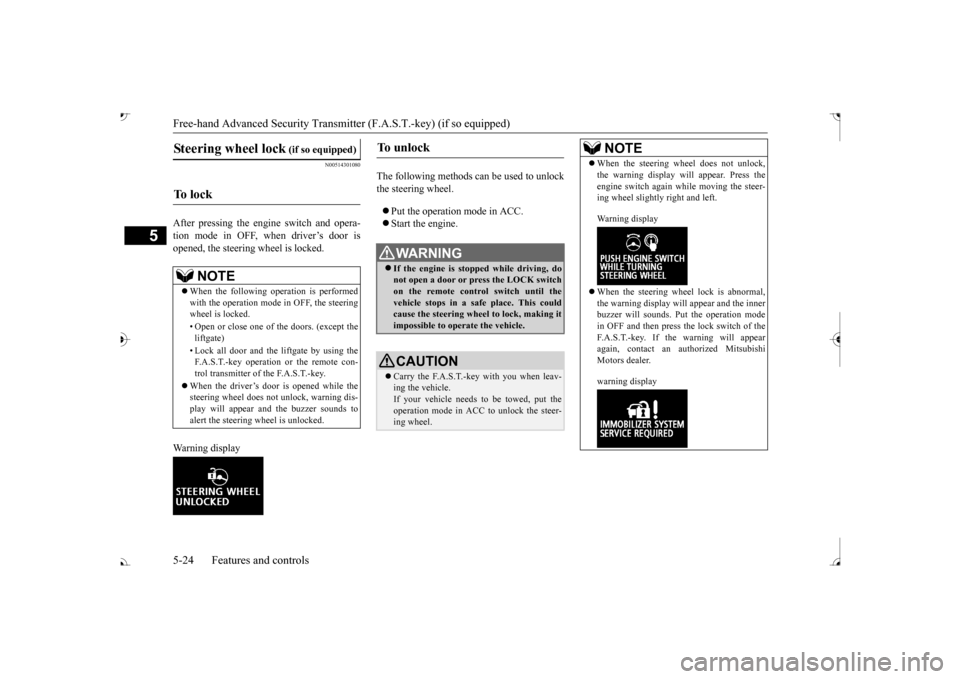
tion mode in OFF, when driver’s door isopened, the steering wheel is locked. Warning display
The following methods ca
n be used to unlock
the steering wheel. Put the operation mode in ACC. Start the engine.
Steering wheel lock
(if so equipped)
To l o c k
NOTE
When the following ope
ration is performed
with the operation mode
in OFF, the steering
wheel is locked. • Open or close one of the doors. (except the liftgate) F.A.S.T.-key operation or the remote con- trol transmitter of the F.A.S.T.-key.
When the driver’s door is opened while the steering wheel does not
unlock, warning dis-
play will appear and the buzzer sounds toalert the steering wheel is unlocked.
To u n l o c k
WA R N I N G If the engine is stopped while driving, do not open a door or press the LOCK switch on the remote control switch until the vehicle stops in a safe
place. This could
cause the steering wheel to lock, making it impossible to operate the vehicle.CAUTION Carry the F.A.S.T.-key with you when leav- ing the vehicle.If your vehicle needs to
be towed, put the
operation mode in ACC to unlock the steer- ing wheel.
NOTE
When the steering wheel does not unlock, the warning display wi
ll appear. Press the
engine switch again wh
ile moving the steer-
ing wheel slightly right and left. Warning display When the steering wheel lock is abnormal, the warning display will
appear and the inner
buzzer will sounds. Put the operation mode in OFF and then press the lock switch of theF.A.S.T.-key. If the warning will appear again, contact an authorized Mitsubishi Motors dealer. warning display
BK0239700US.book 24 ページ 2016年6月16日 木曜日 午前10時58分
Page 109 of 521
Free-hand Advanced
Security Transmitter (F.A.S
.T.-key) (if so equipped)
5
approximately 3 seconds to remind you to remove the key.
N00514800017 N00515201158
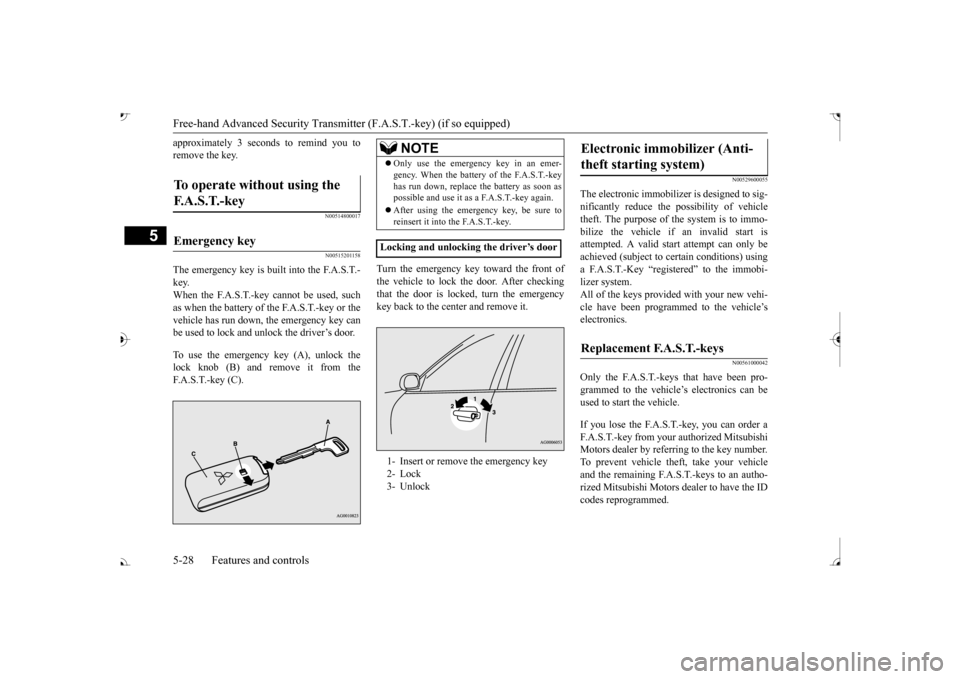
The emergency key is built into the F.A.S.T.- key. When the F.A.S.T.-key cannot be used, suchas when the battery of the F.A.S.T.-key or the vehicle has run down, the emergency key can be used to lock and unlock the driver’s door. To use the emergency key (A), unlock the lock knob (B) and remove it from the F.A.S.T.-key (C).
Turn the emergency key toward the front of the vehicle to lock the door. After checking that the door is locked, turn the emergency key back to the center and remove it.
N00529600055
The electronic immobilize
r is designed to sig-
nificantly reduce the
possibility of vehicle
theft. The purpose of the system is to immo- bilize the vehicle if
an invalid start is
attempted. A valid st
art attempt can only be
achieved (subject to ce
rtain conditions) using
a F.A.S.T.-Key “registered” to the immobi- lizer system. All of the keys provided with your new vehi- cle have been program
med to the vehicle’s
electronics.
N00561000042
Only the F.A.S.T.-keys that have been pro-grammed to the vehicl
e’s electronics can be
used to start the vehicle. If you lose the F.A.S.T.-key, you can order a F.A.S.T.-key from your authorized MitsubishiMotors dealer by refe
rring to the key number.
To prevent vehicle theft, take your vehicle and the remaining F.A.S.T.-keys to an autho-rized Mitsubishi Motors
dealer to have the ID
codes reprogrammed.
To operate without using the F. A . S . T. - k e y
Emergency key
NOTE
Only use the emergency key in an emer- gency. When the battery of the F.A.S.T.-keyhas run down, replace
the battery as soon as
possible and use it as a F.A.S.T.-key again. After using the emergency key, be sure to reinsert it into the F.A.S.T.-key.
Locking and unlocking the driver’s door 1- Insert or remove
the emergency key
2- Lock 3- Unlock
Electronic immobilizer (Anti- theft starting system)
Replacement F.A.S.T.-keys
BK0239700US.book 28 ページ 2016年6月16日 木曜日 午前10時58分
Page 113 of 521
Free-hand Advanced
Security Transmitter (F.A.S
.T.-key) (if so equipped)
5
The buzzer answerback function can be turned ON or OFF as required.
N00544601095
The door and liftgate
unlock function can be
set to the following two conditions. Each time the door and
liftgate unlock func-
tion is set, a chime wi
ll sound to tell you the
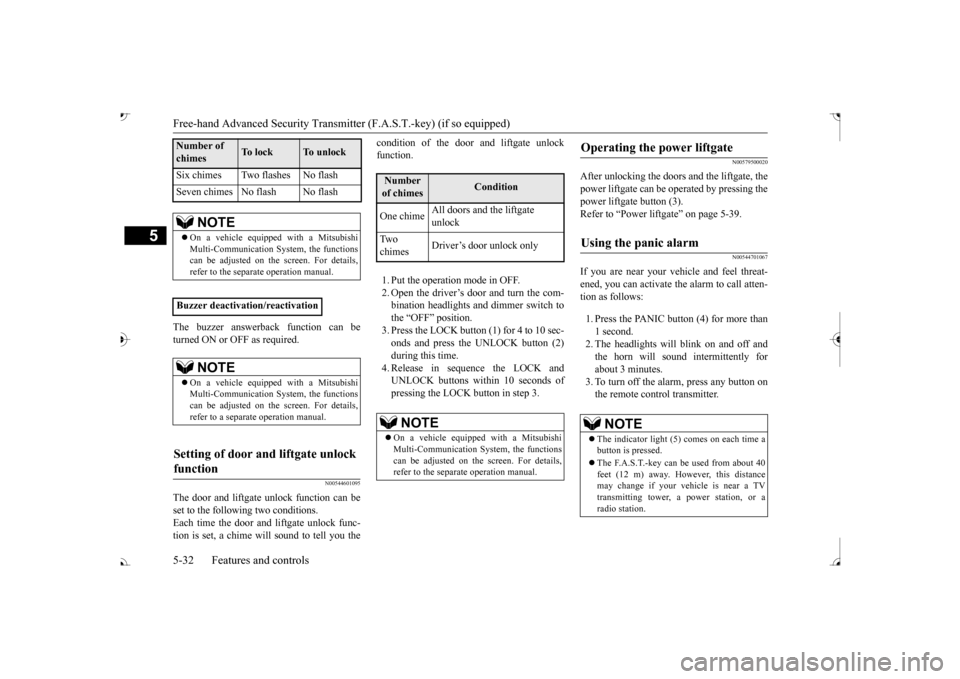
condition of the door and liftgate unlock function. 1. Put the operation mode in OFF. 2. Open the driver’s door and turn the com- bination headlights and dimmer switch tothe “OFF” position. 3. Press the LOCK button (1) for 4 to 10 sec- onds and press the UNLOCK button (2)during this time. 4. Release in sequence the LOCK and UNLOCK buttons within 10 seconds ofpressing the LOCK button in step 3.
N00579500020
After unlocking the doors and the liftgate, the power liftgate can be operated by pressing the power liftgate button (3).Refer to “Power lift
gate” on page 5-39.
N00544701067
If you are near your vehicle and feel threat- ened, you can activate the alarm to call atten- tion as follows: 1. Press the PANIC button (4) for more than 1 second. 2. The headlights will blink on and off and the horn will sound intermittently forabout 3 minutes. 3. To turn off the alarm, press any button on the remote control transmitter.
Six chimes Two flashes No flash Seven chimes No flash No flash
NOTE
On a vehicle equippe
d with a Mitsubishi
Multi-Communication System, the functions can be adjusted on the screen. For details, refer to the separate operation manual.
Buzzer deactivation/reactivation
NOTE
On a vehicle equippe
d with a Mitsubishi
Multi-Communication System, the functionscan be adjusted on the screen. For details, refer to a separa
te operation manual.
Setting of door and liftgate unlock function
Number of chimes
To l o c k
To unlock
Number of chimes
Condition
One chime
All doors and the liftgate unlock
Tw o chimes
Driver’s door unlock only
NOTE
On a vehicle equippe
d with a Mitsubishi
Multi-Communication System, the functions can be adjusted on the screen. For details, refer to the separa
te operation manual.
Operating the power liftgate
Using the panic alarm
NOTE
The indicator light (5) comes on each time a button is pressed. The F.A.S.T.-key can be used from about 40 feet (12 m) away. However, this distance may change if your vehicle is near a TVtransmitting tower, a power station, or a radio station.
BK0239700US.book 32 ページ 2016年6月16日 木曜日 午前10時58分
Page 115 of 521
Door locks 5-34 Features and controls
5
4. Install a new battery with the +side (A) 5. Close the case firmly. 6. Check the keyless entry system to see that it works.
N00509201544
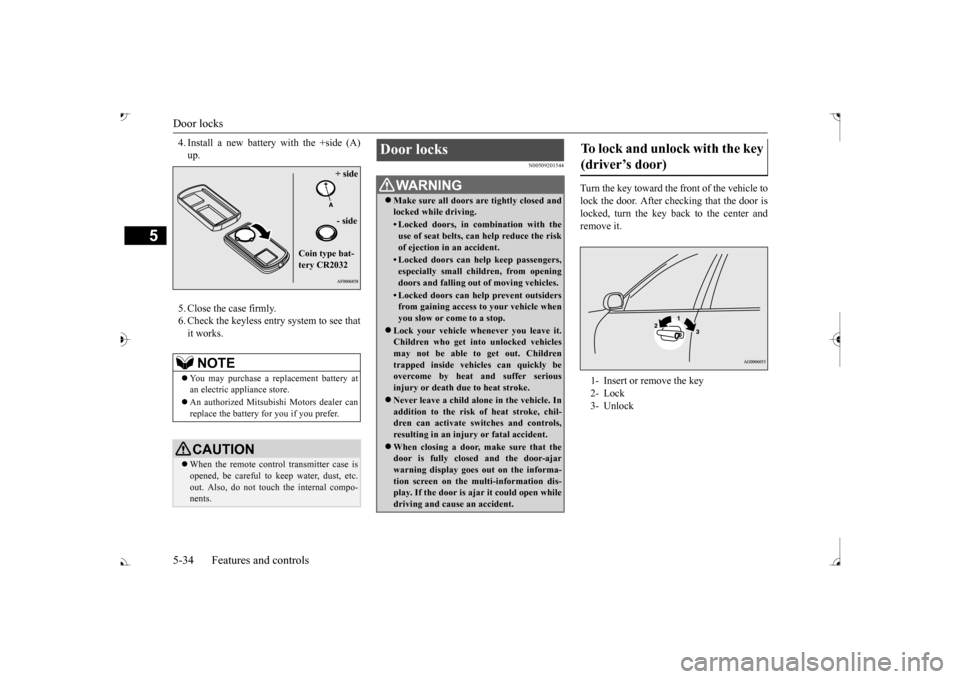
Turn the key toward the front of the vehicle tolock the door. After checking that the door is locked, turn the key back to the center andremove it.
NOTE
You may purchase a re
placement battery at
an electric appliance store. An authorized Mitsubishi Motors dealer can replace the battery for you if you prefer.CAUTION When the remote control transmitter case is opened, be careful to
keep water, dust, etc.
out. Also, do not touch the internal compo- nents.
+ side - side
Coin type bat- tery CR2032
Door locks
WA R N I N G Make sure all doors are tightly closed and locked while driving.• Locked doors, in co
mbination with the
use of seat belts, can help reduce the riskof ejection in
an accident.
• Locked doors can help keep passengers, especially small children, from opening doors and falling out
of moving vehicles.
• Locked doors can help
prevent outsiders
from gaining access to your vehicle when you slow or come to a stop.
Lock your vehicle when
ever you leave it.
Children who get into
unlocked vehicles
may not be able to get out. Children trapped inside vehicles can quickly be overcome by heat
and suffer serious
injury or death due to heat stroke. Never leave a ch
ild alone in the vehicle. In
addition to the risk
of heat stroke, chil-
dren can activate switches and controls, resulting in an injury
or fatal accident.
When closing a door,
make sure that the
door is fully closed and the door-ajarwarning display goes
out on the informa-
tion screen on the multi-information dis- play. If the door is aj
ar it could open while
driving and cause an accident.
To lock and unlock with the key (driver’s door) 1- Insert or remove the key 2- Lock3- Unlock
BK0239700US.book 34 ページ 2016年6月16日 木曜日 午前10時58分
Page 135 of 521
Parking brake 5-54 Features and controls
5
N00593100020
When parking on a hill, set the parking brake, and turn the front wheels toward the curb on a downhill, or away from
the curb on an uphill.
Before driving, be sure
to release the parking
brake.
N00593200021
The Electric parking brake is the system thatapplies the parking brake by the electricmotor.
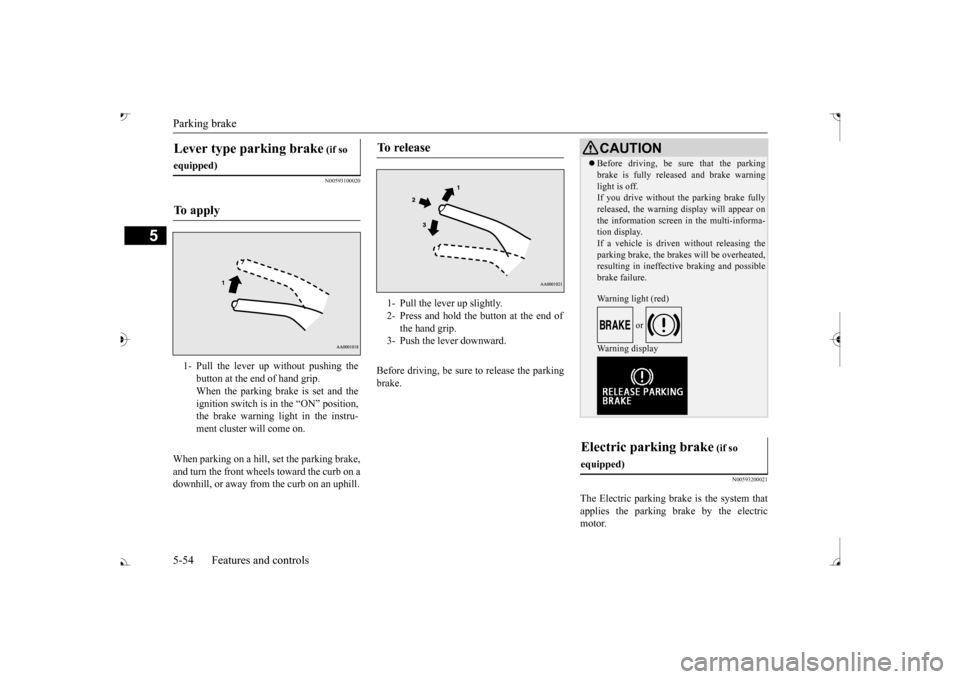
Lever type parking brake
(if so
equipped)To a p p l y
1- Pull the lever up without pushing the
button at the end of hand grip. When the parking brake is set and the ignition switch is in
the “ON” position,
the brake warning light in the instru- ment cluster will come on.
To r e l e a s e
1- Pull the lever up slightly. 2- Press and hold the button at the end of
the hand grip.
3- Push the lever downward.
CAUTION Before driving, be sure that the parking brake is fully released and brake warninglight is off.If you drive without the parking brake fully released, the warning
display will appear on
the information screen
in the multi-informa-
tion display. If a vehicle is driven without releasing the parking brake, the brakes will be overheated,resulting in ineffectiv
e braking and possible
brake failure. Warning light (red)
or
Warning display
Electric parking brake
(if so
equipped)
BK0239700US.book 54 ページ 2016年6月16日 木曜日 午前10時58分
Page 136 of 521

Parking brake
Features and controls 5-55
5
When the parking brake is applied, the brake warning light (red) in
the instrument cluster
and the indicator light (A) on the Electric parking brake switch will come on. When parking on a hill, set the parking brake, and turn the front wheels toward the curb on adownhill, or away from
the curb on an uphill.
NOTE
You may hear an operation noise from the vehicle body when operating the Electricparking brake. This do
es not indicate a mal-
function and the Elec
tric parking brake is
operating normally. When the battery is weak or dead, the Elec- tric parking brake cannot be applied or released. Refer to “Jum
p-starting the engine”
on page 8-2. You may feel the brake pedal moving when operating the Electr
ic parking brake.
This does not indi
cate a malfunction.
To apply
1. Stop the vehicle completely. 2. Pull up the Electric parking brake switch
while depressing the brake pedal.
CAUTION While the vehicle is in motion, do not apply the Electric parking
brake. Doing so may
cause overheating and/or
premature wear of
brake parts, reducing brake performance. NOTE
If the Electric parking
brake must be applied
in an emergency situa
tion, pull and hold the
Electric parking brake
switch to apply the
Electric parking brake. At that time, the fol- lowing warning display
will appear in the
multi-information disp
lay and a buzzer will
sound, however you should continue to pull and hold the Electric
parking brake switch.
When parking on stee
p grades, pull up the
Electric parking brak
e switch twice (once
more after the operati
on is completed once).
The maximum effect of the parking brake will be obtained. If the parking brake does not hold the vehicle stationary after the f
oot brake is released,
contact an authorized Mitsubishi Motorsdealer or a repair fa
cility of your choice.
When the operation mode is other than ON, if the parking brake is applied, the Electric parking brake indicator light comes on for a while. If the Electric parking brake switch is repeat- edly operated in a short time, the followingwarning display will appear in the multi- information display and
the Electrical park-
ing brake will temporarily stop working. Insuch case, wait for
approximately 1 minute
until the warning display disappears, and operate the Electric
parking brake switch
again. The brake warning light (red) and the indica- tor light on the Electric
parking brake switch
may blink. This does no
t indicate a malfunc-
tion, the lights go off when/if the Electric parking brake is released.NOTE
BK0239700US.book 55 ページ 2016年6月16日 木曜日 午前10時58分
Page 142 of 521
Outside rearview mirrors
Features and controls 5-61
5
N00549101167
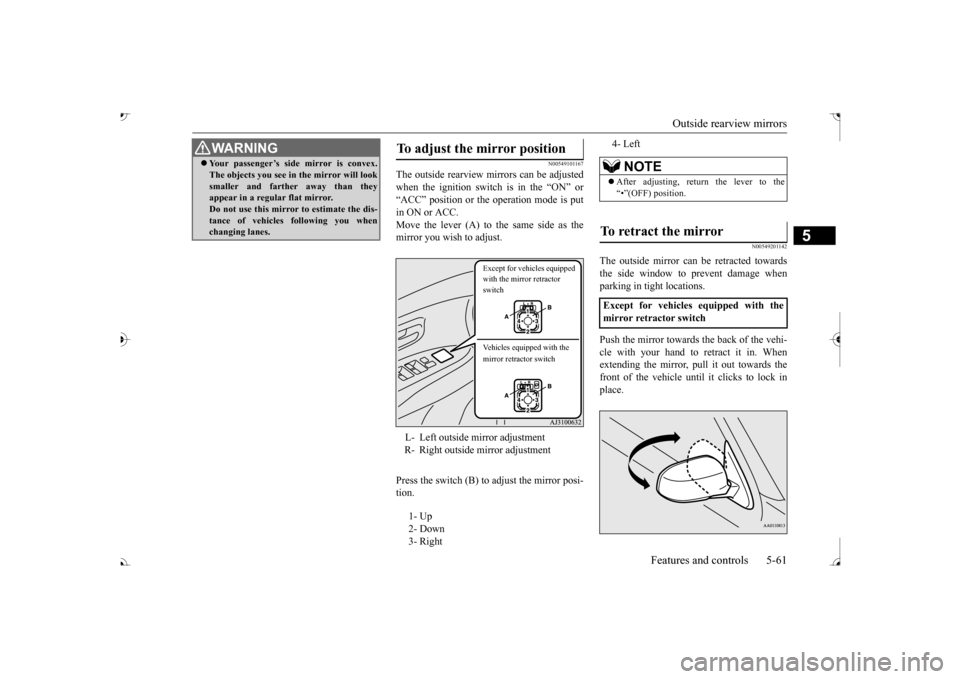
The outside rearview mirrors can be adjusted when the ignition switch is in the “ON” or “ACC” position or the operation mode is putin ON or ACC. Move the lever (A) to the same side as the mirror you wish to adjust. Press the switch (B) to adjust the mirror posi- tion.
N00549201142
The outside mirror can
be retracted towards
the side window to prevent damage when parking in tight locations. Push the mirror towards the back of the vehi- cle with your hand to retract it in. When extending the mirror, pull it out towards thefront of the vehicle until it clicks to lock in place.
Your passenger’s side mirror is convex. The objects you see in the mirror will looksmaller and farthe
r away than they
appear in a regular flat mirror. Do not use this mirror to estimate the dis- tance of vehicles following you whenchanging lanes.WA R N I N G
To adjust the mirror position L- Left outside mirror adjustment R- Right outside mirror adjustment 1- Up 2- Down 3- Right
Except for vehicles equipped with the mirror retractor switch Vehicles equipped with the mirror retractor switch
4- Left
NOTE
After adjusting, return the lever to the “•”(OFF) position.
To retract the mirror Except for vehicles equipped with the mirror retractor switch
BK0239700US.book 61 ページ 2016年6月16日 木曜日 午前10時58分
Page 153 of 521
Automatic transaxle (if so equipped) 5-72 Features and controls
5
This position is used for most city and high- way driving. The transaxle will automatically change its gear depe
nding on road and driv-
ing conditions.
This position is for dr
iving up very steep hills
and for engine braking at low speeds when driving down steep hills.
N00514401456
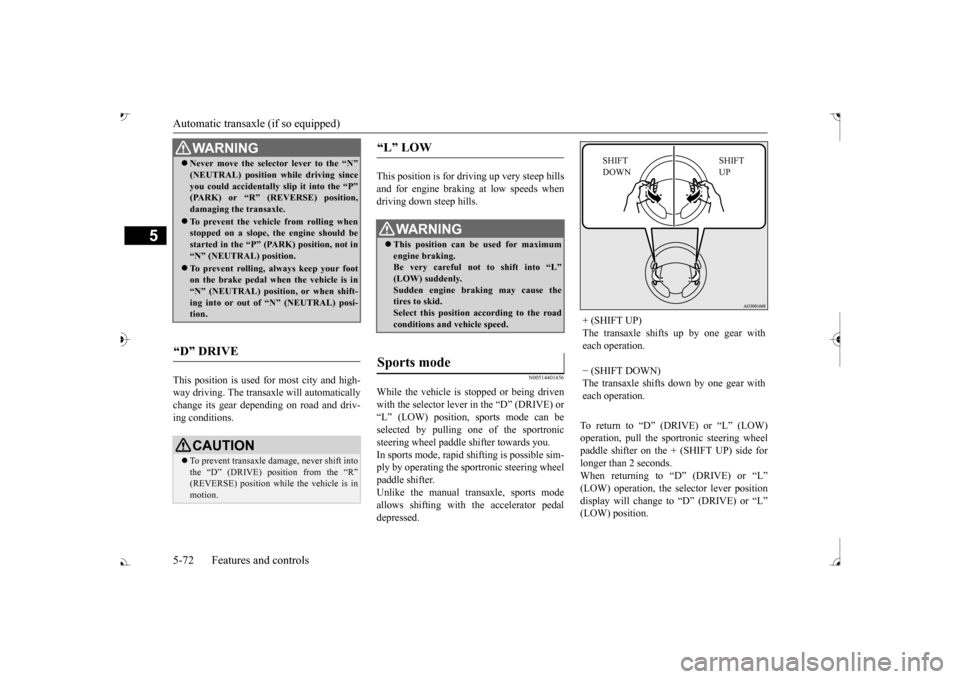
While the vehicle is stopped or being drivenwith the selector lever in the “D” (DRIVE) or “L” (LOW) position, sports mode can be selected by pulling one of the sportronicsteering wheel paddle shifter towards you. In sports mode, rapid shifting is possible sim- ply by operating the spor
tronic steering wheel
paddle shifter. Unlike the manual transaxle, sports mode allows shifting with the accelerator pedaldepressed.
To return to