2017 MERCEDES-BENZ GLC display
[x] Cancel search: displayPage 172 of 374
DISTRONIC PLUS with Steering Assist and
Stop&Go Pilot helps you keep the vehicle in the
center of the lane by means of moderate steer-
ing interventions in a speed range from
0–125 mph (0–200 km/h).
It monitors the area in front of your vehicle by
means of multifunction camera C , at the top of
the windshield.
In a speed range from 0 - 37 mph (0 - 60 km/h),
Stop&Go Pilot focuses on the vehicle in front,
taking into account lane markings, e.g. when
you are following vehicles in a traffic jam.
At speeds of more than 37 mph (60 km/h),
Steering Assist focuses on clear lane markings
(left and right), only focusing on the vehicle in
front if clear lane markings are not present.
If these conditions are not present, Steering
Assist and Stop&Go Pilot cannot provide assis-
tance.
DISTRONIC PLUS must be active in order for the
function to be available.
Important safety notes If you fail to adapt your driving style, DISTRONIC
PLUS with Steering Assist and Stop&Go Pilot
can neither reduce the risk of an accident nor
override the laws of physics. It cannot take
account of road, weather and traffic conditions.
DISTRONIC PLUS with Steering Assist and
Stop&Go Pilot is only an ai d. Y ou are responsible
fo
r maintaining a safe distance to the vehicle in
front, for vehicle speed, for braking in good time
and for staying in lane.
DISTRONIC PLUS with Steering Assist and
Stop&Go Pilot does not detect road and traffic
conditions and does not detect all road users. If
you are following a vehicle which is driving
towards the edge of the road, your vehicle could
come into contact with the curb or other road
boundaries. Be particularly aware of other road
users, e.g. cyclists, that are directly next to your
vehicle.
Obstacles such as traffic pylons on the lane or
projecting out into the lane are not detected.
An inappropriate steering intervention, e.g. after
intentionally driving over a lane marking, can be
corrected at any time if you steer slightly in the
opposite direction.
DISTRONIC PLUS with Steering Assist and
Stop&Go Pilot cannot continuously keep your
vehicle in lane. In some cases, steering inter-
vention is not sufficient to bring the vehicle back
to the lane. In such cases, you must steer the vehicle yourself to ensure that it does not leave
the lane.
The system may be impaired or may not function
if: R
there is poor visibility, e.g. due to insufficient
i llumination of the road, or due to snow, rain,
fog or spray R
there is glare, e.g. from oncoming traffic, the
sun or reflection from other vehicles (e.g. if
the road surface is wet) R
the windshield is dirty, fogged up, damaged or
covered, for instance by a sticker, in the vicin-
ity of the camera R
there are no, several or unclear lane markings
for a lane, e.g. in areas with road construction
work R
the lane markings are worn away, dark or cov-
ered up, e.g. by dirt or snow R
the distance to the vehicle in front is too small
and the lane markings thus cannot be detec-
ted R
the lane markings change quickly, e.g. lanes
branch off, cross one another or merge R
the road is narrow and winding R
there are highly variable shade conditions on
the roadway
The system is switched to passive and no longer
assists you by performing steering interventions
if: R
you actively change lane R
you switch on the turn signal R
you take your hands off the steering wheel or
do not steer for a prolonged period of time
Steering Assist and Stop&Go Pilot are activated
again automatically after a lane chang e is com-
p leted.
Steering Assist and Stop&Go Pilot do not pro-
vide any support: R
on very sharp corners R
when a loss of tire pressure or a defective tire
has been detected and displayed
Pay attention also to the important safety notes
for DISTRONIC PLUS ( Y
page 164).
The steering interventions are carried out with a
limited steering moment. The system requires
the driver to keep his hands on the steering
wheel and to steer himself.
If you do not steer yourself or if you take your
hands off the steering wheel for a prolonged
period of time, the system will first alert you with170
Driving system s
Dr ivi ng an d parking
Page 173 of 374
a visual warning. A steering wheel symbol
appears in the multifunction display. If you have
still not started to steer and have not taken hold
of the steering wheel after five seconds at the
latest, a warning tone also sounds to remind you
to take control of the vehicle. Steering Assist
and Stop&Go Pilot are switched to passive.
DISTRONIC PLUS remains active.
Activating Steering Assist and Stop&Go
Pilot
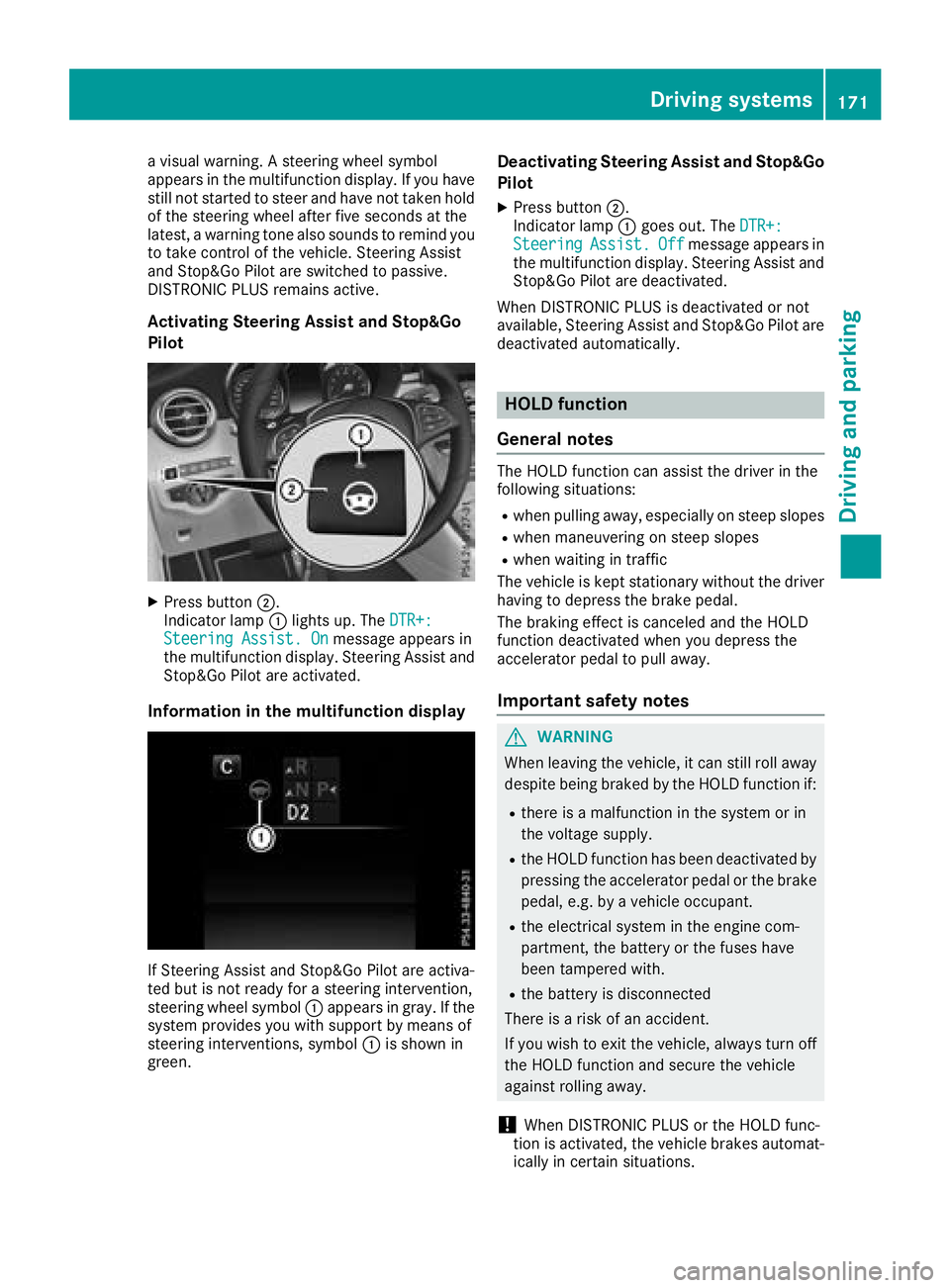
X
Press button D .
Indicator lamp C lights up. The DTR+:
Steering Assist. On message appears in
the multifunction display. Steering Assist and
Stop&Go Pilot are activated.
Information in the multifunction display
If Steering Assist and Stop&Go Pilot are activa-
ted but is not ready for a steering intervention,
steering wheel symbol C appears in gray. If the
system provides you with support by means of
steering interventions, symbol C is shown in
green. Deactivating Steering Assist and Stop&Go
Pilot X
Press button D .
Indicator lamp C goes out. The DTR+:
Steering Assist. Off message appears in
the multifunction display. Steering Assist and
Stop&Go Pilot are deactivated.
When DISTRONIC PLUS is deactivated or not
available, Steering Assist and Stop&Go Pilot are
deactivated automatically.
HOLD function
General notes The HOLD function can assist the driver in the
following situations: R
when pulling away, especially on steep slopes R
when maneuvering on steep slopes R
when waiting in traffic
The vehicle is kept stationary without the driver
having to depress the brake pedal.
The braking effect is canceled and the HOLD
function deactivated when you depress the
accelerator pedal to pull away.
Important safety notes
G WARNING
When leaving the vehicle, it can still roll away
despite being braked by the HOLD function if: R
there is a malfunction in the system or in
the voltage supply. R
the HOLD function has been deactivated by
pressing the accelerator pedal or the brake
pedal, e.g. by a vehicle occupant. R
the electrical system in the engine com-
partment, the battery or the fuses have
been tampered with. R
the battery is disconnected
There is a risk of an accident.
If you wish to exit the vehicle, always turn off
the HOLD function and secure the vehicle
against rolling away.
! When DISTRONIC PLUS or the HOLD func-
tion is activated, the vehicle brakes automat-
ically in certain situations.Driving systems 171
Driving and parking Z
Page 174 of 374
To avoid damage to the vehicle, deactivate
DISTRONIC PLUS and the HOLD function in
the following or similar situations: R
when towing the vehicle R
in the car wash
Deactivating the HOLD function ( Y
page 172).
Activation conditions You can activate the HOLD function if all of the
following conditions are fulfilled: R
the vehicle is stationary. R
the engine is running or if it has been auto-
matically switched off by the ECO start/stop
function. R
the driver's door is closed or your seat belt is
fastened. R
the electric parking brake is released. R
the transmission is in position [ , ^ or \\ .R
DISTRONIC PLUS is deactivated.
Activating the HOLD function
X
Make sure that the activation conditions are
met. X
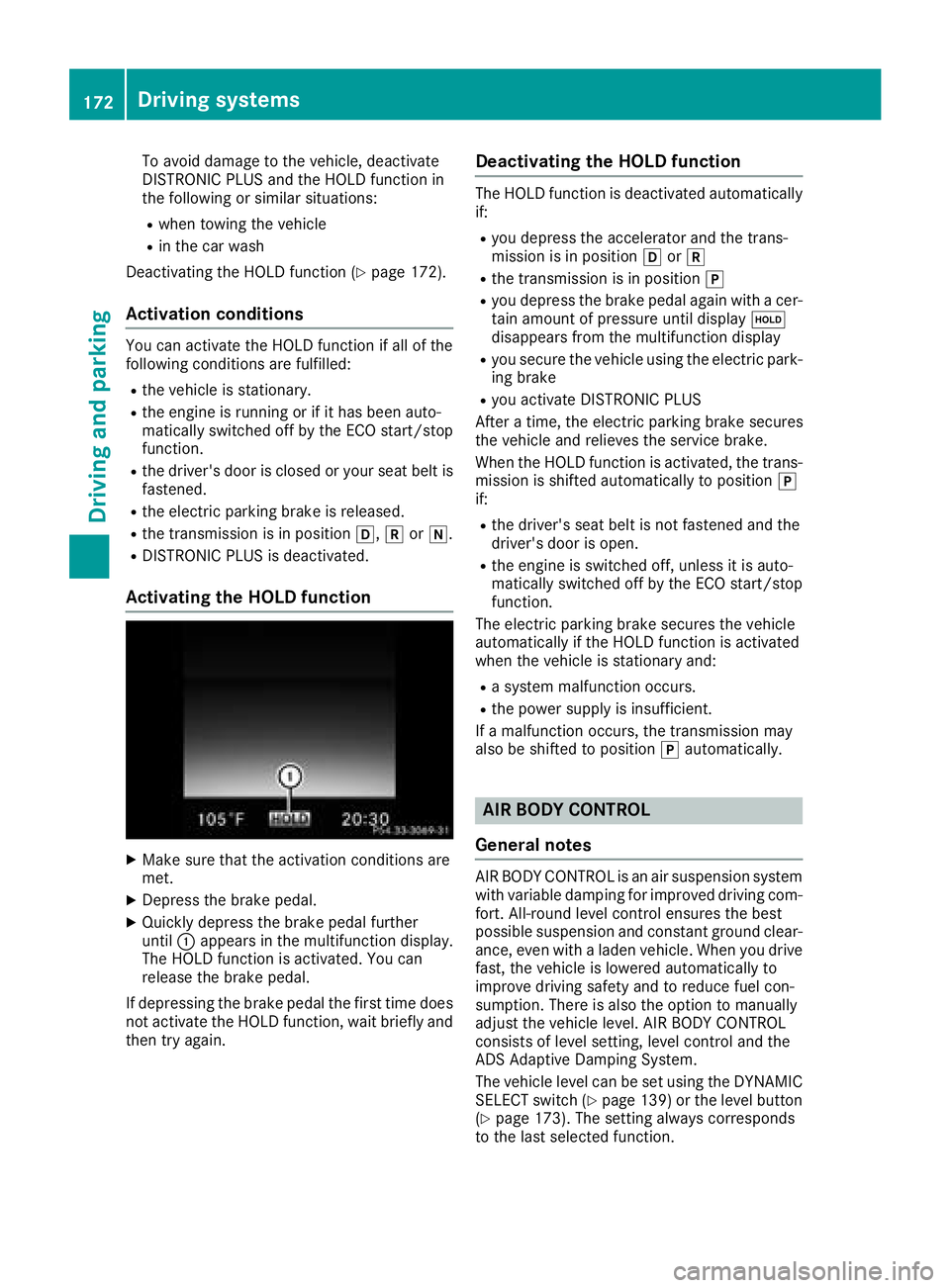
Depress the brake pedal. X
Quickly depress the brake pedal further
until C appears in the multifunction display.
The HOLD function is activated. You can
release the brake pedal.
If depressing the brake pedal the first time does
not activate the HOLD function, wait briefly and
then try again. Deactivating the HOLD function The HOLD function is deactivated automatically
if: R
you depress the accelerator and the trans-
mission is in position [ or ^R
the transmission is in position ]R
you depress the brake pedal again with a cer-
tain amount of pressure until display
Page 175 of 374
Important safety notes
G WARNIN G
When th e vehicl e is bein g lowered, people
could become trapped if their limb s are
between th e vehicl e body and th e wheels or
underneat h th e vehicle. Ther e is a ris k of
injury.
Mak e sur e no on e is underneat h th e vehicl e or
in th e immediat e vicinity of th e whee l arches
when th e vehicl e is bein g lowered.
i If on e of th e door s is open , th e vehicl e is no t
lowered.
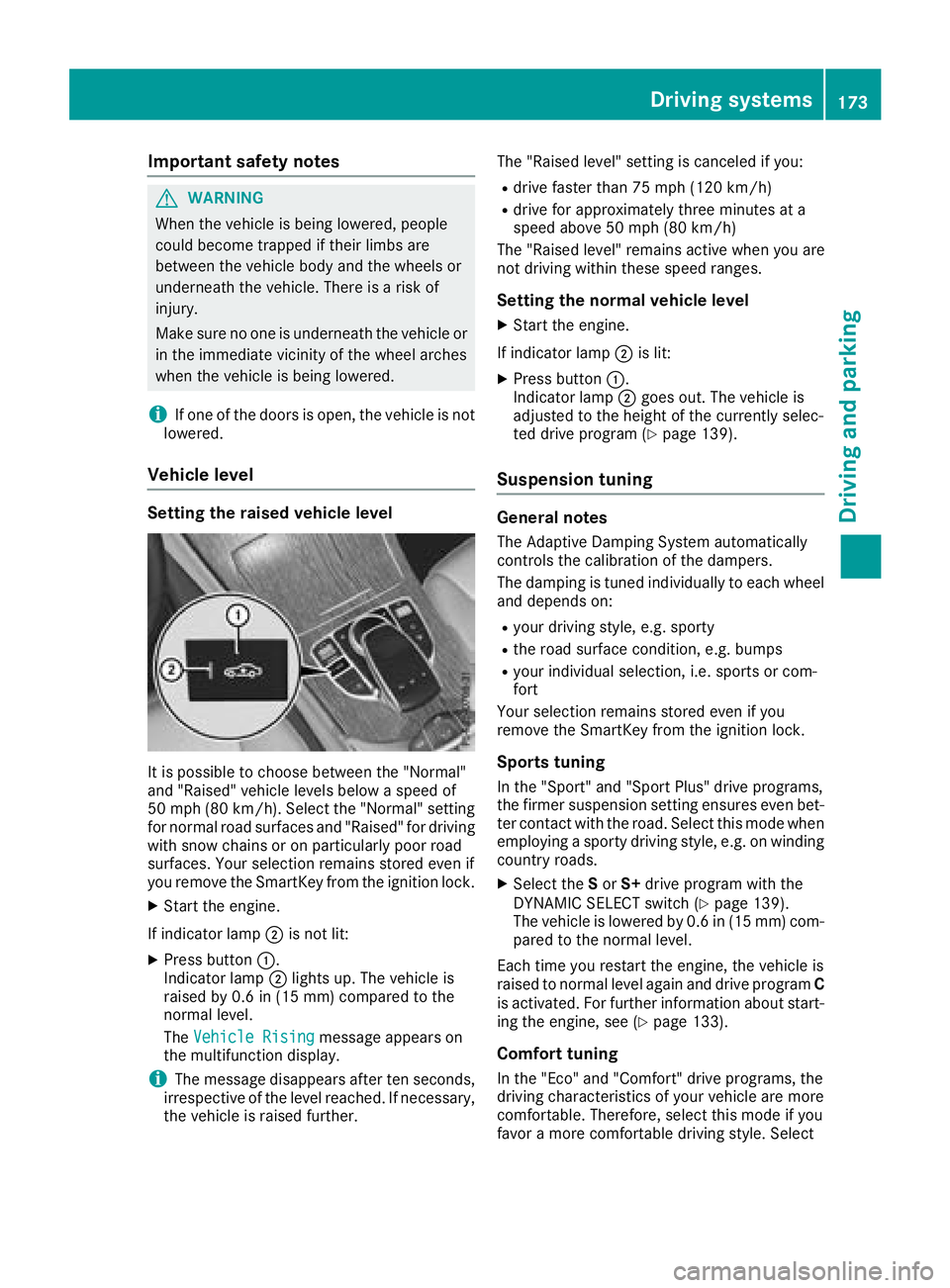
Vehicle level Setting the ra ised vehicle level
It is possible to choos e between th e "Normal"
and "Raised " vehicl e levels belo w a spee d of
50 mph (80 km/h). Selec t th e "Normal" setting
for normal road surfaces and "Raised " for driving
wit h snow chain s or on particularly poor road
surfaces. Your selection remain s store d eve n if
you remove th e SmartKey from th e ignition lock.X
Start th e engine.
If indicator lamp D is no t lit :X
Press butto n C .
Indicato r lamp D lights up. The vehicl e is
raised by 0. 6 in (15 mm ) comp ared to the
normal level.
The Vehicle Rising
message appears on
the multifunction display.
i The message disappears after ten seconds,
irrespective of the level reached. If necessary,
the vehicle is raised further. The "Raised level" setting is canceled if you: R
drive faster than 75 mph (120 km/h) R
drive for approximately three minutes at a
speed above 50 mph (80 km/ h)
The "Raised level" remains active when you are
not driving within these speed ranges.
Setting the normal vehicle level X
Start the engine.
If indicator lamp D is lit: X
Press button C .
Indicator lamp D goes out. The vehicle is
adjusted to the height of the currently selec-
ted drive program ( Y
page 139).
Suspension tuning General notes The Adaptive Damping System automatically
controls the calibration of the dampers.
The damping is tuned individually to each wheel
and depends on: R
your driving style, e.g. sporty R
the road surface condition, e.g. bumps R
your individual selection, i.e. sports or com-
fort
Your selection remains stored even if you
remove the SmartKey from the ignition lock.
Sports tuning In the "Sport" and "Sport Plus" drive programs,
the firmer suspension setting ensures even bet-
ter contact with the road. Select this mode when
employing a sporty driving style, e.g. on winding
country roads. X
Select the S or S+ drive program with the
DYNAMIC SELECT switch ( Y
page 139).
The vehicle is lowered by 0.6 in (15 mm) com-
pared to the normal level.
Each time you restart the engine, the vehicle is
raised to normal level again and drive program C
is activated. For further information about start-
ing the engine, see ( Y
page 133).
Comfort tuning
In the "Eco" and "Comfort" drive programs, the
driving characteristics of your vehicle are more
comfortable. Therefore, select this mode if you
favor a more comfortable driving style. SelectDriving systems 173
Driving and parking Z
Page 179 of 374
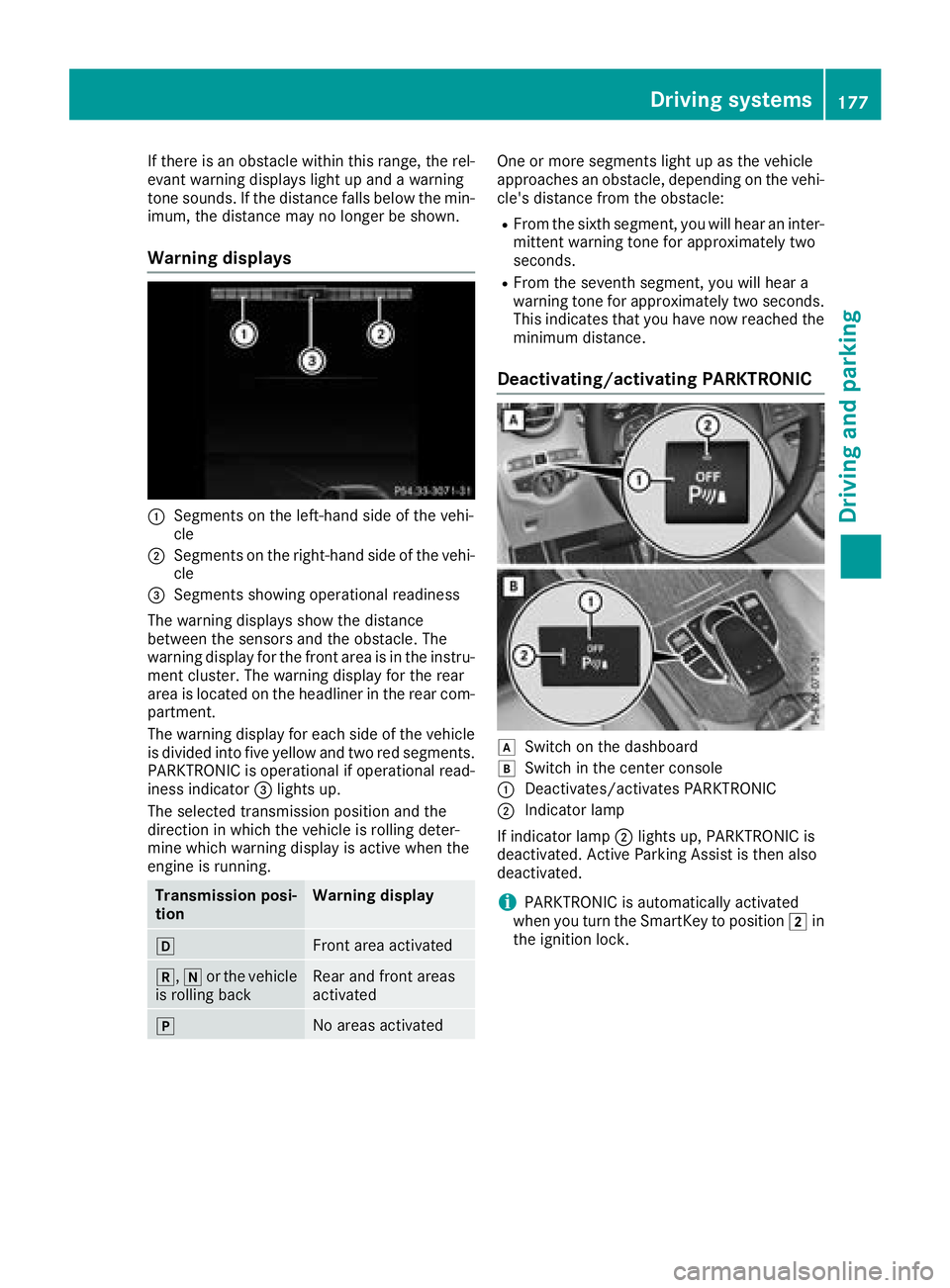
If there is an obstacle within this range, the rel-
evant warning displays light up and a warning
tone sounds. If the distance falls below the min-
imum, the distance may no longer be shown.
Warning displays
C
Segments on the left-hand side of the vehi-
cleD
Segments on the right-hand side of the vehi-
cle
Page 180 of 374

Problems with PARKTRONIC Problem
Possible causes/consequences and P Solutions
Only the red segments in
the PARKTRONIC warn-
ing displays are lit. You
also hear a warning tone
for approximately two
seconds.
PARKTRONIC is then
deactivated and the indi-
cator lamp on the
PARKTRONIC button
lights up. PARKTRONIC has malfunctioned and has switched off. X
If problems persist, have PARKTRONIC checked at a qualified spe-
cialist workshop.
Only the red segments in
the PARKTRONIC warn-
ing displays are lit.
PARKTRONIC is then
deactivated. The PARKTRONIC sensors are dirty or there is interference. X
Clean the PARKTRONIC sensors ( Y
page 315).X
Switch the ignition back on.
The problem may be caused by an external source of radio or ultra-
sound waves. X
See if PARKTRONIC functions in a different location.
Active Parking Assist
General notes Active Parking Assist is an electronic parking aid
with ultrasound. It measures the road on both
sides of the vehicle. A parking symbol indicates
a suitable parking space. Active steering inter-
vention and brake application can assist you
during parking and when exiting a parking
space. You may also use PARKTRONIC
( Y
page 175).
Important safety notes Active Parking Assist is merely an aid. It is not a
replacement for your attention to your immedi-
ate surroundings. You are always responsible
for safe maneuvering, parking and exiting a
parking space. Make sure that no persons, ani-
mals or objects are in the maneuvering range.
When PARKTRONIC is switched off, Active Park-
ing Assist is also unavailable.
For vehicles with a trailer tow hitch installed, the
minimum length for parking spaces is slightly
longer.
If you have attached a trailer to your vehicle, you
should not use Active Parking Assist. Once the
electrical connection is established between your vehicle and the trailer, Active Parking
Assist is no longer available. PARKTRONIC is
deactivated for the rear area.
G WARNING
While parking or pulling out of a parking
space, the vehicle swings out and can drive
onto areas of the oncoming lane. This could
result in a collision with another road user.
There is a risk of an accident.
Pay attention to other road users. Stop the
vehicle if necessary or cancel the Active Park-
ing Assist parking procedure.
! If unavoidable, you should drive over obsta-
cles such as curbs slowly and not at a sharp
angle. Otherwise, you may damage the
wheels or tires.
Active Parking Assist may possibly indicate
parking spaces which are not suitable for park-
ing, for example: R
where parking or stopping is prohibited R
in front of driveways or entrances and exits R
on unsuitable surfaces178
Driving systems
Driving and parking
Page 182 of 374
Active Parking Assist will only detect parking
spaces: R
parallel or at right angles to the direction of
travel R
that are parallel to the direction of travel and
at least 59 in (1.5 m) wid eR
that are parallel to the direction of travel and
at least 39.5 in (1.0 m) longer than your vehi-
cle R
at right angles to the direction of travel and at
least 39.5 in (1.0 m) wider than your vehicle
i Note that Active Parking Assist cannot
measure the size of a parking space if it is at
right angles to the direction of travel. You will
need to judge whether your vehicle will fit into
the parking space.
When driving at speeds below 19 mph
(30 km/h), you will see parking symbol D as a
status indicator in the instrument cluster. When
a parking space has been detected, an arrow
towards the right or the left also appears. By
default, Active Parking Assist only displays park-
ing spaces on the front-passenger side. Parking
spaces on the driver's side are displayed as
soon as the turn signal on the driver's side is
activated. When parking on the driver's side,
this must remain switched on until you acknowl-
edge the use of Active Parking Assist by press-
ing the v button on the multifunction steer-
ing wheel. The system automatically determines
whether the parking space is parallel or at right
angles to the direction of travel.
A parking space is displayed while you are driv-
ing past it, and until you are approximately 50 ft
(15 m) away from it.
Parking
G WARNING
If you leave the vehicle when it is only being
braked by Active Parking Assist it could roll
away if: R
there is a malfunction in the system or in
the voltage supply. R
the electrical system in the engine com-
partment, the battery or the fuses have
been tampered with. R
the battery is disconnected. R
the accelerator pedal has been depressed,
e.g. by a vehicle occupant.
There is a risk of an accident.
Before leaving the vehicle, always secure it
against rolling away.
i When PARKTRONIC detects obstacles,
Active Parking Assist brakes automatically
during the parking process. You are respon-
sible for braking in good time. X
Stop the vehicle when the parking space sym-
bol shows the desired parking space in the
instrument cluster. X
Shift the transmission to position ^ .
The Start Park Assist? Yes: OK No: 8
message appears in the multifunction display. X
To cancel the procedure: press the 8
button on the multifunction steering wheel or
pull away.
or X
To park using Active Parking Assist: press
the v button on the multifunction steering
wheel.
The Park Assist Active Accelerate
and Brake Observe Surroundings mes-
sage appears in the multifunction display. X
Let go of the multifunction steering wheel. X
Back up the vehicle, being ready to brake at all
times. When backing up, drive at a speed
below approximately 6 mph (10 km/h). Oth-
erwise Active Parking Assist will be canceled.
Active Parking Assist brakes the vehicle to a
standstill when the vehicle approaches the
rear border of the parking space.
Maneuvering may be required in tight parking
spaces.
The Park Assist Active Select D Observe
Surroundings message appears in the multi-
function display. X
While the vehicle is stationary, shift the trans-
mission to position [ .
Active Parking Assist immediately steers in
the other direction.180
Driving systems
Driving and parking
Page 183 of 374
The Park Assist Active Accelerate
and Brake Observe Surroundings mes-
sage appears in the multifunction display.
i You will achieve the best results by waiting
for the steering procedure to complete before
pulling away. X
Drive forwards and be ready to brake at all
times.
Active Parking Assist brakes the vehicle to a
standstill when the vehicle approaches the
rear border of the parking space.
Maneuvering may be required in tight parking
spaces.
The Park Assist Active Select R Observe
Surroundings message appears in the multi-
function display.
As soon as the parking procedure is complete,
the Park Assist Switched Off message
appears and a warning tone sounds. The vehicle
is now parked.
The vehicle is kept stationary without the driver
having to depress the brake pedal. The braking
effect is canceled when you depress the accel-
erator pedal.
Active Parking Assist no longer supports you
with steering interventions and brake applica-
tions. When Active Parking Assist is finished,
you must steer and brake again yourself.
PARKTRONIC is still available.
Parking tips: R
The way your vehicle is positioned in the park-
ing space after parking is dependent on vari-
ous factors. These include the position and
shape of the vehicles parked in front and
behind it and the conditions of the location. It
may be the case that Active Parking Assist
guides you too far into a parking space, or not
far enough into it. In some cases, it may also
lead you across or onto the curb. If necessary,
you should cancel the parking procedure with
Active Parking Assist. R
You can also preselect transmission position
[ . The vehicle redirects and does not drive
as far into the parking space. Should the
transmission change take place too early, the
parking procedure will be canceled. A sensi-
ble parking position can no longer be ach-
ieved from this position. Exiting a parking space In order that Active Parking Assist can support
you when you exit the parking space: R
the border of the parking space must be high
enough at the front and the rear. A curb is too
small, for example. R
the border of the parking space must not be
too wide. Your vehicle can be maneuvered
into a position at a maximum of 45° to the
starting position in the parking space. R
a maneuvering distance of at least 3.3 ft
(1.0 m) must be available.
Active Parking Assist can only assist you with
exiting a parking space if you have parked the
vehicle parallel to the direction of travel using
Active Parking Assist.
i If PARKTRONIC detects obstacles, Active
Parking Assist brakes automatically whilst the
vehicle exits the parking space. You are
responsible for braking in good time. X
Start the engine. X
Release the electric parking brake. X
Switch on the turn signal in the direction you
are pulling away. X
Shift the transmission to position [ or ^ .
The Start Park Assist? Yes: OK No: 8
message appears on the multifunction dis-
play. X
To cancel the procedure: press the 8
button on the multifunction steering wheel or
pull away.
or X
To exit a parking space using Active Park-
ing Assist: press the v button on the mul-
tifunction steering wheel.
The Park Assist Active Accelerate
and Brake Observe Surroundings mes-
sage appears on the multifunction display. X
Let go of the multifunction steering wheel. X
Pull away, being ready to brake at all times. Do
not exceed a maximum speed of approx-
imately 6 mph (10 km/ h) when exiting a park-
ing space. Otherwise Active Parking Assist
will be canceled. X
Depending on the message or as required,
shift the transmission to position [ or ^ .
Active Parking Assist immediately steers in
the other direction. The Park Assist
Active Accelerate and Brake ObserveDriving systems 181
Driving and parking Z