Page 58 of 497
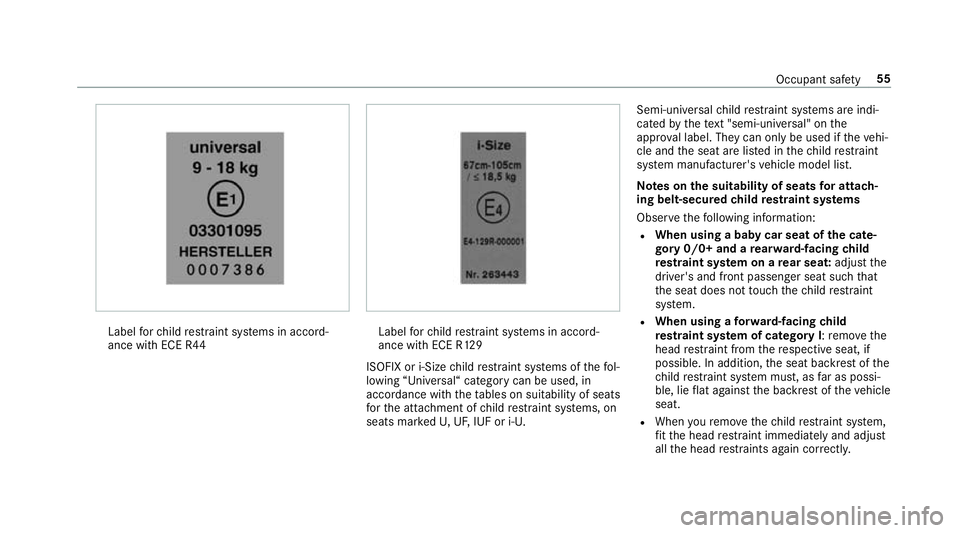
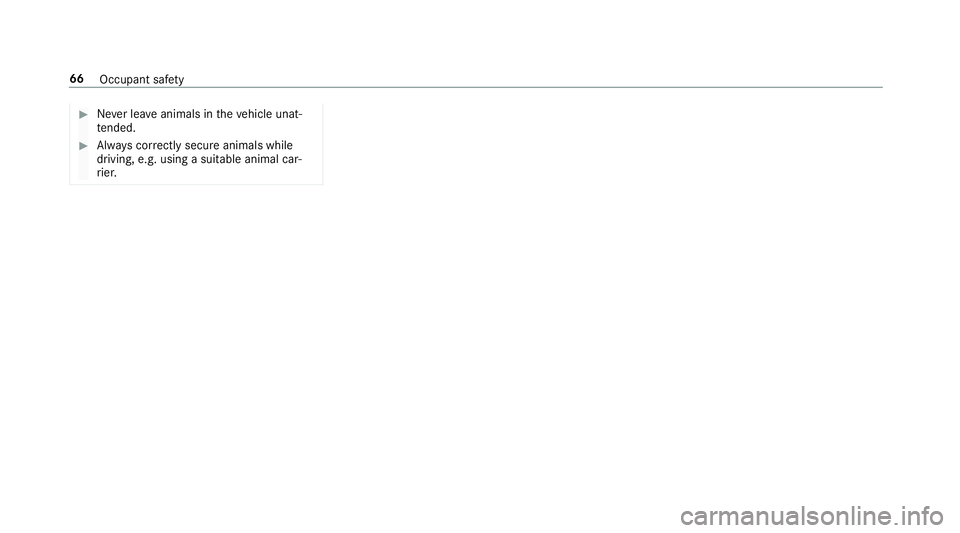
Label
forch ild restra int sy stems in accord‐
ance with ECE R44 Label
forch ild restra int sy stems in accord‐
ance with ECE R129
ISOFIX or i-Size child restra int sy stems of thefo l‐
lowing “Universal“ category can be used, in
accordance with theta bles on suitability of seats
fo rth e atta chment of child restra int sy stems, on
seats mar kedU, UF, IUF or i-U. Semi-universal
child restra int sy stems are indi‐
cated bythete xt "semi-uni versal" on the
appr oval label. They can on ly beused if theve hi‐
cle and the seat are lis ted in thech ild restra int
sy stem manufacturer's vehicle model list.
Note s onthe suitability of seats for attach‐
ing belt-secured child restra int sy stems
Obser vethefo llowing information:
R When using a baby car seat of the cate‐
gory 0/0+ and a rear wa rd-facing child
re stra int sy stem on a rear seat: adjustthe
driver's and front passenger seat such that
th e seat does not touch thech ild restra int
sy stem.
R When using a forw ard-facing child
re stra int sy stem of category I: remo vethe
head restra int from there spective seat, if
possible. In addition, the seat backrest of the
ch ild restra int sy stem must, as far as possi‐
ble, lie flat against the backrest of theve hicle
seat.
R When youre mo vethech ild restra int sy stem,
fi t th e head restra int immediately and adjust
all the head restra ints again cor rectl y. Occupant saf
ety55
Page 61 of 497
Re
ar seats with a belt airbag:We
ight categories Left,right
Category 0: upto10 kg X
Category 0+: upto13 kg X
Category I: 9to 18 kg X
Category II: 15to25 kg
L1
Category III: 22to36 kg
L1
1 Only use the appr ovedch ild seats KIDFIX or KIDFIX XP. Ve
hicles with belt airbags: when securing a
ch ild in a child restra int sy stem on an outer rear
seat, it is essential toobser vethefo llowing
instructions:
R Only use a child restra int sy stem appr oved
by Mercedes-Benz.
R Obser vethe no tes in "Overview of recom‐
mended child restra int sy stems"
(→ page 61). R
Secure a rear wa rd-facing child restra int sys‐
te m with the ISOFIX or the i-Size child seat
securing sy stem.
R Secure a forw ard-facing child restra int sys‐
te m with the ISOFIX or the i-Size child seat
securing sy stem and, if present, theTo p
Te ther anchorage. Note
s onthe suitability of seats for attach‐
ing ISOFIX child restra int sy stems
Obser vethefo llowing information:
R When using a baby car seat of cate‐
gory 0/0+ and a rear wa rd-facing child
re stra int sy stem of category I on a rear
seat: adjust th e driver's and front passenger
seat such that the seat does not touch the
ch ild restra int sy stem. 58
Occupant saf ety
Page 64 of 497

R
Obser vethe manufacturer's ins tallation
instructions forth ech ild restra int sy stem. Legend
for the table:
X Not suitable for an i-Size child restra int
sy stem in the "Universal" categor y.
i‑U Suitable forfo rw ard-facing and rear‐
wa rd-facing i-Size child restra int sys‐
te ms in the "Universal" categor y. Fr
ont passenger seat Left rear seat Centrerear seat Rightrear seat
i‑Size child restra int sy stem Xi ‑UXi ‑UOverview of
recommended child restra int
sy stems Ve
hicles with belt airbags: When securing a
ch ild in a child restra int sy stem on an outer rear
seat, it is essential toobser vethefo llowing
instructions:
R Only use a child restra int sy stem appr oved
by Mercedes-Benz. -
Weight category 0, 0+ or 1: thech ild
re stra int sy stem must be ins talled on the
ISOFIX or i-Size child seat securing sys‐
te m.
- Weight category II/III: only used the
appr ovedch ild seats KIDFIX or KIDFIX XP.
R Secure a rear wa rd-facing child restra int sys‐
te m with the ISOFIX or the i-Size child seat
securing sy stem. R
Secure a forw ard-facing child restra int sys‐
te m with the ISOFIX or the i-Size child seat
securing sy stem and, if present, theTo p
Te ther anchorage.
R Obser vethe no tes in "Belt airbag in rear seat
belt" (→ page 36). Occupant saf
ety61
Page 67 of 497

R
Shifting the automatic transmission out
of park position jor shifting the manual
transmission into neutral.
R Starting the engine.
In addition, they may operate vehicle equip‐
ment. #
Never lea vechildren and animals unat‐
te nded in theve hicle. #
When leaving theve hicle, alw aysta ke
th eke y with you and lock theve hicle.
This also applies tomobile phones if the
"Digital Car Key in the smartphone"
function is activated via the Mercedes
connect me web app. &
WARNING This poses an increased risk
of death due toheat strokeorexposure
to cold in theve hicle
If persons – particularly children – experi‐
ence prolonged exposure toextremely high
or low temp eratures, this poses a risk of
injury or evenfa ta l injur y. #
Never lea veanyone – pa rticularly chil‐
dren – unat tended in theve hicle. &
WARNING Risk of accident and inju ry
due tochildren left unat tended in the
ve hicle
If ch ildren are tra velling in theve hicle, they
could:
R Open doo rs,th ereby endangering other
persons or road users.
R Get out of theve hicle and be hit by
oncoming traf fic.
R Ope rate ve hicle equipment and become
trapped, forex ample. #
Alw ays activate thech ild saf ety loc ks
ins talled if children are tra velling in the
ve hicle. #
Never lea vechildren unat tended in the
ve hicle. #
When leaving theve hicle, alw aysta ke
th eke y with you and lock theve hicle.
This also applies tomobile phones if the "Digital Car
Key in the smartphone"
function is activated via the Mercedes
connect me web app. Child saf
ety loc ksforth ere ar doors and an over‐
ri de feature forth ere ar side wind owsareavaila‐
ble.
The child saf ety lock on there ar doors secures
each door separatel y.The doors can no longer
be opened from the inside. 64
Occupant saf ety
Page 68 of 497
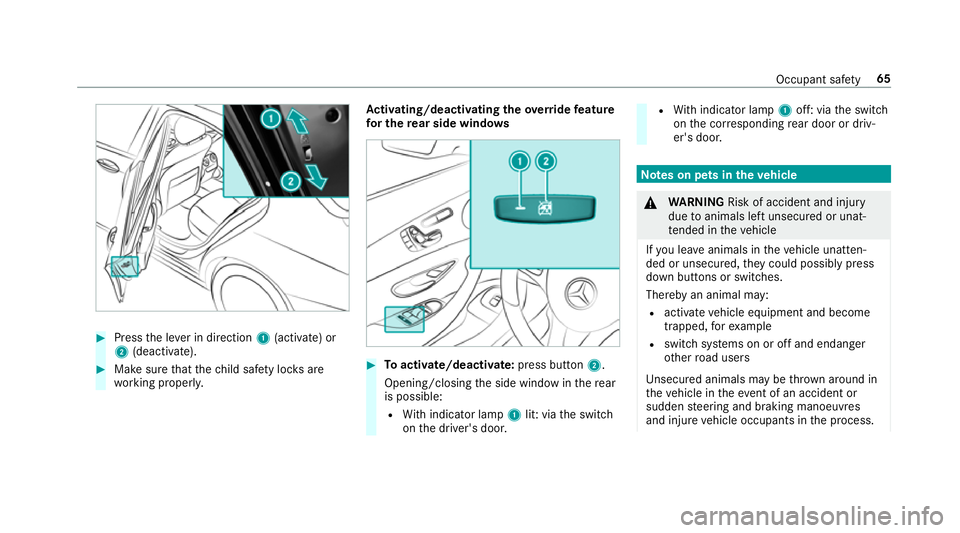
#
Press the le ver in direction 1(activate) or
2 (deactivate). #
Make sure that thech ild saf ety loc ksare
wo rking properly. Ac
tivating/deactivating the override feature
fo r the rear side windo ws #
Toactivate/deacti vate:press button 2.
Opening/closing the side window in there ar
is possible:
R With indicator lamp 1lit: via the switch
on the driver's door. R
With indicator lamp 1off: via the switch
on the cor responding rear door or driv‐
er's door. Note
s on pets in theve hicle &
WARNING Risk of accident and inju ry
due toanimals left unsecured or unat‐
te nded in theve hicle
If yo u lea veanimals in theve hicle unatten‐
ded or unsecured, they could possib lypress
down buttons or switches.
Thereby an animal may:
R activate vehicle equipment and become
trapped, forex ample
R swit chsystems on or off and endanger
ot her road users
Uns ecured animals may be throw n around in
th eve hicle in theeve nt of an accident or
sudden steering and braking manoeuvres
and injure vehicle occupants in the process. Occupant saf
ety65
Page 69 of 497
#
Never lea veanimals in theve hicle unat‐
te nded. #
Alw ays cor rectly secu reanimals while
driving, e.g. using a suitable animal car‐
ri er. 66
Occupant saf ety
Page 75 of 497

#
Pull door handle 2.
Locking pin 1pops up when the door is
unloc ked. Centrally locking and unlocking
theve hicle
from the inside #
Tounlo ck:press button 1. #
Tolock: press button 2.
This does not lock or unlock the fuel filler flap.
The vehicle is not unloc ked:
R Ifyo u ha veloc kedth eve hicle using thekey. R
Ifyo u ha veloc kedth eve hicle using KEY‐
LESS-GO. Locking and unlocking
theve hicle with the
mo bile phone (NFC) Re
quirements:
R The vehicle is equipped with the "digital vehi‐
cle key" function.
R The "digital vehicle key" function is activated
via the Mercedes me connect web app:
http://www.mercedes.me.
R A suitable mobile phone with NFC aerial
(Near Field Communication) and Secure Ele‐
ment.
R A suf ficient charge status on the mobile
phone. On some mobile phones, the function
is also available when the battery is dis‐
ch arge d.
% You can check the suitability of your mobile
phone byentering the phone number at
http://www.mercedes.me. 72
Opening and closing
Page 80 of 497
*
NO
TEDama getothe boot lid byobs ta‐
cles ab ovetheve hicle The boot lid swings upwards when it is
opened. #
Therefore, make sure that there is suf fi‐
cient clearance ab ovethe boot lid. Yo
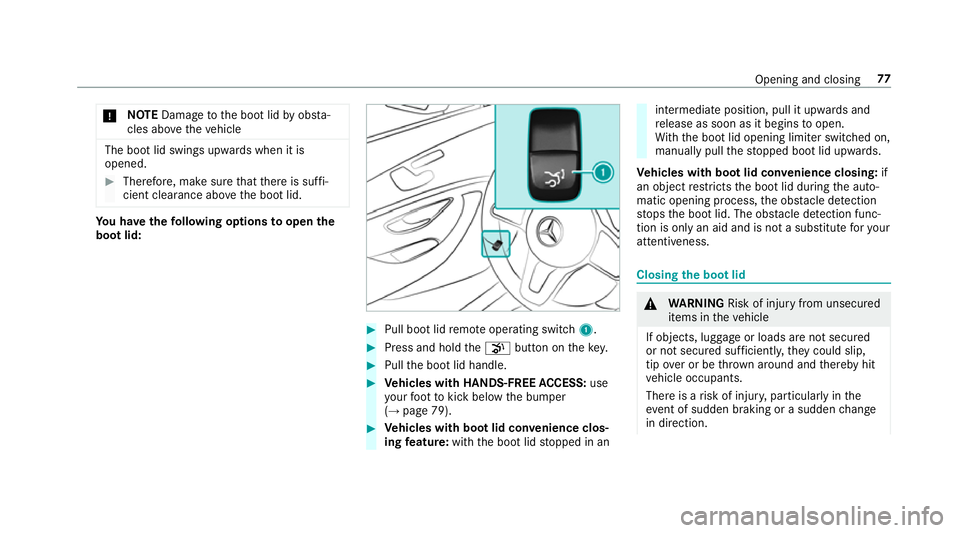
u ha vethefo llowing options toopen the
boot lid: #
Pull boot lid remo teoperating switch 1. #
Press and hold thep button on thekey. #
Pull the boot lid handle. #
Vehicles with HANDS-FREE ACCESS: use
yo ur foot to kick below the bumper
(→ page 79). #
Vehicles with boot lid conve nience clos‐
ing feature: withthe boot lid stopped in an intermediate position, pull it upwards and
re
lease as soon as it begins toopen.
Wi th th e boot lid opening limiter switched on,
manually pull thestopped boot lid upwards.
Ve hicles with boot lid conve nience closing:if
an object restricts the boot lid during the auto‐
matic opening process, the obs tacle de tection
st ops the boot lid. The obs tacle de tection func‐
tion is only an aid and is not a substitu teforyo ur
attentiveness. Closing
the boot lid &
WARNING Risk of inju ryfrom unsecu red
items in theve hicle
If objects, luggage or loads are not secured
or not secured suf ficientl y,they could slip,
tip ove r or be throw n around and thereby hit
ve hicle occupants.
There is a risk of injur y,particularly in the
ev ent of sudden braking or a sudden change
in direction. Opening and closing
77