2017 Lexus IS300h Air
[x] Cancel search: AirPage 379 of 692
3795-2. Setup
5
Lexus Display Audio system
IS300h_EE(OM53D89E)
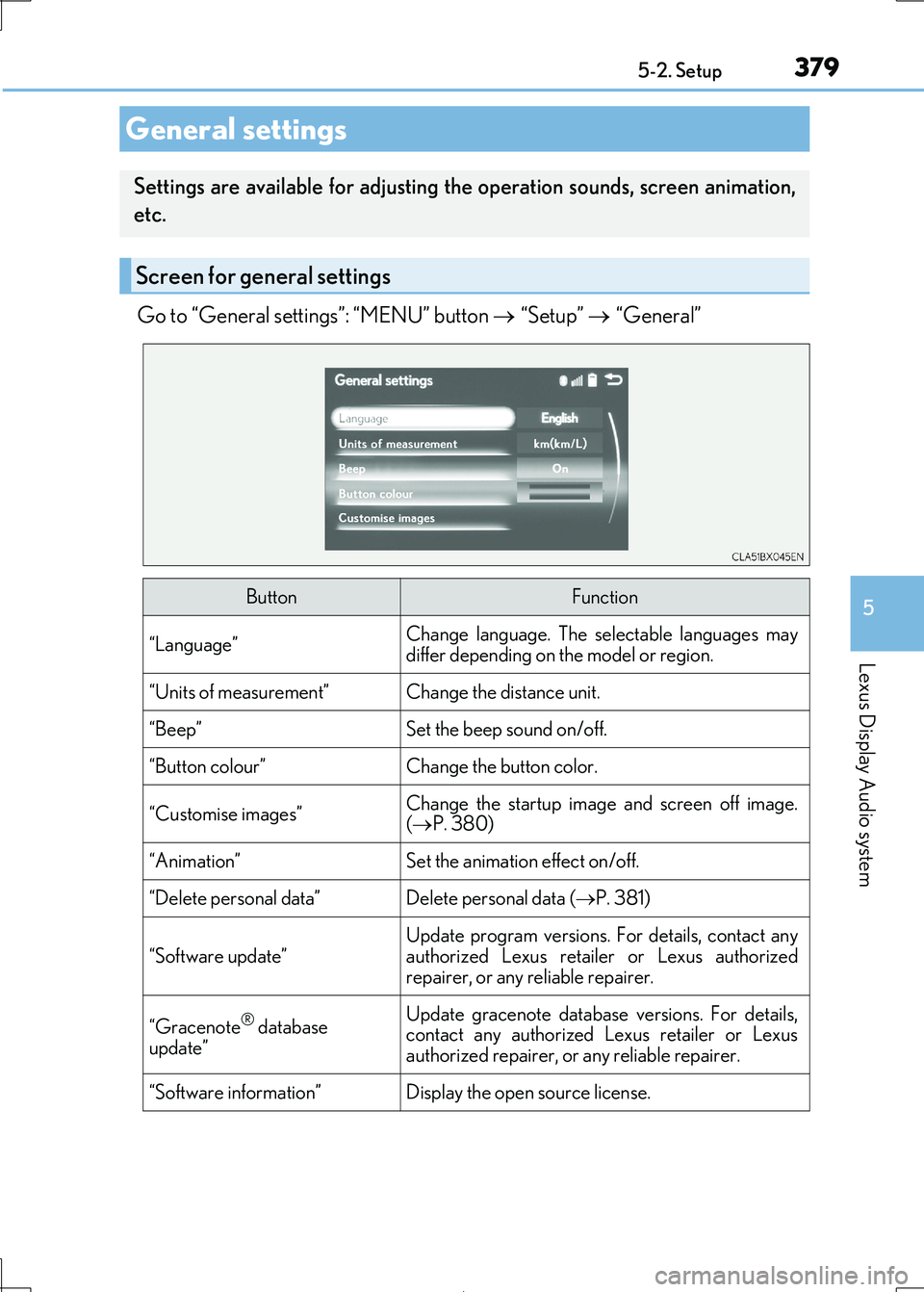
Go to “General settings”: “MENU” button “Setup” “General”
General settings
Settings are available for adjusting the operation sounds, screen animation,
etc.
Screen for general settings
ButtonFunction
“Language”Change language. The se lectable languages may differ depending on the model or region.
“Units of measurement”Change the distance unit.
“Beep”Set the beep sound on/off.
“Button colour”Change the button color.
“Customise images”Change the startup image and screen off image.
( P. 380)
“Animation”Set the animation effect on/off.
“Delete personal data”Delete personal data (P. 381)
“Software update”
Update program versions. For details, contact any
authorized Lexus retailer or Lexus authorized
repairer, or any re liable repairer.
“Gracenote® database
update”
Update gracenote database versions. For details, contact any authorized Lexus retailer or Lexus
authorized repairer, or any reliable repairer.
“Software information”Display the open source license.
Page 397 of 692

3975-5. Playing an audio CD and MP3/WMA/AAC discs
5
Lexus Display Audio system
IS300h_EE(OM53D89E)
■Error messages
If the following error message s appear on the screen, refer to the table and take the
appropriate measures. If the pr oblem is not rectified, take the vehicle to any authorized Lexus retailer or Lexus authorized re pairer, or any reliable repairer.
■Discs that can be used
Discs with the marks sh own below can be used. Playback may not be possible depending on recording format or disc features, or due to
scratches, dirt or deterioration.
CDs with copy-protection features may not play correctly.
■Music disc player protection feature
To protect the internal components, playback is automatically stopped when a problem is
detected.
■If a disc is left inside the Mu sic disc player or in the ejected position for extended peri- ods
Disc may be damaged and may not play properly.
■Lens cleaners
Do not use lens cleaners. Doing so may damage the Music disc player.
■MP3, WMA and AAC files
MP3 (MPEG Audio LAYER3) is a stan dard audio compression format.
Files can be compressed to approximately 1/10 of their original size by using MP3 com-
pression.
WMA (Windows Media Audio) is a Microsoft audio compression format.
This format compresses audio data to a si ze smaller than that of the MP3 format.
AAC is short for Advanced Audio Coding an d refers to an audio compression technol-
ogy standard used wi th MPEG2 and MPEG4.
MP3, WMA and AAC file and media/ formats compatibility are limited.
MessageCauseCorrection procedures
“Check disc”
• The disc is dirty or dam-
aged.
• The disc is inserted upside down.
• The disc is not playable
with the player.
•Clean the disc.
• Insert the disc correctly. •Confirm the disc is play-
able with the player.
“DISC error”There is a malfunction within the system.Eject the disc.
“No music files found.”No playable data is
included on the disc.Eject the disc.
Page 404 of 692

4045-6. Using an external device
IS300h_EE(OM53D89E)
■Error messages
If the following error message s appear on the screen, refer to the table and take the appropriate measures. If the pr oblem is not rectified, take the vehicle to any authorized
Lexus retailer or Lexus authorized re pairer, or any reliable repairer.
MessageCause/Correction procedures
“Connection error. Consult
your owner’s manual for instructions on how to
reconnect the iPod.”
This indicates a problem in the iPod or its connection.
“There are no songs available
for playback. Add compatible songs to your iPod.”This indicates that there is no music data in the iPod.
“No items available.”This indicates that songs are not found in a selected
playlist.
“Check the iPod firmware
version.”
This indicates that the so ftware version is not com-
patible. Please check the compatible models. ( P. 405)
“iPod authorisation unsuccess- ful.”
This indicates that the Lexus Display Audio system
failed to authorize the iPod.
Please check your iPod.
Page 407 of 692

4075-6. Using an external device
5
Lexus Display Audio system
IS300h_EE(OM53D89E)
Moving the controller to the right and selecting “Play video” while the USB audio
screen is displayed changes to USB video mode.
This function cannot be used while USB photo or MirrorLink™ is in use.
■Menu screen
P. 391
■Selecting a file
Press the “ ” or “” button, turn the “TUNE•SCROLL” knob to select the
desired file number.
To fast-forward or reverse, press and hold the “ ” or “” button.
■Selecting a folder
Move the controller to the right and select “Browse”.
Select the desired folder , then select a file to begin using the selected
folder.
■Displaying the now playing list
Move the controller to the righ t and select “Now playing list”.
■USB memory functions
●Depending on the USB memory device that is connected to the system, the device
itself may not be operable and certain functions may not be available. If the device is inoperable or a function is unavailable du e to a malfunction (as opposed to a system
specification), disconnecting the device an d reconnecting it may resolve the problem.
●If the USB memory device still does not begin operation after being disconnected and reconnected, format the device.
■Error messages for USB memory
If the following error message s appear on the screen, refer to the table and take the appropriate measures. If the pr oblem is not rectified, take the vehicle to any authorized
Lexus retailer or Lexus authorized re pairer, or any reliable repairer.
USB video
MessageCause/Correction procedures
“Connection error. Consult your
owner’s manual for instructions
on how to reconnect the USB device.”
This indicates a problem with the USB memory
device or its connection.
“There are no files available for
playback. Add compatible files
to your USB device.”
This indicates that no MP3/WMA/AAC files are included on the USB memory device.
“No video files found.”This indicates that no video files are included in theUSB memory.
1
2
Page 414 of 692
4145-7. Connecting Bluetooth®
IS300h_EE(OM53D89E)
Turn the Bluetooth® connection setting of your device set to on.
Go to “Bluetooth* setup”: “MENU” button “Setup” “Bluetooth*”
Move the controller to the left and then select “Add device”
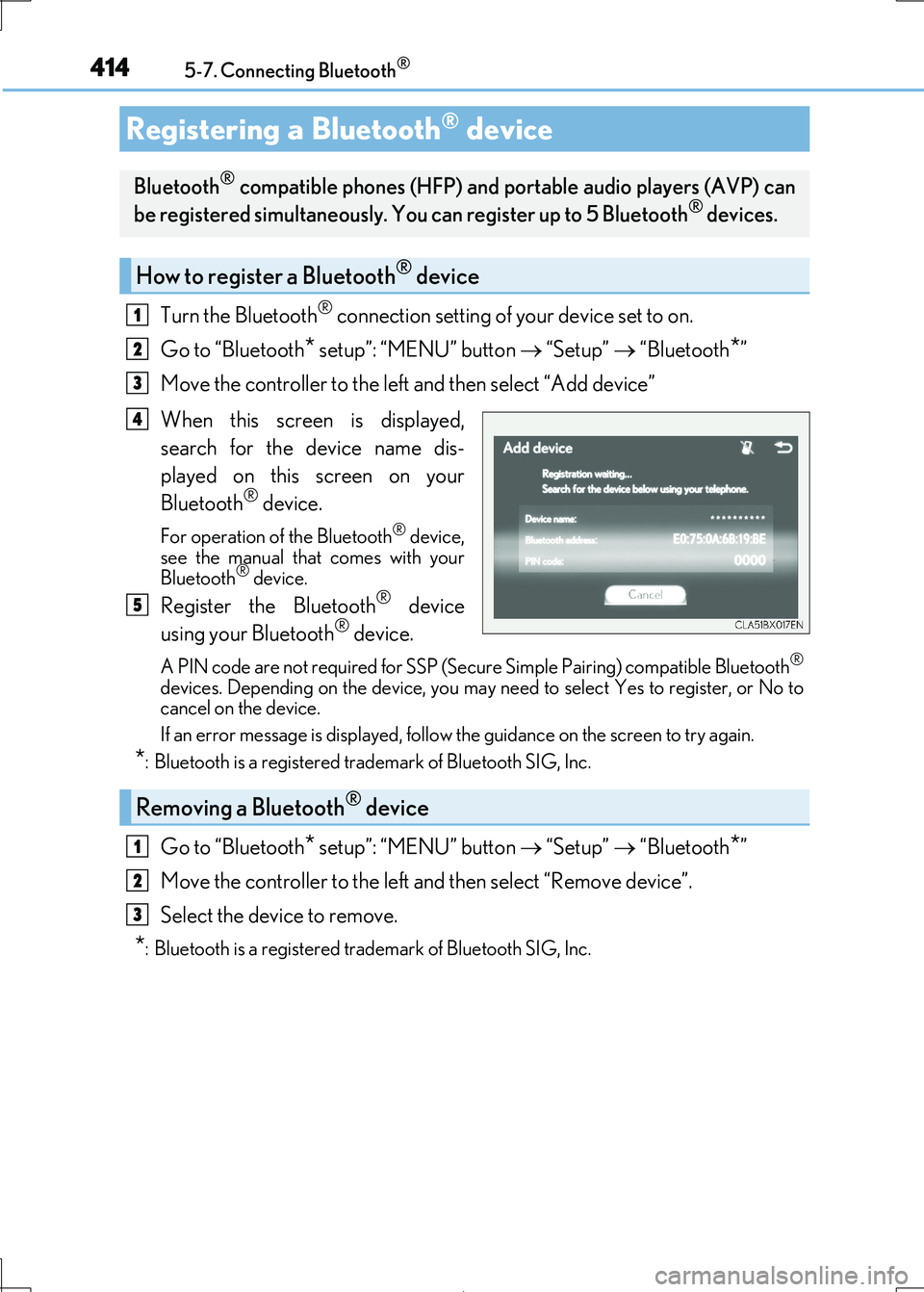
When this screen is displayed,
search for the device name dis-
played on this screen on your
Bluetooth® device.
For operation of the Bluetooth® device, see the manual that comes with your
Bluetooth® device.
Register the Bluetooth® device
using your Bluetooth® device.
A PIN code are not required for SSP (Secur e Simple Pairing) compatible Bluetooth®
devices. Depending on the device, you may need to select Yes to register, or No to cancel on the device.
If an error message is disp layed, follow the guidance on the screen to try again.
*: Bluetooth is a registered trademark of Bluetooth SIG, Inc.
Go to “Bluetooth* setup”: “MENU” button “Setup” “Bluetooth*”
Move the controller to the left and then select “Remove device”.
Select the device to remove.
*: Bluetooth is a registered trad emark of Bluetooth SIG, Inc.
Registering a Bluetooth® device
Bluetooth® compatible phones (HFP) and portable audio players (AVP) can
be registered simultaneously. You can register up to 5 Bluetooth® devices.
How to register a Bluetooth® device
1
2
3
4
5
Removing a Bluetooth® device
1
2
3
Page 442 of 692

4425-11. Bluetooth®
IS300h_EE(OM53D89E)
■When using the Bluetooth® audio system
●In the following situations, the system may not function.
• If the portable audio player is turned off • If the portable audio player is not connected
• If the portable audio player’s battery is low
●There may be a delay if a cellular phon e connection is made during Bluetooth® audio
play.
●Depending on the type of portable audio play er that is connected to the system, opera- tion may differ slightly and cert ain functions may not be available.
■When using the hands-free system
●The audio system is muted when making a call.
●If both parties speak at the same time, it may be difficult to hear.
●If the received call volume is overly loud, an echo may be heard.
If the Bluetooth® phone is too close to the system, quality of the sound may deteriorate and connection stat us may deteriorate.
●In the following situations, it may be difficult to hear the other party:
• When driving on unpaved roads • When driving at high speeds
• If a window is open
• If the air conditioning is blow ing directly on the microphone • If there is interference from the network of the cellular phone
●Depending on the type of phone, certain functions may not be available.
■Conditions under which the system will not operate
●If using a cellular phone that does not support Bluetooth®
●If the cellular phone is turned off
●If you are outside of cellular phone service coverage
●If the cellular phone is not connected
●If the cellular phone’s battery is low
●When outgoing calls are controlled, due to heavy traffic on phone lines, etc.
●When the cellular phone itself cannot be used
●When transferring phonebook data from the cellular phone
Bluetooth®
Page 459 of 692
459
6Interior features
IS300h_EE(OM53D89E)
6-1. Basic operation of
the Remote Touch
screen
Remote Touch .............................460
10.3-inch display ........................ 464
6-2. Using the air conditioning
system
Automatic air conditioning
system .......................................... 466
Heated steering wheel/
seat heaters/
seat ventilator s ......................... 479
6-3. Using the interior lights
Interior lights list........................... 481
• Interior lights ..........................482
• Personal lights .......................482
6-4. Using the storage features
List of storage features ............484
• Glove box .............................. 485
• Console box.......................... 485
•Cup holders/
Bottle holders ........................486
Trunk features............................. 488
6-5. Using the other interior
features
Other interior features ............. 491
• Sun visors ................................. 491
• Vanity mirrors ........................ 491
• Clock ......................................... 491
• Power outlet........................... 492
• Armrest.................................... 493
• Rear sunshade ...................... 493
• Assist grips ............................. 495
• Coat hooks ............................. 495
ERA-GLONASS ...................... 496
Page 462 of 692

4626-1. Basic operation of the Remote Touch screen
IS300h_EE(OM53D89E)
■Screen display during low temperatures
When the ambient temperature is extremely low, screen response may be delayed even
if the Remote Touch is operated.
WARNING
■When using the Remote Touch
●Do not allow fingers, fingernails or hair to become caught in the Remote Touch as this may cause an injury.
●Be careful when selecting the Remote Touch in extreme temperatures as it may
become very hot or cold due to the temperature inside the vehicle.
NOTICE
■To prevent damage to the Remote Touch
●Do not allow the Remote Touch to come into contact with food, liquid, stickers or lit cigarettes as doing so may cause it to change color, emit a strange odor or stop func-
tioning.
●Do not subject the Remote Touch to excessive pressure or strong impact as the knob
may bend or break off.
●Do not allow coins, contact lenses or ot her such items to become caught in the
Remote Touch as this may cause it to stop functioning.
●Items of clothing may rip if they beco me caught on the Remote Touch knob.
●If your hand or any object is on the Remote Touch knob when the power switch is in
ACCESSORY mode, the Remote Touch knob may not operate properly.