Page 134 of 456
Features of your vehicle
56
4
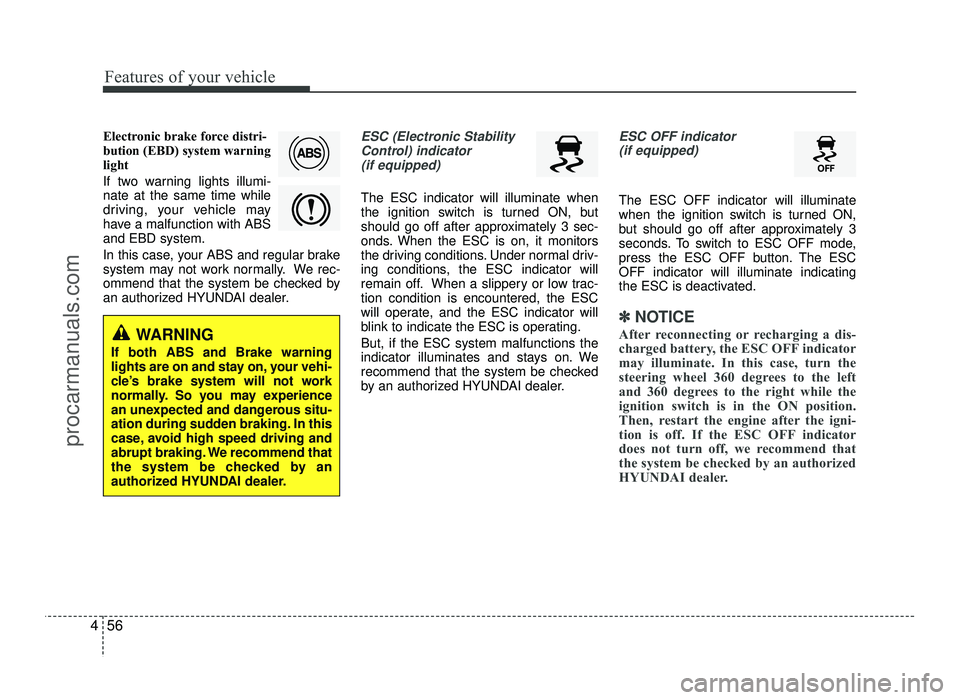
Electronic brake force distri-
bution (EBD) system warning
light
If two warning lights illumi- nate at the same time while
driving, your vehicle may
have a malfunction with ABSand EBD system.
In this case, your ABS and regular brake
system may not work normally. We rec-
ommend that the system be checked by
an authorized HYUNDAI dealer.ESC (Electronic Stability
Control) indicator
(if equipped)
The ESC indicator will illuminate when
the ignition switch is turned ON, but
should go off after approximately 3 sec-
onds. When the ESC is on, it monitors
the driving conditions. Under normal driv-
ing conditions, the ESC indicator will
remain off. When a slippery or low trac-tion condition is encountered, the ESC
will operate, and the ESC indicator will
blink to indicate the ESC is operating. But, if the ESC system malfunctions the
indicator illuminates and stays on. We
recommend that the system be checked
by an authorized HYUNDAI dealer.
ESC OFF indicator (if equipped)
The ESC OFF indicator will illuminate
when the ignition switch is turned ON,
but should go off after approximately 3
seconds. To switch to ESC OFF mode,
press the ESC OFF button. The ESCOFF indicator will illuminate indicating
the ESC is deactivated.
✽✽ NOTICE
After reconnecting or recharging a dis-
charged battery, the ESC OFF indicator
may illuminate. In this case, turn the
steering wheel 360 degrees to the left
and 360 degrees to the right while the
ignition switch is in the ON position.
Then, restart the engine after the igni-
tion is off. If the ESC OFF indicator
does not turn off, we recommend that
the system be checked by an authorized
HYUNDAI dealer.
WARNING
If both ABS and Brake warning
lights are on and stay on, your vehi-
cle’s brake system will not work
normally. So you may experience
an unexpected and dangerous situ-
ation during sudden braking. In this
case, avoid high speed driving and
abrupt braking. We recommend that
the system be checked by an
authorized HYUNDAI dealer.
procarmanuals.com
Page 135 of 456
457
Features of your vehicle
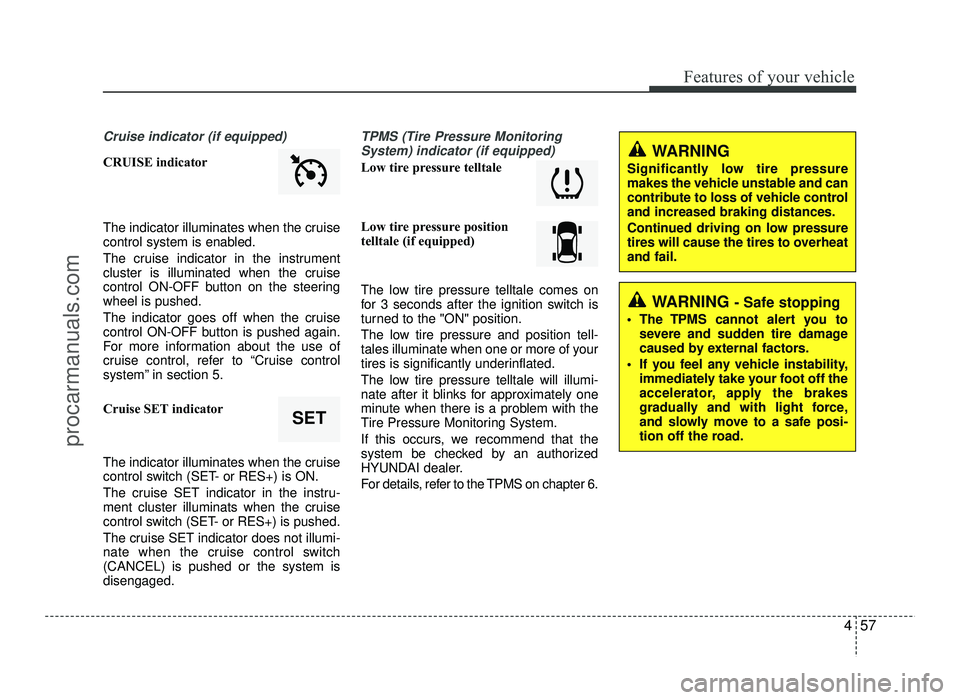
Cruise indicator (if equipped)
CRUISE indicator
The indicator illuminates when the cruise
control system is enabled.
The cruise indicator in the instrument
cluster is illuminated when the cruise
control ON-OFF button on the steeringwheel is pushed.
The indicator goes off when the cruise
control ON-OFF button is pushed again.
For more information about the use of
cruise control, refer to “Cruise control
system” in section 5.
Cruise SET indicator
The indicator illuminates when the cruise
control switch (SET- or RES+) is ON.
The cruise SET indicator in the instru-
ment cluster illuminats when the cruise
control switch (SET- or RES+) is pushed.
The cruise SET indicator does not illumi-
nate when the cruise control switch(CANCEL) is pushed or the system isdisengaged.
TPMS (Tire Pressure MonitoringSystem) indicator (if equipped)
Low tire pressure telltale
Low tire pressure position
telltale (if equipped)
The low tire pressure telltale comes on
for 3 seconds after the ignition switch is
turned to the "ON" position.
The low tire pressure and position tell-
tales illuminate when one or more of your
tires is significantly underinflated.
The low tire pressure telltale will illumi-
nate after it blinks for approximately one
minute when there is a problem with the
Tire Pressure Monitoring System.
If this occurs, we recommend that the
system be checked by an authorized
HYUNDAI dealer.
For details, refer to the TPMS on chapter 6.
SET
WARNING
Significantly low tire pressure
makes the vehicle unstable and can
contribute to loss of vehicle controland increased braking distances.
Continued driving on low pressure
tires will cause the tires to overheatand fail.
WARNING - Safe stopping
The TPMS cannot alert you to severe and sudden tire damage
caused by external factors.
If you feel any vehicle instability, immediately take your foot off the
accelerator, apply the brakes
gradually and with light force,
and slowly move to a safe posi-
tion off the road.
procarmanuals.com
Page 140 of 456
Features of your vehicle
62
4
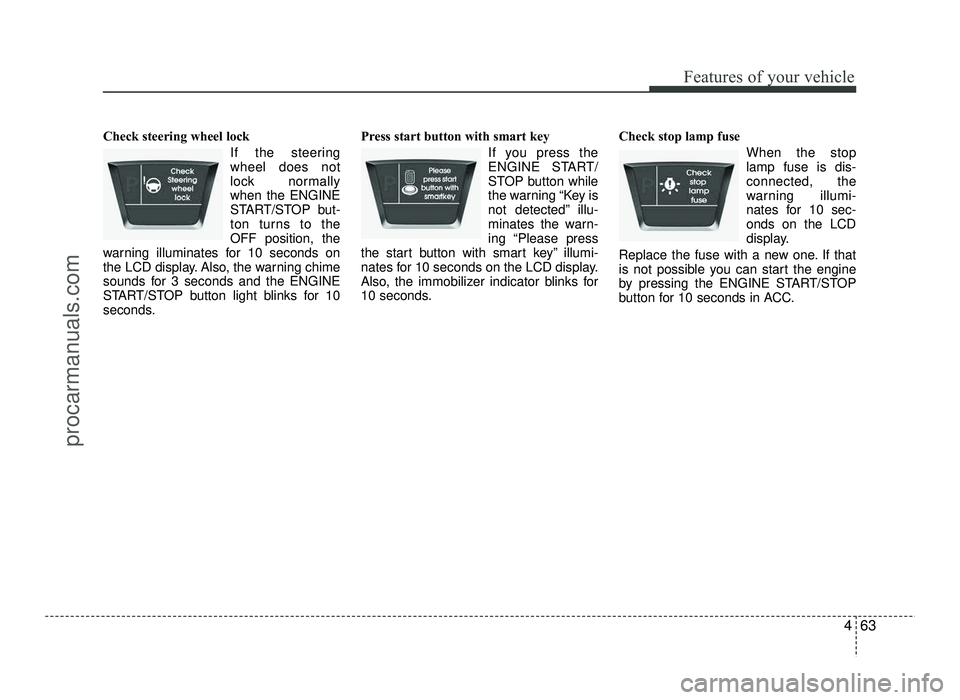
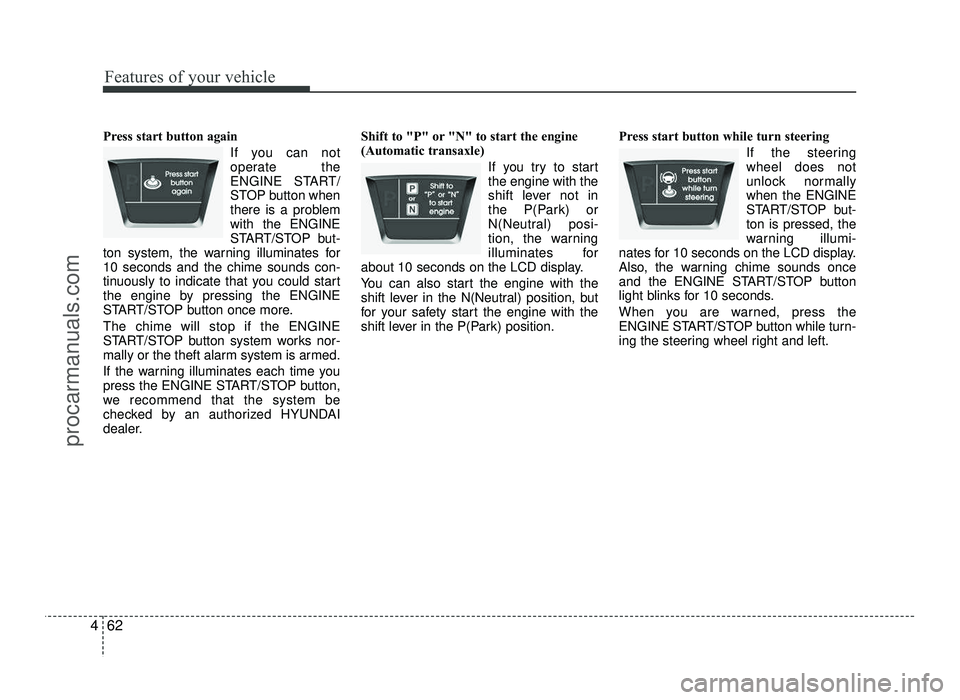
Press start button again
If you can not
operate the
ENGINE START/
STOP button when
there is a problemwith the ENGINE
START/STOP but-
ton system, the warning illuminates for10 seconds and the chime sounds con-
tinuously to indicate that you could start
the engine by pressing the ENGINE
START/STOP button once more. The chime will stop if the ENGINE
START/STOP button system works nor-
mally or the theft alarm system is armed.
If the warning illuminates each time you
press the ENGINE START/STOP button,
we recommend that the system be
checked by an authorized HYUNDAI
dealer. Shift to "P" or "N" to start the engine
(Automatic transaxle)
If you try to startthe engine with the
shift lever not in
the P(Park) or
N(Neutral) posi-
tion, the warning
illuminates for
about 10 seconds on the LCD display.
You can also start the engine with the
shift lever in the N(Neutral) position, but
for your safety start the engine with the
shift lever in the P(Park) position. Press start button while turn steering
If the steeringwheel does not
unlock normallywhen the ENGINE
START/STOP but-ton is pressed, the
warning illumi-
nates for 10 seconds on the LCD display.
Also, the warning chime sounds once
and the ENGINE START/STOP button
light blinks for 10 seconds.
When you are warned, press the
ENGINE START/STOP button while turn-
ing the steering wheel right and left.
procarmanuals.com
Page 141 of 456
463
Features of your vehicle
Check steering wheel lock If the steering wheel does not
lock normallywhen the ENGINE
START/STOP but-
ton turns to theOFF position, the
warning illuminates for 10 seconds on
the LCD display. Also, the warning chime
sounds for 3 seconds and the ENGINE
START/STOP button light blinks for 10
seconds. Press start button with smart key
If you press the
ENGINE START/
STOP button while
the warning “Key is
not detected” illu-
minates the warn-
ing “Please press
the start button with smart key” illumi-
nates for 10 seconds on the LCD display.
Also, the immobilizer indicator blinks for
10 seconds. Check stop lamp fuse
When the stoplamp fuse is dis-connected, the
warning illumi-
nates for 10 sec-onds on the LCD
display.
Replace the fuse with a new one. If that
is not possible you can start the engine
by pressing the ENGINE START/STOP
button for 10 seconds in ACC.
procarmanuals.com
Page 148 of 456
Features of your vehicle
70
4
Battery saver function
The purpose of this feature is to pre-
vent the battery from being dis-
charged. The system automatically
turns off the parking lights when the
driver removes the ignition key and
opens the driver-side door.
With this feature, the parking lights will turn off automatically if the driver parkson the side of road at night.
If necessary, to keep the lights on
when the ignition key is removed, per-
form the following:
1) Open the driver-side door.
2) Turn the parking lights OFF and ON
again using the light switch on the
steering column. Headlight escort function (if equipped)
If you turn the ignition switch to the ACC or OFF position with the headlights ON,the headlights (and/or tail lights) remain
on for about 5 minutes. However, with the
engine off if the driver’s door is openedand closed, the headlights (and/or tail
lights) are turned off after 15 seconds. The headlights (and/or tail lights) can be
turned off by pressing the lock button on
the transmitter (or smart key) twice or
turning the light switch to the OFF or
Auto position.
However, if you turn the light switch to the
Auto position when it is dark outside, the
headlights will not be turned off.
Smart cornering light (if equipped)
While driving the corner, for your sight
and safety, the smart cornering light
turns on automatically. The system will
operate automatically as follows:
When turning the headlight on
When the steering wheel angle is over
25~35 (it differs according to vehicle speed)
When the vehicle speed is over 3 km/h
When driving forward
LIGHTING
CAUTION
If the driver gets out of the vehicle
through other doors, the batterysaver function does not operate.
Therefore, It causes the battery tobe discharged. In this case, makesure to turn off the lamp before get-
ting out of the vehicle.
procarmanuals.com
Page 182 of 456
Features of your vehicle
104
4
INTERIOR FEATURES
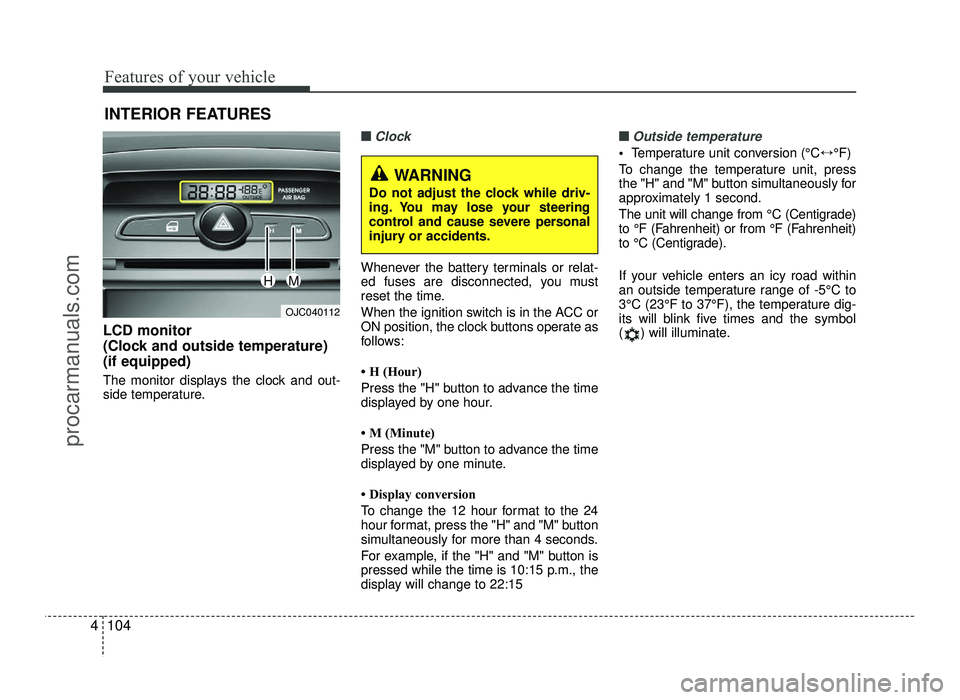
LCD monitor
(Clock and outside temperature)(if equipped)
The monitor displays the clock and out-
side temperature.
■■Clock
Whenever the battery terminals or relat-
ed fuses are disconnected, you must
reset the time.
When the ignition switch is in the ACC or
ON position, the clock buttons operate as
follows:
H (Hour)
Press the "H" button to advance the time
displayed by one hour.
M (Minute)
Press the "M" button to advance the time
displayed by one minute.
Display conversion
To change the 12 hour format to the 24
hour format, press the "H" and "M" button
simultaneously for more than 4 seconds.
For example, if the "H" and "M" button is
pressed while the time is 10:15 p.m., the
display will change to 22:15
■■Outside temperature
Temperature unit conversion (°C ↔°F)
To change the temperature unit, press
the "H" and "M" button simultaneously for
approximately 1 second.
The unit will change from °C (Centigrade)
to °F (Fahrenheit) or from °F (Fahrenheit)
to °C (Centigrade).
If your vehicle enters an icy road within
an outside temperature range of -5°C to
3°C (23°F to 37°F), the temperature dig-
its will blink five times and the symbol
( ) will illuminate.
OJC040112
WARNING
Do not adjust the clock while driv-
ing. You may lose your steering
control and cause severe personal
injury or accidents.
HM
procarmanuals.com
Page 191 of 456
4113
Features of your vehicle
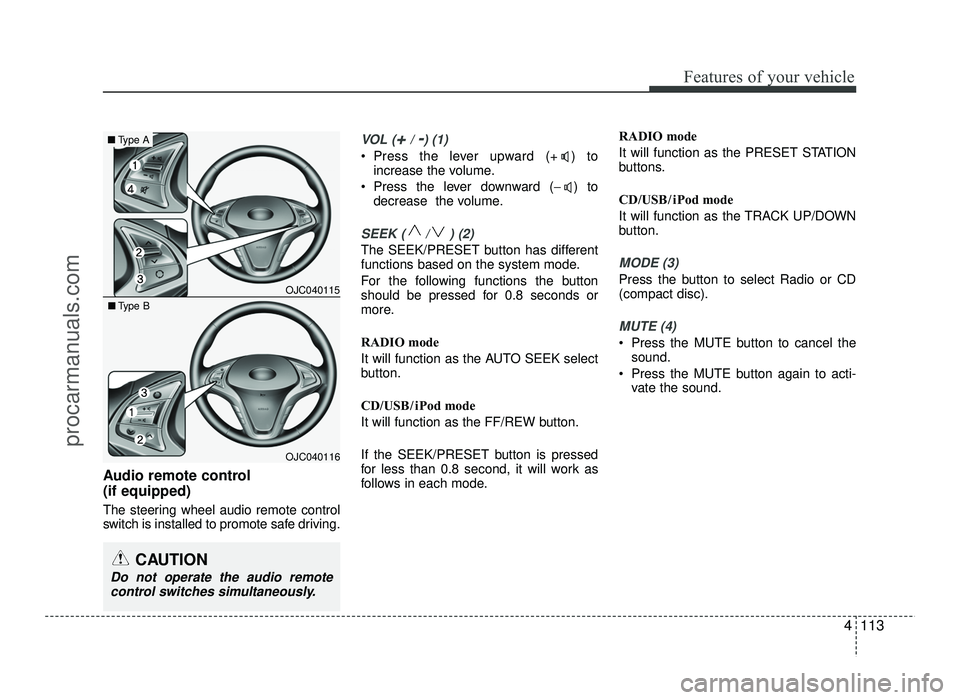
Audio remote control (if equipped)
The steering wheel audio remote control
switch is installed to promote safe driving.
VOL (+/ -) (1)
• Press the lever upward (+ ) toincrease the volume.
Press the lever downward (
Page 202 of 456

Features of your vehicle
124
4
✽✽
NOTICE - USING VOICE COMMAND
The voice recognition feature of this product supports recognition of the
commands listed within this user’s
manual.
While using voice recognition, oper- ating the steering remote control or
the device will terminate voice recog-
nition and allow you to manually
operate desired functions.
Position the microphone above the head of the driver’s seat. For supe-
rior performance, maintain good
posture when saying voice com-
mands.
Voice recognition may not function
properly due to outside noise. The
following conditions can affect the
performance of Voice Recognition:
- When the windows and sunroof are open
- When the heating/cooling system is on
- When passing a tunnel
- When driving on rugged and uneven roads (Continued)(Continued)
After downloading
Bluetooth®
Wireless Technology phone book,
the system requires some times to
convert the phone book into voice
information. During this time, voice
recognition may not operate prop-
erly.
Upon inputting your phone book, special symbols and numbers can-
not be recognized by voice. For
example, “# John Doe%&” will be
recognized as “John Doe”.
procarmanuals.com