Page 258 of 582
3-89
Convenient features of your vehicle
3
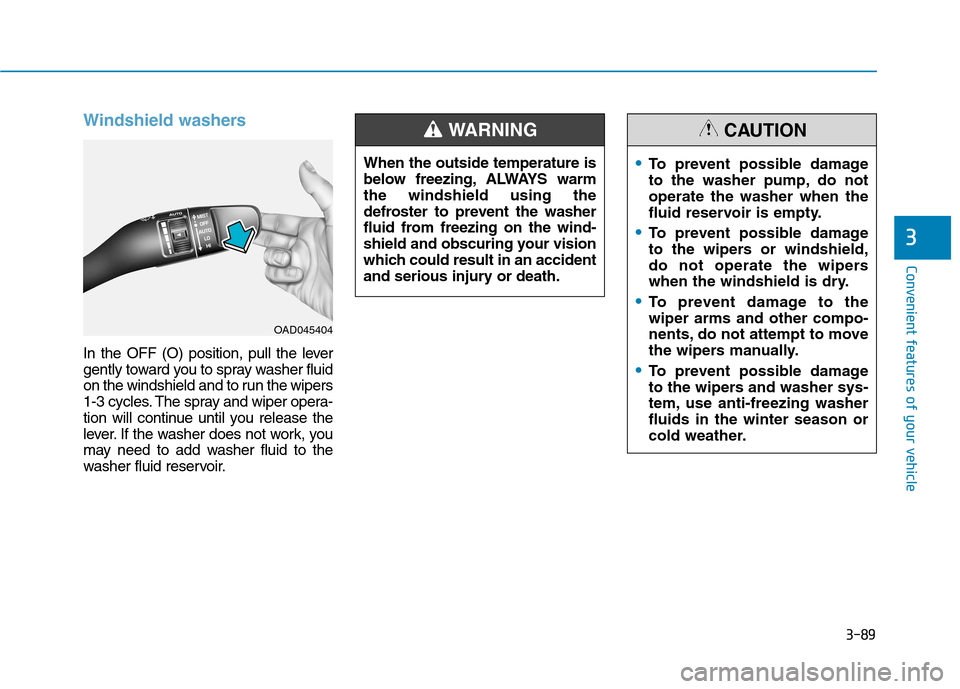
Windshield washers
In the OFF (O) position, pull the lever
gently toward you to spray washer fluid
on the windshield and to run the wipers
1-3 cycles. The spray and wiper opera-
tion will continue until you release the
lever. If the washer does not work, you
may need to add washer fluid to the
washer fluid reservoir.
OAD045404When the outside temperature is
below freezing, ALWAYS warmthe windshield using the
defroster to prevent the washer
fluid from freezing on the wind-
shield and obscuring your vision
which could result in an accident
and serious injury or death.
WARNING
To prevent possible damage
to the washer pump, do notoperate the washer when the
fluid reservoir is empty.
To prevent possible damage
to the wipers or windshield,
do not operate the wipers
when the windshield is dry.
To prevent damage to the wiper arms and other compo-
nents, do not attempt to move
the wipers manually.
To prevent possible damage
to the wipers and washer sys-
tem, use anti-freezing washerfluids in the winter season or
cold weather.
CAUTION
Page 271 of 582
3-102
Convenient features of your vehicle
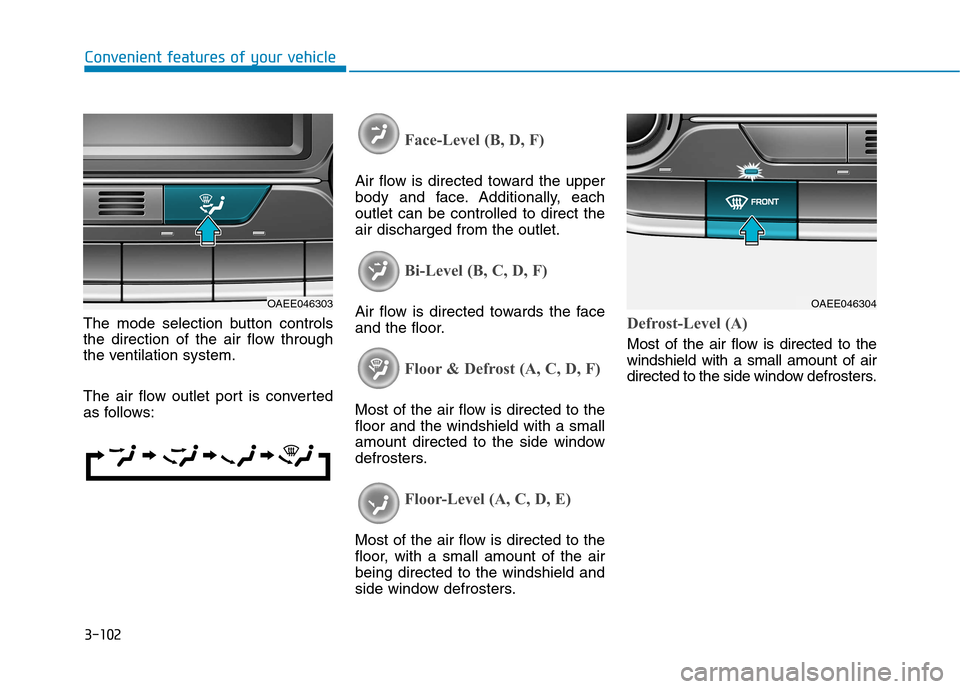
The mode selection button controls
the direction of the air flow through
the ventilation system.
The air flow outlet port is converted
as follows:
Face-Level (B, D, F)
Air flow is directed toward the upper
body and face. Additionally, eachoutlet can be controlled to direct theair discharged from the outlet.
Bi-Level (B, C, D, F)
Air flow is directed towards the face
and the floor.
Floor & Defrost (A, C, D, F)
Most of the air flow is directed to the floor and the windshield with a small
amount directed to the side window
defrosters.
Floor-Level (A, C, D, E)
Most of the air flow is directed to the
floor, with a small amount of the airbeing directed to the windshield and
side window defrosters.
Defrost-Level (A)
Most of the air flow is directed to the windshield with a small amount of air
directed to the side window defrosters.
OAEE046303OAEE046304
Page 283 of 582
3-114
Convenient features of your vehicle
The climate control information
screen will blink 3 times. It indicates
that the defogging logic is canceled
or returned to the programmed sta-
tus.
If the battery has been discharged or
disconnected, it resets to the defog
logic status.Auto defogging system
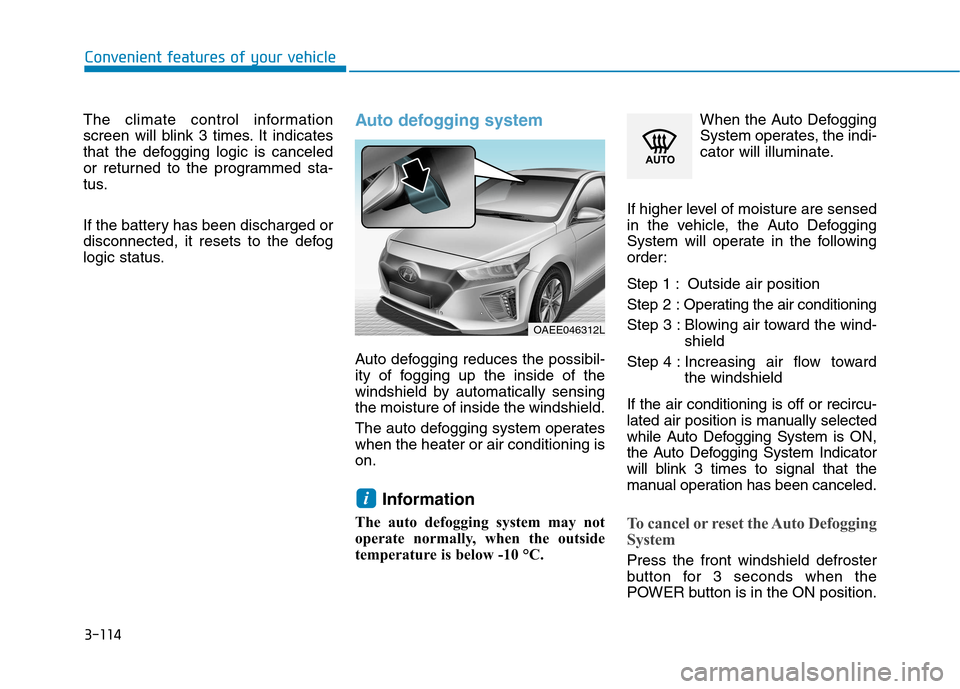
Auto defogging reduces the possibil-
ity of fogging up the inside of the
windshield by automatically sensingthe moisture of inside the windshield.
The auto defogging system operates when the heater or air conditioning ison.Information
The auto defogging system may not
operate normally, when the outside
temperature is below -10 °C. When the Auto Defogging
System operates, the indi-
cator will illuminate.
If higher level of moisture are sensed
in the vehicle, the Auto Defogging
System will operate in the following
order:
Step 1 : Outside air position Step 2 : Operating the air conditioning
Step 3 : Blowing air toward the wind- shield
Step 4 : Increasing air flow toward the windshield
If the air conditioning is off or recircu-
lated air position is manually selected
while Auto Defogging System is ON,
the Auto Defogging System Indicator
will blink 3 times to signal that the
manual operation has been canceled.
To cancel or reset the Auto Defogging
System
Press the front windshield defroster
button for 3 seconds when the
POWER button is in the ON position.
i
OAEE046312L
Page 295 of 582
3-126
Convenient features of your vehicle
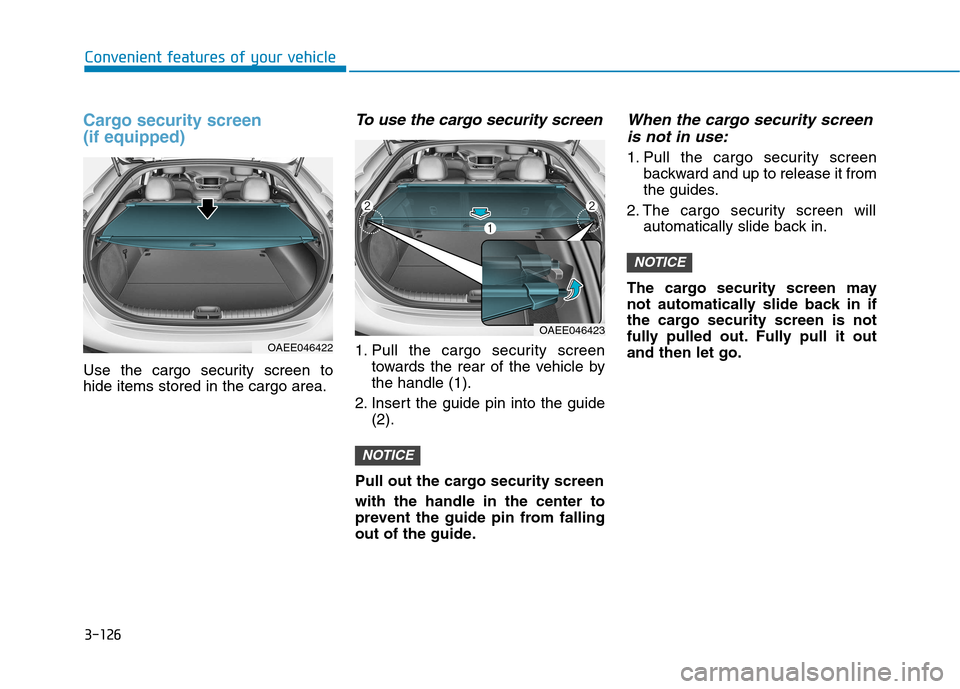
Cargo security screen (if equipped)
Use the cargo security screen to hide items stored in the cargo area.
To use the cargo security screen
1. Pull the cargo security screentowards the rear of the vehicle bythe handle (1).
2. Insert the guide pin into the guide (2).
Pull out the cargo security screen with the handle in the center to
prevent the guide pin from falling
out of the guide.
When the cargo security screen is not in use:
1. Pull the cargo security screen backward and up to release it from
the guides.
2. The cargo security screen will automatically slide back in.
The cargo security screen may
not automatically slide back in if
the cargo security screen is not
fully pulled out. Fully pull it outand then let go.
NOTICE
NOTICE
OAEE046422
OAEE046423
Page 301 of 582
(1) Call / Answer button
(2) Call end button
(3) Microphone
Audio : For detailed information,refer to “AUDIO” in this chapter.
AVN : Detailed information for the
Bluetooth® Wireless Technology
hands-free is described in the man-
ual supplied separately.
Audio / Video / Navigation sys-
tem (AVN) (if equipped)
Detailed information for the AVN sys-
tem is described in a separately sup-
plied manual.
How vehicle radio works
FM reception
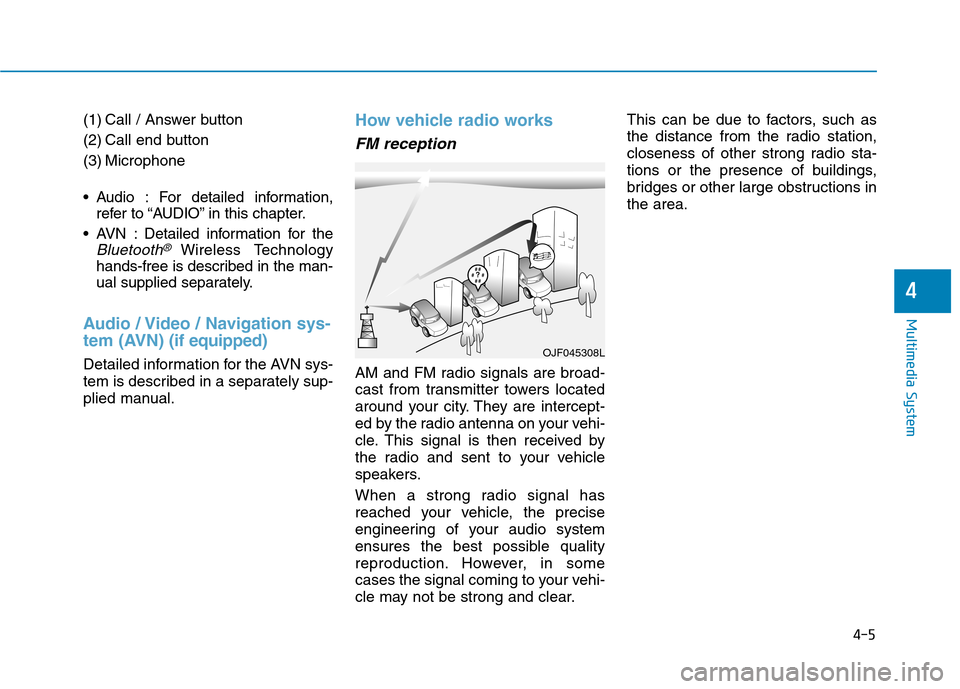
AM and FM radio signals are broad-
cast from transmitter towers located
around your city. They are intercept-
ed by the radio antenna on your vehi-
cle. This signal is then received by
the radio and sent to your vehicle
speakers.
When a strong radio signal has
reached your vehicle, the precise
engineering of your audio system
ensures the best possible quality
reproduction. However, in some
cases the signal coming to your vehi-
cle may not be strong and clear. This can be due to factors, such as
the distance from the radio station,
closeness of other strong radio sta-
tions or the presence of buildings,
bridges or other large obstructions inthe area.
OJF045308L
4-5
Multimedia System
4
Page 341 of 582
5
Advanced smart cruise control system ...........5-76To adjust the sensitivity of
Smart Cruise Control ......................................................5-78To convert to Cruise Control mode ............................5-78
Smart Cruise Control speed ..........................................5-79
Smart Cruise Control Vehicle-to-Vehicle
Distance .............................................................................5-84 Sensor to detect distance to the vehicle ahead .....5-86
Limitations of the system .............................................5-88
Special driving conditions ...................................5-93 Hazardous driving conditions.......................................5-93
Rocking the vehicle ........................................................5-93
Smooth cornering ...........................................................5-94
Driving at night ................................................................5-94
Driving in the rain ...........................................................5-94
Driving in flooded areas ................................................5-95
Highway driving ...............................................................5-95
Winter driving .......................................................5-96 Snow or icy conditions ..................................................5-96
Winter precautions .........................................................5-98
Vehicle weight ....................................................5-101 Overloading ....................................................................5-101
Trailer towing .....................................................5-102
Page 348 of 582
5-9
Driving your vehicle
5
To prevent damage to the vehicle:
If the " " indicator turns offwhile you are in motion, do not
attempt to shift to the P (Park)position.
If traffic and road conditions
permit, you may shift to the N(Neutral) position while the vehi-
cle is still moving and press the
POWER button in an attempt to
restart the vehicle.
Do not push or tow your vehicle to start the vehicle. To prevent damage to the vehicle:
Do not press the POWER button
for more than 10 seconds except
when the stop lamp fuse is blown.
When the stop lamp fuse is blown,
you cannot normally start the
vehicle. Replace the fuse with a
new one. If you are not able to
replace the fuse, you can start the
vehicle by pressing and holding
the POWER button for 10 seconds
with the POWER button in the ACCposition.
For your safety always depress
the brake pedal before starting the
vehicle.
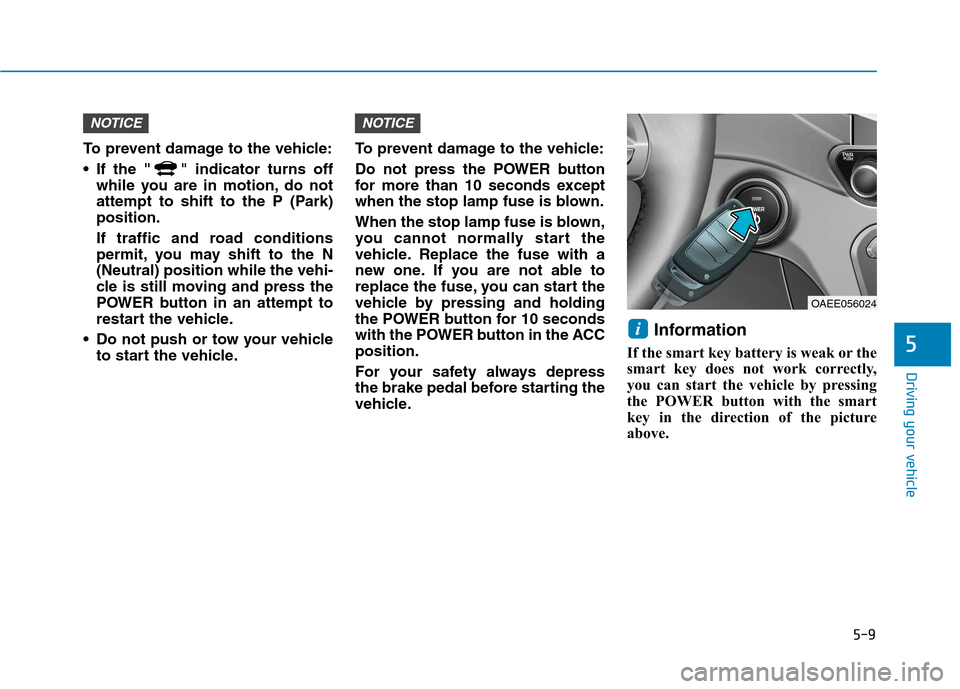
Information
If the smart key battery is weak or the
smart key does not work correctly,
you can start the vehicle by pressing
the POWER button with the smart
key in the direction of the picture
above.
i
NOTICENOTICE
OAEE056024
Page 364 of 582
5-25
Driving your vehicle
5
Emergency braking
If there is a problem with the brake
pedal while driving, emergency brak-
ing is possible by pulling up and
holding the EPB switch. Braking is
possible only while you are holding
the EPB switch.Information
During emergency braking by the
EPB, the parking brake warning light
will illuminate to indicate that the sys-
tem is operating. If you continuously notice a noise
or burning smell when the EPB is
used for emergency braking, werecommend that the system be
checked by an authorized HYUNDAI
dealer.
When the EPB (Electronic Parking
Brake) does not release
If the EPB does not release normal-
ly, we recommend that you contact
an authorized HYUNDAI dealer by
loading the vehicle on a flatbed tow
truck and have the system checked.
Auto hold (if equipped)
The Auto Hold maintains the vehicle
in a standstill even though the brake
pedal is not depressed after the driv-
er brings the vehicle to a complete
stop by depressing the brake pedal.
NOTICE
i
Do not operate the parking
brake while the vehicle is mov-
ing except in an emergency sit-uation.
WARNING