2017 FORD TAURUS tires
[x] Cancel search: tiresPage 165 of 504
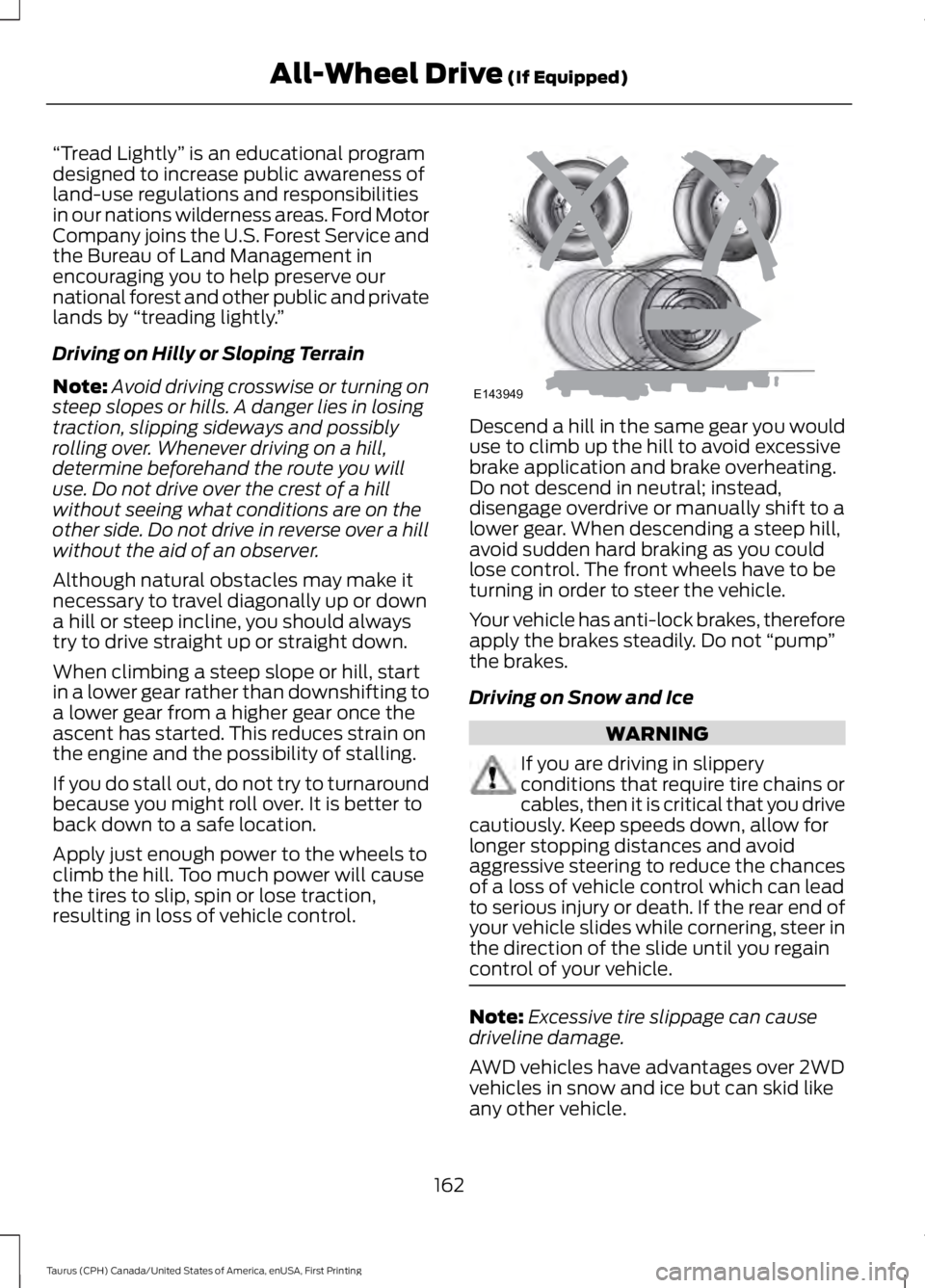
“Tread Lightly” is an educational programdesigned to increase public awareness ofland-use regulations and responsibilitiesin our nations wilderness areas. Ford MotorCompany joins the U.S. Forest Service andthe Bureau of Land Management inencouraging you to help preserve ournational forest and other public and privatelands by “treading lightly.”
Driving on Hilly or Sloping Terrain
Note:Avoid driving crosswise or turning onsteep slopes or hills. A danger lies in losingtraction, slipping sideways and possiblyrolling over. Whenever driving on a hill,determine beforehand the route you willuse. Do not drive over the crest of a hillwithout seeing what conditions are on theother side. Do not drive in reverse over a hillwithout the aid of an observer.
Although natural obstacles may make itnecessary to travel diagonally up or downa hill or steep incline, you should alwaystry to drive straight up or straight down.
When climbing a steep slope or hill, startin a lower gear rather than downshifting toa lower gear from a higher gear once theascent has started. This reduces strain onthe engine and the possibility of stalling.
If you do stall out, do not try to turnaroundbecause you might roll over. It is better toback down to a safe location.
Apply just enough power to the wheels toclimb the hill. Too much power will causethe tires to slip, spin or lose traction,resulting in loss of vehicle control.
Descend a hill in the same gear you woulduse to climb up the hill to avoid excessivebrake application and brake overheating.Do not descend in neutral; instead,disengage overdrive or manually shift to alower gear. When descending a steep hill,avoid sudden hard braking as you couldlose control. The front wheels have to beturning in order to steer the vehicle.
Your vehicle has anti-lock brakes, thereforeapply the brakes steadily. Do not “pump”the brakes.
Driving on Snow and Ice
WARNING
If you are driving in slipperyconditions that require tire chains orcables, then it is critical that you drivecautiously. Keep speeds down, allow forlonger stopping distances and avoidaggressive steering to reduce the chancesof a loss of vehicle control which can leadto serious injury or death. If the rear end ofyour vehicle slides while cornering, steer inthe direction of the slide until you regaincontrol of your vehicle.
Note:Excessive tire slippage can causedriveline damage.
AWD vehicles have advantages over 2WDvehicles in snow and ice but can skid likeany other vehicle.
162
Taurus (CPH) Canada/United States of America, enUSA, First Printing
All-Wheel Drive (If Equipped)E143949
Page 170 of 504

PRINCIPLE OF OPERATION
WARNINGS
Vehicle modifications involvingbraking system, aftermarket roofracks, suspension, steering system,tire construction and wheel and tire sizemay change the handling characteristicsof your vehicle and may adversely affectthe performance of the electronic stabilitycontrol system. In addition, installing anystereo loudspeakers may interfere withand adversely affect the electronic stabilitycontrol system. Install any aftermarketstereo loudspeaker as far as possible fromthe front center console, the tunnel, andthe front seats in order to minimize the riskof interfering with the electronic stabilitycontrol sensors. Reducing theeffectiveness of the electronic stabilitycontrol system could lead to an increasedrisk of loss of vehicle control, vehiclerollover, personal injury and death.
Remember that even advancedtechnology cannot defy the laws ofphysics. It’s always possible to losecontrol of a vehicle due to inappropriatedriver input for the conditions. Aggressivedriving on any road condition can causeyou to lose control of your vehicleincreasing the risk of personal injury orproperty damage. Activation of theelectronic stability control system is anindication that at least some of the tireshave exceeded their ability to grip the road;this could reduce the operator’s ability tocontrol the vehicle potentially resulting ina loss of vehicle control, vehicle rollover,personal injury and death. If your electronicstability control system activates, SLOWDOWN.
The system automatically turns on eachtime you switch the ignition on.
If a fault occurs in either the stabilitycontrol or the traction control system, youmay experience the following conditions:
•The stability and traction control lightilluminates steadily.
•The stability control and tractioncontrol systems do not enhance yourvehicle's ability to maintain traction ofthe wheels.
If a driving condition activates either thestability control or the traction controlsystem you may experience the followingconditions:
•The stability and traction control lightflashes.
•Your vehicle slows down.
•Reduced engine power.
•A vibration in the brake pedal.
•The brake pedal is stiffer than usual.
•If the driving condition is severe andyour foot is not on the brake, the brakepedal may move as the system applieshigher brake force.
The stability control system has severalfeatures built into it to help you maintaincontrol of your vehicle:
Electronic Stability Control
The system enhances your vehicle’s abilityto prevent skids or lateral slides byapplying brakes to one or more of thewheels individually and, if necessary,reducing engine power.
Traction Control
The system enhances your vehicle’s abilityto maintain traction of the wheels bydetecting and controlling wheel spin. SeeUsing Traction Control (page 166).
167
Taurus (CPH) Canada/United States of America, enUSA, First Printing
Stability Control
Page 175 of 504

The system may not operate correctly inany of the following conditions:
•You use a spare tire or a tiresignificantly worn more than the othertires.
•One or more tires are improperlyinflated.
•You try to park on a tight curve.
Do not use the system if:
•You have attached a bike rack, traileror other object near the sensors on thefront or rear of your vehicle.
•You have attached an overhangingobject (surfboard) to the roof.
•The front bumper or side sensors aredamaged or obstructed (front bumpercover).
•The correct tire size is not in use on yourvehicle (for example, a mini-spare tire).
Using Active Park Assist
Press the button to turn thesystem on or off.
When driving at a speed less than 22 mph(35 km/h), the system automatically scansboth sides of your vehicle for an availableparking space. The system displays amessage and a corresponding graphic toindicate it is searching for a parking space.Use the direction indicator to selectsearching either to the left hand side orright hand side of your vehicle. If thedirection indicator is not used, the systemdefaults to the passenger side of yourvehicle.
When the system finds a suitable space itdisplays a message and a tone sounds.Stop your vehicle and follow theinstructions on the display screen. If yourvehicle is moving very slowly, you mayneed to pull forward a short distancebefore the system is ready to park.
Note:You can also activate the systemafter you have already driven partially orcompletely past the parking space. To doso, press the active park assist button andthe system will inform you if you haverecently past a suitable parking space.
Note:You must observe that the selectedspace remains clear of obstructions at alltimes in the maneuver.
172
Taurus (CPH) Canada/United States of America, enUSA, First Printing
Parking AidsE146186 E130107
Page 178 of 504
The system does not position your vehicle where I want in the space
The tires may not be installed or maintained correctly (not inflated correctly, impropersize, or of different sizes).
A repair or alteration has changed detection capabilities.
A parked vehicle has a high attachment (salt sprayer, snowplow, moving truck bed,etc).
The parking space length or position of parked objects changed after your vehicle passed.
The temperature around your vehicle changes quickly (driving from a heated garageinto the cold, or after leaving a car wash).
REAR VIEW CAMERA
WARNINGS
The rear view camera system is areverse aid supplement device thatstill requires the driver to use it inconjunction with the interior and exteriormirrors for maximum coverage.
Objects that are close to eithercorner of the bumper or under thebumper, might not be seen on thescreen due to the limited coverage of thecamera system.
Reverse your vehicle as slow aspossible, higher speeds may limityour reaction time to stop yourvehicle.
Use caution when the rear cargo dooris ajar. If the rear cargo door is ajar,the camera will be out of positionand the video image may be incorrect. Allguidelines disappear when the rear cargodoor is ajar. Some vehicles may not comeequipped with guidelines.
Do not switch the camera featureson or off when your vehicle is moving.
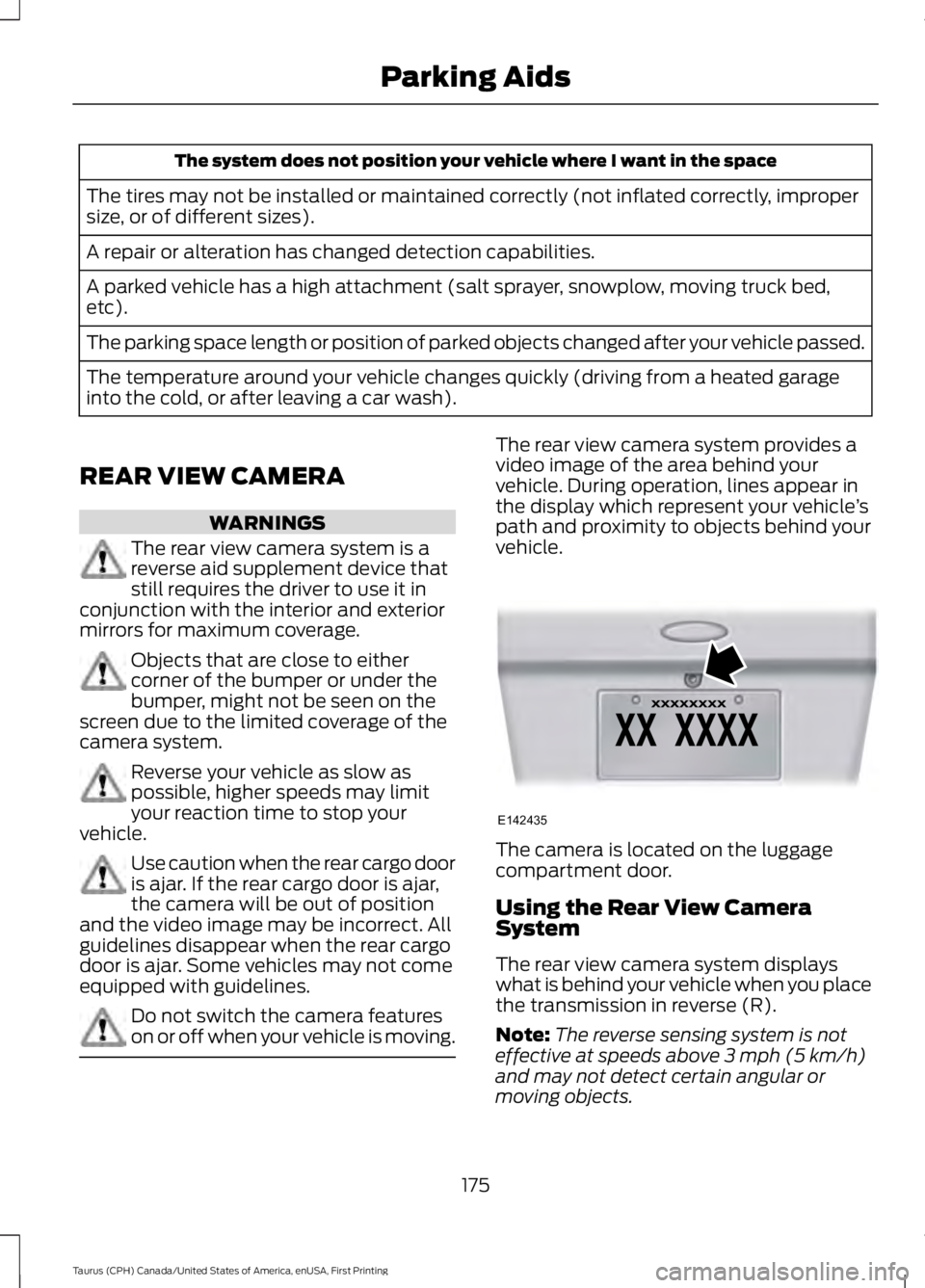
The rear view camera system provides avideo image of the area behind yourvehicle. During operation, lines appear inthe display which represent your vehicle’spath and proximity to objects behind yourvehicle.
The camera is located on the luggagecompartment door.
Using the Rear View CameraSystem
The rear view camera system displayswhat is behind your vehicle when you placethe transmission in reverse (R).
Note:The reverse sensing system is noteffective at speeds above 3 mph (5 km/h)and may not detect certain angular ormoving objects.
175
Taurus (CPH) Canada/United States of America, enUSA, First Printing
Parking AidsE142435
Page 194 of 504
Why is the feature not available (line markings are gray) when I can see the lane markingson the road?
Lane width too narrow or too wide
Camera not calibrated after a windshield replacement
Driving on tight roads or on uneven roads
Why does the vehicle not come back toward the middle of the lane, as expected, in theAid or Aid + Alert mode?
High cross winds
Large road crown
Rough roads, grooves, shoulder drop-offs
Heavy uneven loading of the vehicle or improper tire inflation pressure
If the tires have been exchanged (including snow tires), or the suspension has beenmodified
BLIND SPOT INFORMATION
SYSTEM (If Equipped)
WARNING
Never use the Blind SpotInformation System as areplacement for using the interiorand exterior mirrors or looking over yourshoulder before changing lanes. The BlindSpot Information System is not areplacement for careful driving.
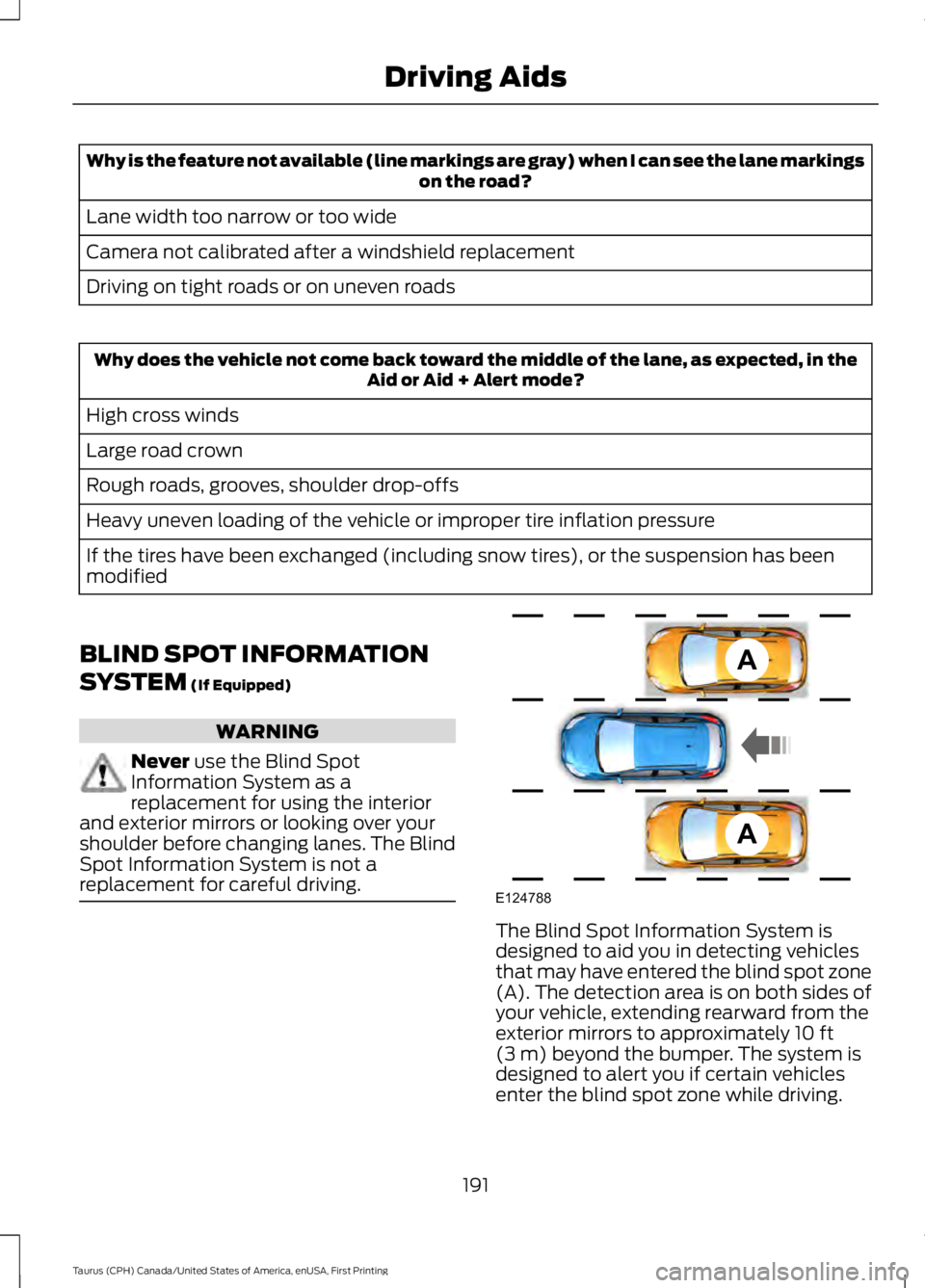
The Blind Spot Information System isdesigned to aid you in detecting vehiclesthat may have entered the blind spot zone(A). The detection area is on both sides ofyour vehicle, extending rearward from theexterior mirrors to approximately 10 ft(3 m) beyond the bumper. The system isdesigned to alert you if certain vehiclesenter the blind spot zone while driving.
191
Taurus (CPH) Canada/United States of America, enUSA, First Printing
Driving AidsA
A
E124788
Page 206 of 504
be used for safe control of towedvehicles and for trailers where theGross Combined Weight of thetowing vehicle plus the trailerexceed the Gross Vehicle WeightRating of the towing vehicle.
The gross combined weight mustnever exceed the Gross CombinedWeight Rating.
Note: For trailer towinginformation refer to the RV andTrailer Towing Guide available atan authorized dealer.
WARNINGS
Do not exceed the GVWR orthe GAWR specified on thecertification label.
Do not use replacement tireswith lower load carryingcapacities than the original tiresbecause they may lower yourvehicle's GVWR and GAWRlimitations. Replacement tireswith a higher limit than the originaltires do not increase the GVWRand GAWR limitations.
Steps for determining thecorrect load limit:
1. Locate the statement "Thecombined weight of occupantsand cargo should never exceedXXX kg or XXX lb." on yourvehicle’s placard.
2.Determine the combinedweight of the driver andpassengers that will be ridingin your vehicle.
3.Subtract the combined weightof the driver and passengersfrom XXX kg or XXX lb.
4.The resulting figure equals theavailable amount of cargo andluggage load capacity. Forexample, if the “XXX” amountequals 1,400 lb. and there willbe five 150 lb. passengers inyour vehicle, the amount ofavailable cargo and luggageload capacity is 650 lb.(1400-750 (5 x 150) = 650 lb.)
5.Determine the combinedweight of luggage and cargobeing loaded on the vehicle.That weight may not safelyexceed the available cargo andluggage load capacitycalculated in Step 4.
6.If your vehicle will be towing atrailer, load from your trailerwill be transferred to yourvehicle. Consult this manual todetermine how this reduces theavailable cargo and luggageload capacity of your vehicle.
203
Taurus (CPH) Canada/United States of America, enUSA, First Printing
Load Carrying
Page 209 of 504

TOWING A TRAILER
WARNINGS
Towing trailers beyond themaximum recommendedgross trailer weight exceeds thelimit of your vehicle and couldresult in engine damage,transmission damage, structuraldamage, loss of vehicle control,vehicle rollover and personalinjury.
Do not exceed the GVWR orthe GAWR specified on thecertification label.
Note: See RecommendedTowing Weights (page 207).
Your vehicle may have electricalitems, such as fuses or relays,related to towing. See Fuses(page 226).
Your vehicle's load capacitydesignation is by weight, not byvolume, so you cannot necessarilyuse all available space whenloading a vehicle or trailer.
Towing a trailer places an extraload on your vehicle's engine,transmission, axle, brakes, tiresand suspension. Inspect thesecomponents periodically during,and after, any towing operation.
Load Placement
To help minimize how trailermovement affects your vehiclewhen driving:
•Load the heaviest items closestto the trailer floor.
•Load the heaviest itemscentered between the left andright side trailer tires.
•Load the heaviest items abovethe trailer axles or just slightlyforward toward the trailertongue. Do not allow the finaltrailer tongue weight to goabove or below 10-15% of theloaded trailer weight.
•Select a ball mount with thecorrect rise or drop and loadcapacity. When both theloaded vehicle and trailer areconnected, the trailer frameshould be level, or slightlyangled down toward yourvehicle, when viewed from theside.
When driving with a trailer orpayload, a slight takeoff vibrationor shudder may be present due tothe increased payload weight.Additional information regardingproper trailer loading and settingyour vehicle up for towing islocated in another chapter of thismanual. See Load Limit (page200).
You can also find information inthe RV & Trailer Towing Guideavailable at your authorizeddealer, or online.
206
Taurus (CPH) Canada/United States of America, enUSA, First Printing
Towing
Page 212 of 504
Before Towing a Trailer
Practice turning, stopping and backing upto get the feel of your vehicle-trailercombination before starting on a trip.When turning, make wider turns so thetrailer wheels clear curbs and otherobstacles.
When Towing a Trailer
•Do not drive faster than 70 mph(113 km/h) during the first 500 mi(800 km).
•Do not make full-throttle starts.
•Check your hitch, electrical connectionsand trailer wheel lug nuts thoroughlyafter you have traveled 50 mi (80 km).
•When stopped in congested or heavytraffic during hot weather, place thegearshift in position P to aid engine andtransmission cooling and to help A/Cperformance.
•Turn off the speed control with heavyloads or in hilly terrain. The speedcontrol may turn off automaticallywhen you are towing on long, steepgrades.
•Shift to a lower gear when driving downa long or steep hill. Do not apply thebrakes continuously, as they mayoverheat and become less effective.
•If your transmission is equipped with aGrade Assist or Tow/Haul feature, usethis feature when towing. This providesengine braking and helps eliminateexcessive transmission shifting foroptimum fuel economy andtransmission cooling.
•Allow more distance for stopping witha trailer attached. Anticipate stops andbrake gradually.
•Avoid parking on a grade. However, ifyou must park on a grade:
1. Turn the steering wheel to point yourvehicle tires away from traffic flow.
2. Set your vehicle parking brake.
3. Place the automatic transmission inposition P.
4. Place wheel chocks in front and backof the trailer wheels. (Chocks notincluded with vehicle.)
Launching or Retrieving a Boat orPersonal Watercraft (PWC)
Note:Disconnect the wiring to the trailerbefore backing the trailer into the water.
Note:Reconnect the wiring to the trailerafter removing the trailer from the water.
When backing down a ramp during boatlaunching or retrieval:
•Do not allow the static water level torise above the bottom edge of the rearbumper.
•Do not allow waves to break higherthan 6 in (15 cm) above the bottomedge of the rear bumper.
Exceeding these limits may allow water toenter vehicle components:
•Causing internal damage to thecomponents.
•Affecting driveability, emissions, andreliability.
Replace the rear axle lubricant anytimethe rear axle has been submerged in water.Water may have contaminated the rearaxle lubricant, which is not normallychecked or changed unless a leak issuspected or other axle repair is required.
209
Taurus (CPH) Canada/United States of America, enUSA, First Printing
Towing