2017 CHEVROLET EXPRESS CARGO VAN USB port
[x] Cancel search: USB portPage 19 of 346
Chevrolet Express Owner Manual (GMNA-Localizing-U.S./Canada/Mexico-9967827) - 2017 - crc - 5/2/16
18 In Brief
Achoiceofadditionalinformationsuch as Channel, Song, Artist, andCAT (category) can display.Continue pressing to highlight thedesired tab, or press the softkeylocated under any one of the tabsand the information about that tabdisplays.
For more information about theseand other radio features, seeInfotainment0132.
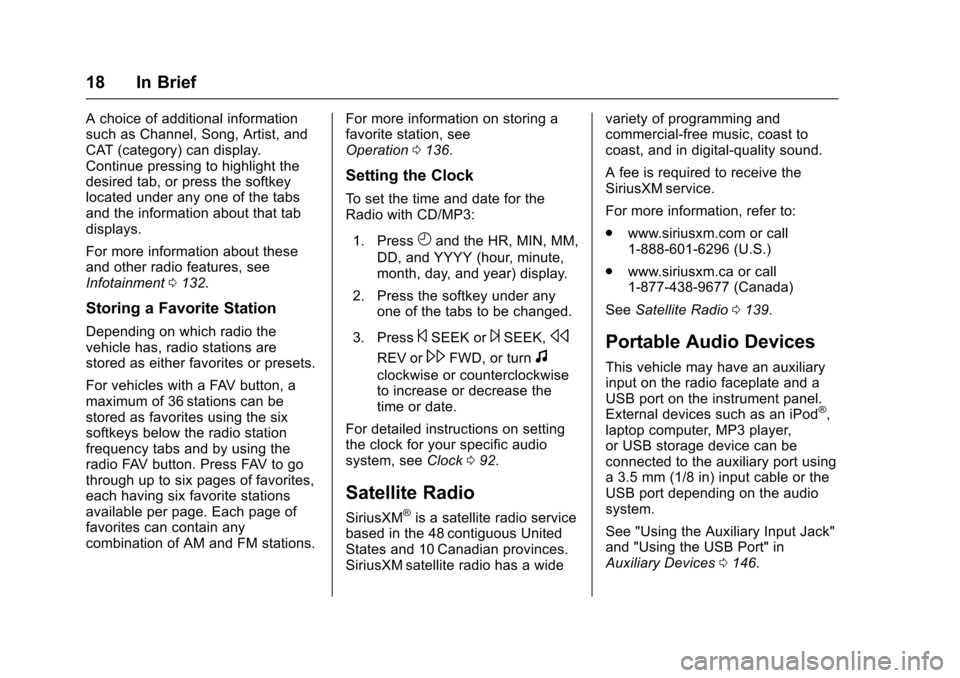
Storing a Favorite Station
Depending on which radio thevehicle has, radio stations arestored as either favorites or presets.
For vehicles with a FAV button, amaximum of 36 stations can bestored as favorites using the sixsoftkeys below the radio stationfrequency tabs and by using theradio FAV button. Press FAV to gothrough up to six pages of favorites,each having six favorite stationsavailable per page. Each page offavorites can contain anycombination of AM and FM stations.
For more information on storing afavorite station, seeOperation0136.
Setting the Clock
To s e t t h e t i m e a n d d a t e f o r t h eRadio with CD/MP3:
1. PressHand the HR, MIN, MM,
DD, and YYYY (hour, minute,month, day, and year) display.
2. Press the softkey under anyone of the tabs to be changed.
3. Press©SEEK or¨SEEK,s
REV or\FWD, or turnf
clockwise or counterclockwiseto increase or decrease thetime or date.
For detailed instructions on settingthe clock for your specific audiosystem, seeClock092.
Satellite Radio
SiriusXM®is a satellite radio servicebased in the 48 contiguous UnitedStates and 10 Canadian provinces.SiriusXM satellite radio has a wide
variety of programming andcommercial-free music, coast tocoast, and in digital-quality sound.
AfeeisrequiredtoreceivetheSiriusXM service.
For more information, refer to:
.www.siriusxm.com or call1-888-601-6296 (U.S.)
.www.siriusxm.ca or call1-877-438-9677 (Canada)
SeeSatellite Radio0139.
Portable Audio Devices
This vehicle may have an auxiliaryinput on the radio faceplate and aUSB port on the instrument panel.External devices such as an iPod®,laptop computer, MP3 player,or USB storage device can beconnected to the auxiliary port usinga3.5mm(1/8in)inputcableortheUSB port depending on the audiosystem.
See "Using the Auxiliary Input Jack"and "Using the USB Port" inAuxiliary Devices0146.
Page 20 of 346
Chevrolet Express Owner Manual (GMNA-Localizing-U.S./Canada/Mexico-9967827) - 2017 - crc - 5/2/16
In Brief 19
Bluetooth®
If equipped with a Bluetooth system,it allows users with aBluetooth-enabled cell phone tomake and receive hands-free callsusing the vehicle’saudiosystemand controls.
The Bluetooth-enabled cell phonemust be paired with the Bluetoothsystem before it can be used in thevehicle. Not all phones will supportall functions. For more information,see www.gm.com/bluetooth andBluetooth0151.
Steering Wheel Controls
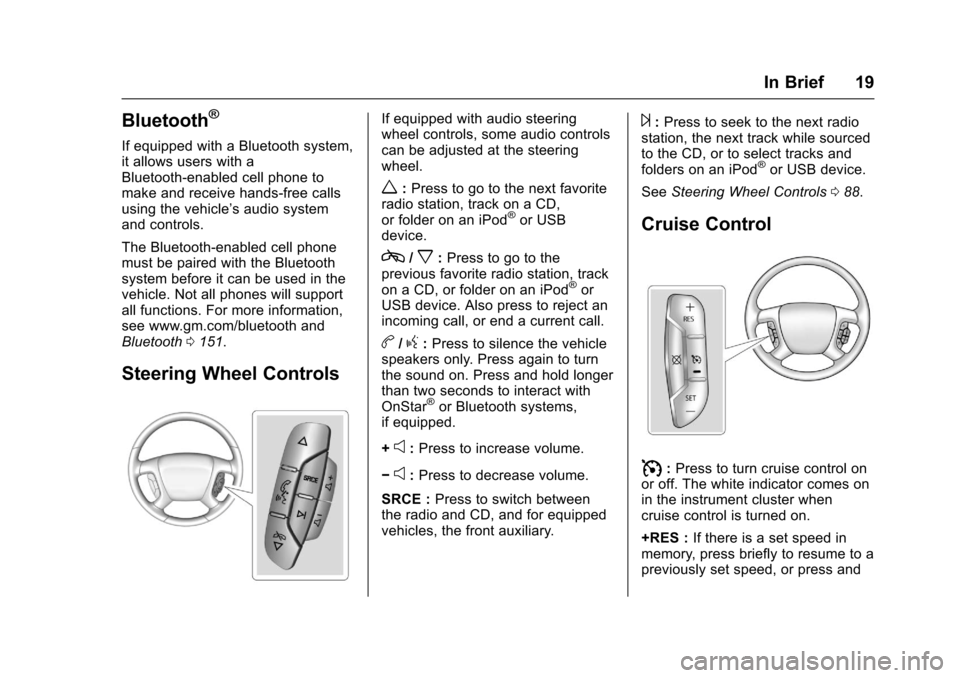
If equipped with audio steeringwheel controls, some audio controlscan be adjusted at the steeringwheel.
w:Press to go to the next favoriteradio station, track on a CD,or folder on an iPod®or USBdevice.
c/x:Press to go to theprevious favorite radio station, trackon a CD, or folder on an iPod®orUSB device. Also press to reject anincoming call, or end a current call.
b/g:Press to silence the vehiclespeakers only. Press again to turnthe sound on. Press and hold longerthan two seconds to interact withOnStar®or Bluetooth systems,if equipped.
+e:Press to increase volume.
✓e:Press to decrease volume.
SRCE :Press to switch betweenthe radio and CD, and for equippedvehicles, the front auxiliary.
¨:Press to seek to the next radiostation, the next track while sourcedto the CD, or to select tracks andfolders on an iPod®or USB device.
SeeSteering Wheel Controls088.
Cruise Control
I:Press to turn cruise control onor off. The white indicator comes onin the instrument cluster whencruise control is turned on.
+RES :If there is a set speed inmemory, press briefly to resume to apreviously set speed, or press and
Page 90 of 346
Chevrolet Express Owner Manual (GMNA-Localizing-U.S./Canada/Mexico-9967827) - 2017 - crc - 5/2/16
Instruments and Controls 89
2. Press and releaseworc/
xto scroll up or down the list,
then press and holdw,
or press¨to play the
highlighted track.
Navigating Folders on an iPod orUSB Device
1. Press and holdworc/x
while listening to a song untilthe contents of the currentfolder display on the radiodisplay.
2. Press and holdc/xto go
back to the previous folder list.
3. Press and releaseworc/
xto scroll up or down the list.
.To s e l e c t a f o l d e r , p r e s s
and holdw,orpress¨
when the folder ishighlighted.
.To g o b a c k f u r t h e r i n t h efolder list, press and holdc/x.
b/g:Press to silence the vehiclespeakers only. Press again to turnthe sound on.
For vehicles with Bluetooth orOnStar®systems, press and holdfor longer than two seconds tointeract with those systems. SeeBluetooth0151and OnStar,if equipped.
SRCE :Press to switch betweenthe radio and CD, and for equippedvehicles, the front auxiliary.
¨:Press to go to the next radiostation while in AM, FM,or SiriusXM®(If Equipped).
For vehicles with a CD player orUSB port:
Press¨to go to the next track or
chapter while sourced to the CD.
Press¨to select a track or a folder
when navigating folders on an iPodor USB device.
While listening to a CD, press and
hold¨to quickly move forward
through the tracks. Release to stopon the desired track.
+e:Press to increase volume.
✓e:Press to decrease volume.
Horn
Press the horn symbol in the middleof the steering wheel to soundthe horn.
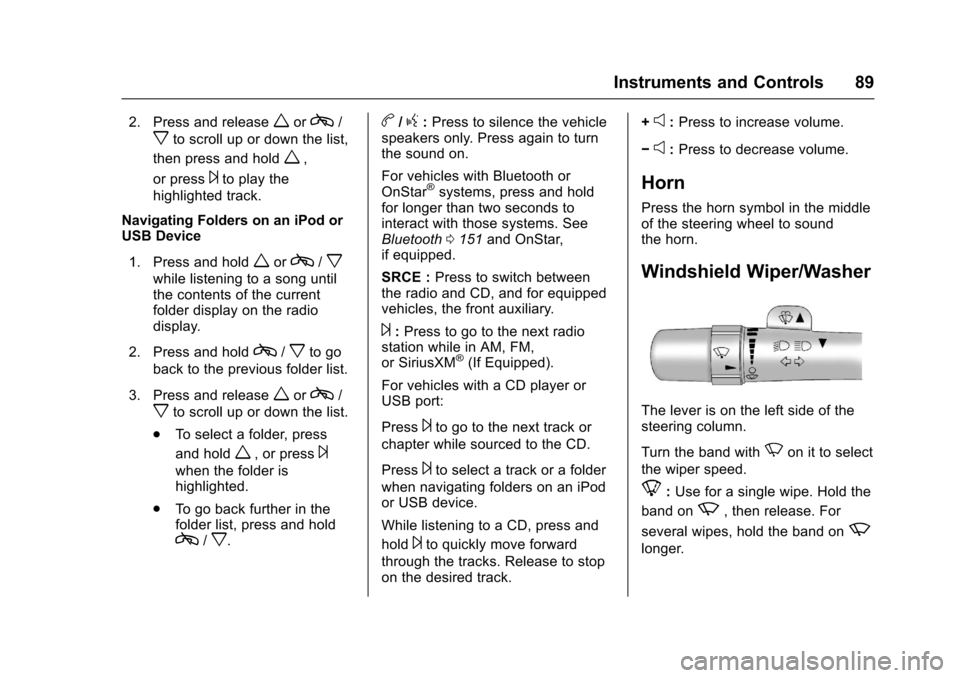
Windshield Wiper/Washer
The lever is on the left side of thesteering column.
Turn the band withNon it to select
the wiper speed.
8:Use for a single wipe. Hold the
band onz,thenrelease.For
several wipes, hold the band onz
longer.
Page 145 of 346
Chevrolet Express Owner Manual (GMNA-Localizing-U.S./Canada/Mexico-9967827) - 2017 - crc - 5/2/16
144 Infotainment System
Files accessed from the rootdirectory of a CD display asF1 ROOT.
Empty Folder
Folders that do not contain files areskipped, and the player advances tothe next folder that contains files.
Order of Play
Compressed audio files areaccessed in the following order:
.Playlists (Px).
.Files stored in the root directory.
.Files stored in folders in the rootdirectory.
Tracks are played in the followingorder:
.Play begins from the first track inthe first playlist and continuessequentially through all tracks ineach playlist. When the lasttrack of the last playlist hasplayed, play continues from thefirst track of the first playlist.
.Play begins from the first track inthe first folder and continuessequentially through all tracks in
each folder. When the last trackof the last folder has played,play continues from the firsttrack of the first folder.
File System and Naming
The song name that displays is thesong name contained in the ID3 tag.If the song name is not present inthe ID3 tag, then the radio displaysthe file name without the extension(such as .mp3) as the track name.
Track names longer than 32characters or four pages areshortened. The display does notshow parts of words on the lastpage of text, and the extension ofthe file name is not displayed.
Preprogrammed Playlists
CDs that have preprogrammedplaylists created using WinAmp®,MusicMatch®,orRealPlayer®
software can be accessed; however,there is no playlist-editing capabilityusing the radio. These playlists aretreated as special folders containingcompressed audio song files.
Playlists that have an .m3u or .plsfile extension and are stored on aUSB device may be supported bythe radio with a USB port.
Playlists can be changed by using
the softkeys below theScand
cTtabs, thefknob, the©SEEK
button, or the¨SEEK button. An
MP3 CD-R or CD-RW that has beenrecorded without using file folderscan be played. If a CD-R or CD-RWcontains more than the maximum of50 folders, 15 playlists, and512 folders and files, the playerallows access and navigates up tothe maximum, but all items over themaximum are not accessible.
Playing an MP3
4:Press to display additional textinformation related to the currentsong. If information is available, thesong title information displays onthe top line of the display and artistinformation displays on the bottomline. When information is notavailable, NO INFO displays.
f:Turn to select MP3s on the CDcurrently playing.
Page 148 of 346
Chevrolet Express Owner Manual (GMNA-Localizing-U.S./Canada/Mexico-9967827) - 2017 - crc - 5/2/16
Infotainment System 147
SRCE :If equipped, press to listento the radio when a portable audiodevice is playing. The portableaudio device continues playing.
Press to play a CD when a portableaudio device is playing. Press againand the system begins playingaudio from the connected portableaudio player. If a portable audioplayer is not connected,“No InputDevice Found”displays.
Using the USB Port
Radios with a USB port can controlaUSBstoragedeviceoraniPod®
using the radio buttons and knobs.See“Playing an MP3”inCD Player0141for information about how toconnect and control a USB storagedevice or an iPod.
USB Support
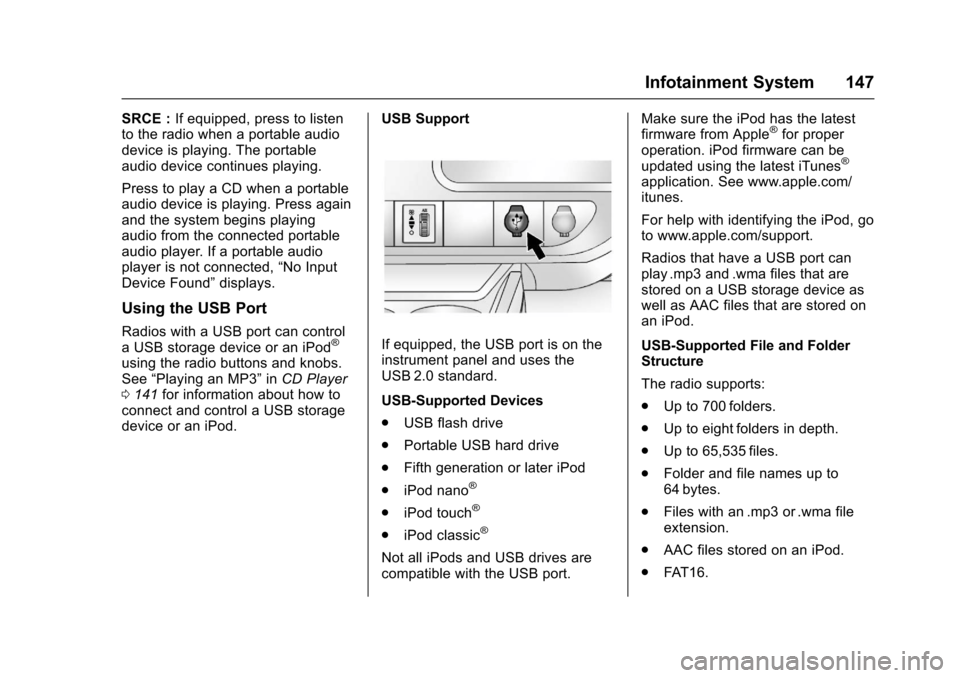
If equipped, the USB port is on theinstrument panel and uses theUSB 2.0 standard.
USB-Supported Devices
.USB flash drive
.Portable USB hard drive
.Fifth generation or later iPod
.iPod nano®
.iPod touch®
.iPod classic®
Not all iPods and USB drives arecompatible with the USB port.
Make sure the iPod has the latestfirmware from Apple®for properoperation. iPod firmware can beupdated using the latest iTunes®
application. See www.apple.com/itunes.
For help with identifying the iPod, goto www.apple.com/support.
Radios that have a USB port canplay .mp3 and .wma files that arestored on a USB storage device aswell as AAC files that are stored onan iPod.
USB-Supported File and FolderStructure
The radio supports:
.Up to 700 folders.
.Up to eight folders in depth.
.Up to 65,535 files.
.Folder and file names up to64 bytes.
.Files with an .mp3 or .wma fileextension.
.AAC files stored on an iPod.
.FAT 1 6 .
Page 149 of 346
Chevrolet Express Owner Manual (GMNA-Localizing-U.S./Canada/Mexico-9967827) - 2017 - crc - 5/2/16
148 Infotainment System
.FAT 3 2 .
Connecting a USB Storage
Device or iPod
The USB port can be used tocontrol an iPod or a USB storagedevice.
To c o n n e c t a U S B s t o r a g e d e v i c e ,connect the device to the USB porton the instrument panel.
To c o n n e c t a n i P o d , c o n n e c t o n eend of the USB cable that camewith the iPod to the iPod’sdockconnector and connect the otherend to the USB port on theinstrument panel. If the vehicle is onand the USB connection works,“OKto disconnect”and a GM logo mayappear on the iPod, and iPodappears on the radio display. TheiPod music appears on the radiodisplay and begins playing.
The iPod charges while it isconnected to the vehicle if thevehicle is in the ACC/ACCESSORYor ON/RUN position. When thevehicle is turned off, the iPod
automatically powers off and will notcharge or draw power from thevehicle's battery.
If you have an older iPod model thatis not supported, it can still be usedby connecting it to the auxiliaryinput jack using a standard 3.5 mm(1/8 in) stereo cable. See“Using theAuxiliary Input Jack”previously inthis section.
Using the Radio to Control a
USB Storage Device or iPod
The radio can control a USBstorage device or an iPod using theradio buttons and knobs, anddisplay song information on theradio display.
f:Turn to select files.
©SEEK :Press to go to the start ofthe track, if more than 10 secondshave played. Press and hold orpress multiple times to continuemoving backward through tracks.
¨SEEK :Press to go to the nexttrack. Press and hold or pressmultiple times to continue movingforward through tracks.
sREV :Press and hold to reverseplayback quickly. Sound is heard at
areducedvolume.ReleasesREV
to resume playing. The elapsed timeof the file displays.
\FWD :Press and hold toadvance playback quickly. Sound isheard at a reduced volume. Release\FWD to resume playing. Theelapsed time of the file displays.
4:Press to display additionalinformation about the selected track.
Using Softkeys to Control a
USB Storage Device or iPod
The five softkeys below the radiodisplay are used to control thefunctions listed below.
To u s e t h e s o f t k e y s :
1. Press the first or fifth softkeybelow the radio display todisplay the functions listedbelow, or press the softkeybelow the function if it iscurrently displayed.
2. Press the softkey below the tabwith the function on it to usethat function.