2017 CHEVROLET EXPRESS CARGO VAN ABS
[x] Cancel search: ABSPage 140 of 346
Chevrolet Express Owner Manual (GMNA-Localizing-U.S./Canada/Mexico-9967827) - 2017 - crc - 5/2/16
Infotainment System 139
2. Press FAV to display the pagewhere the station is to bestored.
3. Press and hold one of thesix softkeys until a beepsounds. When that softkey ispressed and released, thestation that was set, returns.
4. Repeat the steps for eachsoftkey radio station to bestored as a favorite.
The number of favorites pages canbe set up using the MENU button.To s e t u p t h e n u m b e r o f f a v o r i t e spages:
1. Press MENU to display theradio setup menu.
2. Press the softkey below theFAV 1 - 6 t a b .
3. Select the desired number offavorites pages by pressing thesoftkey below the displayedpage numbers.
4. Press FAV , or let the menutime out, to return to theoriginal main radio screenshowing the radio stationfrequency tabs and to begin
the process of programmingfavorites for the chosennumber of numbered pages.
Satellite Radio
SiriusXM®,ifequipped,isasatelliteradio service based in the UnitedStates and Canada only.
Finding a Category (CAT)
Station
CAT :The CAT button is used tofind SXM channels (if equipped)while the radio is in the SXM mode.
Finding a Channel
BAND or SRCE :Press to switchbetween FM1, FM2, AM, and SXM ifequipped. The selection displays.
f:Turn clockwise orcounterclockwise to increase ordecrease the station frequency.
©SEEK or¨SEEK :Press©
SEEK to go to the previous or¨
SEEK to go to the next station andstay there.
To s c a n s t a t i o n s , p r e s s a n d h o l deither button for two seconds until abeep sounds. The radio goes to astation, plays for a few seconds,then goes to the next station. Thestation frequency flashes while theradio is in the scan mode. Presseither button again to stop scanning.
The radio seeks and scans stationsonly with a strong signal that are inthe selected band.
To s c a n p r e s e t s w i t h i n t h e c u r r e n tselected band by pressing andholding either SEEK button forfour seconds until a double beepsounds. The radio goes to a storedpreset, plays for a few seconds if astrong signal is present, then goesto the next stored preset. Thestation frequency flashes while theradio is in the scan mode.
Storing a Radio Station as a
Favorite
Drivers are encouraged to set upradio station favorites while thevehicle is parked. Tune to favoritestations using the presets, favorites
Page 141 of 346
Chevrolet Express Owner Manual (GMNA-Localizing-U.S./Canada/Mexico-9967827) - 2017 - crc - 5/2/16
140 Infotainment System
button, and steering wheel controls,if the vehicle has this feature. SeeDefensive Driving0165.
FAV :If the vehicle has a FAVbutton, a maximum of 36 stationscan be programmed as favoritesusing the six softkeys below theradio station frequency tabs and byusing the radio favorites pagebutton (FAV button). Press FAV togo through up to six pages offavorites, each having six favoritestations available per page. Eachpage of favorites can contain anycombination of AM, FM, or SXMstations.
The balance/fade and tone settingsthat were previously adjusted, arestored with the favorite stations.
To s t o r e a s t a t i o n a s a f a v o r i t e :
1. Tune to the desired radiostation.
2. Press FAV to display the pagewhere the station is to bestored.
3. Press and hold one of thesix softkeys until a beepsounds. When that softkey ispressed and released, thestation that was set, returns.
4. Repeat the steps for eachsoftkey radio station to bestored as a favorite.
The number of favorites pages canbe set up using the MENU button.To s e t u p t h e n u m b e r o f f a v o r i t e spages:
1. Press MENU to display theradio setup menu.
2. Press the softkey below theFAV 1 - 6 t a b .
3. Select the desired number offavorites pages by pressing thesoftkey below the displayedpage numbers.
4. Press FAV , or let the menutime out, to return to theoriginal main radio screenshowing the radio stationfrequency tabs and to beginthe process of programmingfavorites for the chosennumber of numbered pages.
Radio Reception
Frequency interference and staticcan occur during normal radioreception if items such as cell phonechargers, vehicle convenienceaccessories, and external electronicdevices are plugged into theaccessory power outlet. If there isinterference or static, unplug theitem from the accessory poweroutlet.
AM
The range for most AM stations isgreater than for FM, especially atnight. The longer range can causestation frequencies to interfere witheach other. For better radioreception, most AM radio stationsboost the power levels during theday, and then reduce these levelsduring the night. Static can alsooccur when things like storms andpower lines interfere with radioreception. When this happens, tryreducing the treble on the radio.
Page 145 of 346
Chevrolet Express Owner Manual (GMNA-Localizing-U.S./Canada/Mexico-9967827) - 2017 - crc - 5/2/16
144 Infotainment System
Files accessed from the rootdirectory of a CD display asF1 ROOT.
Empty Folder
Folders that do not contain files areskipped, and the player advances tothe next folder that contains files.
Order of Play
Compressed audio files areaccessed in the following order:
.Playlists (Px).
.Files stored in the root directory.
.Files stored in folders in the rootdirectory.
Tracks are played in the followingorder:
.Play begins from the first track inthe first playlist and continuessequentially through all tracks ineach playlist. When the lasttrack of the last playlist hasplayed, play continues from thefirst track of the first playlist.
.Play begins from the first track inthe first folder and continuessequentially through all tracks in
each folder. When the last trackof the last folder has played,play continues from the firsttrack of the first folder.
File System and Naming
The song name that displays is thesong name contained in the ID3 tag.If the song name is not present inthe ID3 tag, then the radio displaysthe file name without the extension(such as .mp3) as the track name.
Track names longer than 32characters or four pages areshortened. The display does notshow parts of words on the lastpage of text, and the extension ofthe file name is not displayed.
Preprogrammed Playlists
CDs that have preprogrammedplaylists created using WinAmp®,MusicMatch®,orRealPlayer®
software can be accessed; however,there is no playlist-editing capabilityusing the radio. These playlists aretreated as special folders containingcompressed audio song files.
Playlists that have an .m3u or .plsfile extension and are stored on aUSB device may be supported bythe radio with a USB port.
Playlists can be changed by using
the softkeys below theScand
cTtabs, thefknob, the©SEEK
button, or the¨SEEK button. An
MP3 CD-R or CD-RW that has beenrecorded without using file folderscan be played. If a CD-R or CD-RWcontains more than the maximum of50 folders, 15 playlists, and512 folders and files, the playerallows access and navigates up tothe maximum, but all items over themaximum are not accessible.
Playing an MP3
4:Press to display additional textinformation related to the currentsong. If information is available, thesong title information displays onthe top line of the display and artistinformation displays on the bottomline. When information is notavailable, NO INFO displays.
f:Turn to select MP3s on the CDcurrently playing.
Page 165 of 346
Chevrolet Express Owner Manual (GMNA-Localizing-U.S./Canada/Mexico-9967827) - 2017 - crc - 5/6/16
164 Driving and Operating
Driving and
Operating
Driving Information
Distracted Driving . . . . . . . . . . . . 165Defensive Driving . . . . . . . . . . . . . 165Drunk Driving . . . . . . . . . . . . . . . . . 166Control of a Vehicle . . . . . . . . . . . 166Braking . . . . . . . . . . . . . . . . . . . . . . . 166Steering . . . . . . . . . . . . . . . . . . . . . . 166Off-Road Recovery . . . . . . . . . . . 167Loss of Control . . . . . . . . . . . . . . . 167Driving on Wet Roads . . . . . . . . 168Hill and Mountain Roads . . . . . 169Winter Driving . . . . . . . . . . . . . . . . 169If the Vehicle Is Stuck . . . . . . . . 171Vehicle Load Limits . . . . . . . . . . . 171
Starting and Operating
New Vehicle Break-In . . . . . . . . . 175Ignition Positions . . . . . . . . . . . . . 176Starting the Engine . . . . . . . . . . . 177Fast Idle System . . . . . . . . . . . . . 178Engine Heater . . . . . . . . . . . . . . . . 179Retained AccessoryPower (RAP) . . . . . . . . . . . . . . . . 180Shifting Into Park . . . . . . . . . . . . . 180Shifting out of Park . . . . . . . . . . . 181
Parking over ThingsThat Burn . . . . . . . . . . . . . . . . . . . 182
Engine Exhaust
Engine Exhaust . . . . . . . . . . . . . . 182Running the Vehicle WhileParked . . . . . . . . . . . . . . . . . . . . . . 183
Automatic Transmission
Automatic Transmission . . . . . . 183Manual Mode . . . . . . . . . . . . . . . . . 186To w / H a u l M o d e . . . . . . . . . . . . . . . 1 8 7
Brakes
Antilock BrakeSystem (ABS) . . . . . . . . . . . . . . . 188Parking Brake . . . . . . . . . . . . . . . . 189
Ride Control Systems
Traction Control/ElectronicStability Control . . . . . . . . . . . . . 190Locking Rear Axle . . . . . . . . . . . . 191
Cruise Control
Cruise Control . . . . . . . . . . . . . . . . 192
Driver Assistance Systems
Rear Vision Camera (RVC) . . . 194Parking Assist . . . . . . . . . . . . . . . . 197
Fuel
Fuel . . . . . . . . . . . . . . . . . . . . . . . . . . 198
California FuelRequirements . . . . . . . . . . . . . . . 199Fuels in Foreign Countries . . . 199Fuel Additives . . . . . . . . . . . . . . . . 199E85 or FlexFuel . . . . . . . . . . . . . . 199Filling the Tank . . . . . . . . . . . . . . . 200Filling a Portable FuelContainer . . . . . . . . . . . . . . . . . . . 202
Trailer Towing
General TowingInformation . . . . . . . . . . . . . . . . . . 202Driving Characteristics andTo w i n g T i p s . . . . . . . . . . . . . . . . . 2 0 2Trailer Towing . . . . . . . . . . . . . . . . 205To w i n g E q u i p m e n t . . . . . . . . . . . . 2 1 0
Conversions and Add-Ons
Add-On ElectricalEquipment . . . . . . . . . . . . . . . . . . 212
Page 168 of 346
Chevrolet Express Owner Manual (GMNA-Localizing-U.S./Canada/Mexico-9967827) - 2017 - crc - 5/6/16
Driving and Operating 167
Curve Tips
.Ta k e c u r v e s a t a r e a s o n a b l espeed.
.Reduce speed before entering acurve.
.Maintain a reasonable steadyspeed through the curve
.Wait until the vehicle is out ofthe curve before acceleratinggently into the straightaway.
Steering in Emergencies
.There are some situations whensteering around a problem maybe more effective than braking.
.Holding both sides of thesteering wheel allows you to turn180 degrees without removingahand.
.Antilock Brake System (ABS)allows steering while braking.
Off-Road Recovery
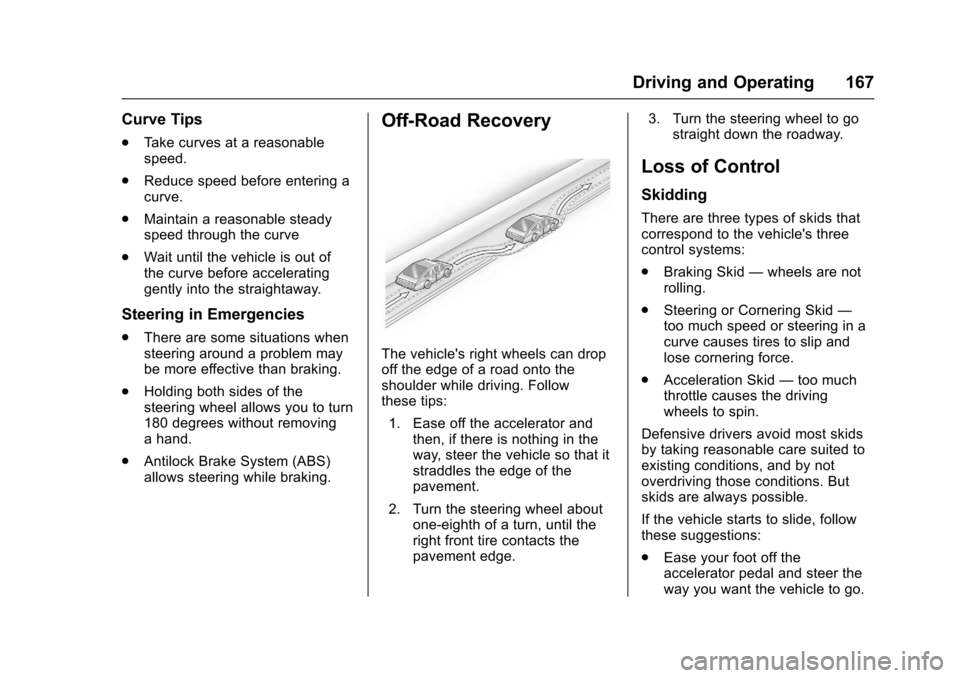
The vehicle's right wheels can dropoff the edge of a road onto theshoulder while driving. Followthese tips:
1. Ease off the accelerator andthen, if there is nothing in theway, steer the vehicle so that itstraddles the edge of thepavement.
2. Turn the steering wheel aboutone-eighth of a turn, until theright front tire contacts thepavement edge.
3. Turn the steering wheel to gostraight down the roadway.
Loss of Control
Skidding
There are three types of skids thatcorrespond to the vehicle's threecontrol systems:
.Braking Skid—wheels are notrolling.
.Steering or Cornering Skid—too much speed or steering in acurve causes tires to slip andlose cornering force.
.Acceleration Skid—too muchthrottle causes the drivingwheels to spin.
Defensive drivers avoid most skidsby taking reasonable care suited toexisting conditions, and by notoverdriving those conditions. Butskids are always possible.
If the vehicle starts to slide, followthese suggestions:
.Ease your foot off theaccelerator pedal and steer theway you want the vehicle to go.
Page 170 of 346
Chevrolet Express Owner Manual (GMNA-Localizing-U.S./Canada/Mexico-9967827) - 2017 - crc - 5/6/16
Driving and Operating 169
.Keep the windshield washer fluidreservoir filled.
.Have good tires with propertread depth. SeeTires0252.
.Turn off cruise control.
Hill and Mountain Roads
Driving on steep hills or throughmountains is different than drivingon flat or rolling terrain. Tips include:
.Keep the vehicle serviced and ingood shape.
.Check all fluid levels and brakes,tires, cooling system, andtransmission.
.Shift to a lower gear when goingdown steep or long hills.
{Warning
Using the brakes to slow the
vehicle on a long downhill slope
can cause brake overheating, can
reduce brake performance, and
could result in a loss of braking.
(Continued)
Warning (Continued)
Shift the transmission to a lower
gear to let the engine assist the
brakes on a steep downhill slope.
{Warning
Coasting downhill in N (Neutral)
or with the ignition off is
dangerous. This can cause
overheating of the brakes and
loss of steering. Always have the
engine running and the vehicle
in gear.
.Drive at speeds that keep thevehicle in its own lane. Do notswing wide or cross thecenter line.
.Be alert on top of hills;something could be in your lane(e.g., stalled car, accident).
.Pay attention to special roadsigns (e.g., falling rocks area,winding roads, long grades,passing or no-passing zones)and take appropriate action.
Winter Driving
Driving on Snow or Ice
Snow or ice between the tires andthe road creates less traction orgrip, so drive carefully. Wet ice canoccur at about 0 °C (32 °F) whenfreezing rain begins to fall. Avoiddriving on wet ice or in freezing rainuntil roads can be treated.
For slippery road driving:
.Accelerate gently. Acceleratingtoo quickly causes the wheels tospin and makes the surfaceunder the tires slick.
.Turn on Traction Control. SeeTr a c t i o n C o n t r o l / E l e c t r o n i cStability Control0190.
.Antilock Brake System (ABS)improves vehicle stability duringhard stops, but the brakesshould be applied sooner than
Page 171 of 346
Chevrolet Express Owner Manual (GMNA-Localizing-U.S./Canada/Mexico-9967827) - 2017 - crc - 5/6/16
170 Driving and Operating
when on dry pavement. SeeAntilock Brake System(ABS)0188.
.Allow greater following distanceand watch for slippery spots. Icypatches can occur on otherwiseclear roads in shaded areas.The surface of a curve or anoverpass can remain icy whenthe surrounding roads are clear.Avoid sudden steeringmaneuvers and braking whileon ice.
.Turn off cruise control.
Blizzard Conditions
Stop the vehicle in a safe place andsignal for help. Stay with the vehicleunless there is help nearby.If possible, use RoadsideAssistance. SeeRoadsideAssistance Program0316.Togethelp and keep everyone in thevehicle safe:
.Turn on the hazard warningflashers.
.Tie a red cloth to an outsidemirror.
{Warning
Snow can trap engine exhaust
under the vehicle. This may
cause exhaust gases to get
inside. Engine exhaust contains
carbon monoxide (CO), which
cannot be seen or smelled. It can
cause unconsciousness and even
death.
If the vehicle is stuck in snow:
.Clear snow from the base ofthe vehicle, especially anyblocking the exhaust pipe.
.Open a window about 5 cm(2 in) on the vehicle sidethat is away from the wind,to bring in fresh air.
.Fully open the air outlets onor under the instrumentpanel.
.Adjust the climate controlsystem to circulate the airinside the vehicle and set
(Continued)
Warning (Continued)
the fan speed to the highestsetting. See“ClimateControl Systems.”
For more information about CO,
seeEngine Exhaust0182.
To s a v e f u e l , r u n t h e e n g i n e f o rshort periods to warm the vehicleand then shut the engine off andpartially close the window. Movingabout to keep warm also helps.
If it takes time for help to arrive,when running the engine, push theaccelerator pedal slightly so theengine runs faster than the idlespeed. This keeps the batterycharged to restart the vehicle and tosignal for help with the headlamps.Do this as little as possible, tosave fuel.
Page 189 of 346
Chevrolet Express Owner Manual (GMNA-Localizing-U.S./Canada/Mexico-9967827) - 2017 - crc - 5/6/16
188 Driving and Operating
Tow/Haul Mode Grade Braking
To w / H a u l M o d e G r a d e B r a k i n g i sonly enabled while the Tow/HaulMode is selected and the vehicle isnot in the Range Selection Mode.See“To w / H a u l M o d e”listedpreviously andManual Mode0186.To w / H a u l M o d e G r a d e B r a k i n gassists in maintaining desiredvehicle speeds when driving ondownhill grades by using the engineand transmission to slow thevehicle.
To d i s a b l e o r e n a b l e To w / H a u l M o d eGrade Braking within the currentignition key cycle, press and holdthe Tow/Haul button forthree seconds. A DIC message willbe displayed. SeeTr a n s m i s s i o nMessages011 8.
SeeTo w i n g E q u i p m e n t0210.
For other forms of grade braking,seeAutomatic Transmission0183andCruise Control0192.
Brakes
Antilock Brake
System (ABS)
This vehicle has an Antilock BrakeSystem (ABS), an advancedelectronic braking system that helpsprevent a braking skid.
When the vehicle begins to driveaway, ABS checks itself.Amomentarymotororclickingnoisemay be heard while this test is goingon, and it may even be noticed thatthe brake pedal moves a little. Thisis normal.
If there is a problem with ABS, thiswarning light stays on. SeeAntilockBrake System (ABS) WarningLight0104.
If driving safely on a wet road and itbecomes necessary to slam on thebrakes and continue braking toavoid a sudden obstacle, acomputer senses the wheels areslowing down. If one of the wheelsis about to stop rolling, the computerwill separately work the brakes ateach wheel.
ABS can change the brake pressureto each wheel, as required, fasterthan any driver could. This can helpyou steer around the obstacle whilebraking hard.
As the brakes are applied, thecomputer keeps receiving updateson wheel speed and controlsbraking pressure accordingly.
Remember: ABS does not changethe time needed to get a foot up tothe brake pedal or always decreasestopping distance. If you get tooclose to the vehicle in front of you,there will not be enough time toapply the brakes if that vehiclesuddenly slows or stops. Alwaysleave enough room up ahead tostop, even with ABS.