2017 CHEVROLET COLORADO warning
[x] Cancel search: warningPage 136 of 419

Chevrolet Colorado Owner Manual (GMNA-Localizing-U.S./Canada/Mexico-10122675) - 2017 - crc - 8/22/16
Instruments and Controls 135
accelerate. If this message is on,but there is no reduction inperformance, proceed to yourdestination. The performance maybe reduced the next time the vehicleis driven. The vehicle may be drivenat a reduced speed while thismessage is on, but acceleration andspeed may be reduced. Anytimethis message stays on, or displaysrepeatedly, the vehicle should betaken to your dealer for service assoon as possible.
Fuel System Messages
FUEL LEVEL LOW
This message displays when thevehicle is low on fuel. Refuel assoon as possible.
Key and Lock Messages
REPLACE BATTERY IN
REMOTE KEY
This message displays if a RemoteKeyless Entry (RKE) transmitterbattery is low. The battery needs tobe replaced in the transmitter. See
“Battery Replacement”underRemote Keyless Entry (RKE)System Operation030.
Lamp Messages
TURN SIGNAL ON
This message displays and a chimesounds if a turn signal is left on for1.2 km (0.75 mi). Move the turnsignal lever to the off position.
Object Detection System
Messages
FORWARD COLLISION
ALERT OFF
If your vehicle has the ForwardCollision Alert (FCA) system, thismessage may display if the FCAsystem cannot activate due to atemporary condition. SeeForwardCollision Alert (FCA) System0263.
FRONT CAMERA BLOCKED,
CLEAN WINDSHIELD
This message displays when theLane Departure Warning (LDW) andForward Collision Alert (FCA)
systems are disabled because thecamera view is blocked and cannotoperate properly. It may alsoactivate during heavy rain or due toroad spray. To clean the system,clean the outside of the windshieldarea in front of the LDW/FCAcamera sensor.
LANE DEPARTURE SYSTEM
UNAVAILABLE
If your vehicle has the LaneDeparture Warning (LDW) system,this message may display if theLDW system cannot activate due toatemporarycondition.SeeLaneDeparture Warning (LDW)0264formore information.
SERVICE FRONT CAMERA
This message displays when theLane Departure Warning (LDW) andForward Collision Alert (FCA)systems are disabled and needservice. See your dealer.
Page 138 of 419

Chevrolet Colorado Owner Manual (GMNA-Localizing-U.S./Canada/Mexico-10122675) - 2017 - crc - 8/22/16
Instruments and Controls 137
Restraints”in the Index forinformation about the importance ofproper restraint use.
This system may not functionproperly if the airbag readiness lightis on. SeeAirbag ReadinessLight011 7.
Security Messages
SERVICE THEFT DETERRENT
SYSTEM
This message displays when thereis a problem with the theft-deterrentsystem. The vehicle may or may notrestart, so you may want to take thevehicle to your dealer before turningoff the engine. SeeImmobilizerOperation037.
Steering System
Messages
STEERING ASSIST IS
REDUCED DRIVE WITH CARE
This message may display if aproblem occurs with the electricpower steering system. If thismessage appears, steering effort
may be slightly higher than normal.The vehicle is still safe to drive. Usecaution while in reduced assistmode. If this message is persistentor appears repeatedly, take thevehicle to your dealer for service.SeeSteering0216.
SERVICE POWER STEERING
This message displays when thereis a problem with electric powersteering. If this message displaysand a reduction in steeringperformance or loss of powersteering assistance is noticed, seeyour dealer. SeeSteering0216.
Starting the Vehicle
Messages
PRESS BRAKE TO START or
PRESS CLUTCH TO START
This message displays whenattempting to start the vehiclewithout first pressing the brake orclutch pedal.
Tire Messages
SERVICE TIRE MONITOR
SYSTEM
If equipped with the Tire PressureMonitor System (TPMS), thismessage displays if a part on thesystem is not working properly. Thetire pressure light also flashes andthen remains on during the sameignition cycle. SeeTire PressureLight0123.Severalconditionsmaycause this message to appear. SeeTire Pressure Monitor Operation0326.Ifthewarningcomesonandstays on, there may be a problemwith the TPMS. See your dealer.
TIRE LEARNING ACTIVE
If equipped with the Tire PressureMonitor System (TPMS), thismessage displays when the systemis relearning the tire positions onyour vehicle. The tire positions mustbe relearned after rotating the tiresor after replacing a tire or sensor.SeeTire Inspection0329,TireRotation0329,Tire PressureMonitor System0325,andTirePressure0323.
Page 139 of 419
Chevrolet Colorado Owner Manual (GMNA-Localizing-U.S./Canada/Mexico-10122675) - 2017 - crc - 8/22/16
138 Instruments and Controls
TIRE PRESSURE LOW ADD
AIR TO TIRE
If equipped with the Tire PressureMonitor System (TPMS), thismessage displays when thepressure in one or more of thevehicle's tires is low. This messagealso displays with a vehicle pictureto indicate the location of the lowtire. The low tire pressure warninglight will also come on. SeeTirePressure Light0123.Youcanreceive more than one tire pressuremessage at a time. If a tire pressuremessage appears on the DIC, stopas soon as you can. Have the tirepressures checked and set to thoseshown on the Tire and LoadingInformation label. SeeTires0316,Vehicle Load Limits0226,andTirePressure0323.TheDICalsoshows the tire pressure values. SeeDriver Information Center (DIC)(Base Level)0126orDriverInformation Center (DIC)(Uplevel)0129.
Transmission Messages
4WD OFF
If equipped with four-wheel drive,this message displays when thefour-wheel-drive system istemporarily disabled due to anoverheated condition. The vehiclewill run in two-wheel drive when thismessage is present. Once thefour-wheel-drive system cools down,the message turns off and thefour-wheel-drive system returns tonormal operation.
4WD SHIFT IN PROGRESS
This message will display while thefour-wheel-drive system is shifting.
FOR 4WD LOW SLOW TO XXX
If a four-wheel drive shift intoFour-Wheel Drive Low is requested,but the vehicle speed is too high,this message will display until thecorrect vehicle speed is reached.
FOR 4WD LOW SHIFT TO
NEUTRAL
If a four-wheel drive shift intoFour-Wheel Drive Low is requested,and the vehicle speed is correct, butthe transmission is not inN(Neutral), this message willdisplay until the transmission isshifted to N (Neutral).
SERVICE 4WD
If the vehicle has four-wheel drive,this message may display if aproblem occurs with thefour-wheel-drive system. If thismessage appears, stop as soon aspossible and turn off the vehicle.Make sure the key is in the LOCK/OFF position for at leastone minute, then restart the vehicleand check for the message on theDIC display. If the message is stilldisplayed or appears again whenyou begin driving, thefour-wheel-drive system needsservice. See your dealer.
Page 147 of 419
Chevrolet Colorado Owner Manual (GMNA-Localizing-U.S./Canada/Mexico-10122675) - 2017 - crc - 8/22/16
146 Lighting
Lighting
Exterior Lighting
Exterior Lamp Controls . . . . . . . 146Exterior Lamps OffReminder . . . . . . . . . . . . . . . . . . . 147Headlamp High/Low-BeamChanger . . . . . . . . . . . . . . . . . . . . 147Flash-to-Pass . . . . . . . . . . . . . . . . 147Daytime RunningLamps (DRL) . . . . . . . . . . . . . . . 147Automatic HeadlampSystem . . . . . . . . . . . . . . . . . . . . . . 148Hazard Warning Flashers . . . . . 149Turn and Lane-ChangeSignals . . . . . . . . . . . . . . . . . . . . . . 149Fog Lamps . . . . . . . . . . . . . . . . . . . 149
Interior Lighting
Instrument Panel IlluminationControl . . . . . . . . . . . . . . . . . . . . . . 150Cargo Lamp . . . . . . . . . . . . . . . . . . 150Dome Lamps . . . . . . . . . . . . . . . . . 151Reading Lamps . . . . . . . . . . . . . . 151
Lighting Features
Entry Lighting . . . . . . . . . . . . . . . . 151Exit Lighting . . . . . . . . . . . . . . . . . . 151Battery Load Management . . . 152Battery Power Protection . . . . . 152
Exterior Lighting
Exterior Lamp Controls
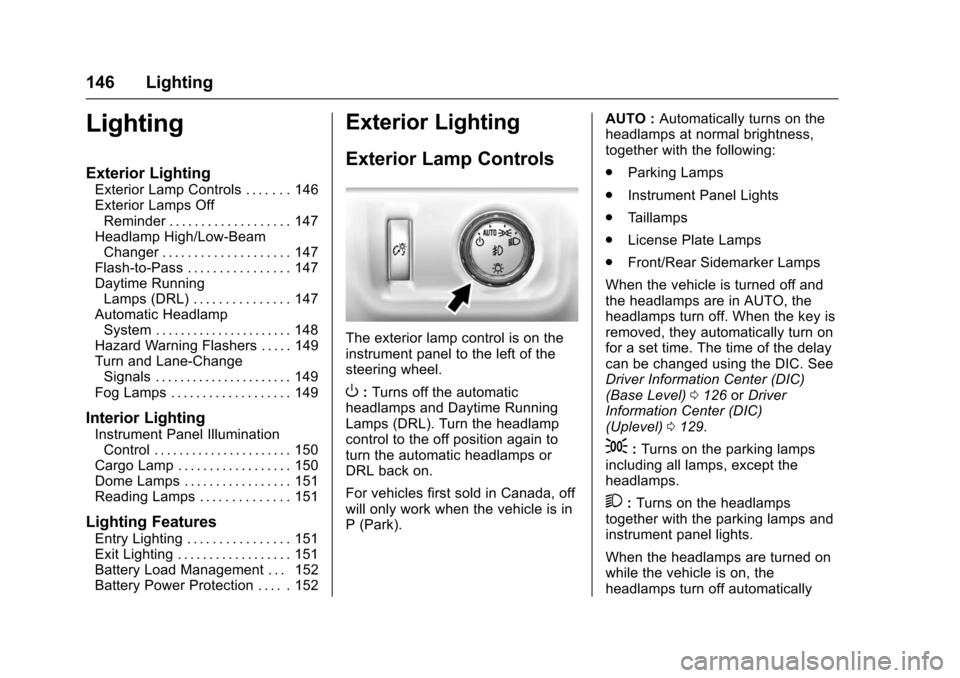
The exterior lamp control is on theinstrument panel to the left of thesteering wheel.
O:Turns off the automaticheadlamps and Daytime RunningLamps (DRL). Turn the headlampcontrol to the off position again toturn the automatic headlamps orDRL back on.
For vehicles first sold in Canada, offwill only work when the vehicle is inP(Park).
AUTO :Automatically turns on theheadlamps at normal brightness,together with the following:
.Parking Lamps
.Instrument Panel Lights
.Ta i l l a m p s
.License Plate Lamps
.Front/Rear Sidemarker Lamps
When the vehicle is turned off andthe headlamps are in AUTO, theheadlamps turn off. When the key isremoved, they automatically turn onfor a set time. The time of the delaycan be changed using the DIC. SeeDriver Information Center (DIC)(Base Level)0126orDriverInformation Center (DIC)(Uplevel)0129.
;:Turns on the parking lampsincluding all lamps, except theheadlamps.
2:Turns on the headlampstogether with the parking lamps andinstrument panel lights.
When the headlamps are turned onwhile the vehicle is on, theheadlamps turn off automatically
Page 150 of 419
Chevrolet Colorado Owner Manual (GMNA-Localizing-U.S./Canada/Mexico-10122675) - 2017 - crc - 8/22/16
Lighting 149
Hazard Warning Flashers
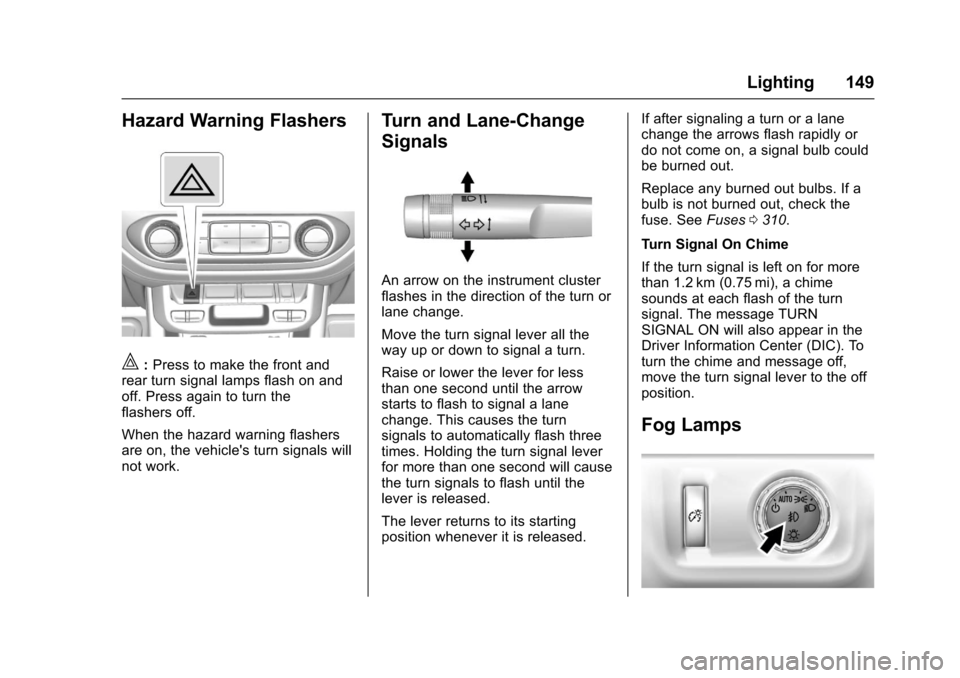
|:Press to make the front andrear turn signal lamps flash on andoff. Press again to turn theflashers off.
When the hazard warning flashersare on, the vehicle's turn signals willnot work.
Turn and Lane-Change
Signals
An arrow on the instrument clusterflashes in the direction of the turn orlane change.
Move the turn signal lever all theway up or down to signal a turn.
Raise or lower the lever for lessthan one second until the arrowstarts to flash to signal a lanechange. This causes the turnsignals to automatically flash threetimes. Holding the turn signal leverfor more than one second will causethe turn signals to flash until thelever is released.
The lever returns to its startingposition whenever it is released.
If after signaling a turn or a lanechange the arrows flash rapidly ordo not come on, a signal bulb couldbe burned out.
Replace any burned out bulbs. If abulb is not burned out, check thefuse. SeeFuses0310.
Turn Signal On Chime
If the turn signal is left on for morethan 1.2 km (0.75 mi), a chimesounds at each flash of the turnsignal. The message TURNSIGNAL ON will also appear in theDriver Information Center (DIC). Toturn the chime and message off,move the turn signal lever to the offposition.
Fog Lamps
Page 154 of 419
Chevrolet Colorado Owner Manual (GMNA-Localizing-U.S./Canada/Mexico-10122675) - 2017 - crc - 8/22/16
Infotainment System 153
Infotainment
System
Introduction
Infotainment . . . . . . . . . . . . . . . . . . 153Theft-Deterrent Feature . . . . . . 154Overview (Base Radio) . . . . . . . 155Overview (Base Radio withTo u c h s c r e e n ) . . . . . . . . . . . . . . . 1 5 7Home Page (Base Radio) . . . . 158Home Page (Base Radio withTo u c h s c r e e n ) . . . . . . . . . . . . . . . 1 6 0Software Updates . . . . . . . . . . . . 161
Radio
AM-FM Radio (BaseRadio) . . . . . . . . . . . . . . . . . . . . . . 161AM-FM Radio (Base Radiowith Touchscreen) . . . . . . . . . . . 163Satellite Radio (BaseRadio) . . . . . . . . . . . . . . . . . . . . . . 164Satellite Radio (Base Radiowith Touchscreen) . . . . . . . . . . . 165Radio Reception . . . . . . . . . . . . . . 166Multi-Band Antenna . . . . . . . . . . 167Pandora Internet Radio . . . . . . . 167
Audio Players
Avoiding Untrusted MediaDevices . . . . . . . . . . . . . . . . . . . . . 170USB Port (Base Radio) . . . . . . . 170USB Port (Base Radio withTo u c h s c r e e n ) . . . . . . . . . . . . . . . 1 7 3Auxiliary Jack . . . . . . . . . . . . . . . . 179Bluetooth Audio . . . . . . . . . . . . . . 180
Voice Recognition
Voice Recognition . . . . . . . . . . . . 181
Phone
Bluetooth (Overview) . . . . . . . . . 187Bluetooth (InfotainmentControls - Base Radio) . . . . . . 188Bluetooth (VoiceRecognition) . . . . . . . . . . . . . . . . 192Bluetooth (InfotainmentControls - Base Radio withTo u c h s c r e e n ) . . . . . . . . . . . . . . . 1 9 7Te x t M e s s a g i n g . . . . . . . . . . . . . . . 2 0 1
Trademarks and License
Agreements
Trademarks and LicenseAgreements . . . . . . . . . . . . . . . . . 202
Introduction
Infotainment
Base radio information is included inthis manual. See the infotainmentmanual for information on otheravailable infotainment systems.
Read the following pages tobecome familiar with the features.
{Warning
Ta k i n g y o u r e y e s o f f t h e r o a d f o r
too long or too often while using
any infotainment feature can
cause a crash. You or others
could be injured or killed. Do not
give extended attention to
infotainment tasks while driving.
Limit your glances at the vehicle
displays and focus your attention
on driving. Use voice commands
whenever possible.
Page 188 of 419
Chevrolet Colorado Owner Manual (GMNA-Localizing-U.S./Canada/Mexico-10122675) - 2017 - crc - 8/22/16
Infotainment System 187
Phone
Bluetooth (Overview)
Instructions for using the cell phonemay differ between infotainmentsystems. The base radio and baseradio with touchscreen instructionsare included in this manual. See theinfotainment manual for instructionson the uplevel radios.
Bluetooth-capable systems caninteract with many cell phones,allowing:
.Placement and receipt of calls inahands-freemode.
.Sharing of the cell phone’saddress book or contact list withthe vehicle.
To m i n i m i z e d r i v e r d i s t r a c t i o n ,before driving, and with the vehicleparked:
.Become familiar with thefeatures of the cell phone.Organize the phone book andcontact lists clearly and delete
duplicate or rarely used entries.If possible, program speed dialor other shortcuts.
.Review the controls andoperation of the infotainmentsystem.
.Pair cell phone(s) to the vehicle.The system may not work withall cell phones. See“Pairing”inthis section.
.If the cell phone has voicedialing capability, learn to usethat feature to access theaddress book or contact list.
.See“Deleting a Paired Phone”and/or“Deleting a BluetoothDevice”in this section.
{Warning
When using a cell phone, it can
be distracting to look too long or
too often at the screen of the
phone or the infotainment system.
Ta k i n g y o u r e y e s o f f t h e r o a d t o o
long or too often could cause a
crash resulting in injury or death.
Focus your attention on driving.
Vehicles with a Bluetooth systemcan use a Bluetooth-capable cellphone with a Hands-Free Profile tomake and receive phone calls. Theinfotainment system and voicerecognition are used to control thesystem. The system can be usedwhile in ON/RUN or ACC/ACCESSORY. The range of theBluetooth system can be up to 9.1 m(30 ft). Not all phones support allfunctions and not all phones workwith the Bluetooth system. Seewww.gm.com/bluetooth or see yourdealer for more information aboutcompatible phones.
Bluetooth Controls
Use the controls on the infotainmentdisplay, center stack, and thesteering wheel to operate theBluetooth system.
Steering Wheel Controls
SeeSteering Wheel Controls0104.
Page 215 of 419
Chevrolet Colorado Owner Manual (GMNA-Localizing-U.S./Canada/Mexico-10122675) - 2017 - crc - 8/22/16
214 Driving and Operating
Driving and
Operating
Driving Information
Distracted Driving . . . . . . . . . . . . 215Defensive Driving . . . . . . . . . . . . . 215Drunk Driving . . . . . . . . . . . . . . . . . 215Control of a Vehicle . . . . . . . . . . . 216Braking . . . . . . . . . . . . . . . . . . . . . . . 216Steering . . . . . . . . . . . . . . . . . . . . . . 216Off-Road Recovery . . . . . . . . . . . 217Loss of Control . . . . . . . . . . . . . . . 217Off-Road Driving . . . . . . . . . . . . . 218Driving on Wet Roads . . . . . . . . 222Hill and Mountain Roads . . . . . 223Winter Driving . . . . . . . . . . . . . . . . 224If the Vehicle Is Stuck . . . . . . . . 225Vehicle Load Limits . . . . . . . . . . . 226Truck-Camper LoadingInformation . . . . . . . . . . . . . . . . . . 232
Starting and Operating
New Vehicle Break-In . . . . . . . . . 232Ignition Positions . . . . . . . . . . . . . 233Starting the Engine . . . . . . . . . . . 234Engine Heater . . . . . . . . . . . . . . . . 235Retained AccessoryPower (RAP) . . . . . . . . . . . . . . . . 237Shifting Into Park . . . . . . . . . . . . . 238
Shifting out of Park . . . . . . . . . . . 239Parking . . . . . . . . . . . . . . . . . . . . . . . 239Parking over ThingsThat Burn . . . . . . . . . . . . . . . . . . . 240
Engine Exhaust
Engine Exhaust . . . . . . . . . . . . . . 240Running the Vehicle WhileParked . . . . . . . . . . . . . . . . . . . . . . 241
Automatic Transmission
Automatic Transmission . . . . . . 241Manual Mode . . . . . . . . . . . . . . . . . 244To w / H a u l M o d e . . . . . . . . . . . . . . . 2 4 5
Manual Transmission
Manual Transmission . . . . . . . . . 246
Drive Systems
Four-Wheel Drive . . . . . . . . . . . . . 247
Brakes
Antilock BrakeSystem (ABS) . . . . . . . . . . . . . . . 254Parking Brake . . . . . . . . . . . . . . . . 254Brake Assist . . . . . . . . . . . . . . . . . . 255Hill Start Assist (HSA) . . . . . . . . 255
Ride Control Systems
Traction Control/ElectronicStability Control . . . . . . . . . . . . . 256Hill Descent Control (HDC) . . . 258
Cruise Control
Cruise Control . . . . . . . . . . . . . . . . 259
Driver Assistance Systems
Rear Vision Camera (RVC) . . . 261Forward Collision Alert (FCA)System . . . . . . . . . . . . . . . . . . . . . . 263Lane DepartureWarning (LDW) . . . . . . . . . . . . . 264
Fuel
Fuel . . . . . . . . . . . . . . . . . . . . . . . . . . 266California FuelRequirements . . . . . . . . . . . . . . . 267Fuels in Foreign Countries . . . 267Fuel Additives . . . . . . . . . . . . . . . . 267Filling the Tank . . . . . . . . . . . . . . . 267Filling a Portable FuelContainer . . . . . . . . . . . . . . . . . . . 269
Trailer Towing
General TowingInformation . . . . . . . . . . . . . . . . . . 270Driving Characteristics andTo w i n g T i p s . . . . . . . . . . . . . . . . . 2 7 0Trailer Towing . . . . . . . . . . . . . . . . 272To w i n g E q u i p m e n t . . . . . . . . . . . . 2 7 5Trailer Sway Control (TSC) . . . 277
Conversions and Add-Ons
Add-On ElectricalEquipment . . . . . . . . . . . . . . . . . . 278