2017 CHEVROLET COLORADO warning light
[x] Cancel search: warning lightPage 4 of 419

Chevrolet Colorado Owner Manual (GMNA-Localizing-U.S./Canada/Mexico-10122675) - 2017 - crc - 8/22/16
Introduction 3
Danger, Warning, and
Caution
Warning messages found on vehiclelabels and in this manual describehazards and what to do to avoid orreduce them.
{Danger
Danger indicates a hazard with a
high level of risk which will result
in serious injury or death.
{Warning
Warning indicates a hazard that
could result in injury or death.
Caution
Caution indicates a hazard that
could result in property or vehicle
damage.
Acirclewithaslashthroughitisasafety symbol which means“DoNot,”“Do not do this,”or“Do not letthis happen.”
Symbols
The vehicle has components andlabels that use symbols instead oftext. Symbols are shown along withthe text describing the operation orinformation relating to a specificcomponent, control, message,gauge, or indicator.
M:Shown when the ownermanual has additional instructionsor information.
*:Shown when the servicemanual has additional instructionsor information.
0:Shown when there is moreinformation on another page—“see page.”
Vehicle Symbol Chart
Here are some additional symbolsthat may be found on the vehicleand what they mean. For moreinformation on the symbol, refer tothe Index.
9:Airbag Readiness Light
#:Air Conditioning
$:Brake System Warning Light
":Charging System
I:Cruise Control
`:Do Not Puncture
^:Do Not Service
B:Engine Coolant Temperature
O:Exterior Lamps
_:Flame/Fire Prohibited
#:Fog Lamps
.:Fuel Gauge
+:Fuses
3:Headlamp High/Low-BeamChanger
5:Hill Descent Control
j:LATCH System Child Restraints
Page 6 of 419

Chevrolet Colorado Owner Manual (GMNA-Localizing-U.S./Canada/Mexico-10122675) - 2017 - crc - 8/22/16
In Brief 5
In Brief
Instrument Panel
Instrument Panel . . . . . . . . . . . . . . . . 6
Initial Drive Information
Initial Drive Information . . . . . . . . . . 8Remote Keyless Entry (RKE)System . . . . . . . . . . . . . . . . . . . . . . . . 8Remote Vehicle Start . . . . . . . . . . . 8Door Locks . . . . . . . . . . . . . . . . . . . . . 9Windows . . . . . . . . . . . . . . . . . . . . . . . . 9Seat Adjustment . . . . . . . . . . . . . . . . 9Heated Seats . . . . . . . . . . . . . . . . . . 11Head Restraint Adjustment . . . . 11Safety Belts . . . . . . . . . . . . . . . . . . . . 11Passenger Sensing System . . . 12Mirror Adjustment . . . . . . . . . . . . . . 12Steering Wheel Adjustment . . . . 13Interior Lighting . . . . . . . . . . . . . . . . 14Exterior Lighting . . . . . . . . . . . . . . . 14Windshield Wiper/Washer . . . . . . 15Climate Controls . . . . . . . . . . . . . . . 15Transmission . . . . . . . . . . . . . . . . . . 17Four-Wheel Drive . . . . . . . . . . . . . . 18
Vehicle Features
Infotainment System . . . . . . . . . . . 19Radio(s) . . . . . . . . . . . . . . . . . . . . . . . 19Satellite Radio . . . . . . . . . . . . . . . . . 19
Portable Audio Devices . . . . . . . . 20Bluetooth®..................... 20Steering Wheel Controls . . . . . . . 20Cruise Control . . . . . . . . . . . . . . . . . 21Driver Information Center (DIC)(Base Level) . . . . . . . . . . . . . . . . . 21Driver Information Center (DIC)(Uplevel) . . . . . . . . . . . . . . . . . . . . . 22Forward Collision Alert (FCA)System . . . . . . . . . . . . . . . . . . . . . . . 22Lane DepartureWarning (LDW) . . . . . . . . . . . . . . . 23Rear Vision Camera (RVC) . . . . 23Power Outlets . . . . . . . . . . . . . . . . . 23
Performance and Maintenance
Traction Control/ElectronicStability Control . . . . . . . . . . . . . . 23Tire Pressure Monitor . . . . . . . . . . 24Fuel (Gasoline) . . . . . . . . . . . . . . . . 24Fuel (Diesel) . . . . . . . . . . . . . . . . . . . 24E85 or FlexFuel . . . . . . . . . . . . . . . . 24Engine Oil Life System . . . . . . . . 25Driving for Better FuelEconomy . . . . . . . . . . . . . . . . . . . . . 25Roadside AssistanceProgram . . . . . . . . . . . . . . . . . . . . . . 26
Page 8 of 419

Chevrolet Colorado Owner Manual (GMNA-Localizing-U.S./Canada/Mexico-10122675) - 2017 - crc - 8/22/16
In Brief 7
1.Air Vents0212.
2. Turn Signal Lever. SeeTu r nand Lane-ChangeSignals0149.
Driver Information Center (DIC)Controls. SeeDriverInformation Center (DIC) (BaseLevel)0126orDriverInformation Center (DIC)(Uplevel)0129.
3.Instrument Cluster (BaseLevel)011 0orInstrumentCluster (Uplevel)011 2.
4.Windshield Wiper/Washer0104.
5. Light Sensor. SeeAutomaticHeadlamp System0148.
Vehicle Alarm System Indicator(If Equipped). SeeVehicleAlarm System036.
6.Infotainment0153.
7.Climate Control Systems0208(If Equipped).
Automatic Climate ControlSystem0210(If Equipped).
8.Heated Front Seats048(IfEquipped).
9.Power Outlets0107(IfEquipped).
10. Shift Lever. SeeAutomaticTr a n s m i s s i o n0241orManualTr a n s m i s s i o n0246.
11 .Auxiliary Jack0179.
USB Port (Base Radio)0170orUSB Port (Base Radio withTo u c h s c r e e n )0173.
12.Hazard WarningFlashers0149.
Tr a c t i o n C o n t r o l / E l e c t r o n i cStability Control0256.
Cargo Lamp0150.
Lane Departure Warning(LDW)0264(If Equipped).
Hill Descent Control (HDC)0258(If Equipped).
To w / H a u l M o d e0245(IfEquipped).
13.Steering Wheel Controls0104(If Equipped).
14.Horn0104.
15.Steering Wheel Adjustment0103(Out of View).
16.Cruise Control0259.
Forward Collision Alert (FCA)System0263(If Equipped).
17. Transfer Case Knob (IfEquipped). SeeFour-WheelDrive0247.
18. Hood Release. SeeHood0282.
19.Parking Brake0254.
20. Data Link Connector (DLC)(Out of View). SeeMalfunctionIndicator Lamp (Check EngineLight)011 8.
21.Exterior Lamp Controls0146.
Fog Lamps0149(IfEquipped).
22.Instrument Panel IlluminationControl0150.
Page 24 of 419

Chevrolet Colorado Owner Manual (GMNA-Localizing-U.S./Canada/Mexico-10122675) - 2017 - crc - 8/22/16
In Brief 23
Lane Departure
Warning (LDW)
If equipped, LDW may help avoidunintentional lane departures atspeeds of 56 km/h (35 mph) orgreater. LDW uses a camera sensorto detect the lane markings. The
LDW light,@,isgreenifalane
marking is detected. If the vehicledeparts the lane without using a turnsignal in that direction, the light willchange to amber and flash. Inaddition, beeps will sound.
SeeLane Departure Warning(LDW)0264.
Rear Vision
Camera (RVC)
If equipped, RVC displays a view ofthe area behind the vehicle, on theinfotainment display, when thevehicle is shifted into R (Reverse).
SeeRear Vision Camera(RVC)0261.
Power Outlets
Accessory power outlets can beused to plug in electrical equipment,such as a cell phone, MP3player, etc.
The vehicle may have accessorypower outlets:
.On the center stack below theclimate control system,if equipped.
.On the center floor console,if equipped.
.On the rear of the center storageconsole.
Lift the cover to access and replacewhen not in use.
SeePower Outlets0107.
Performance and
Maintenance
Traction Control/
Electronic Stability
Control
The Traction Control System (TCS)limits wheel spin. The system is onwhen the vehicle is started.
The StabiliTrak system assists withdirectional control of the vehicle indifficult driving conditions. Thesystem is on when the vehicle isstarted.
.To t u r n o f f T C S , p r e s s a n drelease the TCS/StabiliTrak
buttongon the center stack.i
illuminates in the instrumentcluster.
.To t u r n o f f b o t h T C S a n d
StabiliTrak, press and holdgon
the center stack, untiliandg
illuminate in the instrumentcluster.
Page 25 of 419
Chevrolet Colorado Owner Manual (GMNA-Localizing-U.S./Canada/Mexico-10122675) - 2017 - crc - 8/22/16
24 In Brief
.Press and releasegto turn on
both systems.iandgturn off
in instrument cluster.
StabiliTrak will automatically turn onif the vehicle exceeds 56 km/h(35 mph). TCS will remain off
untilgis pressed or the ignition is
cycled from Off then On.
SeeTr a c t i o n C o n t r o l / E l e c t r o n i cStability Control0256.
Tire Pressure Monitor
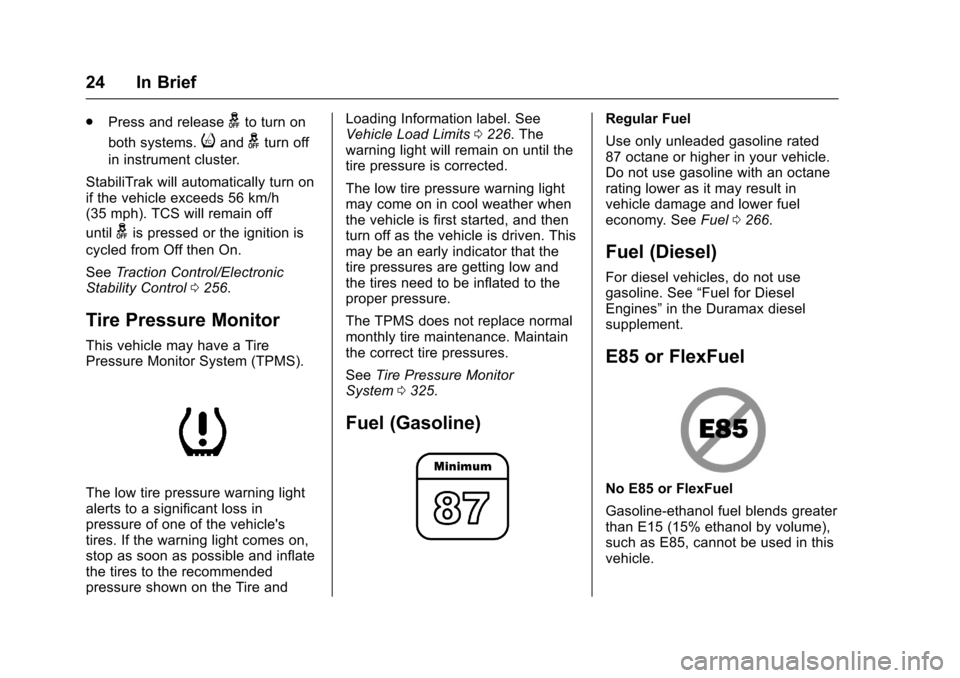
This vehicle may have a TirePressure Monitor System (TPMS).
The low tire pressure warning lightalerts to a significant loss inpressure of one of the vehicle'stires. If the warning light comes on,stop as soon as possible and inflatethe tires to the recommendedpressure shown on the Tire and
Loading Information label. SeeVehicle Load Limits0226.Thewarning light will remain on until thetire pressure is corrected.
The low tire pressure warning lightmay come on in cool weather whenthe vehicle is first started, and thenturn off as the vehicle is driven. Thismay be an early indicator that thetire pressures are getting low andthe tires need to be inflated to theproper pressure.
The TPMS does not replace normalmonthly tire maintenance. Maintainthe correct tire pressures.
SeeTire Pressure MonitorSystem0325.
Fuel (Gasoline)
Regular Fuel
Use only unleaded gasoline rated87 octane or higher in your vehicle.Do not use gasoline with an octanerating lower as it may result invehicle damage and lower fueleconomy. SeeFuel0266.
Fuel (Diesel)
For diesel vehicles, do not usegasoline. See“Fuel for DieselEngines”in the Duramax dieselsupplement.
E85 or FlexFuel
No E85 or FlexFuel
Gasoline-ethanol fuel blends greaterthan E15 (15% ethanol by volume),such as E85, cannot be used in thisvehicle.
Page 29 of 419
Chevrolet Colorado Owner Manual (GMNA-Localizing-U.S./Canada/Mexico-10122675) - 2017 - crc - 8/22/16
28 Keys, Doors, and Windows
{Warning
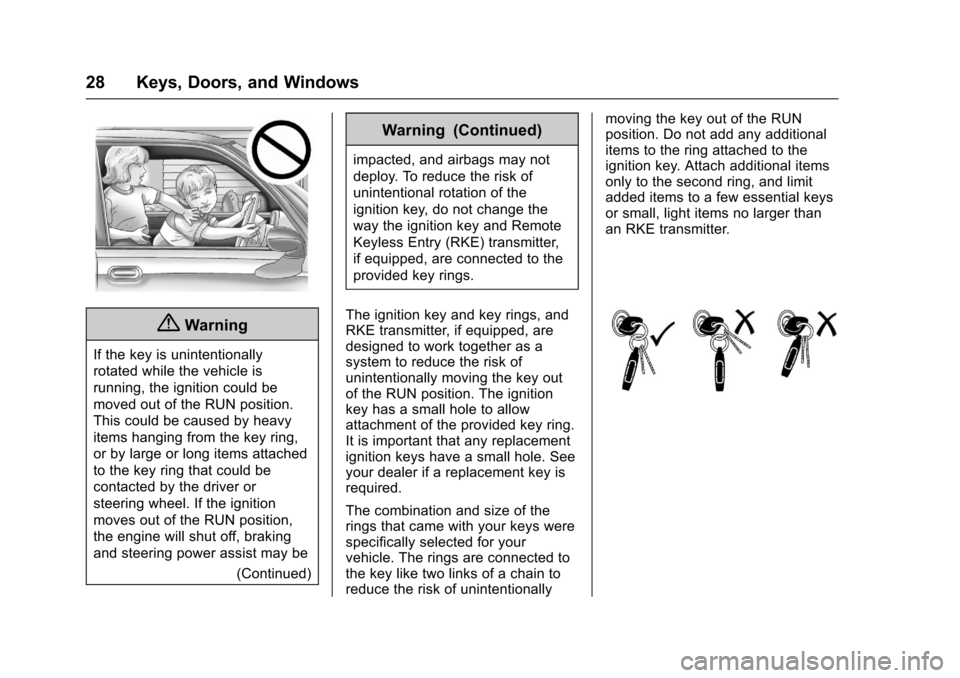
If the key is unintentionally
rotated while the vehicle is
running, the ignition could be
moved out of the RUN position.
This could be caused by heavy
items hanging from the key ring,
or by large or long items attached
to the key ring that could be
contacted by the driver or
steering wheel. If the ignition
moves out of the RUN position,
the engine will shut off, braking
and steering power assist may be
(Continued)
Warning (Continued)
impacted, and airbags may not
deploy. To reduce the risk of
unintentional rotation of the
ignition key, do not change the
way the ignition key and Remote
Keyless Entry (RKE) transmitter,
if equipped, are connected to the
provided key rings.
The ignition key and key rings, andRKE transmitter, if equipped, aredesigned to work together as asystem to reduce the risk ofunintentionally moving the key outof the RUN position. The ignitionkey has a small hole to allowattachment of the provided key ring.It is important that any replacementignition keys have a small hole. Seeyour dealer if a replacement key isrequired.
The combination and size of therings that came with your keys werespecifically selected for yourvehicle. The rings are connected tothe key like two links of a chain toreduce the risk of unintentionally
moving the key out of the RUNposition. Do not add any additionalitems to the ring attached to theignition key. Attach additional itemsonly to the second ring, and limitadded items to a few essential keysor small, light items no larger thanan RKE transmitter.
Page 36 of 419

Chevrolet Colorado Owner Manual (GMNA-Localizing-U.S./Canada/Mexico-10122675) - 2017 - crc - 8/22/16
Keys, Doors, and Windows 35
If Unlocked Door Anti-Lockout isturned on, the vehicle is off with thedriver door open, and door lockingis requested, all the doors will lockand only the driver door will unlock.The Unlocked Door Anti-Lockoutfeature can be turned on or off usingthe vehicle personalization menus.SeeVehicle Personalization0139.
Safety Locks
If equipped, the rear door safetylocks prevent passengers fromopening the rear doors from insidethe vehicle.
Press{to activate the safety locks
on the rear doors. The indicator lightcomes on when activated. Thevehicle must be on, in ACC/ACCESSORY, or in RetainedAccessory Power (RAP). SeeRetained Accessory Power(RAP)0237.
If the indicator light flashes, thefeature may not be working properly.
Doors
Tailgate
{Warning
It is extremely dangerous to ride
on the tailgate, even when the
vehicle is operated at low speeds.
People riding on the tailgate can
easily lose their balance and fall
in response to vehicle
maneuvers. Falling from a moving
vehicle may result in serious
injuries or death. Do not allow
people to ride on the tailgate. Be
sure everyone in your vehicle is in
aseatandusingasafetybelt
properly.
On vehicles with a lock on thetailgate, use the key to lock orunlock the tailgate. The power doorlocks will not lock or unlock thetailgate.
Open the tailgate by lifting up on itshandle while pulling thetailgate down.
Page 39 of 419
Chevrolet Colorado Owner Manual (GMNA-Localizing-U.S./Canada/Mexico-10122675) - 2017 - crc - 8/22/16
38 Keys, Doors, and Windows
The vehicle is automaticallyimmobilized when the vehicle isturned off.
The system is automaticallydisarmed when the key is turned toON/RUN, ACC/ACCESSORY,or START from the LOCK/OFFposition.
The security light, in the instrumentcluster, comes on if there is aproblem with arming or disarmingthe theft-deterrent system.
When trying to start the vehicle, thesecurity light comes on briefly whenthe ignition is turned on.
If the engine does not start and thesecurity light stays on, there is aproblem with the system. Turn theignition off and try again.
If the engine still does not start, andthe key appears to be undamaged,try another ignition key. It may benecessary to check the fuse. SeeFuses0310.Iftheenginestilldoesnot start with the other key, thevehicle needs service. If the vehicledoes start, the first key may befaulty. See your dealer.
It is possible for the immobilizersystem to learn new or replacementkeys. Up to eight keys can beprogrammed for the vehicle. Toprogram additional transmitters, seeRemote Keyless Entry (RKE)System Operation030.
Do not leave the key or device thatdisarms or deactivates the vehicletheft system in the vehicle.
See your dealer to get a new keyblank cut exactly as the ignition keythat operates the system.
Exterior Mirrors
Convex Mirrors
{Warning
Aconvexmirrorcanmakethings,
like other vehicles, look farther
away than they really are. If you
cut too sharply into the right lane,
you could hit a vehicle on the
right. Check the inside mirror or
glance over your shoulder before
changing lanes.
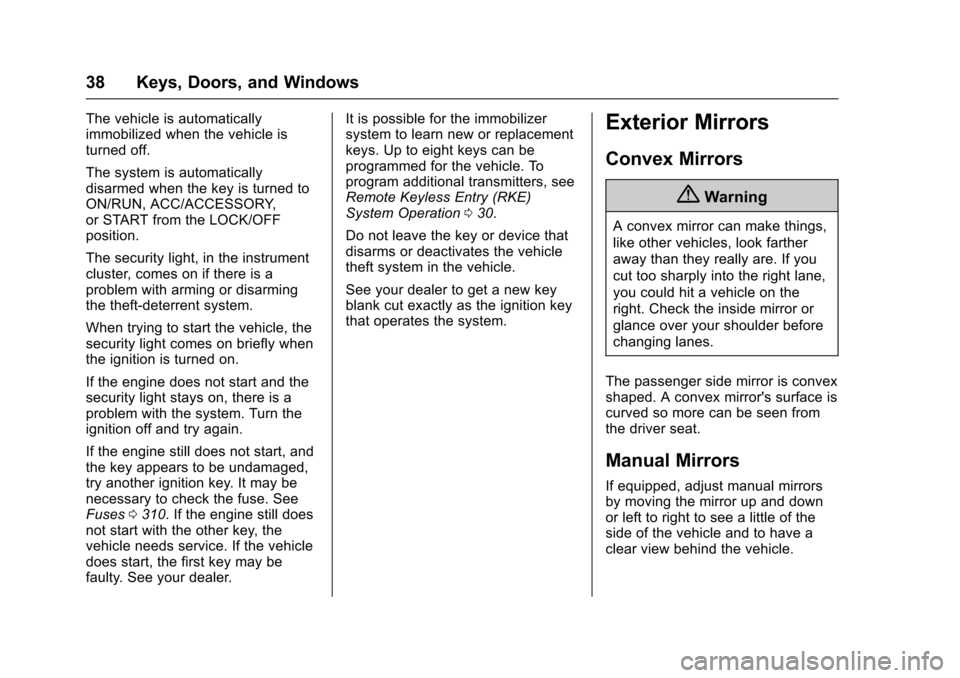
The passenger side mirror is convexshaped. A convex mirror's surface iscurved so more can be seen fromthe driver seat.
Manual Mirrors
If equipped, adjust manual mirrorsby moving the mirror up and downor left to right to see a little of theside of the vehicle and to have aclear view behind the vehicle.