2017 Acura RDX anc
[x] Cancel search: ancPage 319 of 357

318
uuTroubleshooting uTraffic
Troubleshooting
Traffic
ProblemSolution
AcuraLink Real-Time TrafficTM information could not
be received or is not displayed properly.●Check that the traffic status indicato r is available on the map screen.
2AcuraLink Real-Time TrafficTM P. 14●Check that the traffic icons are turned on.
2Showing Icons on Map P. 71●Check the AcuraLink ® subscription status.
2AcuraLink® P. 298●There may be a temporary technical prob lem in your metropolitan area. Call
Acura Client Relations to see if there is an outage.
2 Acura Client Relations Contact Information P. 336●If the situation persists, see your Acura dealer for assistance.●AcuraLink® is not available in Alaska, Ha waii, Puerto Rico, and Mexico.
The navigation system sometimes provides a detour
route when I am driving a route on the freeway/
highway.If Traffic Rerouting is set to On, the navigation system provides a detour route
to your destination only if it can find a si gnificantly faster route than the original
one.
2 Traffic Rerouting P. 58
The navigation system routes me to an exit and an
alternate freeway/highway with unknown flow
speeds or surface streets.The navigation system predicts which r oute should be faster based on freeway/
highway congestion along your route. Us e your own experience to determine
whether the alternate route would be faster.
How can I ignore the detour route and return to the
original route?Press the SETTINGS button. Select Navi Settings > Routing , and set Traffic
Rerouting to Off .
2Traffic Rerouting P. 58
16 ACURA RDX NAVI-31TX48300.book 318 ページ 2015年8月5日 水曜日 午後4時12分
Page 320 of 357

319
uuTroubleshooting uGuidance, Routing
Troubleshooting
Guidance, Routing
ProblemSolution
The navigation system does not route me the same
way I would go or the same way as other mapping
systems.The navigation system attempts to gene rate the optimal route. You can change
the route preferences used when calculating a route.
2 Route Preference P. 54
The navigation system wants to route me around
potential traffic problems. How do I stop these pop-
up messages?Press the SETTINGS button. Select Navi Settings > Routing , and set Traffic
Rerouting to Off .
2Traffic Rerouting P. 58
The street I’m on is not shown on the map screen.The mapping database is constantly undergoing revision. You can access the most
recent information on the internet.
2Map Coverage P. 337
The vehicle position icon is not following the road
and the “GPS icon” text in the upper left hand
corner of the screen is white or missing.This is normal. The signals received from the GPS satellites are extremely weak and
can easily be interrupted or interfered as your vehicle travel near tall buildings or
in tunnels. Check your vehicle surroundings for anything that may be blocking the
reception. If this happens frequently and there is no obstruction that interfering
the reception, please see a dealer.
2 GPS System P. 334
The blue highlighted route and voice guidance
stopped or turned into a blue/pink line before I got
to my destination.Your route has entered an unverified area.
2Unverified Routing P. 56
How do I stop the map from rotating as I drive
along?Press the SETTINGS button. Select Navi Settings > Map > View > North-up .
The “time to destination” display sometimes
increases even though I am getting closer to my
destination.If your speed reduces due to slower tra ffic, the navigation system updates the
“time to destination” based on your ac tual road speed to give you a better
estimate of arrival time.
The vehicle position icon on the map “lags” a short
distance behind, especially when I arrive at an
intersection.This is normal. The navigati on system is unaware of the width of intersections.
Large differences in vehicle position ca n indicate a temporary loss of the GPS
signal.
2 GPS System P. 334
16 ACURA RDX NAVI-31TX48300.book 319 ページ 2015年8月5日 水曜日 午後4時12分
Page 321 of 357

320
uuTroubleshooting uGuidance, Routing
Troubleshooting
The screen is showing wh ite dots as I drive along.These dots are called “breadcr umbs.” These are displayed if Display Tracking is
set to On.
How do I remove the white dots (“breadcrumbs”)
from my screen?Press the SETTINGS button. Select Navi Settings > Map, set Display Tracking to
Off or select Delete Tracking to remove the white dots from the map.
2Display Tracking P. 84
A road that I selected to avoid is being used when
routing.When you “draw” your area to avoid, make sure to select sections of roads that
include at least one intersection.
2Avoided Area P. 60
My elevation (shown when I display the current
position) seems to fluc tuate even though my
elevation has not changed.This is normal. The elevation can vary ±100 ft (±30 m) due to GPS calculation
errors.
2 GPS System P. 334
My elevation is missing on the “current position”
screen.The elevation is only displayed if the GPS antenna can receive signals from at least
four satellites. Try moving the vehicle into an open area. The elevation is also not
displayed if the calculated elevation is zero or below sea level.
ProblemSolution
16 ACURA RDX NAVI-31TX48300.book 320 ページ 2015年8月5日 水曜日 午後4時12分
Page 328 of 357

327
uuError Messages uPandora ®
Troubleshooting
Pandora ®
If an error occurs while playing Pandora ®, you may see the following error messages.
If you cannot clear the error message, contact a dealer.
Error MessageCauseSolution
Incompatible USB Device
Please Check Owner’s ManualAppears when an inco mpatible device is
connected.Disconnect the device. Then turn the
audio system off, and turn it again. Do
not reconnect the device that caused
the error.
There is no station list in the device.
Please add the station list to your device.
No stations have been created.
Please create a station on the device.
Appears when there is no station list on
the device.Use the device to create a station.
Music licenses force us to limit the number of tracks
you may skip each hour.Appears when you try to skip a song or
select Dislike over the predetermined
number of times in an hour.Try again later.
Unable to save rating.
Unable to save bookmark.Appears when the commanded
operation is failed.Try again later.
No dataAppears when no data is available with
Pandora ® activated.Reboot the app and reconnect the
device.
UnsupportedAppears when Pandora® version is not
supported.Update Pandora ® to the latest version.
PANDORA App version is not supported.
PANDORA system maintenanceAppears when the Pandora ® server is in
maintenance.Try again later.
U.S. models
Navigation Screen
On Demand Multi-Use DisplayTM
16 ACURA RDX NAVI-31TX48300.book 327 ページ 2015年8月5日 水曜日 午後4時12分
Page 332 of 357
331
Reference Information
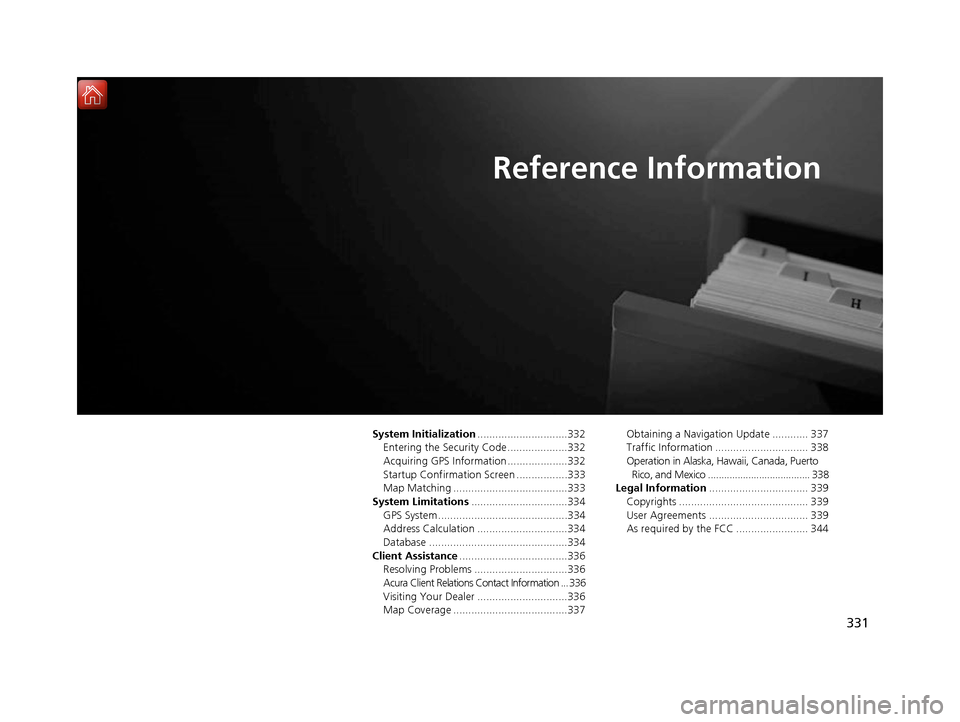
System Initialization..............................332
Entering the Security Code ....................332
Acquiring GPS Information ....................332
Startup Confirmation Screen .................333
Map Matching ......................................333
System Limitations ................................334
GPS System...........................................334
Address Calculation ..............................334
Database ..............................................334
Client Assistance ....................................336
Resolving Problems ...............................336
Acura Client Relations Contact Information ... 336
Visiting Your Dealer ..............................336
Map Coverage ......................................337 Obtaining a Navigation Update ............ 337
Traffic Information ............................... 338
Operation in Alaska, Hawaii, Canada, Puerto
Rico, and Mexico ...................................... 338
Legal Information ................................. 339
Copyrights ........................................... 339
User Agreements ................................. 339
As required by the FCC ........................ 344
16 ACURA RDX NAVI-31TX48300.book 331 ページ 2015年8月5日 水曜日 午後4時12分
Page 336 of 357
335
uuSystem Limitations uDatabase
Reference Information
The database does no t include, analyze,
process, consider, or reflect any of the
following categories of information:
• Neighborhood quality or safety
• Population density
• Availability or proximity of law enforcement
• Emergency, rescue, medical, or other assistance
• Construction work, zones, or hazards
• Road and lane closures
• Legal restrictions (such as vehicular type, weight, load, height, and speed
restrictions)
• Road slope or grade
• Bridge height, width, weight, or other
limits
• Traffic facilities safety
• Special events
• Pavement characteristics or conditions
Every effort has been made to verify that
the database is accurate. The number of
inaccuracies you experience increases the
longer you go without obtaining an
updated map database.
2 Obtaining a Navigation Update P. 337
We assume no liability for any incident that
may result from an error in the program, or
from changed conditions not noted above.
16 ACURA RDX NAVI-31TX48300.book 335 ページ 2015年8月5日 水曜日 午後4時12分
Page 337 of 357

336
Reference Information
Client Assistance
Resolving Problems
If you run into a specific issue that you
cannot resolve, consult the following help
resources:
• For navigation system issues:
2Troubleshooting P. 316
• There are also FAQs available online at
www.acuranavi.com (U.S.) or
www.acuranavi.ca (Canada).
• For traffic-related issues:
2 Traffic P. 318
• For reporting issues with the database or
places/landmarks:
2 Visiting Your Dealer P. 336
• Call Acura Client Relations.
2Acura Client Relations Contact
Information P. 336
Acura Client Relations
Contact Information
Acura Navi
American Honda Motor Co., Inc.
Acura Client Relations
Mail Stop 500-2N-7E
1919 Torrance Blvd.
Torrance, CA 90501-2746
Telephone: (800) 382-2238
Honda Canada Inc.
Acura Client Relations
180 Honda Boulevard
Markham, L6C 0H9, ON
E-Mail: [email protected]
Telephone: (888) 9-ACURA-9
Hours: 8:00 am to 7:30 pm
Monday to Friday (Eastern time)
Visiting Your Dealer
If you have a question that you cannot
resolve using the available help resources,
you can consult a dealer . Please identify the
specific issue (e.g., error occurs when you
enter a specific addre ss, when driving on a
certain road, or just when it’s cold) so that
the service technician can refer the issue to
the factory so that a solution can be found.
Be patient, the service technician may be
unfamiliar with your specific issue.
16 ACURA RDX NAVI-31TX48300.book 336 ページ 2015年8月5日 水曜日 午後4時12分
Page 338 of 357

337
uuClient Assistance uMap Coverage
Reference Information
Map Coverage
The navigation system provides map
coverage for the United States, Canada,
Puerto Rico, and Mexico. The map coverage
consists of accurately mapped (verified)
metropolitan areas and a less accurate
(unverified) rural database. Note that
unverified areas are constantly being
reviewed and converted to verified areas
each year.
This screen is an example.
Map coverage update information is
available from Acura Client Relations or
online at www.acuranavi.com (U.S.) or
www.acuranavi.ca (Canada).
To find navigation system update
information:
1.Visit the website.
2. Enter your vehicle model and model year.
3. Click Map Coverage to display a list of
verified coverage areas on the most
recent update.
4. Click Map Coverage Details to display a
PDF document with a full listing of all
coverage areas.
u Adobe ® Reader ® is required for
viewing and printing the Portable
Document Format (PDF) documents.
To download the latest version of
Adobe Reader, visit http://
get.adobe.com/reader/ .Obtaining a Navigation
Update
Acura is continually expanding the scope of
the navigation system. Navigation system
software upgrades may be made available
periodically, usually in the fall of each year.
To purchase an update:
1.Obtain your vehicle’ s VIN number and the
System/Device Information.
2 System Device Information P. 312
2.Call the Acura Navigation Disc Fulfillment
Center at (888) 549-3798, or order
online at www.acuranavi.com (U.S.) or
www.acuranavi.ca (Canada).
An update is not available from a dealer.
However, the dealer may assist you in
obtaining one for you out of courtesy. There
is no program for free updates.
16 ACURA RDX NAVI-31TX48300.book 337 ページ 2015年8月5日 水曜日 午後4時12分