Page 403 of 688
4033-2. Using the audio system (Entune Audio)
VENZA_OM_OM73030U_(U) 3
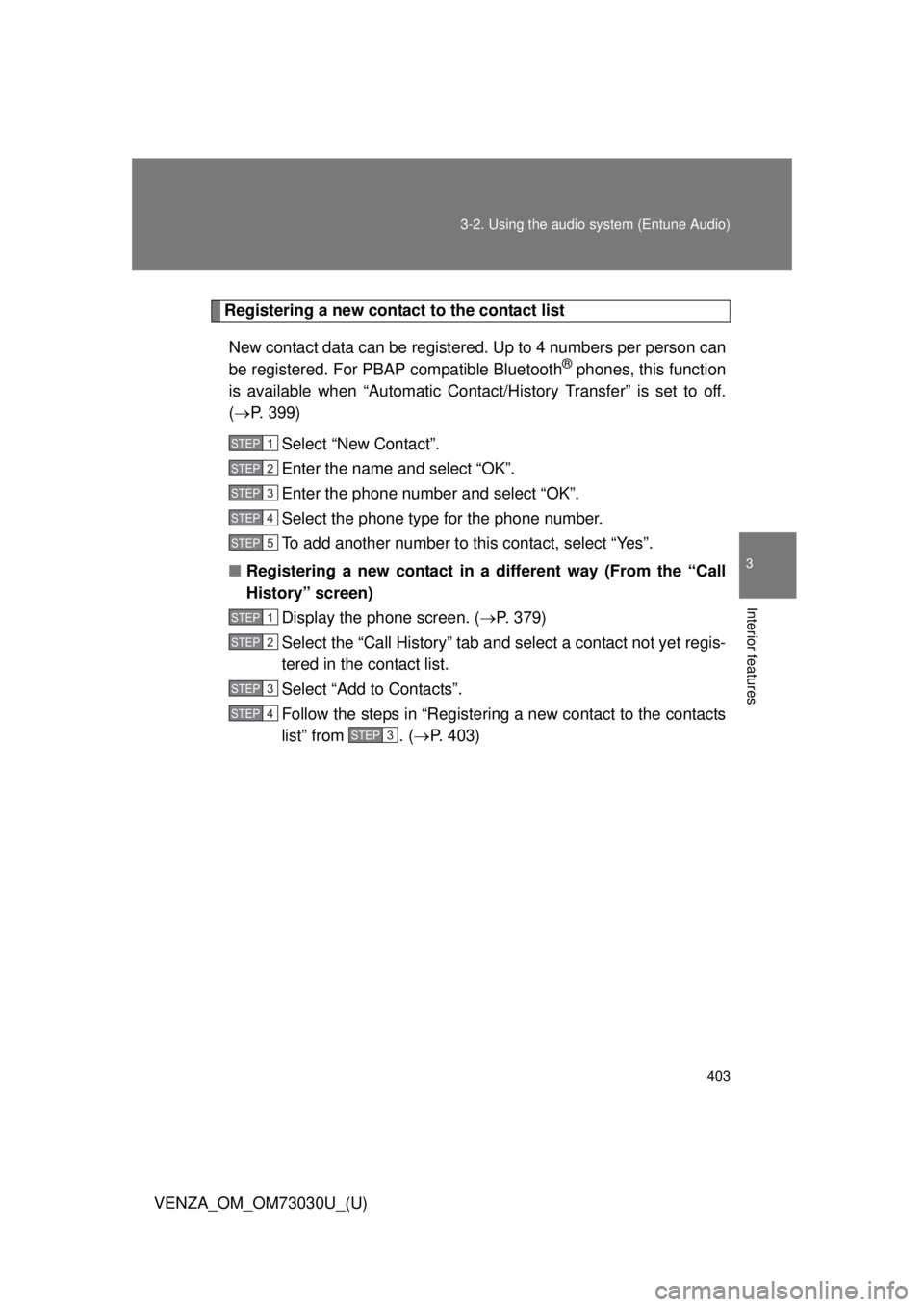
Interior features Registering a new contact to the contact list
New contact data can be registered. Up to 4 numbers per person can
be registered. For PBAP compatible Bluetooth ®
phones, this function
is available when “Automatic Cont act/History Transfer” is set to off.
( P. 399)
Select “New Contact”.
Enter the name and select “OK”.
Enter the phone number and select “OK”.
Select the phone type for the phone number.
To add another number to this contact, select “Yes”.
■ Registering a new contact in a different way (From the “Call
History” screen)
Display the phone screen. ( P. 379)
Select the “Call History” tab and select a contact not yet regis-
tered in the contact list.
Select “Add to Contacts”.
Follow the steps in “Registering a new contact to the contacts
list” from . ( P. 403)STEP 1
STEP 2
STEP 3
STEP 4
STEP 5
STEP 1
STEP 2
STEP 3
STEP 4
STEP3
Page 404 of 688
4043-2. Using the audio system (Entune Audio)
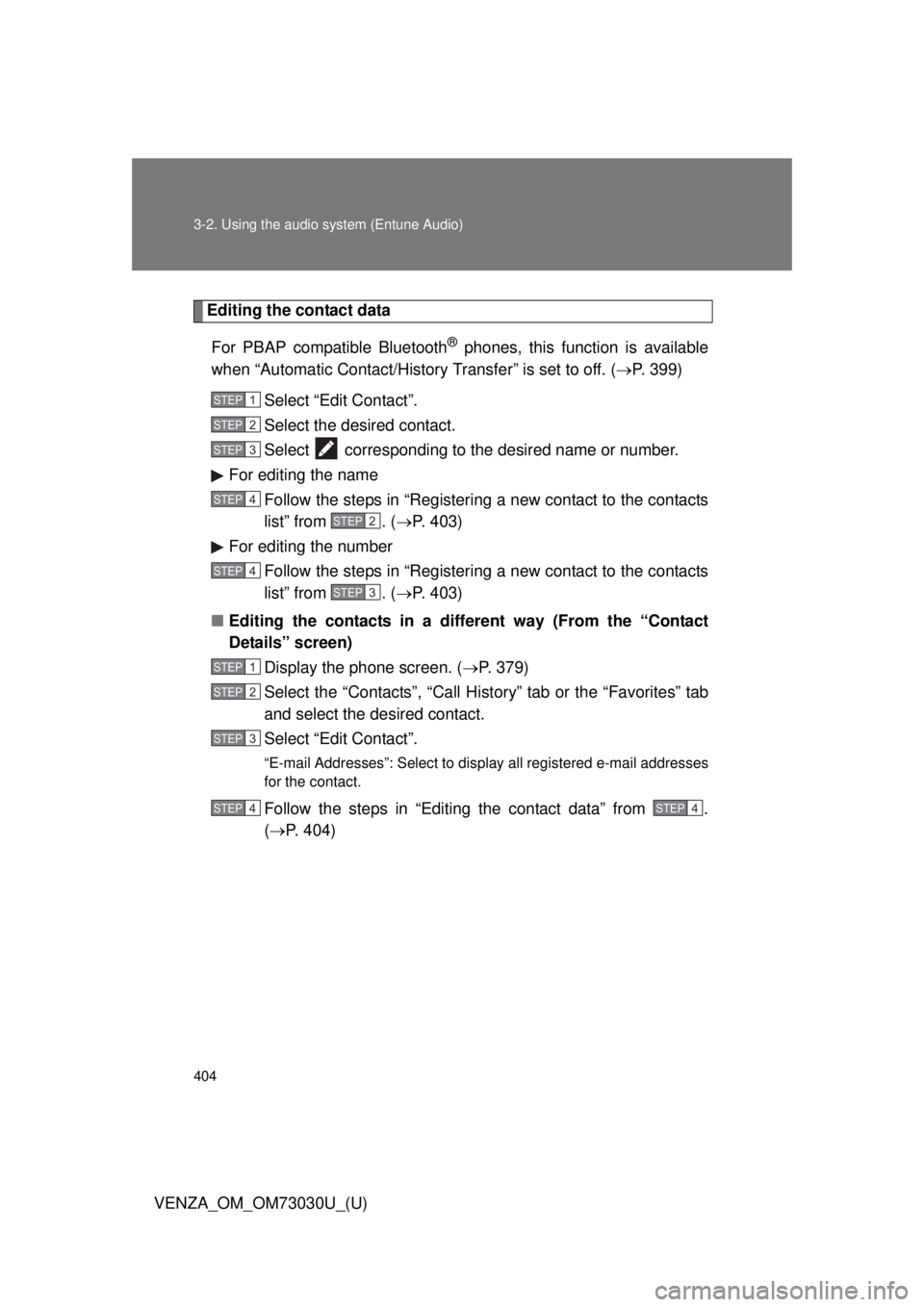
VENZA_OM_OM73030U_(U) Editing the contact data
For PBAP compatible Bluetooth ®
phones, this function is available
when “Automatic Contact/History Transfer” is set to off. ( P. 399)
Select “Edit Contact”.
Select the desired contact.
Select corresponding to the desired name or number.
For editing the name
Follow the steps in “Registering a new contact to the contacts
list” from . ( P. 403)
For editing the number
Follow the steps in “Registering a new contact to the contacts
list” from . ( P. 403)
■ Editing the contacts in a different way (From the “Contact
Details” screen)
Display the phone screen. ( P. 379)
Select the “Contacts”, “Call History” tab or the “Favorites” tab
and select the desired contact.
Select “Edit Contact”. “E-mail Addresses”: Select to disp lay all registered e-mail addresses
for the contact.
Follow the steps in “Editing the contact data” from .
( P. 404) STEP 1
STEP 2
STEP 3
STEP 4
STEP2
STEP 4
STEP3
STEP 1
STEP 2
STEP 3
STEP 4 STEP4
Page 405 of 688
4053-2. Using the audio system (Entune Audio)
VENZA_OM_OM73030U_(U) 3
Interior features Deleting the contact data
For PBAP compatible Bluetooth ®
phones, this function is available
when “Automatic Contact/History Transfer” is set to off. ( P. 399)
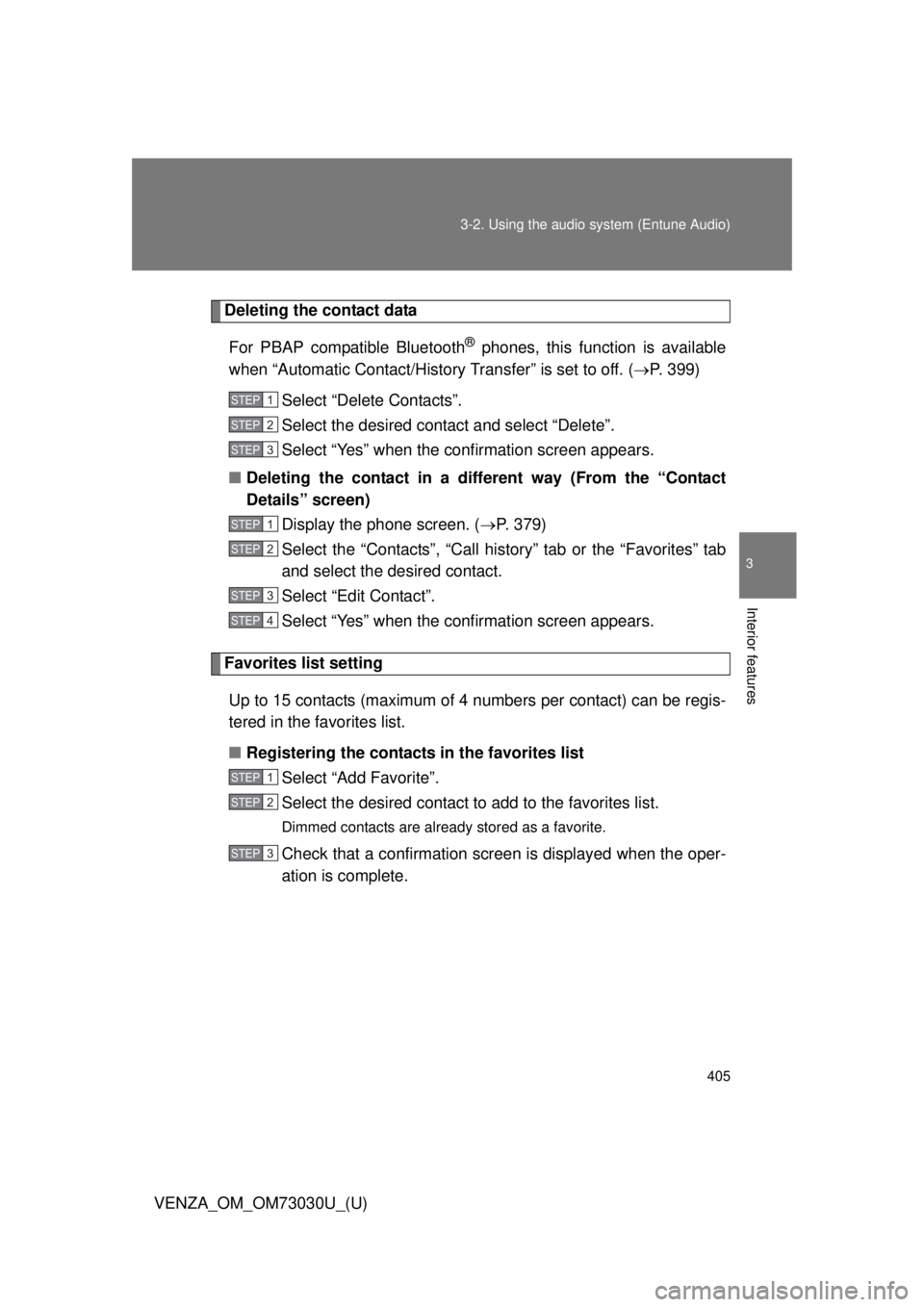
Select “Delete Contacts”.
Select the desired contact and select “Delete”.
Select “Yes” when the conf irmation screen appears.
■ Deleting the contact in a different way (From the “Contact
Details” screen)
Display the phone screen. ( P. 379)
Select the “Contacts”, “Call history” tab or the “Favorites” tab
and select the desired contact.
Select “Edit Contact”.
Select “Yes” when the conf irmation screen appears.
Favorites list setting
Up to 15 contacts (maximum of 4 numbers per contact) can be regis-
tered in the favorites list.
■ Registering the contacts in the favorites list
Select “Add Favorite”.
Select the desired contact to add to the favorites list. Dimmed contacts are already stored as a favorite.
Check that a confirmation screen is displayed when the oper-
ation is complete. STEP 1
STEP 2
STEP 3
STEP 1
STEP 2
STEP 3
STEP 4
STEP 1
STEP 2
STEP 3
Page 411 of 688
4113-2. Using the audio system (Entune Audio)
VENZA_OM_OM73030U_(U) 3
Interior features
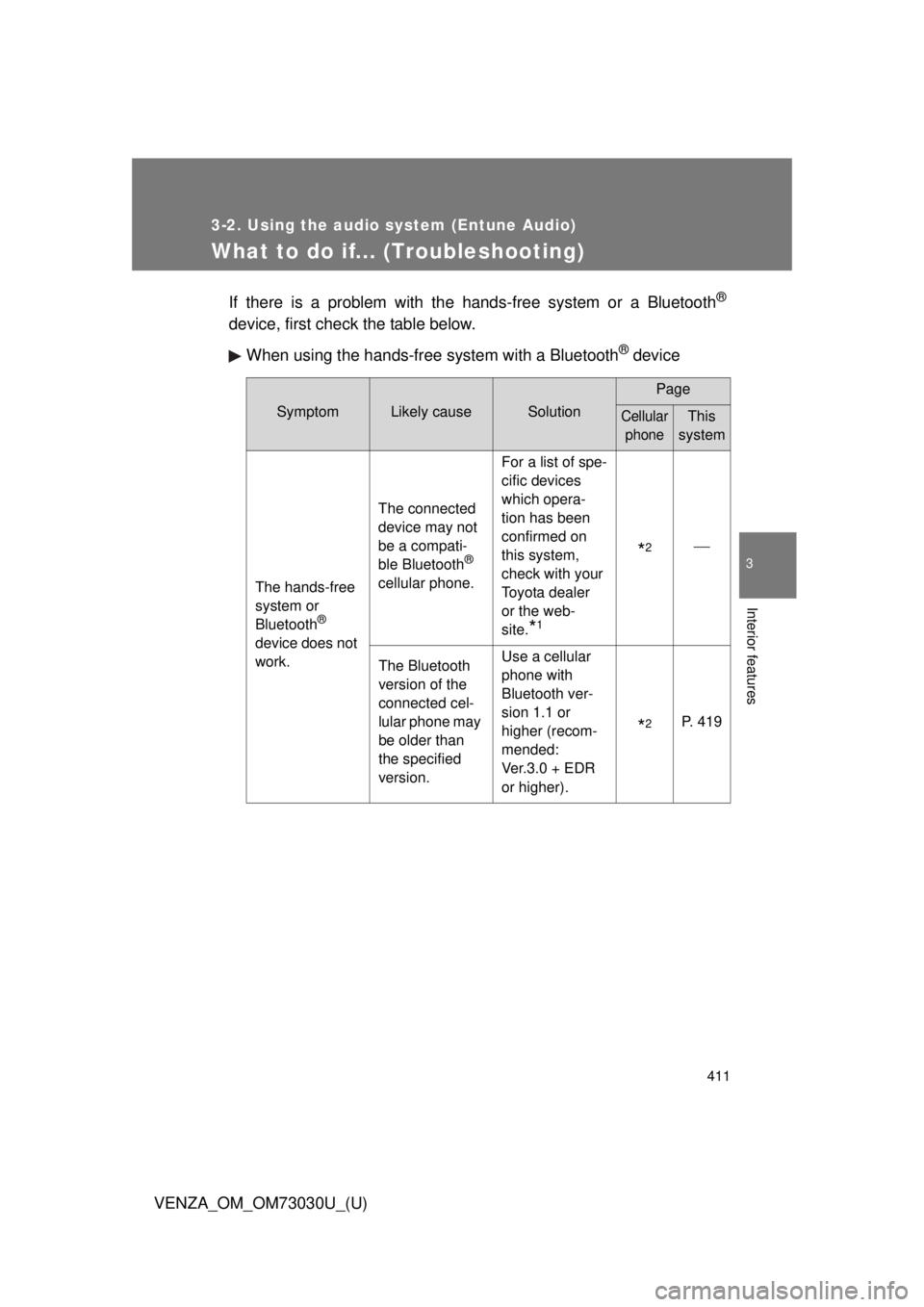
What to do if... (Troubleshooting) If there is a problem with the hands-free system or a Bluetooth ®
device, first check the table below.
When using the hands-free system with a Bluetooth ®
deviceSymptom Likely cause Solution Page
Cellular
phone This
system
The hands-free
system or
Bluetooth ®
device does not
work. The connected
device may not
be a compati-
ble Bluetooth ®
cellular phone. For a list of spe-
cific devices
which opera-
tion has been
confirmed on
this system,
check with your
Toyota dealer
or the web-
site.
* 1
* 2
The Bluetooth
version of the
connected cel-
lular phone may
be older than
the specified
version. Use a cellular
phone with
Bluetooth ver-
sion 1.1 or
higher (recom-
mended:
Ver.3.0 + EDR
or higher).
* 2
P. 419
Page 413 of 688
4133-2. Using the audio system (Entune Audio)
VENZA_OM_OM73030U_(U) 3
Interior features Symptom Likely cause Solution Page
Cellular
phone This
system
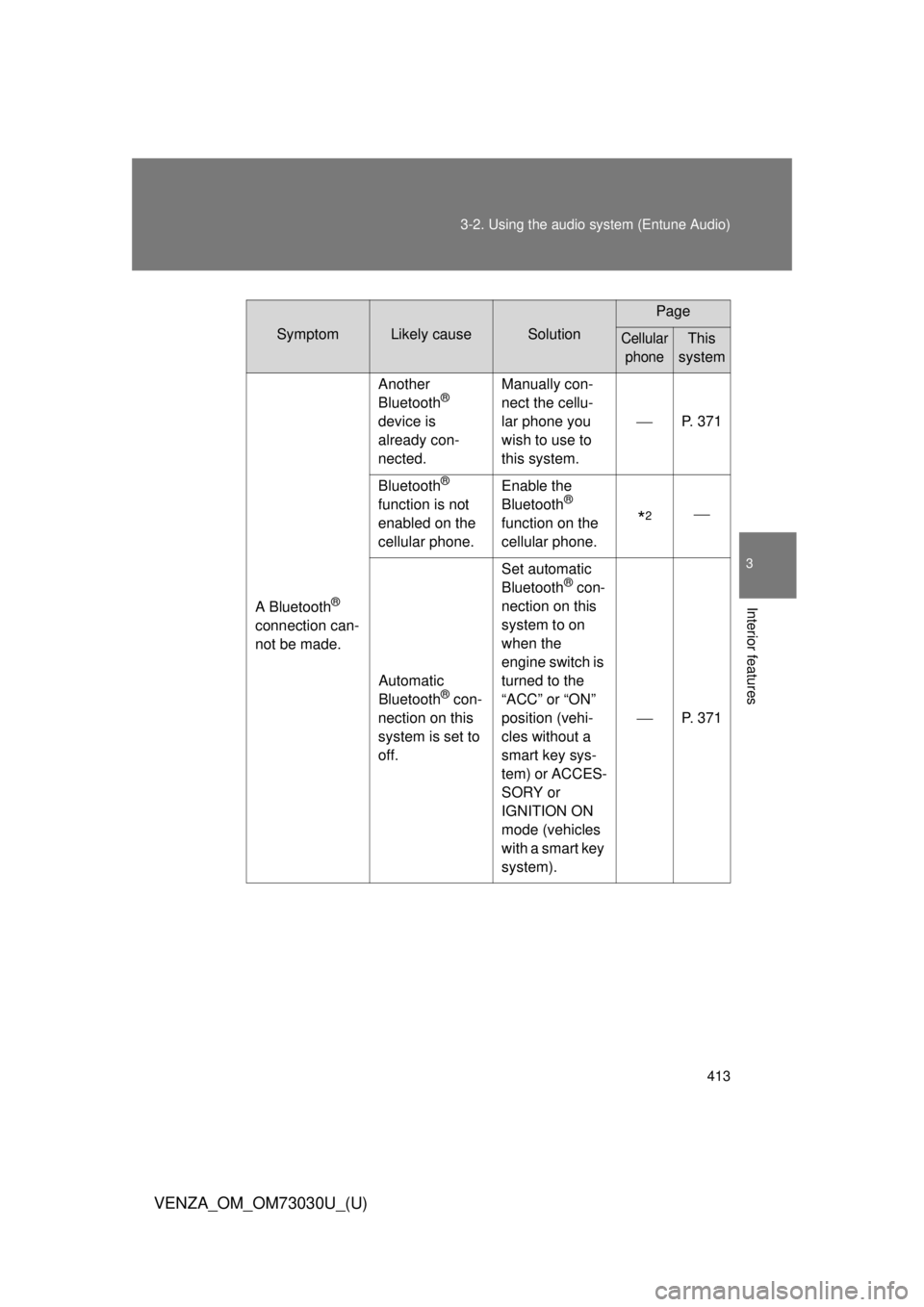
A Bluetooth ®
connection can-
not be made. Another
Bluetooth ®
device is
already con-
nected. Manually con-
nect the cellu-
lar phone you
wish to use to
this system. P. 371
Bluetooth ®
function is not
enabled on the
cellular phone. Enable the
Bluetooth ®
function on the
cellular phone.
* 2
Automatic
Bluetooth ®
con-
nection on this
system is set to
off. Set automatic
Bluetooth ®
con-
nection on this
system to on
when the
engine switch is
turned to the
“ACC” or “ON”
position (vehi-
cles without a
smart key sys-
tem) or ACCES-
SORY or
IGNITION ON
mode (vehicles
with a smart key
system). P. 371
Page 414 of 688
4143-2. Using the audio system (Entune Audio)
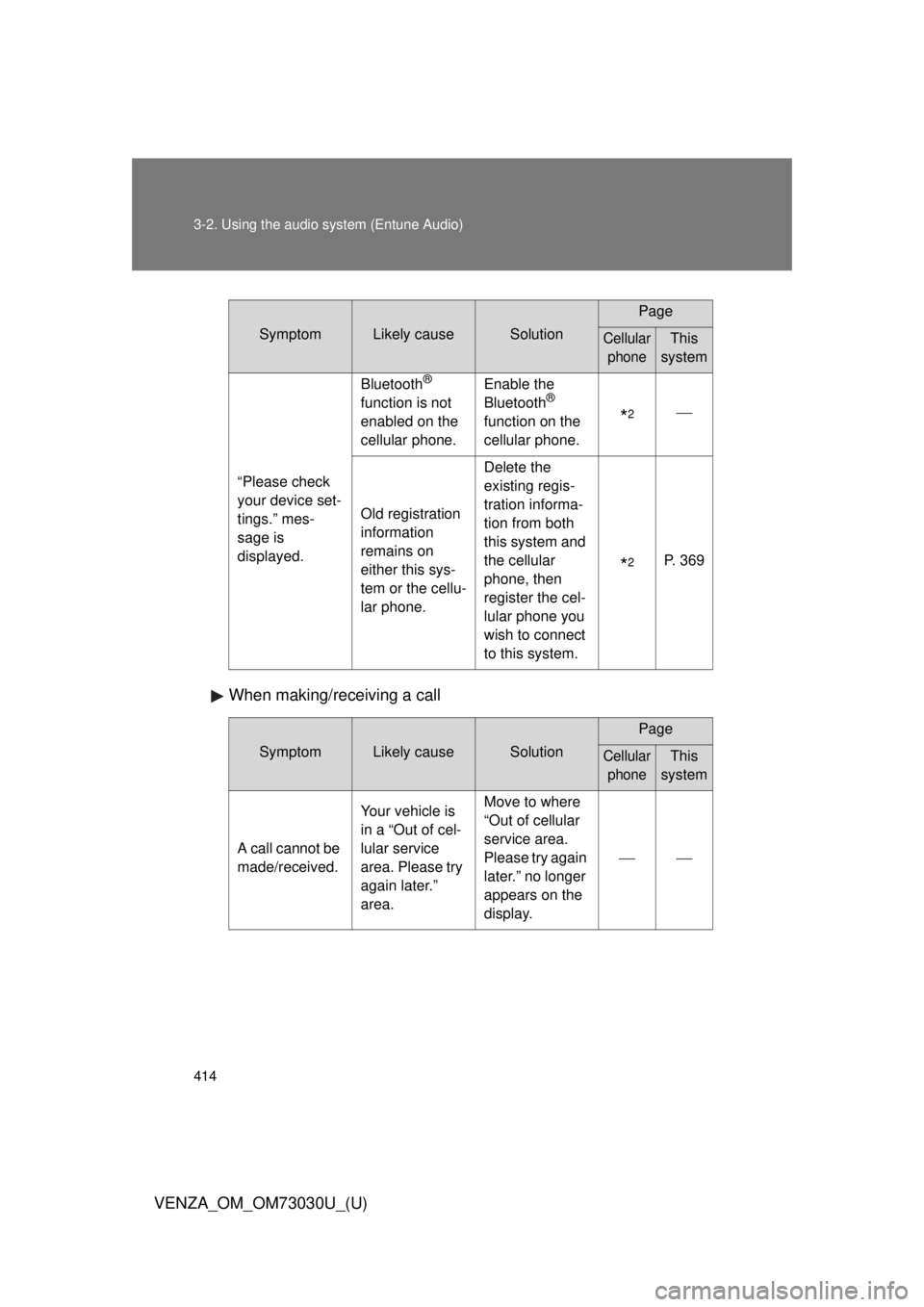
VENZA_OM_OM73030U_(U) When making/receiving a call Symptom Likely cause Solution Page
Cellular
phone This
system
“Please check
your device set-
tings.” mes-
sage is
displayed. Bluetooth ®
function is not
enabled on the
cellular phone. Enable the
Bluetooth ®
function on the
cellular phone.
* 2
Old registration
information
remains on
either this sys-
tem or the cellu-
lar phone. Delete the
existing regis-
tration informa-
tion from both
this system and
the cellular
phone, then
register the cel-
lular phone you
wish to connect
to this system.
* 2
P. 369
Symptom Likely cause Solution Page
Cellular
phone This
system
A call cannot be
made/received. Your vehicle is
in a “Out of cel-
lular service
area. Please try
again later.”
area. Move to where
“Out of cellular
service area.
Please try again
later.” no longer
appears on the
display.
Page 416 of 688
4163-2. Using the audio system (Entune Audio)
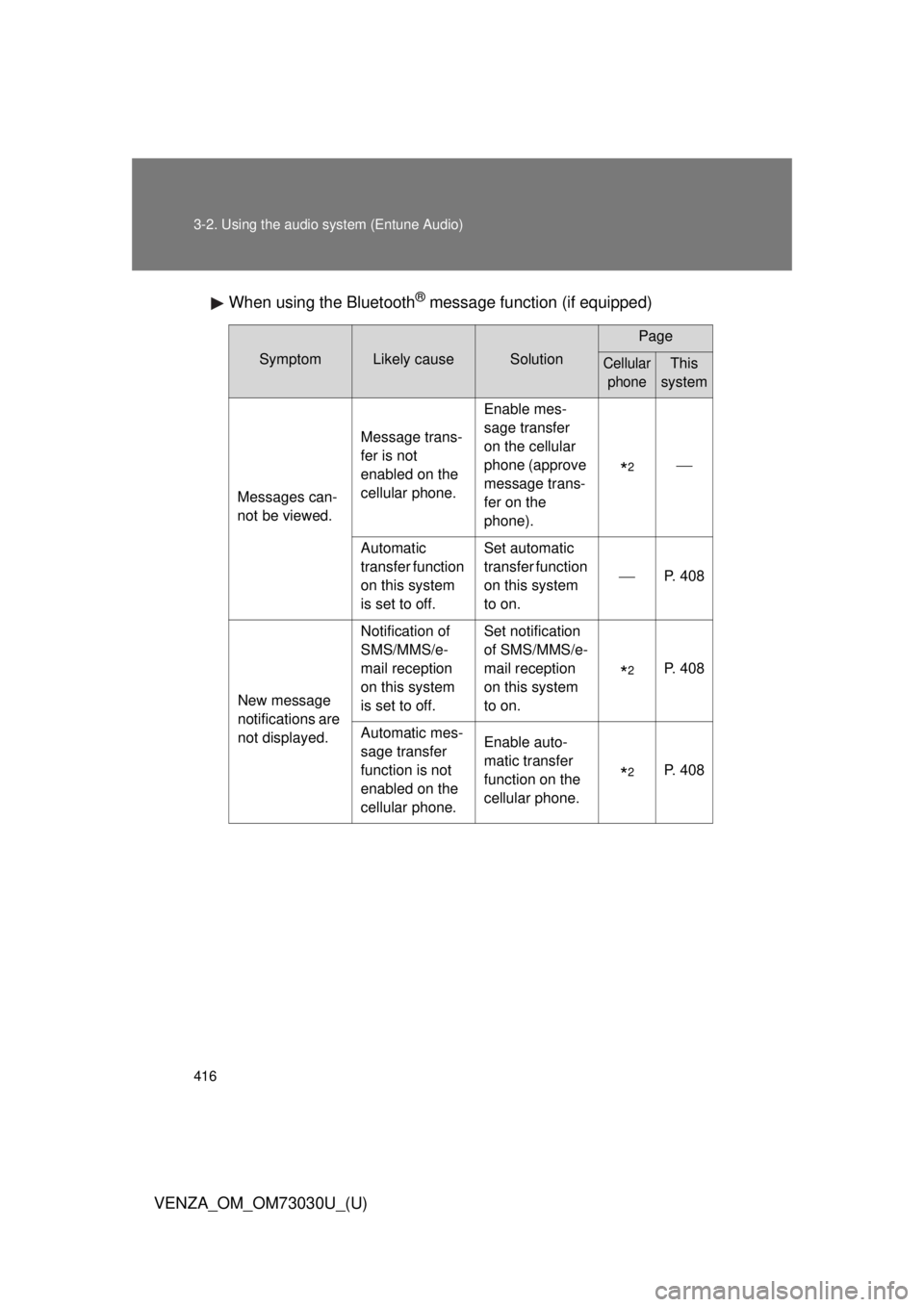
VENZA_OM_OM73030U_(U) When using the Bluetooth ®
message function (if equipped)Symptom Likely cause Solution Page
Cellular
phone This
system
Messages can-
not be viewed. Message trans-
fer is not
enabled on the
cellular phone. Enable mes-
sage transfer
on the cellular
phone (approve
message trans-
fer on the
phone).
* 2
Automatic
transfer function
on this system
is set to off. Set automatic
transfer function
on this system
to on. P. 408
New message
notifications are
not displayed. Notification of
SMS/MMS/e-
mail reception
on this system
is set to off. Set notification
of SMS/MMS/e-
mail reception
on this system
to on.
* 2
P. 408
Automatic mes-
sage transfer
function is not
enabled on the
cellular phone. Enable auto-
matic transfer
function on the
cellular phone.
* 2
P. 408
Page 417 of 688
4173-2. Using the audio system (Entune Audio)
VENZA_OM_OM73030U_(U) 3
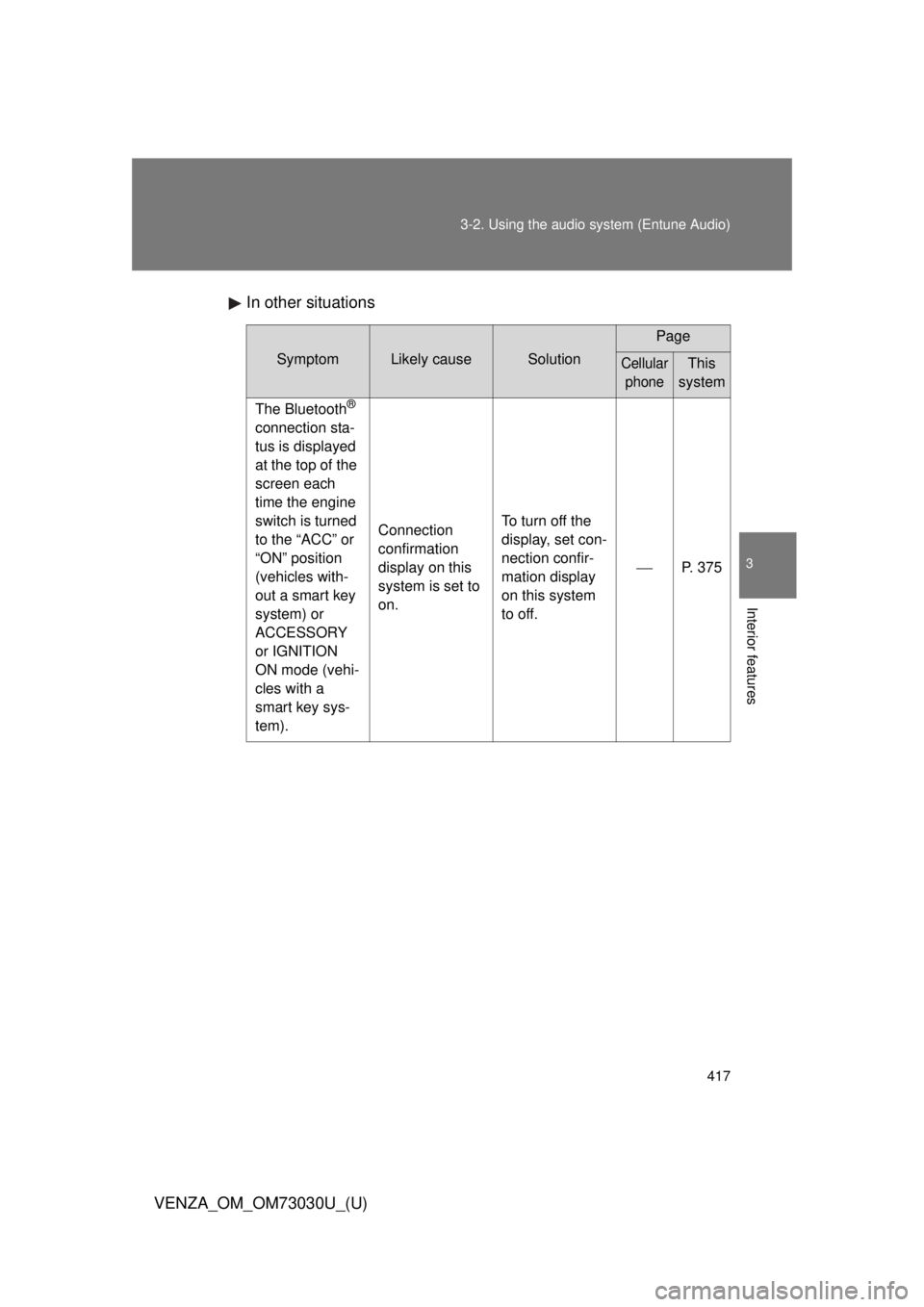
Interior features In other situations Symptom Likely cause Solution Page
Cellular
phone This
system
The Bluetooth ®
connection sta-
tus is displayed
at the top of the
screen each
time the engine
switch is turned
to the “ACC” or
“ON” position
(vehicles with-
out a smart key
system) or
ACCESSORY
or IGNITION
ON mode (vehi-
cles with a
smart key sys-
tem). Connection
confirmation
display on this
system is set to
on. To turn off the
display, set con-
nection confir-
mation display
on this system
to off. P. 375