Page 28 of 688
28
VENZA_OM_OM73030U_(U) 1-1. Key information
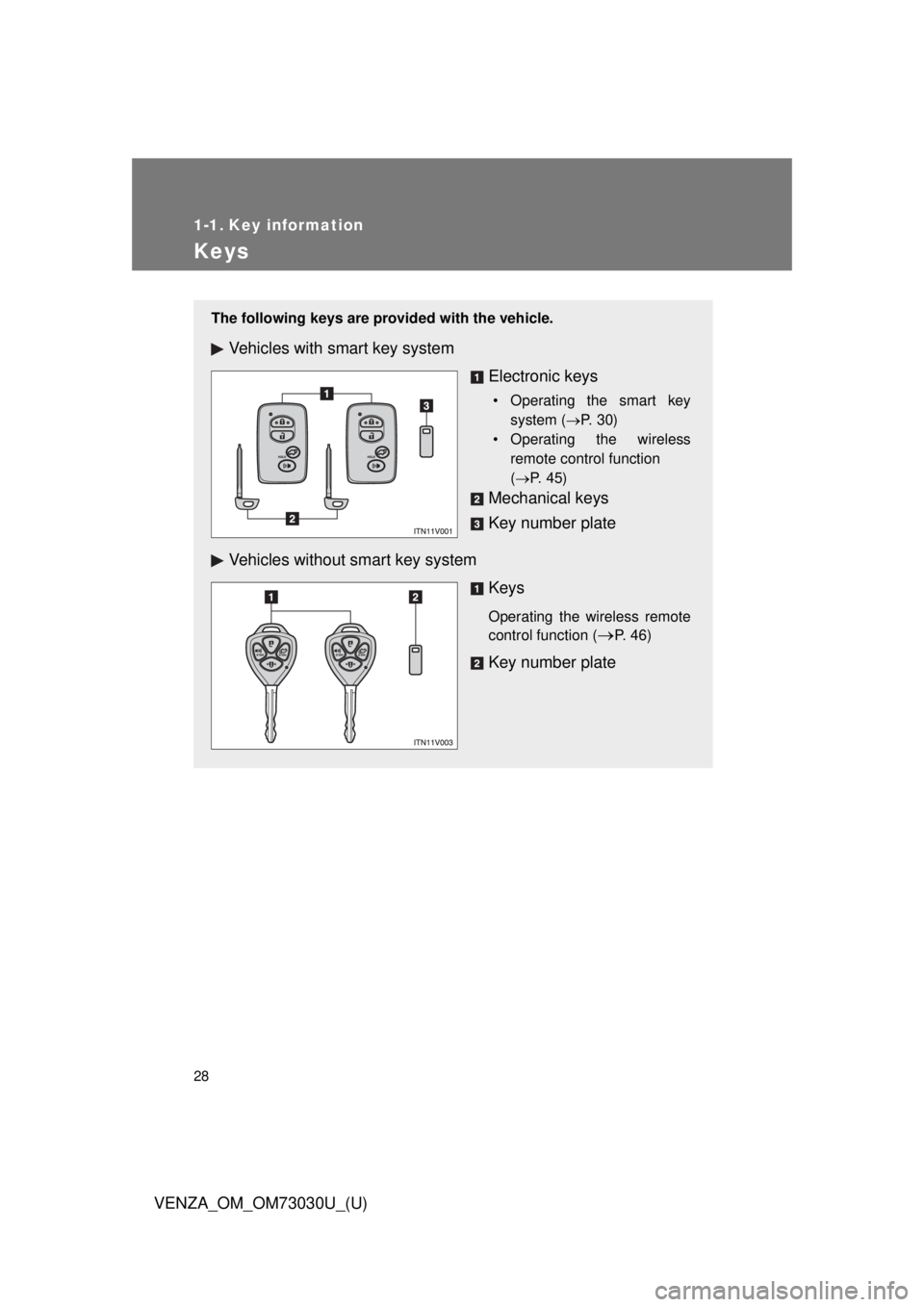
Keys The following keys are provid ed with the vehicle.
Vehicles with smart key system
Electronic keys • Operating the smart key
system ( P. 30)
• Operating the wireless
remote control function
( P. 45)
Mechanical keys
Key number plate
Vehicles without smart key system
Keys Operating the wireless remote
control function (
P. 46)
Key number plate
Page 29 of 688
291-1. Key information
1
Before driving
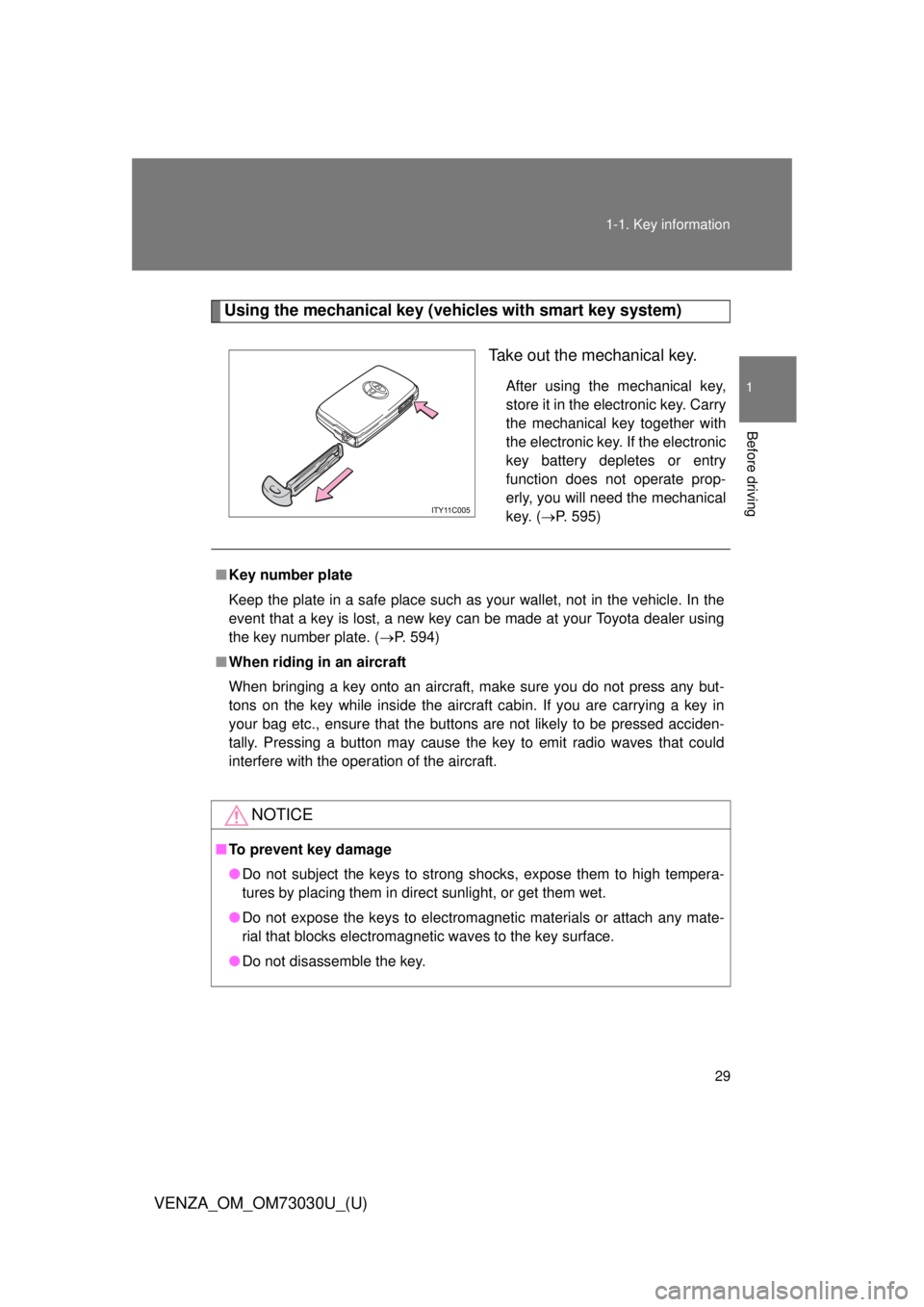
VENZA_OM_OM73030U_(U) Using the mechanical key (vehicles with smart key system)
Take out the mechanical key. After using the mechanical key,
store it in the electronic key. Carry
the mechanical key together with
the electronic key. If the electronic
key battery depletes or entry
function does not operate prop-
erly, you will need the mechanical
key. ( P. 595)
■ Key number plate
Keep the plate in a safe place such as your wallet, not in the vehicle. In the
event that a key is lost, a new key can be made at your Toyota dealer using
the key number plate. ( P. 594)
■ When riding in an aircraft
When bringing a key onto an aircraft, make sure you do not press any but-
tons on the key while inside the aircraft cabin. If you are carrying a key in
your bag etc., ensure that the buttons are not likely to be pressed acciden-
tally. Pressing a button may cause the key to emit radio waves that could
interfere with the operation of the aircraft.
NOTICE■ To prevent key damage
● Do not subject the keys to strong shocks, expose them to high tempera-
tures by placing them in direct sunlight, or get them wet.
● Do not expose the keys to electromagnetic materials or attach any mate-
rial that blocks electromagnetic waves to the key surface.
● Do not disassemble the key.
Page 30 of 688
30
VENZA_OM_OM73030U_(U) 1-2. Opening, closing and locking the doors
Smart key system
: If equippedThe following operations can be performed simply by carrying the
electronic key on your person , for example in your pocket.
(The driver should always carry the electronic key.)
Locks and unlocks the doors ( P. 3 1 )
Locks and unlocks the doors ( P. 3 2 )
Starts and stops the engine ( P. 173)
Page 34 of 688
341-2. Opening, closing and locking the doors
VENZA_OM_OM73030U_(U) ■ Effective range (areas within which the electronic key is
detected)
When locking or unlock-
ing the doors The system can be oper-
ated when the electronic
key is within about 2.3 ft.
(0.7 m) of an outside door
handle.
When starting the engine
or changing “ENGINE
START STOP” switch
modes The system can be oper-
ated when the electronic
key is inside the vehicle.
Page 35 of 688
351-2. Opening, closing and locking the doors
1
Before driving
VENZA_OM_OM73030U_(U) ■ Operation signals
A buzzer sounds and the emergency flashers flash to indicate that the doors
have been locked/unlocked. (Locked: Once; Unlocked: Twice)
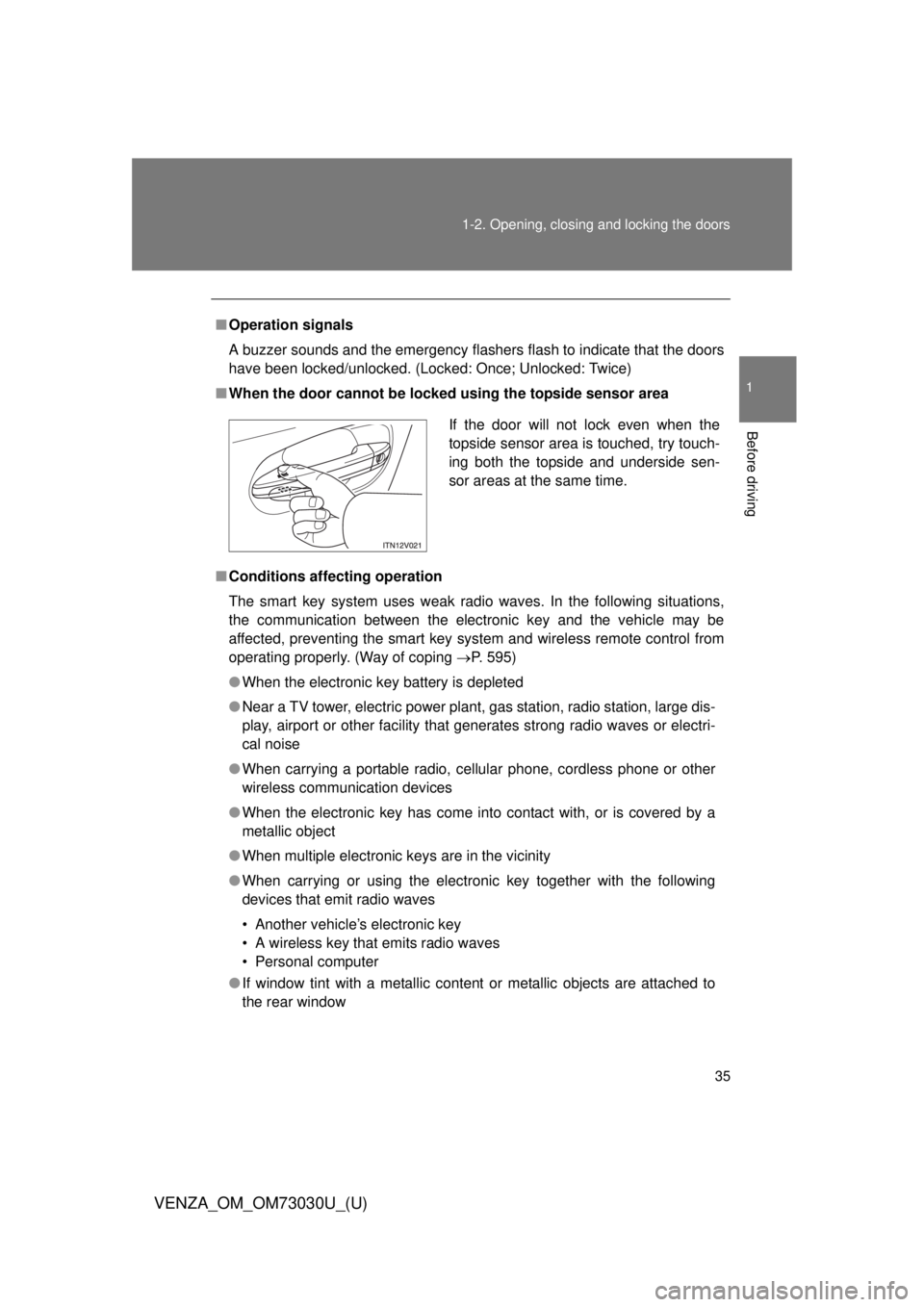
■ When the door cannot be locked using the topside sensor area
■ Conditions aff ecting operation
The smart key system uses weak radio waves. In the following situations,
the communication between the electronic key and the vehicle may be
affected, preventing the smart key system and wireless remote control from
operating properly. (Way of coping P. 595)
● When the electronic key battery is depleted
● Near a TV tower, electric power plant, gas station, radio station, large dis-
play, airport or other facility that generates strong radio waves or electri-
cal noise
● When carrying a portable radio, ce llular phone, cordless phone or other
wireless communication devices
● When the electronic key has come into contact with, or is covered by a
metallic object
● When multiple electronic keys are in the vicinity
● When carrying or using the electronic key together with the following
devices that emit radio waves
• Another vehicle’s electronic key
• A wireless key that emits radio waves
• Personal computer
● If window tint with a metallic content or metallic objects are attached to
the rear window If the door will not lock even when the
topside sensor area is touched, try touch-
ing both the topside and underside sen-
sor areas at the same time.
Page 36 of 688

361-2. Opening, closing and locking the doors
VENZA_OM_OM73030U_(U) ■ Switching the door unlock function
It is possible to set which doors the entry function unlocks.
Turn the “ENGINE START STOP” switch OFF.
When the indicator on the key surface is turned off, press and hold
or for approximately 5 seconds while pressing on
the key.
The setting changes each time an operation is performed, as shown below.
(When changing the setting continuously, release the buttons, wait for at least
5 seconds, and repeat .)
For vehicles equipped with an alarm:
To prevent unintended triggering of the alarm, unlock the doors
using the wireless remote control and open and close a door once
after the settings have been changed. (If a door is not opened
within 60 second after is pressed, the doors will be locked
again and the alarm will automatically be set.)
In case that the alarm is triggered, immediately stop the alarm.
( P. 112)STEP 1
STEP 2
STEP2
Multi-information
display
(TFT type only) Unlocking function Beep
Hold the driver’s door han-
dle to unlock only the
driver’s door. Exterior: Beeps three
times
Interior: Pings once
Hold the front passenger’s
door handle to unlock all
doors.
Hold either front door han-
dle to unlock all doors. Exterior: Beeps twice
Interior: Pings onceSTEP 3
Page 37 of 688

371-2. Opening, closing and locking the doors
1
Before driving
VENZA_OM_OM73030U_(U) ■ Battery-saving function
In the following circumstances, the entry function is disabled in order to pre-
vent the vehicle and electronic key batteries from discharging.
● When the entry function has not been used for 2 weeks or more
● When the electronic key has been left within approximately 3 ft. (1 m) of
the vehicle for 10 minutes or more
The system will resume operation when...
● The vehicle is locked using the door handle lock switch.
● The vehicle is locked/unlocked using the wireless remote control function
( P. 45) or the mechanical key. ( P. 595)
■ Electronic key battery depletion
● The standard battery life is 1 to 2 years. (The battery becomes depleted
even if the electronic key is not used.) If the smart key system or the
wireless remote control function does not operate, or the detection area
becomes smaller, the battery may be depleted. Replace the battery when
necessary. ( P. 523)
● If the battery becomes low, an alarm will sound in the cabin when the
engine stops. ( P. 40)
● To avoid serious deterioration, do not leave the electronic key within 3 ft.
(1 m) of the following electrical appliances that produce a magnetic field.
•TVs
• Personal computers
• Recharging cellular phones or cordless phones
• Table lamps
Page 38 of 688

381-2. Opening, closing and locking the doors
VENZA_OM_OM73030U_(U) ■ To operate the system properly
Make sure to carry the electronic key when operating the system. Do not get
the electronic key too close to the vehicle when operating the system from
outside of the vehicle.
Depending on the position and holding condition of the electronic key, the
key may not be detected correctly and the system may not operate properly.
(The alarm may go off accidentally, or the door lock prevention may not func-
tion.)
■ Note for the entry function
● Even when the electronic key is within the effective range (detection
areas), the system may not operate properly in the following cases.
• The electronic key is too close to the window or outside door handle,
near the ground, or in a high place when the doors are locked or
unlocked.
• The electronic key is near the ground or in a high place, or too close to
the rear bumper center when the back door is locked or unlocked.
• The electronic key is on the instrument panel, floor or in the glove box
when the engine is started or “ENGINE START STOP” switch modes
are changed.
● Do not leave the electronic key on top of the instrument panel or near the
door pockets when exiting the vehicle. Depending on the radio wave
reception conditions, it may be detected by the antenna outside the cabin
and the door will become lockable from the outside, possibly trapping the
electronic key inside the vehicle.
● As long as the electronic key is within the effective range, the doors may
be locked or unlocked by anyone.