Page 374 of 716

3745-7. Connecting Bluetooth®
HIGHLANDER_U (OM48F09U)■
Certifications for the Bluetooth
(caution)
FCC ID: AJDK068
CAUTION:
Radio Frequency Radiation Exposure
This equipment complies with FCC/IC radiation exposure limits set forth for
an uncontrolled environment and meets the FCC radio frequency (RF)
Exposure Guidelines and RSS-102 of the IC radio frequency (RF) Expo-
sure rules. This equipment has very low levels of RF energy that it deemed
to comply without maximum permissive exposure evaluation (MPE). But it
is desirable that it should be installed and operated keeping the radiator at
least 20cm or more away from person's body.
• Co-location: This transmitter must not be co-located or operated in con- junction with any other antenna or transmitter.
• This device complies with part 15 of the FCC Rules and Industry Canada licence-exempt RSS standard(s). Operation is subject to the following
two conditions: (1) This device may not cause interference, and (2) this
device must accept any interference, including interference that may
cause undesired operation of this device.
FCC WARNING:
Information to User - Alteration or modifications carried out without ap\
pro-
priate authorization may invalidate the user's right to operate the equip-
ment.
IC ID: 775E-K068
• This device complies with part 15 of the FCC Rules and Industry Canada licence-exempt RSS standard(s). Operation is subject to the following
two conditions: (1) This device may not cause interference, and (2) this
device must accept any interference, including interference that may
cause undesired operation of this device.
CAUTION:
Radio Frequency Radiation Exposure
This equipment complies with FCC/IC radiation exposure limits set forth for
an uncontrolled environment and meets the FCC radio frequency (RF)
Exposure Guidelines and RSS-102 of the IC radio frequency (RF) Expo-
sure rules. This equipment has very low levels of RF energy that it deemed
to comply without maximum permissive exposure evaluation (MPE). But it
is desirable that it should be installed and operated keeping the radiator at
least 20cm or more away from person's body.
Page 375 of 716
3755-7. Connecting Bluetooth®
5
Audio system
HIGHLANDER_U (OM48F09U)
Device registration/connection flow
1. Register the Bluetooth® device to be used with audio sys-
tem ( P. 377, 378, 379)
2. Connect the Bluetooth® device to be used
( P. 381)
To be used for audio To be used for hands-free
phone
3. Start Bluetooth® connec-
tion ( P. 381)3. Start Bluetooth® connec-
tion ( P. 381)
4. Check connection status
( P. 385)4. Check connection status
( P. 387)
5. Use Bluetooth® audio
( P. 385)5. Use Bluetooth® phone
( P. 386)
Page 376 of 716
3765-7. Connecting Bluetooth®
HIGHLANDER_U (OM48F09U)
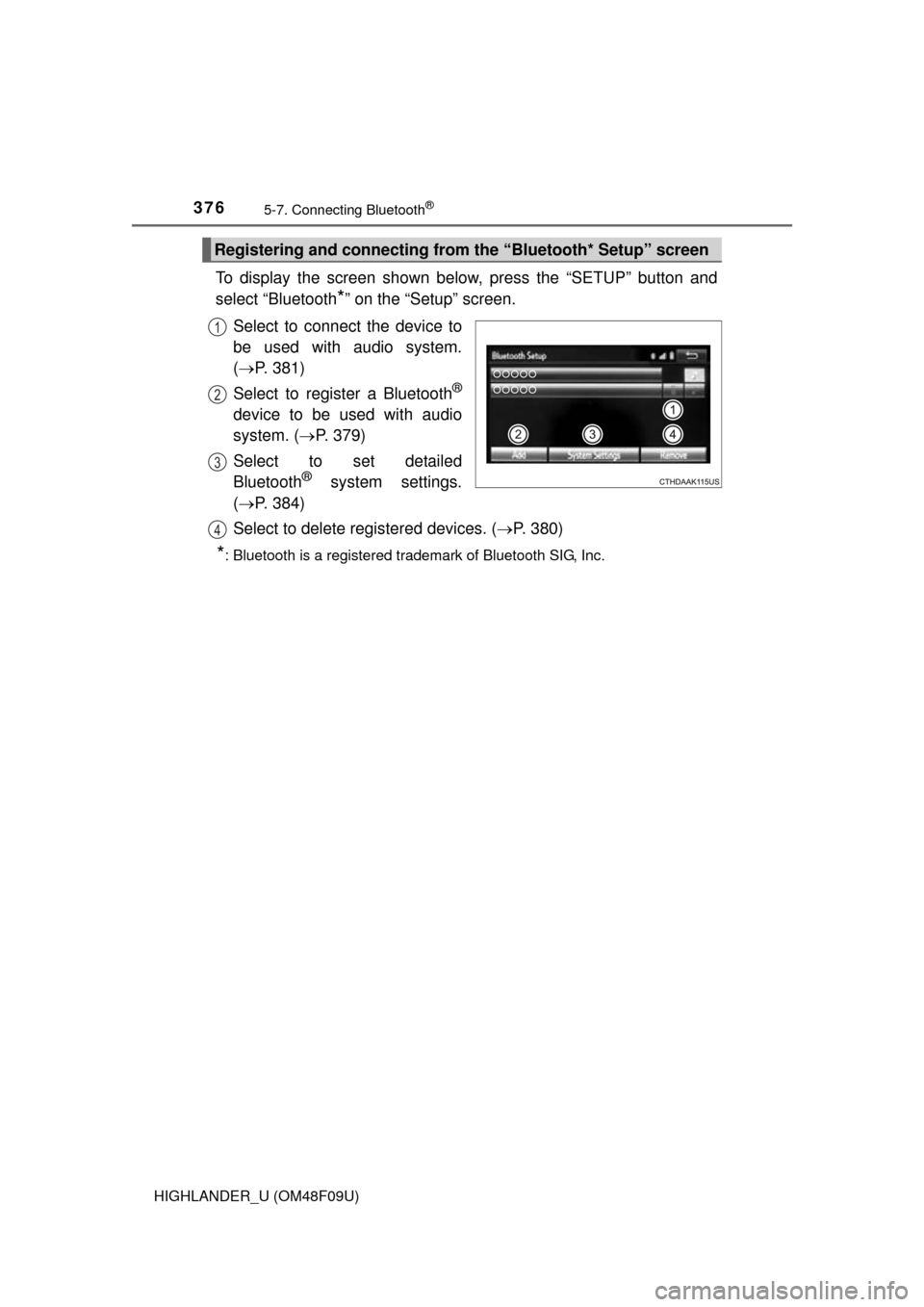
To display the screen shown below, press the “SETUP” button and
select “Bluetooth
*” on the “Setup” screen.
Select to connect the device to
be used with audio system.
( P. 381)
Select to register a Bluetooth
®
device to be used with audio
system. ( P. 379)
Select to set detailed
Bluetooth
® system settings.
( P. 384)
Select to delete registered devices. ( P. 380)
*: Bluetooth is a registered trademark of Bluetooth SIG, Inc.
Registering and connecting from the “Bluetooth* Setup” screen
1
2
3
4
Page 377 of 716
3775-7. Connecting Bluetooth®
5
Audio system
HIGHLANDER_U (OM48F09U)
Turn the Bluetooth® connection setting of your audio player on.
Press the “AUDIO” button.
Select “ Audio”.
Select “Select Device”.
Follow the steps in “How to registering a Bluetooth
® device” from
step . ( P. 379)
Registering a Bluetooth® audio player for
the first time
To use the Bluetooth® Audio, it is necessary to register an audio
player with the system.
Once the player has been registered, it is possible to use the
Bluetooth
® Audio.
For details about registering a Bluetooth
® device ( P. 379)
1
2
3
4
5
2
Page 378 of 716
3785-7. Connecting Bluetooth®
HIGHLANDER_U (OM48F09U)
Turn the Bluetooth® connection setting of your cellular phone on.
Press the “ ” button.
Select “OK” to register a phone.
Follow the steps in “How to registering a Bluetooth
® device” from
step . ( P. 379)
Registering a Bluetooth® phone for the first
time
To use the hands-free system, it is necessary to register a
Bluetooth® phone with the system.
Once the phone has been registered, it is possible to use the
hands-free system.
For details about registering a Bluetooth
® device ( P. 379)
1
2
3
4
3
Page 379 of 716
3795-7. Connecting Bluetooth®
5
Audio system
HIGHLANDER_U (OM48F09U)
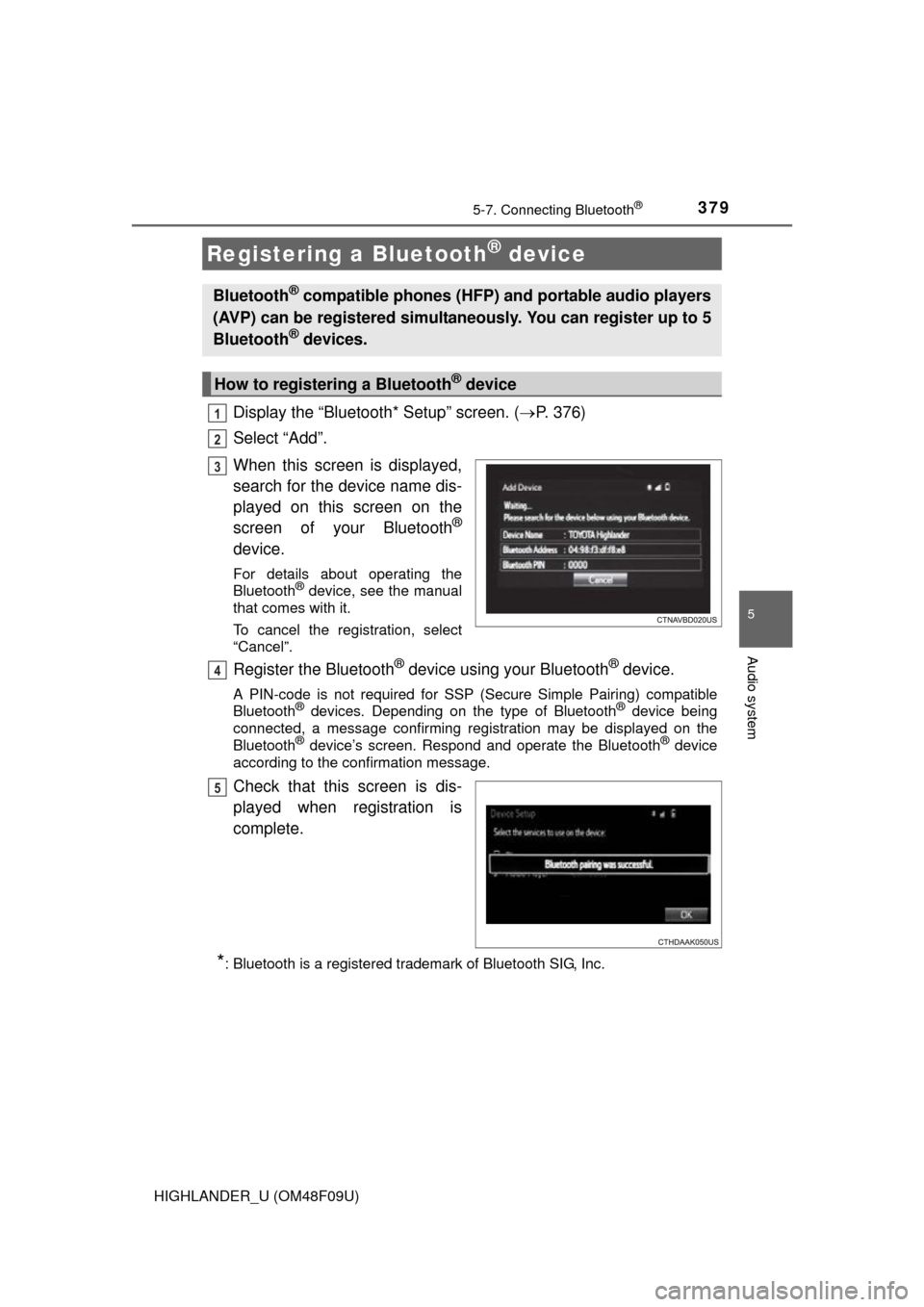
Display the “Bluetooth* Setup” screen. (P. 376)
Select “Add”.
When this screen is displayed,
search for the device name dis-
played on this screen on the
screen of your Bluetooth
®
device.
For details about operating the
Bluetooth® device, see the manual
that comes with it.
To cancel the registration, select
“Cancel”.
Register the Bluetooth® device using your Bluetooth® device.
A PIN-code is not required for SSP (S ecure Simple Pairing) compatible
Bluetooth® devices. Depending on the type of Bluetooth® device being
connected, a message confirming registration may be displayed on the
Bluetooth
® device’s screen. Respond and operate the Bluetooth® device
according to the confirmation message.
Check that this screen is dis-
played when registration is
complete.
*: Bluetooth is a registered trademark of Bluetooth SIG, Inc.
Registering a Bluetooth® device
Bluetooth® compatible phones (HFP) and portable audio players
(AVP) can be registered simultaneously. You can register up to 5
Bluetooth
® devices.
How to registering a Bluetooth® device
1
2
3
4
5
Page 380 of 716
3805-7. Connecting Bluetooth®
HIGHLANDER_U (OM48F09U)
Select “OK” when the connection status changes from “Connect-
ing...” to “Connected”.
If an error message is displayed, follow the guidance on the screen to try
again.
Registration can be performed from screens other than the
“Bluetooth* Setup” screen.
■When registering from the “Bluetooth* Audio” screenDisplay the “Bluetooth* Audio” screen. ( P. 352)
Select “Select Device”.
Follow the steps in “How to registering a Bluetooth
® device” from
step . ( P. 379)
*: Bluetooth is a registered trademark of Bluetooth SIG, Inc.
Display the “Bluetooth* Setup” screen. ( P. 376)
Select “Remove”.
Select the desired device.
A confirmation message will be displa yed, select “Yes” to delete the
device.
Check that a confirmation screen is displayed when the operation is
complete.
*: Bluetooth is a registered trademark of Bluetooth SIG, Inc.
Deleting a Bluetooth® device
6
1
2
3
2
1
2
3
4
5
Page 381 of 716
3815-7. Connecting Bluetooth®
5
Audio system
HIGHLANDER_U (OM48F09U)
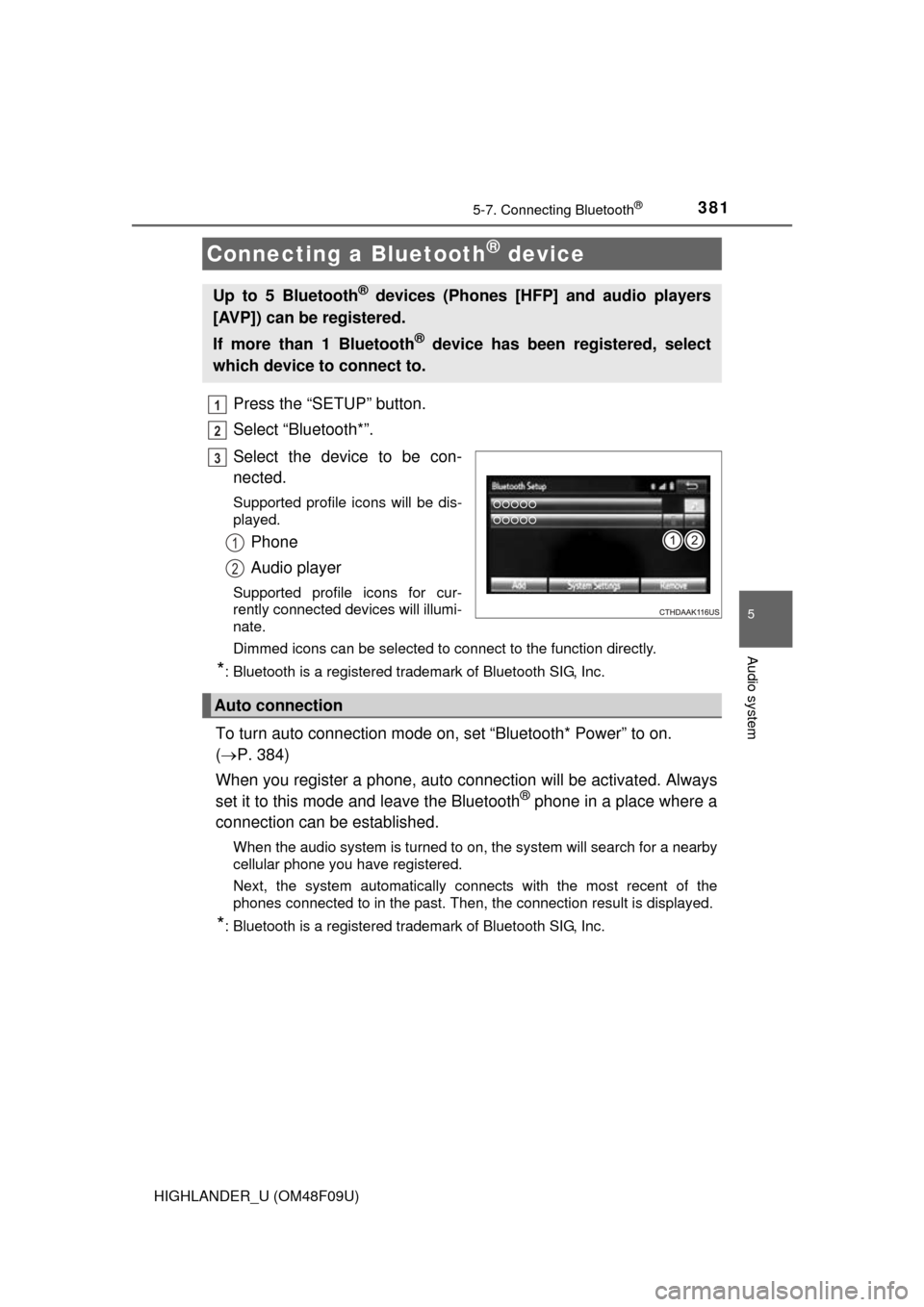
Press the “SETUP” button.
Select “Bluetooth*”.
Select the device to be con-
nected.
Supported profile icons will be dis-
played.
Phone
Audio player
Supported profile icons for cur-
rently connected devices will illumi-
nate.
Dimmed icons can be selected to connect to the function directly.
*: Bluetooth is a registered trademark of Bluetooth SIG, Inc.
To turn auto connection mode on, set “Bluetooth* Power” to on.
( P. 384)
When you register a phone, auto co nnection will be activated. Always
set it to this mode and leave the Bluetooth
® phone in a place where a
connection can be established.
When the audio system is turned to on, the system will search for a nearby
cellular phone you have registered.
Next, the system automatically connects with the most recent of the
phones connected to in the past. Then, the connection result is displayed.
*: Bluetooth is a registered trademark of Bluetooth SIG, Inc.
Connecting a Bluetooth® device
Up to 5 Bluetooth® devices (Phones [HFP] and audio players
[AVP]) can be registered.
If more than 1 Bluetooth
® device has been registered, select
which device to connect to.
1
2
3
1
2
Auto connection