Page 259 of 716
259
4
Driving
HIGHLANDER_U (OM48F09U)
4-4. Refueling
●Vehicles without a smart key system
Turn the engine switch to the “LOC K” position and ensure that all
the doors and windows are closed.
● Vehicles with a smart key system
Turn the engine switch off and ens ure that all the doors and win-
dows are closed.
● Confirm the type of fuel.
■Fuel types
P. 652
■ Fuel tank opening for unleaded gasoline
To help prevent incorrect fueling, your vehicle has a fuel tank opening that
only accommodates the special nozzle on unleaded fuel pumps.
Opening the fuel tank cap
Perform the following steps to open the fuel tank cap:
Before refueling the vehicle
Page 271 of 716
2714-5. Using the driving support systems
4
Driving
HIGHLANDER_U (OM48F09U)
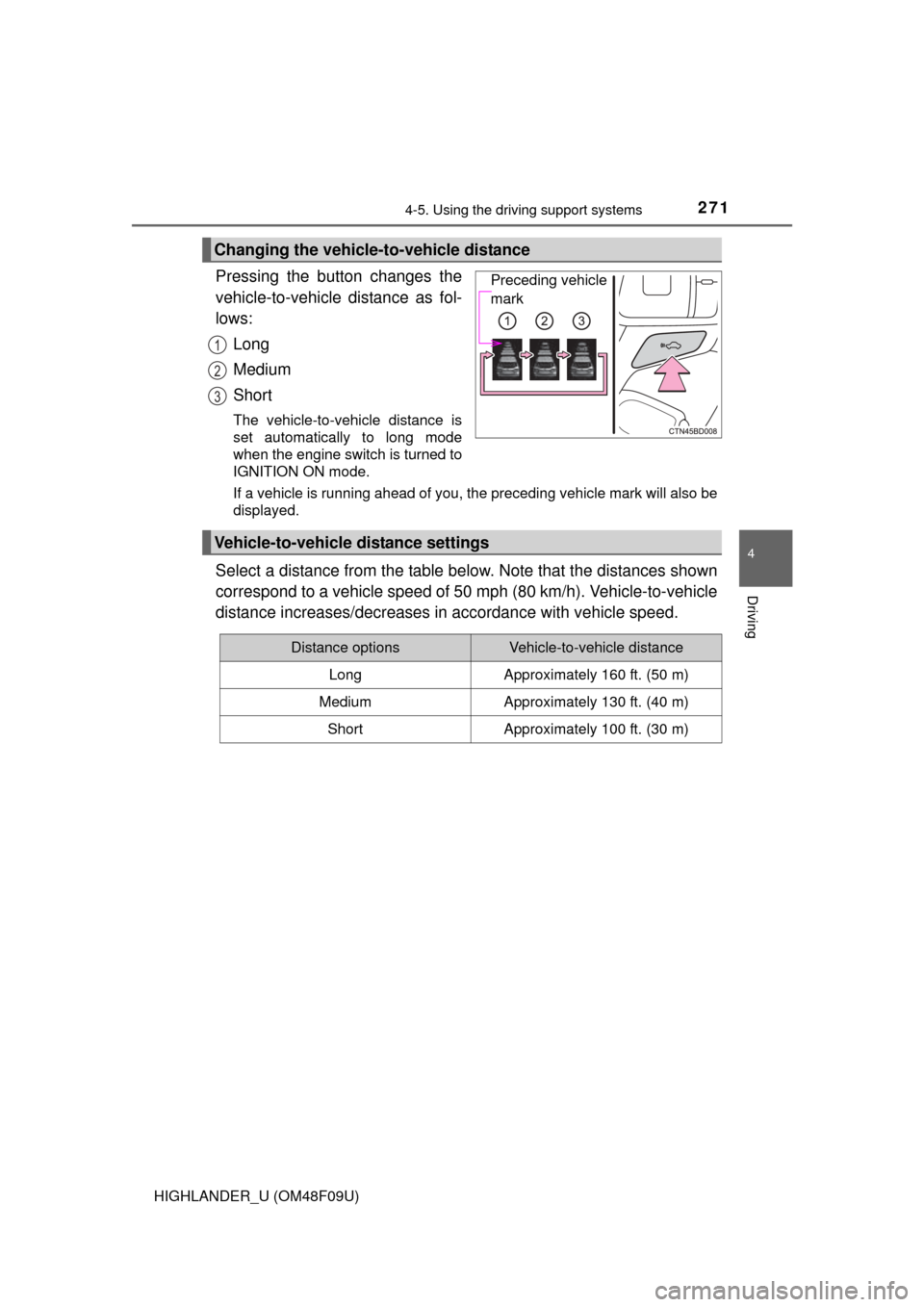
Pressing the button changes the
vehicle-to-vehicle distance as fol-
lows:Long
Medium
Short
The vehicle-to-vehicle distance is
set automatically to long mode
when the engine switch is turned to
IGNITION ON mode.
If a vehicle is running ahead of you, the preceding vehicle mark will also be
displayed.
Select a distance from the table below. Note that the distances shown
correspond to a vehicle speed of 50 mph (80 km/h). Vehicle-to-vehicle
distance increases/decreases in accordance with vehicle speed.
Changing the vehicle-to-vehicle distance
Preceding vehicle
mark
1
2
3
Vehicle-to-vehicle distance settings
Distance optionsVehicle-to-vehicle distance
LongApproximately 160 ft. (50 m)
MediumApproximately 130 ft. (40 m)
ShortApproximately 100 ft. (30 m)
Page 275 of 716
2754-5. Using the driving support systems
4
Driving
HIGHLANDER_U (OM48F09U)
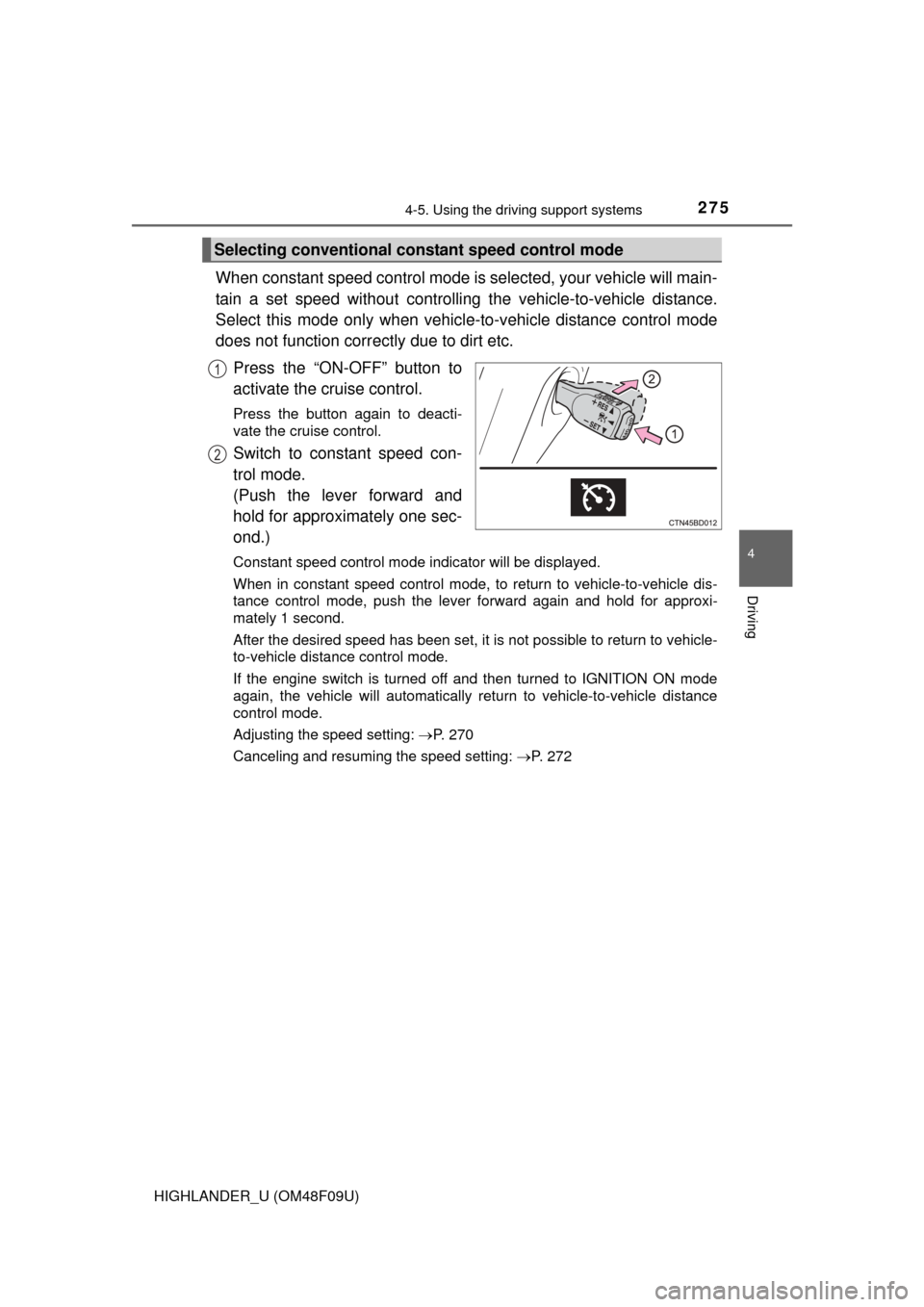
When constant speed control mode is selected, your vehicle will main-
tain a set speed without controlling the vehicle-to-vehicle distance.
Select this mode only when vehicl e-to-vehicle distance control mode
does not function corr ectly due to dirt etc.
Press the “ON-OFF” button to
activate the cruise control.
Press the button again to deacti-
vate the cruise control.
Switch to constant speed con-
trol mode.
(Push the lever forward and
hold for approximately one sec-
ond.)
Constant speed control mode indicator will be displayed.
When in constant speed control mode, to return to vehicle-to-vehicle dis-
tance control mode, push the leve r forward again and hold for approxi-
mately 1 second.
After the desired speed has been set, it is not possible to return to vehicle-
to-vehicle distance control mode.
If the engine switch is turned off and then turned to IGNITION ON mode
again, the vehicle will automatically return to vehicle-to-vehicle distance
control mode.
Adjusting the speed setting: P. 270
Canceling and resuming the speed setting: P. 272
Selecting conventional constant speed control mode
1
2
Page 284 of 716
2844-5. Using the driving support systems
HIGHLANDER_U (OM48F09U)
Press the LDA switch to activate the system.
The LDA indicator and lane lines will come on.
Press the switch again to turn the LDA system off.
The LDA system will remain on or off even if the engine switch is turned to
IGNITION ON mode.
●When the vehicle speed is approximately 32 mph (50 km/h) or
more
● When the lane width is more than approximately 8.2 ft. (2.5 m)
● When driving on a straight road or through a curve with a radius of
more than approximately 328 ft. (100 m)
Turning the LDA system on
Vehicles with monochrome dis-
playVehicles with color display
Operating conditions
Page 291 of 716
2914-5. Using the driving support systems
4
Driving
HIGHLANDER_U (OM48F09U)
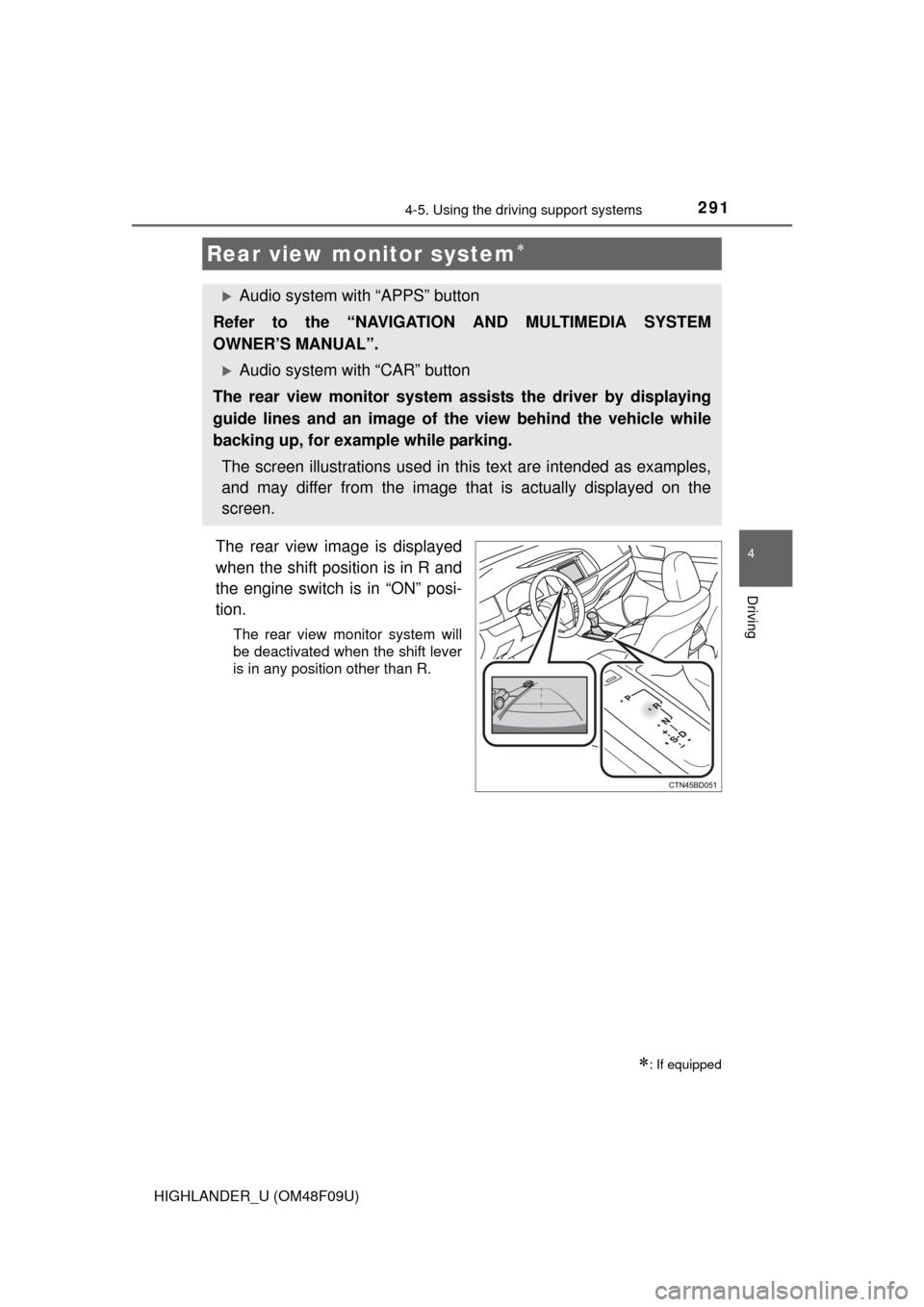
The rear view image is displayed
when the shift position is in R and
the engine switch is in “ON” posi-
tion.
The rear view monitor system will
be deactivated when the shift lever
is in any position other than R.
Rear view monitor system
: If equipped
Audio system with “APPS” button
Refer to the “NAVIGATION AND MULTIMEDIA SYSTEM
OWNER’S MANUAL”.
Audio system with “CAR” button
The rear view monitor system as sists the driver by displaying
guide lines and an image of the view behind the vehicle while
backing up, for example while parking.
The screen illustrations used in this text are intended as examples,
and may differ from the image that is actually displayed on the
screen.
Page 300 of 716
3004-5. Using the driving support systems
HIGHLANDER_U (OM48F09U)
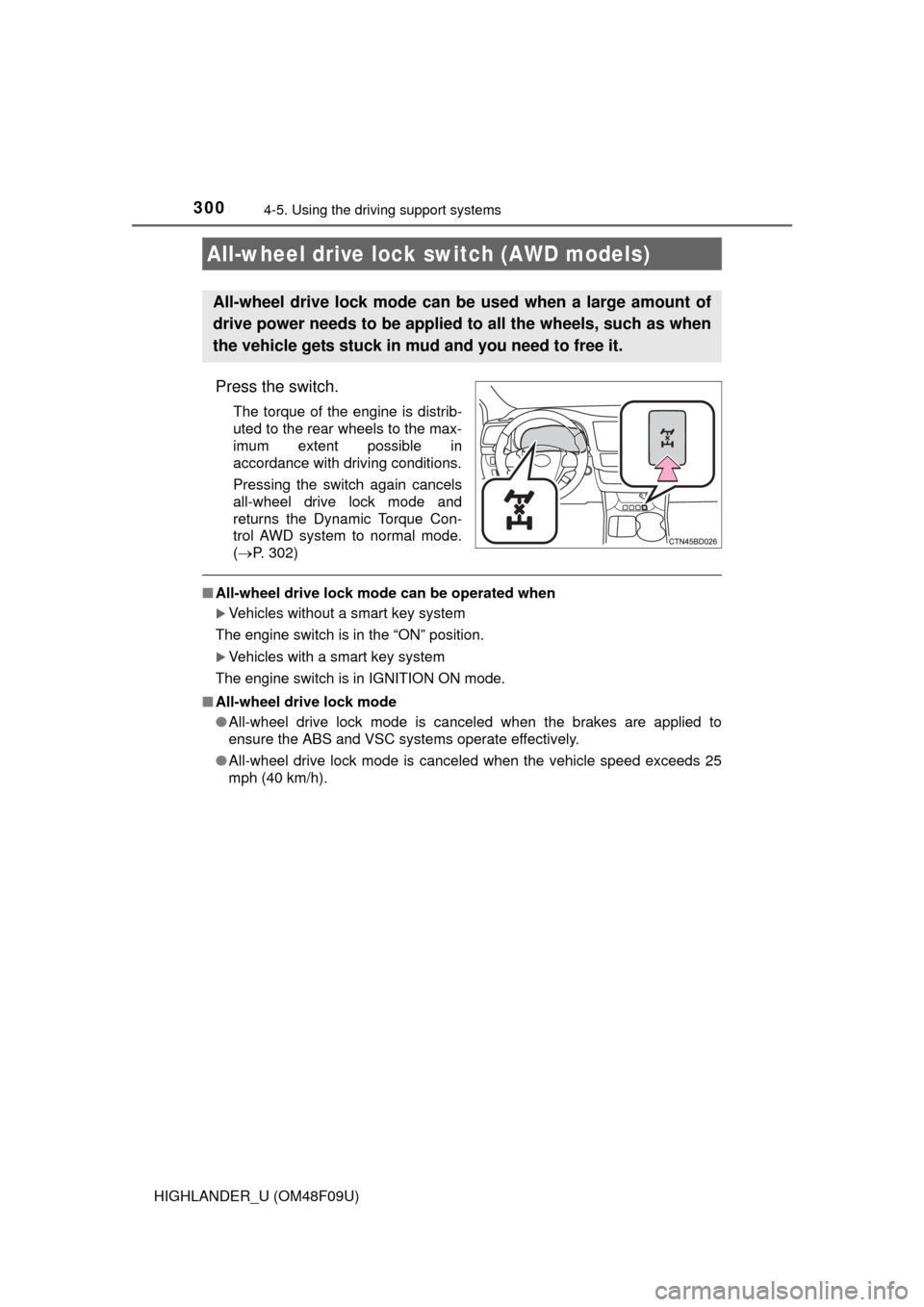
Press the switch.
The torque of the engine is distrib-
uted to the rear wheels to the max-
imum extent possible in
accordance with driving conditions.
Pressing the switch again cancels
all-wheel drive lock mode and
returns the Dynamic Torque Con-
trol AWD system to normal mode.
( P. 302)
■All-wheel drive lock mode can be operated when
Vehicles without a smart key system
The engine switch is in the “ON” position.
Vehicles with a smart key system
The engine switch is in IGNITION ON mode.
■ All-wheel drive lock mode
●All-wheel drive lock mode is canceled when the brakes are applied to
ensure the ABS and VSC systems operate effectively.
● All-wheel drive lock mode is cancel ed when the vehicle speed exceeds 25
mph (40 km/h).
All-wheel drive lock switch (AWD models)
All-wheel drive lock mode can be used when a large amount of
drive power needs to be applied to all the wheels, such as when
the vehicle gets stuck in mud and you need to free it.
Page 303 of 716
3034-5. Using the driving support systems
4
Driving
HIGHLANDER_U (OM48F09U)
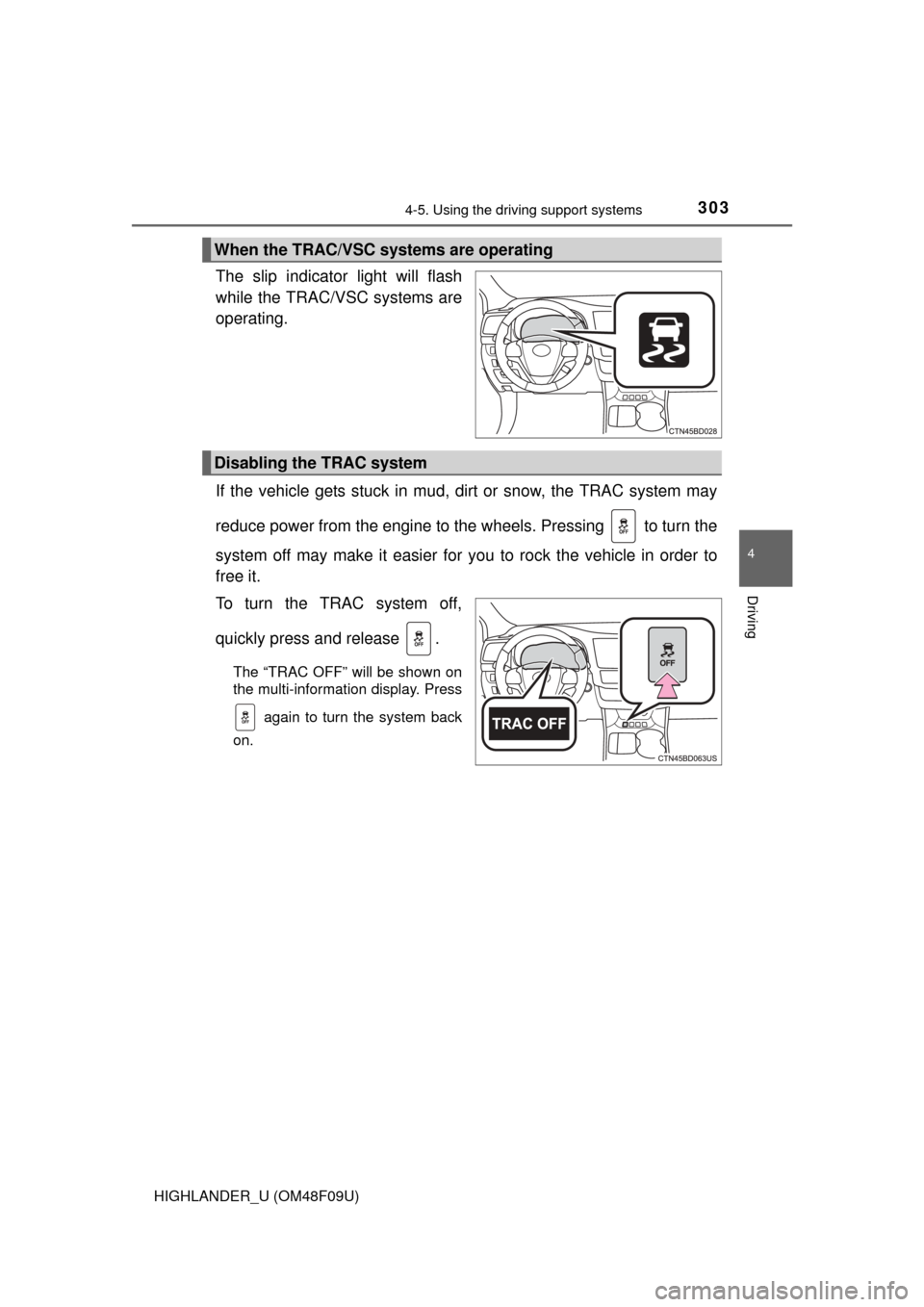
The slip indicator light will flash
while the TRAC/VSC systems are
operating.
If the vehicle gets stuck in mud, dirt or snow, the TRAC system may
reduce power from the engine to the wheels. Pressing to turn the
system off may make it easier for you to rock the vehicle in order to
free it.
To turn the TRAC system off,
quickly press and release .
The “TRAC OFF” will be shown on
the multi-information display. Press again to turn the system back
on.
When the TRAC/VSC systems are operating
Disabling the TRAC system
Page 304 of 716
3044-5. Using the driving support systems
HIGHLANDER_U (OM48F09U)
■Turning off both TRAC and VSC systems
To turn the TRAC and VSC systems off, press and hold for more than 3
seconds while the vehicle is stopped.
The VSC OFF indicator light will come on and the “TRAC OFF” will be shown
on the multi-information display.
*
Press again to turn the systems back on.
*: On vehicles with pre-collision system, pre-collision brake assist and pre-
collision braking will also be disabled. The pre-collision system warning
light will come on and the message will be shown on the multi-information
display. ( P. 309)
■ When the message is displayed on th e multi-information display show-
ing that TRAC has been disabled even if switch has not been
pressed
TRAC, hill-start assist control and downhill assist control cannot be operated.
Contact your Toyota dealer.
■ Sounds and vibrations caused by th e ABS, brake assist, TRAC, VSC and
hill-start assist control systems
● A sound may be heard from the engine compartment when the brake pedal
is depressed repeatedly, when the engine is started or just after the vehicle
begins to move. This sound does not indicate that a malfunction has
occurred in any of these systems.
● Any of the following conditions may occur when the above systems are
operating. None of these indicates that a malfunction has occurred.
• Vibrations may be felt through the vehicle body and steering.
• A motor sound may be heard after the vehicle comes to a stop.
• The brake pedal may pulsate slightly after the ABS is activated.
• The brake pedal may move down slightly after the ABS is activated.
■ EPS operation sound
When the steering wheel is operated, a motor sound (whirring sound) may be
heard. This does not indicate a malfunction.
■ Automatic reactivation of TRAC and VSC systems
After turning the TRAC and VSC systems off, the systems will be automati-
cally re-enabled in the following situations:
● Vehicles without a smart key system: When the engine switch is turned to
the “LOCK” position
Vehicles with a smart key system: When the engine switch is turned off
● If only the TRAC system is turned off, the TRAC will turn on when vehicle
speed increases
If both the TRAC and VSC systems are turned off, automatic re-enabling will
not occur when vehicle speed increases.