Page 93 of 328

1.87
Operating faults
When the message “Check auto li-
ghting” appears on the instrument
panel, the system is deactivated.
Consult an approved dealer.
EXTERIOR LIGHTING AND SIGNALS (3/5)
Switching off the lights
There are two possibilities:
– manually, move ring 4 to position 0;
– the lights will go out automatically when the engine is switched off, the
driver’s door is opened or the vehicle
is locked. In this case, the next time
the engine is started the lights will be
switched back on according to the
position of the ring 4.
Lights-on reminder buzzer
A warning beep sounds when the dri-
ver’s door is opened to warn you that
the lights are still on.
Daytime running lights
function
The daytime running lights come on
automatically with no action on stalk 1
when the engine is started, and they go
off once the engine is switched off.
Operating faults
When the message “Check lighting”
with warning light
© is displayed
and warning light
k flashes on the
instrument panel, this indicates that
there is a lighting fault.
Consult an approved dealer.4
3
1
Page 96 of 328
1.90
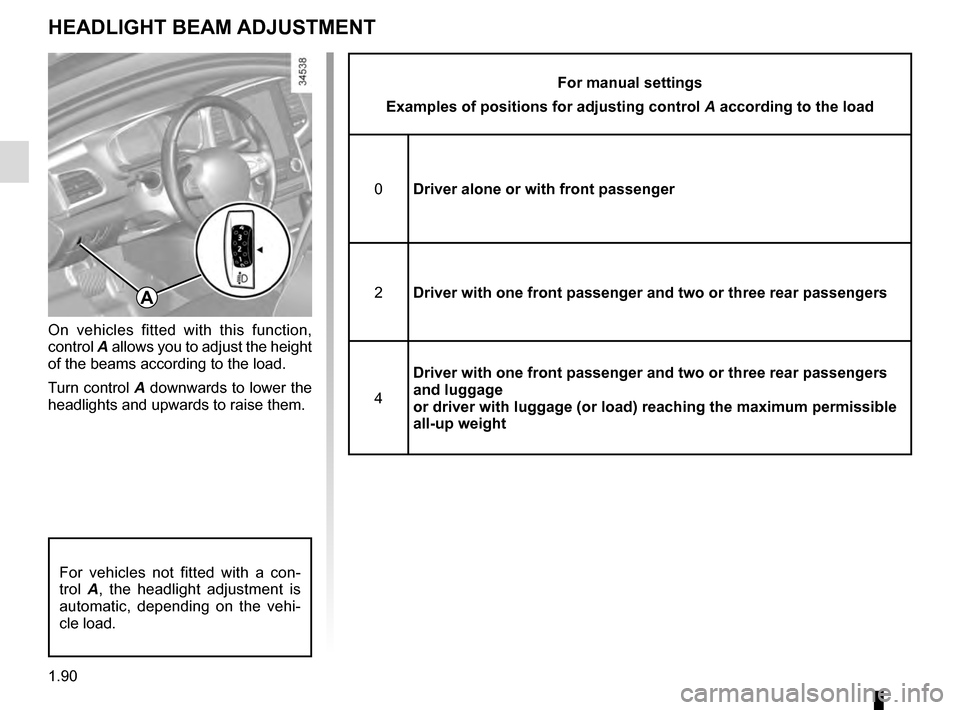
HEADLIGHT BEAM ADJUSTMENT
On vehicles fitted with this function,
control A allows you to adjust the height
of the beams according to the load.
Turn control A downwards to lower the
headlights and upwards to raise them.
For manual settings
Examples of positions for adjusting control A according to the load
0 Driver alone or with front passenger
2 Driver with one front passenger and two or three rear passengers
4 Driver with one front passenger and two or three rear passengers
and luggage
or driver with luggage (or load) reaching the maximum permissible
all-up weight
A
For vehicles not fitted with a con-
trol A, the headlight adjustment is
automatic, depending on the vehi-
cle load.
Page 97 of 328

1.91
Special note
When driving the vehicle, the wiping
speed slows down whenever the ve-
hicle stops. For example, fast wiping
speed will slow to normal wiping speed.
As soon as the vehicle moves off,
wiping will return to the speed originally
selected.
If stalk 1 is operated, it overrides and
cancels the automatic function.Vehicle fitted with intermittent
windscreen wipers
A single sweep
A short push will trigger one sweep
of the wipers.
B stop
C intermittent wiping
The wipers will pause for several
seconds between sweeps. It is
possible to change the time be-
tween sweeps by turning ring 2.
D slow continuous wiping
E fast continuous wiping
Positions A, C and D are accessible
with the ignition on. Position E is
accessible only when the engine is
running.
1
FRONT WINDSCREEN WASH/WIPE (1/6)
Check the condition of the wiper
blades. You are responsible for their
service life:
– they must remain clean: clean the blades, windscreen and
rear screen regularly with soapy
water;
– do not use them when the wind- screen or rear screen are dry;
– free them from the windscreen or rear screen when they have not
been used for a long time.
In all cases, replace them as soon
as they begin to lose efficiency: ap-
proximately once a year.
Before using the rear wiper, check
that no object obstructs the travel of
the blade.
Do not use the wiper arm to open or
close the tailgate.
12A
B
C
D
E
Page 99 of 328

1.93
D slow continuous wiping
E fast continuous wiping
Positions A and D are accessible
with the ignition on. Positions C
and E are accessible only with the
engine running.
Operating fault
In the event of a malfunction of the
automatic wiping, the wiper is set to
intermittent wiping. Contact an au-
thorised dealer.
The operation of the rain sensor can
be disturbed in the event of:
– damaged wiper blades; a screen
of water or traces left by a blade in
the sensor’s detection zone may
increase the response time of the
automatic wiper, or increase the
wiping frequency;
– a windscreen with any chip or
crack level with the sensor, or a
windscreen covered in dust, dirt,
insects, ice, the use of washing
wax and water-repellent chemi-
cals; the automatic wiping will
be less sensitive, or even unres-
ponsive.
FRONT WINDSCREEN WASH/WIPE (3/6)
Special note
When driving the vehicle, the wiping
speed slows down whenever the vehi-
cle stops. For example, fast wiping
speed will slow to normal wiping speed.
As soon as the vehicle moves off,
wiping will return to the speed originally
selected.
If stalk 1 is operated, it overrides and
cancels the automatic function.
Precautions
– In the event of ice, check whether the
blades are stuck to the windscreen
before operating the wiping mecha-
nism. If you activate the wipers while
the blades are stuck down with ice,
you may risk damaging both the
blade and the wiper motor.
– Do not activate the wipers on a dry
screen. This will lead to the prema-
ture wear or damage to the blades.
1A
B
C
D
E
Page 111 of 328
2.3
“Ignition” position ON 2
The ignition is switched on: Any acces-
sories (radio etc.) can be used.
“Start” position START 3
If the engine fails to start at the first
attempt, the key must be turned back
before the starter can be activated
again. Release the key as soon as the
engine starts.
Note: on diesel versions, several se-
conds may pass between turning the
key and the engine starting to allow for
engine preheating.
Ignition switch
Off position LOCK 0 (steering lock
applied)
To lock: remove the key and turn the
steering wheel until the steering column
locks.
To unlock: turn the key and the steering
wheel slightly.
IGNITION SWITCH: vehicle with key
Page 112 of 328

2.4
STARTING, STOPPING THE ENGINE: vehicle with key
Starting the engine
Petrol versions– Activate the starter without ac-
celerating;
– release the key as soon as the
engine starts.
ÉDiesel versions
– Turn the ignition key to the “ON"
position 2 and hold this position
until the engine preheating light
goes off;
– turn the key to the start position
“START" 3 without pressing the
accelerator ;
– release the key as soon as the
engine starts.
Special note: if starting the engine
when the outdoor temperature is very
low (below - 10 ° C): hold down the
clutch pedal until the engine starts.
Stopping the engine
With the engine idling, turn the key to
the “LOCK" position 0.
Never start your vehicle
while freewheeling on a
gradient. Risk of non-ac-
tivation of power-assisted
steering.
There is a risk of accidents.
Driver’s responsibility
when parking or stopping
the vehicle
Never leave an animal,
child or adult who is not self-suffi-
cient alone in your vehicle, even for
a short time.
They may pose a risk to themselves
or to others by starting the engine,
activating equipment such as the
electric windows or locking the
doors, for example.
Also, in hot and/or sunny weather,
please remember that the tempera-
ture inside the passenger compart-
ment increases very quickly.
RISK OF DEATH OR SERIOUS
INJURY.
Never switch off the igni-
tion before the vehicle has
stopped completely. Once
the engine has stopped, the
brake servo, power-assisted steer-
ing, etc. and the passive safety de-
vices such as air bags and preten-
sioners will no longer operate.
Page 114 of 328
2.6
STARTING, STOPPING THE ENGINE: vehicle with RENAULT CARD (2/3)
Depress the brake or clutch pedal, then
place the RENAULT 3 card (logo side)
in contact with the start button 2 for
around 2 seconds. Press the 2 button
to start the vehicle. The message goes
out.
2
Accessories function(switching on the ignition)
Once you have gained access to your
vehicle, you may use some of its func-
tions (radio, navigation, wipers, etc.).
To use the other functions, with the
RENAULT card in the passenger com-
partment, press button 2 without press-
ing the pedals.
3
Operating faults
In certain cases, the RENAULT “hands-
free” card may not work:
– when the RENAULT card battery is drained, etc.;
– near to appliances operating on the same frequency as the card (moni-
tor, mobile phone, video game, etc.);
– vehicle located in a high electromag- netic radiation zone.
The message “Place card close START
and push” appears on the instrument
panel.
Page 115 of 328
2.7
STARTING, STOPPING THE ENGINE: vehicle with RENAULT CARD (3/3)
If the RENAULT card is no longer in the
passenger compartment when you try
to switch the engine off, the message
“No keycard Press and hold” appears
on the instrument panel: press the
button 2 for longer than two seconds.
If the card is no longer in the passen-
ger compartment, make sure you can
retrieve it before pressing and holding
the button. Without the card RENAULT
, you will not be able to start.
With the engine switched off, any ac-
cessories being used (radio, etc.) will
continue to function for approximately
10 minutes.
When the driver’s door is opened, the
accessories stop working.
Conditions for stopping the
engine
The vehicle must stationary, with the
lever positioned in N or P for vehicles
with an automatic transmission.
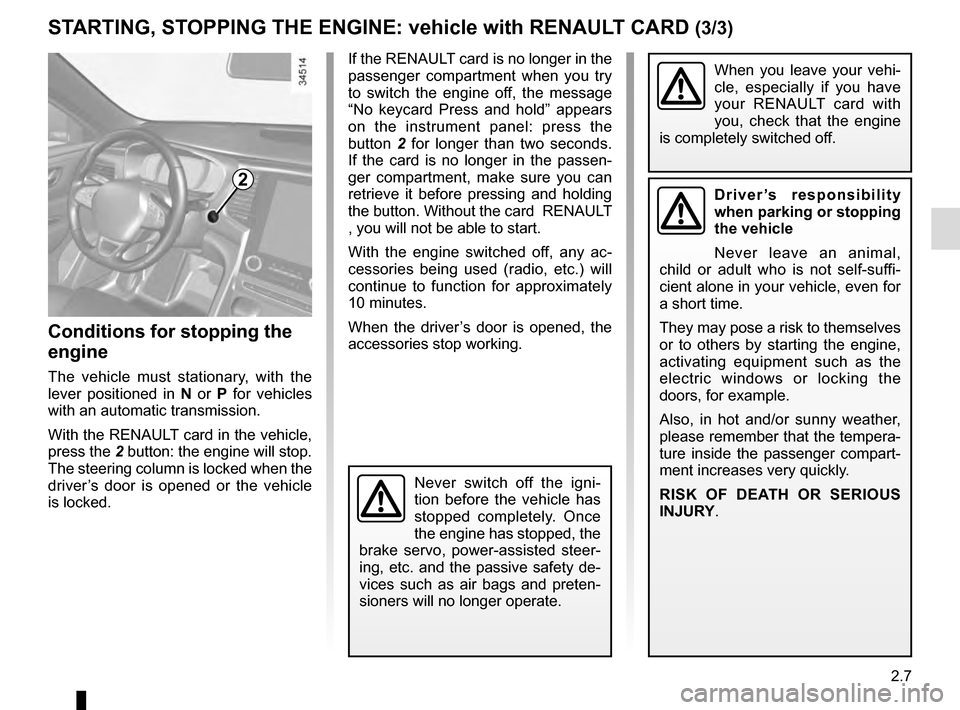
With the RENAULT card in the vehicle,
press the 2 button: the engine will stop.
The steering column is locked when the
driver’s door is opened or the vehicle
is locked.
When you leave your vehi-
cle, especially if you have
your RENAULT card with
you, check that the engine
is completely switched off.
2Driver’s responsibility
when parking or stopping
the vehicle
Never leave an animal,
child or adult who is not self-suffi-
cient alone in your vehicle, even for
a short time.
They may pose a risk to themselves
or to others by starting the engine,
activating equipment such as the
electric windows or locking the
doors, for example.
Also, in hot and/or sunny weather,
please remember that the tempera-
ture inside the passenger compart-
ment increases very quickly.
RISK OF DEATH OR SERIOUS
INJURY.
Never switch off the igni-
tion before the vehicle has
stopped completely. Once
the engine has stopped, the
brake servo, power-assisted steer-
ing, etc. and the passive safety de-
vices such as air bags and preten-
sioners will no longer operate.