2016 Peugeot 308 ignition
[x] Cancel search: ignitionPage 376 of 398
374
308_en_Chap10d_RD45_ed02-2015
telephone
Pairing a Bluetooth® telephone
Screen C
(Available according to model and version)
As a safety measure and because they
require prolonged attention on the part
of the driver, the operations for pairing
of the Bluetooth mobile telephone with
the Bluetooth hands-free system of
your audio equipment must be carried
out with the vehicle stationary and the
ignition on.
go t
o www.peugeot.co.uk for more information
(compatibility, more help, ...).
Activate the telephone's Bluetooth function
and ensure that it is "visible to all" (telephone
configuration).
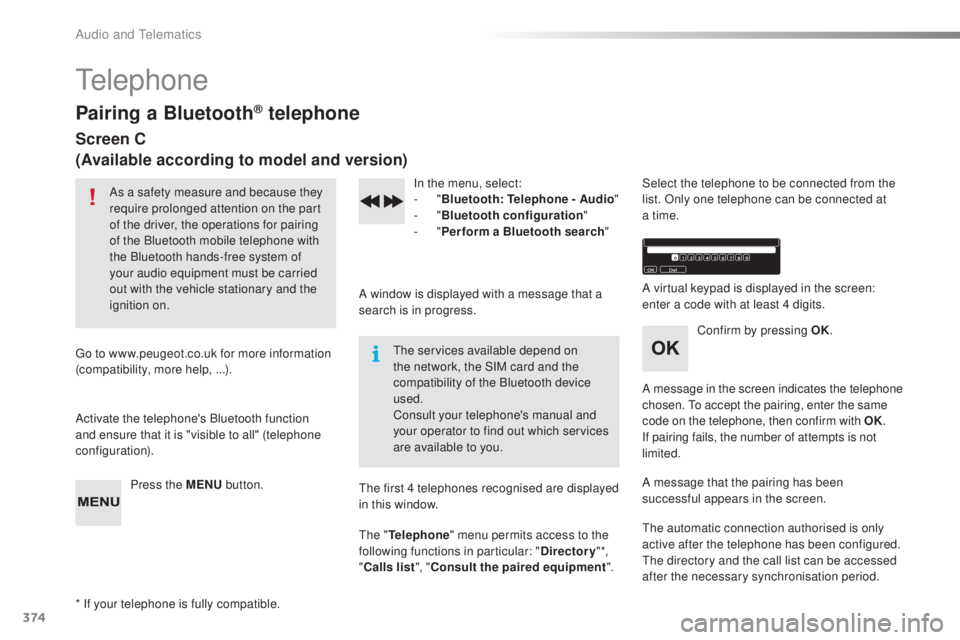
Press the MENU button. In the menu, select:
- "
Bl
uetooth: Telephone - Audio "
-
" B
luetooth configuration"
-
" P
erform a Bluetooth search"
A window is displayed with a message that a
search is in progress.
the ser
vices available depend on
the network, the SIM card and the
compatibility of the Bluetooth device
used.
Consult your telephone's manual and
your operator to find out which services
are available to you.
* If your telephone is fully compatible.
the f
irst 4 telephones recognised are displayed
in this window.
the " T
elephone" menu permits access to the
following functions in particular: " Directory" *,
" Calls list ", "Consult the paired equipment ".Select the telephone to be connected from the
list. Only one telephone can be connected at
a time.
A virtual keypad is displayed in the screen:
enter a code with at least 4 digits.
Confirm by pressing OK.
A message in the screen indicates the telephone
chosen.
to a
ccept the pairing, enter the same
code on the telephone, then confirm with OK.
If pairing fails, the number of attempts is not
limited.
A message that the pairing has been
successful appears in the screen.
the a
utomatic connection authorised is only
active after the telephone has been configured.
the d
irectory and the call list can be accessed
after the necessary synchronisation period.
Audio and telematics
Page 389 of 398
387
308_en_Chap11_index-alpha_ed02-2015
Safety, children ......................125 , 127, 13 0 -14 5
Screen, cold climate ..................................... 2
17
Screen, colour
...................................... 3
04, 305
Screen, instrument panel
.......................... 12
, 3 4
tab
le of weights
....................................
281
, 288
tabl
es of engines
.................
2
78, 280, 284, 287
tab
les of fuses
..............................................
26
6
tan
k, AdBlue
® additive .........................
23 5 -242ta
n k , f u e l ............................... ........................ 213
tec
hnical data
....................................... 2
78-295
tele
phone
............................................. 3
5 0 , 374
temp
erature, coolant
...................................... 28thre
e flashes (direction indicators)
.............. 111time
(setting)
............................................ 4
4 - 47
tMC (tra
ffic info)
.......................................... 332to o
l s
................
...................................... 244, 250
top
ping-up the AdBlue
® additive .......... 23 9 -242top
tether ............................... ....................... 13 9
tot
al distance recorder
................................... 32tou
ch screen ........................35, 37- 44, 173, 211
touc
h screen (Menus)
................. 2
99, 304, 305
to w
b a r
................
................................... 1 4 7, 2 1 8
tow
ed loads
.......................................... 28
1, 288
tow
ing another vehicle
................................. 275tow
ing eye
...................................................... 86
S
T
Storage ..........................................80, 82, 85 - 87
Storage wells ............................................ 8
6, 87
Storing driving positions
................................. 74
S
towing rings
..............................
..............86, 87
Switching off the engine
............................... 148
S
ynchronising the remote control
............. 5
3, 62
Reinitialisation of the under-inflation
detection system ......................................... 2
10
Reinitialising the remote control
............... 53
, 62
Reminder, key in ignition
............................... 15
0
Reminder, lighting on
.................................... 111
R
emote control
.......................................... 48-
63
Removing a wheel
..............................
.......... 252
Removing the mat
...............................
............ 81
Replacing bulbs
..............................
...... 256-265
Replacing fuses
.................................... 2
6 6 -271
Replacing the air filter
................................... 23
3
Replacing the oil filter
................................... 233
R
eplacing the passenger compartment
filter
........
..................................................... 233
Reservoir, headlamp wash
........................... 2
31
Reservoir, screenwash
................................. 23
1
Resetting the service indicator
....................... 3
0
Resetting the trip recorder
.............................. 32
R
eversing camera
...............................
.......... 200
Reversing lamp
..................................... 261
, 263
Risk areas (update)
....................................... 3
31
Roof bars
....................................................... 223
R
unning out of fuel (Diesel)
.......................... 27
7 Screen menu ........................
3
06, 308, 310, 320,
322, 326, 334, 346, 348
Screen, multifunction (with audio system)
........................ 4
5, 46, 366
Screen, multifunction (without audio system)
.................................. 47
S
creenwash
..............................
.................... 11 6
Screenwash, rear
...............................
........... 11 6
SCR (Selective Catalytic Reduction)
............ 23
5
Seat belts
....................................... 123
-125, 13 6
Seats, electric
................................................. 73
Se
ats, front
................................................. 7
2 -74
Seats, heated
...............................
................... 75
Seats, rear
................................................. 7
7, 7 8
Serial number, vehicle
.................................. 295
S
ervice indicator
............................................. 28
S
ervice (warning lamp)
................................... 19
Ser
vicing
......................................................... 10
S
ettings, equipment
........................................ 41
S
ettings (Menus)
...............................
............ 334
Settings, system
...............................
............. 342
Sidelamps
............. 1
08, 256, 257, 259 -261, 263
Side repeater
................................................ 26
0
Ski flap
............................................................ 85
S
now chains
.......................................... 20
9, 216
Socket, 12 V accessory
...................... 80
, 83, 87
Socket, 230 V
............................................ 8
0, 84
Sockets, audio
.......................... 8
0, 83, 316, 371
Speed limiter
...............................
.......... 173 , 174
Spotlamps, side
.................................... 11
4 , 2 6 0
Stability control (
eS
C)............................. 17, 1 2 0
Starting the engine
....................................... 14
8
Station, radio
......................................... 312
, 3 6 6
Stay, bonnet
...............................
................... 226
Steering mounted controls, audio
....... 3
03, 365
Steering wheel, adjustment
............................ 71
St
op & Start
........................ 1
6, 24, 36, 101, 170,
171, 213, 226, 233, 272
Stop (warning lamp)
........................................ 18
.
Alphabetical index
Page 397 of 398
106
Lighting and visibility
Special position of the
windscreen wipers
Heated windscreen and
washer jets *
This position permits release of the windscreen
wiper blades.
It is used for cleaning or replacement of the
blades. It can also be useful, in winter, to
detach the blades from the windscreen.
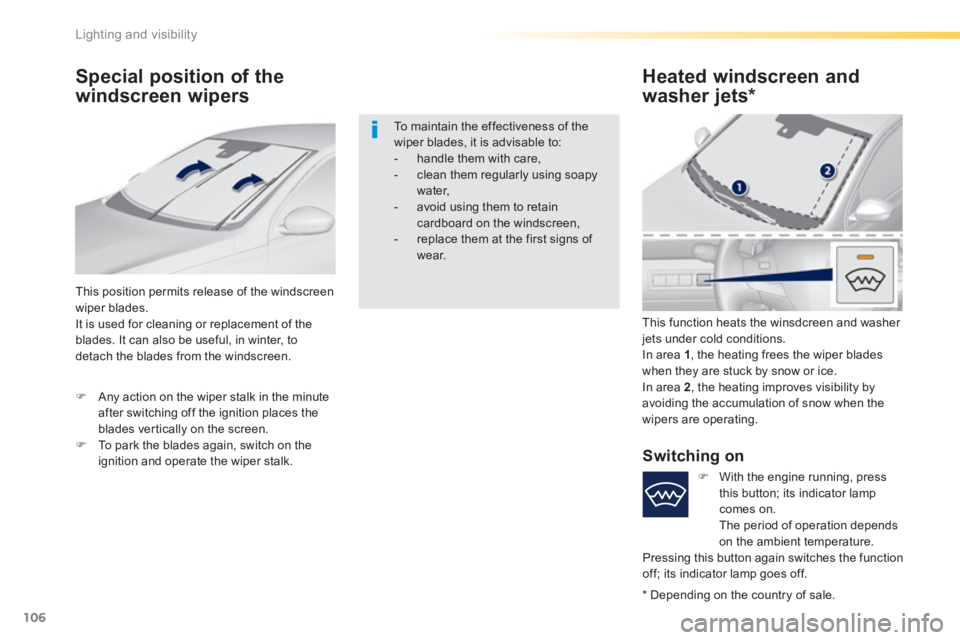
This function heats the winsdcreen and washer
jets under cold conditions.
In area 1
, the heating frees the wiper blades
when they are stuck by snow or ice.
In area 2
, the heating improves visibility by
avoiding the accumulation of snow when the
wipers are operating.
To maintain the effectiveness of the
wiper blades, it is advisable to:
- handle them with care,
- clean them regularly using soapy
water,
- avoid using them to retain
cardboard on the windscreen,
- replace them at the first signs of
wear.
)
Any action on the wiper stalk in the minute
after switching off the ignition places the
blades vertically on the screen.
)
To park the blades again, switch on the
ignition and operate the wiper stalk.
Switching on
*
Depending on the country of sale.
)
With the engine running, press
this button; its indicator lamp
comes on.
The period of operation depends
on the ambient temperature.
Pressing this button again switches the function
off; its indicator lamp goes off.
Page 398 of 398
155
6
Driving
Electric parking brake
Never leave a child alone inside the
vehicle with the ignition on, as they
could release the parking brake.
The technology adopted for the electric
parking brake does not allow the fitment
of wheels smaller than 16 inches.
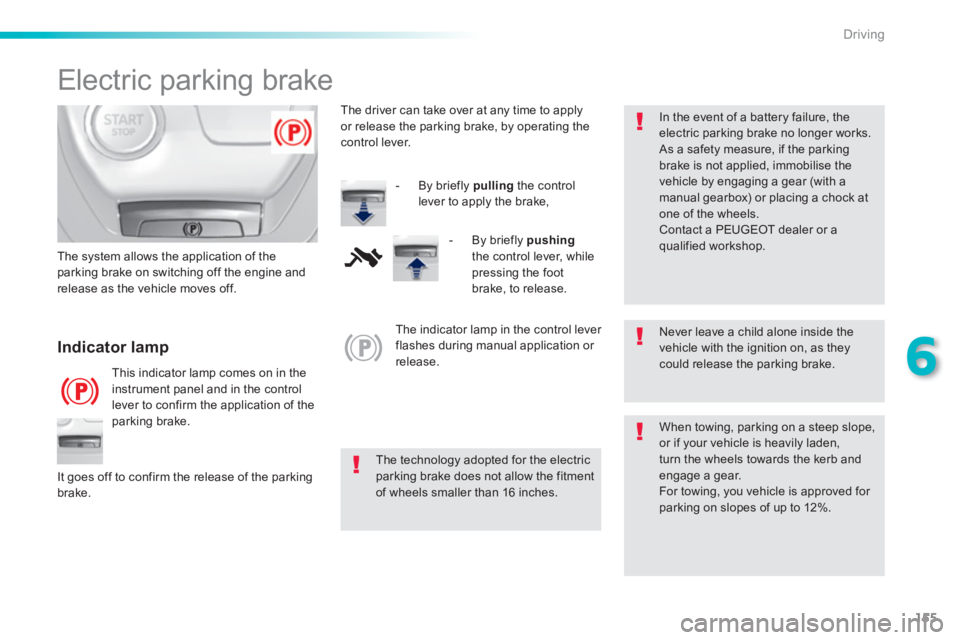
Indicator lamp
This indicator lamp comes on in the
instrument panel and in the control
lever to confirm the application of the
parking brake.
The system allows the application of the
parking brake on switching off the engine and
release as the vehicle moves off.
When towing, parking on a steep slope,
or if your vehicle is heavily laden,
turn the wheels towards the kerb and
engage a gear.
For towing, you vehicle is approved for
parking on slopes of up to 12%.
It goes off to confirm the release of the parking
brake.
The indicator lamp in the control lever
flashes during manual application or
release.
In the event of a battery failure, the
electric parking brake no longer works.
As a safety measure, if the parking
brake is not applied, immobilise the
vehicle by engaging a gear (with a
manual gearbox) or placing a chock at
one of the wheels.
Contact a PEUGEOT dealer or a
qualified workshop.
The driver can take over at any time to apply
or release the parking brake, by operating the
control lever.
- By briefly pulling
the control
lever to apply the brake,
- By briefly pushing
the control lever, while
pressing the foot
brake, to release.