2016 Peugeot 308 ignition
[x] Cancel search: ignitionPage 274 of 398
272
308_en_Chap08_en-cas-de-panne_ed02-2015
12 V battery
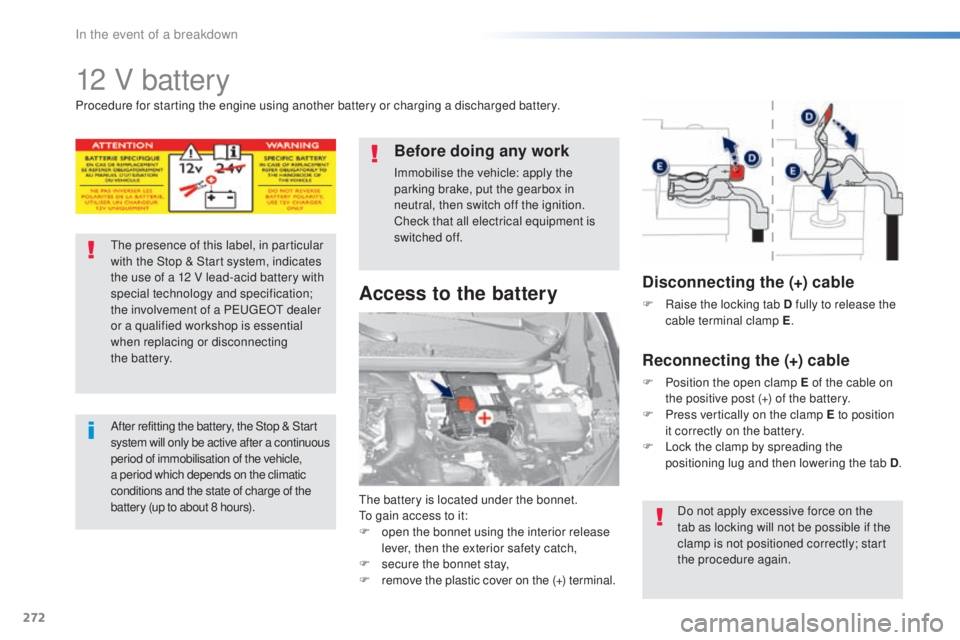
the battery is located under the bonnet.to ga
in access to it:
F
op
en the bonnet using the interior release
lever, then the exterior safety catch,
F
se
cure the bonnet stay,
F
re
move the plastic cover on the (+)
t
erminal.
Access to the battery
Procedure for starting the engine using another battery or charging a discharged battery.
the
presence of this label, in particular
with the Stop & Start system, indicates
the use of a 12 V lead-acid battery with
special technology and specification;
the involvement of a P
eu
ge
Ot d
ealer
or a qualified workshop is essential
when replacing or disconnecting
the
b
attery.
After refitting the battery, the Stop & Start
sy stem will only be active after a continuous
period of immobilisation of the vehicle,
a period which depends on the climatic
conditions and the state of charge of the
battery (up to about 8 hours).
Before doing any work
Immobilise the vehicle: apply the
parking brake, put the gearbox in
neutral, then switch off the ignition.
Check that all electrical equipment is
switched off.
Disconnecting the (+) cable
F Raise the locking tab D fully to release the
c able terminal clamp E .
Reconnecting the (+) cable
F Position the open clamp E of the cable on
t
he positive post (+) of the battery.
F
Pr
ess vertically on the clamp E to position
it correctly on the battery.
F
Lo
ck the clamp by spreading the
positioning lug and then lowering the tab D .
Do not apply excessive force on the
tab as locking will not be possible if the
clamp is not positioned correctly; start
the procedure again.
In the event of a breakdown
Page 275 of 398

273
308_en_Chap08_en-cas-de-panne_ed02-2015
Starting using another battery
First check that the slave battery has a
nominal voltage of 12 V and a capacity
at least equal to that of the discharged
battery.
Do not try to start the engine by
connecting a battery charger.
Do not disconnect the (+) terminal when
the engine is running.
F
Re
move the plastic cover from
the
(
+)
t
erminal, if your vehicle has one.
F
Co
nnect the red cable to the positive
terminal (+) of the flat battery A , then to the
positive terminal (+) of the slave battery B.
F
Co
nnect one end of the green or black
cable to the negative terminal (-) of the
slave battery B (or earth point on the other
vehicle).
F
Co
nnect the other end of the green or black
cable to the earth point C on the broken
down vehicle (or on the engine mounting).
F
St
art the engine of the vehicle with the
good battery and leave it running for a
few
m
inutes. F
Op
erate the starter on the broken down
vehicle and let the engine run
If t
he engine does not start straight
away, switch off the ignition and wait a
few
m
oments before trying again.
F
Wa
it until the engine returns to idle then
disconnect the jump lead cables in the
reverse order.
F
Re
fit the plastic cover to the (+) terminal, if
your vehicle has one.
When your vehicle's battery is discharged, the
engine can be started using a slave battery
(external or on another vehicle) and jump lead
cables.Before disconnecting the battery
Wait 2 minutes after switching off the ignition
before disconnecting the battery.
Close the windows and the doors before
disconnecting the battery.
Following reconnection of the
battery
Following reconnection of the battery, switch on
the ignition and wait 1 minute before starting to
permit initialisation of the electronic systems.
However, if problems remain following this
operation, contact a P
eu
ge
Ot d
ealer or a
qualified workshop.
Referring to the corresponding section, you
must yourself reinitialise (depending on
version):
-
th
e remote control key,
-
th
e electric blind(s),
-
... S
ome functions are not available if the
battery is not sufficiently charged.
8
In the event of a breakdown
Page 279 of 398
277
308_en_Chap08_en-cas-de-panne_ed02-2015
On vehicles fitted with Diesel engines, the fuel
system must be primed if you run out of fuel.
For all versions other than BlueHDi, refer to the
corresponding engine compartment view.
Running out of fuel (Diesel)
For more information on the Diesel
misfuel prevention device, refer to the
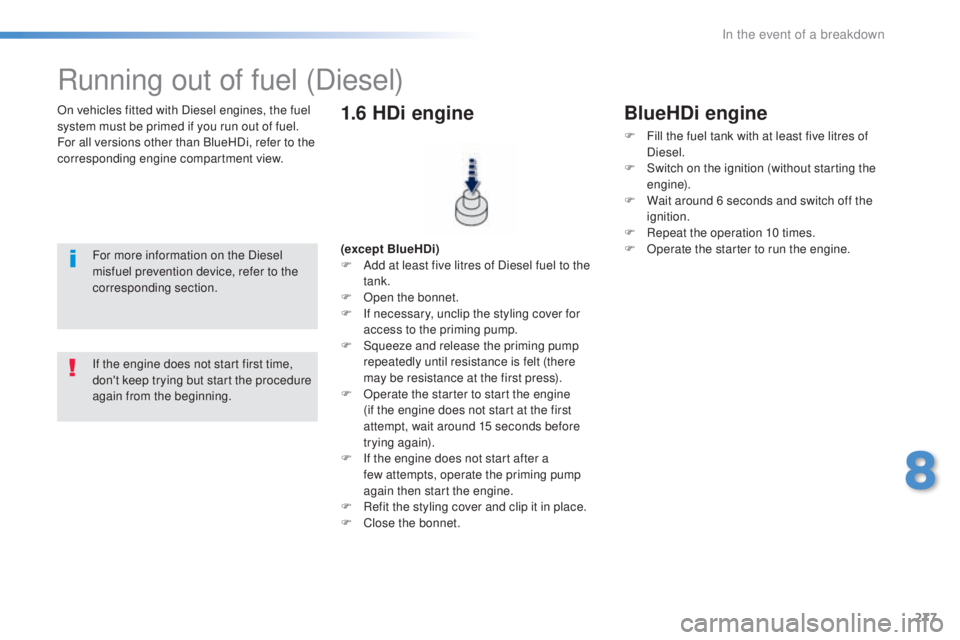
corresponding section. (except BlueHDi)
F Ad
d at least five litres of Diesel fuel to the
tank.
F
Op
en the bonnet.
F
If n
ecessary, unclip the styling cover for
access to the priming pump.
F
Sq
ueeze and release the priming pump
repeatedly until resistance is felt (there
may be resistance at the first press).
F
Op
erate the starter to start the engine
(if the engine does not start at the first
attempt, wait around 15 seconds before
trying again).
F
If t
he engine does not start after a
few
a
ttempts, operate the priming pump
again then start the engine.
F
Re
fit the styling cover and clip it in place.
F
Clos
e the bonnet.
1.6 HDi engine
If the engine does not start first time,
don't keep trying but start the procedure
again from the beginning.
BlueHDi engine
F Fill the fuel tank with at least five litres of
Diesel.
F
Sw
itch on the ignition (without starting the
engine).
F
Wa
it around 6 seconds and switch off the
ignition.
F
Re
peat the operation 10 times.
F
Op
erate the starter to run the engine.
8
In the event of a breakdown
Page 299 of 398

297
308_en_Chap10a_BtA_ed02-2015
PEUGEOT Connect Assistance
If you purchased your vehicle outside
the Peu
geOt d ealer network, we
invite you to have a dealer check the
configuration of these services and, if
desired, modified to suit your wishes.
In a multi-lingual country, configuration
is possible in the official national
language of your choice.
For technical reasons and in particular
to improve the quality of "P
eu
ge
Ot
C
ONN
eCt s
ervices" services to
customers, the manufacturer reserves
the right to carry out updates to the
vehicle's on-board telematic system.
A fault with the system does not
prevent the vehicle being driven. Press this button for more than
2
s
econds to request assistance
if the vehicle breaks down.
A voice message confirms that
the call has been made**.
Pressing this button again immediately cancels
the request.
the c
ancellation is confirmed by a voice
message.
the o
range L
eD is o
n continuously: the backup
battery must be replaced.
In either case, the emergency and assistance
calls may not function.
Contact a qualified repairer as soon as
possible.
Operation of the system
When the ignition is switched
on, the green LeD co mes on for
3 seconds indicating that the
system is operating correctly.
If the orange L
eD fl
ashes then
goes off: there is a system fault.
* *
De
pending on the geographical cover of
" Peuge
Ot C
onnect SOS", "Peuge
Ot
C
onnect Assistance" and the official national
language selected by the owner of the vehicle.
the l
ist of countries covered and P
eu
ge
Ot
CO
NN
eCt se
rvices is available from dealers
or at www.peugeot.co.uk.
.
Audio and telematics
Page 303 of 398
301
308_en_Chap10c_SMegplus_ed02-2015
With the engine running, press to
mute the sound.
With the ignition off, press to switch
the system on.
Volume adjustment (each source
is independent, including
tra
ffic
announcements (
tA)
and navigation
instructions).
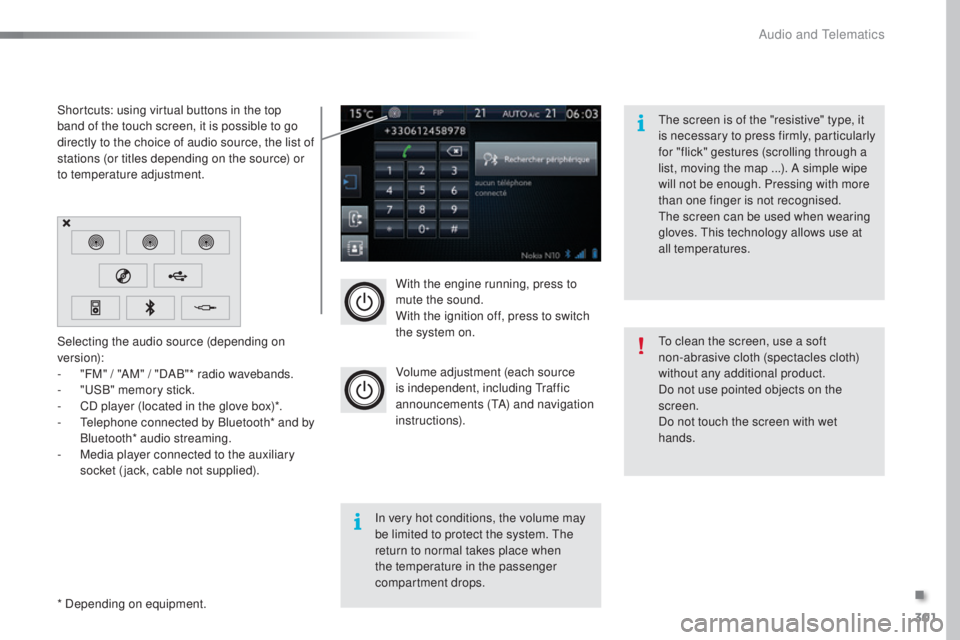
Selecting the audio source (depending on
version):
-
"F
M" / "AM" / "DAB"* radio wavebands.
-
"uSB
" memory stick.
-
CD p
layer (located in the glove box)*.
-
t
el
ephone connected by Bluetooth* and by
Bluetooth* audio streaming.
-
Me
dia player connected to the auxiliary
socket (jack, cable not supplied).
* Depending on equipment. Shortcuts: using virtual buttons in the top
band of the touch screen, it is possible to go
directly to the choice of audio source, the list of
stations (or titles depending on the source) or
to temperature adjustment.
the s
creen is of the "resistive" type, it
is necessary to press firmly, particularly
for "flick" gestures (scrolling through a
list, moving the map ...). A simple wipe
will not be enough. Pressing with more
than one finger is not recognised.
the s
creen can be used when wearing
gloves.
thi
s technology allows use at
all temperatures.
In very hot conditions, the volume may
be limited to protect the system.
the
r
eturn to normal takes place when
the temperature in the passenger
compartment drops.
to cl
ean the screen, use a soft
non-abrasive cloth (spectacles cloth)
without any additional product.
Do not use pointed objects on the
screen.
Do not touch the screen with wet
hands.
.
Audio and telematics
Page 318 of 398
316
308_en_Chap10c_SMegplus_ed02-2015
Music
USB playerSelection of source
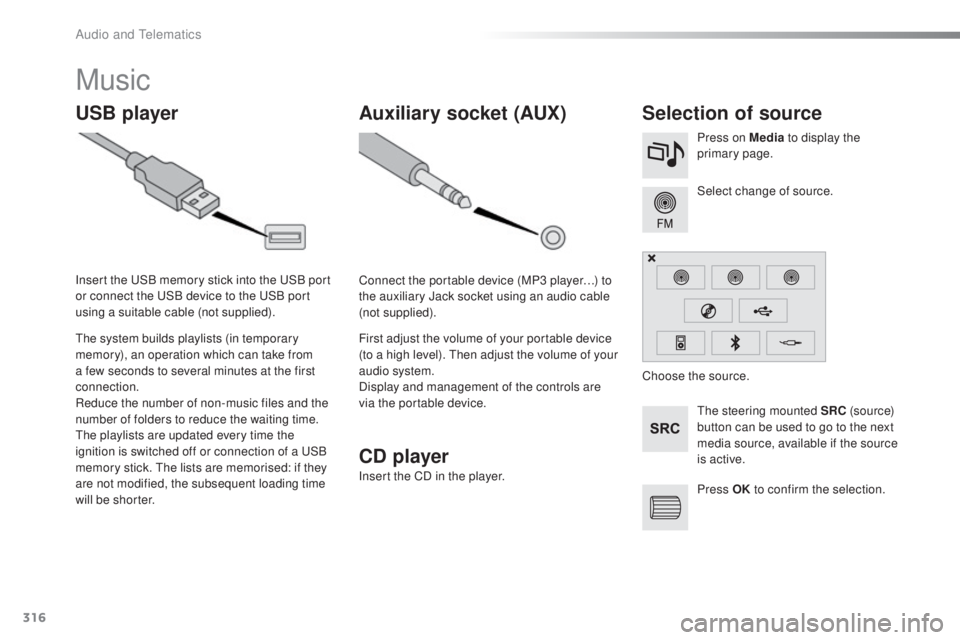
the steering mounted SRC ( s o u r c e)
button can be used to go to the next
media source, available if the source
is active. Select change of source. Press on Media to display the
primary page.
the s
ystem builds playlists (in temporary
memory), an operation which can take from
a few seconds to several minutes at the first
connection.
Reduce the number of non-music files and the
number of folders to reduce the waiting time.
the p
laylists are updated every time the
ignition is switched off or connection of a
uSB
m
emory stick.
the l
ists are memorised: if they
are not modified, the subsequent loading time
will be shorter. Insert the
uSB m
emory stick into the
uSB p
ort
or connect the
uSB d
evice to the
uSB p
ort
using a suitable cable (not supplied).
Auxiliary socket (AUX)
Connect the portable device (MP3 player…) to
the auxiliary Jack socket using an audio cable
(not supplied).
First adjust the volume of your portable device
(to a high level).
the
n adjust the volume of your
audio system.
Display and management of the controls are
via the portable device. Choose the source.
Press OK to confirm the selection.
CD player
Insert the CD in the player.
Audio and telematics
Page 353 of 398
351
308_en_Chap10c_SMegplus_ed02-2015
the services available depend on
t he network, the SIM card and the
compatibility of the Bluetooth telephone
used. Check the telephone manual and
with your network provider for details of
the services available to you.
the a
bility of the system to connect
with only one profile depends on the
telephone.
the
three profiles may all
connect by default.
Visit www.peugeot.co.uk for more information
(compatibility, additional help, ...).
the r
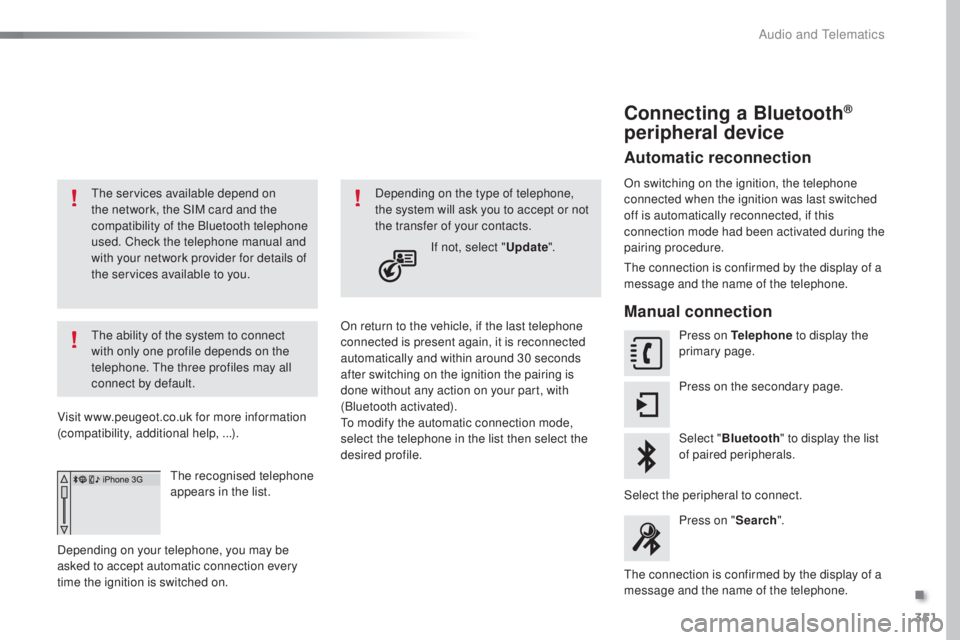
ecognised telephone
appears in the list.
Depending on your telephone, you may be
asked to accept automatic connection every
time the ignition is switched on. On return to the vehicle, if the last telephone
connected is present again, it is reconnected
automatically and within around 30 seconds
after switching on the ignition the pairing is
done without any action on your part, with
(Bluetooth activated).
to mo
dify the automatic connection mode,
select the telephone in the list then select the
desired profile. Depending on the type of telephone,
the system will ask you to accept or not
the transfer of your contacts.
If not, select " Update".
Connecting a Bluetooth®
peripheral device
Automatic reconnection
On switching on the ignition, the telephone
connected when the ignition was last switched
off is automatically reconnected, if this
connection mode had been activated during the
pairing procedure.
the c
onnection is confirmed by the display of a
message and the name of the telephone.
Manual connection
Press on Telephone to display the
primary page.
Press on the secondary page.
Select " Bluetooth " to display the list
of paired peripherals.
Select the peripheral to connect. Press on " Search".
the c
onnection is confirmed by the display of a
message and the name of the telephone.
.
Audio and telematics
Page 372 of 398
370
308_en_Chap10d_RD45_ed02-2015
Media
USB player
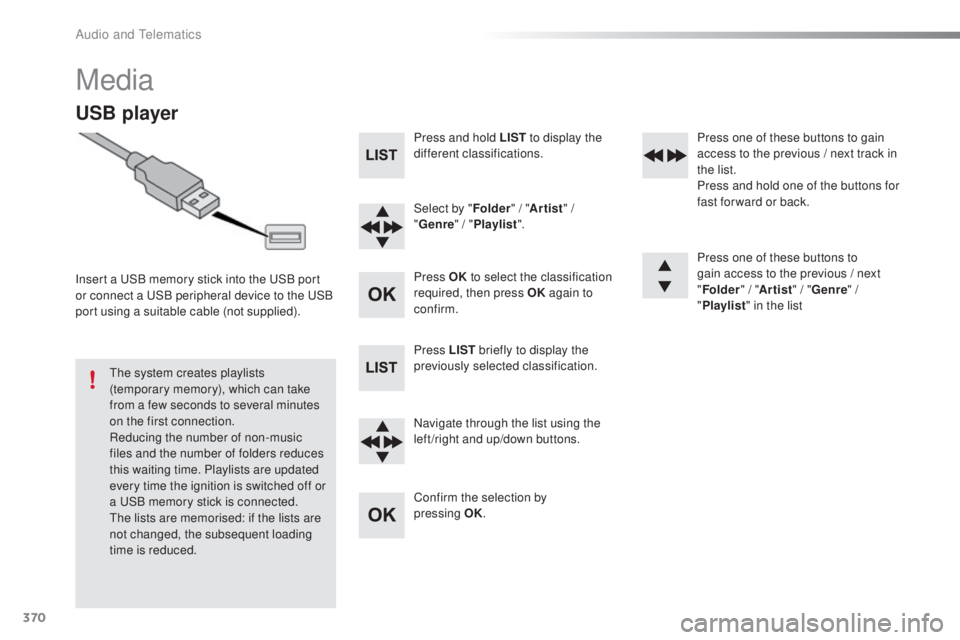
Insert a uSB memory stick into the uSB p ort
or connect a uSB p eripheral device to the uSB
p
ort using a suitable cable (not supplied).
the s
ystem creates playlists
(temporary memory), which can take
from a few seconds to several minutes
on the first connection.
Reducing the number of non-music
files and the number of folders reduces
this waiting time. Playlists are updated
every time the ignition is switched off or
a
uSB m
emory stick is connected.
the l
ists are memorised: if the lists are
not changed, the subsequent loading
time is reduced. Press and hold LIST
to display the
different classifications.
Select by " Folder" / "Artist " /
" Genre " / "Playlist ".
Press OK to select the classification
required, then press OK again to
confirm.
Press LIST briefly to display the
previously selected classification.
Navigate through the list using the
left /right and up/down buttons.
Confirm the selection by
pressing
OK
.Press one of these buttons to gain
access to the previous / next track in
the list.
Press and hold one of the buttons for
fast for ward or back.
Press one of these buttons to
gain access to the previous / next
"
Folder " / "Artist " / "Genre " /
" Playlist " in the list
Audio and telematics