2016 MITSUBISHI OUTLANDER change time
[x] Cancel search: change timePage 337 of 464
Automatic climate cont
rol air conditioner
Comfort controls 7-9
7
N00737101221
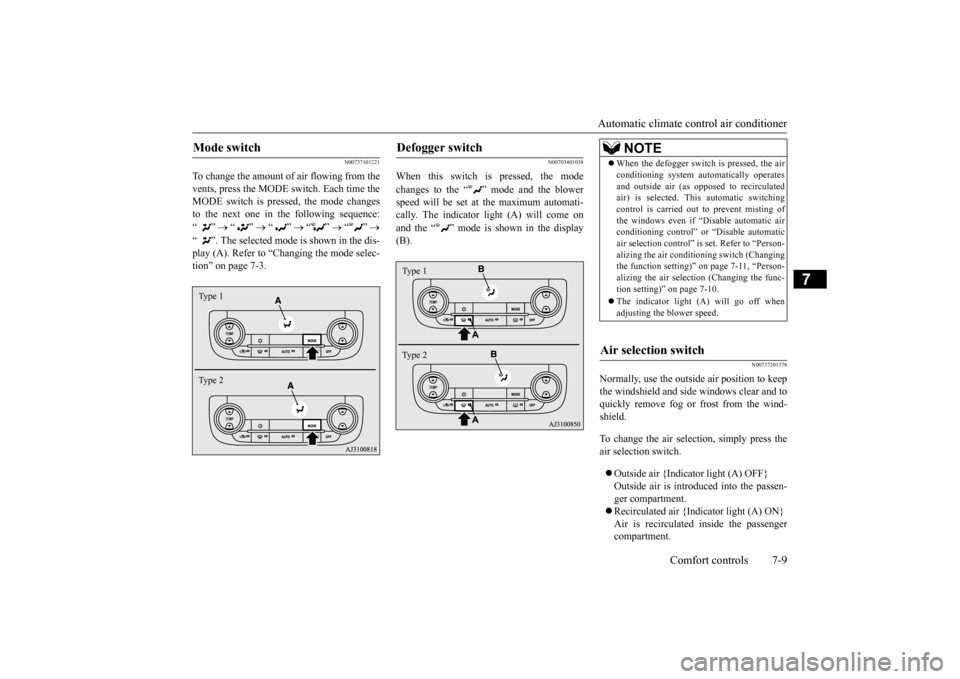
To change the amount of air flowing from the vents, press the MODE switch. Each time the MODE switch is pressed, the mode changesto the next one in the following sequence: “”
“”
“”
“”
“”
“ ”. The selected mode is shown in the dis- play (A). Refer to “C
hanging the mode selec-
tion” on page 7-3.
N00703401038
When this switch is pressed, the mode changes to the “ ”
mode and the blower
speed will be set at the maximum automati- cally. The indicator light (A) will come on and the “ ” mode is shown in the display (B).
N00737201378
Normally, use the outside
air position to keep
the windshield and side
windows clear and to
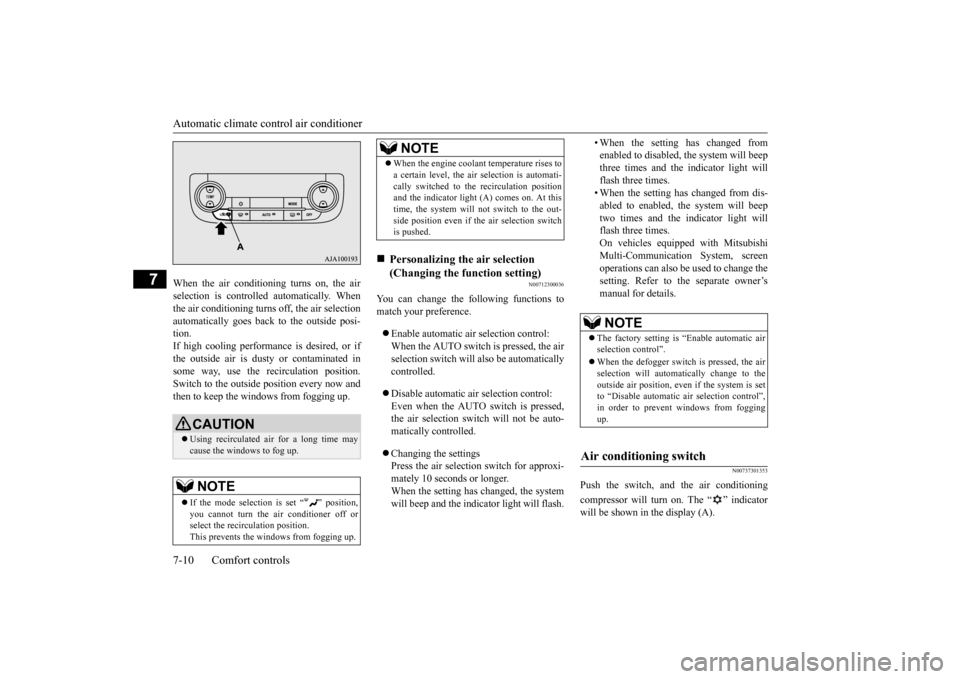
quickly remove fog or frost from the wind-shield. To change the air selection, simply press the air selection switch. Outside air {Indicator light (A) OFF} Outside air is introduced into the passen-ger compartment. Recirculated air {Indicator light (A) ON} Air is recirculated
inside the passenger
compartment.
Mode switch Type 1 Type 2
Defogger switch Type 1 Type 2
NOTE
When the defogger switch
is pressed, the air
conditioning system au
tomatically operates
and outside air (as opposed to recirculatedair) is selected. This automatic switching control is carried out to prevent misting of the windows even if “D
isable automatic air
conditioning control” or
“Disable
automatic
air selection control” is
set. Refer to “Person-
alizing the air conditi
oning switch (Changing
the function setting)”
on page 7-11, “Person-
alizing the air selecti
on (Changing the func-
tion setting)” on page 7-10. The indicator light
(A) will go off when
adjusting the blower speed.
Air selection switch
BK0223400US.book 9 ページ 2015年2月13日 金曜日 午後12時15分
Page 338 of 464
Automatic climate cont
rol air conditioner
7-10 Comfort controls
7
When the air conditioning turns on, the air selection is controlled automatically. Whenthe air conditioning turns
off, the air selection
automatically goes back
to the outside posi-
tion.If high cooling performanc
e is desired, or if
the outside air is dusty
or contaminated in
some way, use the
recirculat
ion position.
Switch to the outside position every now and then to keep the windows from fogging up.
N00712300036
You can change the following functions tomatch your preference. Enable automatic air selection control: When the AUTO switch is pressed, the airselection switch will also be automatically controlled. Disable automatic air selection control: Even when the AUTO switch is pressed,the air selection switch will not be auto- matically controlled. Changing the settings Press the air selection switch for approxi-mately 10 seconds or longer. When the setting has changed, the system will beep and the indi
cator light will flash.
• When the setting has changed from enabled to disabled, the system will beepthree times and the indicator light will flash three times. • When the setting has changed from dis-abled to enabled, the system will beep two times and the i
ndicator light will
flash three times.On vehicles equippe
d with Mitsubishi
Multi-Communication System, screen operations can also be used to change the setting. Refer to th
e separate owner’s
manual for details.
N00737301353
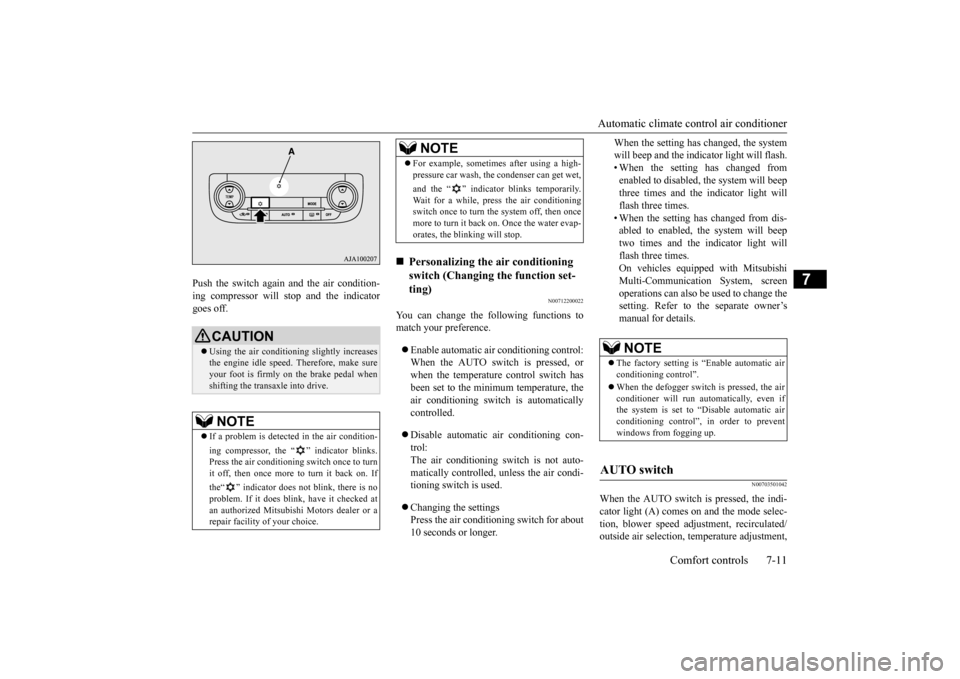
Push the switch, and the air conditioning compressor will turn on. The “ ” indicator will be shown in the display (A).
CAUTION Using recirculated air for a long time may cause the windows to fog up.NOTE
If the mode selection
is set “ ” position,
you cannot turn the ai
r conditioner off or
select the recirc
ulation position.
This prevents the windows from fogging up.
When the engine coolan
t temperature rises to
a certain level, the air selection is automati-cally switched to the recirculation positionand the indicator light (A) comes on. At this time, the system will not switch to the out- side position even if th
e air selection switch
is pushed.
Personalizing the air selection (Changing the function setting) NOTE
NOTE
The factory setting is “Enable automatic air selection control”. When the defogger switch is pressed, the air selection will automati
cally change to the
outside air position, even if the system is setto “Disable automatic air selection control”, in order to prevent windows from fogging up.
Air conditioning switch
BK0223400US.book 10 ページ 2015年2月13日 金曜日 午後12時15分
Page 339 of 464
Automatic climate cont
rol air conditioner
Comfort controls 7-11
7
Push the switch again and the air condition- ing compressor will stop and the indicatorgoes off.
N00712200022
You can change the following functions tomatch your preference. Enable automatic air conditioning control: When the AUTO switch is pressed, or when the temperature control switch has been set to the minimum temperature, theair conditioning switch is automatically controlled. Disable automatic air conditioning con- trol:The air conditioning switch is not auto- matically controlled,
unless the air condi-
tioning switch is used. Changing the settings Press the air conditioning switch for about 10 seconds or longer.
When the setting has changed, the system will beep and the indi
cator light will flash.
• When the setting has changed from enabled to disabled,
the system will beep
three times and the indicator light willflash three times. • When the setting has changed from dis- abled to enabled, the system will beeptwo times and the indicator light will flash three times. On vehicles equippe
d with Mitsubishi
Multi-Communication System, screen operations can also be used to change thesetting. Refer to the separate owner’s manual for details.
N00703501042
When the AUTO switch is pressed, the indi-cator light (A) comes on and the mode selec- tion, blower speed adju
stment, reci
rculated/
outside air selection, temperature adjustment,
CAUTION Using the air conditioni
ng slightly increases
the engine idle speed. Therefore, make sure your foot is firmly on the brake pedal when shifting the transaxle into drive.NOTE
If a problem is detect
ed in the air condition-
ing compressor, the “ ” indicator blinks. Press the air conditioning
switch once to turn
it off, then once more to turn it back on. If the“ ” indicator does not blink, there is no problem. If it does blink,
have it checked at
an authorized Mitsubish
i Motors dealer or a
repair facility of your choice.
For example, sometimes after using a high- pressure car wash, the
condenser can get wet,
and the “ ” indicator blinks temporarily. Wait for a while, press the air conditioning switch once to turn the system off, then once more to turn it back on. Once the water evap-orates, the blinking will stop.
Personalizing the air conditioning switch (Changing the function set-ting) NOTE
NOTE
The factory setting is
“Enable automatic air
conditioning control”. When the defogger switch
is pressed, the air
conditioner will run au
tomatically, even if
the system is set to “Disable automatic air conditioning control”, in order to prevent windows from fogging up.
AUTO switch
BK0223400US.book 11 ページ 2015年2月13日 金曜日 午後12時15分
Page 371 of 464
Display Indicator
Comfort controls 7-43
7
N00717700022
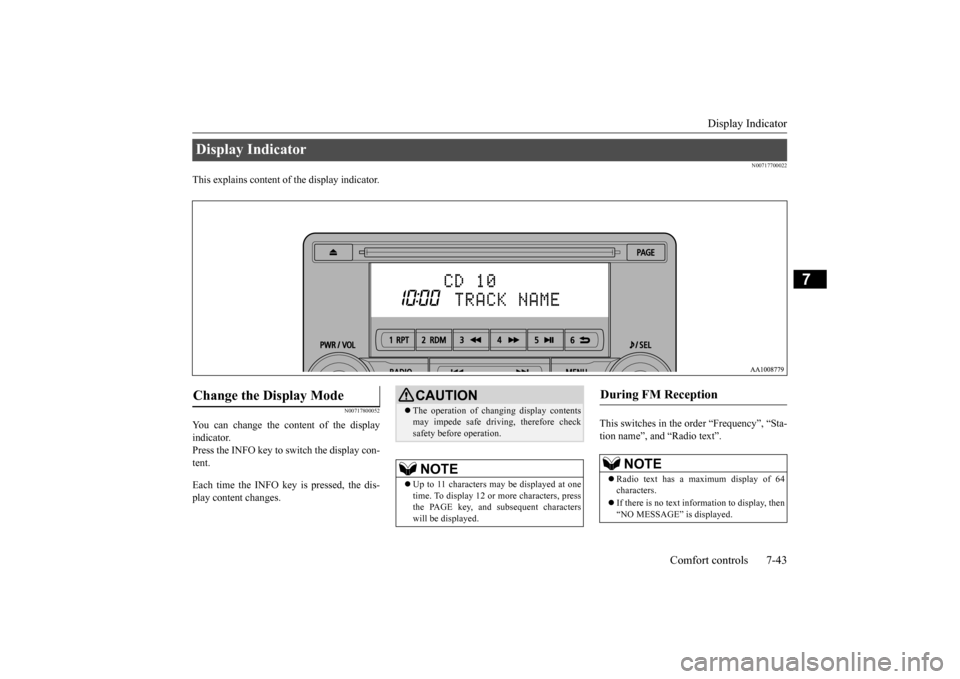
This explains content of the display indicator.
N00717800052
You can change the content of the display indicator. Press the INFO key to switch the display con-tent. Each time the INFO key is pressed, the dis- play content changes.
This switches in the order “Frequency”, “Sta- tion name”, and “Radio text”.
Display Indicator Change the Display Mode
CAUTION The operation of changing display contents may impede safe driving, therefore checksafety before operation.NOTE
Up to 11 characters
may be displayed at one
time. To display 12 or
more characters, press
the PAGE key, and s
ubsequent characters
will be displayed.
During FM Reception
NOTE
Radio text has a ma
ximum display of 64
characters. If there is no text information to display, then “NO MESSAGE” is displayed.
BK0223400US.book 43 ページ 2015年2月13日 金曜日 午後12時15分
Page 372 of 464
Audio Quality and Volume Balance Adjustment 7-44 Comfort controls
7
This switches in the order “Channel name”, “Category name”, “A
rtist name”, “Track
name”, and “Composer name”. This switches in the order “Disc title”, “Track title”, and “Ope
rating status”.
This switches in the order “Folder title”, “File title”, and “Ope
rating status”.
Hold down the INFO key. This switches the ID3tag display. Each time INFO key is
pressed, this switches
in the order “Album
name”, “Track name”,
“Artist name”, “Genre name”*, and “Operat- ing status”.
N00718200024
This switches in the order “Albums”, “Track name”, “Artist name”, “Genre name”, and “Operating status”.
N00718300025
Operating details are the same as in “DuringiPod Playback” (P.7-44).
N00718400026
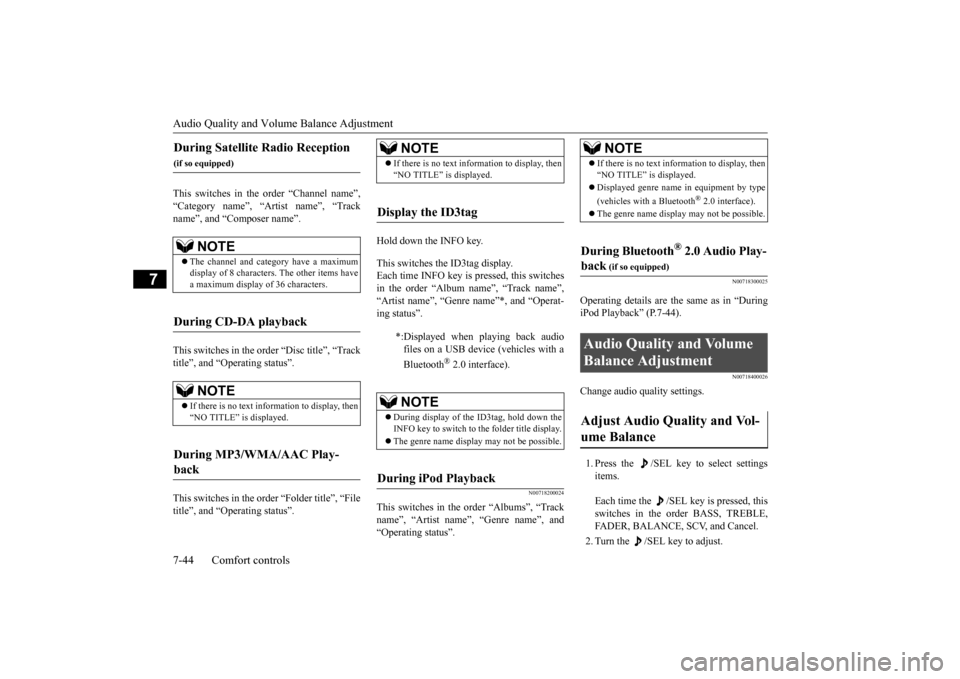
Change audio quality settings. 1. Press the /SEL key to select settings items. Each time the /SEL key is pressed, this switches in the order BASS, TREBLE, FADER, BALANCE, SCV, and Cancel. 2. Turn the /SEL key to adjust.
During Satellite Radio Reception
(if so equipped)
NOTE
The channel and cate
gory have a maximum
display of 8 characters
. The other items have
a maximum display
of 36 characters.
During CD-DA playback
NOTE
If there is no text information to display, then “NO TITLE” is displayed.
During MP3/WMA/AAC Play- back
NOTE
If there is no text information to display, then “NO TITLE” is displayed.
Display the ID3tag
*:Displayed when playing back audio files on a USB device (vehicles with a Bluetooth
® 2.0 interface).
NOTE
During display of the ID3tag, hold down the INFO key to switch to the folder title display. The genre name displa
y may not be possible.
During iPod Playback
NOTE
If there is no text information to display, then “NO TITLE” is displayed. Displayed genre name
in equipment by type
(vehicles with a Bluetooth
® 2.0 interface).
The genre name displa
y may not be possible.
During Bluetooth
® 2.0 Audio Play-
back
(if so equipped)
Audio Quality and Volume Balance Adjustment Adjust Audio Quality and Vol- ume Balance
BK0223400US.book 44 ページ 2015年2月13日 金曜日 午後12時15分
Page 373 of 464
System Settings
Comfort controls 7-45
7
N00718500072
Change system settings
such as product time.
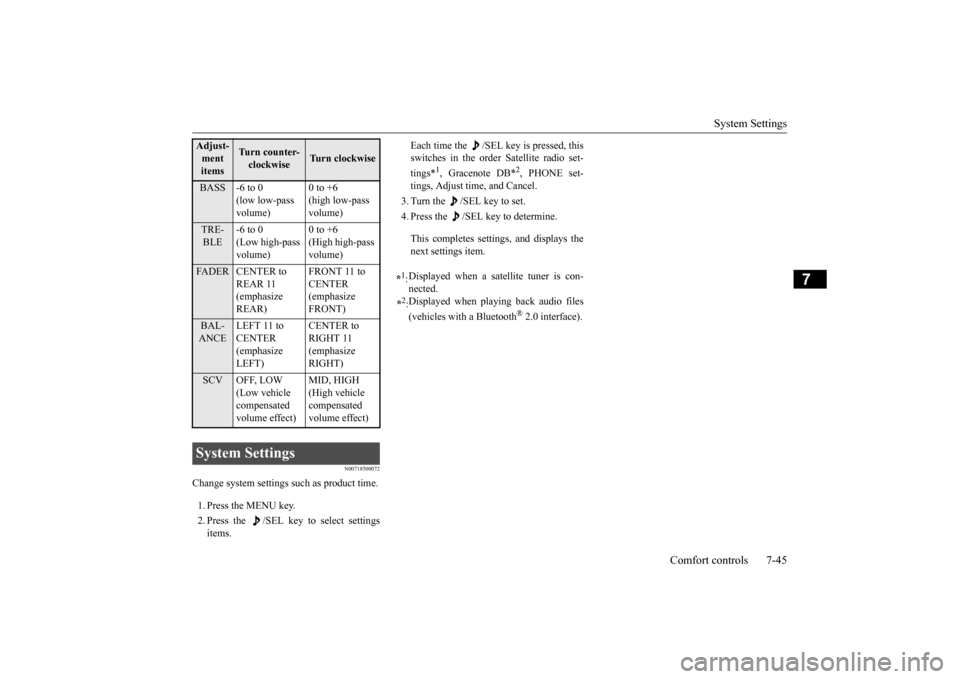
1. Press the MENU key. 2. Press the /SEL key to select settings items.
Each time the /SEL key is pressed, this switches in the order Satellite radio set- tings*
1, Gracenote DB*
2, PHONE set-
tings, Adjust time, and Cancel. 3. Turn the /SEL key to set.4. Press the /SEL key to determine. This completes settings, and displays the next settings item.
Adjust-ment items
Tu r n c o u n t e r - clockwise
Turn clockwise
BASS -6 to 0
(low low-pass volume)
0 to +6 (high low-pass volume)
TRE- BLE
-6 to 0 (Low high-pass volume)
0 to +6 (High high-pass volume)
FADER CENTER to
REAR 11 (emphasize REAR)
FRONT 11 to CENTER (emphasize FRONT)
BAL- ANCE
LEFT 11 to CENTER (emphasize LEFT)
CENTER to RIGHT 11 (emphasize RIGHT)
SCV OFF, LOW
(Low vehicle compensated volume effect)
MID, HIGH (High vehicle compensated volume effect)
System Settings
*1: Displayed when a satellite tuner is con- nected.
*2: Displayed when playing back audio files (vehicles with a Bluetooth
® 2.0 interface).
BK0223400US.book 45 ページ 2015年2月13日 金曜日 午後12時15分
Page 374 of 464
System Settings 7-46 Comfort controls
7
Change each satellite radio setting.Satellite Radio Settings
(if so equipped)
Settings name
Settings item
Settings value
Settings content
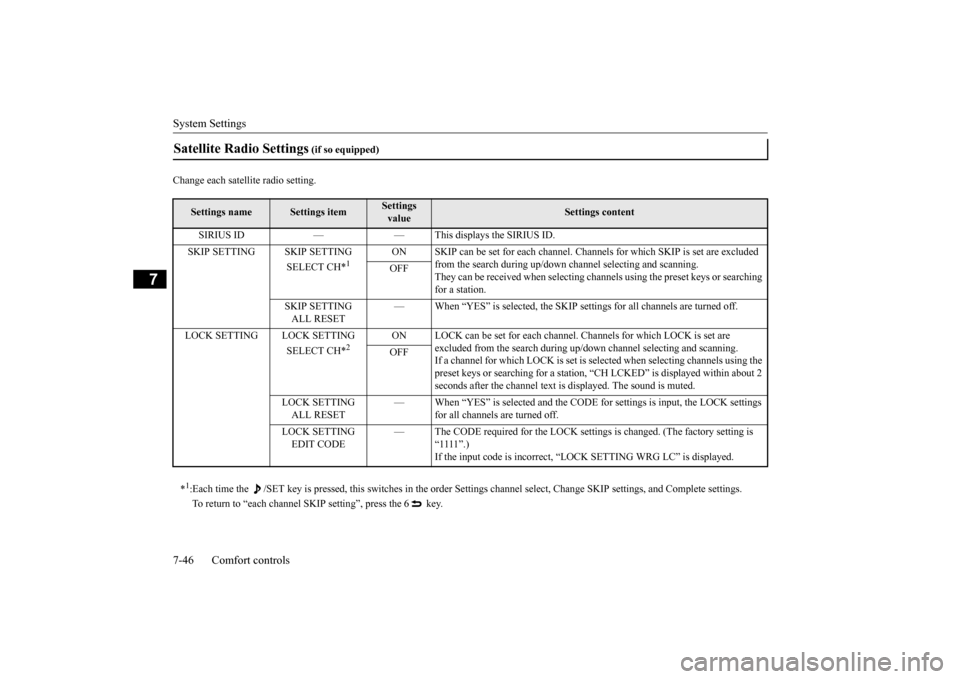
SIRIUS ID — — This displays the SIRIUS ID. SKIP SETTING SKIP SETTING
SELECT CH*
1
ON SKIP can be set for each channel. Chan
nels for which SKIP is set are excluded
from the search during up/down ch
annel selecting and scanning.
They can be received when selecting cha
nnels using the preset keys or searching
for a station.
OFF
SKIP SETTING ALL RESET
— When “YES” is selected, the SKIP settings for all channels are turned off.
LOCK SETTING LOCK SETTING
SELECT CH*
2
ON LOCK can be set for each channel. Channels for which LOCK is set are
excluded from the search during up/
down channel select
ing and scanning.
If a channel for which LOCK is set is sele
cted when selecting channels using the
preset keys or searching for a station,
“CH LCKED” is displayed within about 2
seconds after the channel text is
displayed. The sound is muted.
OFF
LOCK SETTING ALL RESET
— When “YES” is select
ed and the CODE for settings
is input, the LOCK settings
for all channels are turned off.
LOCK SETTING EDIT CODE
— The CODE required for the
LOCK settings is changed.
(The factory setting is
“1111”.) If the input code is incorrect, “L
OCK SETTING WRG LC” is displayed.
*1: Each time the /SET key is pressed, this sw
itches in the order Settings channel select
, Change SKIP settings
, and Complete setti
ngs.
To return to “each channel SKIP setting”, press the 6 key.
BK0223400US.book 46 ページ 2015年2月13日 金曜日 午後12時15分
Page 375 of 464
System Settings
Comfort controls 7-47
7
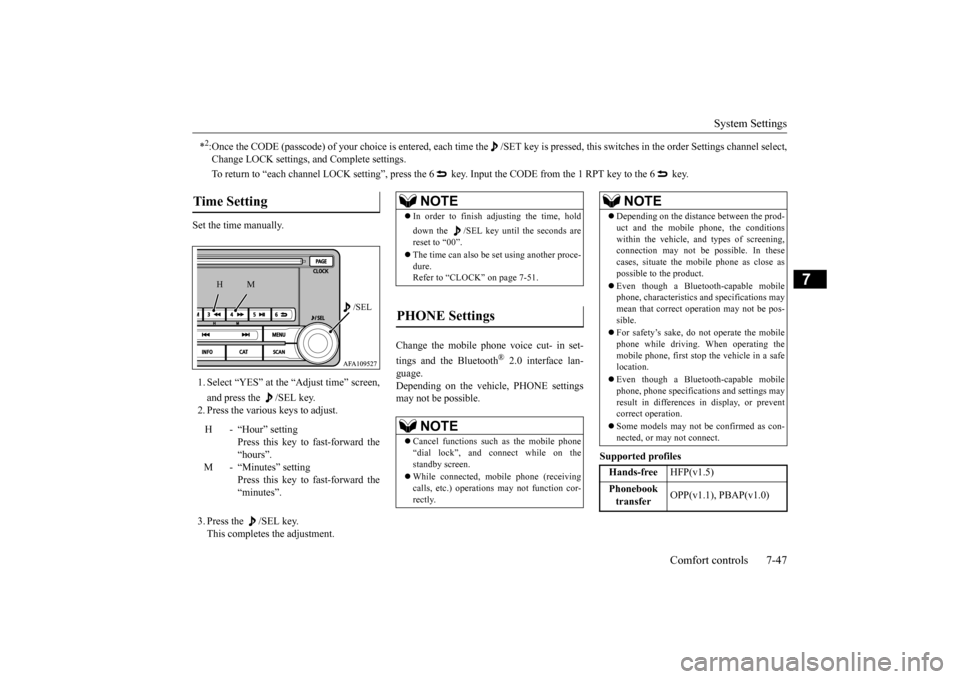
Set the time manually. 1. Select “YES” at the “Adjust time” screen, and press the /SEL key. 2. Press the various keys to adjust. 3. Press the /SEL key. This completes the adjustment.
Change the mobile phone voice cut- in set- tings and the Bluetooth
® 2.0 interface lan-
guage. Depending on the vehi
cle, PHONE settings
may not be possible.
Supported profiles
*2:Once the CODE (passcode) of your choice is
entered, each time the /SET
key is pressed, this switch
es in the order Settings chan
nel select,
Change LOCK settings,
and Complete settings.
To return to “each channel LOCK se
tting”, press the 6 key. Input the CODE from the 1 RPT key to the 6 key.
Time Setting
H - “Hour” setting
Press this key to fast-forward the “hours”.
M - “Minutes” setting
Press this key to fast-forward the “minutes”.
/SEL
M
H
NOTE
In order to finish adjusting the time, hold down the /SEL key unt
il the seconds are
reset to “00”. The time can also be
set using another proce-
dure. Refer to “CLOCK” on page 7-51.
PHONE Settings
NOTE
Cancel functions such as the mobile phone “dial lock”, and connect while on the standby screen. While connected, mobile phone (receiving calls, etc.) operations
may not function cor-
rectly.
Depending on the distan
ce between the prod-
uct and the mobile
phone, the conditions
within the vehicle, and types of screening, connection may not be
possible. In these
cases, situate the mobile phone as close as possible to the product. Even though a Bluet
ooth-capable mobile
phone, characteristics an
d specifications may
mean that correct ope
ration may not be pos-
sible. For safety’s sake, do not operate the mobile phone while driving. When operating the mobile phone, first stop the vehicle in a safe location. Even though a Bluet
ooth-capable mobile
phone, phone specificati
ons and settings may
result in differences in display, or prevent correct operation. Some models may not
be confirmed as con-
nected, or may not connect.Hands-free
HFP(v1.5)
Phonebook transfer
OPP(v1.1), PBAP(v1.0)
NOTE
BK0223400US.book 47 ページ 2015年2月13日 金曜日 午後12時15分