2016 MITSUBISHI OUTLANDER All
[x] Cancel search: AllPage 340 of 464
Automatic climate cont
rol air conditioner
7-12 Comfort controls
7
and air conditioner ON/O
FF status are all
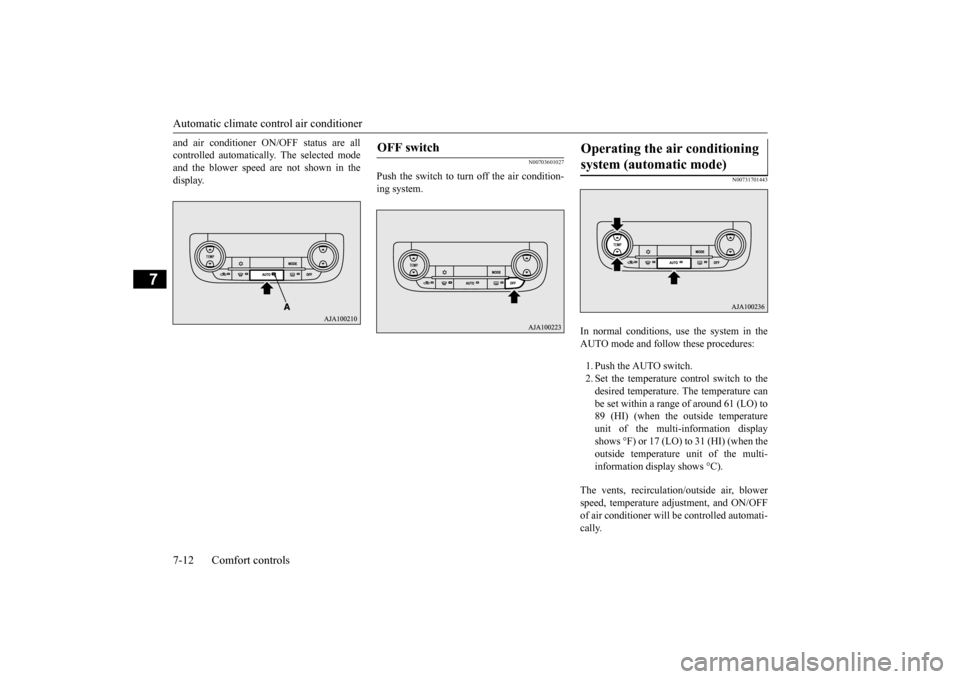
controlled automatically. The selected modeand the blower speed are not shown in the display.
N00703601027
Push the switch to turn off the air condition-ing system.
N00731701443
In normal conditions, use the system in the AUTO mode and follow these procedures: 1. Push the AUTO switch. 2. Set the temperature control switch to the desired temperature. The temperature can be set within a range of around 61 (LO) to89 (HI) (when the outside temperature unit of the multi-information display shows °F) or 17 (LO) to 31 (HI) (when theoutside temperature
unit of the multi-
information display shows °C).
The vents, recirculati
on/outside air, blower
speed, temperature ad
justment, and ON/OFF
of air conditioner will
be controlled automati-
cally.
OFF switch
Operating the air conditioning system (automatic mode)
BK0223400US.book 12 ページ 2015年2月13日 金曜日 午後12時15分
Page 341 of 464
Automatic climate cont
rol air conditioner
Comfort controls 7-13
7
N00731801125
Blower speed and vent mode may be con- trolled manually by setting the blower speedselection switch and the MODE switch to the desired positions. To return to automatic operation, press the AUTO switch.
N00732401506
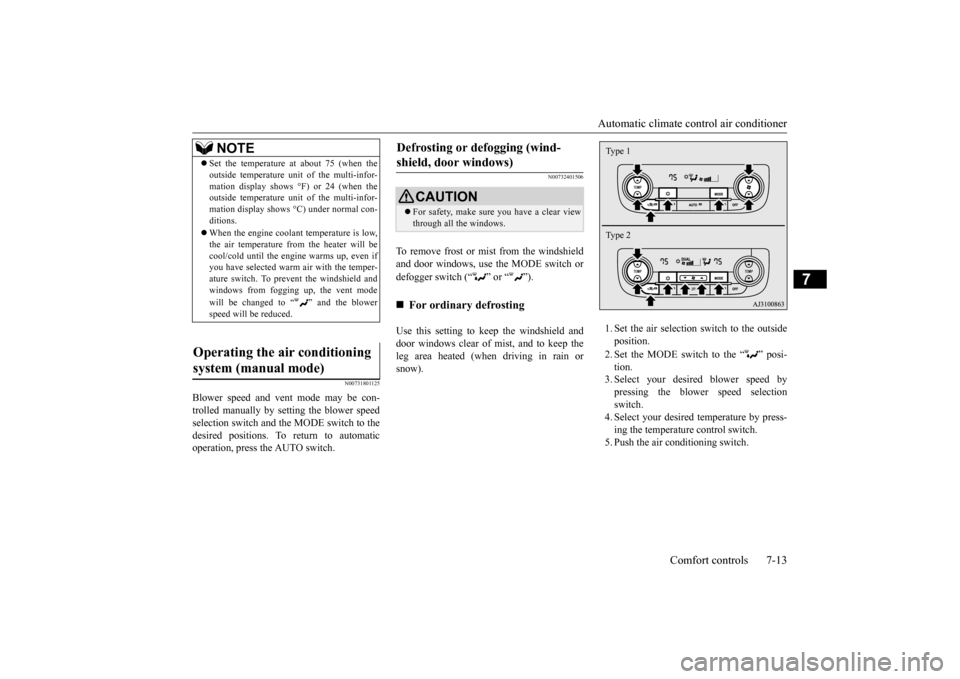
To remove frost or mist from the windshieldand door windows, use the MODE switch or defogger switch (“ ” or “ ”). Use this setting to ke
ep the windshield and
door windows clear of mist, and to keep the leg area heated (when driving in rain or snow).
1. Set the air selection
switch to the outside
position. 2. Set the MODE switch to the “ ” posi- tion. 3. Select your desire
d blower speed by
pressing the blower speed selection switch. 4. Select your desired temperature by press-ing the temperature control switch. 5. Push the air conditioning switch.
NOTE
Set the temperature at
about 75 (when the
outside temperature uni
t of the multi-infor-
mation display shows °F) or 24 (when theoutside temperature uni
t of the multi-infor-
mation display shows
°C) under normal con-
ditions. When the engine coolan
t temperature is low,
the air temperature from the heater will becool/cold until the engine warms up, even if you have selected warm
air with the temper-
ature switch. To prevent the windshield andwindows from fogging up, the vent mode will be changed to “ ” and the blower speed will be reduced.
Operating the air conditioning system (manual mode)
Defrosting or defogging (wind- shield, door windows)
CAUTION For safety, make sure
you have a clear view
through all the windows.
For ordinary defrosting
Type 1 Type 2
BK0223400US.book 13 ページ 2015年2月13日 金曜日 午後12時15分
Page 342 of 464
Important air condit
ioning operating tips
7-14 Comfort controls
7
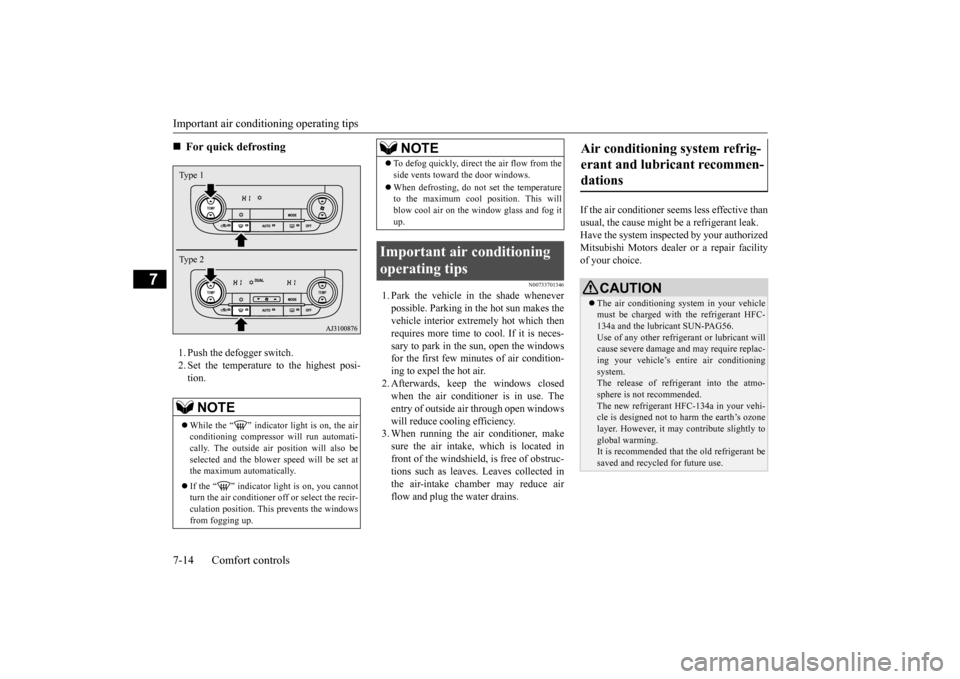
1. Push the defogger switch. 2. Set the temperature to the highest posi- tion.
N00733701346
1. Park the vehicle in the shade whenever possible. Parking in the hot sun makes thevehicle interior extremely hot which then requires more time to cool. If it is neces- sary to park in the sun, open the windowsfor the first few minutes of air condition- ing to expel the hot air. 2. Afterwards, keep the windows closedwhen the air conditioner is in use. The entry of outside air through open windows will reduce cooling efficiency.3. When running the air conditioner, make sure the air intake, which is located in front of the windshield,
is free of obstruc-
tions such as leaves. Leaves collected in the air-intake chamber may reduce air flow and plug the water drains.
If the air conditioner seem
s less effective than
usual, the cause might
be a refrigerant leak.
Have the system inspected by your authorized Mitsubishi Motors dealer
or a repair facility
of your choice.
For quick defrosting NOTE
While the “ ” indicator light is on, the air conditioning compressor
will run automati-
cally. The outside ai
r position will also be
selected and the blower
speed will be set at
the maximum au
tomatically.
If the “ ” indicator light is on, you cannot turn the air conditioner off or select the recir- culation position. This prevents the windows from fogging up.Type 1 Type 2
To defog quickly, direct the air flow from the side vents toward the door windows. When defrosting, do not set the temperature to the maximum cool position. This will blow cool air on the window glass and fog itup.
Important air conditioning operating tips
NOTE
Air conditioning system refrig- erant and lubricant recommen-dations
CAUTION The air conditioning system in your vehicle must be charged with the refrigerant HFC-134a and the lubricant SUN-PAG56. Use of any other refrige
rant or lubricant will
cause severe da
mage and may re
quire replac-
ing your vehicle’s entire air conditioning system. The release of refrigerant into the atmo-sphere is not recommended. The new refrigerant HFC-134a in your vehi- cle is designed not to harm the earth’s ozonelayer. However, it ma
y contribute slightly to
global warming. It is recommended that the old refrigerant besaved and recycled for future use.
BK0223400US.book 14 ページ 2015年2月13日 金曜日 午後12時15分
Page 343 of 464

Air purifier
Comfort controls 7-15
7
The air conditioner should be operated for at least five minutes each week, even in cold weather. This includes the quick defrostingmode. Operating the
air condition system
weekly maintains lubrication of the compres- sor internal parts to keep the air conditionerin the best operating condition.
N00733801190
The air conditioning syst
em is equipped with
an air filter to remove pollen and dust. The air filter’s ability to collect pollen anddirt is reduced as it be
comes dirty, so replace
it periodically. For the
maintenance interval,
refer to the “WARRANTY AND MAINTE-NANCE MANUAL”.
N00734302102
The audio system can only be used when theignition switch or the
operation mode is in
ON or ACC.
N00715000021
This product supports audio playback from iPod/iPhone devi
ces, however dif-
fering versions mean
that playback cannot
be guaranteed. Please be aware that depending on the iPod/iPhone model or
version, operation
may differ.
During a long period of disuse Air purifier
NOTE
Operation in certain conditions such as driv- ing on a dusty road and frequent use of the air conditioner can lead
to reduction of ser-
vice life of the filter. When you feel that theair flow is lower than normal or when the windshield or windows start to fog up easily, replace the air filter.Contact your Mitsubishi
Motors dealer or a
repair facility of your
choice for assistance.
AM/FM radio/CD player
(if
so equipped)
NOTE
To listen to the audio system while the engine is not running, turn the ignitionswitch to the “ACC”
position or put the oper-
ation mode in ACC. If the ignition switch
or the operation mode
is left in ACC, the accessory power will automatically turn off after a certain period of time and you will no
longer be able to use
the audio system. The accessory power comes on again if the ignition switch or the engine switch is operated with it in the“ACC” position. Refer to “ACC power auto- cutout function” on page 5-19 and 5-60. If a cellular phone is used inside the vehicle, it may create noise in
the audio equipment.
This does not mean that anything is wrongwith your audio equipmen
t. In such a case,
use the cellular phone at a place as far away as possible from the audio equipment.
If foreign objects or wa
ter get into the audio
equipment, or if smoke or a strange odorcomes from it, immediately turn off theaudio system and have
it checked at an
authorized Mitsubishi Motors dealer or a repair facility of your choice. Never try torepair it yourself. Avoid using the audio sys- tem until it is inspected by a qualified per- son. If the audio system is damaged by foreign objects, water, or fire, have the systemchecked by a qualified Mitsubishi Motors technician.
Important Points on Usage
iPod/iPhone Playback Function
(if
so equipped)
NOTE
BK0223400US.book 15 ページ 2015年2月13日 金曜日 午後12時15分
Page 344 of 464

AM/FM radio/CD player (if so equipped) 7-16 Comfort controls
7
N00715200023
If the product becomes dirty, wipe with a soft cloth. If very dirty, use a soft cloth dipped in neutral detergent diluted in water, and then wrung out. Do not use benzene, thin- ners, or other chemic
al wipes. This may
harm the surface.
N00715300053
Product names and other proper names are the trademarks or registered trade- marks of their respective owners. Furthermore, even if there is no specific denotation of trademarks or registered trademarks, these are to be observed intheir entirety. “Made for iPod”, “Made for iPhone” mean that an electronic accessory has been designed to connect specifically to iPod or iPhone, respec
tively, and has been
certified by the devel
oper to meet Apple
performance standards. iPhone, iPod, iPod clas
sic, iPod nano, and
iPod touch are trademarks of Apple Inc., registered in the U.S. and other countries.
Apple is not responsible for the operation of this device or its compliance withsafety and regulatory standards.
How to Clean
Trademarks
NOTE
iPod and iTunes licensi
ng allows individual
users to privately re
produce and play back
non- copyrighted material
as well as material
that may be legally copied and reproduced. Infringement of copyr
ight is prohibited.
For vehicles w
ith a Bluetooth
® 2.0 interface,
the types of devices
that can be connected
may vary.[For vehicles sold in U.S.A.] For details, access the Mitsubishi Motors North America website.[For vehicles sold in Canada and Mexico] For details, access the Mitsubishi Motors website. Please read and agree to the “Warn-ing about Links to the Web Sites of OtherCompanies”. The webs
ites mentioned above
may connect you to websites other than the Mitsubishi Motors website.http://www.mitsubishi-motors.com/en/prod- ucts/index.html
BK0223400US.book 16 ページ 2015年2月13日 金曜日 午後12時15分
Page 347 of 464
Handling of Discs
Comfort controls 7-19
7
Fingerprints or other marks on the read surface of the disc may result in its con-tent being more difficult to read. When holding the disc, grip
both edges, or one
edge and the center hole, in order that theread surface is not touched. Do not affix paper or stickers, or other- wise damage the disc. Do not forcefully insert a disc if another is already within the device. This can result in damage to discs, or malfunction. Periodically clean the read surface of the disc. When cleaning, do not wipe in a cir- cular motion. Instead, wipe gently out-wards from the center of the disc to the outer edge. New discs may have burring around the outer edge or in the hole in the center. Ensure you check for these. If there are burrs, these may lead to faulty operation,therefore ensure these are removed. When not using discs, ensure these are kept in cases, and stor
ed out of direct sun-
light.
If discs are not going to be used for a long period of time, remove these from theproduct.
In cold environments such as in mid-winter when the interior of the vehicle is cold, turn- ing the heater on and
immediately trying to
use the product may cause condensation (water droplets) to form
on the disc and inter-
nal optical components,
and this may prevent
the product from operating correctly. In these conditions, rem
ove the disc
, and wait
a short time before use. Actions such as unauthorized reproduction, broadcast, public perfo
rmance, or rental of
discs that comprise other than personal useare prohibited by law.
N00715500026
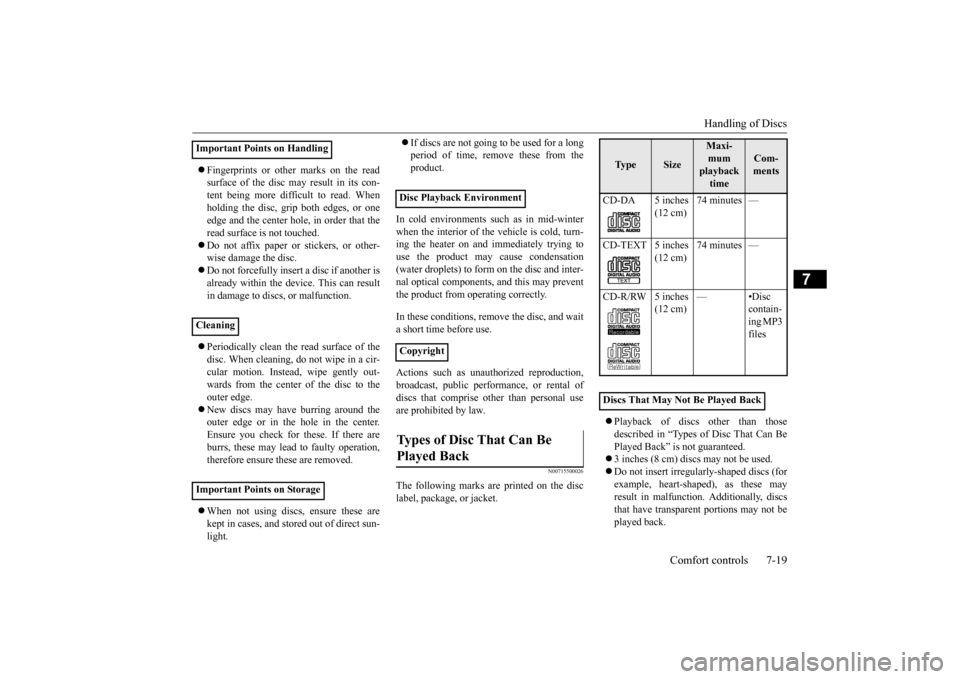
The following marks are printed on the disc label, package, or jacket.
Playback of discs
other than those
described in “Types of Disc That Can Be Played Back” is not guaranteed. 3 inches (8 cm) discs may not be used. Do not insert irregularly-shaped discs (for example, heart-shaped), as these mayresult in malfunction.
Additionally, discs
that have transparent portions may not be played back.
Important Points on Handling Cleaning Important Points on Storage
Disc Playback Environment CopyrightTypes of Disc That Can Be Played Back
Ty p e
Size
Maxi- mum playback time
Com- ments
CD-DA 5 inches
(12 cm)
74 minutes —
CD-TEXT 5 inches
(12 cm)
74 minutes —
CD-R/RW 5 inches
(12 cm)
—•Disc
contain-ing MP3 files
Discs That May Not Be Played Back
BK0223400US.book 19 ページ 2015年2月13日 金曜日 午後12時15分
Page 348 of 464
Audio Files (MP3/WMA/AAC) 7-20 Comfort controls
7
Discs that have not
been finalized cannot
be played back. Even if recorded using the correct format on a recorder or computer, application software settings and environments; discpeculiarities, damage,
or marking; or dirt
or condensation on the lens inside the product may render the disc unplayable. Depending on the disc
, some functions
may not be used, or the disc may not play back. Do not use discs with cracks or warps. If the disc has sticke
rs affixed, remains
from removed stickers, or affixed adhe- sive, then do not use the disc. Discs that have decora
tive labels or stick-
ers may not be used.
This product will play
back audio CDs, how-
ever please be aware of the following points regarding CD standards. Ensure that you use discs with on the label surface. Playback of other than standard CDs is not guaranteed. Even
if the audio can be
played back, the audio quality cannot beguaranteed. When playing back other than standard CDs, the following may occur.
• There may be noise during playback. • There may be jumping in the audio.• The disc may not be recognized. • The first track may not be played back. • It may take longer than usual until startof playback of tracks. • Playback may start from within the track.• Some parts may not be played back. • Tracks may freeze during playback. • Tracks may be displayed erroneously.
N00715600027
This product can play back MP3/WMA/AACformat audio files recorded on CD-ROM, CD-R/RW, and USB devices. There are limitations on the files and media that can be used, therefore read the followingprior to recording MP3/WMA/AAC format audio files on discs or USB devices. Additionally, ensure y
ou read the user manu-
als for your CD-R/RW drive and the writing software, and ensure these are used correctly. If the MP3/WMA/AAC
format audio files
includes title informati
on or other data, then
this can be displayed.
Nonstandard CDs
Audio Files (MP3/WMA/AAC)
CAUTION CD-ROM and CD-R/RW media can only play back MP3 fo
rmat audio files.
Actions such as copying audio CDs or files and either distributing these to others for free or for charge, or uploading files via the Inter-net or other means to servers is an infringe- ment of the law. Do not append the file
extensions “.mp3”,
“.wma”, or “.m4a”, to other than MP3/WMA/AAC format
files. Playing back
discs with these types of files recorded upon them may cause the files to be incorrectly identified for playback, which may lead toloud noise, resulting in speaker damage or accident.NOTE
Depending on the condition of the disc recorder or recording software used, correctplayback may not be po
ssible. In these cases,
refer to the user manual for your product or software. Depending on your computer’s operating system, version, softwa
re, or settings, files
may not have a file
extension appended. In
these cases, append
the file extensions
“.mp3”, “.wma”, or “.m4a” when copying the files. Files larger than 2GB in size cannot be played back.
BK0223400US.book 20 ページ 2015年2月13日 金曜日 午後12時15分
Page 355 of 464
Operation Keys
Comfort controls 7-27
7
N00716800042
13-
5 key Play/Pause Bluetooth Audio
*2, and use
as preset key 5 for radio.
14-
6 key Return during audio track search, and stop Bluetooth Audio
*2.
For radio, use as preset key 6.
15-
key/ key
For audio, select a
udio track/file; for
radio, perform auto
matic station selec-
tion. Select channels in the satellite radio*
1.
16- MENU key
Switch to Menu mode.
17- /SEL key
Adjust audio quality and select items. For radio, manually select stations. Select channels in the satellite radio*
1.
*1: Requires a satellite
tuner connection.
*2: Requires a separate
ly-purchased Blue-
tooth-capable audio
device in equip-
ment by type (vehicles with a Bluetooth
® 2.0 interface).
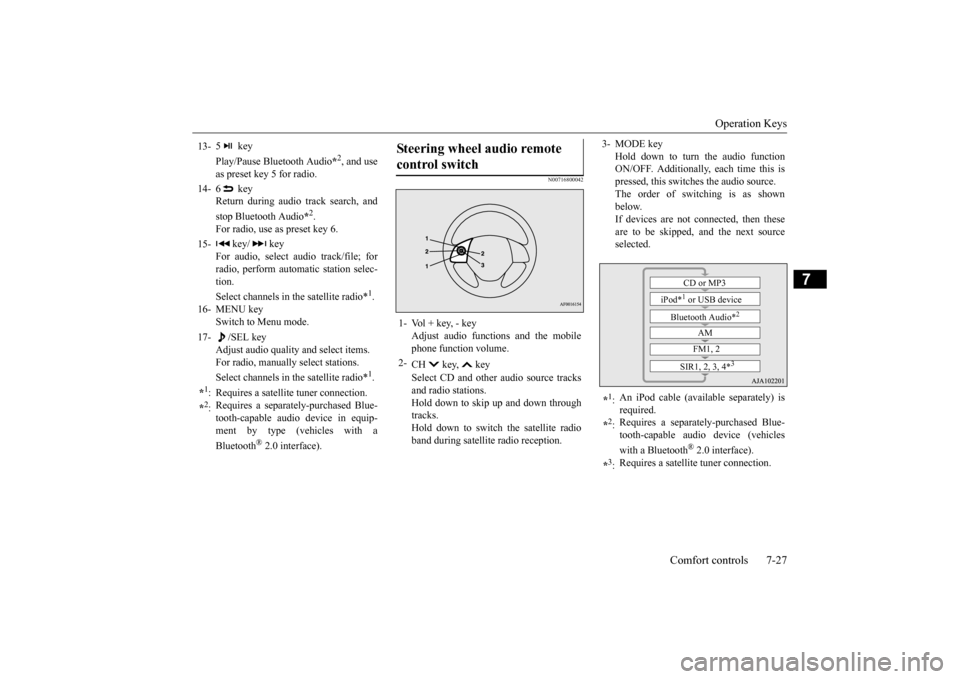
Steering wheel audio remote control switch 1- Vol + key, - key
Adjust audio functions and the mobile phone function volume.
2-
CH key, key Select CD and other
audio source tracks
and radio stations. Hold down to skip up and down through tracks.Hold down to switch the satellite radio band during satellit
e radio reception.
3- MODE key
Hold down to turn the audio function ON/OFF. Additionally, each time this ispressed, this switches the audio source. The order of switching is as shown below.If devices are not connected, then these are to be skipped, and the next source selected.
*1: An iPod cable (availa
ble separately) is
required.
*2: Requires a separately
-purchased Blue-
tooth-capable audio device (vehicles with a Bluetooth
® 2.0 interface).
*3: Requires a satellit
e tuner connection.CD or MP3
iPod*
1 or USB device
Bluetooth Audio*
2
AM FM1, 2
SIR1, 2, 3, 4*
3
BK0223400US.book 27 ページ 2015年2月13日 金曜日 午後12時15分