2016 MERCEDES-BENZ E-CLASS ESTATE ignition
[x] Cancel search: ignitionPage 110 of 565
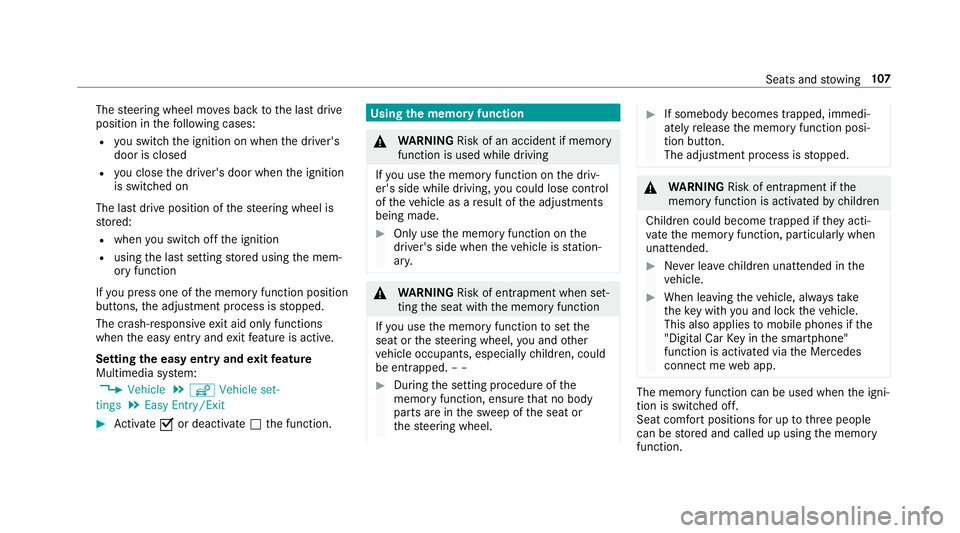
The
steering wheel mo ves back tothe last drive
position in thefo llowing cases:
R you swit ch the ignition on when the driver's
door is closed
R you close the driver's door when the ignition
is switched on
The last drive position of thesteering wheel is
st ored:
R when you swit choff the ignition
R using the last setting stored using the mem‐
ory function
If yo u press one of the memory function position
buttons, the adjustment process is stopped.
The crash-responsive exit aid only functions
when the easy entry andexitfeature is active.
Setting the easy entry and exitfeature
Multimedia sy stem:
, Vehicle .
î Vehicle set-
tings .
Easy Entry/Exit #
Activate Oor deacti vate ª the function. Using
the memory function &
WARNING Risk of an accident if memo ry
function is used while driving
If yo u use the memory function on the driv‐
er's side while driving, you could lose cont rol
of theve hicle as a result of the adjustments
being made. #
Only use the memory function on the
driver's side when theve hicle is station‐
ar y. &
WARNING Risk of entrapment when set‐
ting the seat with the memory function
If yo u use the memory function toset the
seat or thesteering wheel, you and other
ve hicle occupants, especially children, could
be ent rapped. – – #
During the setting procedure of the
memory function, ensure that no body
parts are in the sweep of the seat or
th esteering wheel. #
If somebody becomes trapped, immedi‐
ately release the memory function posi‐
tion button.
The adjustment process is stopped. &
WARNING Risk of entrapment if the
memory function is activated bychildren
Children could become trapped if they acti‐
va te the memory function, particularly when
unattended. #
Never lea vechildren unat tended in the
ve hicle. #
When leaving theve hicle, alw aysta ke
th eke y with you and lock theve hicle.
This also applies tomobile phones if the
"Digital Car Key in the smartphone"
function is activated via the Mercedes
connect me web app. The memory function can be used when
the igni‐
tion is switched off.
Seat comfort positions for up tothre e people
can be stored and called up using the memory
function. Seats and
stowing 107
Page 130 of 565
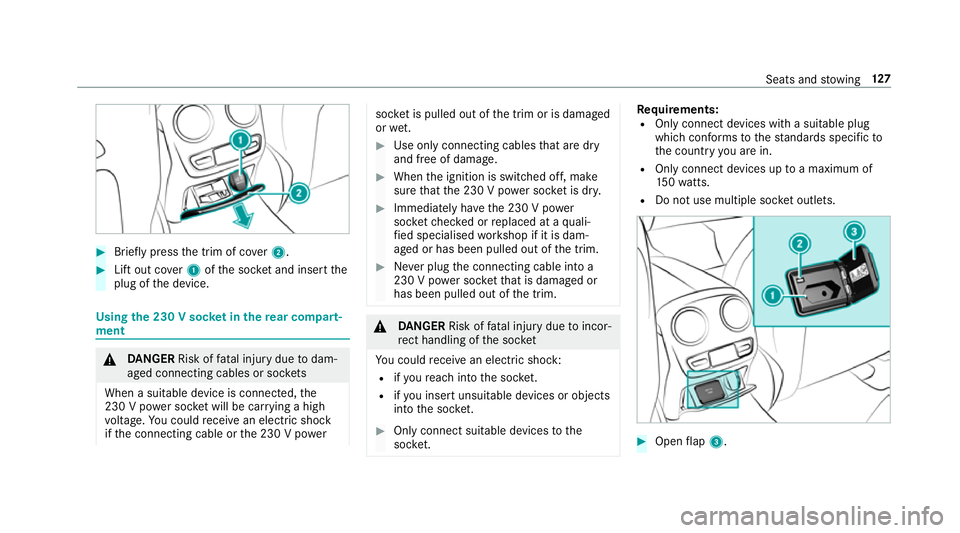
#
Brief lypress the trim of co ver2. #
Lift out co ver1 ofthe soc ket and insert the
plug of the device. Using
the 230 V soc ket in the rear comp art‐
ment &
DANG ER Risk of fata l injury due todam‐
aged connecting cables or soc kets
When a suitable device is connected, the
230 V power soc ket will be car rying a high
vo ltage. You could recei vean electric shock
if th e connecting cable or the 230 V po wer soc
ket is pulled out of the trim or is damaged
or we t. #
Use only connecting cables that are dry
and free of damage. #
When the ignition is switched off, make
sure that the 230 V po wer soc ket is dr y. #
Immedia tely ha ve the 230 V po wer
soc ketch ecked or replaced at a quali‐
fi ed specialised workshop if it is dam‐
aged or has been pulled out of the trim. #
Never plug the connecting cable into a
230 V po wer soc ketth at is damaged or
has been pulled out of the trim. &
DANG ER Risk of fata l injury due toincor‐
re ct handling of the soc ket
Yo u could recei vean electric shock:
R ifyo ure ach into the soc ket.
R ifyo u insert unsuitable devices or objects
into the soc ket. #
Only connect suitable devices tothe
soc ket. Re
quirements:
R Only connect devices with a suitable plug
which con form sto thest andards specific to
th e count ryyou are in.
R Only connect devices uptoa maximum of
15 0wa tts.
R Do not use multiple soc ket outlets. #
Open flap 3. Seats and
stowing 127
Page 132 of 565
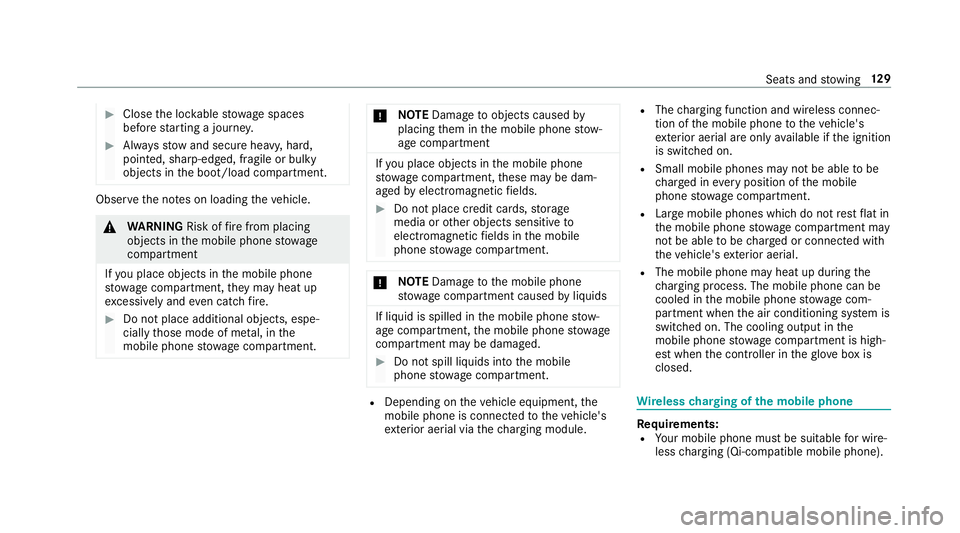
#
Close the loc kable stow age spaces
before starting a journe y. #
Alw aysstow and secure heavy, hard,
poin ted, sharp-edged, fragile or bulky
objects in the boot/load compartment. Obser
vethe no tes on loading theve hicle. &
WARNING Risk offire from placing
objects in the mobile phone stowage
compartment
If yo u place objects in the mobile phone
stow age compartment, they may heat up
exc essively and even catch fire. #
Do not place additional objects, espe‐
cially those mode of me tal, in the
mobile phone stowage compartment. *
NO
TEDama getoobjects caused by
placing them in the mobile phone stow‐
age compartment If
yo u place objects in the mobile phone
stow age compartment, these may be dam‐
aged byelectromagnetic fields. #
Do not place credit cards, storage
media or other objects sensitive to
electromagnetic fields in the mobile
phone stowage compartment. *
NO
TEDama getothe mobile phone
stow age compartment caused byliquids If liquid is spilled in
the mobile phone stow‐
age compartment, the mobile phone stowage
compartment may be damaged. #
Do not spill liquids into the mobile
phone stowage compartment. R
Depending on theve hicle equipment, the
mobile phone is connected totheve hicle's
ex terior aerial via thech arging module. R
The charging function and wireless connec‐
tion of the mobile phone totheve hicle's
ex terior aerial are only available if the ignition
is switched on.
R Small mobile phones may not be able tobe
ch arge d in everyposition of the mobile
phone stowage compartment.
R Largemobile phones which do not rest flat in
th e mobile phone stowage compartment may
not be able tobe charge d or connec ted with
th eve hicle's exterior aerial.
R The mobile phone may heat up during the
ch arging process. The mobile phone can be
cooled in the mobile phone stowage com‐
partment when the air conditioning sy stem is
switched on. The cooling output in the
mobile phone stowage compartment is high‐
est when the controller in theglove box is
closed. Wire
lesscharging of the mobile phone Re
quirements:
R Your mobile phone must be suitable for wire‐
less charging (Qi-compatible mobile phone). Seats and
stowing 12 9
Page 135 of 565
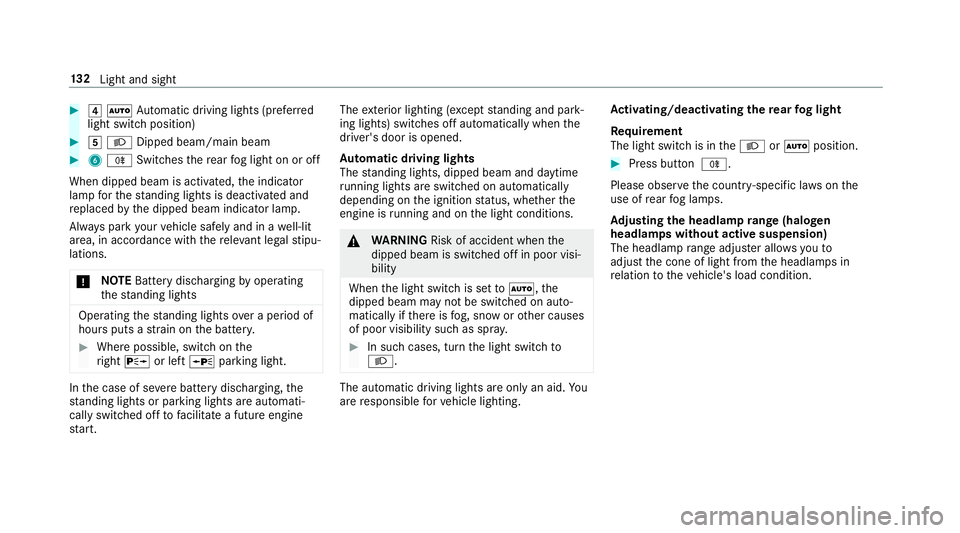
#
4 Ã Automatic driving lights (prefer red
light switch position) #
5 L Dipped beam/main beam #
6 R Switches there ar fog light on or off
When dipped beam is activated, the indicator
lamp forth est anding lights is deactivated and
re placed bythe dipped beam indicator lamp.
Alw ays park your vehicle safely and in a well-lit
area, in accordance with there leva nt le galst ipu‐
lations.
* NO
TEBattery discharging byoperating
th est anding lights Operating
thest anding lights over a period of
hours puts a stra in on the batter y. #
Where possible, switch on the
ri ght X or left Wparking light. In
the case of se vere battery discharging, the
st anding lights or parking lights are automati‐
cally swit ched off tofacilitate a futu reengine
st art. The
exterior lighting (e xcept standing and park‐
ing lights) swit ches off automatically when the
driver's door is opened.
Au tomatic driving lights
The standing lights, dipped beam and daytime
ru nning lights are switched on au tomatical ly
depending on the ignition status, whe ther the
engine is running and on the light conditions. &
WARNING Risk of accident when the
dipped beam is switched off in poor visi‐
bility
When the light switch is set toà ,the
dipped beam may not be switched on auto‐
matically if there is fog, snow or other causes
of poor visibility such as spr ay. #
In such cases, turn the light switch to
L . The automatic driving lights are only an aid.
Yo u
are responsible forve hicle lighting. Ac
tivating/deactivating the rear fog light
Re quirement
The light switch is in theL orà position. #
Press button R.
Please obser vethe count ry-specific la wsonthe
use of rear fog lamps.
Ad justing the headlamp range (halogen
headla mps without active suspension)
The headlamp range adjus ter allows youto
adjust the cone of light from the headlamps in
re lation totheve hicle's load condition. 13 2
Light and sight
Page 145 of 565
#
1 b Wipes with washer fluid #
2 ISwit ches on intermittent wiping #
3 0Switches off intermittent wiping #
4 b Wipes with washer fluid Re
placing the windsc reen wiper blades &
WARNING Risk of becoming trapped if
th e windscreen wipers are switched on
while wiper blades are being replaced
If th e windscreen wipers begin tomo vewhile
yo u are changing the wiper blades, you can
be trapped bythe wiper arm. #
Alw ays switch off the windscreen wip‐
ers and ignition before changing the
wiper blades. Moving
the wiper arms toave rtical position #
Set the windscreen wipers tothe° slow
continuous wiping position on the combina‐
tion switch. #
As soon as the wiper arms are vertical rela‐
tive tothe engine bonn et, switch off the igni‐
tion. #
Foldthe wiper arm away from the wind‐
screen.
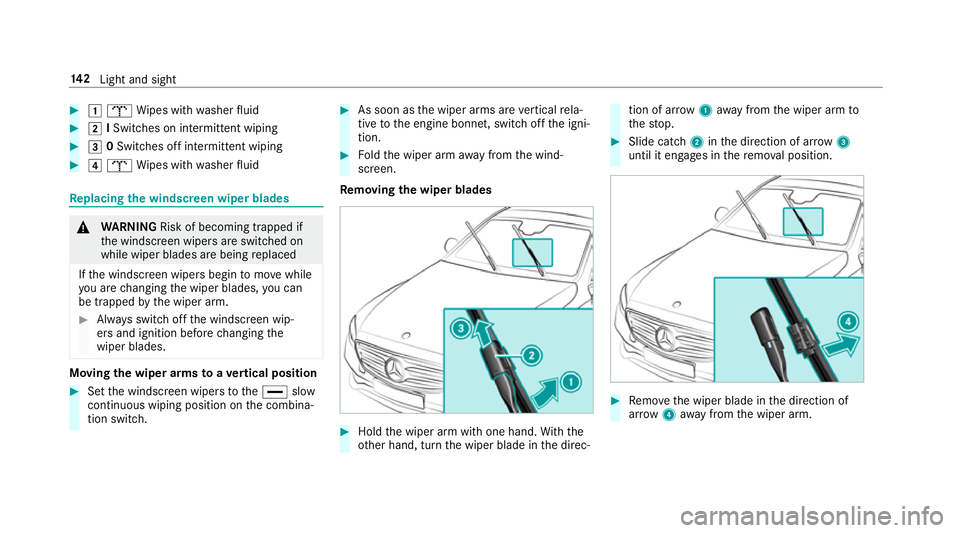
Re moving the wiper blades #
Hold the wiper arm with one hand. With the
ot her hand, turn the wiper blade in the direc‐ tion of ar
row1away from the wiper arm to
th estop. #
Slide catch 2inthe direction of ar row 3
until it engages in there mo val position. #
Remo vethe wiper blade in the direction of
ar row 4away from the wiper arm. 14 2
Light and sight
Page 147 of 565
%
The duration of the colour change varies
depending on the usage conditions. Re
placing the rear window wiper blades Re
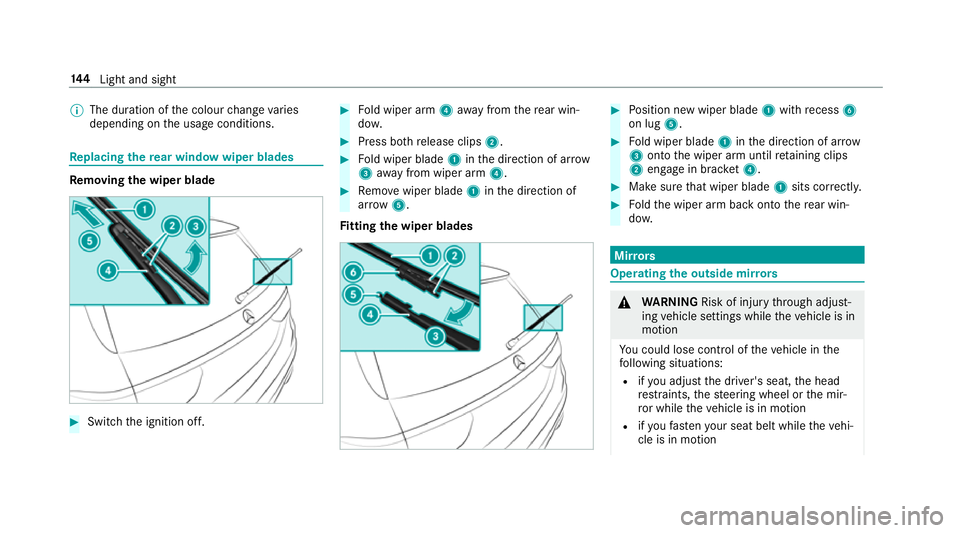
moving the wiper blade #
Switch the ignition off. #
Fold wiper arm 4away from there ar win‐
do w. #
Press bo threlease clips 2. #
Fold wiper blade 1inthe direction of ar row
3 away from wiper arm 4. #
Remo vewiper blade 1inthe direction of
ar row 5.
Fi tting the wiper blades #
Position new wiper blade 1with recess 6
on lug 5. #
Fold wiper blade 1inthe direction of ar row
3 onto the wiper arm until retaining clips
2 engage in brac ket4. #
Makesure that wiper blade 1sits cor rectl y. #
Foldthe wiper arm back onto there ar win‐
do w. Mir
rors Operating
the outside mir rors &
WARNING Risk of inju rythro ugh adjust‐
ing vehicle settings while theve hicle is in
motion
Yo u could lose cont rol of theve hicle in the
fo llowing situations:
R ifyo u adjust the driver's seat, the head
re stra ints, thesteering wheel or the mir‐
ro r while theve hicle is in motion
R ifyo ufast enyour seat belt while theve hi‐
cle is in motion 14 4
Light and sight
Page 164 of 565
Driving
Swit
ching on the po wer supp lyor ignition
using thest art/s top button &
WARNING Risk of accident and inju ry
due tochildren left unat tended in the
ve hicle
If ch ildren are left unat tended in theve hicle,
th ey could:
R Open doo rs,th ereby endangering other
persons or road users.
R Get out of theve hicle and be hit by
oncoming traf fic.
R Ope rate ve hicle equipment.
Moreo ver,ch ildren could also set theve hicle
in motion by,fo rex ample:
R Releasing the parking brake.
R Shifting the automatic transmission out
of park position jor shifting manual
transmission into idle position.
R Starting the engine. #
Never lea vechildren and animals unat‐
te nded in theve hicle. #
When leaving theve hicle, alw aysta ke
th eke y with you and lock theve hicle.
This also applies tomobile phones if the
"Digital Car Key in the smartphone"
function is activated via the Mercedes
connect me web App. #
Keep theke ys out of there ach of chil‐
dren. This also applies tomobile
phones if the "Digital Car Key in the
smartphone" function is activated via
th e Mercedes connect me web App. &
WARNING Risk ofexhaust gas poisoning
Combustion engines emit poisonous exhaust
ga ses such as carbon monoxide. Inhaling
th ese exhaust gases causes poisoning. #
Never lea vethe engine running in an
enclosed space wi thout suf ficient venti‐
lation. &
WARNING Risk offire caused byflam‐
mable material on theex haust sy stem
Flammable materials brought in byeither ani‐
mals or environmen tal influences may ignite
if th ey come into contact wi thhot parts of
th e engine or exhaust sy stem. #
Therefore, check regularly that there
are no flammable materials in the
engine compartment or on theex haust
sy stem. Re
quirements:
R The key is located in theve hicle and thekey
battery is not dischar ged.
R Or if the "Digital Car Key in the smartphone"
function is activated via the Mercedes me
connect web App: the mobile phone is loca‐
te d in theve hicle. Driving and parking
161
Page 165 of 565
#
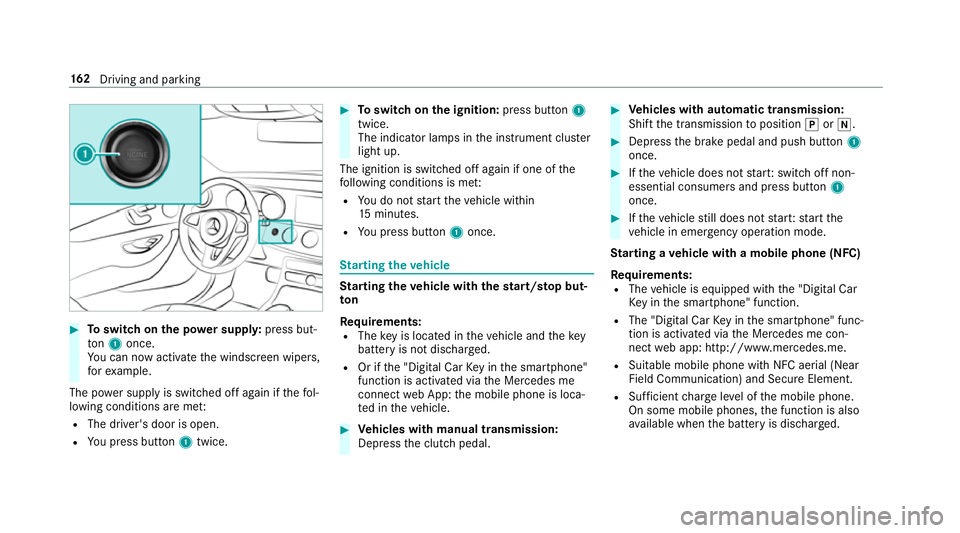
Toswitch on the po wer supp ly:press but‐
to n1 once.
Yo u can now activate the windscreen wipers,
fo rex ample.
The po wer supp lyis switched off again if thefo l‐
lowing conditions are me t:
R The driver's door is open.
R You press but ton1 twice. #
Toswitch on the ignition: press button 1
twice.
The indicator lamps in the instrument clus ter
light up.
The ignition is switched off again if one of the
fo llowing conditions is me t:
R You do not start theve hicle within
15 minutes.
R You press but ton1 once. St
arting theve hicle St
arting theve hicle with thest art/s top but‐
ton
Requ irements:
R The key is located in theve hicle and thekey
battery is not dischar ged.
R Or if the "Digital Car Key in the smartphone"
function is activated via the Mercedes me
connect web App: the mobile phone is loca‐
te d in theve hicle. #
Vehicles with manual transmission:
Depress the clutch pedal. #
Vehicles with automatic transmission:
Shift the transmission toposition jori. #
Depress the brake pedal and push button 1
once. #
Ifth eve hicle does not star t:switch off non-
essential consumers and press button 1
once. #
Ifth eve hicle still does not star t:start the
ve hicle in emer gency operation mode.
St arting a vehicle with a mobile phone (NFC)
Re quirements:
R The vehicle is equipped with the "Digital Car
Ke y in the smartphone" function.
R The "Digital Car Key in the smartphone" func‐
tion is activated via the Mercedes me con‐
nect web app: http://www.mercedes.me.
R Suitable mobile phone with NFC aerial (Near
Field Communication) and Secure Element.
R Sufficient charge leve l of the mobile phone.
On some mobile phones, the function is also
av ailable when the battery is dischar ged. 16 2
Driving and pa rking