Page 109 of 488
Features of your vehicle
34
4
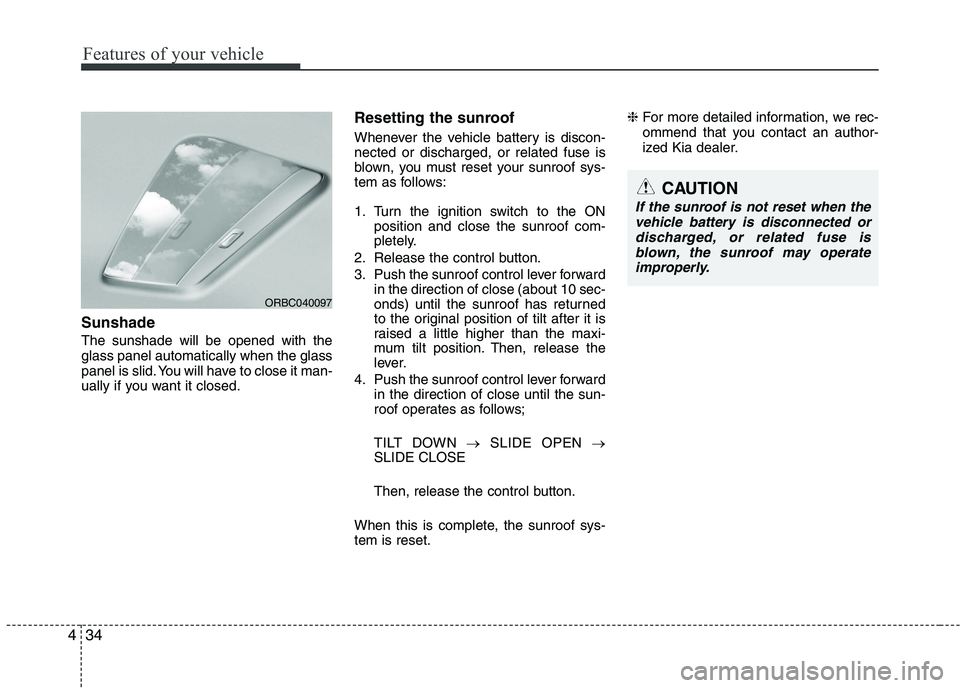
Sunshade The sunshade will be opened with the glass panel automatically when the glass
panel is slid. You will have to close it man-
ually if you want it closed. Resetting the sunroof
Whenever the vehicle battery is discon- nected or discharged, or related fuse is
blown, you must reset your sunroof sys-
tem as follows:
1. Turn the ignition switch to the ON
position and close the sunroof com-
pletely.
2. Release the control button.
3. Push the sunroof control lever forward in the direction of close (about 10 sec-
onds) until the sunroof has returned
to the original position of tilt after it is
raised a little higher than the maxi-
mum tilt position. Then, release the
lever.
4. Push the sunroof control lever forward in the direction of close until the sun-
roof operates as follows;
TILT DOWN SLIDE OPEN
SLIDE CLOSE
Then, release the control button.
When this is complete, the sunroof sys- tem is reset. ❈
For more detailed information, we rec-
ommend that you contact an author-
ized Kia dealer.
ORBC040097
CAUTION
If the sunroof is not reset when the
vehicle battery is disconnected or
discharged, or related fuse isblown, the sunroof may operate improperly.
Page 110 of 488

435
Features of your vehicle
Electronic power steering (if equipped)
Power steering uses the motor to assist
you in steering the vehicle. If the engine
is off or if the power steering system
becomes inoperative, the vehicle may
still be steered, but it will require
increased steering effort.
The motor driven power steering is con-
trolled by the power steering control unit
which senses the steering wheel torque,
steering wheel position and vehicle
speed to command the motor.
The steering wheel becomes heavier as
the vehicle’s speed increases and
becomes lighter as the vehicle’s speed
decreases for better control of the steer-ing wheel.
Should you notice any change in the
effort required to steer during normal
vehicle operation, we recommend that
the system be checked by an authorized
Kia dealer.✽✽NOTICE
The following symptoms may occur dur-
ing normal vehicle operation:
The EPS warning light does not illu- minate.
The steering effort is high immediate- ly after turning the ignition switch on.
This happens as the system performs
the EPS system diagnostics. When the
diagnostics is completed, the steering
wheel will return to its normal condi-
tion.
A click noise may be heard from the
EPS relay after the ignition switch is
turned to the ON or LOCK position.
Motor noise may be heard when the vehicle is at a stop or at a low driving
speed.
If the Electric Power Steering System
does not operate normally, the warn-
ing light will illuminate on the instru-
ment cluster. The steering wheel may
become difficult to control or operate
abnormally. We recommend that you
contact an authorized Kia dealer. (Continued)(Continued)
The steering effort increases if the
steering wheel is rotated continuously
when the vehicle is not in motion.
However, after a few minutes, it will
return to its normal conditions.
When you operate the steering wheel in low temperature, abnormal noise
could occur. If temperature rises, the
noise will disappear. This is a normal
condition.
STEERING WHEEL
Page 111 of 488
Features of your vehicle
36
4
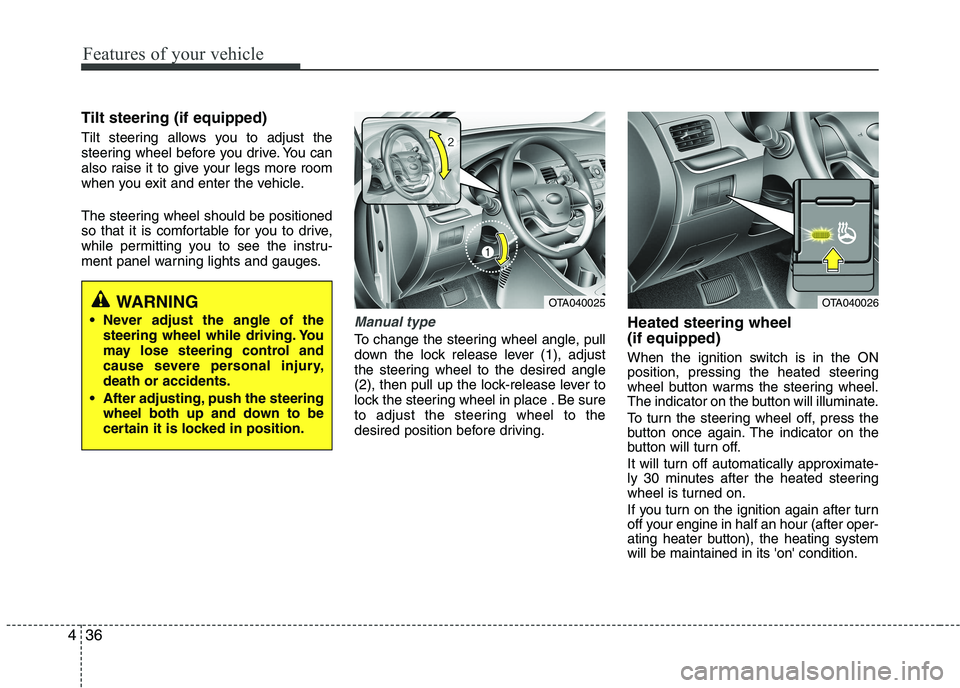
Tilt steering (if equipped)
Tilt steering allows you to adjust the
steering wheel before you drive. You can
also raise it to give your legs more room
when you exit and enter the vehicle.
The steering wheel should be positioned
so that it is comfortable for you to drive,
while permitting you to see the instru-
ment panel warning lights and gauges.
Manual type
To change the steering wheel angle, pull
down the lock release lever (1), adjust
the steering wheel to the desired angle
(2), then pull up the lock-release lever to
lock the steering wheel in place . Be sure
to adjust the steering wheel to the
desired position before driving. Heated steering wheel (if equipped)
When the ignition switch is in the ON
position, pressing the heated steering
wheel button warms the steering wheel.
The indicator on the button will illuminate.
To turn the steering wheel off, press the
button once again. The indicator on the
button will turn off.
It will turn off automatically approximate-
ly 30 minutes after the heated steering
wheel is turned on.
If you turn on the ignition again after turn
off your engine in half an hour (after oper-
ating heater button), the heating systemwill be maintained in its 'on' condition.
OTA040025OTA040026WARNING
Never adjust the angle of the steering wheel while driving. You
may lose steering control and
cause severe personal injury,death or accidents.
After adjusting, push the steering wheel both up and down to be
certain it is locked in position.
Page 115 of 488
Features of your vehicle
40
4
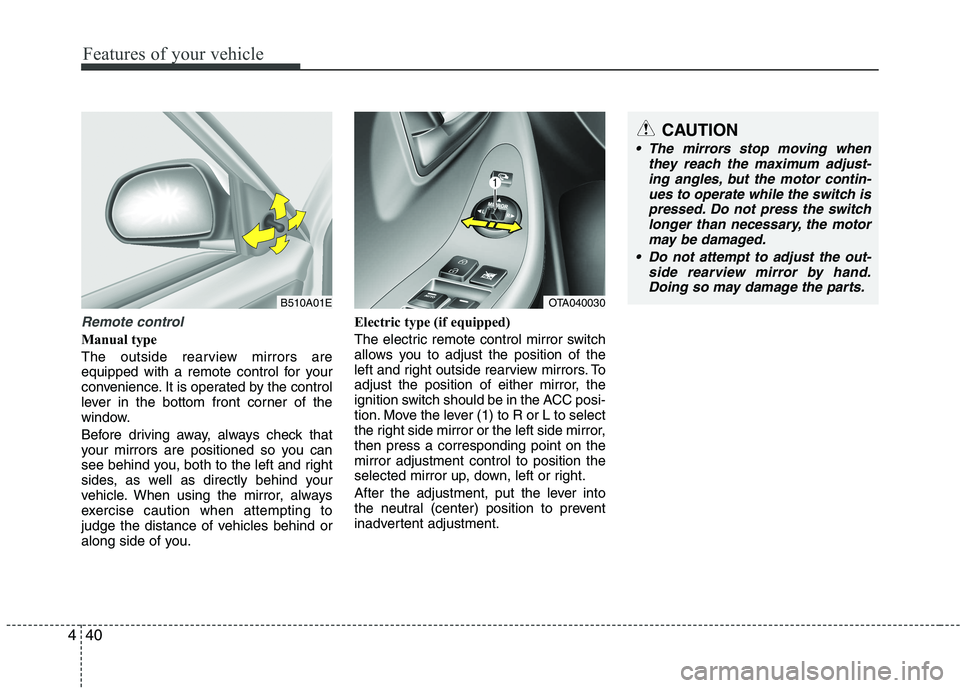
Remote control
Manual type
The outside rearview mirrors are
equipped with a remote control for your
convenience. It is operated by the control
lever in the bottom front corner of the
window.
Before driving away, always check that
your mirrors are positioned so you can
see behind you, both to the left and right
sides, as well as directly behind your
vehicle. When using the mirror, always
exercise caution when attempting to
judge the distance of vehicles behind or
along side of you. Electric type (if equipped)
The electric remote control mirror switch
allows you to adjust the position of the
left and right outside rearview mirrors. To
adjust the position of either mirror, the
ignition switch should be in the ACC posi-
tion. Move the lever (1) to R or L to select
the right side mirror or the left side mirror,then press a corresponding point on themirror adjustment control to position the
selected mirror up, down, left or right.
After the adjustment, put the lever into
the neutral (center) position to prevent
inadvertent adjustment.
OTA040030
CAUTION
The mirrors stop moving when
they reach the maximum adjust-
ing angles, but the motor contin- ues to operate while the switch ispressed. Do not press the switch longer than necessary, the motor
may be damaged.
Do not attempt to adjust the out- side rearview mirror by hand.Doing so may damage the parts.
B510A01E
Page 116 of 488
441
Features of your vehicle
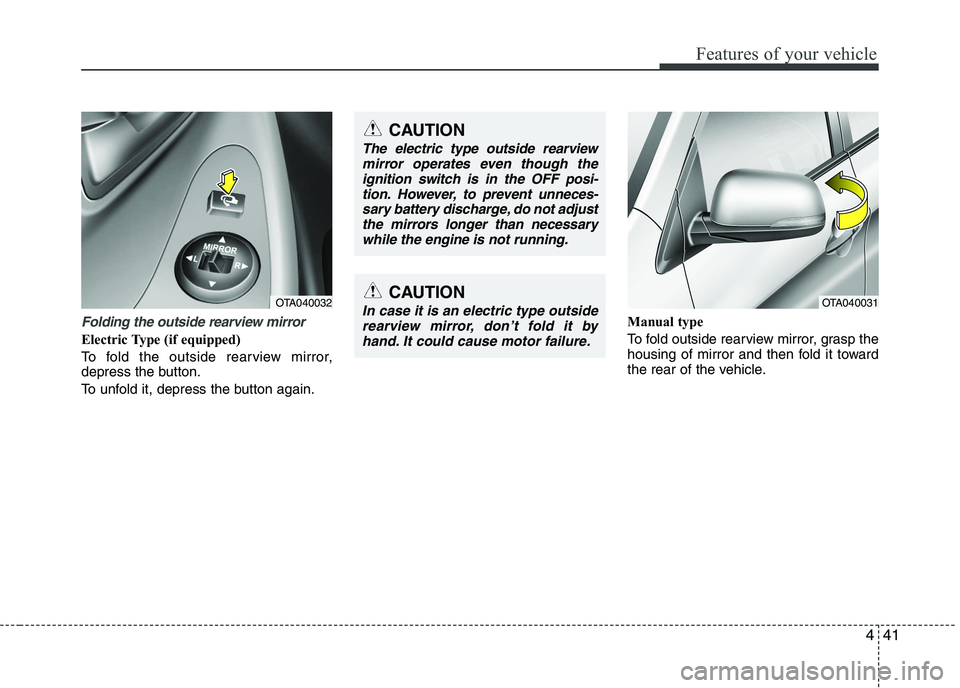
Folding the outside rearview mirror
Electric Type (if equipped)
To fold the outside rearview mirror,
depress the button.
To unfold it, depress the button again.Manual type
To fold outside rearview mirror, grasp the
housing of mirror and then fold it toward
the rear of the vehicle.
CAUTION
In case it is an electric type outside
rearview mirror, don’t fold it byhand. It could cause motor failure.
CAUTION
The electric type outside rearviewmirror operates even though the
ignition switch is in the OFF posi-tion. However, to prevent unneces-sary battery discharge, do not adjust the mirrors longer than necessary
while the engine is not running.
OTA040031OTA040032
Page 120 of 488
445
Features of your vehicle
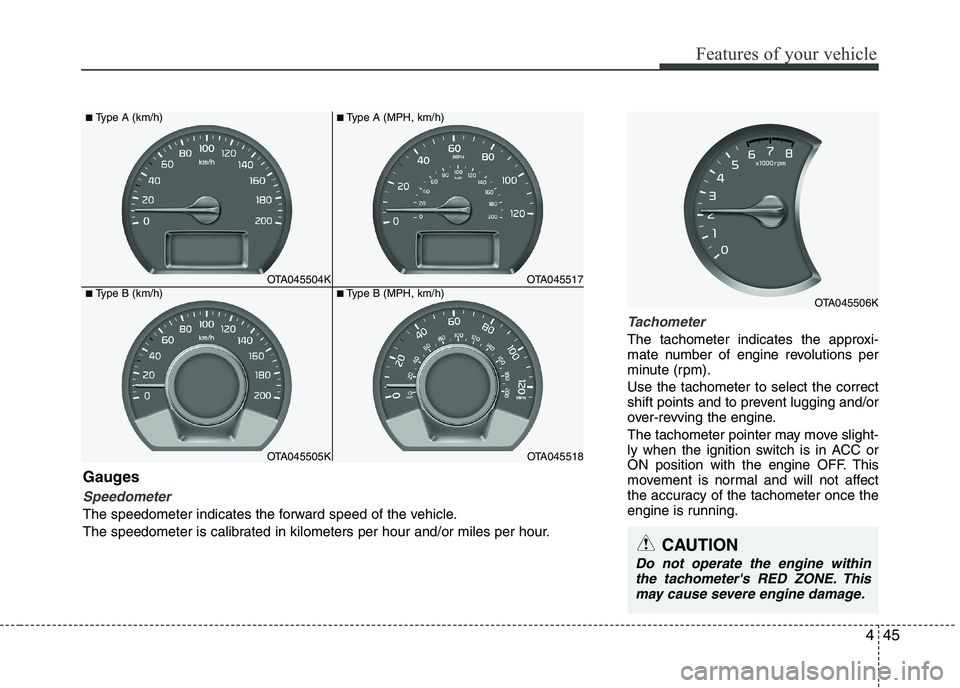
Tachometer
The tachometer indicates the approxi-
mate number of engine revolutions per
minute (rpm). Use the tachometer to select the correct
shift points and to prevent lugging and/or
over-revving the engine.
The tachometer pointer may move slight-
ly when the ignition switch is in ACC or
ON position with the engine OFF. This
movement is normal and will not affect
the accuracy of the tachometer once the
engine is running.
OTA045504K
OTA045505K
■Type A (km/h)
■Type B (km/h)OTA045517
OTA045518
■Type A (MPH, km/h)
■Type B (MPH, km/h)
Gauges
Speedometer
The speedometer indicates the forward speed of the vehicle.
The speedometer is calibrated in kilometers per hour and/or miles per hour.
OTA045506K
CAUTION
Do not operate the engine within
the tachometer's RED ZONE. This
may cause severe engine damage.
Page 121 of 488

Features of your vehicle
46
4
Engine Coolant Temperature Gauge
(if equipped)
This gauge indicates the temperature of the engine coolant when the ignition
switch or Engine Start/Stop button is ON.
Fuel gauge
The fuel gauge indicates the approxi- mate amount of fuel remaining in the fueltank.
The fuel tank capacity is given in sec-
tion 8.The fuel gauge is supplemented by
a low fuel warning light, which will illumi-
nate when the fuel tank is nearly empty.
OTA045507K/OTA045521
CAUTION
If the gauge pointer moves beyond
the normal range area toward the
“130 or H” position, it indicates over-heating that may damage the engine.
Do not continue driving with anoverheated engine. If your vehicle
overheats, refer to “If the Engine Overheats” in chapter 6.
WARNING
Never remove the radiator cap
when the engine is hot. The enginecoolant is under pressure and
could severely burn. Wait until the
engine is cool before adding
coolant to the reservoir.
OTA045519/OTA045508K
OTA045520
■
for LPG engine
Page 125 of 488
Features of your vehicle
50
4
Trip computer (if equipped)
The trip computer is a microcomputer-
controlled driver information system that
displays information related to driving on
the display when the ignition switch is in
the ON position. All stored driving infor-
mation (except odometer) is reset if the
battery is disconnected.
Tripmeter (km or mi.)
A : Tripmeter A
B : Tripmeter BThis mode indicates the distance of indi-
vidual trips selected since the last trip-meter reset.
The meter's working range is from 0.0 to 999.9 km (0.0 to 999.9 miles).
Pressing the RESET button for more
than 1 second, when the tripmeter (TRIP
A or TRIP B) is being displayed, clears
the tripmeter to zero (0.0).
OTA045402
OTA045403L
■
Type A
■ Type B
TRIP A
TRIP B
Elapsed time
Distance to empty*
Average fuel consumption*
Instant fuel consumption*
Engine coolant temperature*
ECO ON/OFF*
* : if equipped
OTA045541
OTA055031L
■
Type A
■ Type B