Page 265 of 308
53
The SiriusXM™ Data Service is
a paid membership Satellite radio
service which provides users with
traffic, stock, sports, and weather
information.
However, weather information is not
supported for vehicles purchased in
Canada.
Accessing
SiriusXM™ Data
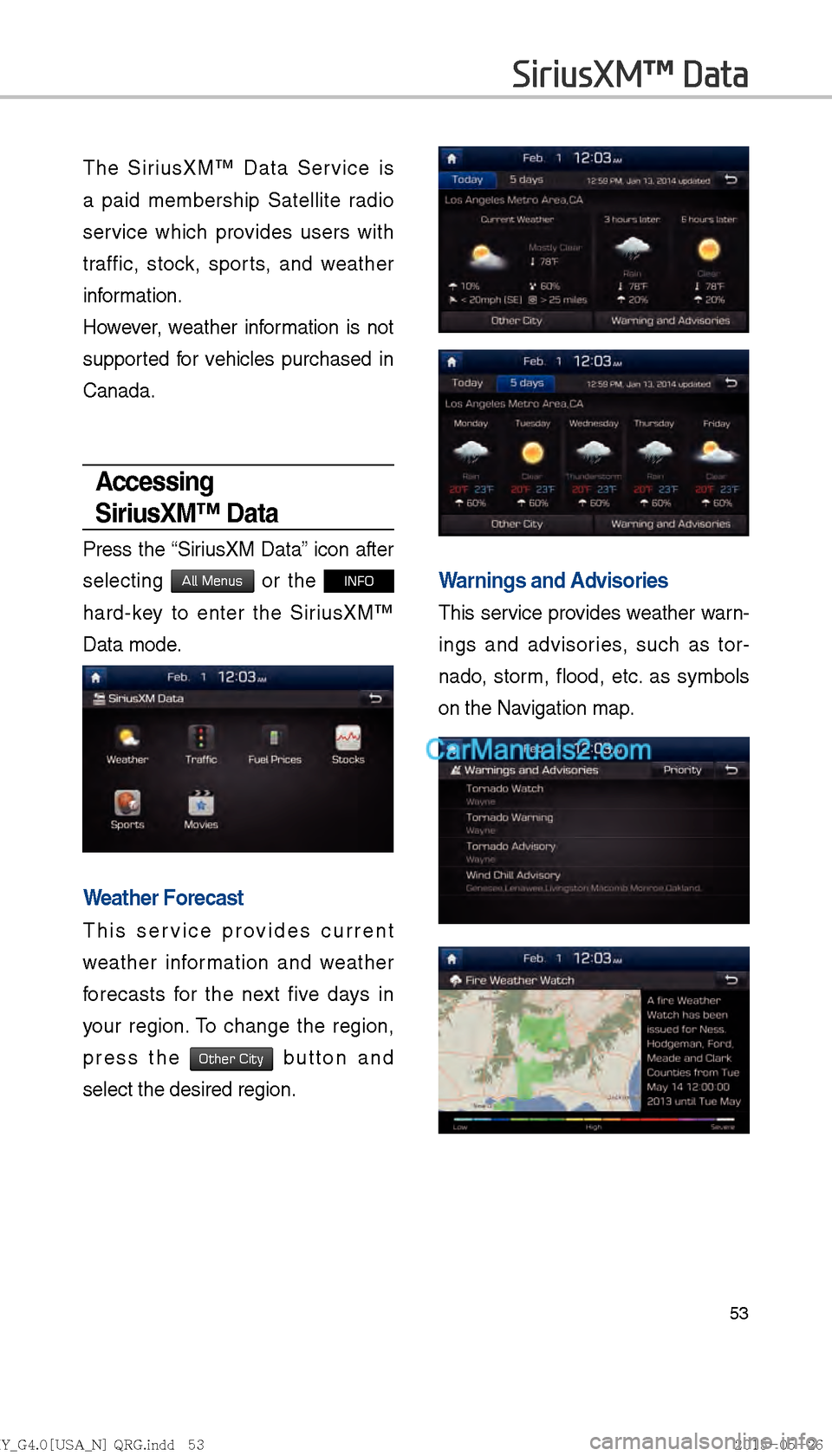
Press the “SiriusXM Data” icon after
selecting
All Menus or the INFO
hard-key to enter the SiriusXM™
Data mode.
Weather Forecast
This service provides current
weather information and weather
forecasts for the next five days in
your region. To change the region,
press the
Other City button and
select the desired region.
Warnings and Advisories
This service provides weather warn-
ings and advisories, such as tor-
nado, storm, flood, etc. as symbols
on the Navigation map.
SiriusXM™ Data
)@-'��.:@(���<64"@/>�23(�JOEE����� .:@(���<64"@/>�23(�JOEE����� ������������� ß
y��������� ������������
Page 272 of 308
60
!Ÿ
The following problems may occur
due to issues with your phone.
- Intermittent black screens
appear when entering Android
Auto.
- Unable to differentiate between phones that support Android
Auto and those that do not.
※ If services do not work properly
due to problems similar to the
specified above, check your
phone, and if necessary, recon-
nect your phone after restarting
!Ÿ
It does not support Car Voice
command when Android Auto
connected.
!Ÿ
Android auto might not function as
same with Car multimedia system.
!Ÿ
To function “Android voice com-
mand”, press and hold the key on
the Steering wheel (0.8secs)
!Ÿ
It might function irrelevantly if con-
trols mobile phone while Android
auto. Please do not use mobile
phone while Android auto.
!Ÿ
Android auto might go to Car Apps
screen if disconnected depending
on connection status. You can
re-use if the device re-connected.
!Ÿ
Regarding mobile phone support-
ing Android auto and Q&A, Please
refer to google website.Using Android Auto
Features
1. Call key in the steering wheel
performs phone function while
Android Auto screen is displayed.
2. OS system of the phone should
be 5.x or more and can be used
by installing through Google play.
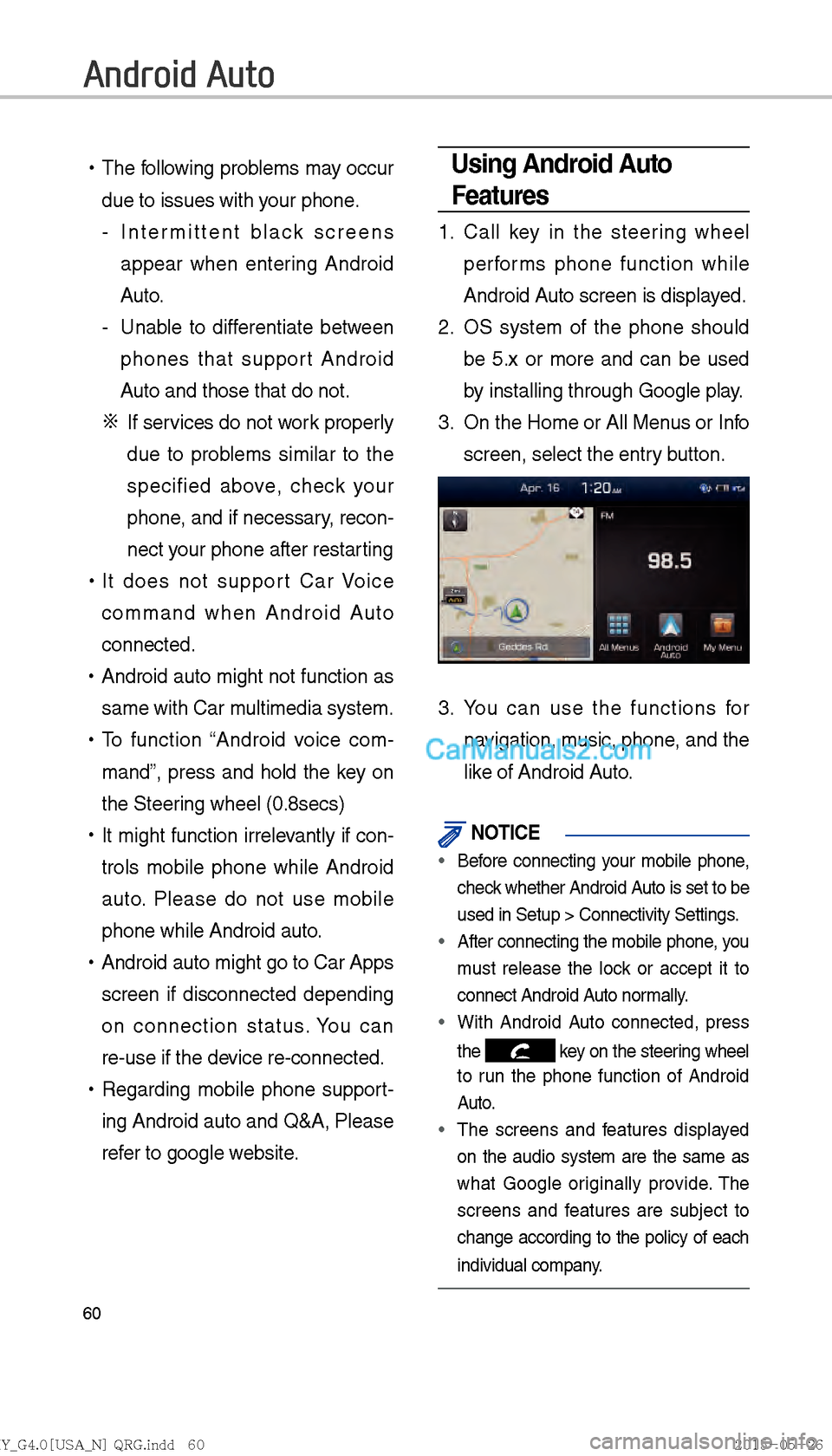
3. On the Home or All Menus or Info
screen, select the entry button.
3. You can use the functions for
navigation, music, phone, and the
like of Android Auto.
NOTICE
Before connecting your mobile phone,
check whether Android Auto is set to be
used in Setup > Connectivity Settings
.
After connecting the mobile phone, you
must release the loc
k or accept it to
connect Android Auto normally.
With Android Auto connected, press
the
key on the steering wheel
to run the phone function of Android
Auto.
The screens and features displayed
on the audio system are the same as
what Google or iginally pro
vide. The
screens and features are subject to
change according to the policy of each
individual company.
Android Auto
)@-'��.:@(���<64"@/>�23(�JOEE����� .:@(���<64"@/>�23(�JOEE����� ������������� ß
y��������� ������������
Page 277 of 308
65
Navigation
Basic Features
Operating Navigation
Screen
Basic features on the map screen.
Name Description
Set as Destination
Quick and easy
selection of a desti-
nation from the map
screen.
Add WaypointSet a waypoint to
the current route.
Add toAddress Book
Save frequently
used address to
address book.
POI
Find a POI(Point
Of Interest) around
the current posi-
tion.
View the vehicle’s
current position on
the map screen.
Name Description
Move to the Home
Screen
Change the map view
mode.
Voice Guidance On/Off
Zoom in the map.
Set the zoom level auto-
matically according to
the guidance.
Zoom out the map.
MenuQuick and easy selec-
tion of a destination and
options.
Touch to scroll the map.
)@-'��.:@(���<64"@/>�23(�JOEE�����.:@(���<64"@/>�23(�JOEE����� ������������� ß
y��������� ������������
Page 278 of 308
66
Changing Map View
Touch the compass arrow icon to
toggle between a map oriented to
the North, or oriented parallel to the
vehicle’s heading.
Voice Guidance
Volum e O n /O f f
Press the NAVI sound button to turn
the volume on and off.
Zoom In /Zoom Out
Zoom the map view screen in and
out.
Zoom In and Zoom Out
Press + or - to set the zoom
level.
Map Scale
Sets the zoom level automatically
according to the road class.
Name Description
Scale Fix Manually adjust
the map scale.
Auto Scale Change the map
scale automatically
depending on the
road class
Navigation
)@-'��.:@(���<64"@/>�23(�JOEE�����
.:@(���<64"@/>�23(�JOEE����� ������������� ß
y��������� ������������
Page 280 of 308
68
Press the Using Map button to
select the distance ahead to avoid.
(Highlighted grey indicates distance
to avoid)
Navigation Volume
Press the Navi Volume button to
adjust the volume.
Press the Navi Volume button.
Nearby POIs
Display nearby POIs on the map.
View Nearby POIs
Select the Menu on the bottom of
the left screen ▶
Select the
POI
button.
Press ON, OFF button to set
whether to show nearby POIs or not.
When categories are selected, they
will appear on the map. (ex. Gas sta-
tion)
Name Description
Reduce the length of the
section to avoid.
Increase the length of the
section to avoid.
Confirm detour
Name Description
Set the volume to mute.
Turn the volume down
Turn the volume up
Slide to set the volume
Navigation
)@-'��.:@(���<64"@/>�23(�JOEE����� .:@(���<64"@/>�23(�JOEE����� ������������� ß
y��������� ������������
Page 282 of 308

70
Search
Places
You can enter POI Name, Address, or
Coordinates that you wish to search by.
Press the
NAVI head unit key. Ü
Select the
Destination tab. Ü
Select
the
search bar.
Enter the POI Name, Address and
Coordinates of the location you
want in the input window above, and
press the
Done button.
If you select a location from the
search result list, it will bring you to
the point. point.
If you press the All Cities in MI button
on the search result screen, it will bring
you to the City search screen where
you can filter the search results by city
names.
If you press the All Categories but-
ton from the search result screen, it
will bring you to the POI Categories
screen where you can filter the
search results by POI Categories.
It will bring you from the search result
screen to the screen of the point
where you can set a destination or a
waypoint, or register the current posi-
tion to the address book.
Navigation
)@-'��.:@(���<64"@/>�23(�JOEE����� .:@(���<64"@/>�23(�JOEE����� ������������� ß
y��������� ������������
Page 284 of 308
72
Enter the address to check the loca-
tion information on the map.
Previous Destination
Select from previously inputted
addresses and POI’s.
Press the
NAVI head unit key. ▶
Select the
Destination tab. ▶
Select
the
Previous Destination icon.
Arrange by all, latest destinations,
latest searched places and latest
departing places.
Arrange in order of date and name.
Name Description
Set the location as a desti-
nation.
Set the location as a way-
point.
Save the location
Search nearby POIs.
Name Description
Display all destinations,
departing places, and
searched places.
Display previous destina-
tion places for route guid-
ance
Display previous departing
places for route guidance
Display previously searched
places for route guidance.
But, not displayed when
the searched places are
set as destination.
Navigation
)@-'��.:@(���<64"@/>�23(�JOEE����� .:@(���<64"@/>�23(�JOEE����� ������������� ß
y��������� ������������
Page 286 of 308
74
POI Categories
Press the NAVI head unit key. ▶
Select the
Destination tab. ▶
Select
the
POI Categories icon.
Select the desired item.
Select the desired item in the
sub-categories.
Name Description
Select the desired destina-
tion among the searched
items and add it as a way
point.
Arrange in order of Distance
and Name.
Arrange in order of, Near Destination Along Route , Near Scroll Mark
and Near City Center.
Navigation
)@-'��.:@(���<64"@/>�23(�JOEE����� .:@(���<64"@/>�23(�JOEE����� ������������� ß
y��������� ������������