2016 HYUNDAI IX35 battery
[x] Cancel search: batteryPage 209 of 550
Features of your vehicle124
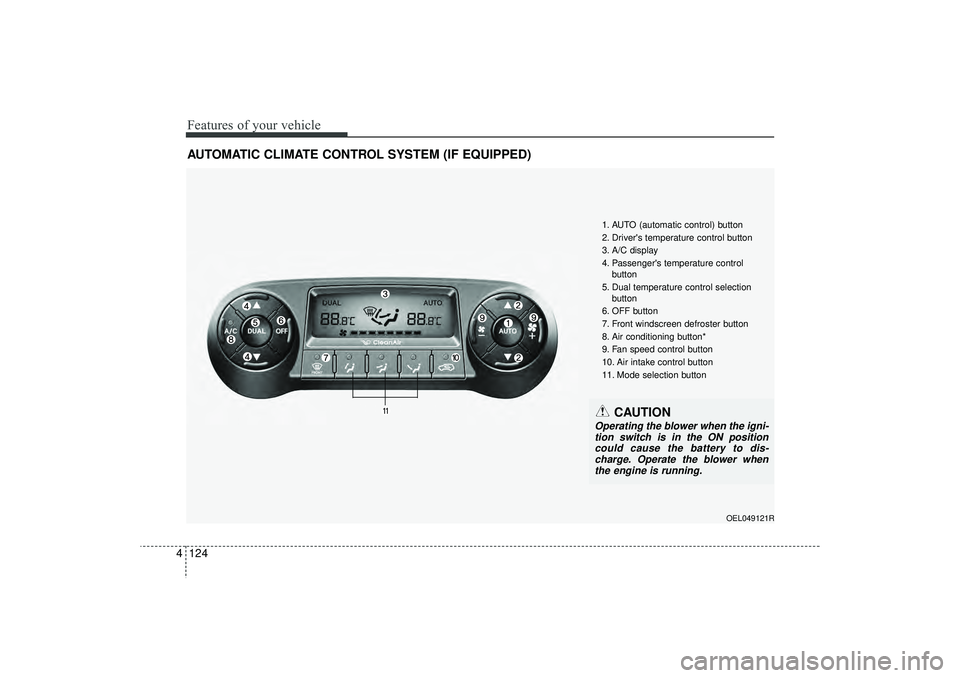
4AUTOMATIC CLIMATE CONTROL SYSTEM (IF EQUIPPED)
OEL049121R
1. AUTO (automatic control) button
2. Driver's temperature control button
3. A/C display
4. Passenger's temperature control
button
5. Dual temperature control selection button
6. OFF button
7. Front windscreen defroster button
8. Air conditioning button*
9. Fan speed control button
10. Air intake control button
11. Mode selection button
CAUTION
Operating the blower when the igni- tion switch is in the ON position could cause the battery to dis-charge. Operate the blower whenthe engine is running.
EL(FL) UK 4A.QXP 2/9/2015 9:08 PM Page 124
Page 213 of 550
Features of your vehicle128
4Adjusting the driver and passenger side
temperature individually
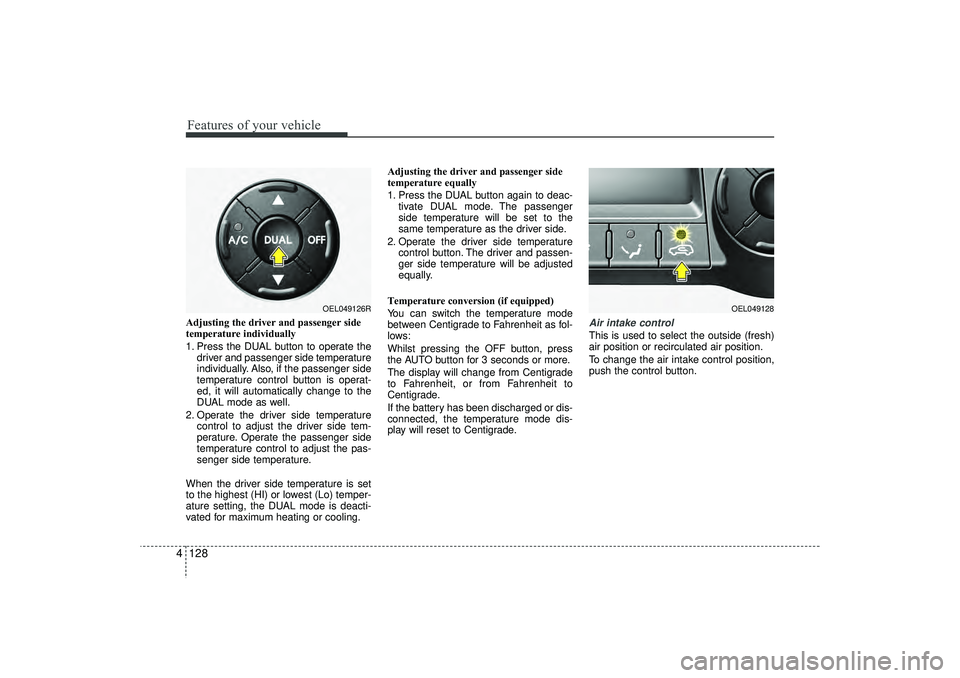
1. Press the DUAL button to operate the
driver and passenger side temperature
individually. Also, if the passenger side
temperature control button is operat-
ed, it will automatically change to the
DUAL mode as well.
2. Operate the driver side temperature control to adjust the driver side tem-
perature. Operate the passenger side
temperature control to adjust the pas-
senger side temperature.
When the driver side temperature is set
to the highest (HI) or lowest (Lo) temper-
ature setting, the DUAL mode is deacti-
vated for maximum heating or cooling. Adjusting the driver and passenger side
temperature equally
1. Press the DUAL button again to deac-
tivate DUAL mode. The passenger
side temperature will be set to the
same temperature as the driver side.
2. Operate the driver side temperature control button. The driver and passen-
ger side temperature will be adjusted
equally.
Temperature conversion (if equipped)
You can switch the temperature mode
between Centigrade to Fahrenheit as fol-
lows:
Whilst pressing the OFF button, press
the AUTO button for 3 seconds or more.
The display will change from Centigrade
to Fahrenheit, or from Fahrenheit to
Centigrade.
If the battery has been discharged or dis-
connected, the temperature mode dis-
play will reset to Centigrade.
Air intake controlThis is used to select the outside (fresh)
air position or recirculated air position.
To change the air intake control position,
push the control button.
OEL049126R
OEL049128
EL(FL) UK 4A.QXP 2/9/2015 9:08 PM Page 128
Page 224 of 550
4 139
Features of your vehicle
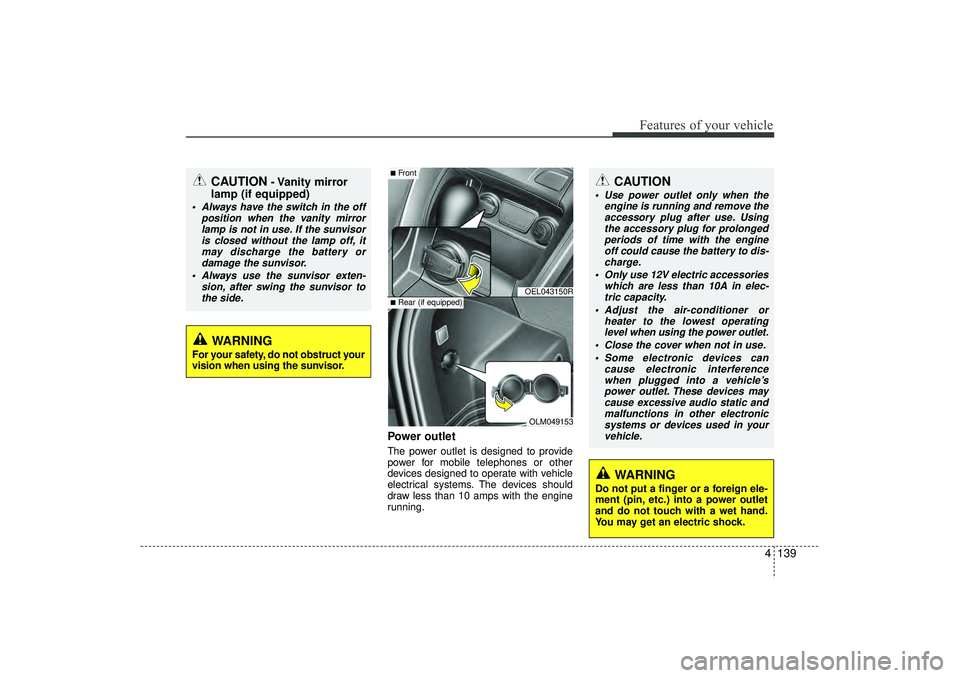
Power outletThe power outlet is designed to provide
power for mobile telephones or other
devices designed to operate with vehicle
electrical systems. The devices should
draw less than 10 amps with the engine
running.
CAUTION
- Vanity mirror
lamp (if equipped)
Always have the switch in the off
position when the vanity mirrorlamp is not in use. If the sunvisoris closed without the lamp off, itmay discharge the battery or damage the sunvisor.
Always use the sunvisor exten- sion, after swing the sunvisor tothe side.
CAUTION
Use power outlet only when the engine is running and remove theaccessory plug after use. Using the accessory plug for prolongedperiods of time with the engineoff could cause the battery to dis- charge.
Only use 12V electric accessories which are less than 10A in elec-tric capacity.
Adjust the air-conditioner or heater to the lowest operatinglevel when using the power outlet.
Close the cover when not in use. Some electronic devices can cause electronic interferencewhen plugged into a vehicle’s power outlet. These devices maycause excessive audio static and malfunctions in other electronicsystems or devices used in yourvehicle.
WARNING
Do not put a finger or a foreign ele-
ment (pin, etc.) into a power outlet
and do not touch with a wet hand.
You may get an electric shock.
WARNING
For your safety, do not obstruct your
vision when using the sunvisor.
OEL043150ROLM049153
■Front■Rear (if equipped)
EL(FL) UK 4A.QXP 2/9/2015 9:09 PM Page 139
Page 225 of 550

Features of your vehicle140
4Digital clock (if equipped)Whenever the battery terminals or relat-
ed fuses are disconnected, you must
reset the time.
When the ignition switch is in the ACC or
ON position, the clock buttons operate as
follows:
Setup the clockWith audio off
1. Press the [SETUP CLOCK] button
until the clock of the display blinks.
2. Set the clock by turning the knob(1) and press it.
With audio on
1. Press the [SETUP CLOCK] button.
2. Select the [CLOCK] mode by turning the knob(1) and press it.
3. Set the clock by turning the knob(1) and press it.
Aux, USB and iPod
®
(if equipped)If your vehicle has an aux and/or
USB(universal serial bus) port, you can
use an aux port to connect audio devices
and an USB port to plug in an USB.✽ ✽NOTICEWhen using a portable audio device
connected to the power outlet, noise may
occur during playback. If this happens,
use the power source of the portable
audio device. ❈ iPod
®is a trademark of Apple Inc.
WARNING
Do not adjust the clock whilst driv-
ing. You may lose your steering
control and cause severe personal
injury or accidents.
OEL044208/Q
OEL043195R
EL(FL) UK 4A.QXP 2/9/2015 9:09 PM Page 140
Page 235 of 550
Features of your vehicle150
4
WARNING
Do not stare at the screen whilst
driving. Staring at the screen for
prolonged periods of time could
lead to traffic accidents.
Do not disassemble, assemble, or modify the audio system. Such
acts could result in accidents,
fire, or electric shock.
Using the phone whilst driving may lead to a lack of attention of
traffic conditions and increase
the likelihood of accidents. Use
the phone feature after parking
the vehicle.
Heed caution not to spill water or introduce foreign objects into the
device. Such acts could lead to
smoke, fire, or product malfunc-
tion.
(Continued)
(Continued)
Driving whilst distracted canresult in a loss of vehicle control
that may lead to an accident,
severe personal injury, and death.
The driver’s primary responsibili-
ty is in the safe and legal opera-
tion of a vehicle, and use of any
handheld devices, other equip-
ment, or vehicle systems which
take the driver’s eyes, attention
and focus away from the safe
operation of a vehicle or which
are not permissible by law should
never be used during operation
of the vehicle.
(Continued)
Please refrain from use if thescreen is blank or no sound can
be heard as these signs may indi-
cate product malfunction.
Continued use in such conditions
could lead to accidents(fires,
electric shock) or product mal-
functions.
Do not touch the antenna during thunder or lightening as such
acts may lead to lightning
induced electric shock.
Do not stop or park in parking- restricted areas to operate the
product. Such acts could lead to
traffic accidents.
Use the system with the vehicle ignition turned on. Prolonged use
with the ignition turned off could
result in battery discharge.
(Continued)
EL(FL) UK 4B AUDIO.QXP 3/13/2015 4:19 PM Page 150
Page 236 of 550
4 151
Features of your vehicle
(Continued) Turn on the car ignition before using this device. Do not operatethe audio system for long periodsof time with the ignition turned off as such operations may lead tobattery discharge.
Do not subject the device to severe shock or impact. Directpressure onto the front side of the monitor may cause damage tothe LCD or touch screen.
When cleaning the device, make sure to turn off the device anduse a dry and smooth cloth.Never use tough materials, chem- ical cloths, or solvents (alcohol,benzene, thinners, etc.) as such materials may damage the devicepanel or cause colour/quality deterioration
(Continued)
(Continued) Do not place beverages close to the audio system. Spilling bever-ages may lead to system mal-function.
In case of product malfunction, please contact your place of pur-chase or After Service centre.
Placing the audio system within an electromagnetic environmentmay result in noise interference.
Prevent caustic solutions such as perfume and cosmetic oil fromcontacting the dashboard because they may cause damageor discoloration.
CAUTION
Operating the device whilst driv- ing could lead to accidents due toa lack of attention to external sur-roundings. First park the vehiclebefore operating the device.
Adjust the volume to levels that allow the driver to hear soundsfrom outside of the vehicle.Driving in a state where externalsounds cannot be heard may lead to accidents.
Pay attention to the volume set- ting when turning the device on.A sudden output of extreme vol-ume upon turning the device oncould lead to hearing impairment. (Adjust the volume to a suitablelevels before turning off the device.)
(Continued)
EL(FL) UK 4B AUDIO.QXP 3/13/2015 4:19 PM Page 151
Page 239 of 550
Features of your vehicle154
4✽
✽
NOTICE -
USING THE iPod
®
DEVICE
• Some iPod
®models may not sup-
port communication protocol and
files may not properly play.
Supported iPod
®models:
- iPod
®Mini
- iPod®4th (Photo) ~ 6th (Classic)
generation
- iPod®Nano 1st~4th generation
- iPod®Touch 1st~2nd generation
• The order of search or playback of songs in the iPod
®can be different
from the order searched in the
audio system.
• If the iPod
®
disabled due to its
own malfunction, reset the iPod
®.
(Reset: Refer to iPod
®manual)
• An iPod
®
may not operate nor-
mally on low battery. (Continued)(Continued)
• Some
iPod
®
devices, such as the
iPhone
®, can be connected through
the Bluetooth
®Wireless Technology
interface. The device must have
audio Bluetooth
®
Wireless
Technology capability (such as for
stereo headphone Bluetooth
®
Wireless Technology ). The device
can play, but it will not be con-
trolled by the audio system.
• To use iPod
®
features within the
audio, use the cable provided upon
purchasing an iPod
®d device.
• Skipping or improper operation may occur depending on the characteris-
tics of your iPod
®/iPhone
®device.
• If your iPhone
®is connected to both
the Bluetooth
®Wireless Technology
and USB, the sound may not be prop-
erly played. In your iPhone
®, select
the Dock connector or Bluetooth
®
Wireless Technology to change the
sound output (source). (Continued)
(Continued)
• When connecting
iPod
®
with the
iPod
®Power Cable, insert the connec-
tor to the multimedia socket complete-
ly. If not inserted completely, communi-
cations between
iPod
®and audio may
be interrupted.
• When adjusting the sound effects of the
iPod
®and the audio system, the
sound effects of both devices will over-
lap and might reduce or distort the
quality of the sound.
• Deactivate (turn off) the equalizer function of an
iPod
®when adjusting
the audio system’s volume, and turn
off the equalizer of the audio system
when using the equalizer of an
iPod
®.
• When not using
iPod
®with car audio,
detach the
iPod
®cable from
iPod
®.
Otherwise,
iPod
®
may remain in
accessory mode, and may not work
properly.
EL(FL) UK 4B AUDIO.QXP 3/13/2015 4:19 PM Page 154
Page 252 of 550
4 167
Features of your vehicle
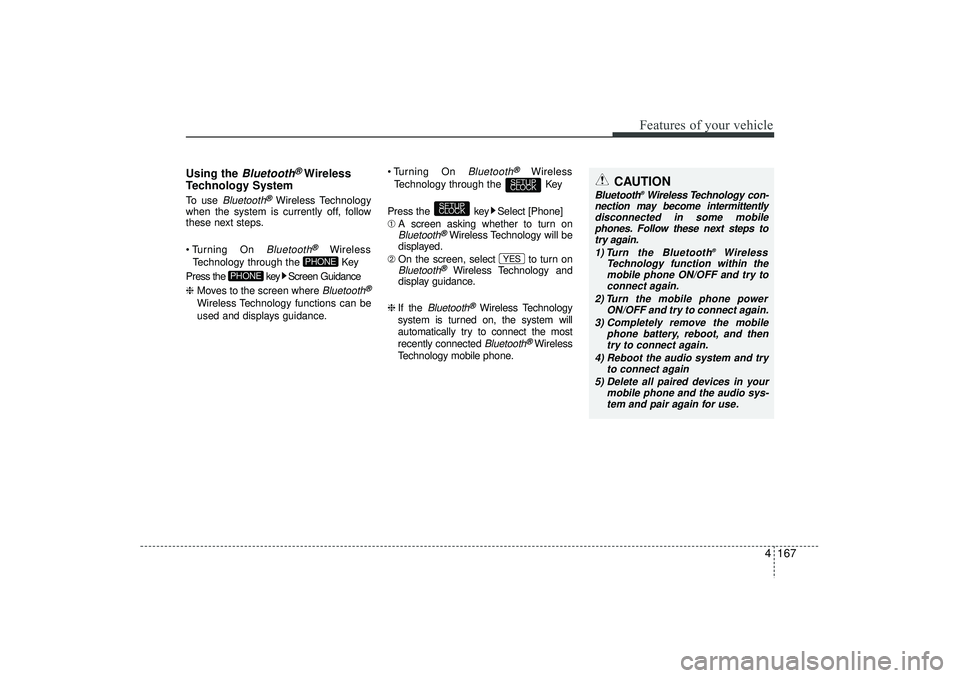
Using the
Bluetooth
®Wireless
Technology System
To use
Bluetooth
®Wireless Technology
when the system is currently off, follow
these next steps.
Turning On Bluetooth
®
Wireless
Technology through the Key
Press the key Screen Guidance
❈ Moves to the screen where Bluetooth
®
Wireless Technology functions can be
used and displays guidance. Turning On
Bluetooth
®
Wireless
Technology through the Key
Press the key Select [Phone]
➀ A screen asking whether to turn on
Bluetooth
®Wireless Technology will be
displayed.
➁ On the screen, select to turn on
Bluetooth
®
Wireless Technology and
display guidance.
❈ If the
Bluetooth
®Wireless Technology
system is turned on, the system will
automatically try to connect the most
recently connected Bluetooth
®Wireless
Technology mobile phone.
YES
SETUP
CLOCK
SETUP
CLOCK
PHONE
PHONE
CAUTION
Bluetooth
®Wireless Technology con-
nection may become intermittently disconnected in some mobilephones. Follow these next steps totry again.
1) Turn the Bluetooth
®
Wireless
Technology function within the mobile phone ON/OFF and try to connect again.
2) Turn the mobile phone power ON/OFF and try to connect again.
3) Completely remove the mobile phone battery, reboot, and thentry to connect again.
4) Reboot the audio system and try to connect again
5) Delete all paired devices in your mobile phone and the audio sys-tem and pair again for use.
EL(FL) UK 4B AUDIO.QXP 3/13/2015 4:19 PM Page 167