2016 BMW M4 engine overheat
[x] Cancel search: engine overheatPage 66 of 228

▷After approximately eight minutes.▷When locking via the central locking sys‐
tem.▷Shortly before the battery is discharged so
that an engine start remains possible.
Radio readiness remains active when ignition
is switched off automatically, such as for
following reasons:
▷Opening or closing driver's door.▷Unfastening driver's seat belt.▷When low-beam headlights are automati‐
cally changed to side lights.
If engine is switched off and ignition is
switched on, radio ready state will be automati‐
cally activated when door is opened if light is
switched off or daytime driving lights are
switched on, when corresponding equipment
is fitted.
Engine start Notes DANGER
A blocked exhaust pipe or inadequate
ventilation can allow harmful exhaust fumes to
penetrate the vehicle. The exhaust gas con‐
tains carbon monoxide, which is colourless and
odourless, but highly toxic. In enclosed spaces,
the exhaust fumes can also build up outside
the vehicle. Danger of fatal injury. Keep the ex‐
haust pipe clear and ensure sufficient ventila‐
tion.◀
WARNING
An unsecured vehicle can start moving
and rolling away. Danger of accidents. Before
leaving the vehicle, secure it to prevent rolling
away.
Observe the following to ensure that the vehi‐
cle is secured against rolling away:
▷Engage the parking brake.▷Turn the front wheels into the direction of
the kerb on upward or downward gradi‐
ents.▷Additionally secure the vehicle on upward
or downward gradients, e.g. using a
wedge.◀
ATTENTION
Repeated start attempts or starting sev‐
eral times in quick succession means that fuel
is not combusted, or insufficiently so. The cat‐
alytic converter can overheat. Danger of dam‐
age to property. Avoid starting more than once
in quick succession.◀
M double clutch transmission
Starting the engine
1.Press the brake.2.Press the start/stop button.
Starting proceeds for a certain time automati‐
cally and stops as soon as the engine is star‐
ted.
Manual gearbox
Starting the engine
1.Press the brake.2.Depress the clutch and engage idle posi‐
tion.3.Press the start/stop button.
Starting proceeds for a certain time automati‐
cally and stops as soon as the engine is star‐
ted.
Seite 66ControlsDriving66
Online Edition for Part no. 01 40 2 964 013 - VI/15
Page 77 of 228
5.Turn the Controller until the desired set‐
ting is reached and press the Controller.▷"D"Drive Mode.▷"S"Sequential mode.6."Gear position"7.Turn the Controller until the desired set‐
ting is reached and press the Controller.8.Set other drive programs as necessary.
Setting is immediately accepted with ac‐
tive M Drive.
To activate the desired M Drive with the selec‐
ted settings, press the corresponding button
on the steering wheel:
▷▷
WARNING
Depending on the settings, DSC may
only be available to a limited extent or not at all.
Danger of accident or damage to property. Ob‐
serve the settings for DSC in M Drive and react
actively if necessary. Adjust the driving style
and react if necessary.◀
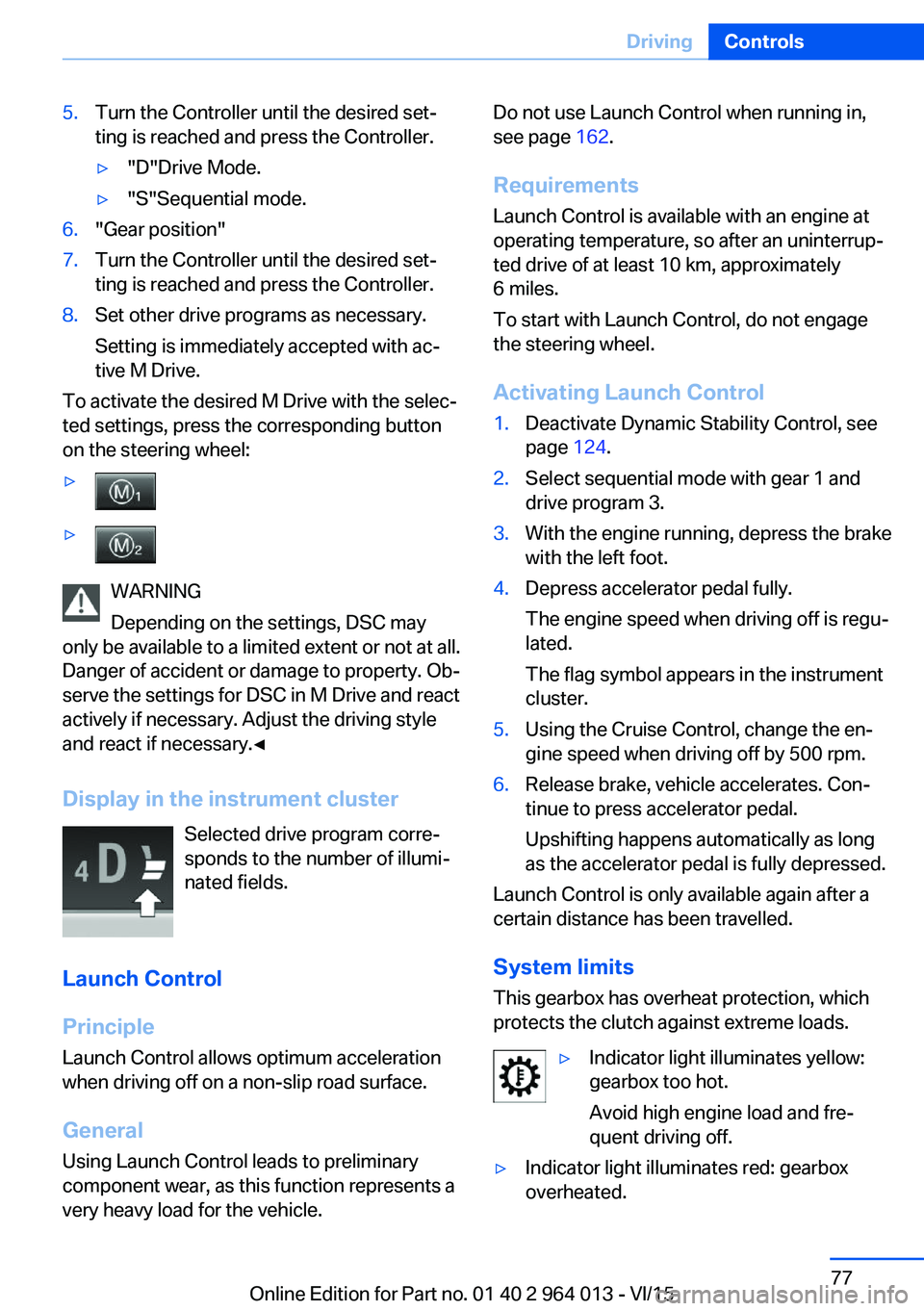
Display in the instrument cluster Selected drive program corre‐
sponds to the number of illumi‐
nated fields.
Launch Control
Principle
Launch Control allows optimum acceleration
when driving off on a non-slip road surface.
General
Using Launch Control leads to preliminary component wear, as this function represents a
very heavy load for the vehicle.
Do not use Launch Control when running in,
see page 162.
Requirements
Launch Control is available with an engine at
operating temperature, so after an uninterrup‐
ted drive of at least 10 km, approximately
6 miles.
To start with Launch Control, do not engage
the steering wheel.
Activating Launch Control1.Deactivate Dynamic Stability Control, see
page 124.2.Select sequential mode with gear 1 and
drive program 3.3.With the engine running, depress the brake
with the left foot.4.Depress accelerator pedal fully.
The engine speed when driving off is regu‐
lated.
The flag symbol appears in the instrument
cluster.5.Using the Cruise Control, change the en‐
gine speed when driving off by 500 rpm.6.Release brake, vehicle accelerates. Con‐
tinue to press accelerator pedal.
Upshifting happens automatically as long
as the accelerator pedal is fully depressed.
Launch Control is only available again after a
certain distance has been travelled.
System limits
This gearbox has overheat protection, which
protects the clutch against extreme loads.
▷Indicator light illuminates yellow:
gearbox too hot.
Avoid high engine load and fre‐
quent driving off.▷Indicator light illuminates red: gearbox
overheated.Seite 77DrivingControls77
Online Edition for Part no. 01 40 2 964 013 - VI/15
Page 78 of 228
Moderate continued driving possible. Stop
at the next opportunity, stop the engine
and allow the gearbox to cool.
Avoid frequent, heavy driving off and on up‐
ward inclines, do not hold the vehicle by
slightly giving gas with sliding clutch, other‐
wise the gearbox may overheat.
In traffic queues or at very low speeds, use the
Low Speed Assistant, see page 74.
M Engine Dynamics Control
Principle The M Engine Dynamics Control affects the
response of the vehicle to movements of the
accelerator pedal.
Programs Possibilities for adjusting the responsiveness:
▷"Efficient": efficient, comfortable. Mini‐
mised consumption
Ideal, for example, in city traffic or on snow▷"Sport": sporty, dynamic.▷"Sport Plus": spontaneous, direct. Maxi‐
mum dynamics
Selecting program
Via M Drive On the Control Display:
1."Settings"2."M Drive 1" or "M Drive 2"3. Select the symbol.4.Select the desired channel.
Setting is immediately accepted with ac‐
tive M Drive.
To activate the desired M Drive with the selec‐
ted settings, press the corresponding button
on the steering wheel:
▷▷
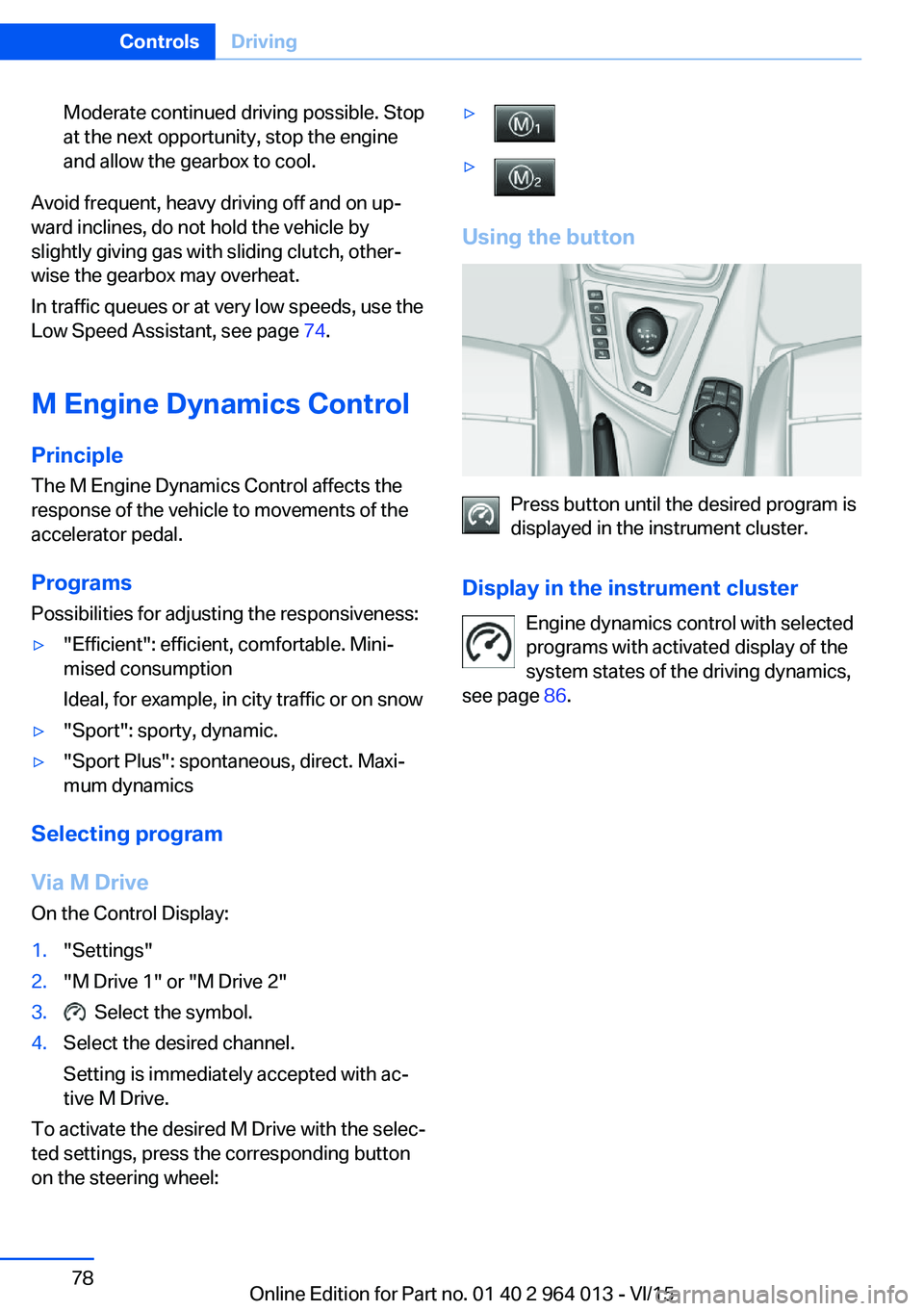
Using the button
Press button until the desired program is
displayed in the instrument cluster.
Display in the instrument cluster Engine dynamics control with selected
programs with activated display of the
system states of the driving dynamics,
see page 86.
Seite 78ControlsDriving78
Online Edition for Part no. 01 40 2 964 013 - VI/15
Page 164 of 228
Applying the brakes fully is the most effective
way of braking in situations in which this is
necessary.
The vehicle can be steered. Any obstacles can
be avoided with steering wheel movements
that are as calm as possible.
A pulsing of the brake pedal shows that ABS is
regulating.
In certain braking situations, the perforated
brake disks can cause functional noise. How‐
ever, this has no effect on the efficiency and
operational safety of the brakes.
Objects in the range of movement of
the pedals and in the footwell
WARNING
Objects in the driver's footwell can re‐
strict the pedal travel, or block a pedal that has
been pressed. Danger of accidents. Stow
items in the vehicle so that they are secure and
cannot get into the driver's footwell. Only use
floor mats that have been categorised as ap‐
propriate for the vehicle and that can be fas‐
tened accordingly. Do not use any loose floor
mats, and do not place several floor mats on
top of one another. Make sure that there is suf‐
ficient space for the pedals. Ensure that the
floor mats are securely reattached after having
been removed, for example for cleaning.◀
Wet roads
In damp weather, if road grit has been spread
or there is heavy rain, apply the brakes lightly
every few kilometres/miles.
In doing so, do not obstruct other road users.
The resulting heat dries the brake discs and
pads.
The braking force will be available immediately
if needed.Downhill gradients
WARNING
Even slight, continuous pressure on the
brake pedal can cause overheating, brake pad
wear or even brake system failure. Danger of
accidents. Avoid excessive loads on the
brake.◀
WARNING
When idling or with the engine switched
off, safety-relevant functions are restricted or
no longer available, for example the braking ef‐
fect of the engine or power assistance for the
braking force and steering. Danger of acci‐
dents. Do not drive at idle speed or with the
engine switched off.◀
When driving on long or steep downhill
stretches, use the gear in which the least brak‐
ing is required. Otherwise the brake system
can overheat and braking action is reduced.
Manual gearbox:
The braking effect can be additionally in‐
creased by shifting down, even into first gear, if
applicable.
M double clutch transmission:
The braking action of the engine can be boos‐
ted further by shifting down in sequential
mode, see page 75.
Corrosion of the brake disc Corrosion of the brake discs and contamina‐
tion of the brake pads increase with the
following circumstances:▷Low mileage.▷Extended periods when the vehicle is not
used.▷Infrequent use of the brakes.
Corrosion occurs when the minimum pressure
that must be exerted by the pads during brake
applications to clean the discs is not reached.
Seite 164Driving hintsDriving precautions164
Online Edition for Part no. 01 40 2 964 013 - VI/15
Page 180 of 228
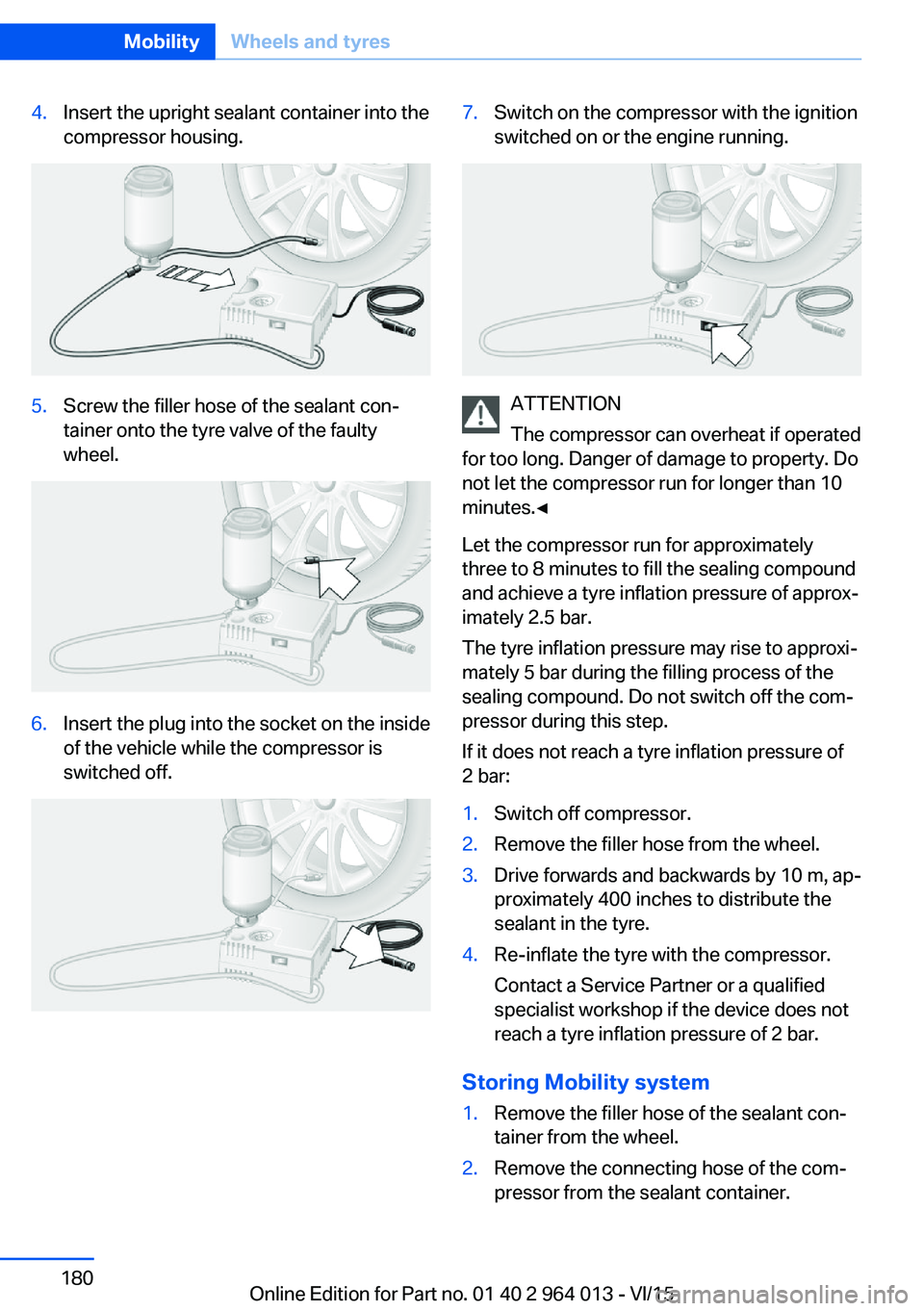
4.Insert the upright sealant container into the
compressor housing.5.Screw the filler hose of the sealant con‐
tainer onto the tyre valve of the faulty
wheel.6.Insert the plug into the socket on the inside
of the vehicle while the compressor is
switched off.7.Switch on the compressor with the ignition
switched on or the engine running.
ATTENTION
The compressor can overheat if operated
for too long. Danger of damage to property. Do
not let the compressor run for longer than 10
minutes.◀
Let the compressor run for approximately
three to 8 minutes to fill the sealing compound
and achieve a tyre inflation pressure of approx‐
imately 2.5 bar.
The tyre inflation pressure may rise to approxi‐
mately 5 bar during the filling process of the
sealing compound. Do not switch off the com‐
pressor during this step.
If it does not reach a tyre inflation pressure of
2 bar:
1.Switch off compressor.2.Remove the filler hose from the wheel.3.Drive forwards and backwards by 10 m, ap‐
proximately 400 inches to distribute the
sealant in the tyre.4.Re-inflate the tyre with the compressor.
Contact a Service Partner or a qualified
specialist workshop if the device does not
reach a tyre inflation pressure of 2 bar.
Storing Mobility system
1.Remove the filler hose of the sealant con‐
tainer from the wheel.2.Remove the connecting hose of the com‐
pressor from the sealant container.Seite 180MobilityWheels and tyres180
Online Edition for Part no. 01 40 2 964 013 - VI/15
Page 223 of 228

Mounting child restraints 59
M Technology 160
Multifunction steering wheel, buttons 12
Multimedia 6
M View, Head-Up Display 95
N Navigation 6
Neutral cleaner, see rim cleaner 210
New wheels and tyres 177
No Passing Information 88
Notes 6
Nylon ropes for tow-starting/ towing 206
O OBD, see on-board diagnosis, OBD 192
Obstacle marking, rear-view camera 135
Octane number, see Petrol grade 174
Odometer 84
Office 6
Oil 185
Oil additives 187
Oil change 187
Oil change interval, service requirement 87
Oil filler neck 186
Oil grades, alternative 187
Oil grades, suitable 187
Old battery, disposing 200
On-board computer 90
On-board diagnosis, OBD 192
On-board monitor, see Con‐ trol Display 16
On-board toolkit 193
Opening/closing using door lock 37
Opening and closing 32 Opening and closing, without
remote control 37
Opening and closing with re‐ mote control 35
Operating menus, iDrive 16
Operating principle, iDrive 16
Outside air, see AUC 146
Outside temperature dis‐ play 84
Outside temperature warn‐ ing 84
Overheating of the engine, see Coolant temperature 84
P Paintwork, vehicle 209
Park assistant 139
Park Distance Control PDC 131
Parked vehicle, conden‐ sate 165
Parking aid, see PDC 131
Parking assistant 139
Parking brake 69
Parking lights 99
Part replacement 193
Parts and accessories 8
Passenger's mirror, tilting down 56
PDC Park Distance Con‐ trol 131
Personal data, delete 23
Personal Profile 33
Personal profile, export pro‐ file 34
Personal profile, import pro‐ file 35
Person warning with city braking function 113
Petrol 174
Petrol grade 174
Place for children 58
Plasters, see First-aid kit 203
Plastic, care 210
Pockets in the doors 154 Power failure 200
Power windows 43
Pressure check, tyres 107
Pressure, tyres 175
Pressure warning RPA, tyres 109
Preventing Auto Start Stop 69
Profiles, Personal Profile 33
Protection function, glass Roof 46
Protection function, win‐ dows 44
Puncture, runflat indicator RPA 109
R Radio 6
Radio-control key, see Re‐ mote control 32
Radio ready state 65
Radio signals 163
Rain sensor 71
Range 85
Rear backrests, folding, see Through-loading sys‐
tem 151
Rear fog lights 102
Rear lights 196
Rear-view camera 133
Rear-view mirror, automatic- dim 56
Recirculated-air mode 146
Recirculating air filter 146
Recirculation, see Recircula‐ ted-air mode 146
Recommended tyre makes 177
Recycling 192
Refuelling 172
Remaining distance 85
Remedying flat tyres 178
Remote control/key 32
Remote control, malfunc‐ tion 37 Seite 223Everything from A to ZReference223
Online Edition for Part no. 01 40 2 964 013 - VI/15