2016 BMW M4 cruise control
[x] Cancel search: cruise controlPage 13 of 228

Automatic driving lights con‐
trol 99
Adaptive Headlights 100
High-beam assistance 100Instrument lighting 1026Steering-column lever, leftTurn indicator 70High-beam headlights, headlight
flasher 70High-beam assistance 100Parking lights 99On-board computer 907Shift paddles 768Buttons on steering wheel, leftActivate M Drive 1 123Activate M Drive 2 123Speed limiter 119Resume speed 129Cruise Control on/off, inter‐
rupt 129Rocker switch for Cruise Control 1299Instrument cluster 7910Buttons on steering wheel, rightEntertainment sourceVolume controlVoice control 25TelephoneKnurled wheel for selection lists 9011Steering-column lever, rightWiper 71Rain sensor 71Cleaning the windows and head‐
lights 7212Start/stop engine and switch igni‐
tion on/off 66Auto Start Stop function 6713Horn, total area14Steering wheel heating 5715Steering wheel adjustment 5716Unlock bonnet 183Seite 13CockpitOverview13
Online Edition for Part no. 01 40 2 964 013 - VI/15
Page 34 of 228

If several drivers each use their own remote
control, the vehicle will adapt to their personal
settings when it is unlocked. These settings
are also resaved if the vehicle is used in the in‐
tervening period by someone with a different
remote control.
Changes to settings are saved automatically in
the personal profile.
Three personal profiles and a guest profile can
be created.
Settings
Settings for the following systems and func‐
tions are saved in the active profile. The extent
of settings that can be saved depends on the
country and equipment.▷Unlocking and locking.▷Light.▷Air conditioning.▷Radio.▷Instrument cluster.▷Favourites buttons.▷Volumes, sound.▷Control Display.▷Navigation.▷TV.▷Park Distance Control PDC.▷Rear-view camera.▷Side view.▷Head-Up Display.▷M Drive: configurations.▷Driver's seat position, exterior mirror posi‐
tion, steering wheel position.▷Cruise Control.▷Intelligent Safety.▷Lane change warning.Profile management
Calling up profiles Independently of the remote control that is
used, another profile can be called up.
Via iDrive:1."Settings"2."Profiles"3.Select a profile.▷The settings saved in the called-up profile
are made automatically.▷The profile called up is assigned to the re‐
mote control currently used.▷If the profile has already been allocated to
another remote control, this profile applies
to both remote controls. It is no longer
possible to differentiate between the set‐
tings of both remote controls.
Renaming profiles
To avoid mixing up the profiles, each profile
can be given a personal name.
On the Control Display:
1."Settings"2."Profiles"3.Call up "Options".4."Rename current profile"
Resetting profiles Settings of the active profile are reset to fac‐
tory settings.
On the Control Display:
1."Settings"2."Profiles"3.Call up "Options".4."Reset current profile"
Exporting profiles Most of the settings of the active profile can be
exported.
Seite 34ControlsOpening and closing34
Online Edition for Part no. 01 40 2 964 013 - VI/15
Page 77 of 228
5.Turn the Controller until the desired set‐
ting is reached and press the Controller.▷"D"Drive Mode.▷"S"Sequential mode.6."Gear position"7.Turn the Controller until the desired set‐
ting is reached and press the Controller.8.Set other drive programs as necessary.
Setting is immediately accepted with ac‐
tive M Drive.
To activate the desired M Drive with the selec‐
ted settings, press the corresponding button
on the steering wheel:
▷▷
WARNING
Depending on the settings, DSC may
only be available to a limited extent or not at all.
Danger of accident or damage to property. Ob‐
serve the settings for DSC in M Drive and react
actively if necessary. Adjust the driving style
and react if necessary.◀
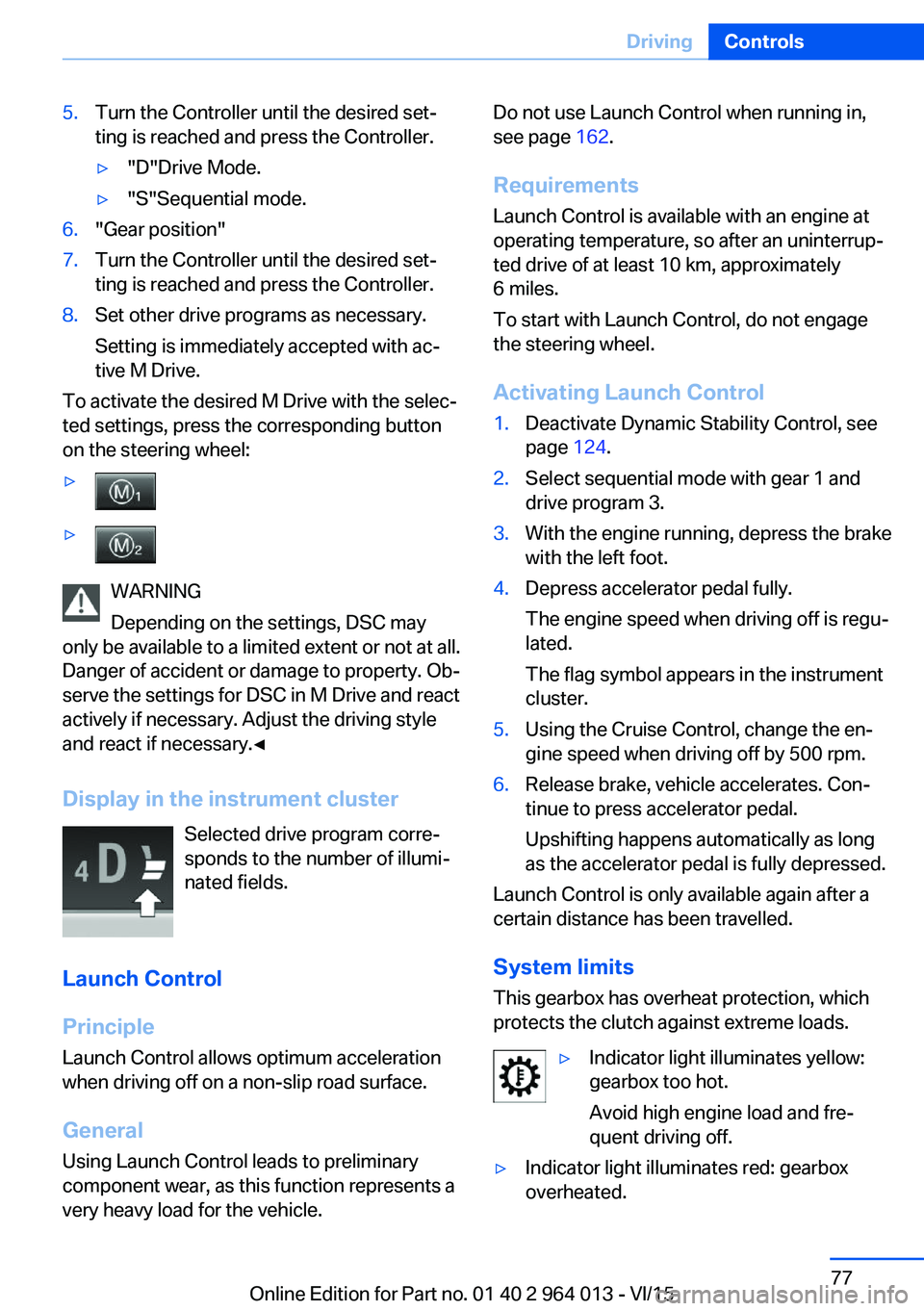
Display in the instrument cluster Selected drive program corre‐
sponds to the number of illumi‐
nated fields.
Launch Control
Principle
Launch Control allows optimum acceleration
when driving off on a non-slip road surface.
General
Using Launch Control leads to preliminary component wear, as this function represents a
very heavy load for the vehicle.
Do not use Launch Control when running in,
see page 162.
Requirements
Launch Control is available with an engine at
operating temperature, so after an uninterrup‐
ted drive of at least 10 km, approximately
6 miles.
To start with Launch Control, do not engage
the steering wheel.
Activating Launch Control1.Deactivate Dynamic Stability Control, see
page 124.2.Select sequential mode with gear 1 and
drive program 3.3.With the engine running, depress the brake
with the left foot.4.Depress accelerator pedal fully.
The engine speed when driving off is regu‐
lated.
The flag symbol appears in the instrument
cluster.5.Using the Cruise Control, change the en‐
gine speed when driving off by 500 rpm.6.Release brake, vehicle accelerates. Con‐
tinue to press accelerator pedal.
Upshifting happens automatically as long
as the accelerator pedal is fully depressed.
Launch Control is only available again after a
certain distance has been travelled.
System limits
This gearbox has overheat protection, which
protects the clutch against extreme loads.
▷Indicator light illuminates yellow:
gearbox too hot.
Avoid high engine load and fre‐
quent driving off.▷Indicator light illuminates red: gearbox
overheated.Seite 77DrivingControls77
Online Edition for Part no. 01 40 2 964 013 - VI/15
Page 82 of 228

▷Wheel without TPM electronics is fitted:
have the vehicle checked by a Service
Partner or a qualified specialist workshop if
necessary.▷Malfunction: have the system checked by a
Service Partner or a qualified specialist
workshop.
For more information, see Tyre Pressure Moni‐
tor, see page 107.
Steering system Steering system faulty.
Have steering system checked by a
Service Centre or a qualified specialist
workshop.
Engine functions Have vehicle checked by a Service
Centre or a qualified specialist work‐
shop.
For further information see socket for on-
board diagnosis, see page 192.
Lane departure warning System is switched on and warns you
under certain conditions if you leave a
detected lane without indicating first.
For further information see Lane Departure
Warning, see page 115.
Manual speed limiter Illuminating: the system is switched on.
Flashing: set speed limit exceeded. An
acoustic signal may sound.
Reduce speed or deactivate system.
Rear fog lights Rear fog lights are switched on.
For further information see rear fog lights, see
page 102.
Green lights Turn indicator Turn signal is switched on.If the indicator light flashes more rap‐
idly than usual, a turn signal light has
failed.
For further information see turn indicator, see
page 70.
Side lights, driving lights Side lights or driving lights are
switched on.
For further information see side lights/
low-beam headlights, low-beam headlight
control, see page 98.
High-beam assistance High-beam assistance is switched on.
High-beam headlights are switched on
and off automatically depending on the
traffic situation.
For further information see high beam assis‐
tance, see page 100.
Cruise Control The system is switched on. The speed
set using the control functions on the
steering wheel is maintained.
Blue lights
High-beam headlights High-beam headlights are switched on.
For further information see high-beam
headlights, see page 70.Seite 82ControlsDisplays82
Online Edition for Part no. 01 40 2 964 013 - VI/15
Page 111 of 228
Front-end collision warning
with city braking function
Principle The system can help avoid accidents. If an ac‐
cident cannot be avoided, the system helps to
reduce the collision speed.
The system warns of the possible risk of colli‐
sion and brakes automatically, as necessary.
The automatic braking intervention is done
with limited force and duration.
The system is controlled by a camera in the
area of the rear-view mirror.
The front-end collision warning is also avail‐
able if the Cruise Control is disabled.
When deliberately approaching a vehicle, the
approach control warning and braking inter‐
vention are activated later to avoid unjustified
system responses.
General
The system warns from approximately 5 km/h,
approximately 3 mph in two stages of any risk
of collision with vehicles. The timing of these
warnings may vary depending on the current
driving situation.
Up to approximately 60km/h, 35 mph.
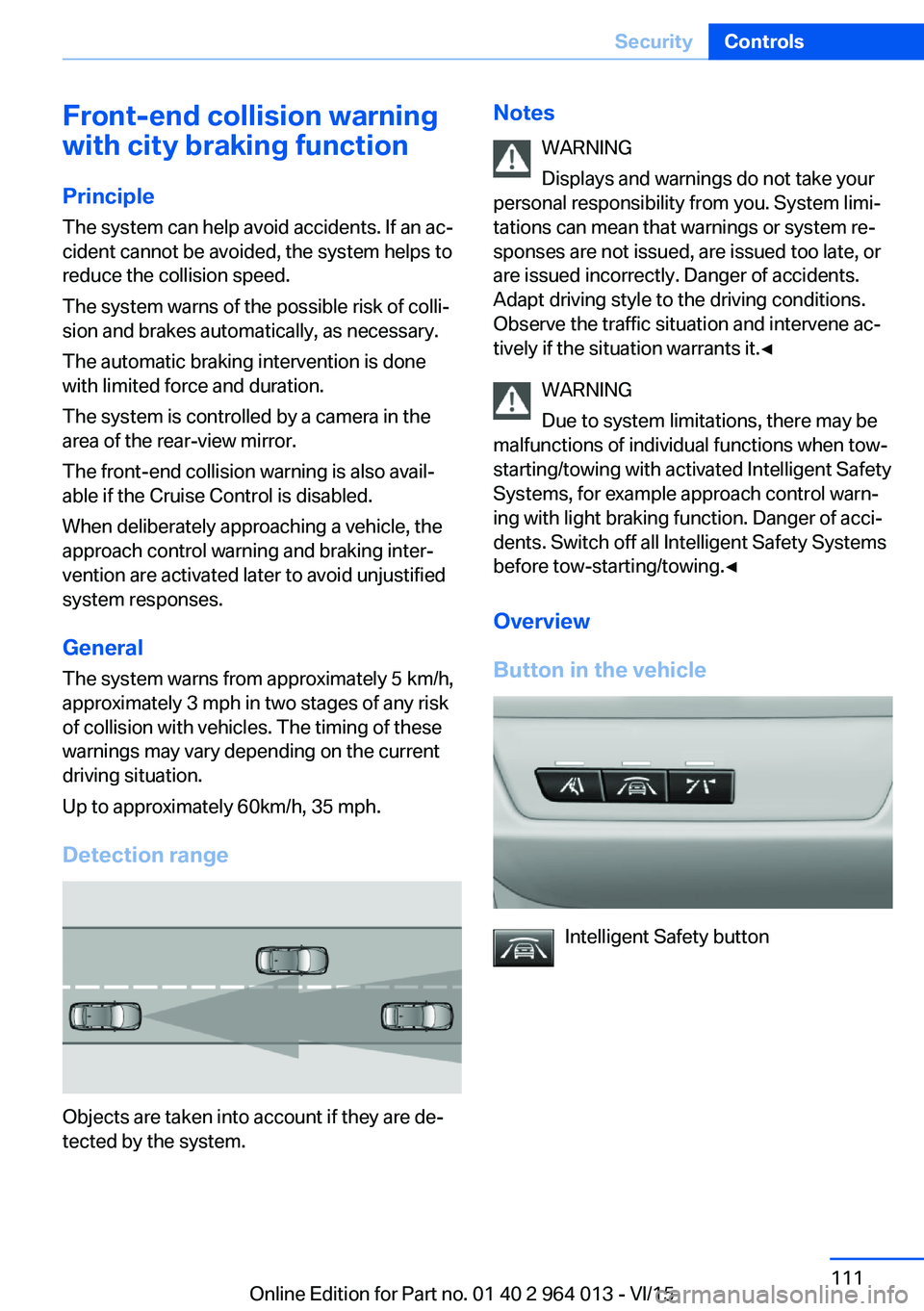
Detection range
Objects are taken into account if they are de‐
tected by the system.
Notes
WARNING
Displays and warnings do not take your
personal responsibility from you. System limi‐
tations can mean that warnings or system re‐
sponses are not issued, are issued too late, or are issued incorrectly. Danger of accidents.
Adapt driving style to the driving conditions.
Observe the traffic situation and intervene ac‐
tively if the situation warrants it.◀
WARNING
Due to system limitations, there may be
malfunctions of individual functions when tow-
starting/towing with activated Intelligent Safety Systems, for example approach control warn‐
ing with light braking function. Danger of acci‐
dents. Switch off all Intelligent Safety Systems
before tow-starting/towing.◀
Overview
Button in the vehicle
Intelligent Safety button
Seite 111SecurityControls111
Online Edition for Part no. 01 40 2 964 013 - VI/15
Page 119 of 228
Manual speed limiterPrinciple With the system, the speed can be restricted
from a value of 30 km/h/20 mph. There are no
restrictions below the set speed limit.
Exceeding the speed limit In particular situations the speed limit can be
deliberately exceeded by accelerating strongly.
The system gives a warning if the travelling
speed exceeds the set speed limit.
No brake intervention
If the set speed limit has been reached or unin‐
tentionally exceeded (for example driving
downhill) there is no brake intervention.
If you set a speed limit during the journey
which is below the current speed, the vehicle
rolls until the driving speed drops below the
speed limit.
Overview
Buttons on the steering wheelPress the but‐
tonFunctionSwitching system on/off,
see page 119Rocker switch:
Change speed limit, see
page 119
Controls
Switching on Press the button on the steering
wheel.
The current speed is assumed as the speed
limit.
When switching on when at a standstill
30 km/h/20 mph is set as the speed limit.
The speedometer marker is set to the corre‐
sponding speed.
When activating the speed limit it is possible
that Dynamic Stability Control, DSC is activa‐
ted.
Switching off Press the button on the steering
wheel.
For example, the system is also deactivated in
the following situations:▷When engaging reverse gear.▷When switching the engine off.▷When switching on Cruise Control.
The indicators turn off.
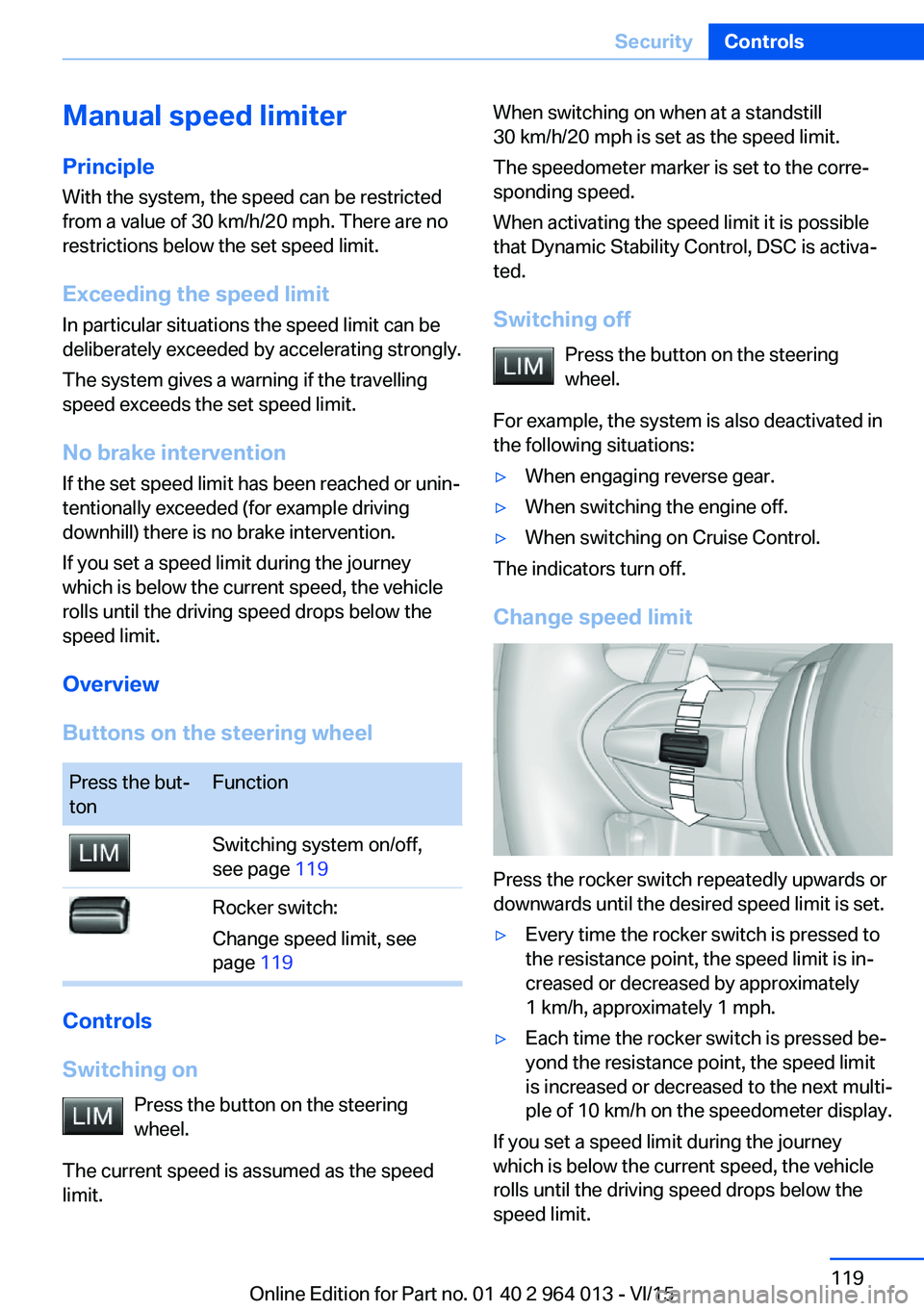
Change speed limit
Press the rocker switch repeatedly upwards or
downwards until the desired speed limit is set.
▷Every time the rocker switch is pressed to
the resistance point, the speed limit is in‐
creased or decreased by approximately
1 km/h, approximately 1 mph.▷Each time the rocker switch is pressed be‐
yond the resistance point, the speed limit
is increased or decreased to the next multi‐
ple of 10 km/h on the speedometer display.
If you set a speed limit during the journey
which is below the current speed, the vehicle
rolls until the driving speed drops below the
speed limit.
Seite 119SecurityControls119
Online Edition for Part no. 01 40 2 964 013 - VI/15
Page 129 of 228
Driving comfortVehicle equipment
This chapter describes all standard, national
and special equipment provided in the model
series. Equipment not available in the vehicle is
therefore also described, for example the se‐
lected special equipment or national version.
This also applies to safety-relevant functions
and systems. Comply with the relevant na‐
tional regulations when using the correspond‐
ing functions and systems.
Cruise Control
Principle System keeps to speed set using buttons on
steering wheel. On downhill gradients, the sys‐
tem will brake the vehicle if the braking action
of the engine alone is insufficient.
General Characteristics of Cruise Control may change
in certain areas depending on vehicle setting.
Information WARNING
Using the system in the following situa‐
tions can lead to an increased danger of acci‐
dent:▷On stretches with many corners and
bends.▷In heavy traffic.▷If the road is icy, if there is fog, snow, rain
or a loose road surface.
Danger of accident or damage to property.
Only use the system if it is possible to drive at
a constant speed.◀
Overview
Buttons on the steering wheelPress the
buttonFunctionCruise Control on, off, inter‐
rupt, see page 129.Resume speed, see
page 130.Rocker switch: change, hold
or set speed, see page 130.
Controls
Switching on Press the button on the steering
wheel.
The speedometer marker is set to the current
speed.
Cruise Control can be used.
If necessary, Dynamic Stability Control DSC
will be switched on.
Switching off WARNING
The system does not take your personal
responsibility from you when you are estimat‐
ing the traffic situation. Due to limits of the sys‐
tem, it cannot respond independently in a rea‐
sonable way in all traffic conditions. Danger of
accidents. Adapt driving style to the driving
conditions. Observe the traffic situation and in‐
tervene actively if the situation warrants it.◀
Press the button on the steering
wheel.
▷When activated: press twice.Seite 129Driving comfortControls129
Online Edition for Part no. 01 40 2 964 013 - VI/15
Page 219 of 228

Breakdown, wheelchange 199
Brightness of the Control Dis‐ play 94
Bulb change, rear 196
Bulb change, xenon head‐ light 194
Buttons on the steering wheel 12
Button, start/stop 65
C
Camera, rear-view cam‐ era 134
Camera, Side View 136
Camera, Top View 138
Carbon ceramic brakes M 160
Car care 209
Care, displays 211
Care products 209
Care, vehicle 209
Car jack 199
Car key, see Remote con‐ trol 32
Carpet, care 211
Carrying children safely 58
Car washes 208
Catalytic converter, see Hot exhaust system 163
CBS, Condition Based Serv‐ ice 191
Central key, see Remote con‐ trol 32
Central locking system 38
Central screen, see Control Display 16
Centre armrest 154
Centre console 14
Ceramic brakes 160
Changes, technical, see Your own safety 7
Changing bulb, rear 196
Charcoal canister 146
Chassis, electronic 126 Chassis number, see Vehicle
identification number 9
Check control 80
Checking the oil level elec‐ tronically 185
Child's seats 58
Children, carrying 58
Child restraints 58
Child seat classes, ISOFIX 61
Child seat mounting 59
Child seat mountings, ISO‐ FIX 61
Chrome parts, care 210
Cigarette lighter 149
Cleaning displays 211
Clock 85
Closing/opening using door lock 37
Closing/opening with remote control 35
Coat hooks 155
Cockpit 12
Comfort Access 39
Comfort closing with the re‐ mote control 36
Comfort opening with the re‐ mote control 36
Compound brakes 160
Compressor 178
Computer, see on-board computer 90
Condensate under the vehi‐ cle 165
Condensation on win‐ dows 146
Condition Based Service, CBS 191
Confirmation signals 42
ConnectedDrive 6
ConnectedDrive services 6
Connecting electrical applian‐ ces 150
Contactless opening of boot lid 40
Control Display 16
Control display, settings 93 Controller 17
Control systems, driving sta‐ bility 123
Coolant 189
Coolant temperature 84
Cooling effect, maximum 145
Cooling function 145
Cooling system 189
Cornering light 100
Corrosion of brake discs 164
Courtesy light when unlock‐ ing 35
Courtesy light with the vehi‐ cle locked 36
Cruise Control 129
Cupholder 155
Current fuel consumption 86
D
Damage, tyres 176
Damper control 126
Data, technical 214
Date 85
Daytime driving lights 100
Deactivation, airbags 106
Defrosting, see Defrosting windows 146
Defrosting windows 146
Defrost, see Defrosting win‐ dows 146
Deleting personal data 23
Differential lock 126
Digital clock 85
Digital speed 85
Digital speedometer 85
Dimensions 214
Dimmable exterior mirrors 56
Dimming rear-view mirror 56
Dipping headlights, see High- beam assistance 100
Display in windscreen 94
Display lighting, see Instru‐ ment lighting 102
Displays, cleaning 211 Seite 219Everything from A to ZReference219
Online Edition for Part no. 01 40 2 964 013 - VI/15