2016 BMW M4 USB
[x] Cancel search: USBPage 21 of 228
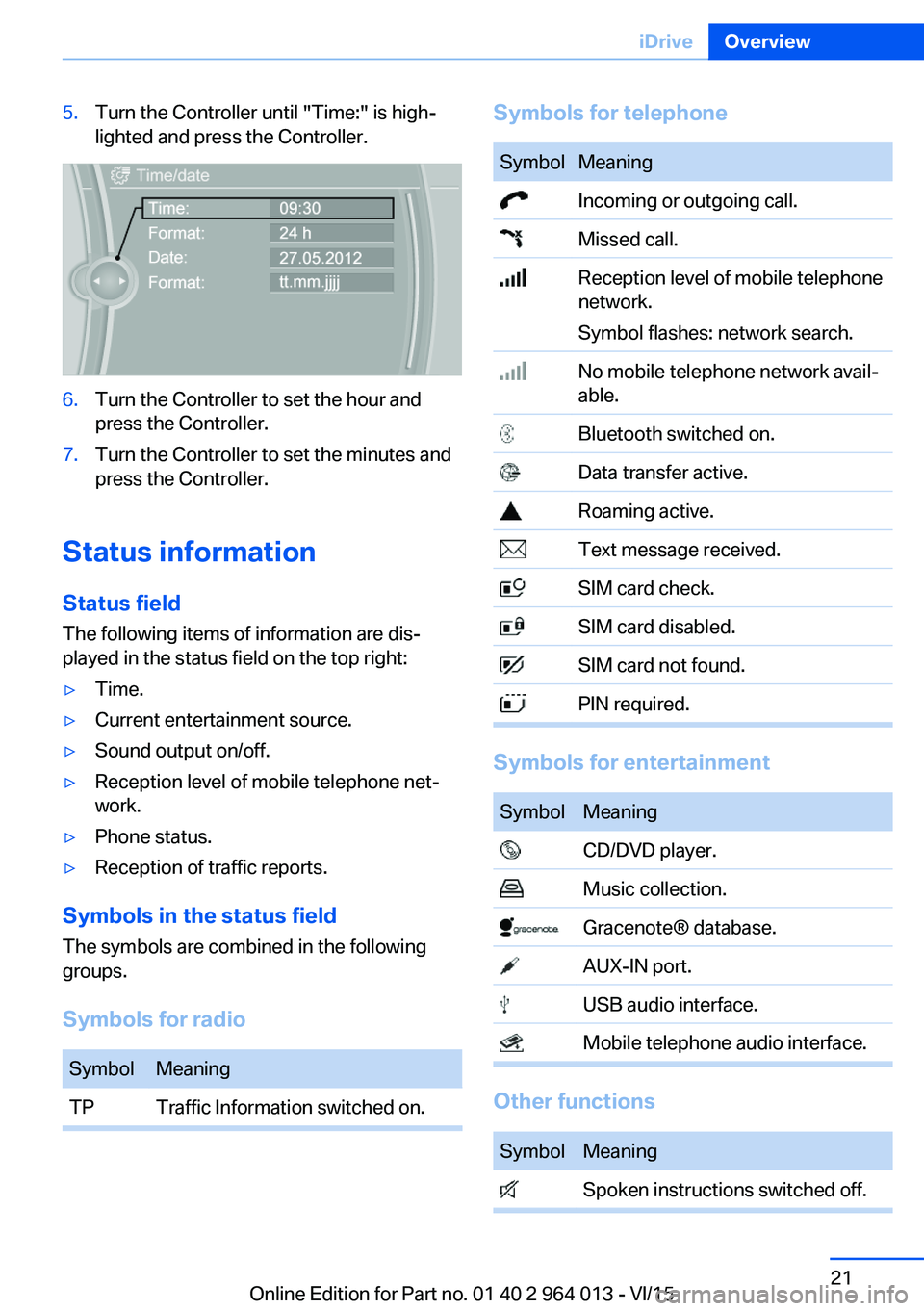
5.Turn the Controller until "Time:" is high‐
lighted and press the Controller.6.Turn the Controller to set the hour and
press the Controller.7.Turn the Controller to set the minutes and
press the Controller.
Status information
Status field The following items of information are dis‐
played in the status field on the top right:
▷Time.▷Current entertainment source.▷Sound output on/off.▷Reception level of mobile telephone net‐
work.▷Phone status.▷Reception of traffic reports.
Symbols in the status field
The symbols are combined in the following
groups.
Symbols for radio
SymbolMeaningTPTraffic Information switched on.Symbols for telephoneSymbolMeaning Incoming or outgoing call. Missed call. Reception level of mobile telephone
network.
Symbol flashes: network search. No mobile telephone network avail‐
able. Bluetooth switched on. Data transfer active. Roaming active. Text message received. SIM card check. SIM card disabled. SIM card not found. PIN required.
Symbols for entertainment
SymbolMeaning CD/DVD player. Music collection. Gracenote® database. AUX-IN port. USB audio interface. Mobile telephone audio interface.
Other functions
SymbolMeaning Spoken instructions switched off.Seite 21iDriveOverview21
Online Edition for Part no. 01 40 2 964 013 - VI/15
Page 35 of 228

This may be useful for securing and calling up
personal settings, for example, before taking
the vehicle into a Service Centre. The saved
profiles can be taken to another vehicle with
the Personal Profile function.
The following options are available for export:▷Via BMW Online.▷Via USB interface to a USB medium.
Common file systems for USB media are
supported. FAT32 and exFAT formats are
recommended for exporting profiles, ex‐
port might not be possible with other for‐
mats.
On the Control Display:
1."Settings"2."Profiles"3."Export profile"4.BMW Online: "BMW Online"
USB interface: "USB device"
Importing profiles
Profiles exported via BMW Online can be im‐
ported via BMW Online.
Profiles saved on a USB medium can be im‐
ported using the USB interface.
Existing settings are overwritten with the im‐
ported profile.
On the Control Display:
1."Settings"2."Profiles"3."Import profile"4.BMW Online: "BMW Online"
USB interface: "USB device"
Using a guest profile With the guest profile, individual settings can
be made which are not saved in any of the
three personal profiles.
This can be beneficial if a driver without their
own profile uses the vehicle temporarily.
On the Control Display:1."Settings"2."Profiles"3."Guest"
Note: the guest profile cannot be renamed. It is
not allocated to the current remote control.
Showing profile list at start The profile list can be shown at the start to se‐
lect the desired profile.
On the Control Display:
1."Settings"2."Profiles"3.Call up "Options".4."Profile list at start"
With the remote control
Note WARNING
Persons remaining in the vehicle or pets
left inside can lock the doors from the inside
and lock themselves in. The vehicle cannot be
opened from the outside. Danger of injury.
Carry the remote control with you so that you
can open the vehicle from the outside.◀
Unlocking Press the button on the remote con‐
trol.
Depending on the settings, see page 41, the
following entrances are unlocked.
▷The driver door and the fuel filler flap.▷All doors, the boot lid and the fuel filler flap.
The following functions are also carried out:
▷The interior light is switched on. At dark,
the courtesy light is additionally switchedSeite 35Opening and closingControls35
Online Edition for Part no. 01 40 2 964 013 - VI/15
Page 150 of 228
Connecting electrical
appliances
Information ATTENTION
Battery chargers for the vehicle battery
can operate with high voltages and high cur‐
rents, which can overload or damage the
12 volt on-board network. Danger of damage
to property. Only connect battery chargers for
the vehicle battery to the jump-starting con‐
nections in the engine compartment.◀
ATTENTION
If metallic objects fall into the socket,
they can cause a short circuit. Danger of dam‐
age to property. After using the socket, put the
lighter or socket cover back on.◀
Power sockets
General
Cigarette lighter socket can be used as a
socket for electrical devices when the engine
is running or the ignition is switched on.
Note The total load of all sockets must not exceed
140 Watt at 12 Volt.
To avoid damage to the socket, do not insert
an incompatible plug.
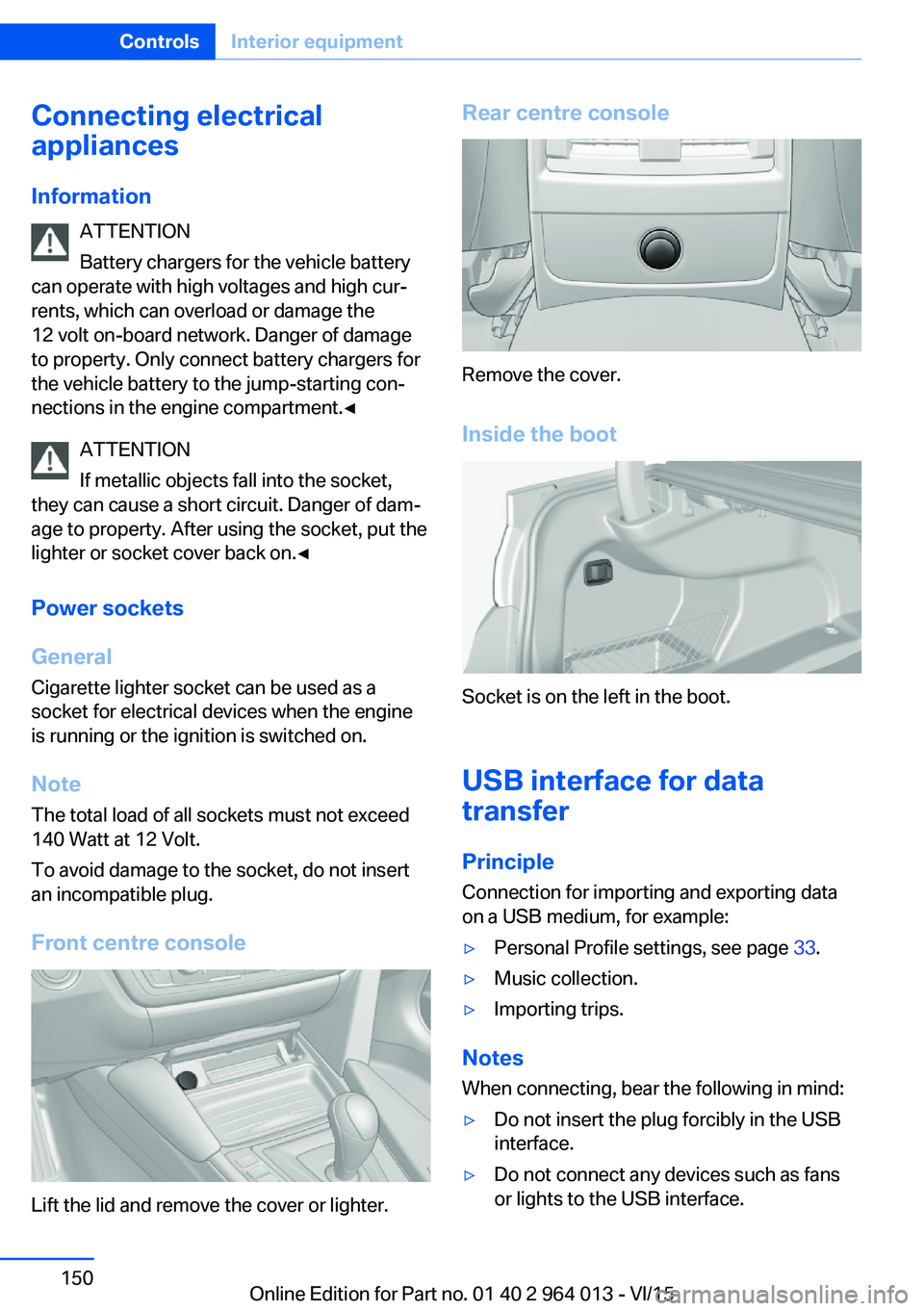
Front centre console
Lift the lid and remove the cover or lighter.
Rear centre console
Remove the cover.
Inside the boot
Socket is on the left in the boot.
USB interface for data
transfer
Principle Connection for importing and exporting data
on a USB medium, for example:
▷Personal Profile settings, see page 33.▷Music collection.▷Importing trips.
Notes
When connecting, bear the following in mind:
▷Do not insert the plug forcibly in the USB
interface.▷Do not connect any devices such as fans
or lights to the USB interface.Seite 150ControlsInterior equipment150
Online Edition for Part no. 01 40 2 964 013 - VI/15
Page 151 of 228
▷Do not connect up USB hard drives.▷Do not use the USB audio interface for
charging external devices.
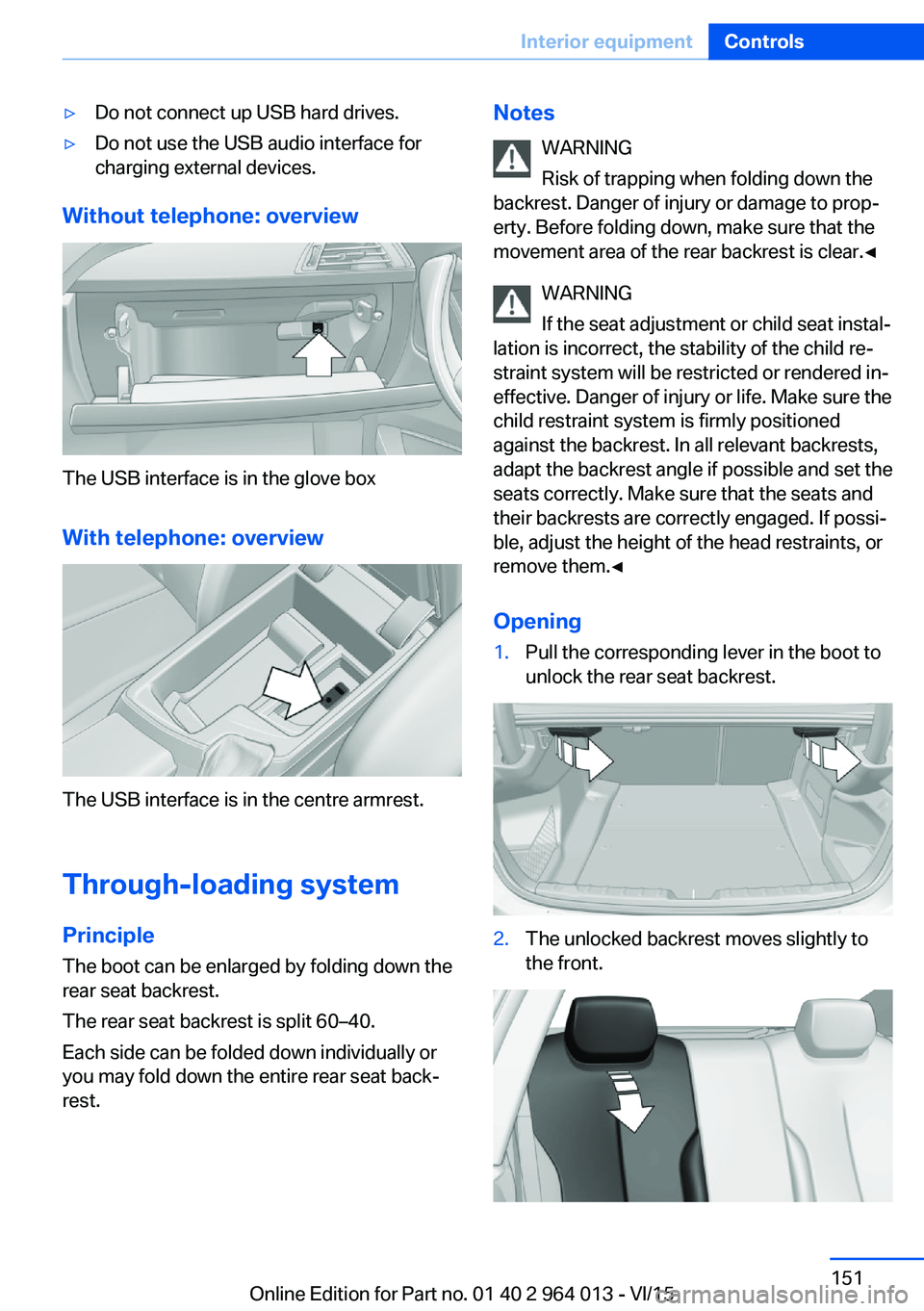
Without telephone: overview
The USB interface is in the glove box
With telephone: overview
The USB interface is in the centre armrest.
Through-loading system PrincipleThe boot can be enlarged by folding down the
rear seat backrest.
The rear seat backrest is split 60–40.
Each side can be folded down individually or
you may fold down the entire rear seat back‐ rest.
Notes
WARNING
Risk of trapping when folding down the
backrest. Danger of injury or damage to prop‐
erty. Before folding down, make sure that the
movement area of the rear backrest is clear.◀
WARNING
If the seat adjustment or child seat instal‐
lation is incorrect, the stability of the child re‐
straint system will be restricted or rendered in‐
effective. Danger of injury or life. Make sure the
child restraint system is firmly positioned
against the backrest. In all relevant backrests,
adapt the backrest angle if possible and set the
seats correctly. Make sure that the seats and
their backrests are correctly engaged. If possi‐
ble, adjust the height of the head restraints, or
remove them.◀
Opening1.Pull the corresponding lever in the boot to
unlock the rear seat backrest.2.The unlocked backrest moves slightly to
the front.Seite 151Interior equipmentControls151
Online Edition for Part no. 01 40 2 964 013 - VI/15
Page 155 of 228
SlidingCentre armrest can be slid in the longitudinal
direction. It engages into the end positions.
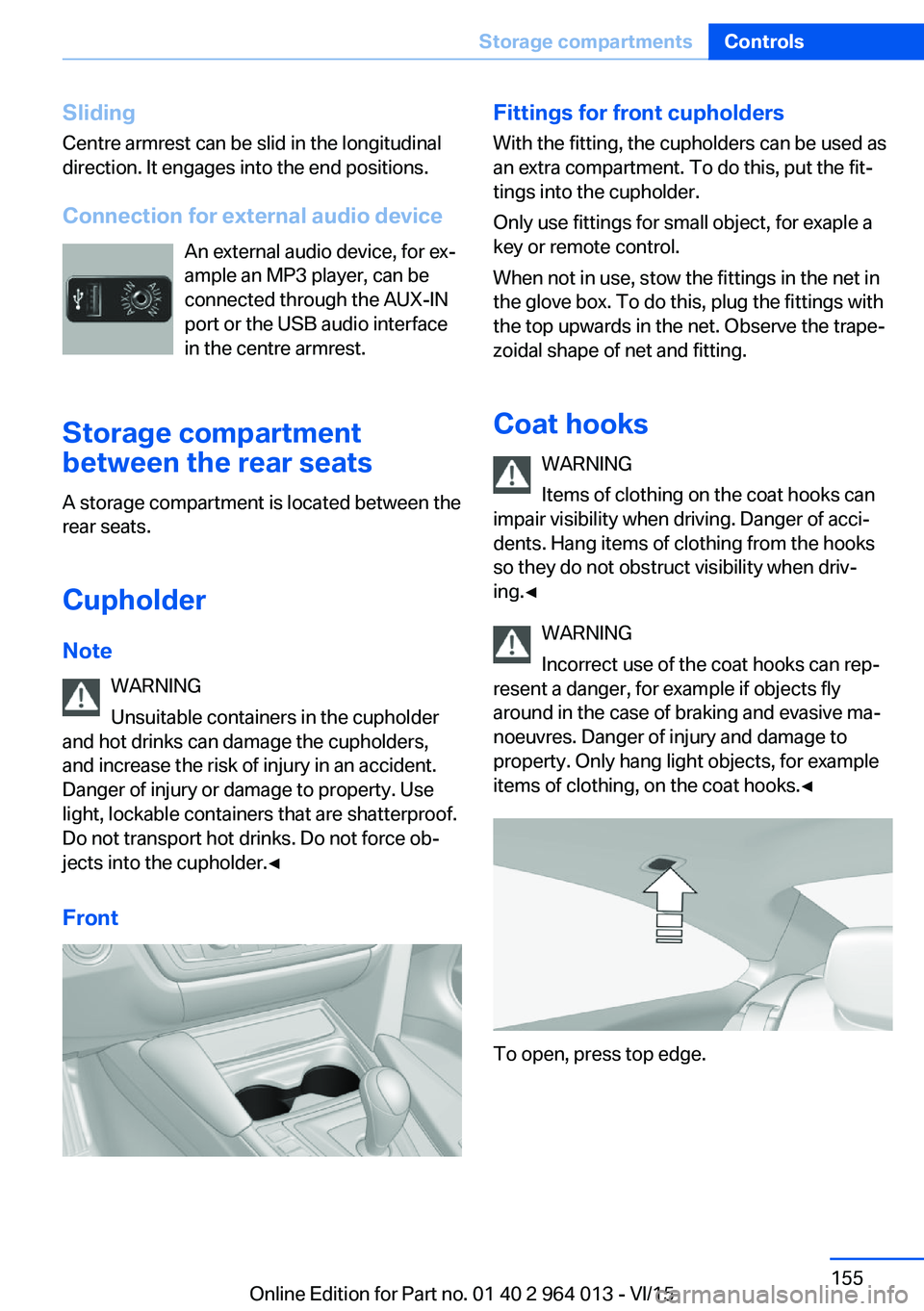
Connection for external audio device An external audio device, for ex‐
ample an MP3 player, can be
connected through the AUX-IN
port or the USB audio interface
in the centre armrest.
Storage compartment
between the rear seats
A storage compartment is located between the
rear seats.
Cupholder
Note WARNING
Unsuitable containers in the cupholder
and hot drinks can damage the cupholders,
and increase the risk of injury in an accident.
Danger of injury or damage to property. Use
light, lockable containers that are shatterproof.
Do not transport hot drinks. Do not force ob‐
jects into the cupholder.◀
FrontFittings for front cupholders
With the fitting, the cupholders can be used as
an extra compartment. To do this, put the fit‐
tings into the cupholder.
Only use fittings for small object, for exaple a
key or remote control.
When not in use, stow the fittings in the net in
the glove box. To do this, plug the fittings with
the top upwards in the net. Observe the trape‐
zoidal shape of net and fitting.
Coat hooks WARNING
Items of clothing on the coat hooks can
impair visibility when driving. Danger of acci‐
dents. Hang items of clothing from the hooks
so they do not obstruct visibility when driv‐
ing.◀
WARNING
Incorrect use of the coat hooks can rep‐
resent a danger, for example if objects fly
around in the case of braking and evasive ma‐
noeuvres. Danger of injury and damage to
property. Only hang light objects, for example items of clothing, on the coat hooks.◀
To open, press top edge.
Seite 155Storage compartmentsControls155
Online Edition for Part no. 01 40 2 964 013 - VI/15
Page 225 of 228

Starting assistance, seeDSC 124
Starting, see Engine start 66
Starting the engine 66
Starting the engine, starting assistance 203
Status control display, tyres 107
Status information, iDrive 21
Status of the Owner's Handbook 7
Steering support 127
Steering wheel, adjusting 57
Steering wheel heating 57
Stopping the engine 67
Storage compartments 153
Storage options 153
Storage, tyres 178
Storage, vehicle 211
Suitable engine oil grades 187
Summer tyres, tread 176
Sunblinds, sun guard 45
Sun visor 149
Supplementary text mes‐ sage 83
Surround view 133
Switches, see Driving area 12
Switching off the engine 67
Switch-on times, independ‐ ent ventilation 148
Symbols 6
Symbols in the status field 21
Symbols used 6
System states of the driving dynamics 86
T
Tailgate opening 38
Tail lights 199
Tank display 84
Technical changes, see Your own safety 7
Technical data 214
Technology, BMW M 160 Telephone 6
Temperature, automatic air conditioning 145
Temperature display, outside temperature 84
Temperature, engine oil 84
Tensioning bands, securing load 166
Text message, supplemen‐ tary 83
Thiefproof wheel studs 199
Thread for towing eye 207
Through-loading system 151
Tilt alarm sensor 43
Tilting down, passenger's mirror 56
Tool 193
Topping up engine oil 186
Top View 137
Total weight 215
Total weight, permitted 215
Touchpad 19
Tourist function, see Left- hand/right-hand traffic 102
Tow eye, see Towing eye 206
Towing 204
Towing eye 206
Towing truck 205
Tow-starting 204
TPM Tyre Pressure Moni‐ tor 107
Tread, tyres 176
Trip distance recorder 84
Triple turn signal 70
Turn indicator rear, changing bulb 196
Turn indicators, operation 70
Turning circle 214
Turning circle lines, rear-view camera 135
Tyre damage 176
Tyre pressure monitoring, see RPA 109
Tyre Pressure Monitor TPM 107 Tyre pressures 175
Tyre replacement 177
Tyre sealant 178
Tyres, everything about wheels and tyres 175
Tyre tread 176
U
Units of measure 94
Unloaded weight 215
Unlocking/locking using door lock 37
Unlocking/locking with re‐ mote control 35
Unlocking, settings 41
Updates after going to press 7
Upholstery care 210
USB interface 150
V Vanity mirror 149
Vehicle battery 199
Vehicle battery, chang‐ ing 199
Vehicle equipment 7
Vehicle for tow-starting/ towing 205
Vehicle identification num‐ ber 9
Vehicle paintwork 209
Vehicle, running in 162
Ventilation 147
Ventilation, see Independent ventilation 147
VIN, see Vehicle identification number 9
Voice control system 25
W Wading 163
Warning indicators, see Check control 80 Seite 225Everything from A to ZReference225
Online Edition for Part no. 01 40 2 964 013 - VI/15