2016 BMW M4 ABS
[x] Cancel search: ABSPage 69 of 228

Preventing automatic engine stop
with M double clutch transmission
Principle To enable the vehicle to move off particularly
swiftly, for example at a junction, the automatic
engine stop can be actively prevented.
Preventing automatic engine stop
using the brake pedal
The engine stop can be actively prevented
within a second of the vehicle coming to a
standstill:▷Press the brake pedal down firmly as soon
as the vehicle has come to a standstill.▷Then immediately brake again with normal
braking force.
Manually deactivating/activating the
system
Using the button
Press the button.
▷LED illuminates: Auto Start Stop function
is deactivated.
During an automatic engine stop, the en‐
gine is started.
The engine can be started or stopped only
by means of the start/stop button.▷LED goes out: Auto Start Stop function is
activated.Parking the vehicle during automatic
engine stop
With automatic engine stop, the vehicle can be
parked safely, for example in order to leave it.1.Press the start/stop button. The ignition is
switched off. The Auto Start Stop function
is deactivated.
P is engaged automatically.2.Apply the parking brake.
Start engine as usual, using the start/stop but‐
ton.
Automatic deactivation
In certain situations the Auto Start Stop func‐
tion is deactivated automatically for safety's
sake, for example if the absence of the driver is
detected.
Malfunction
The Auto Start Stop function no longer shuts
down the engine automatically. A Check Con‐
trol message is displayed. It is possible to keep
driving. Have the system checked.
Parking brake
Applying The lever engages itself after pulling up.
The indicator light illuminates red. The
parking brake is engaged.
If it must be used while driving by way of ex‐
ception, slightly engage the parking brake
while pressing and holding the button.
To avoid corrosion and one-sided braking ef‐
fect, slightly pull on the parking brake from
time to time when moving away, if traffic condi‐
tions allow.
The brake lights do not illuminate when the
parking brake is applied.
Seite 69DrivingControls69
Online Edition for Part no. 01 40 2 964 013 - VI/15
Page 81 of 228

there is a very short distance to a vehicle
ahead.
Increase distance.
Flashing: acute warning in the event of an im‐
mediate collision if the vehicle approaches an‐
other vehicle with relatively high differential
speed.
Engage by braking and swerving as required.
Person warning Symbol in the instrument cluster.If there is a risk of collision with a de‐
tected person, the symbol lights up and
a signal sounds.
Yellow lights
Anti-lock Brake System, ABS Avoid abrupt braking if possible. Brak‐
ing force reinforcement faulty. Con‐
sider longer braking distance. Have this
immediately checked by a Service Centre or a
qualified specialist workshop.
Dynamic Stability Control DSC Flashing: DSC is regulating the accel‐
eration and braking forces. The vehicle
is stabilised. Decrease speed and ad‐
just driving style to the road conditions.
Illuminating: DSC has failed. Have system
checked by a Service Centre or a qualified
specialist workshop.
For further information see Dynamic Stability
Control, DSC, see page 124.
Dynamic Stability Control DSC deactivated Dynamic Stability Control DSC is
switched off.
For further information see Dynamic
Stability Control DSC, see page 124.M Dynamic Mode
M Dynamic Mode MDM is switched on.
For more information, see M Dynamic
Mode, see page 125.
Also flashing: MDM regulates accelera‐
tion and braking forces. The vehicle is
stabilised.
Illuminated: MDM has failed. Have sys‐
tem checked by a Service Centre or a
qualified specialist workshop.
For more information, see M Dynamic
Mode, see page 125.
Runflat indicator RPA The runflat indicator reports a pressure
loss in a tyre.
Reduce your speed and carefully stop
the vehicle. Avoid violent or sudden braking
and steering manoeuvres.
For more information, see Runflat indicator,
see page 109.
Tyre Pressure Monitor TPM Illuminating: the Tyre Pressure Monitor
reports a pressure loss in a tyre.
Reduce your speed and carefully stop
the vehicle. Avoid violent or sudden braking
and steering manoeuvres.
Flashing and then illuminating continuously: no
flat tyres or loss of tyre pressure can be detec‐
ted.▷Fault due to systems or devices with the
same frequency: the system is automati‐
cally reactivated upon leaving the field of
interference.▷TPM could not shut down the reset: exe‐
cute a reset of the system again.Seite 81DisplaysControls81
Online Edition for Part no. 01 40 2 964 013 - VI/15
Page 123 of 228
Driving stability control systemsVehicle equipmentThis chapter describes all standard, national
and special equipment provided in the model
series. Equipment not available in the vehicle is
therefore also described, for example the se‐
lected special equipment or national version.
This also applies to safety-relevant functions
and systems. Comply with the relevant na‐
tional regulations when using the correspond‐
ing functions and systems.
Anti-lock Brake System,
ABS
ABS prevents the wheels from locking when
the brakes are applied.
Steering control is retained even in the event
of full braking, enhancing active road safety.
ABS is ready to operate each time the engine
is started.
Brake assist When brake is pressed quickly, this system au‐
tomatically applies maximum braking power
assistance. With full braking, this keeps the
braking distance as short as possible. It also
makes full use of the advantages offered by
ABS.
Maintain pressure on the brake during the en‐
tire brake application.
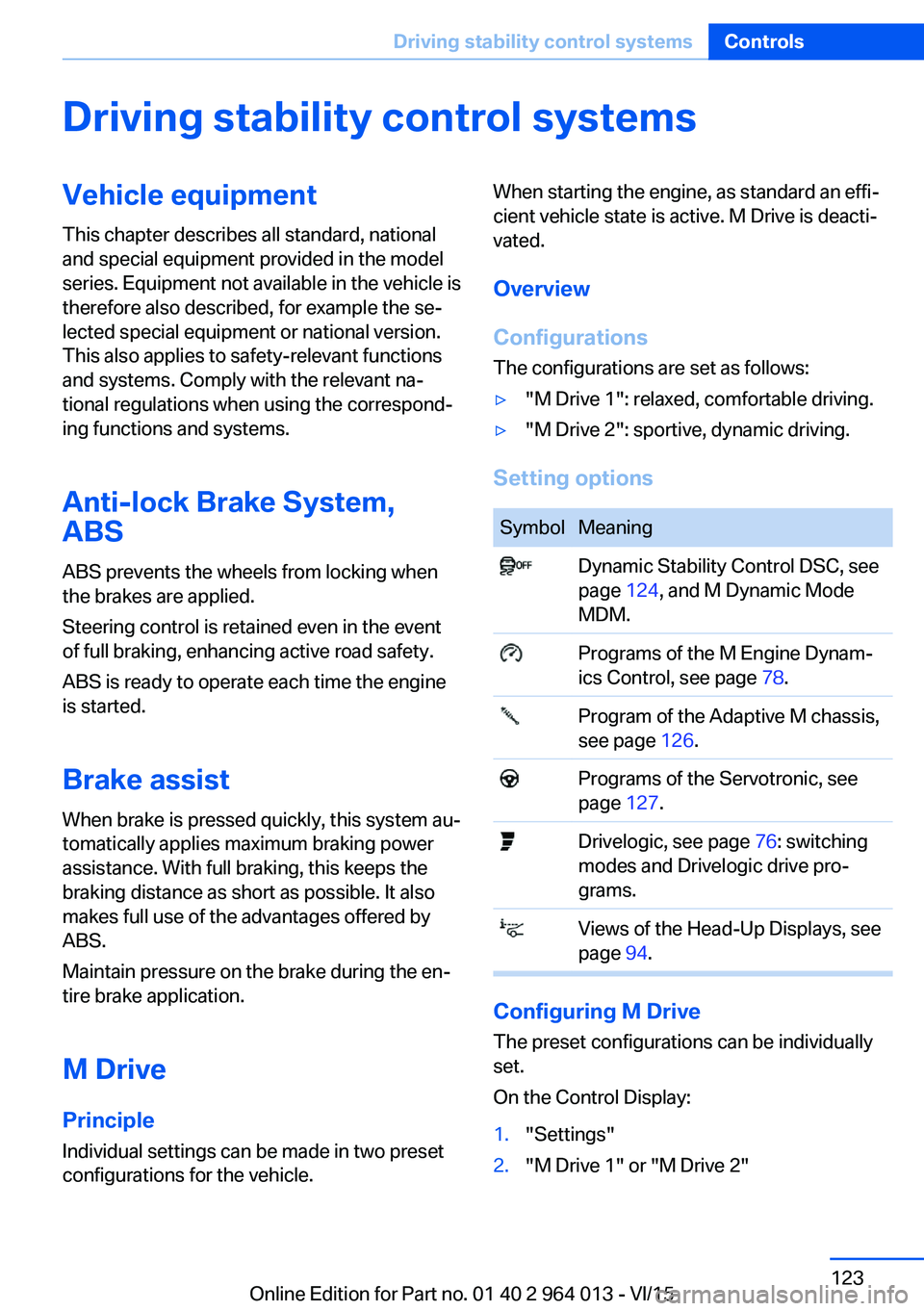
M Drive
Principle Individual settings can be made in two preset
configurations for the vehicle.When starting the engine, as standard an effi‐
cient vehicle state is active. M Drive is deacti‐
vated.
Overview
Configurations
The configurations are set as follows:▷"M Drive 1": relaxed, comfortable driving.▷"M Drive 2": sportive, dynamic driving.
Setting options
SymbolMeaning Dynamic Stability Control DSC, see
page 124, and M Dynamic Mode
MDM. Programs of the M Engine Dynam‐
ics Control, see page 78. Program of the Adaptive M chassis,
see page 126. Programs of the Servotronic, see
page 127. Drivelogic, see page 76: switching
modes and Drivelogic drive pro‐
grams. Views of the Head-Up Displays, see
page 94.
Configuring M Drive
The preset configurations can be individually
set.
On the Control Display:
1."Settings"2."M Drive 1" or "M Drive 2"Seite 123Driving stability control systemsControls123
Online Edition for Part no. 01 40 2 964 013 - VI/15
Page 124 of 228
3.Selected desired adjustment option.4.Select the desired channel.
The individual settings are stored for the cur‐
rently used profile.
With M Drive activated a change is made im‐
mediately on the Control Display setting.
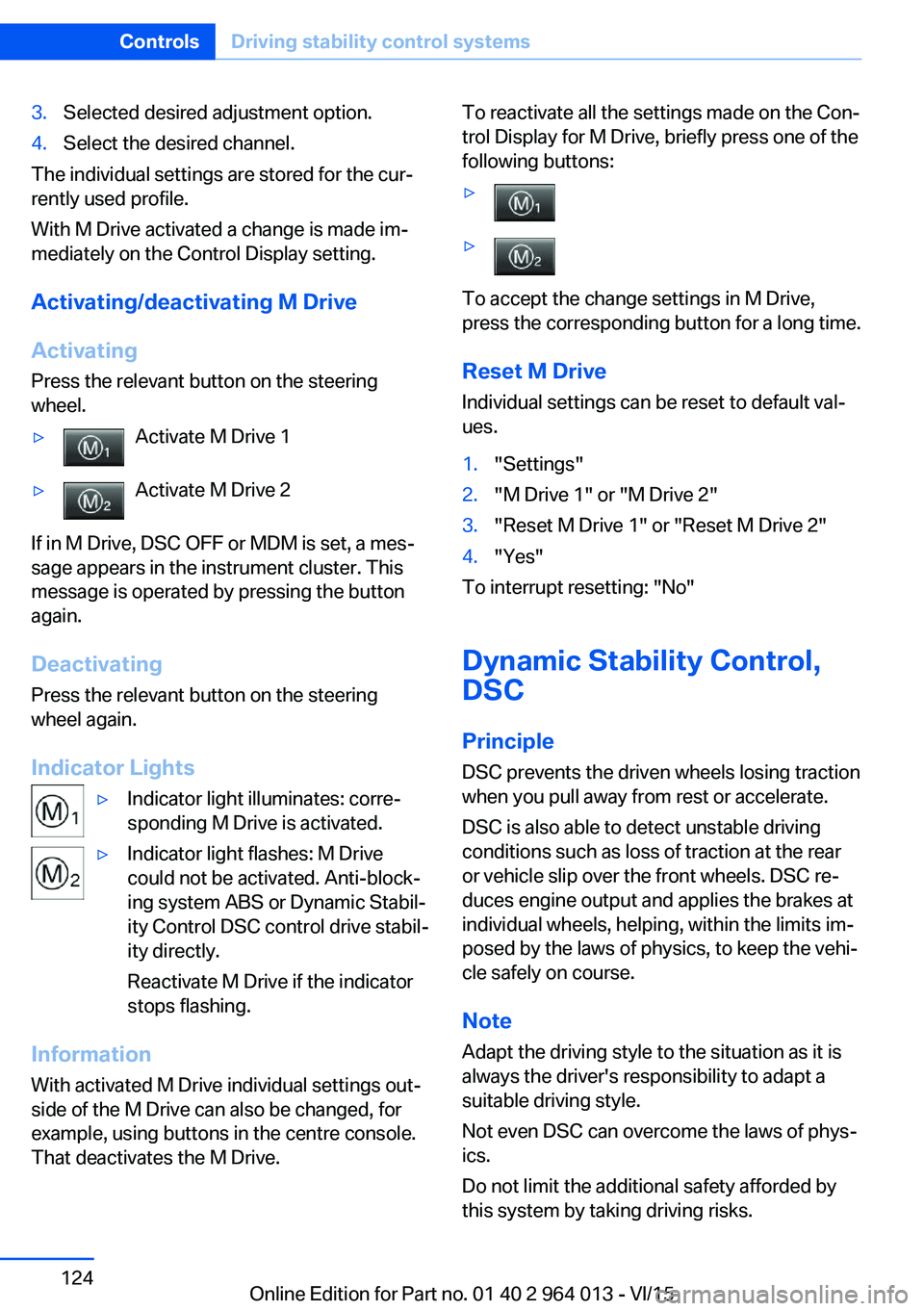
Activating/deactivating M Drive
Activating Press the relevant button on the steering
wheel.
▷Activate M Drive 1▷Activate M Drive 2
If in M Drive, DSC OFF or MDM is set, a mes‐
sage appears in the instrument cluster. This
message is operated by pressing the button
again.
Deactivating Press the relevant button on the steering
wheel again.
Indicator Lights
▷Indicator light illuminates: corre‐
sponding M Drive is activated.▷Indicator light flashes: M Drive
could not be activated. Anti-block‐
ing system ABS or Dynamic Stabil‐
ity Control DSC control drive stabil‐
ity directly.
Reactivate M Drive if the indicator
stops flashing.
Information
With activated M Drive individual settings out‐
side of the M Drive can also be changed, for
example, using buttons in the centre console.
That deactivates the M Drive.
To reactivate all the settings made on the Con‐
trol Display for M Drive, briefly press one of the
following buttons:▷▷
To accept the change settings in M Drive,
press the corresponding button for a long time.
Reset M Drive Individual settings can be reset to default val‐
ues.
1."Settings"2."M Drive 1" or "M Drive 2"3."Reset M Drive 1" or "Reset M Drive 2"4."Yes"
To interrupt resetting: "No"
Dynamic Stability Control,
DSC
Principle DSC prevents the driven wheels losing traction
when you pull away from rest or accelerate.
DSC is also able to detect unstable driving
conditions such as loss of traction at the rear
or vehicle slip over the front wheels. DSC re‐
duces engine output and applies the brakes at
individual wheels, helping, within the limits im‐
posed by the laws of physics, to keep the vehi‐
cle safely on course.
Note Adapt the driving style to the situation as it is
always the driver's responsibility to adapt a
suitable driving style.
Not even DSC can overcome the laws of phys‐
ics.
Do not limit the additional safety afforded by
this system by taking driving risks.
Seite 124ControlsDriving stability control systems124
Online Edition for Part no. 01 40 2 964 013 - VI/15
Page 125 of 228
WARNING
When driving with a roof load, for exam‐
ple with a roof rack, the higher centre of gravity
can mean that driving safety is no longer guar‐
anteed in critical driving situations. Danger of
accident or damage to property. Do not deacti‐
vate Dynamic Stability Control DSC when driv‐
ing with a roof load.◀
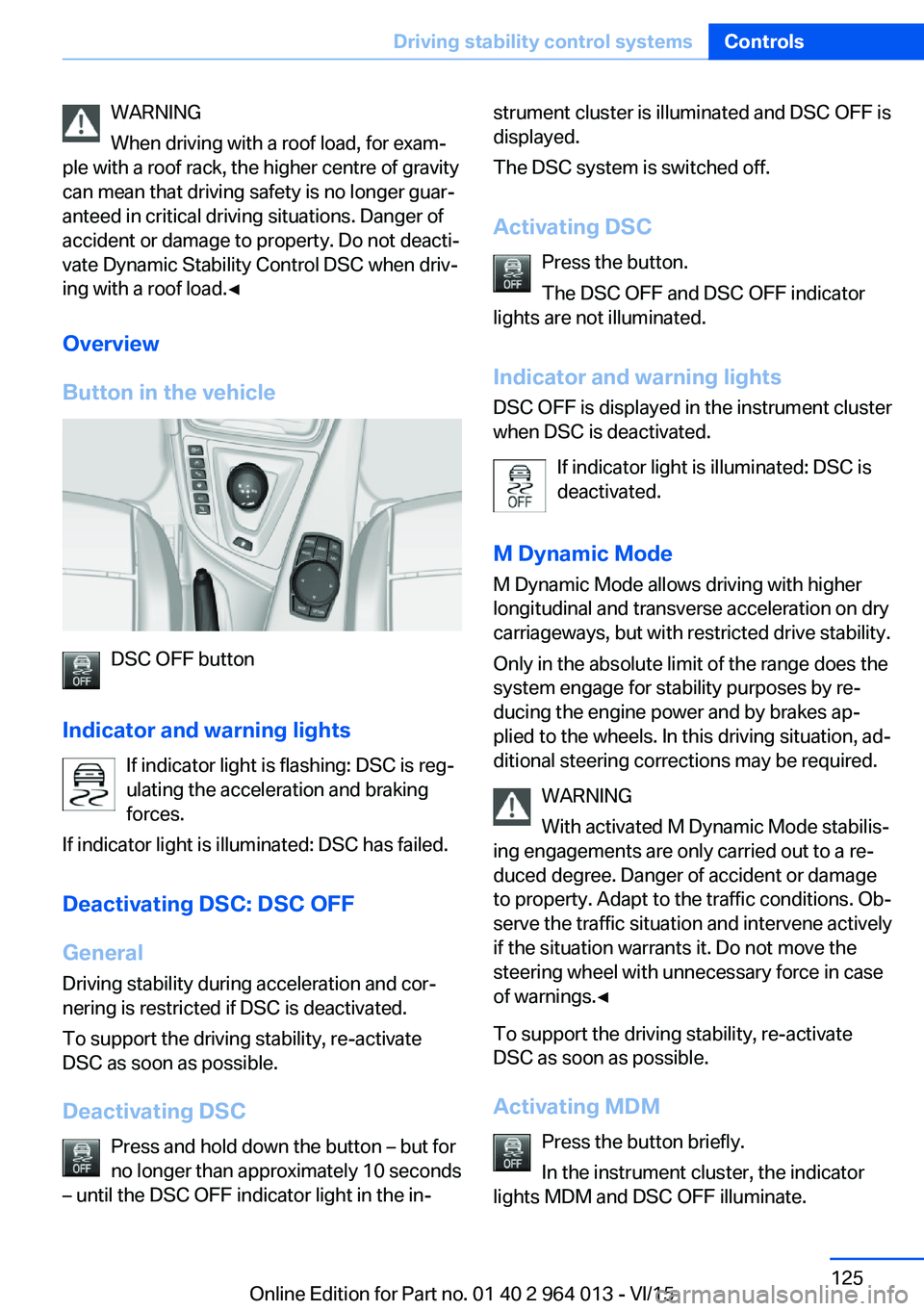
Overview
Button in the vehicle
DSC OFF button
Indicator and warning lights If indicator light is flashing: DSC is reg‐ulating the acceleration and braking
forces.
If indicator light is illuminated: DSC has failed.
Deactivating DSC: DSC OFF
General Driving stability during acceleration and cor‐
nering is restricted if DSC is deactivated.
To support the driving stability, re-activate
DSC as soon as possible.
Deactivating DSC Press and hold down the button – but for
no longer than approximately 10 seconds
– until the DSC OFF indicator light in the in‐
strument cluster is illuminated and DSC OFF is
displayed.
The DSC system is switched off.
Activating DSC Press the button.
The DSC OFF and DSC OFF indicator
lights are not illuminated.
Indicator and warning lights DSC OFF is displayed in the instrument cluster
when DSC is deactivated.
If indicator light is illuminated: DSC is
deactivated.
M Dynamic Mode
M Dynamic Mode allows driving with higher
longitudinal and transverse acceleration on dry
carriageways, but with restricted drive stability.
Only in the absolute limit of the range does the
system engage for stability purposes by re‐
ducing the engine power and by brakes ap‐
plied to the wheels. In this driving situation, ad‐
ditional steering corrections may be required.
WARNING
With activated M Dynamic Mode stabilis‐
ing engagements are only carried out to a re‐
duced degree. Danger of accident or damage
to property. Adapt to the traffic conditions. Ob‐
serve the traffic situation and intervene actively
if the situation warrants it. Do not move the
steering wheel with unnecessary force in case
of warnings.◀
To support the driving stability, re-activate
DSC as soon as possible.
Activating MDM Press the button briefly.
In the instrument cluster, the indicator
lights MDM and DSC OFF illuminate.Seite 125Driving stability control systemsControls125
Online Edition for Part no. 01 40 2 964 013 - VI/15
Page 126 of 228
Deactivating MDMPress the button.
Indicator lights MDM and DSC OFF no
longer illuminate.
Via M DriveOn the Control Display:1."Settings"2."M Drive 1" or "M Drive 2"3. Select the symbol.4."MDM"
To call up the desired M Drive with the selec‐
ted settings, press the corresponding button
on the steering wheel:
▷▷
A message appears in the instrument cluster.
This message is operated by pressing the but‐
ton again.
Deactivating MDM
Press the corresponding button 1 or button 2
on the steering wheel again.
M Dynamic Mode and the settings selected
under M Drive are deactivated.
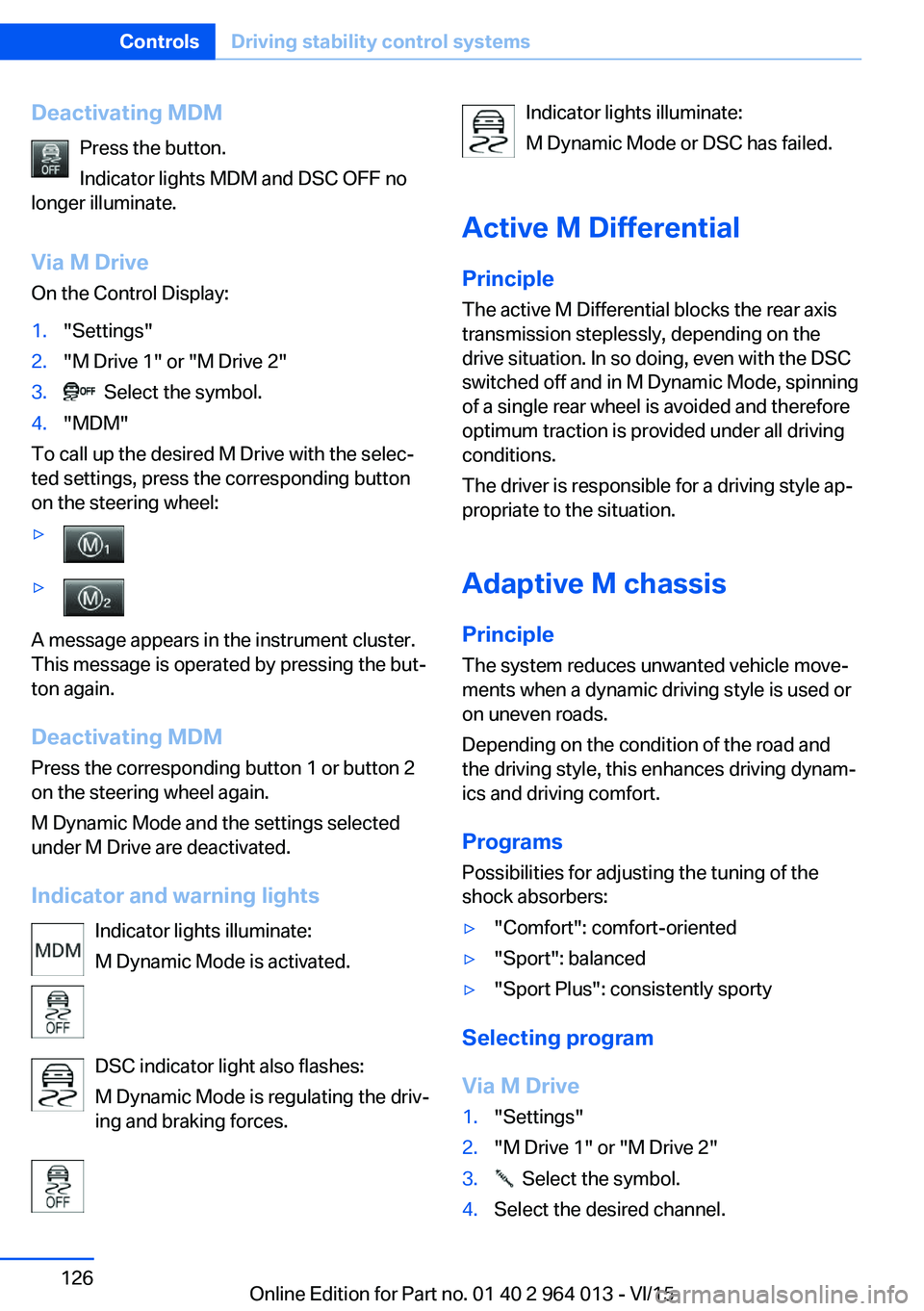
Indicator and warning lights Indicator lights illuminate:
M Dynamic Mode is activated.
DSC indicator light also flashes:
M Dynamic Mode is regulating the driv‐
ing and braking forces.
Indicator lights illuminate:
M Dynamic Mode or DSC has failed.
Active M Differential
Principle The active M Differential blocks the rear axis
transmission steplessly, depending on the
drive situation. In so doing, even with the DSC
switched off and in M Dynamic Mode, spinning
of a single rear wheel is avoided and therefore
optimum traction is provided under all driving
conditions.
The driver is responsible for a driving style ap‐
propriate to the situation.
Adaptive M chassis PrincipleThe system reduces unwanted vehicle move‐
ments when a dynamic driving style is used or
on uneven roads.
Depending on the condition of the road and
the driving style, this enhances driving dynam‐
ics and driving comfort.
Programs Possibilities for adjusting the tuning of the
shock absorbers:▷"Comfort": comfort-oriented▷"Sport": balanced▷"Sport Plus": consistently sporty
Selecting program
Via M Drive
1."Settings"2."M Drive 1" or "M Drive 2"3. Select the symbol.4.Select the desired channel.Seite 126ControlsDriving stability control systems126
Online Edition for Part no. 01 40 2 964 013 - VI/15
Page 163 of 228

General driving information
Closing the boot lid WARNING
An open boot lid projects beyond the ve‐
hicle, and in the event of an accident, braking
or avoidance manoeuvres, it can endanger ve‐ hicle occupants and other road users, or dam‐
age the vehicle. There is also the danger of ex‐
haust fumes entering the interior of the
vehicle. Danger of injury or damage to prop‐
erty. Do not drive with the boot lid open.◀
If there is no alternative to driving with the tail‐
gate open:▷Close all windows and the Glass Roof.▷Turn up the blower to a high output level.▷Maintain moderate speed.
Hot exhaust system
WARNING
During driving, high temperatures can be
generated under the body, for example be‐
cause of the exhaust system. If flammable ma‐
terials, for example leaves of grass, come into
contact with hot parts of the exhaust system,
these materials can catch fire. Danger of injury
or damage to property.
Never remove the heat shields fitted here, or
apply underseal to them. Make sure that when driving, idling or parking, no flammable materi‐
als can come into contact with hot vehicle
parts. Do not touch the hot exhaust system.◀
Radio signals WARNING
Certain vehicle functions may be affec‐
ted by interference from high-frequency radio
signals. Such signals are output from a series
of transmission systems, for example, from air
traffic beacons or relay stations for mobile tele‐
communications.
We recommend you consult a Service Partner
or a qualified specialist workshop should you
experience any difficulties.◀
Mobile communication equipment WARNING
The vehicle's electronics and mobile
radio devices can interfere. The transmission
operation of mobile radio devices generates
radiation. Danger of injury or damage to prop‐
erty. If possible, only use mobile radio devices,
e.g. mobile telephones, in the interior with di‐
rect connection to an external antenna to ex‐
clude mutual interference and to dissipate the
radiation from the vehicle's interior.◀
Aquaplaning
On wet or slushy roads, a wedge of water can
form between the tyres and the road.
This situation, known as aquaplaning, means
that the tyre can actually lose contact com‐
pletely with the road surface and the vehicle
can neither be steered nor the brakes properly
applied.
Wading ATTENTION
Driving through excessively deep water
too fast can result in water entering the engine
compartment, electrical system or transmis‐
sion. Danger of damage to property. When
driving through water, do not exceed the maxi‐
mum specified water depth and maximum
fording speed.◀
Only if the water is calm and only up to a water
depth of max. 25 cm, approximately 9.8 inches
and at this depth drive no faster than walking
speed up to 5 km/h, approximately 3 mph.
Safe braking Your vehicle is equipped with ABS as standard.Seite 163Driving precautionsDriving hints163
Online Edition for Part no. 01 40 2 964 013 - VI/15
Page 164 of 228
Applying the brakes fully is the most effective
way of braking in situations in which this is
necessary.
The vehicle can be steered. Any obstacles can
be avoided with steering wheel movements
that are as calm as possible.
A pulsing of the brake pedal shows that ABS is
regulating.
In certain braking situations, the perforated
brake disks can cause functional noise. How‐
ever, this has no effect on the efficiency and
operational safety of the brakes.
Objects in the range of movement of
the pedals and in the footwell
WARNING
Objects in the driver's footwell can re‐
strict the pedal travel, or block a pedal that has
been pressed. Danger of accidents. Stow
items in the vehicle so that they are secure and
cannot get into the driver's footwell. Only use
floor mats that have been categorised as ap‐
propriate for the vehicle and that can be fas‐
tened accordingly. Do not use any loose floor
mats, and do not place several floor mats on
top of one another. Make sure that there is suf‐
ficient space for the pedals. Ensure that the
floor mats are securely reattached after having
been removed, for example for cleaning.◀
Wet roads
In damp weather, if road grit has been spread
or there is heavy rain, apply the brakes lightly
every few kilometres/miles.
In doing so, do not obstruct other road users.
The resulting heat dries the brake discs and
pads.
The braking force will be available immediately
if needed.Downhill gradients
WARNING
Even slight, continuous pressure on the
brake pedal can cause overheating, brake pad
wear or even brake system failure. Danger of
accidents. Avoid excessive loads on the
brake.◀
WARNING
When idling or with the engine switched
off, safety-relevant functions are restricted or
no longer available, for example the braking ef‐
fect of the engine or power assistance for the
braking force and steering. Danger of acci‐
dents. Do not drive at idle speed or with the
engine switched off.◀
When driving on long or steep downhill
stretches, use the gear in which the least brak‐
ing is required. Otherwise the brake system
can overheat and braking action is reduced.
Manual gearbox:
The braking effect can be additionally in‐
creased by shifting down, even into first gear, if
applicable.
M double clutch transmission:
The braking action of the engine can be boos‐
ted further by shifting down in sequential
mode, see page 75.
Corrosion of the brake disc Corrosion of the brake discs and contamina‐
tion of the brake pads increase with the
following circumstances:▷Low mileage.▷Extended periods when the vehicle is not
used.▷Infrequent use of the brakes.
Corrosion occurs when the minimum pressure
that must be exerted by the pads during brake
applications to clean the discs is not reached.
Seite 164Driving hintsDriving precautions164
Online Edition for Part no. 01 40 2 964 013 - VI/15