2016 BMW M4 warning light
[x] Cancel search: warning lightPage 115 of 228

Warning with braking function
Display
If there is a risk of collision with a detected per‐
son, a warning symbol is shown in the instru‐
ment cluster and in the head-up display.
Red symbol is displayed and an acous‐
tic warning sounds.
Take action yourself immediately, by braking
or swerving.
Brake intervention
The warning requires to take action yourself.
Maximum braking force is used during a warn‐
ing. In order for braking force support to be
used, it is necessary for the brake to be
pressed sufficiently quickly and powerfully. In
addition, the system may also support with a
small amount of braking if there is the risk of a
collision. The vehicle can be braked at low
speed until it comes to a stop.
Manual gearbox: When brakes are engaged
until it comes to a stop, the engine may shut
off.
There will only be brake intervention if Dy‐
namic Stability Control, DSC is activated and
M Dynamic Mode MDM is not activated.
Braking can be discontinued either by pressing
the accelerator pedal or by actively moving the
steering wheel.
Detection of objects can be restricted. Limita‐
tions of the detection range and functional re‐
strictions are to be considered.
System limits
Detection range
The detection capacity of the camera is limi‐
ted.
This is why it can occur that no warnings are
issued or they are issued late.
It is possible that the following are not detec‐
ted:▷Partially concealed pedestrians.▷Pedestrians who are not detected as such
because of the viewing angle or contour.▷Pedestrians outside the detection range.▷Pedestrians under a height of approxi‐
mately 80 cm, 32 in.
Restrictions of the function
The function may be restricted or not available
in the following situations, for example:
The function may be available on a limited ba‐
sis in the following situations, for example:
▷In thick fog, rain, spray or snowfall.▷On sharp bends.▷When deactivating vehicle stability control
systems, for example DSC OFF.▷If the field of view of the camera and/or the
windscreen is dirty or covered.▷Up to 10 seconds after starting the engine
using the start/stop button.▷During the calibration process of the cam‐
era immediately after the vehicle is sup‐
plied.▷When there is sustained glare effect due to
light opposite, for example the sun low in
the sky.▷In the dark.
Lane departure warning
Principle This system warns if the vehicle leaves the
lane, when the vehicle is on roads with lane
markings and travelling above a given speed.
Depending on country version, this speed is
between 55 km/h, approximately 35 mph and
70 km/h, approximately 45 mph.
When switching on the system below this
speed, a message is displayed in the instru‐
ment cluster.
Seite 115SecurityControls115
Online Edition for Part no. 01 40 2 964 013 - VI/15
Page 116 of 228
When there are warnings, the steering wheel
starts to vibrate slightly. The timing of this
warning may vary depending on the current
driving situation.
The system does not issue a warning if the
driver indicates before leaving the driving lane.
Information WARNING
The system does not take your personal
responsibility from you when you are estimat‐
ing the course of the road and traffic situation.
Danger of accidents. Adapt driving style to the
driving conditions. Observe the traffic situation
and intervene actively if the situation warrants
it. Do not move the steering wheel with unnec‐
essary force in case of warnings.◀
Overview
Button in the vehicle
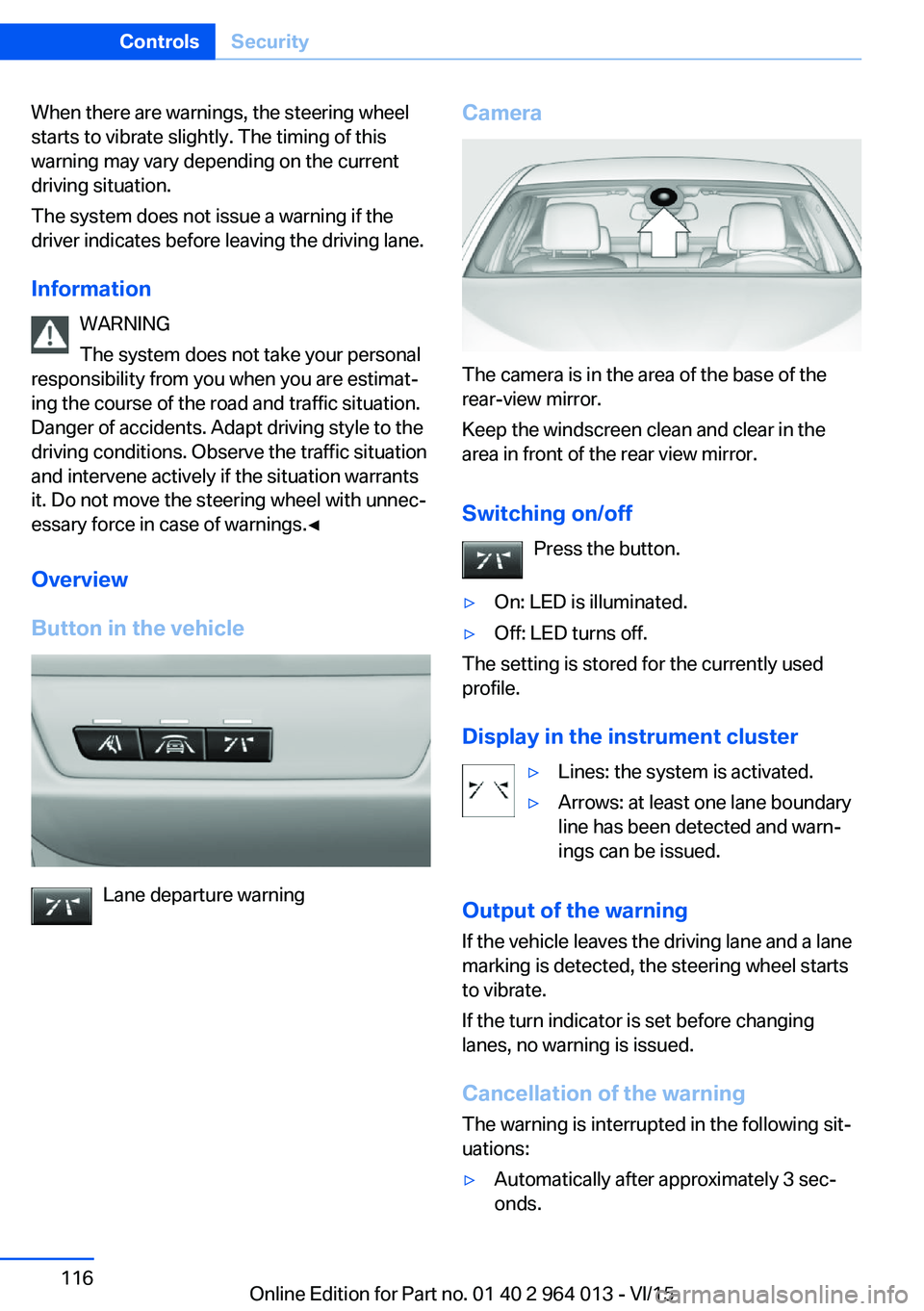
Lane departure warning
Camera
The camera is in the area of the base of the
rear-view mirror.
Keep the windscreen clean and clear in the
area in front of the rear view mirror.
Switching on/off Press the button.
▷On: LED is illuminated.▷Off: LED turns off.
The setting is stored for the currently used
profile.
Display in the instrument cluster
▷Lines: the system is activated.▷Arrows: at least one lane boundary
line has been detected and warn‐
ings can be issued.
Output of the warning
If the vehicle leaves the driving lane and a lane
marking is detected, the steering wheel starts
to vibrate.
If the turn indicator is set before changing
lanes, no warning is issued.
Cancellation of the warning
The warning is interrupted in the following sit‐
uations:
▷Automatically after approximately 3 sec‐
onds.Seite 116ControlsSecurity116
Online Edition for Part no. 01 40 2 964 013 - VI/15
Page 117 of 228

▷On returning to the correct lane.▷With strong braking.▷On indicating.
System limits
The function can be restricted, for example in
the following situations:
▷In thick fog and heavy rain or snow.▷With missing, worn, poorly visible, merg‐
ing/separating or ambiguous boundary
lines, for example in areas where there are
road works.▷If boundary lines are covered by snow, ice,
dirt or water.▷On sharp bends or narrow roads.▷If the boundary lines are not white.▷If boundary lines are obscured.▷If the vehicle is moving too close to the ve‐
hicle ahead.▷With bright oncoming light.▷When the windscreen in front of the rear-
view mirror is covered with condensation,
dirt, stickers, labels, etc.▷During the calibration process of the cam‐
era immediately after the vehicle is sup‐
plied.Lane change warning
Principle
Two radar sensors in the rear bumper monitor
the area behind and beside the vehicle as of
approx. 20 km/h, approx.12 mph.
In some equipment configurations, the radar
sensors are active from approximately
50 km/h, approximately 30 mph.
The system indicates when vehicles are in the
blind spot, arrow 1, or are approaching from
the rear on an adjacent lane, arrow 2.
The light in the exterior mirror housing illumi‐
nates at a dimmed level.
Before changing lanes with the turn indicator
switched on, the system issues a warning the
above situations.
The light in the exterior mirror housing flashes
and the steering wheel vibrates.
Notes WARNING
The system does not take your personal
responsibility from you when you are estimat‐
ing the visibility conditions and traffic situation.
Danger of accidents. Adapt driving style to the
driving conditions. Observe the traffic situation
and intervene actively if the situation warrants
it.◀
Seite 117SecurityControls117
Online Edition for Part no. 01 40 2 964 013 - VI/15
Page 118 of 228

Overview
Button in the vehicle
Lane change warning
Radar sensors
The radar sensors are located in the rear
bumper.
Switching on/off Press the button.
▷On: LED is illuminated.▷Off: LED turns off.
The setting is stored for the currently used
profile.
Display
Light in the exterior mirror housing
Information level
The dimmed light in the exterior mirror housing
indicates when vehicles are in the blind spot or
are approaching from the rear.
Warning
If the turn indicator is set while a vehicle is in
the critical area, the steering wheel vibrates
briefly and the light in the exterior mirror hous‐
ing flashes brightly.
The warning is terminated when indicating is
completed or the other vehicle has left the crit‐
ical area.
Brief flashA brief flash of the light when unlocking the ve‐
hicle is used as a self-test of the system.
System limits
The function can be restricted in the following
situations:
▷If the speed of the approaching vehicle is
very much higher than that of your own
speed.▷In thick fog and heavy rain or snow.▷On sharp bends or narrow roads.▷If the bumper is soiled, iced-over or a
sticker is attached to it.
A Check Control message is displayed in the
event of limited functionality.
Seite 118ControlsSecurity118
Online Edition for Part no. 01 40 2 964 013 - VI/15
Page 120 of 228
Exceeding the speed limitYou may intentionally exceed the speed limit.There is no acoustic warning in such a case.
To intentionally exceed the set speed limit,
completely depress the accelerator pedal.
If the speed drops below the set speed limit, it
is automatically reactivated.
Warning
Visual warning The indicator light in the instrument
cluster flashes if the set speed limit is
exceeded for as long as you exceed the
set speed limit.
Acoustic warning▷If you unintentionally exceed the set speed
limit, you will hear an acoustic warning af‐
ter approximately five seconds.▷If the speed limit is reduced to below the
current speed during the journey, the
warning sounds after approximately
30 seconds.▷If you intentionally exceed the speed limit
by fully depressing the accelerator pedal,
no warning is given.
Displays in the instrument cluster
Marking of the speed limit Display in the speedometer:
▷Marker illuminates green:
the system is active.▷Marker does not illuminate:
the system is inactive.
Indicator light
▷If the indicator light is illuminated:
the system is switched on.▷If the indicator light is flashing: set speed
limit is exceeded.
Brief status display
Set speed limit briefly appears.
Dynamic brake lights Principle
▷Normal braking: brake lights illuminate.▷Severe braking: brake lights flash.
Shortly before the vehicle comes to a stand‐
still, the hazard warning lights are activated.
Deactivating the hazard warning lights:
▷Accelerating.▷Press the hazard warning lights button.
Active Protection
General
The Active Protection safety package consists
of systems independent of each other:
▷Attentiveness assistant.▷PreCrash.▷PostCrash.Seite 120ControlsSecurity120
Online Edition for Part no. 01 40 2 964 013 - VI/15
Page 125 of 228
WARNING
When driving with a roof load, for exam‐
ple with a roof rack, the higher centre of gravity
can mean that driving safety is no longer guar‐
anteed in critical driving situations. Danger of
accident or damage to property. Do not deacti‐
vate Dynamic Stability Control DSC when driv‐
ing with a roof load.◀
Overview
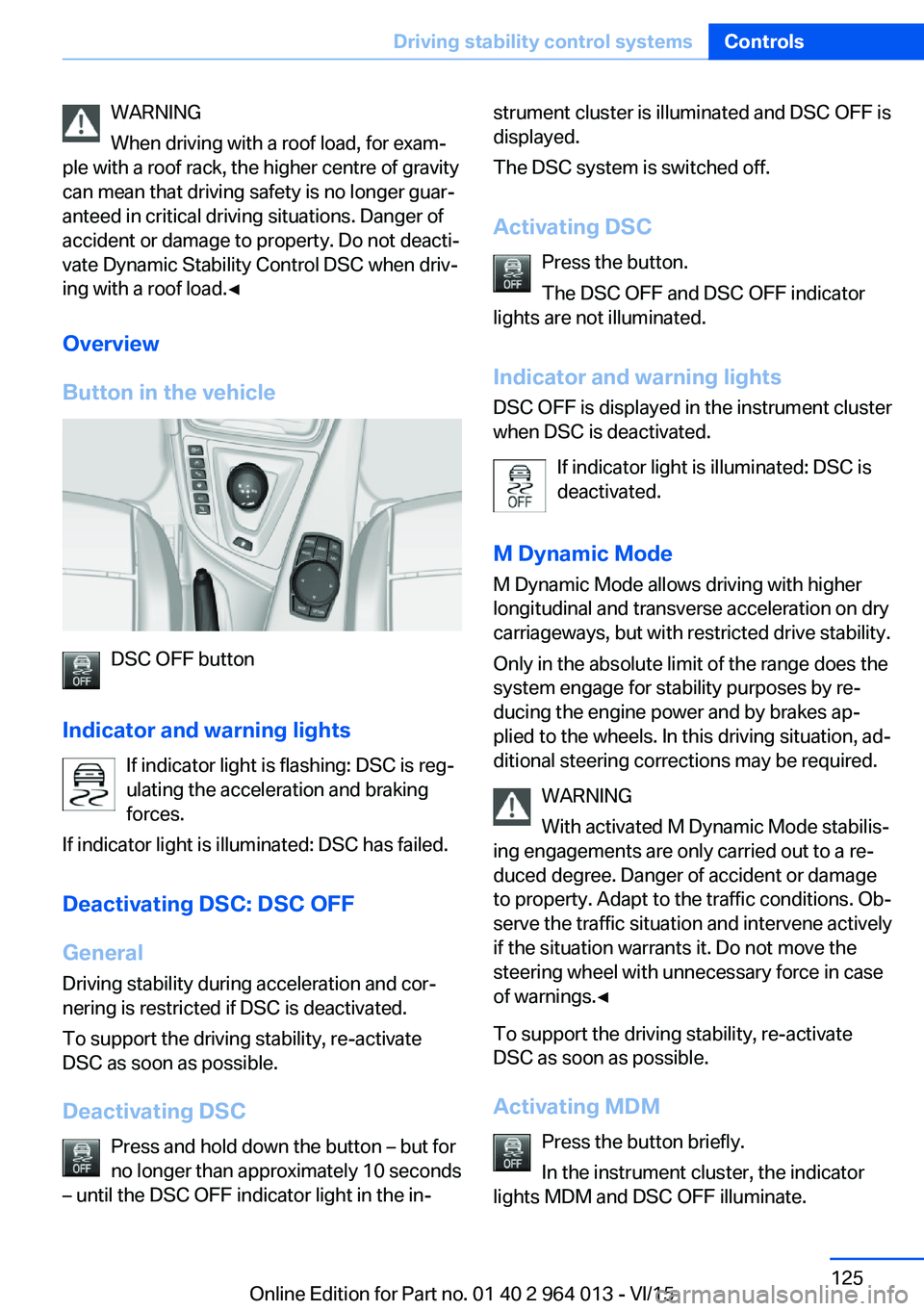
Button in the vehicle
DSC OFF button
Indicator and warning lights If indicator light is flashing: DSC is reg‐ulating the acceleration and braking
forces.
If indicator light is illuminated: DSC has failed.
Deactivating DSC: DSC OFF
General Driving stability during acceleration and cor‐
nering is restricted if DSC is deactivated.
To support the driving stability, re-activate
DSC as soon as possible.
Deactivating DSC Press and hold down the button – but for
no longer than approximately 10 seconds
– until the DSC OFF indicator light in the in‐
strument cluster is illuminated and DSC OFF is
displayed.
The DSC system is switched off.
Activating DSC Press the button.
The DSC OFF and DSC OFF indicator
lights are not illuminated.
Indicator and warning lights DSC OFF is displayed in the instrument cluster
when DSC is deactivated.
If indicator light is illuminated: DSC is
deactivated.
M Dynamic Mode
M Dynamic Mode allows driving with higher
longitudinal and transverse acceleration on dry
carriageways, but with restricted drive stability.
Only in the absolute limit of the range does the
system engage for stability purposes by re‐
ducing the engine power and by brakes ap‐
plied to the wheels. In this driving situation, ad‐
ditional steering corrections may be required.
WARNING
With activated M Dynamic Mode stabilis‐
ing engagements are only carried out to a re‐
duced degree. Danger of accident or damage
to property. Adapt to the traffic conditions. Ob‐
serve the traffic situation and intervene actively
if the situation warrants it. Do not move the
steering wheel with unnecessary force in case
of warnings.◀
To support the driving stability, re-activate
DSC as soon as possible.
Activating MDM Press the button briefly.
In the instrument cluster, the indicator
lights MDM and DSC OFF illuminate.Seite 125Driving stability control systemsControls125
Online Edition for Part no. 01 40 2 964 013 - VI/15
Page 126 of 228
Deactivating MDMPress the button.
Indicator lights MDM and DSC OFF no
longer illuminate.
Via M DriveOn the Control Display:1."Settings"2."M Drive 1" or "M Drive 2"3. Select the symbol.4."MDM"
To call up the desired M Drive with the selec‐
ted settings, press the corresponding button
on the steering wheel:
▷▷
A message appears in the instrument cluster.
This message is operated by pressing the but‐
ton again.
Deactivating MDM
Press the corresponding button 1 or button 2
on the steering wheel again.
M Dynamic Mode and the settings selected
under M Drive are deactivated.
Indicator and warning lights Indicator lights illuminate:
M Dynamic Mode is activated.
DSC indicator light also flashes:
M Dynamic Mode is regulating the driv‐
ing and braking forces.
Indicator lights illuminate:
M Dynamic Mode or DSC has failed.
Active M Differential
Principle The active M Differential blocks the rear axis
transmission steplessly, depending on the
drive situation. In so doing, even with the DSC
switched off and in M Dynamic Mode, spinning
of a single rear wheel is avoided and therefore
optimum traction is provided under all driving
conditions.
The driver is responsible for a driving style ap‐
propriate to the situation.
Adaptive M chassis PrincipleThe system reduces unwanted vehicle move‐
ments when a dynamic driving style is used or
on uneven roads.
Depending on the condition of the road and
the driving style, this enhances driving dynam‐
ics and driving comfort.
Programs Possibilities for adjusting the tuning of the
shock absorbers:▷"Comfort": comfort-oriented▷"Sport": balanced▷"Sport Plus": consistently sporty
Selecting program
Via M Drive
1."Settings"2."M Drive 1" or "M Drive 2"3. Select the symbol.4.Select the desired channel.Seite 126ControlsDriving stability control systems126
Online Edition for Part no. 01 40 2 964 013 - VI/15
Page 130 of 228
▷When interrupted: press once.
The indicators turn off. The saved desired
speed is deleted.
Interrupting When the system is activated, press
the button on the steering wheel.
The system interrupts automatically in the
following situations:
▷If the brake is applied.▷If the clutch is depressed for a few seconds
or released with no gear engaged.▷If too high a gear has been engaged for the
speed.▷If MDM is activated or DSC is deactivated.▷If DSC intervenes.
Maintaining, saving, changing speed
Notes WARNING
The desired speed can be inadvertently
set incorrectly or called up. Danger of acci‐
dents. Adapt the desired speed to the driving
conditions. Observe the traffic situation and in‐
tervene actively if the situation warrants it.◀
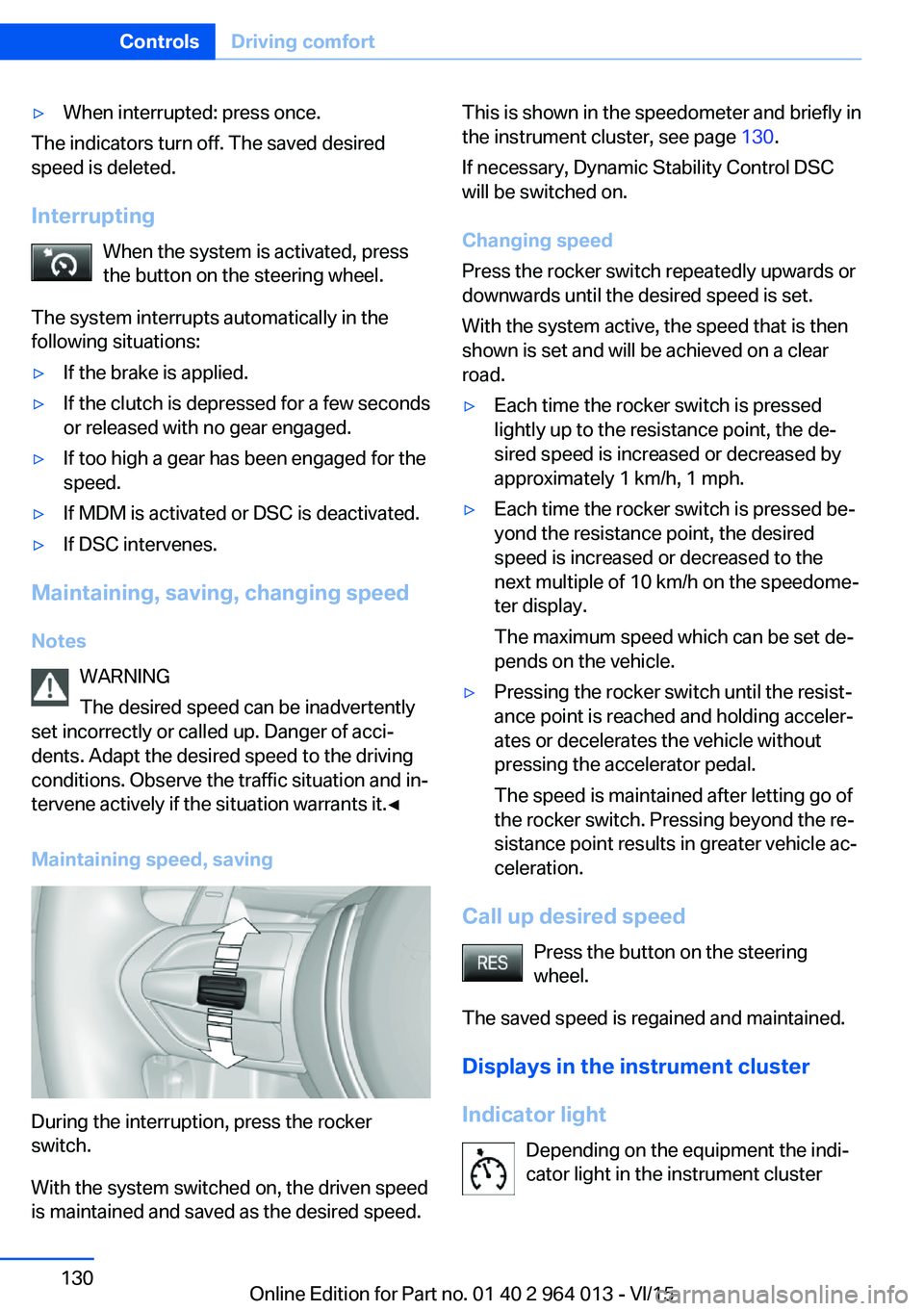
Maintaining speed, saving
During the interruption, press the rocker
switch.
With the system switched on, the driven speed
is maintained and saved as the desired speed.
This is shown in the speedometer and briefly in
the instrument cluster, see page 130.
If necessary, Dynamic Stability Control DSC
will be switched on.
Changing speed
Press the rocker switch repeatedly upwards or
downwards until the desired speed is set.
With the system active, the speed that is then
shown is set and will be achieved on a clear
road.▷Each time the rocker switch is pressed
lightly up to the resistance point, the de‐
sired speed is increased or decreased by
approximately 1 km/h, 1 mph.▷Each time the rocker switch is pressed be‐
yond the resistance point, the desired
speed is increased or decreased to the
next multiple of 10 km/h on the speedome‐
ter display.
The maximum speed which can be set de‐
pends on the vehicle.▷Pressing the rocker switch until the resist‐
ance point is reached and holding acceler‐
ates or decelerates the vehicle without
pressing the accelerator pedal.
The speed is maintained after letting go of
the rocker switch. Pressing beyond the re‐
sistance point results in greater vehicle ac‐
celeration.
Call up desired speed
Press the button on the steering
wheel.
The saved speed is regained and maintained.
Displays in the instrument cluster
Indicator light Depending on the equipment the indi‐
cator light in the instrument cluster
Seite 130ControlsDriving comfort130
Online Edition for Part no. 01 40 2 964 013 - VI/15