2016 BMW M4 ECU
[x] Cancel search: ECUPage 118 of 228

Overview
Button in the vehicle
Lane change warning
Radar sensors
The radar sensors are located in the rear
bumper.
Switching on/off Press the button.
▷On: LED is illuminated.▷Off: LED turns off.
The setting is stored for the currently used
profile.
Display
Light in the exterior mirror housing
Information level
The dimmed light in the exterior mirror housing
indicates when vehicles are in the blind spot or
are approaching from the rear.
Warning
If the turn indicator is set while a vehicle is in
the critical area, the steering wheel vibrates
briefly and the light in the exterior mirror hous‐
ing flashes brightly.
The warning is terminated when indicating is
completed or the other vehicle has left the crit‐
ical area.
Brief flashA brief flash of the light when unlocking the ve‐
hicle is used as a self-test of the system.
System limits
The function can be restricted in the following
situations:
▷If the speed of the approaching vehicle is
very much higher than that of your own
speed.▷In thick fog and heavy rain or snow.▷On sharp bends or narrow roads.▷If the bumper is soiled, iced-over or a
sticker is attached to it.
A Check Control message is displayed in the
event of limited functionality.
Seite 118ControlsSecurity118
Online Edition for Part no. 01 40 2 964 013 - VI/15
Page 119 of 228
Manual speed limiterPrinciple With the system, the speed can be restricted
from a value of 30 km/h/20 mph. There are no
restrictions below the set speed limit.
Exceeding the speed limit In particular situations the speed limit can be
deliberately exceeded by accelerating strongly.
The system gives a warning if the travelling
speed exceeds the set speed limit.
No brake intervention
If the set speed limit has been reached or unin‐
tentionally exceeded (for example driving
downhill) there is no brake intervention.
If you set a speed limit during the journey
which is below the current speed, the vehicle
rolls until the driving speed drops below the
speed limit.
Overview
Buttons on the steering wheelPress the but‐
tonFunctionSwitching system on/off,
see page 119Rocker switch:
Change speed limit, see
page 119
Controls
Switching on Press the button on the steering
wheel.
The current speed is assumed as the speed
limit.
When switching on when at a standstill
30 km/h/20 mph is set as the speed limit.
The speedometer marker is set to the corre‐
sponding speed.
When activating the speed limit it is possible
that Dynamic Stability Control, DSC is activa‐
ted.
Switching off Press the button on the steering
wheel.
For example, the system is also deactivated in
the following situations:▷When engaging reverse gear.▷When switching the engine off.▷When switching on Cruise Control.
The indicators turn off.
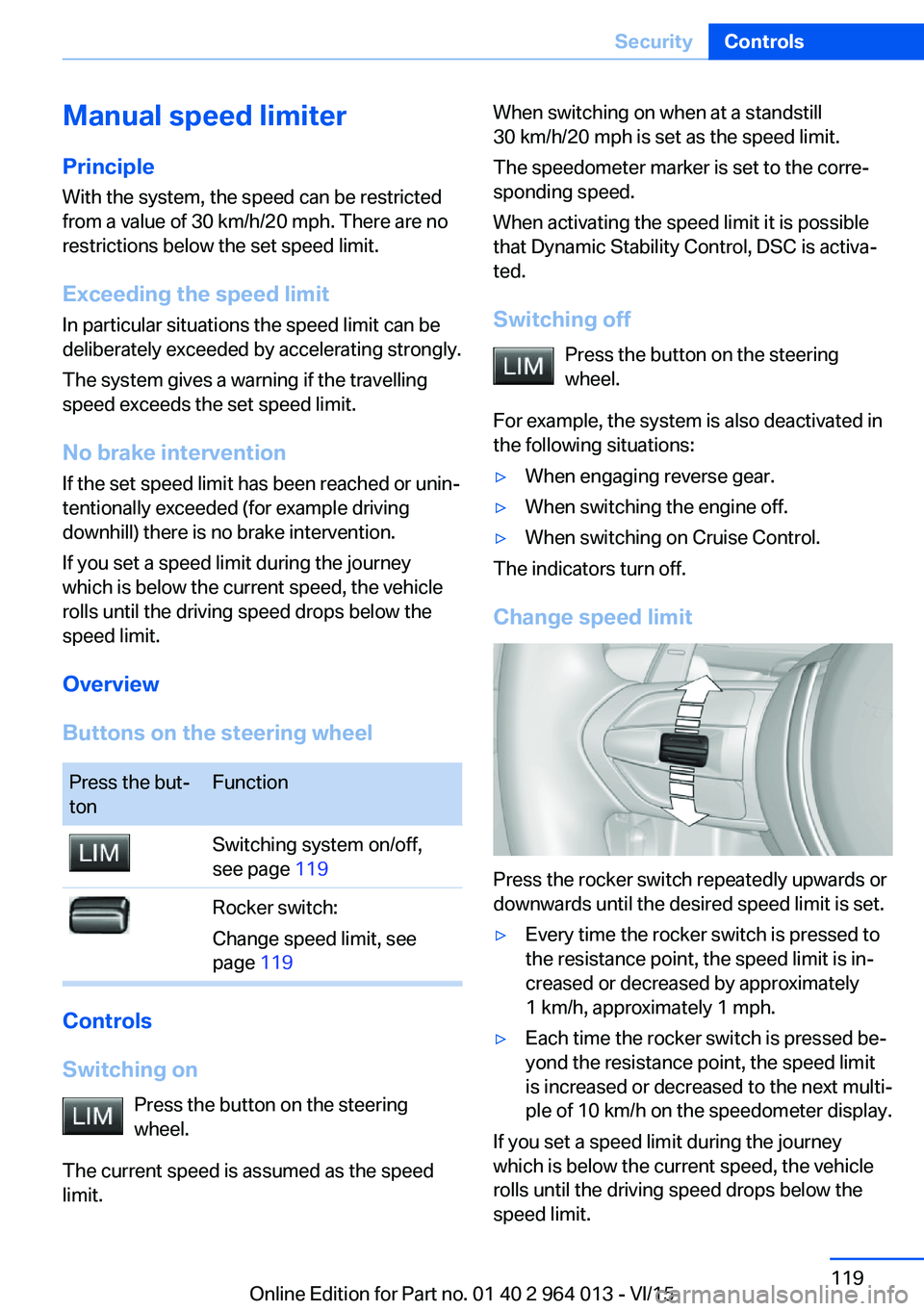
Change speed limit
Press the rocker switch repeatedly upwards or
downwards until the desired speed limit is set.
▷Every time the rocker switch is pressed to
the resistance point, the speed limit is in‐
creased or decreased by approximately
1 km/h, approximately 1 mph.▷Each time the rocker switch is pressed be‐
yond the resistance point, the speed limit
is increased or decreased to the next multi‐
ple of 10 km/h on the speedometer display.
If you set a speed limit during the journey
which is below the current speed, the vehicle
rolls until the driving speed drops below the
speed limit.
Seite 119SecurityControls119
Online Edition for Part no. 01 40 2 964 013 - VI/15
Page 120 of 228
Exceeding the speed limitYou may intentionally exceed the speed limit.There is no acoustic warning in such a case.
To intentionally exceed the set speed limit,
completely depress the accelerator pedal.
If the speed drops below the set speed limit, it
is automatically reactivated.
Warning
Visual warning The indicator light in the instrument
cluster flashes if the set speed limit is
exceeded for as long as you exceed the
set speed limit.
Acoustic warning▷If you unintentionally exceed the set speed
limit, you will hear an acoustic warning af‐
ter approximately five seconds.▷If the speed limit is reduced to below the
current speed during the journey, the
warning sounds after approximately
30 seconds.▷If you intentionally exceed the speed limit
by fully depressing the accelerator pedal,
no warning is given.
Displays in the instrument cluster
Marking of the speed limit Display in the speedometer:
▷Marker illuminates green:
the system is active.▷Marker does not illuminate:
the system is inactive.
Indicator light
▷If the indicator light is illuminated:
the system is switched on.▷If the indicator light is flashing: set speed
limit is exceeded.
Brief status display
Set speed limit briefly appears.
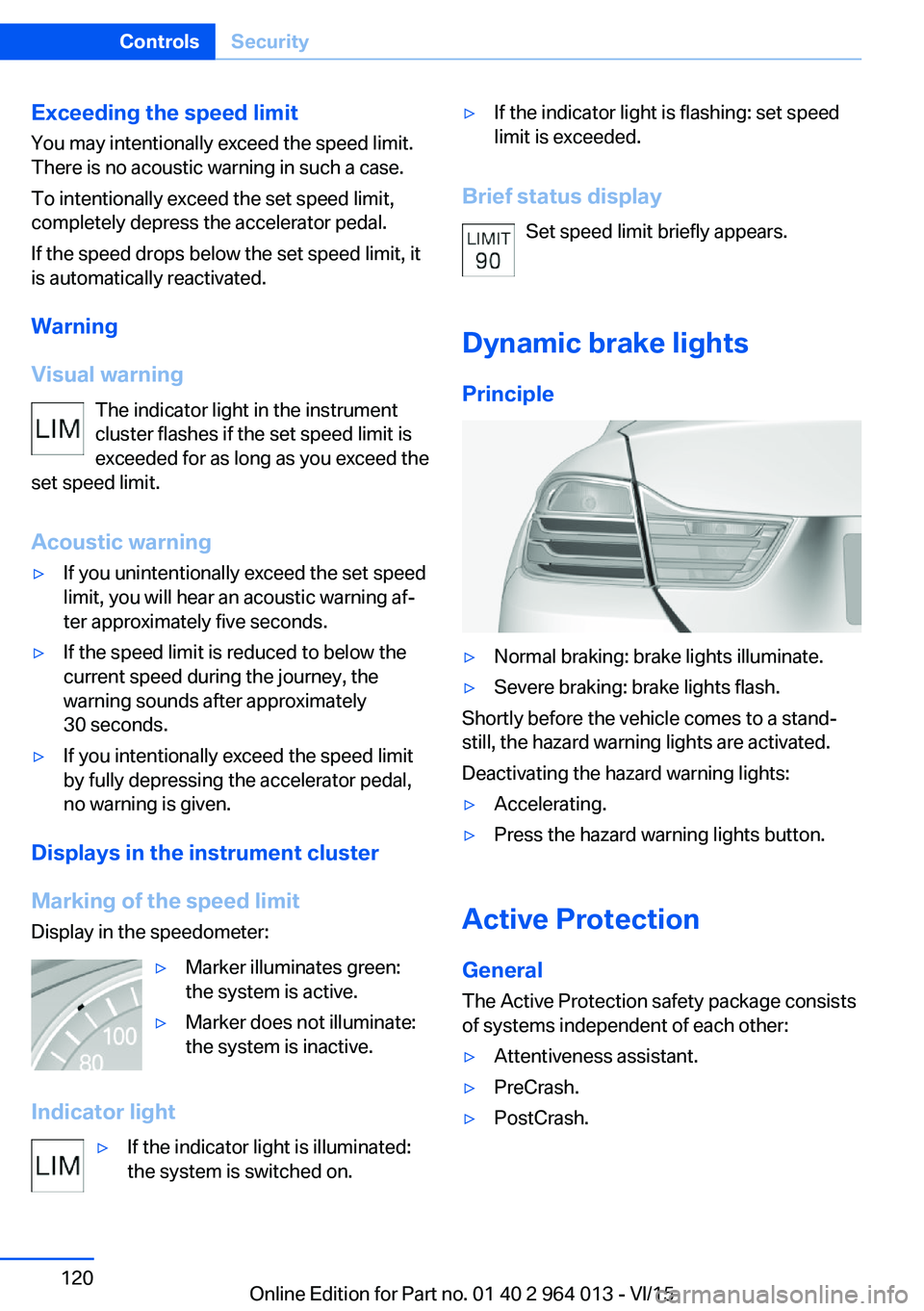
Dynamic brake lights Principle
▷Normal braking: brake lights illuminate.▷Severe braking: brake lights flash.
Shortly before the vehicle comes to a stand‐
still, the hazard warning lights are activated.
Deactivating the hazard warning lights:
▷Accelerating.▷Press the hazard warning lights button.
Active Protection
General
The Active Protection safety package consists
of systems independent of each other:
▷Attentiveness assistant.▷PreCrash.▷PostCrash.Seite 120ControlsSecurity120
Online Edition for Part no. 01 40 2 964 013 - VI/15
Page 121 of 228
Attentiveness assistant
Principle The system can detect increasing inattentive‐
ness or tiring of the driver on long monotonous
drives, for example on motorways. In this situa‐
tion, it is recommended that you take a break.
Note WARNING
The system does not take your personal
responsibility from you when you are estimat‐
ing your physical condition. Increasing inatten‐
tion or fatigue might not be detected, or not in
good time. Danger of accidents. Make sure
that the drive is rested and alert. Adapt driving
style to the driving conditions.◀
Function The system is switched on every time the en‐
gine is started and cannot be switched off.
After the start of the drive, the system is adap‐
ted to the driver so that an increase in inatten‐
tion or fatigue can be detected.
This process considers the following criteria:▷Personal driving style, for example, steer‐
ing.▷Drive conditions, for example, time of day,
duration of drive.
The system is active from approxi‐
mately. 70 km/h, 43 mph and can display a rec‐
ommendation to take a break
Recommendation to take a break
With increasing inattention or tiredness of the
driver, an instruction is shown on the control
display with the recommendation to take a
break.
A recommendation to take a break will only be
displayed once during an uninterrupted trip.
After a break, at the earliest another break rec‐
ommendation may be displayed after approxi‐
mately 45 minutes.
System limits
The function may be restricted in situations
such as the following and no warning or a
wrong one is triggered:▷If the time is wrongly set.▷If the speed driven falls considerably below
70 km/h, 43 mph.▷For sporty driving style, for example, with
heavy acceleration or fast cornering.▷In active drive situations, for example, fre‐
quent lane change.▷With bad road conditions.▷With high side-wind.
PreCrash
Principle With the system from 30 km/h/20 mph critical
driving situations may occur, which could
cause an accident. In these situations, auto‐
matically preventative, protective measures
are taken to minimise the risk of accident.
Critical driving situations are, for example:
▷Full braking.▷Heavy understeering.▷Heavy oversteering.
When collision warning or front-end collision
warning with braking function is fitted, within
the limits of the system, threatened collisions
into vehicles in front or stationary vehicles are
detected.
Note WARNING
The system does not take your personal
responsibility from you. Critical situations can‐
not be detected reliably or in good time due to
limitations of the system. Danger of accidents.
Adapt driving style to the driving conditions.
Observe the traffic situation and intervene ac‐
tively if the situation warrants it.◀
Seite 121SecurityControls121
Online Edition for Part no. 01 40 2 964 013 - VI/15
Page 122 of 228
Function
After fastening the belt, the front belts are au‐
tomatically pretensioned once when driving
away.
When driving in critical situations, the following
individual functions become active as required:▷The front belts are automatically preten‐
sioned.▷The windows are automatically closed.▷The Glass Roof automatically closes.
After a critical driving situation without acci‐
dent, the front belts are released again. All
other systems can be put back into the desired
setting.
If the belt tension does not loosen automati‐
cally, stop the vehicle and open the seat belt
using the red button in the lock section. Fasten
the seat belt again before continuing your jour‐
ney.
PostCrash The system can automatically bring the vehicle
to a standstill in certain accident situations
without the involvement of the driver. The risk
of a further collision and its consequences can
thereby be reduced.
By depressing the brake pedal, the vehicle can
be decelerated much faster. The automatic
braking is interrupted as a result. By pressing
the accelerator pedal, automatic braking is also
interrupted.
After reaching a standstill, the brake is auto‐
matically triggered. Then secure the vehicle
against rolling away.
Seite 122ControlsSecurity122
Online Edition for Part no. 01 40 2 964 013 - VI/15
Page 152 of 228
3.Fold the backrest forwards.
ClosingWARNING
Unsecured cargo can be thrown into the
interior due to an unlocked backrest, e.g. in the
event of an accident, braking or avoidance ma‐
noeuvres. Danger of injury. Make sure that the locking mechanism engages when folding
back the backrest.◀
Fold the rear backrest back into seat position
and engage.
For securing the load, see page 166, with nets
or tensioning bands there are lashing eyes in
the boot.
Seite 152ControlsInterior equipment152
Online Edition for Part no. 01 40 2 964 013 - VI/15
Page 153 of 228
Storage compartmentsVehicle equipmentThis chapter describes all standard, national
and special equipment provided in the model
series. Equipment not available in the vehicle is
therefore also described, for example the se‐
lected special equipment or national version.
This also applies to safety-relevant functions
and systems. Comply with the relevant na‐
tional regulations when using the correspond‐
ing functions and systems.
Notes WARNING
Loose objects in the interior can be
thrown into the interior during the journey, for
example in an accident or during braking and
evasive manoeuvres. Danger of injury. Secure
loose objects in the interior.◀
ATTENTION
Anti-slip mats can damage the dash‐
board. Danger of damage to property. Do not
use anti-slip mats.◀
Storage options The following storage options are located in
the interior:▷Glove box on the passenger side, see
page 153.▷Glove box on the driver's side, see
page 154.▷Without smoker's package: front compart‐
ment, in front of cupholders, see
page 154.▷Storage compartment in the front centre
armrest, see page 154.▷Pockets in the doors, see page 154.▷Nets on the backrests of the front seats.▷Storage compartment between the rear
seats, see page 155.
Glove box
Front passenger's side
Note WARNING
The glove box projects into the interior
when it is opened. Objects in the glove box can
be thrown into the interior during the journey,
for example in an accident or during braking
and evasive manoeuvres. Danger of injury. Im‐
mediately close the glove box after using it.◀
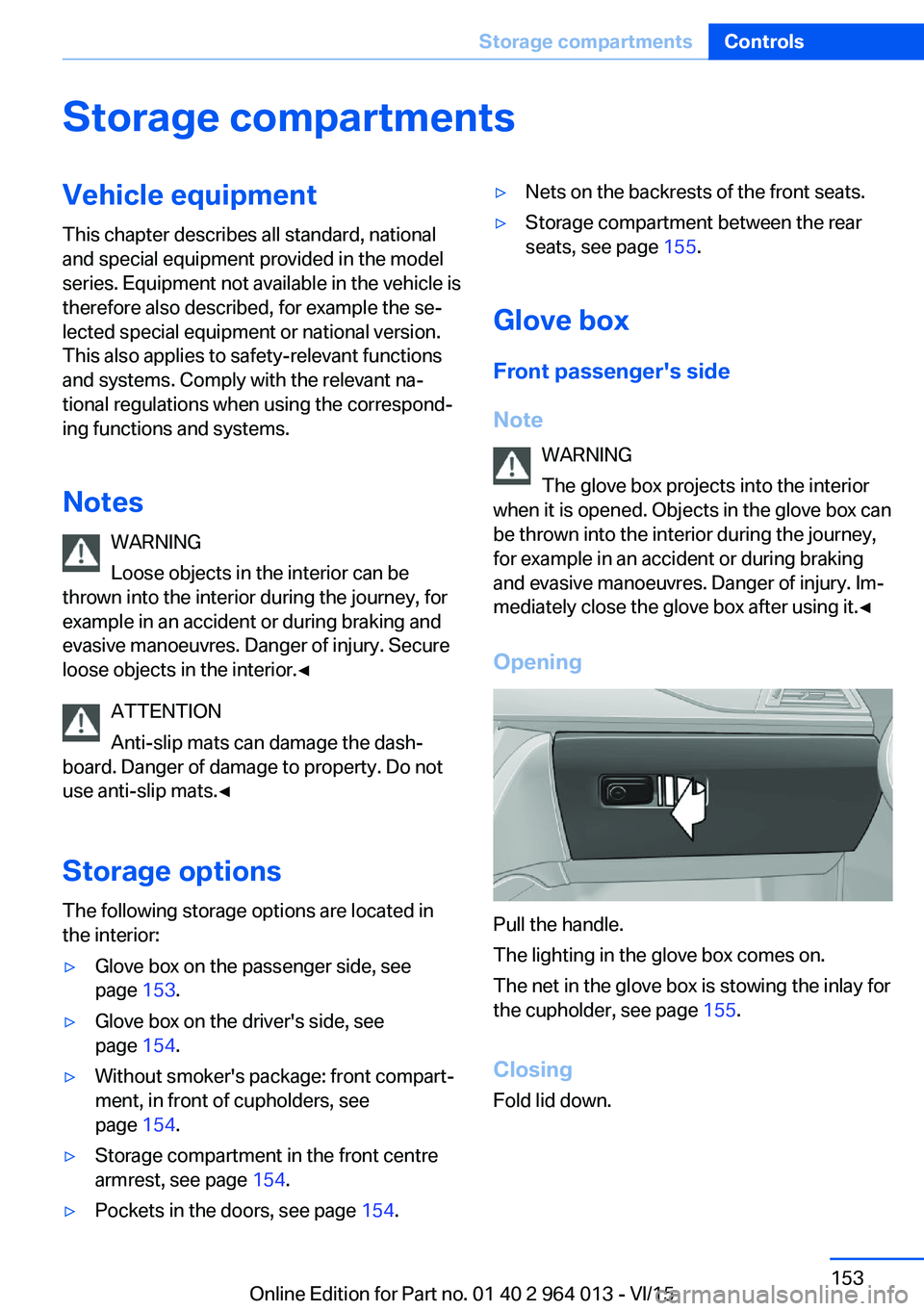
Opening
Pull the handle.
The lighting in the glove box comes on.
The net in the glove box is stowing the inlay for
the cupholder, see page 155.
Closing
Fold lid down.
Seite 153Storage compartmentsControls153
Online Edition for Part no. 01 40 2 964 013 - VI/15
Page 156 of 228
Storage compartments in the
boot
Storage compartment
There is a storage compartment on the left.
On the right-hand side there is a storage com‐
partment for on-board toolkit, see page 193,
and first-aid kit, see page 203.
Net
Smaller objects can be stowed in the net on
the left-hand side.
Bag holders WARNING
Incorrect use of the holders can repre‐
sent a danger, for example if objects fly around
in the case of braking and evasive manoeuvres.
Danger of injury and damage to property. Only
hang light objects, for example shopping bags,
on the holders. Only transport heavy luggage
with suitable means of securing in the boot.◀
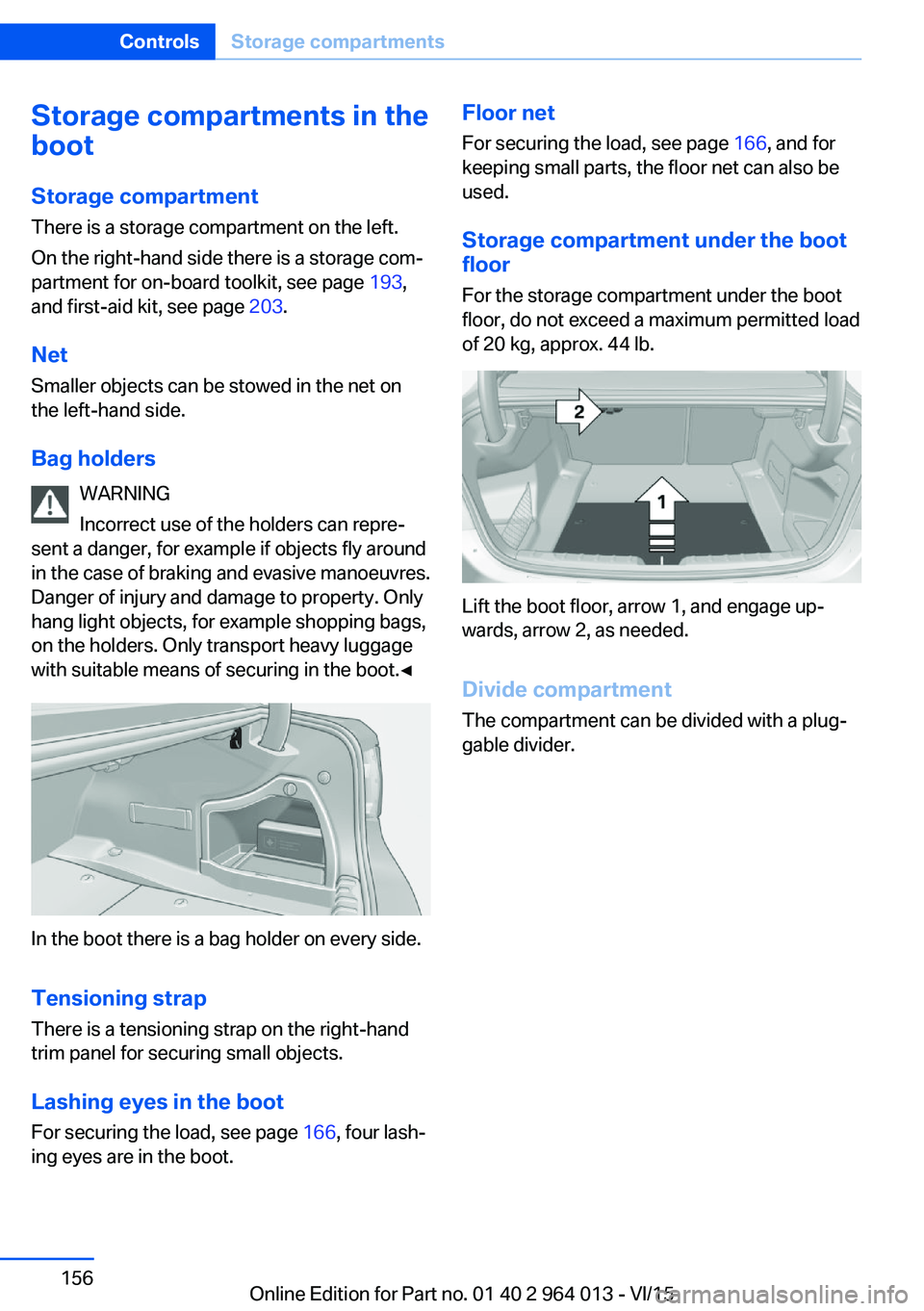
In the boot there is a bag holder on every side.
Tensioning strap
There is a tensioning strap on the right-hand
trim panel for securing small objects.
Lashing eyes in the boot
For securing the load, see page 166, four lash‐
ing eyes are in the boot.
Floor net
For securing the load, see page 166, and for
keeping small parts, the floor net can also be
used.
Storage compartment under the boot
floor
For the storage compartment under the boot
floor, do not exceed a maximum permitted load
of 20 kg, approx. 44 lb.
Lift the boot floor, arrow 1, and engage up‐
wards, arrow 2, as needed.
Divide compartment
The compartment can be divided with a plug‐
gable divider.
Seite 156ControlsStorage compartments156
Online Edition for Part no. 01 40 2 964 013 - VI/15