2016 BMW M4 warning
[x] Cancel search: warningPage 209 of 228

Manual gearbox:1.Drive into the car wash.2.Engage idle position.3.Stop the engine.4.Switch on ignition.
M double clutch transmission:
1.Drive into the car wash.2.Engage selector lever position N.3.Stop the engine.
In this way the ignition remains switched
on and a Check Control message is dis‐
played.
It is not possible to lock the vehicle from the
outside in selector lever position N. If an at‐
tempt is made to lock the vehicle, a signal
sounds.
When starting engine with manual gearbox:
1.Press clutch pedal.2.Press the start/stop button.
When starting engine with M double clutch
transmission:
1.Press the brake.2.Press the start/stop button.
Pressing the start/stop button or depressing
the brake switches off the ignition.
Transmission position
Transmission position P is automatically en‐
gaged:
▷With the ignition switched off.▷After approximately 15 minutes.
Headlights
▷Do not rub them when dry or use abrasive
or corrosive cleaning agents.▷Soak impurities such as insects with sham‐
poo and wash off with water.▷Remove ice with a de-icer spray; do not
use an ice scraper.After washing the car
After washing the car, drive it briefly and apply
the brakes to dry them out; this is necessary to
prevent reduced braking action, and also to
avoid corrosion of the brake discs.
Completely remove residues on the wind‐
screens to avoid affecting visibility due to
smearing, and to reduce wiping noise and
wiper blade wear.
Car care Care products The manufacturer of your vehicle recommends
the use of BMW care and cleaning products,
as they are tested by BMW and categorised as
suitable for the use on the vehicle.
WARNING
Cleaning agents can contain hazardous
substances or constitute a health risk. Danger
of injury. When cleaning the interior, open the
doors or windows. Use only products that are
intended for cleaning the vehicle's interior. Ob‐
serve the notes on the pack.◀
Vehicle paintwork Regular care promotes driving safety and pre‐
serves your vehicle's value. Environmental ef‐
fects in areas with higher air pollution or natu‐
ral contaminations, for example tree resin or
leaf dust, may have an effect on the vehicle
paintwork. Base the frequency and extent of
vehicle care on such factors.
Remove corrosive substances, such as run-off
fuel, oil, grease or bird droppings immediately
to avoid changes to the paint or discoloura‐
tions.
Only use suitable cleaning and care products
for matt paintwork. Suitable matt paintwork
care products are available from a Service
Partner or a qualified specialist workshop.Seite 209General careMobility209
Online Edition for Part no. 01 40 2 964 013 - VI/15
Page 211 of 228

ATTENTION
Cleaning agents containing alcohol or
solvents, such as nitro thinners, cold cleans‐
ers, fuel or similar can damage plastic parts.
Danger of damage to property. Use a microfi‐
bre cloth to clean. Slightly moisten the cloth
with water.◀
Seat belts Dirt on the seat belts can interfere with the ac‐
tion of the reel and represent a safety hazard.
WARNING
Chemical cleaners can cause irreparable
damage to the fabric of the seat belts. Lack of protective effect of the seat belts. Danger ofinjury or life. Only use a mild soap and water
solution for cleaning the seat belts.◀
Clean only with a mild soap solution while still
fitted to the vehicle.
Never allow seat belts to retract unless they
are dry.
Carpets and foot mats WARNING
Objects in the driver's footwell can re‐
strict the pedal travel, or block a pedal that has
been pressed. Danger of accidents. Stow
items in the vehicle so that they are secure and
cannot get into the driver's footwell. Only use
floor mats that have been categorised as ap‐
propriate for the vehicle and that can be fas‐
tened accordingly. Do not use any loose floor
mats, and do not place several floor mats on
top of one another. Make sure that there is suf‐
ficient space for the pedals. Ensure that the
floor mats are securely reattached after having
been removed, for example for cleaning.◀
Floor mats can be removed from the vehicle to
enable the interior to be cleaned more thor‐
oughly.
In the event of heavy soiling, clean floor car‐
pets using a microfibre cloth and water or tex‐tile cleaner. In doing so, rub back and forth in
the direction of travel, otherwise the carpet can
become tangled.
Sensors/lenses of the camera
Clean sensors or lenses of the camera using a
cloth moistened with a small amount of a glass
detergent.
Displays/screens/protective sleeve of
the Head-Up Displays
ATTENTION
Chemical cleaners, moisture or fluids of
all kinds can damage the surface of displays
and screens. Danger of damage to property.
Use a clean, anti-static microfibre cloth to
clean.◀
ATTENTION
The surfaces of displays can be dam‐
aged due to improper cleaning. Danger of
damage to property. Avoid applying excessive
pressure and do not use abrasive materials.◀
Use a clean, anti-static microfibre cloth to
clean.
Clean the protective sleeve of the Head-Up
Display with a microfibre cloth and commer‐
cially available dishwashing liquid.
Laying up out of use
When the vehicle is laid up for longer than
three months, special measures are to be
taken. Further information is available from a
Service Partner or a qualified specialist work‐
shop.Seite 211General careMobility211
Online Edition for Part no. 01 40 2 964 013 - VI/15
Page 218 of 228
Everything from A to Z
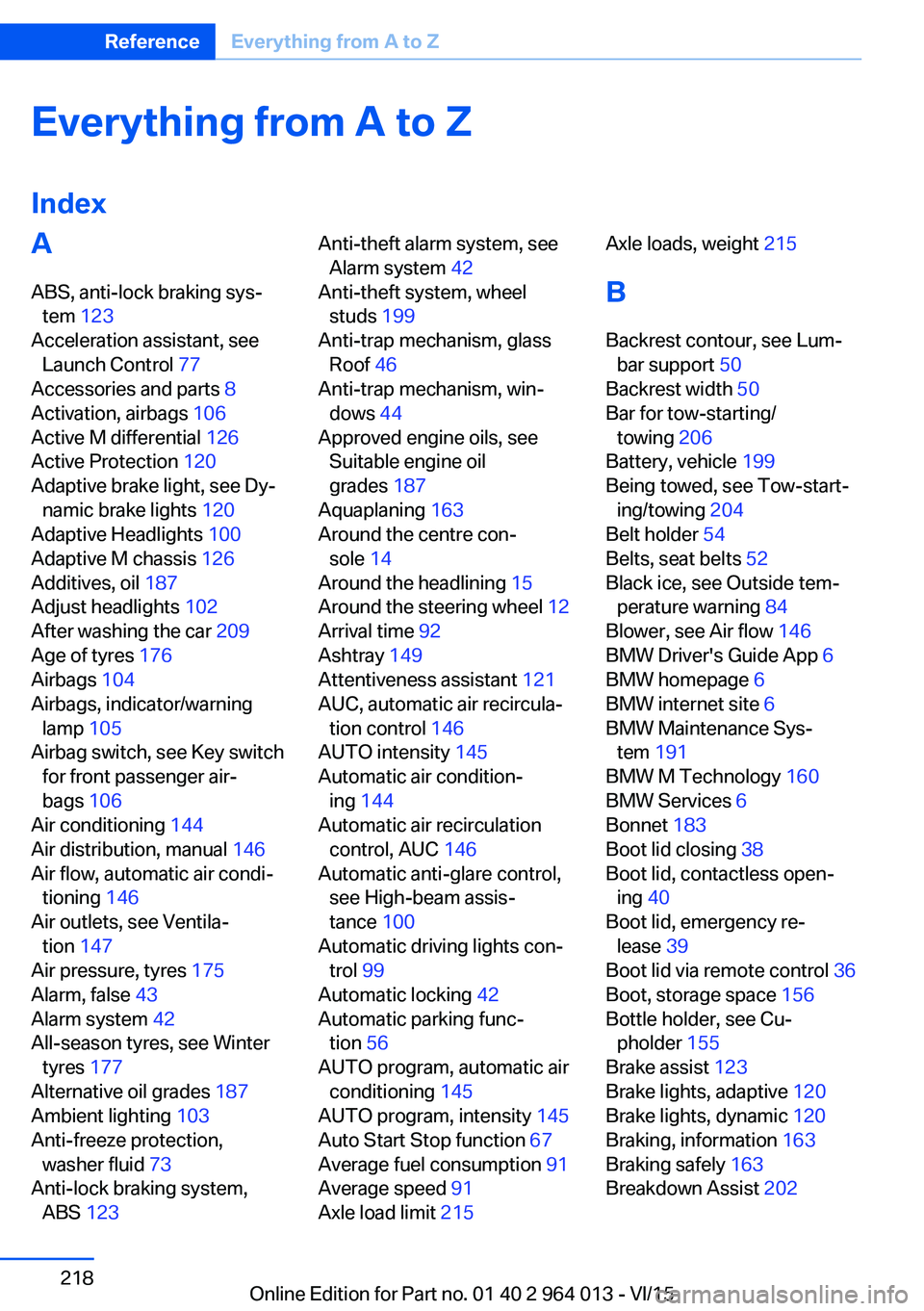
IndexA ABS, anti-lock braking sys‐ tem 123
Acceleration assistant, see Launch Control 77
Accessories and parts 8
Activation, airbags 106
Active M differential 126
Active Protection 120
Adaptive brake light, see Dy‐ namic brake lights 120
Adaptive Headlights 100
Adaptive M chassis 126
Additives, oil 187
Adjust headlights 102
After washing the car 209
Age of tyres 176
Airbags 104
Airbags, indicator/warning lamp 105
Airbag switch, see Key switch for front passenger air‐
bags 106
Air conditioning 144
Air distribution, manual 146
Air flow, automatic air condi‐ tioning 146
Air outlets, see Ventila‐ tion 147
Air pressure, tyres 175
Alarm, false 43
Alarm system 42
All-season tyres, see Winter tyres 177
Alternative oil grades 187
Ambient lighting 103
Anti-freeze protection, washer fluid 73
Anti-lock braking system, ABS 123 Anti-theft alarm system, see
Alarm system 42
Anti-theft system, wheel studs 199
Anti-trap mechanism, glass Roof 46
Anti-trap mechanism, win‐ dows 44
Approved engine oils, see Suitable engine oil
grades 187
Aquaplaning 163
Around the centre con‐ sole 14
Around the headlining 15
Around the steering wheel 12
Arrival time 92
Ashtray 149
Attentiveness assistant 121
AUC, automatic air recircula‐ tion control 146
AUTO intensity 145
Automatic air condition‐ ing 144
Automatic air recirculation control, AUC 146
Automatic anti-glare control, see High-beam assis‐
tance 100
Automatic driving lights con‐ trol 99
Automatic locking 42
Automatic parking func‐ tion 56
AUTO program, automatic air conditioning 145
AUTO program, intensity 145
Auto Start Stop function 67
Average fuel consumption 91
Average speed 91
Axle load limit 215 Axle loads, weight 215
B Backrest contour, see Lum‐ bar support 50
Backrest width 50
Bar for tow-starting/ towing 206
Battery, vehicle 199
Being towed, see Tow-start‐ ing/towing 204
Belt holder 54
Belts, seat belts 52
Black ice, see Outside tem‐ perature warning 84
Blower, see Air flow 146
BMW Driver's Guide App 6
BMW homepage 6
BMW internet site 6
BMW Maintenance Sys‐ tem 191
BMW M Technology 160
BMW Services 6
Bonnet 183
Boot lid closing 38
Boot lid, contactless open‐ ing 40
Boot lid, emergency re‐ lease 39
Boot lid via remote control 36
Boot, storage space 156
Bottle holder, see Cu‐ pholder 155
Brake assist 123
Brake lights, adaptive 120
Brake lights, dynamic 120
Braking, information 163
Braking safely 163
Breakdown Assist 202 Seite 218ReferenceEverything from A to Z218
Online Edition for Part no. 01 40 2 964 013 - VI/15
Page 220 of 228

Displays, electronic, instru‐ment cluster 79
Disposal, coolant 190
Disposal, vehicle battery 200
Distance to destination 91
Distance warning, see PDC 131
Door key, see Remote con‐ trol 32
Door lock 37
Double clutch transmis‐ sion 74
Downhill gradients 164
Drinks holder, see Cu‐ pholder 155
Drivelogic 76
Drive Mode 75
Drive-off assistant 127
Drive programs, see Drive‐ logic 76
Driving Assistant, see Intelli‐ gent Safety 110
Driving dynamics, system states 86
Driving dynamic systems 86
Driving hints 163
Driving information, gen‐ eral 163
Driving information, running in 162
Driving into a car wash 208
Driving lane lines, rear-view camera 135
Driving lights control, auto‐ matic 99
Driving on racing tracks 161
Driving stability control sys‐ tems 123
Drying air, see Cooling func‐ tion 145
DSC Dynamic Stability Con‐ trol 124
Dynamic brake lights 120
Dynamic Stability Control, DSC 124 E
EfficientDynamics 86
EfficientDynamics display 86
EfficientDynamics menu 86
Electrical Glass Roof 45
Electrical power windows 43
Electric steering wheel lock 57
Electronic displays, instru‐ ment cluster 79
Electronic oil measure‐ ment 185
Electronic Stability Program, ESP, see DSC 124
Emergency call 202
Emergency release, boot lid 39
Emergency release, fuel filler flap 172
Emergency start function, en‐ gine start 33
Energy Control 86
Energy recuperation 86
Engine, automatic shut- off 67
Engine, automatic start-stop function 67
Engine compartment 182
Engine coolant 189
Engine Dynamics Control 78
Engine oil 185
Engine oil additives 187
Engine oil change 187
Engine oil filler neck 186
Engine oil grades, alterna‐ tive 187
Engine oil grades, suita‐ ble 187
Engine oil level, checking electronically 185
Engine oil temperature 84
Engine start 66
Engine start with malfunc‐ tion 33
Engine temperature 84 Entering letters and digits 23
ESP, Electronic Stability Pro‐ gram, see DSC 124
Exhaust system 163
Expanding the boot 151
Extended BMW Online serv‐ ices 6
Exterior mirror, automatically dimming 56
Exterior mirrors 55
External starting 203
Eye for towing, see Towing eye 206
Eyes for securing load 166
F Failure message, see Check control 80
False alarm 43
Fastening seat belts, see Seat belts 52
Fault displays, see Check control 80
Favourites buttons, iDrive 22
Filler neck for engine oil 186
Fine wood, care 210
First-aid kit 203
Flat tyre, warning lamp 108, 109
Flooding 163
Floor carpet, care 211
Fold-out position, windscreen wiper 72
Foot brake 163
Foot mats, care 211
Front airbags 104
Front-end collision warning with city braking func‐
tion 111
Front head restraints 54
Front lights 194
Front neck supports, see Head restraints 54
Front passenger airbags, de‐ activating/activating 106 Seite 220ReferenceEverything from A to Z220
Online Edition for Part no. 01 40 2 964 013 - VI/15
Page 221 of 228

Front passenger airbags,light 106
Fuel 174
Fuel consumption, see Aver‐ age fuel consumption 91
Fuel filler flap 172
Fuel gauge 84
Fuel quality 174
Fuel recommendation 174
Fuel tank cap 172
Fuel, tank capacity 215
Fuse 200
G
Gearbox, manual gearbox 73
Gear change 76
Gearshift, manual gearbox 73
General driving informa‐ tion 163
Glare protection 149
Glass Roof, electric 45
Glove box 153
Ground clearance 165
H
Handbrake, see Parking brake 69
Hazard warning and indicator lights, see Check control 80
Hazard warning lights 202
Head airbags 104
Headlight cleaning system, see Wiper system 71
Headlight courtesy delay fea‐ ture 99
Headlight flasher 70
Headlight lens 194
Headlights 194
Headlights, care 209
Headlining 15
Head restraints 48
Head-Up Display 94
Head-Up Display, care 211
Head-Up Display, M View 95 Head-Up Display, standard
view 95
Heated rear window 146
Heavy transported load, stow‐ ing transported load 166
Height, vehicle 214
Help in driving off 127
High-beam assistance 100
High-beam headlights 70
High performance en‐ gine 160
Hill Start Assist, see Drive-off assistant 127
Homepage 6
Horn 12
Hot exhaust system 163
HUD Head-Up Display 94
I IBA Integrated Owner's Handbook in vehicle 28
Ice warning, see Outside tem‐ perature warning 84
Identification number, see Ve‐ hicle identification num‐
ber 9
iDrive 16
Ignition key, see Remote con‐ trol 32
Ignition off 65
Ignition on 65
Important considerations 58
Important information regard‐ ing the engine compart‐
ment 182
Independent ventilation 147
Indicator and hazard warning lights, see Check control 80
Indicator lights, see Check control 80
Indicators, see Turn indica‐ tors 70
Individual air distribution 146
Individual settings, see M Drive 123 Individual settings, see Per‐
sonal Profile 33
Inflation pressure, tyres 175
Inflation pressure warning RPA, tyres 109
Info Display, see on-board computer 90
Information on no passing 88
Information on speed limit 88
Initialise, Tyre Pressure Moni‐ tor TPM 107
Initialising, runflat indicator, RPA 109
Instrument cluster 79
Instrument cluster, electronic displays 79
Instrument cluster switch, see Turn indicators 70
Instrument cluster switch, see Wiper system 71
Instrument lighting 102
Integrated key 32
Integrated Owner's Handbook in vehicle 28
Intelligent emergency call 202
Intelligent Safety 110
Intensity, AUTO Automatic program 145
Interior light 102
Interior light when unlock‐ ing 35
Interior light with the vehicle locked 36
Interior movement detec‐ tor 43
Intermittent mode 71
Internet site 6
Interval display, service re‐ quirement 87
ISOFIX child seat mount‐ ings 61
J
Jack mounting points 199 Seite 221Everything from A to ZReference221
Online Edition for Part no. 01 40 2 964 013 - VI/15
Page 222 of 228

Journey computer 92
Jump-starting connection, starting assistance 204
Jump starting, see starting assistance 203
K
Key/remote control 32
Keyless Go, see Comfort Ac‐ cess 39
Key memory, see Personal Profile 33
Key switch for front passen‐ ger airbags 106
L
Labelling of recommended tyres 177
Lane boundary, warning 115
Lane change warning 117
Lane departure warning 115
Language, on the control dis‐ play 94
Lashing eyes, securing load 166
Lashing straps, securing load 166
Launch Control 77
Laying up out of use 211
Laying up, vehicle 211
Leather, care 210
LED light, replacing the bulbs 195
LEDs, light-emitting di‐ odes 194
Left-hand traffic, light set‐ ting 102
Lenses of camera, care 211
Light alloy wheels, care 210
Light-emitting diodes, LEDs 194
Lighter 149
Lighting 98 Light in the exterior mirror,
see Lane Change Warn‐
ing 117
Lights 98
Lights and light bulbs 193
Light switch 98
LIM button, see Manual Speed Limiter 119
Load 166
Loads 166
Lock, door 37
Locking/unlocking using door lock 37
Locking/unlocking with re‐ mote control 35
Locking, automatic 42
Locking settings 41
Locking via the boot lid 38
Lock, wheel studs 199
Low-beam headlights 98
Lower back support 50
Low Speed Assistant 74
Luggage rack, see Roof rack 167
Lumbar support 50
M
Maintenance 191
Maintenance require‐ ment 191
Maintenance, service require‐ ment 87
Maintenance System BMW 191
Malfunction displays, see Check control 80
Manual air distribution 146
Manual air flow 146
Manual gearbox 73
Manual operation, door lock 37
Manual operation, exterior mirrors 56
Manual operation, fuel filler flap 172 Manual operation, Park Dis‐
tance Control, PDC 132
Manual operation, rear-view camera 134
Manual operation, Side View 137
Manual operation, Top View 138
Manual Speed Limiter 119
Maximum cooling effect 145
Maximum speed range 165
Maximum speed, winter tyres 177
M Carbon ceramic brakes 160
M compound brakes 160
M differential, active 126
MDM, M Dynamic Mode 125
M double clutch transmis‐ sion 74
M Drive 123
M Driver's Package, driving instructions 165
M Dynamic Mode MDM 125
Memory, seat, mirror 54
M Engine Dynamics Con‐ trol 78
Menu in the instrument clus‐ ter 90
Menus, see iDrive operating principle 18
Message of a flat tyre 108, 109
Messages, see Check con‐ trol 80
Microfilter 146
Minimum tread depth, tyres 176
Mirror, memory 54
Mirrors 55
Mobile communication equip‐ ment 163
Mobility system 178
Moisture in the headlight 194
Monitor, see Control Dis‐ play 16 Seite 222ReferenceEverything from A to Z222
Online Edition for Part no. 01 40 2 964 013 - VI/15
Page 223 of 228

Mounting child restraints 59
M Technology 160
Multifunction steering wheel, buttons 12
Multimedia 6
M View, Head-Up Display 95
N Navigation 6
Neutral cleaner, see rim cleaner 210
New wheels and tyres 177
No Passing Information 88
Notes 6
Nylon ropes for tow-starting/ towing 206
O OBD, see on-board diagnosis, OBD 192
Obstacle marking, rear-view camera 135
Octane number, see Petrol grade 174
Odometer 84
Office 6
Oil 185
Oil additives 187
Oil change 187
Oil change interval, service requirement 87
Oil filler neck 186
Oil grades, alternative 187
Oil grades, suitable 187
Old battery, disposing 200
On-board computer 90
On-board diagnosis, OBD 192
On-board monitor, see Con‐ trol Display 16
On-board toolkit 193
Opening/closing using door lock 37
Opening and closing 32 Opening and closing, without
remote control 37
Opening and closing with re‐ mote control 35
Operating menus, iDrive 16
Operating principle, iDrive 16
Outside air, see AUC 146
Outside temperature dis‐ play 84
Outside temperature warn‐ ing 84
Overheating of the engine, see Coolant temperature 84
P Paintwork, vehicle 209
Park assistant 139
Park Distance Control PDC 131
Parked vehicle, conden‐ sate 165
Parking aid, see PDC 131
Parking assistant 139
Parking brake 69
Parking lights 99
Part replacement 193
Parts and accessories 8
Passenger's mirror, tilting down 56
PDC Park Distance Con‐ trol 131
Personal data, delete 23
Personal Profile 33
Personal profile, export pro‐ file 34
Personal profile, import pro‐ file 35
Person warning with city braking function 113
Petrol 174
Petrol grade 174
Place for children 58
Plasters, see First-aid kit 203
Plastic, care 210
Pockets in the doors 154 Power failure 200
Power windows 43
Pressure check, tyres 107
Pressure, tyres 175
Pressure warning RPA, tyres 109
Preventing Auto Start Stop 69
Profiles, Personal Profile 33
Protection function, glass Roof 46
Protection function, win‐ dows 44
Puncture, runflat indicator RPA 109
R Radio 6
Radio-control key, see Re‐ mote control 32
Radio ready state 65
Radio signals 163
Rain sensor 71
Range 85
Rear backrests, folding, see Through-loading sys‐
tem 151
Rear fog lights 102
Rear lights 196
Rear-view camera 133
Rear-view mirror, automatic- dim 56
Recirculated-air mode 146
Recirculating air filter 146
Recirculation, see Recircula‐ ted-air mode 146
Recommended tyre makes 177
Recycling 192
Refuelling 172
Remaining distance 85
Remedying flat tyres 178
Remote control/key 32
Remote control, malfunc‐ tion 37 Seite 223Everything from A to ZReference223
Online Edition for Part no. 01 40 2 964 013 - VI/15
Page 224 of 228

Replacement fuse 200
Replacement of parts 193
Replacement of wheels/ tyres 177
Replacing bulbs 193
Replacing bulbs, front 194
Replacing bulbs, LED head‐ lights 195
Replacing parts 193
Replacing the battery, vehicle battery 199
Replacing the battery, vehicle remote control 33
Replacing wiper blades 193
RES button, see Cruise Con‐ trol 129
Reserve warning, see Range 85
Reset, Tyre Pressure Monitor TPM 107
Restraint systems for chil‐ dren 58
Retreaded tyres 177
Reuse 192
Reversing light 196
Revolution counter 84
Right-hand traffic, light set‐ ting 102
Rim cleaner 210
Roller sunblinds 45
RON petrol grade 174
Roof load 215
Roof rack 167
Rope for tow-starting/ towing 206
RPA runflat indicator 109
Rubber parts, care 210
Runflat indicator RPA 109
Running in 162
Running in brake discs 162
Running in brake pads 162
S
Safe seated position 48 Safety package, see Active
Protection 120
Safety systems, airbags 104
Saving fuel 168
Saving settings for seat, mir‐ ror 54
Screen, see Control Dis‐ play 16
Screwdriver, see On-board toolkit 193
Screw thread, see Thread for towing eye 207
Sealing compound 178
Seat and mirror memory 54
Seat belt reminder for driver's and front passenger's
seat 53
Seat belt reminder for rear seats 53
Seat belts 52
Seat belts, care 211
Seat heating, front 50
Seats 48
Securing load 166
Selection list in the instru‐ ment cluster 90
Selector lever 74
Selector lever position 74
Sensors, care 211
Sequential mode 75
Service history 88
Service requirement, dis‐ play 87
Service requirements, Condi‐ tion Based Service
CBS 191
Services, ConnectedDrive 6
Servotronic 127
Settings, locking/unlock‐ ing 41
Settings, M Drive 123
Settings on the control dis‐ play 93
Settings, seats/head re‐ straints 48
Shift Lights 96 Shift point indicator 88
Side airbags 104
Side lights 98
Side View 136
Signals on unlocking 42
Sliding/tilting roof 45
Smallest turning circle 214
Snow chains 181
Socket 150
Socket in rear passenger compartment 150
Socket, on-board diagnosis, OBD 192
SOS button 202
Sound 6
Spanner, see On-board tool‐ kit 193
Spare fuse 200
Special equipment, standard equipment 7
Special ID, remote control 33
Specified engine oil grades 187
Speed, displaying maxi‐ mum 88
Speed Limit Device, see Man‐ ual Speed Limiter 119
Speed limiter, manual 119
Speed Limit Information 88
Speed Limit Information, on- board computer 92
Speed limit, see Manual Speed Limiter 119
Speed warning 92
Split-screen 22
Split-screen view, split- screen 22
Sport displays, torque dis‐ play, power display 92
Stability control systems 123
Standard view, Head-Up Dis‐ play 95
Start/stop button 65
Start function with malfunc‐ tion 33
Starting assistance 203 Seite 224ReferenceEverything from A to Z224
Online Edition for Part no. 01 40 2 964 013 - VI/15