2015 VOLKSWAGEN POLO ESP
[x] Cancel search: ESPPage 3 of 100
Downloaded from www.Manualslib.com manuals search engine 12/29/2015Bedienungsanleitung < Service & Zubehör < Volkswagen Deutschland
1/1
This owner's manual is valid for all models and versions of the Polo.
An alphabetical index is included at the end of this manual.
A list of abbreviations at the end of the manual explains the abbreviations used.
Directions and positions such as left, right, front and rear are normally relative to the vehicle's direction of travel, unless otherwise indicated.
Illustrations help with orientation and should be regarded as a general guide.
This owner's manual was written for left-hand drive vehicles. In right-hand drive vehicles the controls may sometimes be different to those
displayed in illustrations or described in the text → Overview of the driver side .
Any technical changes that may be made to the vehicle after publication of this booklet are contained in a supplement that is included with
the vehicle wallet.
All equipment and models are described without indicating whether the equipment is optional or specific to the model type. This means that
your vehicle may not have some of the equipment described, or it may only be available in certain markets. The scope of equipment fitted in
your vehicle can be found in the sales documentation and you can contact your Volkswagen dealership for further information.
All data in this owner's manual correspond to the information available at the time of going to print. Because the vehicle is constantly being
developed and further improved, there may be differences between your vehicle and the data in this owner's manual. No discrepancy in data,
illustrations or descriptions shall form the basis for any legal claim.
Please ensure that the complete vehicle wallet is always in the vehicle if you lend or sell the vehicle to someone else.
Service schedule
Owner's manual
Supplements
Radio/navigation system
Provision for a mobile telephone
Other supplements
About this owner's manual
Standard booklets in the vehicle wallet:
Additional booklets in the vehicle wallet (optional):
Page 19 of 100
Downloaded from www.Manualslib.com manuals search engine 12/29/2015Bedienungsanleitung < Service & Zubehör < Volkswagen Deutschland
16/32
Mileage displays
Time
Radio and navigation information ⇒ BookletRadio, or ⇒ BookletNavigation system,
Telephone information ⇒ BookletNavigation system, or ⇒ BookletRadio/navigation system,
Outside temperature
Compass display
Selector lever positions → Changing gear
Gear change indicator → Changing gear
Driving data display (multifunction display (MFD)) and menus for various settings → Volkswagen information system
Service interval display → Service interval display
Speed warning for winter tyres
Start/stop system status display → Pull-away assist systems
Status display for active cylinder management (ACT®) → Driving with respect for the environment
Engine code
Fuel gauge → Filling the tank
Open doors, bonnet and tailgate
The instrument cluster display indicates if any doors, or the bonnet or tailgate, are open once the vehicle has been unlocked, and while the
vehicle is in motion. In some cases, a signal tone is also given. Different instrument cluster designs will have different displays.
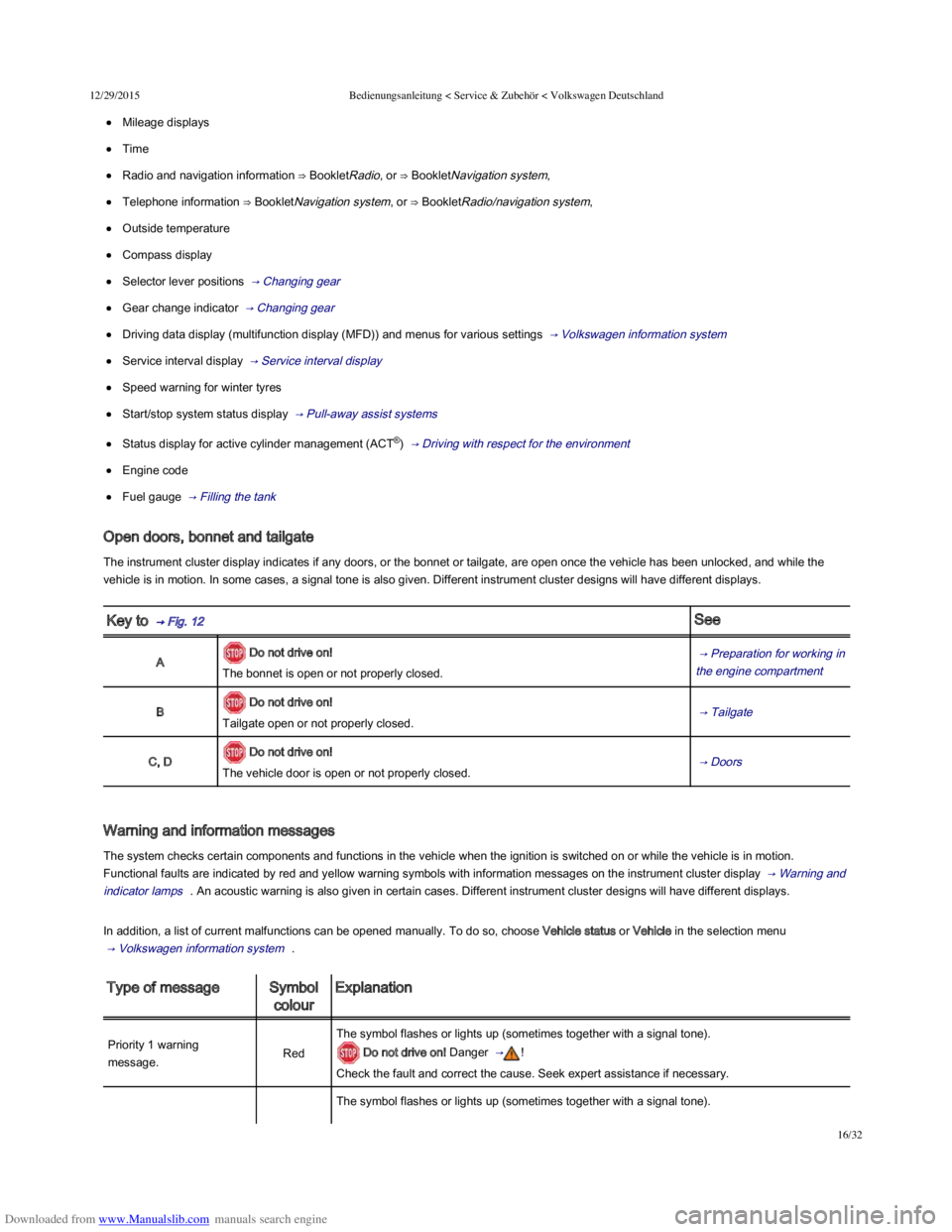
Key to → Fig. 12 See
A Do not drive on!
The bonnet is open or not properly closed.
→ Preparation for working in
the engine compartment
B Do not drive on!
Tailgate open or not properly closed. → Tailgate
C, D Do not drive on!
The vehicle door is open or not properly closed. → Doors
Warning and information messages
The system checks certain components and functions in the vehicle when the ignition is switched on or while the vehicle is in motion.
Functional faults are indicated by red and yellow warning symbols with information messages on the instrument cluster display → Warning and
indicator lamps . An acoustic warning is also given in certain cases. Different instrument cluster designs will have different displays.
In addition, a list of current malfunctions can be opened manually. To do so, choose Vehicle status or Vehicle in the selection menu
→ Volkswagen information system .
Type of messageSymbol
colour
Explanation
Priority 1 warning
message.Red
The symbol flashes or lights up (sometimes together with a signal tone).
Do not drive on! Danger → !
Check the fault and correct the cause. Seek expert assistance if necessary.
The symbol flashes or lights up (sometimes together with a signal tone).
Page 23 of 100
Downloaded from www.Manualslib.com manuals search engine 12/29/2015Bedienungsanleitung < Service & Zubehör < Volkswagen Deutschland
20/32
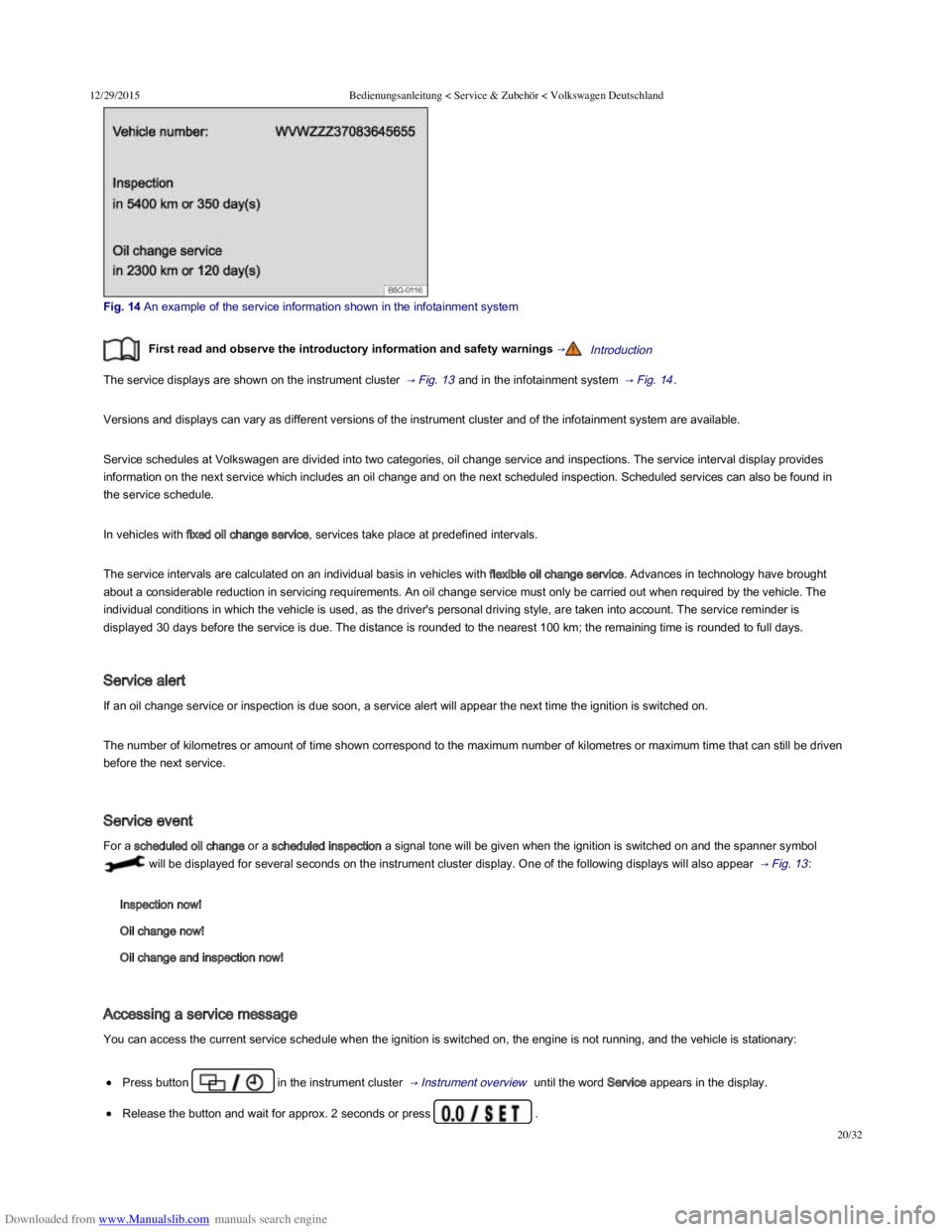
Fig. 14 An example of the service information shown in the infotainment system
First read and observe the introductory information and safety warnings →Introduction
The service displays are shown on the instrument cluster → Fig. 13 and in the infotainment system → Fig. 14 .
Versions and displays can vary as different versions of the instrument cluster and of the infotainment system are available.
Service schedules at Volkswagen are divided into two categories, oil change service and inspections. The service interval display provides
information on the next service which includes an oil change and on the next scheduled inspection. Scheduled services can also be found in
the service schedule.
In vehicles with fixed oil change service, services take place at predefined intervals.
The service intervals are calculated on an individual basis in vehicles with flexible oil change service. Advances in technology have brought
about a considerable reduction in servicing requirements. An oil change service must only be carried out when required by the vehicle. The
individual conditions in which the vehicle is used, as the driver's personal driving style, are taken into account. The service reminder is
displayed 30 days before the service is due. The distance is rounded to the nearest 100 km; the remaining time is rounded to full days.
Service alert
If an oil change service or inspection is due soon, a service alert will appear the next time the ignition is switched on.
The number of kilometres or amount of time shown correspond to the maximum number of kilometres or maximum time that can still be driven
before the next service.
Service event
For a scheduled oil change or a scheduled inspection a signal tone will be given when the ignition is switched on and the spanner symbol
will be displayed for several seconds on the instrument cluster display. One of the following displays will also appear → Fig. 13 :
Inspection now!
Oil change now!
Oil change and inspection now!
Accessing a service message
You can access the current service schedule when the ignition is switched on, the engine is not running, and the vehicle is stationary:
Press button in the instrument cluster → Instrument overview until the word Service appears in the display.
Release the button and wait for approx. 2 seconds or press .
Page 30 of 100
Downloaded from www.Manualslib.com manuals search engine 12/29/2015Bedienungsanleitung < Service & Zubehör < Volkswagen Deutschland
27/32
MenuFunction
Front AssistSwitches the area monitoring system on or off → Area monitoring system (Front Assist) .
ACCAdaptive cruise control display → Adaptive Cruise Control (ACC) .
Introduction
This chapter contains information on the following subjects:
→ Vehicle settings menu
→ Think Blue. Trainer.
Additional information and warnings:
Instruments → Instruments
Volkswagen information system → Volkswagen information system
Central locking system → Central locking system
Electric windows → Electric windows
Lights → Lights
Windscreen wipers/washer → Windscreen wipers and washer
Mirrors → Mirrors
Brake support systems → Braking, stopping and parking
Driving with respect for the environment → Driving with respect for the environment
Driver assist systems → Driver assist systems
Wheels and tyres → Wheels and tyres
⇒ BookletRadio , or ⇒ BookletNavigation system,
General information on operating the unit
The following section contains information on the settings that can be adjusted in the Vehicle settings menu. Basic information on operating the
infotainment system and on warning and safety instructions are contained in a separate manual ⇒ BookletRadio, or ⇒ BookletNavigation
system, .
Systems settings and display of vehicle information
After pressing the infotainment button you can touch the corresponding function button to display information or adjust settings, e.g.
you can check the current status of the start/stop system → Pull-away assist systems in the Vehicle status menu.
Vehicle settings (setup) → Vehicle settings menu .
Radio station selection.
Active media.
Vehicle status.
Driving data.
Convenience consumers.
Infotainment system
Menu and system settings (SETUP)
Page 31 of 100
Downloaded from www.Manualslib.com manuals search engine 12/29/2015Bedienungsanleitung < Service & Zubehör < Volkswagen Deutschland
28/32
After starting the engine with a discharged vehicle battery, or after the battery has been changed, system settings (time, date, personal
convenience settings and programming) may have been changed or deleted. Check and correct the settings as necessary once the vehicle
battery has been sufficiently charged.
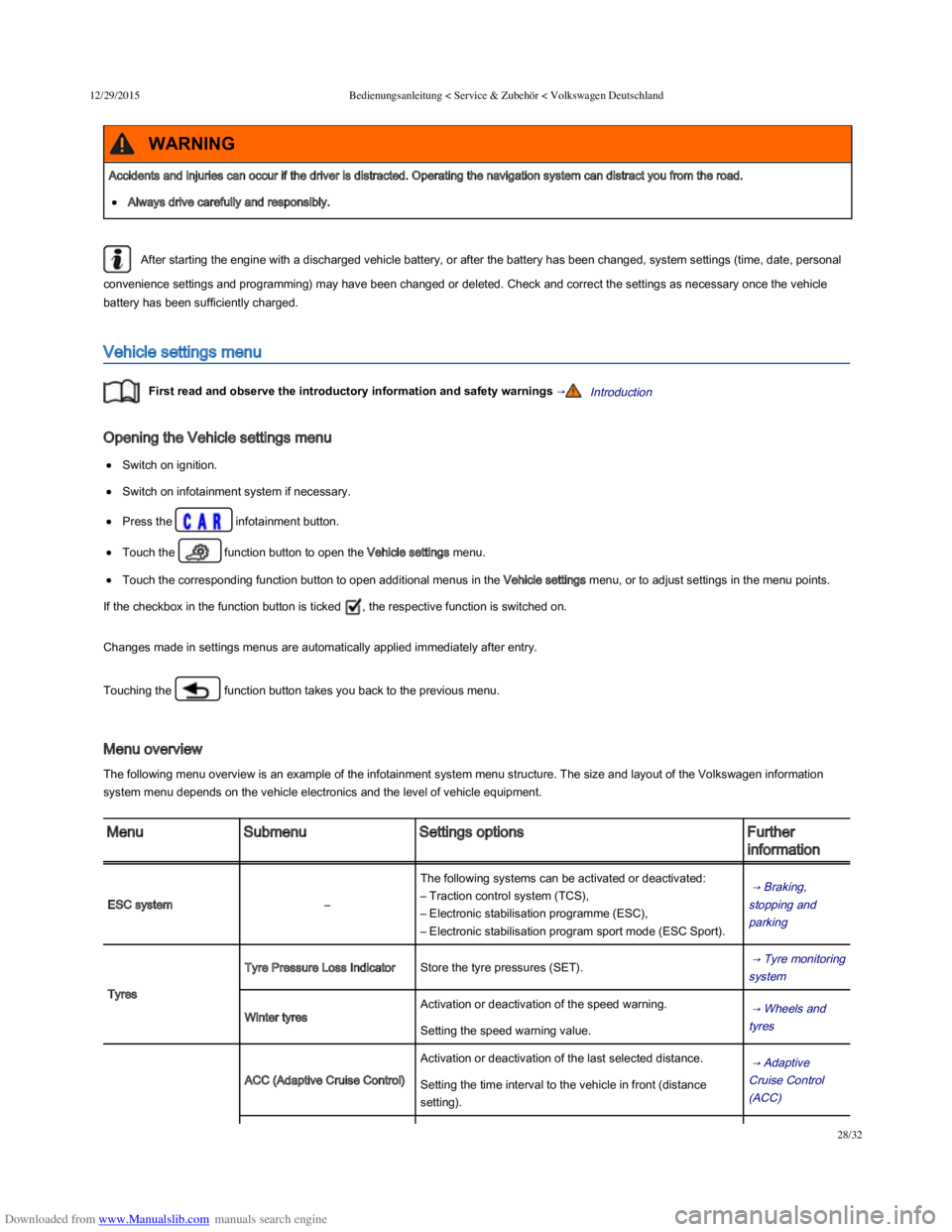
Vehicle settings menu
First read and observe the introductory information and safety warnings →Introduction
Opening the Vehicle settings menu
Switch on ignition.
Switch on infotainment system if necessary.
Press the infotainment button.
Touch the function button to open the Vehicle settings menu.
Touch the corresponding function button to open additional menus in the Vehicle settings menu, or to adjust settings in the menu points.
If the checkbox in the function button is ticked , the respective function is switched on.
Changes made in settings menus are automatically applied immediately after entry.
Touching the function button takes you back to the previous menu.
Menu overview
The following menu overview is an example of the infotainment system menu structure. The size and layout of the Volkswagen information
system menu depends on the vehicle electronics and the level of vehicle equipment.
MenuSubmenuSettings optionsFurther
information
ESC system–
The following systems can be activated or deactivated:
– Traction control system (TCS),
– Electronic stabilisation programme (ESC),
– Electronic stabilisation program sport mode (ESC Sport).
→ Braking,
stopping and
parking
Tyres
Tyre Pressure Loss IndicatorStore the tyre pressures (SET). → Tyre monitoring
system
Winter tyres
Activation or deactivation of the speed warning. → Wheels and
tyres Setting the speed warning value.
ACC (Adaptive Cruise Control)
Activation or deactivation of the last selected distance. → Adaptive
Cruise Control
(ACC)
Setting the time interval to the vehicle in front (distance
setting).
Accidents and injuries can occur if the driver is distracted. Operating the navigation system can distract you from the road.
Always drive carefully and responsibly.
WARNING
Page 36 of 100
Downloaded from www.Manualslib.com manuals search engine 12/29/2015Bedienungsanleitung < Service & Zubehör < Volkswagen Deutschland
1/136
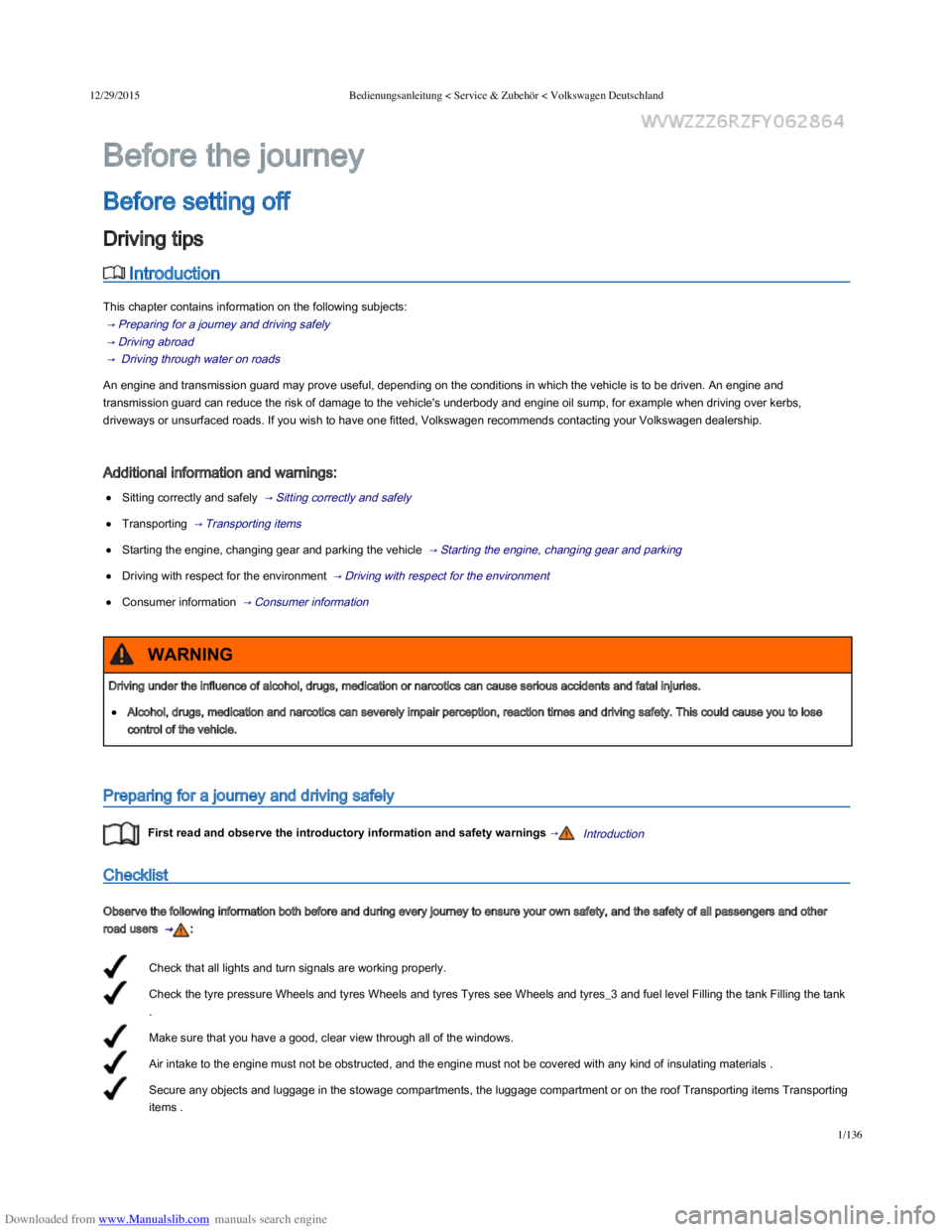
Check that all lights and turn signals are working properly.
Check the tyre pressure Wheels and tyres Wheels and tyres Tyres see Wheels and tyres_3 and fuel level Filling the tank Filling the tank
.
Make sure that you have a good, clear view through all of the windows.
Air intake to the engine must not be obstructed, and the engine must not be covered with any kind of insulating materials .
Secure any objects and luggage in the stowage compartments, the luggage compartment or on the roof Transporting items Transporting
items .
Introduction
This chapter contains information on the following subjects:
→ Preparing for a journey and driving safely
→ Driving abroad
→ Driving through water on roads
An engine and transmission guard may prove useful, depending on the conditions in which the vehicle is to be driven. An engine and
transmission guard can reduce the risk of damage to the vehicle's underbody and engine oil sump, for example when driving over kerbs,
driveways or unsurfaced roads. If you wish to have one fitted, Volkswagen recommends contacting your Volkswagen dealership.
Additional information and warnings:
Sitting correctly and safely → Sitting correctly and safely
Transporting → Transporting items
Starting the engine, changing gear and parking the vehicle → Starting the engine, changing gear and parking
Driving with respect for the environment → Driving with respect for the environment
Consumer information → Consumer information
Preparing for a journey and driving safely
First read and observe the introductory information and safety warnings →Introduction
Checklist
Observe the following information both before and during every journey to ensure your own safety, and the safety of all passengers and other
road users → :
Before the journey
Before setting off
Driving tips
Driving under the influence of alcohol, drugs, medication or narcotics can cause serious accidents and fatal injuries.
Alcohol, drugs, medication and narcotics can severely impair perception, reaction times and driving safety. This could cause you to lose
control of the vehicle.
WARNING
Page 38 of 100
Downloaded from www.Manualslib.com manuals search engine 12/29/2015Bedienungsanleitung < Service & Zubehör < Volkswagen Deutschland
3/136
For diesel engines: is diesel with a low sulphur level available?
Are the correct engine oil ( Engine oil Engine oil Engine compartment Engine oil_3 Oil see Engine oil_3 ) and other service fluids that
comply with Volkswagen specifications available in the destination country?
Will the factory-fitted navigation system work with the navigation data available in the destination country?
Are special tyres necessary for travelling in the destination country?
Driving through water on roads
First read and observe the introductory information and safety warnings →Introduction
Please follow these rules to help prevent damage to your vehicle when driving through water, for example if the road is flooded:
Check the depth of the water before driving through it. The water level must be no higher than the lower edge of the vehicle body → .
Do not drive faster than walking speed.
Never stop the vehicle, reverse or switch off the engine while in water.
Oncoming vehicles create waves that could increase the water level for your vehicle to such an extent that it is not safe to drive through the
water.
When driving through water, always switch start/stop system off manually → Pull-away assist systems .
Introduction
This chapter contains information on the following subjects:
→ Vehicle identification data
→ Engine data
→ Dimensions
→ Performance figures
Volkswagen is not responsible for any vehicle damage caused by low-quality fuel, inadequate servicing work or lack of Genuine Parts.
NOTICE
After driving through water, mud, slush etc., the brakes may react slowly and the braking distance will be increased as the brake discs and pads
will be wet, or possibly iced up in winter.
You can dry and de-ice the brakes by performing careful braking manoeuvres. Make sure that you do not endanger any other road users or
violate any legal regulations when doing so.
Avoid abrupt and sudden braking manoeuvres directly after driving through water.
WARNING
If you drive through water, parts of the vehicle, such as the engine, drive train, running gear and vehicle electrics, could sustain severe
damage.
Never drive through salt water as salt can cause corrosion. Rinse all components that have been exposed to salt water immediately with
fresh water.
NOTICE
Technical data
Page 39 of 100
Downloaded from www.Manualslib.com manuals search engine 12/29/2015Bedienungsanleitung < Service & Zubehör < Volkswagen Deutschland
4/136
→ Performance figures
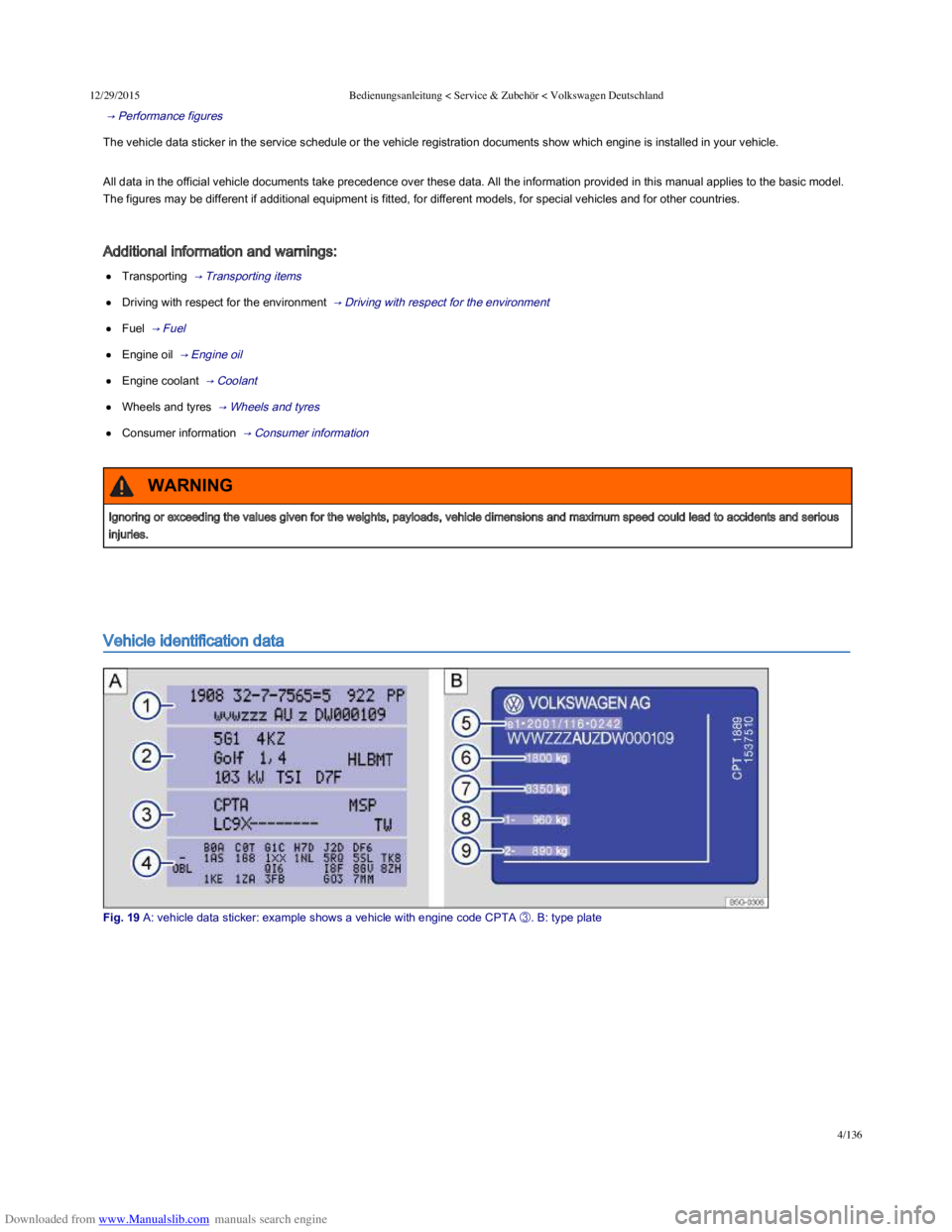
The vehicle data sticker in the service schedule or the vehicle registration documents show which engine is installed in your vehicle.
All data in the official vehicle documents take precedence over these data. All the information provided in this manual applies to the basic model.
The figures may be different if additional equipment is fitted, for different models, for special vehicles and for other countries.
Additional information and warnings:
Transporting → Transporting items
Driving with respect for the environment → Driving with respect for the environment
Fuel → Fuel
Engine oil → Engine oil
Engine coolant → Coolant
Wheels and tyres → Wheels and tyres
Consumer information → Consumer information
Vehicle identification data
Fig. 19 A: vehicle data sticker: example shows a vehicle with engine code CPTA