Page 106 of 664
106
SIENNA_OM_01999-08001_(U)
3-1. Key information
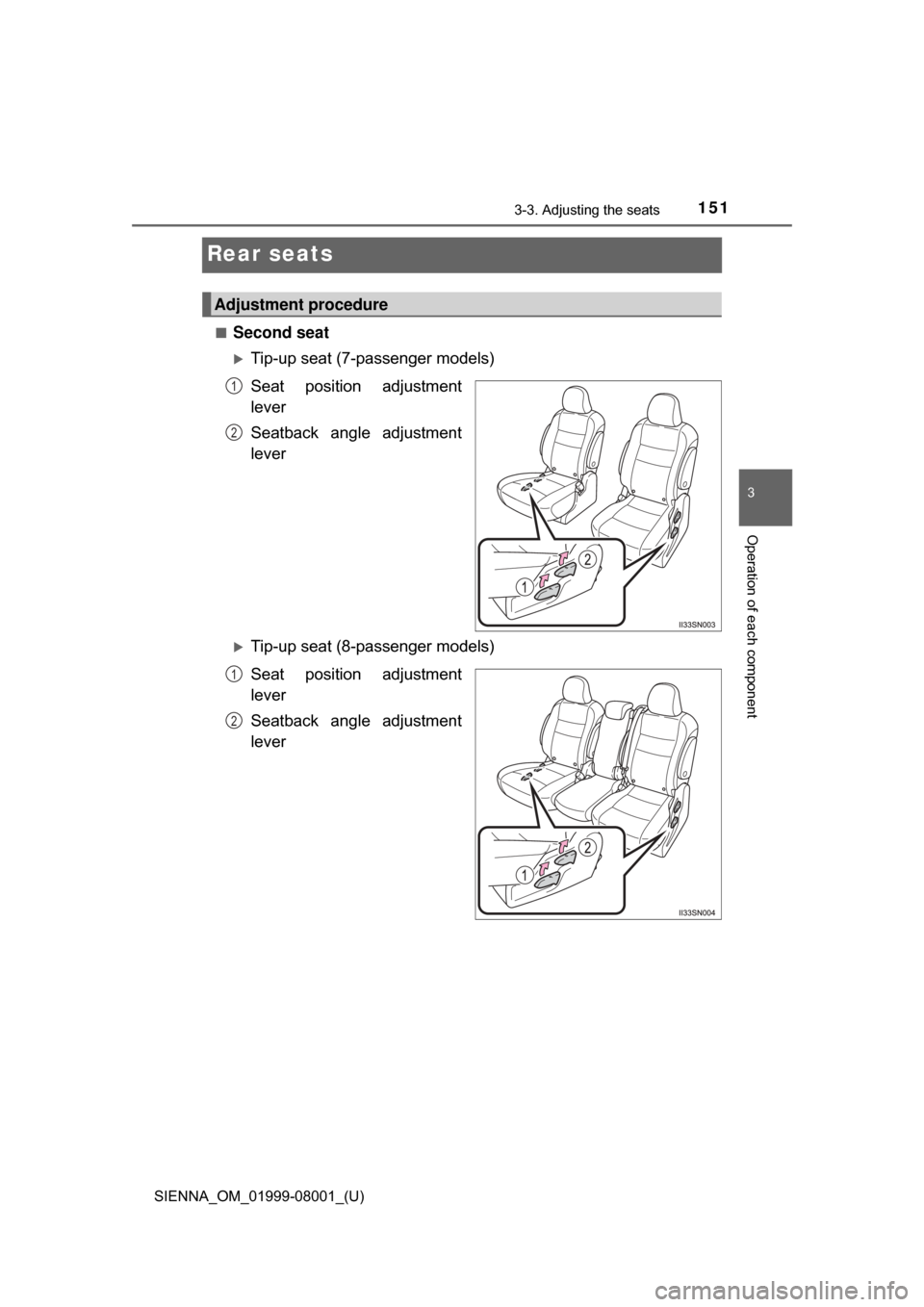
To take out the mechanical key,
push the release button and take
the key out.
The mechanical key can only be
inserted in one direction, as the
key only has grooves on one side.
If the key cannot be inserted in a
lock cylinder, turn it over and re-
attempt to insert it.
After using the mechanical key, store it in the electronic key. Carry the
mechanical key together with the electronic key. If the electronic key bat-
tery is depleted or the entry function does not operate properly, you will
need the mechanical key. (P. 581)
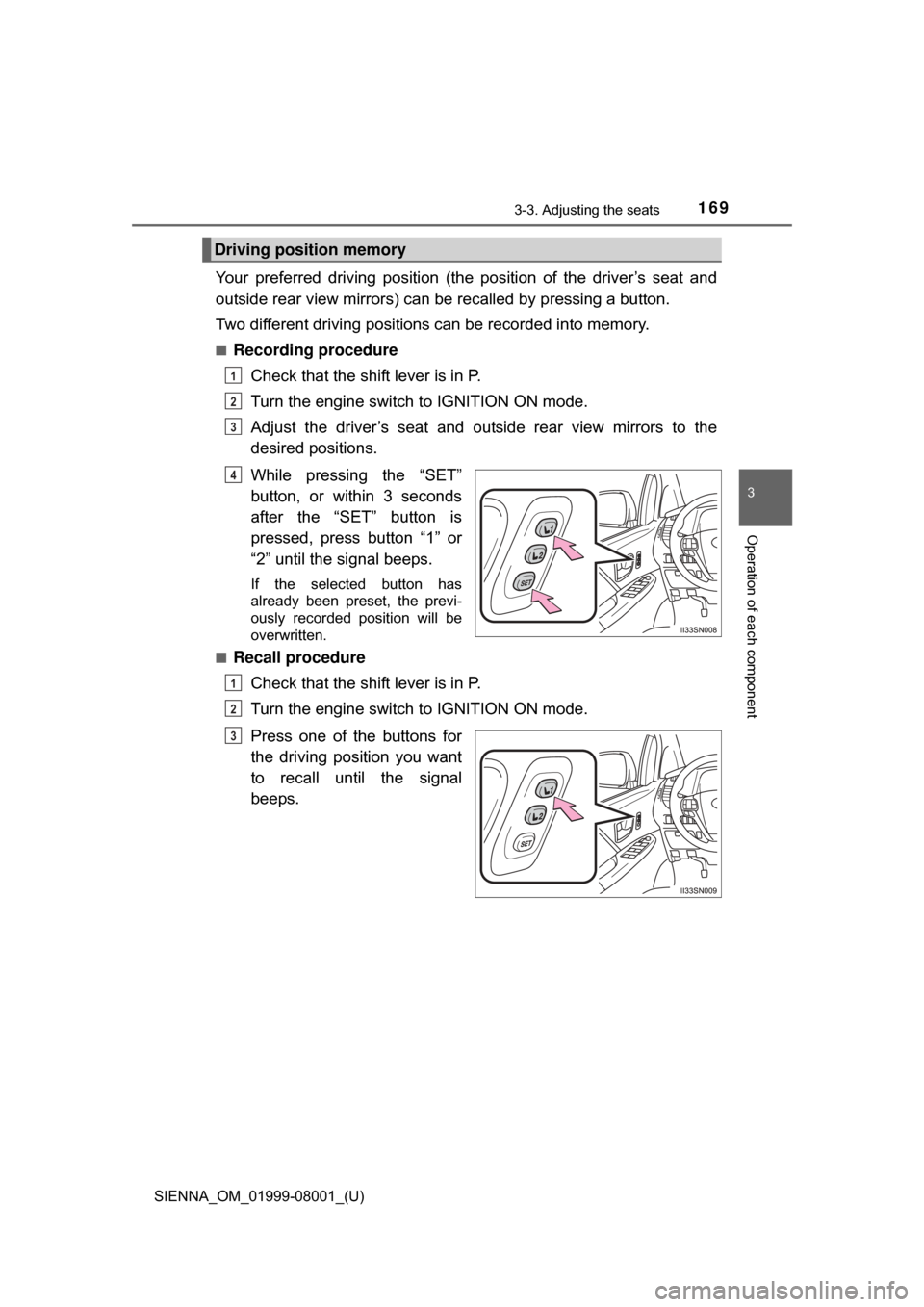
■Panic mode
Vehicles without a smart key system
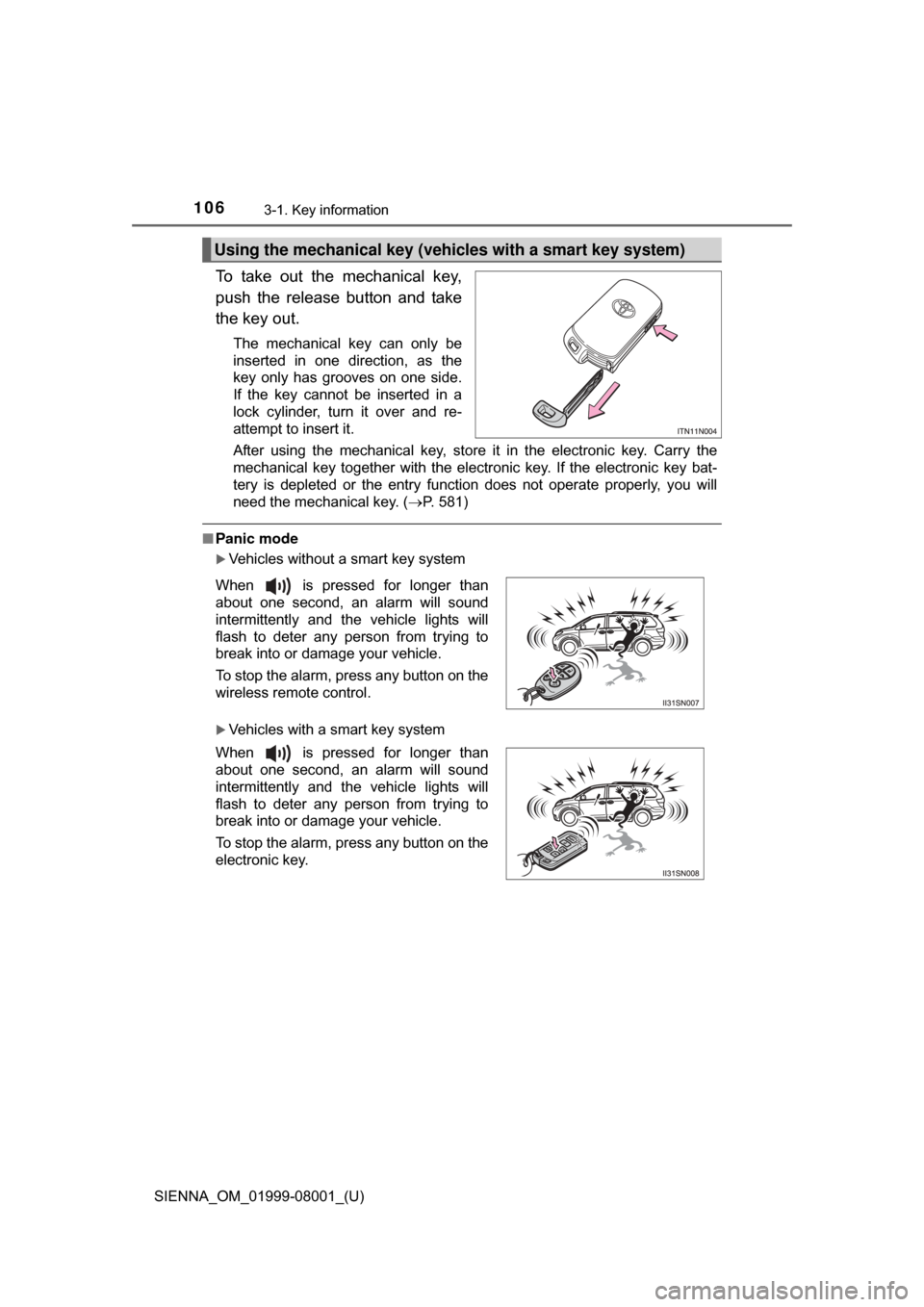
Vehicles with a smart key system
Using the mechanical key (vehic les with a smart key system)
When is pressed for longer than
about one second, an alarm will sound
intermittently and the vehicle lights will
flash to deter any person from trying to
break into or damage your vehicle.
To stop the alarm, press any button on the
wireless remote control.
When is pressed for longer than
about one second, an alarm will sound
intermittently and the vehicle lights will
flash to deter any person from trying to
break into or damage your vehicle.
To stop the alarm, press any button on the
electronic key.
Page 115 of 664
SIENNA_OM_01999-08001_(U)
1153-2. Opening, closing and locking the doors
3
Operation of each component
The following functions can be set or cancelled:
For instructions on customizing, refer to P. 622
■
Setting and canceling the functions
To switch between set and canceled, follow the procedure below: Close all the doors and turn the engine switch to the “ON” posi-
tion (vehicles without a smart key system) or IGNITION ON
mode (vehicles with a smart key system). (Perform step within
10 seconds.)
Automatic door lockin g and unlocking systems
FunctionOperation
Shift position linked door
locking functionShifting the shift lever out of P locks all the
doors.
Shift position linked door
unlocking functionShifting the shift lever to P unlocks all the
doors.
Speed linked door locking
functionAll the doors are locked when the vehicle
speed is approximately 12 mph (20 km/h) or
higher.
Driver’s door linked door
unlocking function
Vehicles without a smart key system:
All the doors are unlocked when the driver’s
door is opened within approximately 45 sec-
onds after turning the engine switch to “ACC”
or “LOCK”.
Vehicles with a smart key system:
All the doors are unlocked when the driver’s
door is opened within approximately 45 sec-
onds after turning the engine switch off.
1
2
Page 143 of 664
SIENNA_OM_01999-08001_(U)
1433-2. Opening, closing and locking the doors
3
Operation of each component
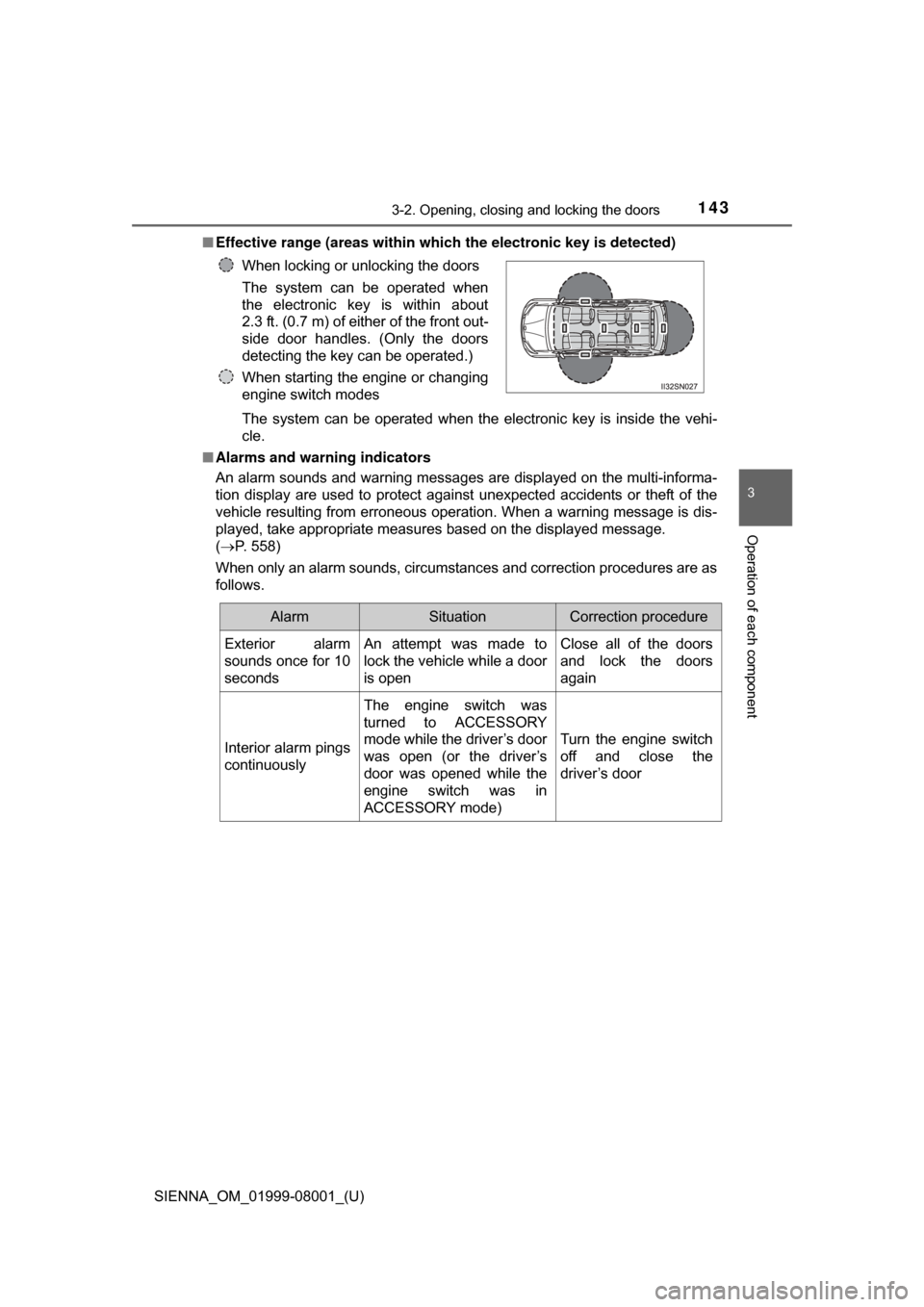
■Effective range (areas within whic h the electronic key is detected)
The system can be operated when the electronic key is inside the vehi-
cle.
■ Alarms and warning indicators
An alarm sounds and warning messages are displayed on the multi-informa-
tion display are used to protect against unexpected accidents or theft of the
vehicle resulting from erroneous operation. When a warning message is dis-
played, take appropriate measures based on the displayed message.
(P. 558)
When only an alarm sounds, circumstances and correction procedures are as
follows. When locking or unlocking the doors
The system can be operated when
the electronic key is within about
2.3 ft. (0.7 m) of either of the front out-
side door handles. (Only the doors
detecting the key can be operated.)
When starting the engine or changing
engine switch modes
AlarmSituationCorrection procedure
Exterior alarm
sounds once for 10
secondsAn attempt was made to
lock the vehicle while a door
is openClose all of the doors
and lock the doors
again
Interior alarm pings
continuously
The engine switch was
turned to ACCESSORY
mode while the driver’s door
was open (or the driver’s
door was opened while the
engine switch was in
ACCESSORY mode)
Turn the engine switch
off and close the
driver’s door
Page 144 of 664

144
SIENNA_OM_01999-08001_(U)
3-2. Opening, closing and locking the doors
■Battery-saving function
In the following circumstances, the entry function is disabled in order to pre-
vent the vehicle battery from discharging and the electronic key battery from
discharging.
●When the entry function has not been used for 5 days or more
● When the electronic key has been left within approximately 6 ft. (2 m) of the
vehicle for 10 minutes or more
● If the entry function has not been used for 14 days or more, the vehicle can-
not be unlocked by a door other than the driver’s door. To unlock the vehicle,
grip the driver’s door handle or use the wireless remote control or the
mechanical key.
The system will resume operation when...
● The vehicle is locked using the lock sensor when carrying the electronic key
on your person.
● The vehicle is locked/unlocked using the wireless remote control. ( P. 1 1 1 )
● The vehicle is locked/unlocked using the mechanical key. ( P. 581)
■ Conditions affecting operation
P. 1 1 9
■ Notes for the entry function
●Even when the electronic key is within the effective range (detection areas),
the system may not operate properly in the following cases.
• The electronic key is too close to the window or outside door handle, near
the ground, or in a high place when the doors are locked or unlocked.
• The electronic key is on the instrument panel, floor or in the glove box
when the engine is started or engine switch modes are changed.
● Do not leave the electronic key on top of the instrument panel or near the
door pockets when exiting the vehicle. Depending on the radio wave recep-
tion conditions, it may be detected by the antenna outside the cabin and the
door will become lockable from the outside, possibly trapping the electronic
key inside the vehicle.
● As long as the electronic key is within the effective range, the doors may be
locked or unlocked by anyone. However, only the doors detecting the elec-
tronic key can be used to unlock the vehicle.
● The doors may unlock or lock if a large amount of water splashes on the
door handle, such as in the rain or in a car wash when the electronic key is
within the effective range. (The doors will automatically be locked after
approximately 60 seconds if the doors are not opened and closed.)
● If the wireless remote control is used to lock the doors when the electronic
key is near the vehicle, there is a possibility that the door may not be
unlocked by the smart key system. (Use the wireless remote control to
unlock the doors.)
● If power slide door is unable to operate due to prohibition by the power slid-
ing door main switch, the door unlock and open operation will not be per-
formed. ( P. 124)
Page 151 of 664
151
SIENNA_OM_01999-08001_(U)
3-3. Adjusting the seats
3
Operation of each component
Rear seats
■Second seat
Tip-up seat (7-passenger models)
Seat position adjustment
lever
Seatback angle adjustment
lever
Tip-up seat (8-passenger models)
Seat position adjustment
lever
Seatback angle adjustment
lever
Adjustment procedure
1
2
1
2
Page 164 of 664
164
SIENNA_OM_01999-08001_(U)
3-3. Adjusting the seats
■Power third seat (vehicles with power third seat)
● If the indicator light above the switches flashes three times when the folding/
returning switch is pressed, the folding operation will not start. Make sure
the shift lever is in P.
● If any of the following conditions occur while the seat is operating, the seat
operation will stop. The indicator light above the switches will flash three
times and a beep will sound for about 10 seconds:
• An object is caught between the seatback and seat cushion.
• The stowing switch is released.
• Other power third seat switch is pushed while operating the stowing
switch.
• The shift lever is moved from P when the engine switch is turned to the “ON” position (vehicles without a smart key system) or IGNITION ON
mode (vehicles with a smart key system).
If the engine is started during operating, the seat operation may also be
stopped.
To continue the folding operation, the seatback must be returned to its orig-
inal position first.
■ AUTO ACCESS SEAT (if equipped)
The AUTO ACCESS SEAT cannot be removed.
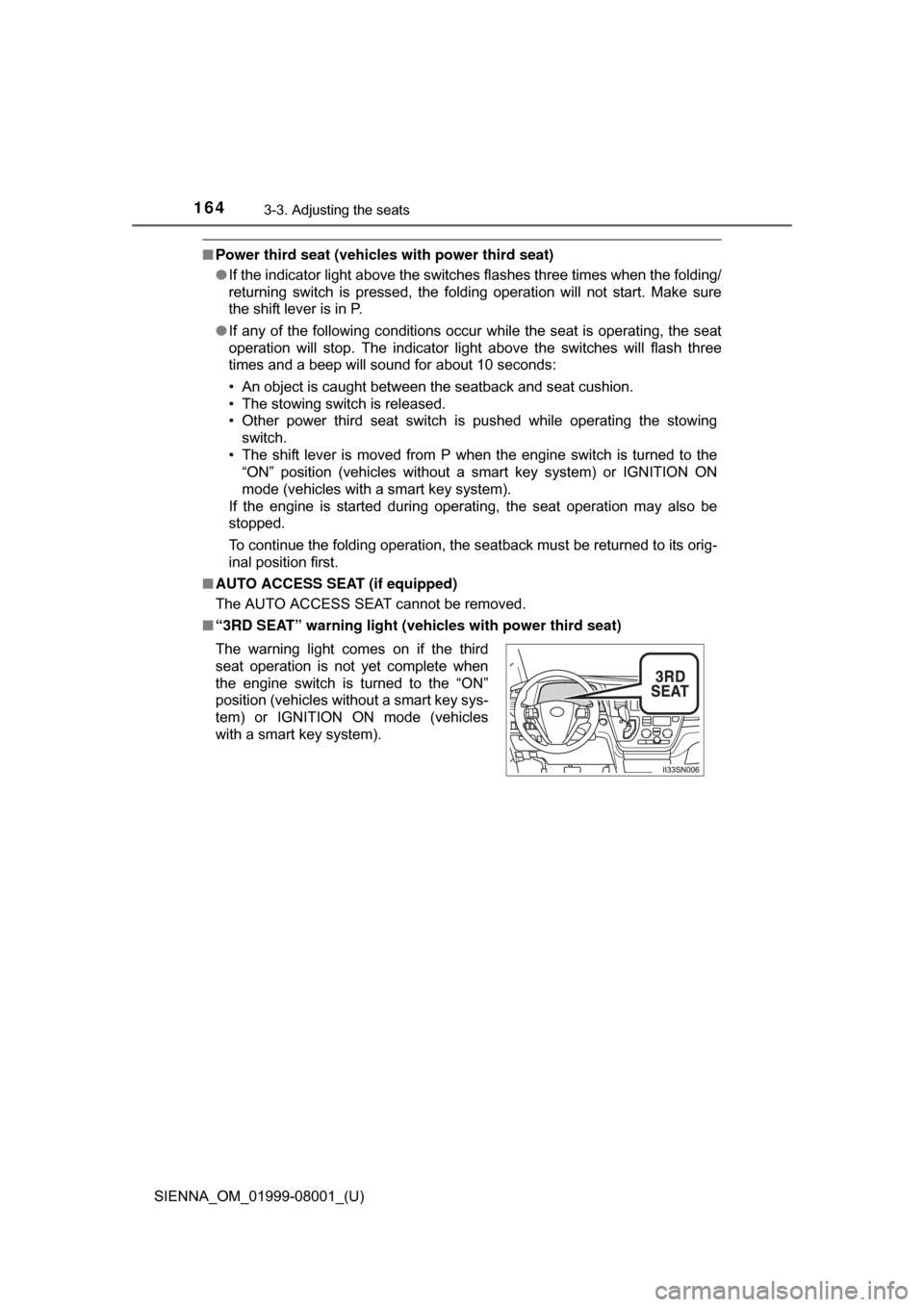
■ “3RD SEAT” warning light ( vehicles with power third seat)
The warning light comes on if the third
seat operation is not yet complete when
the engine switch is turned to the “ON”
position (vehicles without a smart key sys-
tem) or IGNITION ON mode (vehicles
with a smart key system).
Page 167 of 664
SIENNA_OM_01999-08001_(U)
1673-3. Adjusting the seats
3
Operation of each component
NOTICE
■To prevent damage to the seat
● Avoid putting heavy loads on a folded seat that is being used as a tempo-
rary table.
● Do not sit on or put heavy loads on a second seat that has been removed
from the vehicle. The metal tips of the seat leg may be damaged, prevent-
ing reinstallation of the seat.
● The second seats must be reinstalled in their original positions. If they are
installed in the wrong position, the seat locks or bezels will be damaged.
● Make sure that the path the seat will move through is clear before stowing
or returning the third seat.
● 8-passenger models: Be sure to raise the stowed second center seat
above the outer trim, when removing from the storage box of the luggage
room.
■ Stowing the seat belt
The seat belts and the buckles must be stowed before you fold down the
rear seatbacks.
■ To prevent an ottoman malfunctio n (vehicles with Ottoman seats)
● Do not place any objects in the second passenger footwell that could pre-
vent the operation of the ottoman.
● Do not place heavy luggage on the ottoman.
● Do not place anything under the ottoman when in use. There is a possibil-
ity that something may get caught and cause damage when stowing the
ottoman.
Page 169 of 664
SIENNA_OM_01999-08001_(U)
1693-3. Adjusting the seats
3
Operation of each component
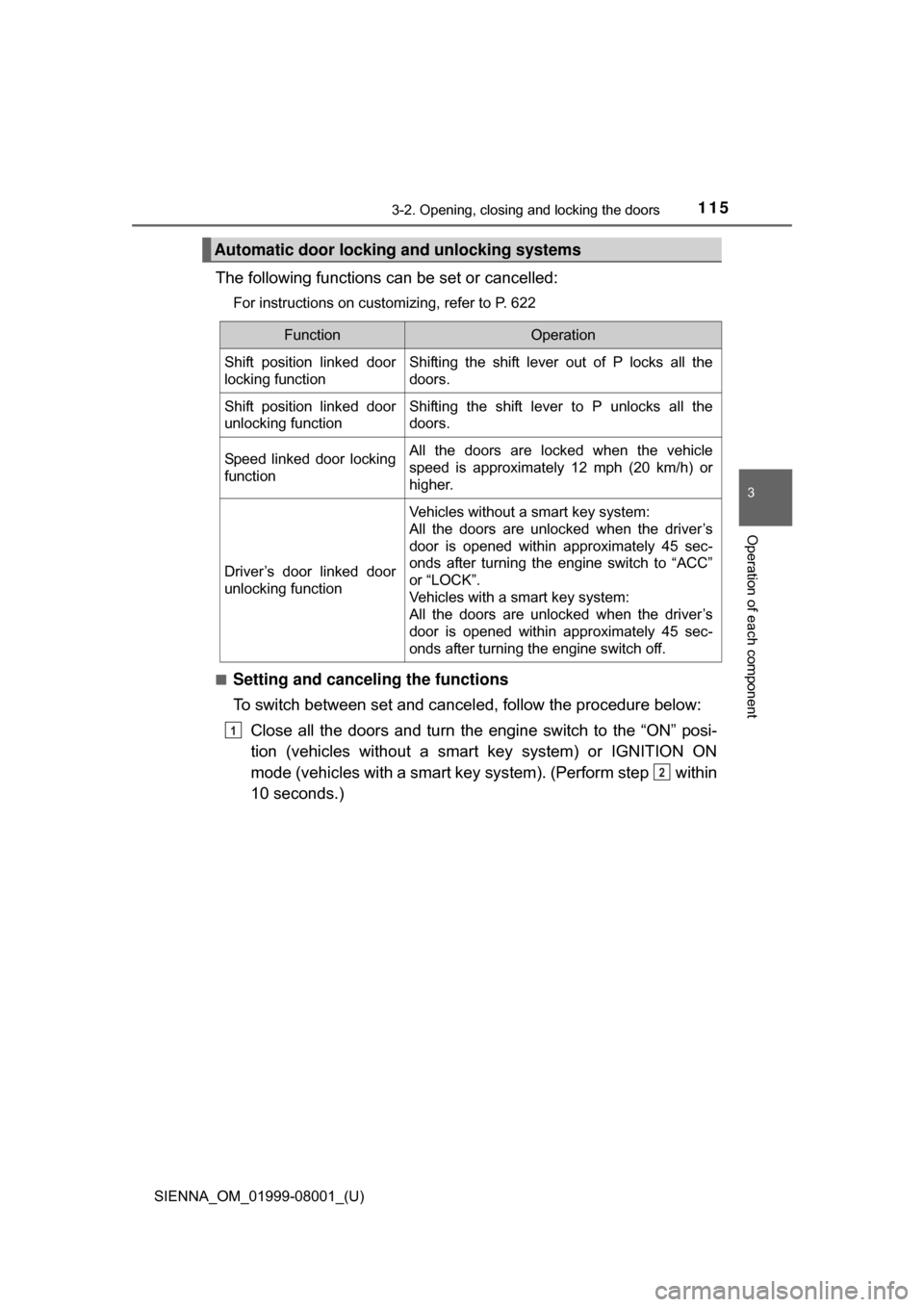
Your preferred driving position (the position of the driver’s seat and
outside rear view mirrors) can be recalled by pressing a button.
Two different driving positions can be recorded into memory.
■Recording procedureCheck that the shift lever is in P.
Turn the engine switch to IGNITION ON mode.
Adjust the driver’s seat and outside rear view mirrors to the
desired positions.
While pressing the “SET”
button, or within 3 seconds
after the “SET” button is
pressed, press button “1” or
“2” until the signal beeps.
If the selected button has
already been preset, the previ-
ously recorded position will be
overwritten.
■
Recall procedure
Check that the shift lever is in P.
Turn the engine switch to IGNITION ON mode.
Press one of the buttons for
the driving position you want
to recall until the signal
beeps.
Driving position memory
1
2
3
4
1
2
3