Page 118 of 732
118
RAV4_OM_OM42A78U_(U)
3-2. Opening, closing and locking the doors
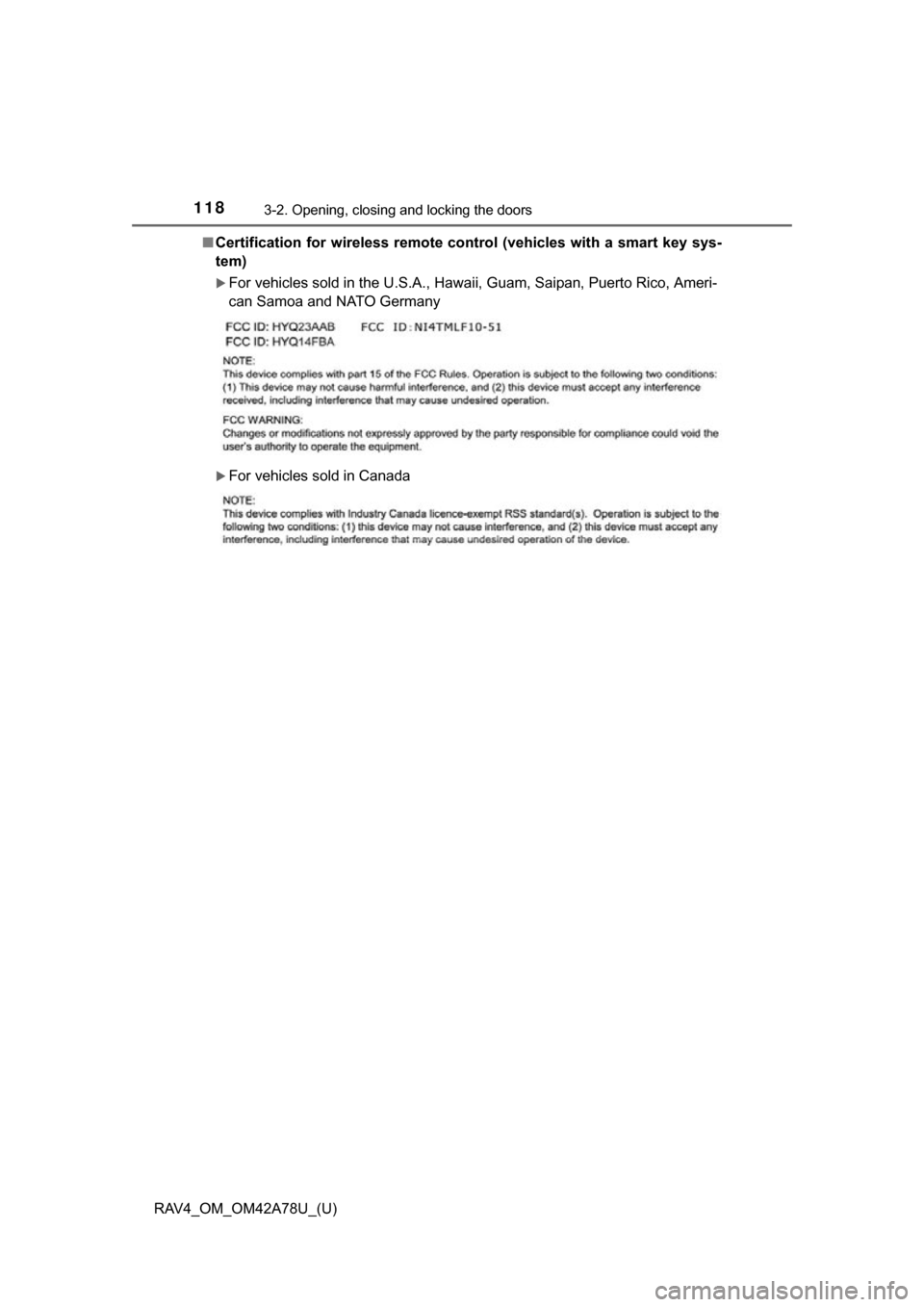
■Certification for wireless remote control (vehicles with a smart key sys-
tem)
For vehicles sold in the U.S.A., Hawaii, Guam, Saipan, Puerto Rico, Ameri-
can Samoa and NATO Germany
For vehicles sold in Canada
Page 119 of 732
119
RAV4_OM_OM42A78U_(U)
3-2. Opening, closing and locking the doors
3
Operation of each component
Side doors
The vehicle can be locked and unlocked using the key, entry function,
wireless remote control or door lock switch.
◆Entry function (if equipped)
P. 9 9
◆Wireless remote control
P. 1 1 3
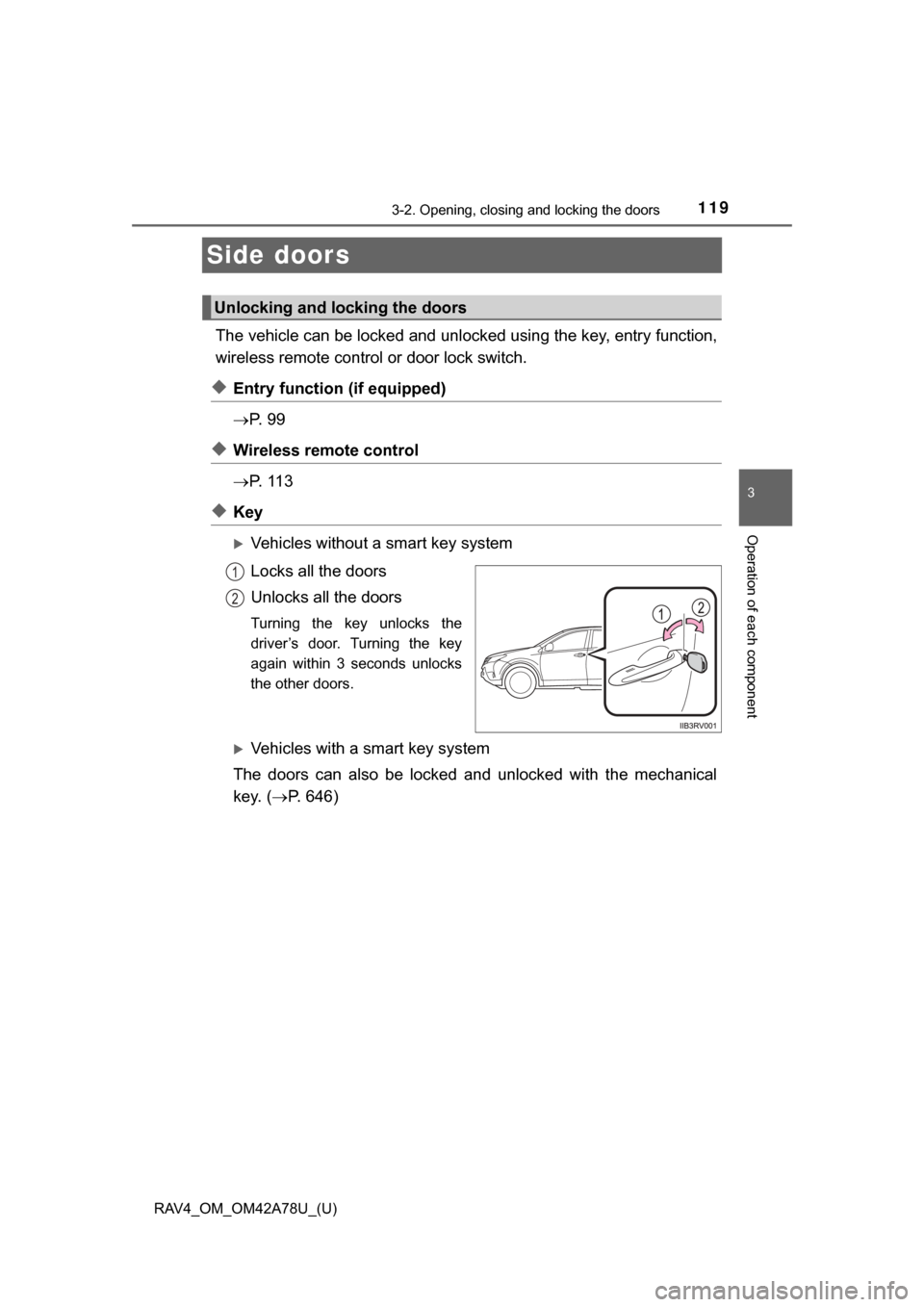
◆Key
Vehicles without a smart key system
Locks all the doors
Unlocks all the doors
Turning the key unlocks the
driver’s door. Turning the key
again within 3 seconds unlocks
the other doors.
Vehicles with a smart key system
The doors can also be locked and unlocked with the mechanical
key. ( P. 646)
Unlocking and locking the doors
1
2
Page 122 of 732
122
RAV4_OM_OM42A78U_(U)
3-2. Opening, closing and locking the doors
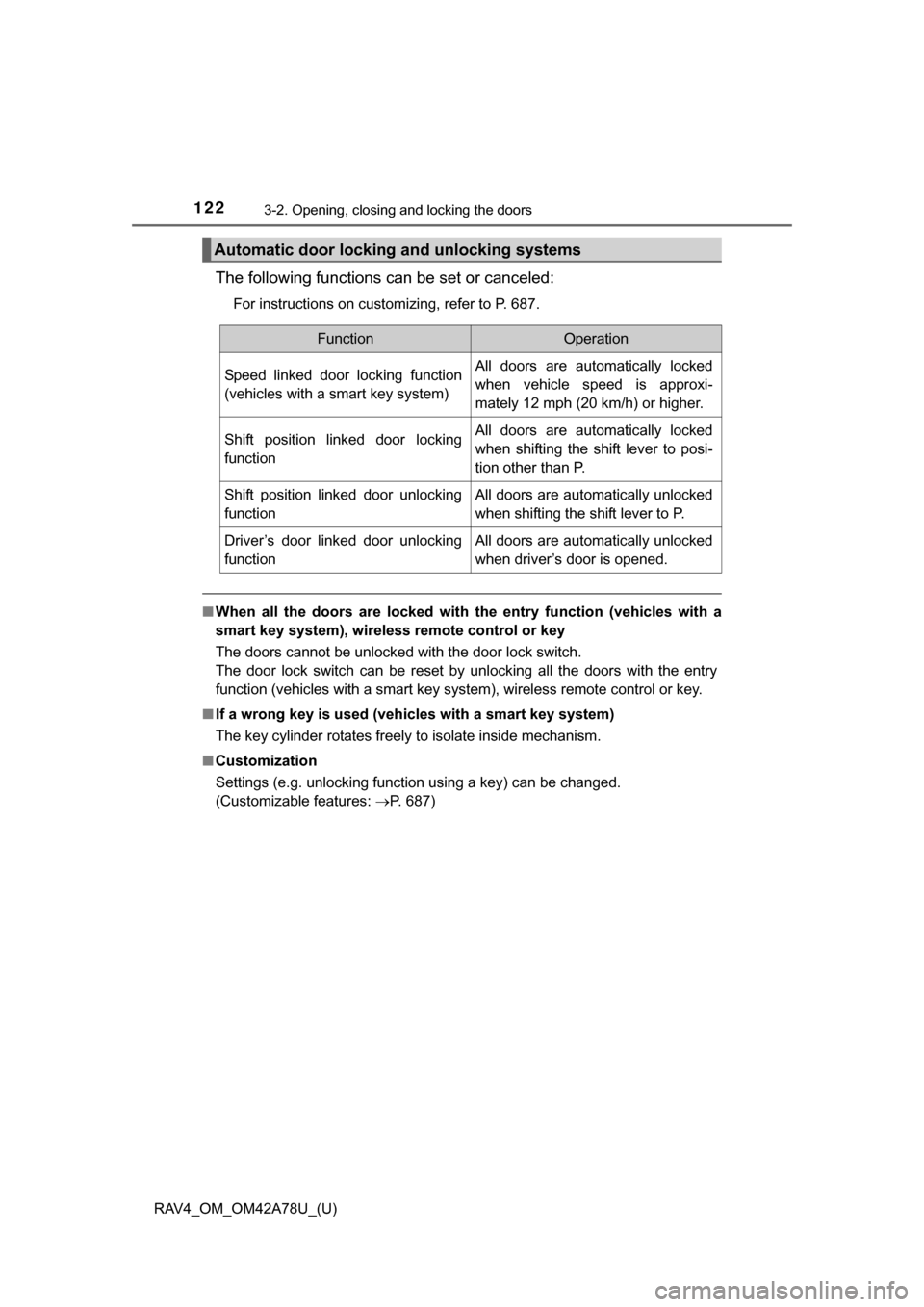
The following functions can be set or canceled:
For instructions on customizing, refer to P. 687.
■When all the doors are locked with the entry function (vehicles with a
smart key system), wireless remote control or key
The doors cannot be unlocked with the door lock switch.
The door lock switch can be reset by unlocking all the doors with the entry
function (vehicles with a smart key system), wireless remote control or key.
■ If a wrong key is used (vehicles with a smart key system)
The key cylinder rotates freely to isolate inside mechanism.
■ Customization
Settings (e.g. unlocking function using a key) can be changed.
(Customizable features: P. 687)
Automatic door locking and unlocking systems
FunctionOperation
Speed linked door locking function
(vehicles with a smart key system)All doors are automatically locked
when vehicle speed is approxi-
mately 12 mph (20 km/h) or higher.
Shift position linked door locking
functionAll doors are automatically locked
when shifting the shift lever to posi-
tion other than P.
Shift position linked door unlocking
functionAll doors are automatically unlocked
when shifting the shift lever to P.
Driver’s door linked door unlocking
functionAll doors are automatically unlocked
when driver’s door is opened.
Page 124 of 732
124
RAV4_OM_OM42A78U_(U)
3-2. Opening, closing and locking the doors
Back door
■Door lock switch
P. 1 2 0
■Entry function (if equipped)
P. 1 0 1
■Wireless remote control
P. 1 1 3
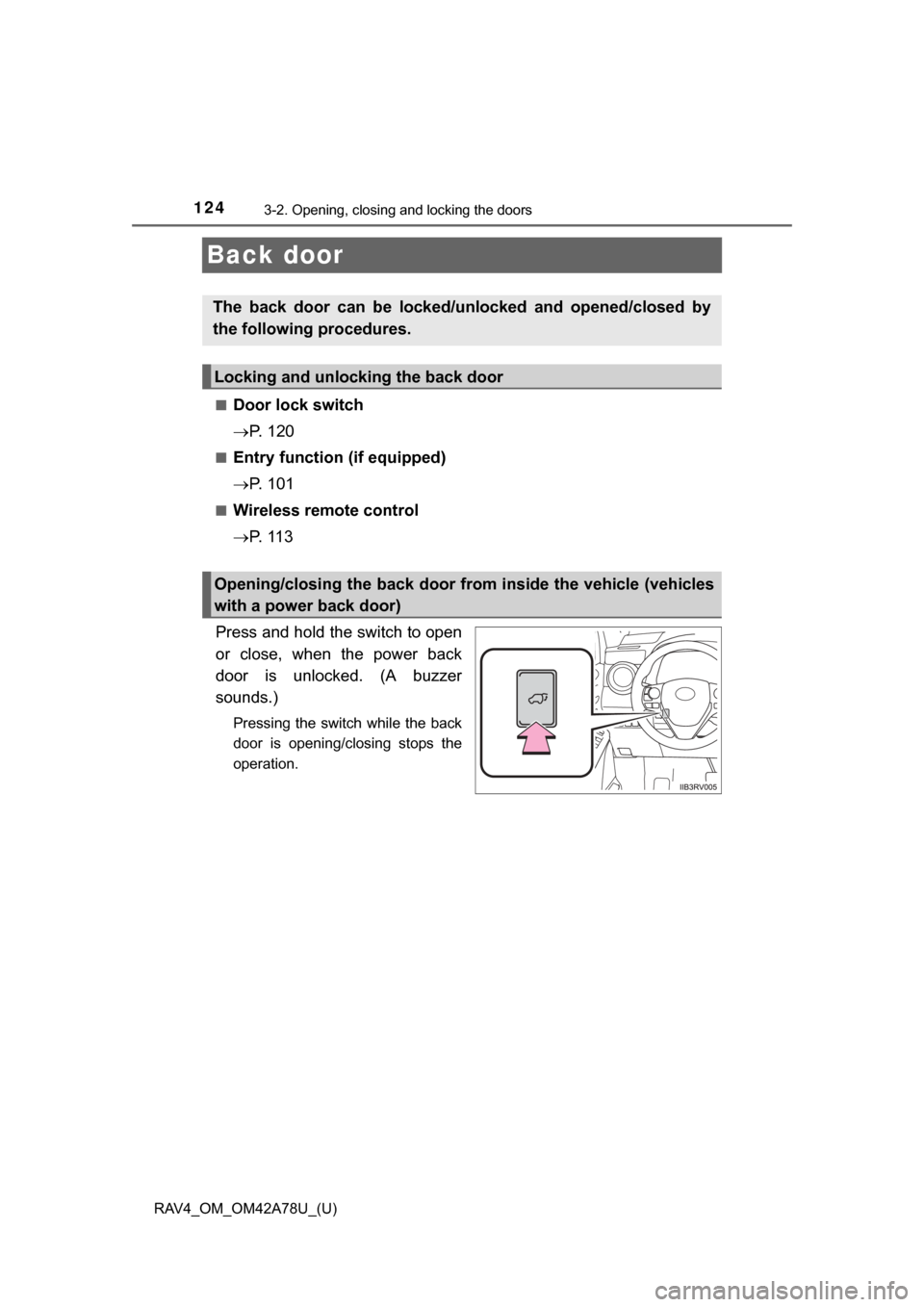
Press and hold the switch to open
or close, when the power back
door is unlocked. (A buzzer
sounds.)
Pressing the switch while the back
door is opening/closing stops the
operation.
The back door can be locked/unl ocked and opened/closed by
the following procedures.
Locking and unlocking the back door
Opening/closing the back door from inside the vehicle (vehicles
with a power back door)
Page 125 of 732
RAV4_OM_OM42A78U_(U)
1253-2. Opening, closing and locking the doors
3
Operation of each component
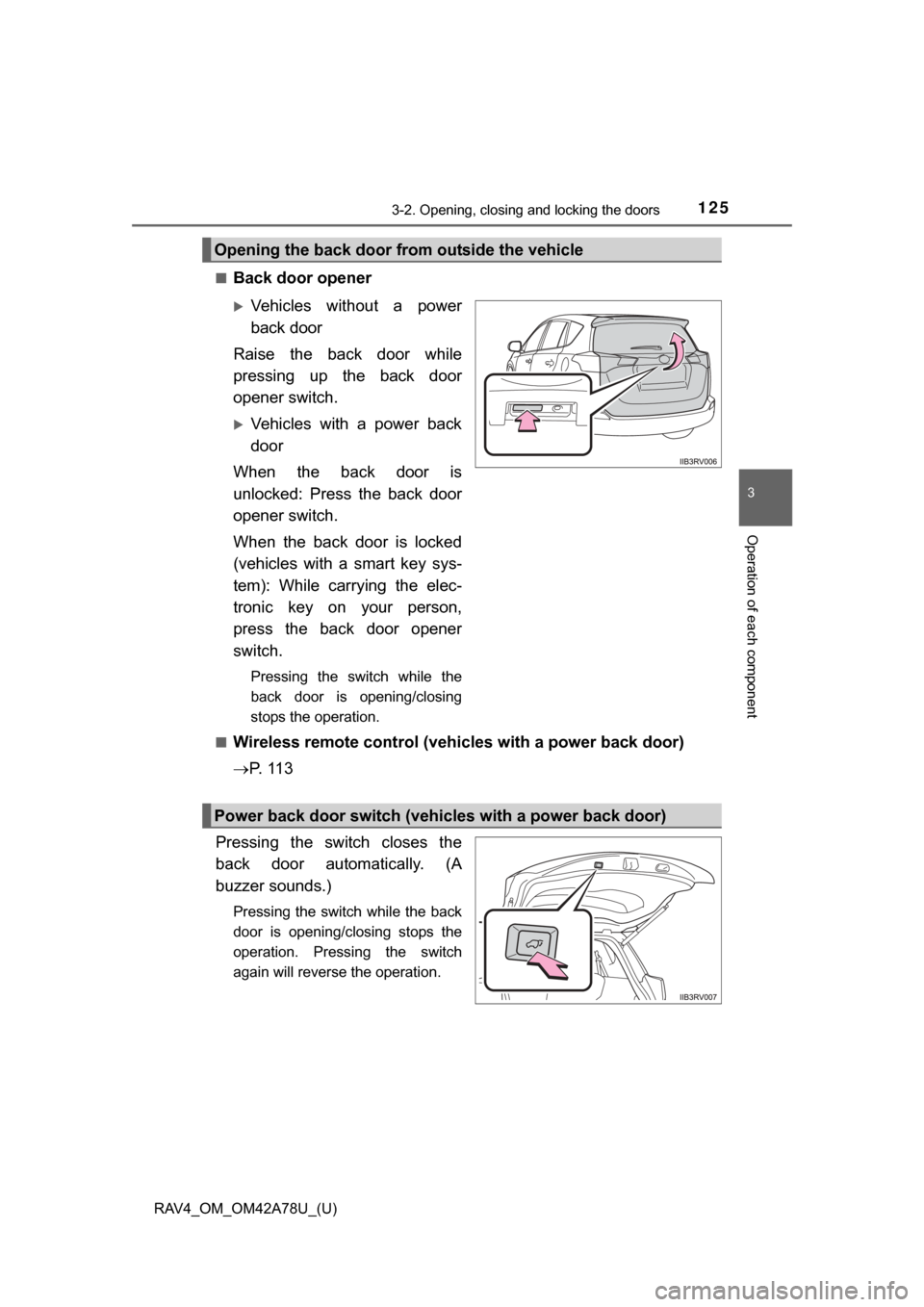
■Back door opener
Vehicles without a power
back door
Raise the back door while
pressing up the back door
opener switch.
Vehicles with a power back
door
When the back door is
unlocked: Press the back door
opener switch.
When the back door is locked
(vehicles with a smart key sys-
tem): While carrying the elec-
tronic key on your person,
press the back door opener
switch.
Pressing the switch while the
back door is opening/closing
stops the operation.
■
Wireless remote control (vehicles with a power back door)
P. 1 1 3
Pressing the switch closes the
back door automatically. (A
buzzer sounds.)
Pressing the switch while the back
door is opening/closing stops the
operation. Pressing the switch
again will reverse the operation.
Opening the back door from outside the vehicle
Power back door switch (vehicles with a power back door)
Page 144 of 732

144
RAV4_OM_OM42A78U_(U)
3-3. Adjusting the seats
Each electronic key can be registered to recall your preferred driving
position.
■Registering procedure
Record your driving position to button “1” or “2” before performing
the following:
Carry only the key you want to register, and then close the driver’s
door.
If 2 or more keys are in the vehicle, the driving position cannot be
recorded properly.
Check that the shift lever is in P.
Turn the engine switch to IGNITION ON mode.
Recall the driving position that you want to record.
While pressing the recalled
button, press and hold the
door lock switch (either lock
or unlock) until the buzzer
sounds.
If the button could not be regis-
tered, the buzzer sounds contin-
uously for approximately 3
seconds.
■
Recall procedure
Carry the electronic key that has been registered to the driving
position, and then unlock and open the driver’s door using the
smart key system or wi reless remote control.
The driving position will move to the recorded position.
If the driving position is in a position that has already been recorded, the
seat will not move.
Memory recall function (vehicles with a smart key system)
1
2
3
4
Page 360 of 732
360
RAV4_OM_OM42A78U_(U)
5-2. Using the audio system
■When transferring ownership of the vehicle
Be sure to initialize the system to prevent personal data from being improp-
erly accessed. ( P. 381)
■ About Bluetooth
®
■Compatible models
●Bluetooth
® specifications:
Ver. 1.1, or higher (Recommended: Ver. 2.1 + EDR or higher)
● Following Profiles:
• A2DP (Advanced Audio Distribution Profile) Ver. 1.0 or higher (recom-
mended: Ver. 1.2 or higher)
• AVRCP (Audio/Video Remote Control Profile) Ver. 1.0 or higher (recom- mended: Ver. 1.3 or higher)
Portable players must correspond to the above specifications in order to be
connected to the Bluetooth
® audio/phone. However, please note that some
functions may be limited depending on the type of portable player.
● Cellular phone
• HFP (Hands Free Profile) Ver. 1.0 or higher (Recommended: Ver. 1.5)
• OPP (Object Push Profile) Ver. 1.1
• PBAP (Phone Book Access Profile) Ver. 1.0
Bluetooth is a registered trademark of
Bluetooth SIG, Inc.
Page 480 of 732

480
RAV4_OM_OM42A78U_(U)
5-3. Using the audio system (Entune Audio)
■Compatible models
The Bluetooth
® audio system supports portable audio players with the follow-
ing specifications
● Bluetooth
® specifications:
Ver. 2.0, or higher (Recommended: Ver. 3.0+EDR or higher)
● Profiles:
• A2DP (Advanced Audio Distribution Profile) Ver. 1.0, or higher
(Recommended: Ver. 1.2 or higher)
This is a profile to transmit stereo audio or high quality sound to the audio
system.
• AVRCP (Audio/Video Remote Contro l Profile) Ver. 1.0 or higher
(Recommended: Ver. 1.4 or higher)
This is a profile to allow remote control the A/V equipment.
However, please note that some functions may be limited depending on the
type of portable audio player connected.
The hands-free system supports cellular phones with the following specifica-
tions.
● Bluetooth
® specification:
Ver. 2.0 or higher (Recommended: Ver. 3.0+EDR or higher)
● Profiles:
• HFP (Hands Free Profile) Ver. 1.0 or higher (Recommended: Ver. 1.6 or
higher)
This is a profile to allow hands-free phone calls using a cellular phone or
head set. It has outgoing and incoming call functions.
• OPP (Object Push Profile) Ver. 1.1 or higher (Recommended: Ver. 1.2) This is a profile to transfer contact data. When a Bluetooth
® compatible
cellular phone has both PBAP and OPP, OPP cannot be used.
• PBAP (Phone Book Access Profile) Ver. 1.0 or higher (Recommended: Ver. 1.1)
This is a profile to transfer contact data.
• MAP (Message Access Profile) Ver. 1.0 or higher
If the cellular phone does not support HFP, you cannot register it with the
hands-free system. OPP, PBAP or MAP services must be selected individu-
ally.