Page 29 of 348
WINDOWS
Power Windows
NOTE:
•These operate when the ignition key is turned to
MAR-ON and for about three minutes after the igni-
tion key is turned to STOP or removed unless one of
the doors is opened.
•The buttons are located on the center console.
Push the corresponding buttons to open/close the de-
sired window.
Power Window Switch
1 — Driver Power Window Switch
2 — Passenger Power Window Switch
2
THINGS TO KNOW BEFORE STARTING YOUR VEHICLE 27
Page 30 of 348

When one of the two buttons is pushed briefly, the
window moves in stages; if the button is held down to
open,�continuous automatic�operation is activated.
If the button is pushed again the window will stop in its
current position. If the button is pushed for several
seconds, the window lowers automatically (only with
ignition key in MAR-ON position).
Continuous Automatic Operation
This is activated by pushing one of the two buttons for
longer than half a second. The window will stop when it
is fully opened, or when the button is pushed again.
It can be used on both the driver side and passenger side,
only for lowering the window.
Electric Window System Reset
After a break in power supply for the control units
(battery replaced or disconnected or protective fuses forthe electric window control units replaced), the auto-
matic operation of the windows must be restored.
The restoration procedure must be performed as de-
scribed below with the doors closed:
1. Completely open the driver’s door window keeping
the operating button pushed for at least three seconds
after the (lower) end of travel position is reached.
2. Completely raise the driver side window and hold the
button down for at least three seconds once the
(upper) end of travel position has been reached.
3. Proceed in the same way as described in points 1 and
2 for the passenger side door.
4. Make sure that the reset is correct by checking that the
windows work automatically.
28 THINGS TO KNOW BEFORE STARTING YOUR VEHICLE
Page 31 of 348
WARNING!
Improper actuation of the power windows may be
dangerous. Never leave children unattended in a
vehicle, and do not let children play with power
windows. Before and during window operation
make sure no one and no object (including clothing)
is in the path of the moving glass or its mechanism.
Do not leave the key fob in or near the vehicle, or in
a location accessible to children. Occupants, particu-
larly unattended children, can become entrapped by
the windows while operating the power window
switches. Such entrapment may result in serious
injury or death.
DECKLID
NOTE:During normal car operation, the luggage com-
partment can reach temperatures above 149º F (65° C).
Pay attention when transporting objects that may be
damaged at such temperatures. Do not keep aerosol cans
in the car: danger of explosion. Aerosol cans must not be
exposed to temperatures above 122º F (50° C).
Opening Procedure
With driver side door open, pull lever #1 located at the
point illustrated in the figure.
2
THINGS TO KNOW BEFORE STARTING YOUR VEHICLE 29
Page 33 of 348
sure that the decklid is completely closed and not only
fastened in safety position by trying to open it. If it is
not completely closed, do not push the decklid down,
but raise it and repeat the procedure.
NOTE:Always check that the decklid is closed correctly
to prevent it from opening while the car is travelling.
WARNING!
•The maximum permitted load in the luggage com-
partment, in addition to the kits provided, is
33.1 lbs. (15 kg). Do not exceed the maximum
permitted load in the luggage compartment.
•When accessing the rear luggage compartment, do
not come into contact with engine, or other compo-
nents, that may be hot and could burn you if
touched.
(Continued)
WARNING!(Continued)
•Access the luggage compartment only with the
vehicle stationary. Before exiting a vehicle, you
should always shift the vehicle into gear, remove
the key fob from the ignition, and apply the
parking brake to secure the vehicle against un-
wanted movement.
•The decklid may drop suddenly, causing serious
injury, if the supporting rod is not positioned
correctly.
•The decklid must always be closed properly, and
the lock engaged, while the car is in motion.2
THINGS TO KNOW BEFORE STARTING YOUR VEHICLE 31
Page 87 of 348
WARNING!(Continued)
•Access the luggage compartment only with the
vehicle stationary. Before exiting the vehicle, you
should always place the vehicle into First gear,
apply the parking brake, and remove the key from
the ignition. Never leave the key fob in the vehicle
or in a location accessible to children.
•The decklid may drop suddenly, causing serious
injury, if the supporting rod is not positioned
correctly.
•The decklid must always be closed properly, and
the lock engaged, while the vehicle is in motions.
LIGHTS
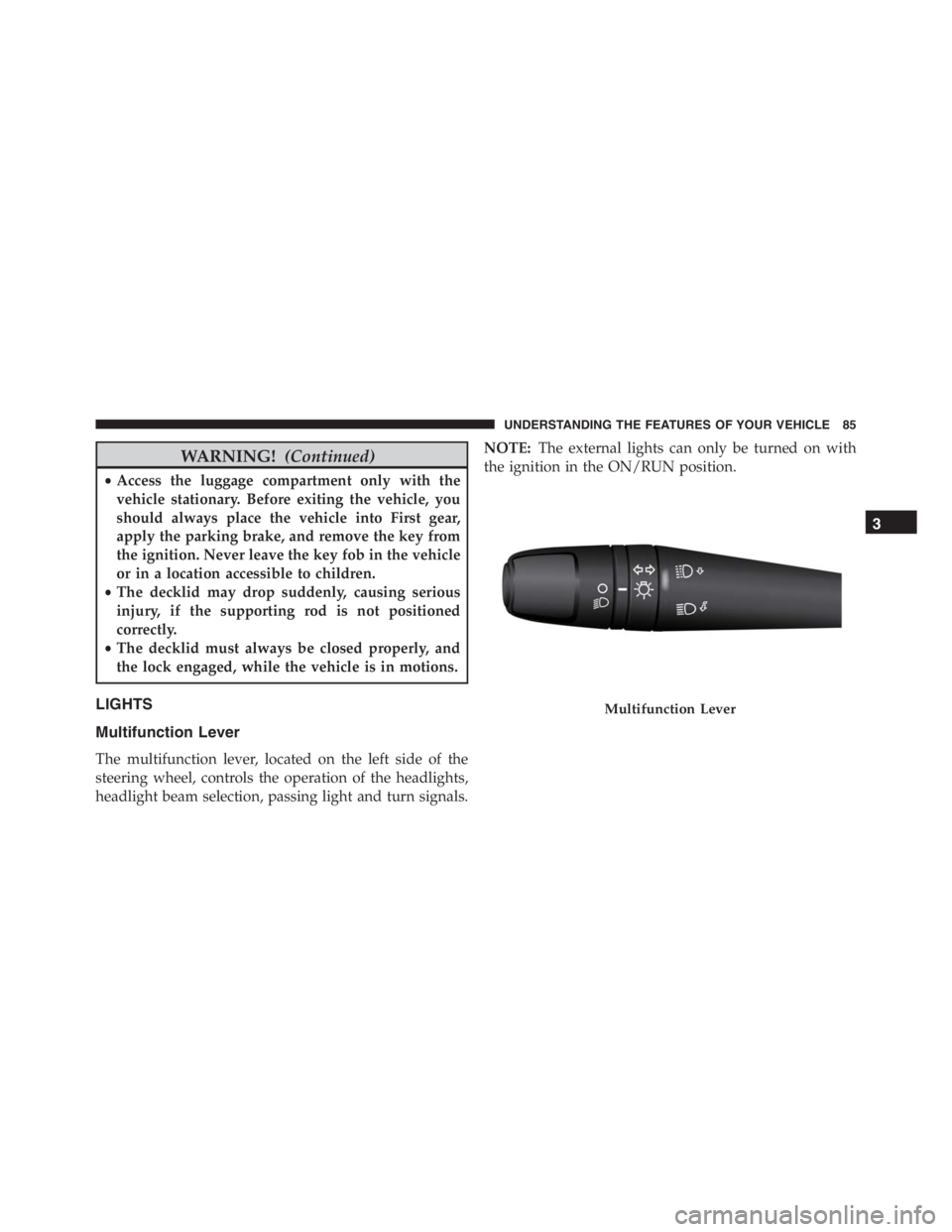
Multifunction Lever
The multifunction lever, located on the left side of the
steering wheel, controls the operation of the headlights,
headlight beam selection, passing light and turn signals.NOTE:The external lights can only be turned on with
the ignition in the ON/RUN position.
Multifunction Lever
3
UNDERSTANDING THE FEATURES OF YOUR VEHICLE 85
Page 89 of 348
Flash-To-Pass
You can signal another vehicle with your headlights by
partially pulling the multifunction lever toward the steer-
ing wheel. This will cause the high beam headlights to
turn on until the lever is released.
Parking Lights
To turn on the parking lights, remove the key
or turn the ignition to OFF/LOCK position and
turn on the headlights.
Turn Signals
Move the multifunction lever up or down and the arrows
on each side of the instrument cluster flash to show
proper operation of the front and rear turn signal lights.NOTE:If either light remains on and does not flash, or
there is a very fast flash rate, check for a defective outside
light bulb. If an indicator fails to light when the lever is
moved, it would suggest that the indicator bulb is
defective.
Lane Change Assist
Tap the lever up or down once, without moving beyond
the detent, and the turn signal (right or left) will flash five
times then automatically turn off.
Follow Me Home/Headlight Delay — If Equipped
When this feature is selected the driver can choose to
have the headlights remain on for a preset period of time.
3
UNDERSTANDING THE FEATURES OF YOUR VEHICLE 87
Page 90 of 348
Activation
Remove the key or turn the ignition to the OFF/LOCK
position, and pull the multifunction lever toward the
steering wheel, within two minutes. Each time the lever
is pulled, the activation of the lights will be extended by
30 seconds. The activation of the lights can be extended to
a maximum of 210 seconds.
Deactivation
Pull the multifunction lever toward the steering wheel
and hold it for more than two seconds.
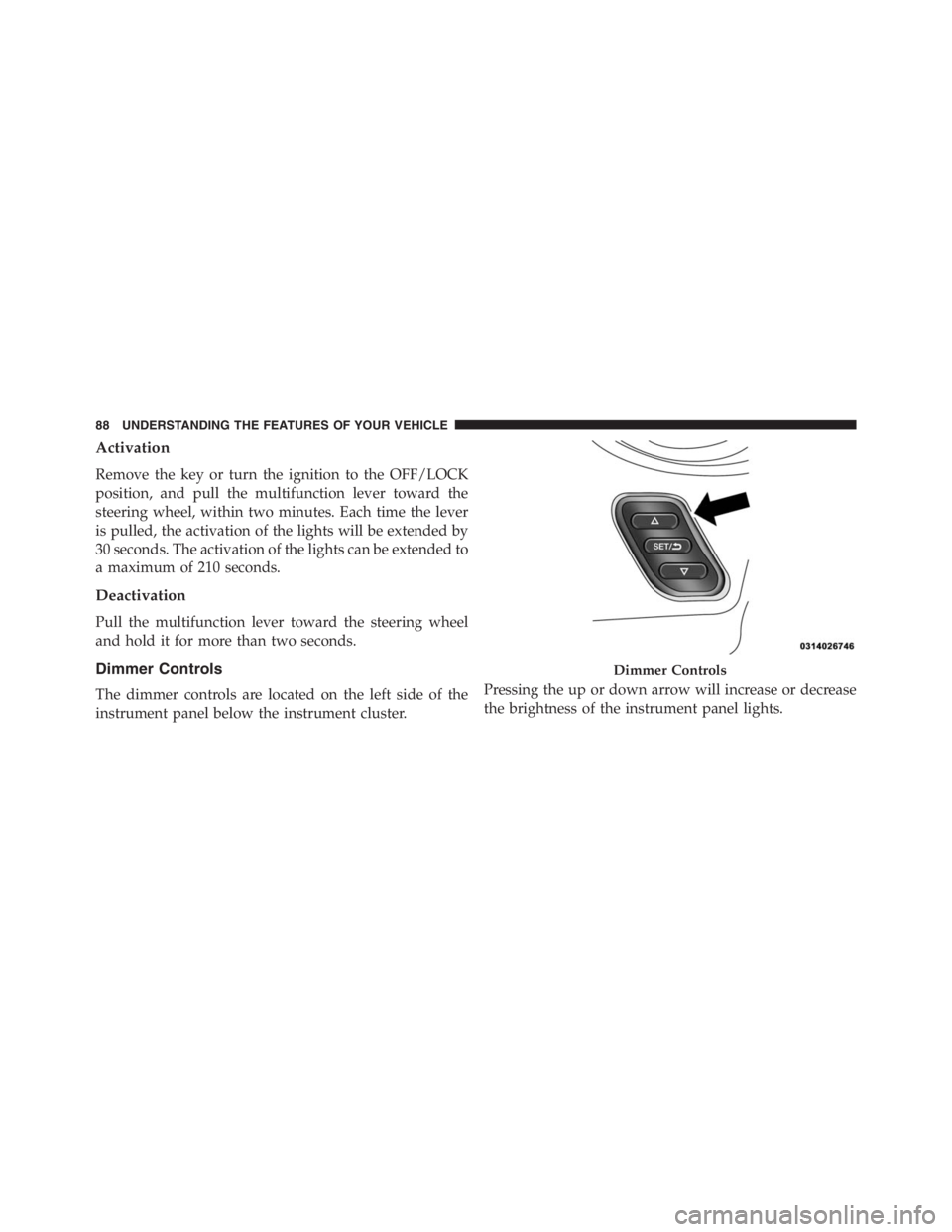
Dimmer Controls
The dimmer controls are located on the left side of the
instrument panel below the instrument cluster.Pressing the up or down arrow will increase or decrease
the brightness of the instrument panel lights.
Dimmer Controls
88 UNDERSTANDING THE FEATURES OF YOUR VEHICLE
Page 92 of 348
Interior Light Timing (Center Position)
There are four different modes of operation that can be
activated in this position:
•When one door is opened a three minute timer is
activated.
•When the key is removed from the ignition (within
two minutes of the ignition being turned off), a 10
second timer is activated.
•When the doors are unlocked with the Key Fob a 10
second timer is activated.
•When the doors are locked with the Key Fob the lights
will turn off.
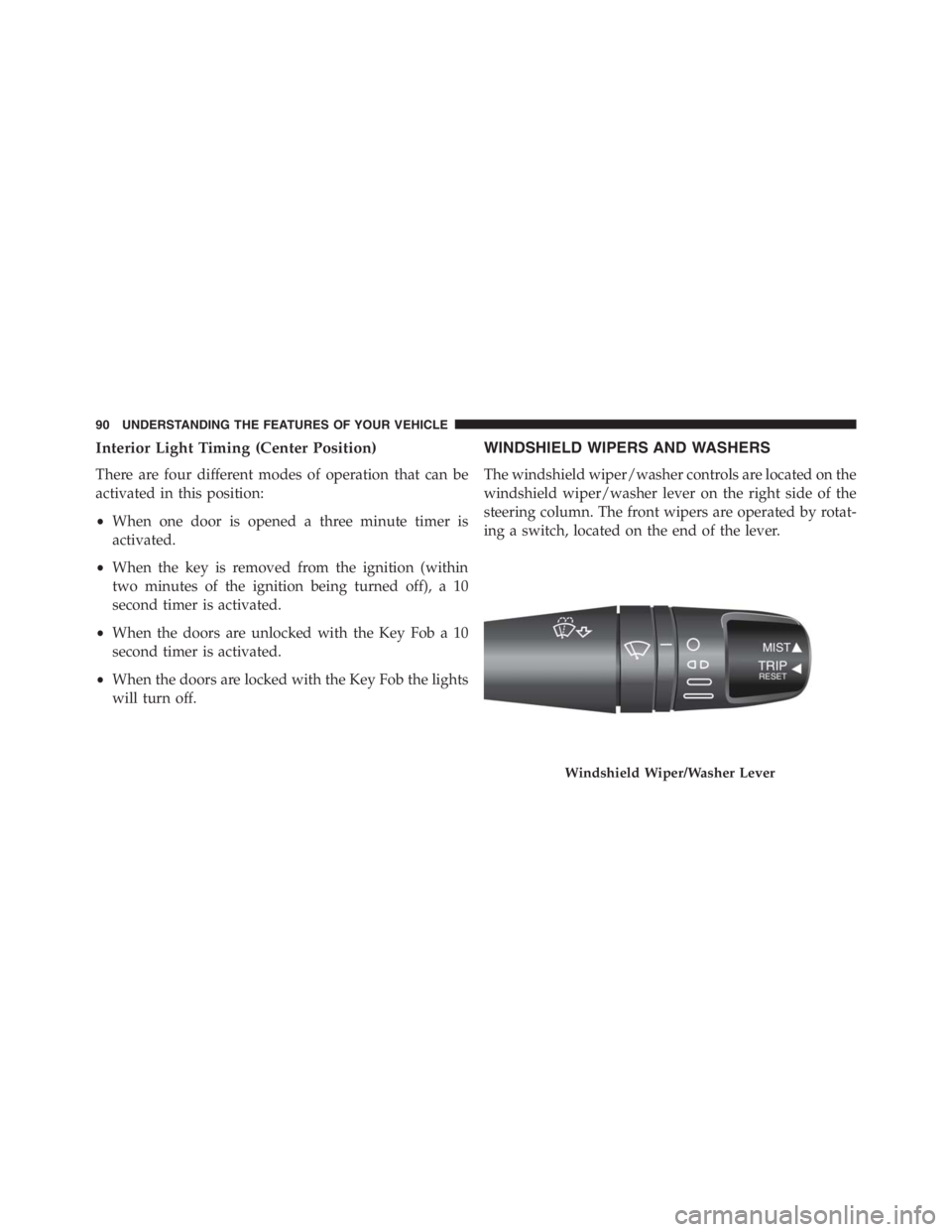
WINDSHIELD WIPERS AND WASHERS
The windshield wiper/washer controls are located on the
windshield wiper/washer lever on the right side of the
steering column. The front wipers are operated by rotat-
ing a switch, located on the end of the lever.
Windshield Wiper/Washer Lever
90 UNDERSTANDING THE FEATURES OF YOUR VEHICLE