Page 76 of 348

▫Follow Me Home/Headlight Delay — If
Equipped............................87
▫Dimmer Controls......................88
▫Interior Light.........................89
�WINDSHIELD WIPERS AND WASHERS......90
▫Intermittent Wiper System...............91
▫Windshield Wiper Operation..............91
▫Mist................................91
▫Windshield Washers....................91
�TILT/TELESCOPING STEERING COLUMN....92
�ELECTRONIC SPEED CONTROL — IF
EQUIPPED............................93
▫To Activate...........................94
▫To Set A Desired Speed..................94▫To Deactivate.........................94
▫To Resume Speed......................95
▫To Vary The Speed Setting................95
▫To Accelerate For Passing.................96
�PARKING SENSORS — IF EQUIPPED........96
▫Activation/Deactivation..................97
▫Acoustic Signal........................97
▫Indications On Display — If Equipped.......98
▫Fault Indication........................99
▫General Warnings......................99
�POWER OUTLETS.....................101
�CIGAR LIGHTER AND ASH RECEIVER — IF
EQUIPPED...........................103
74 UNDERSTANDING THE FEATURES OF YOUR VEHICLE
Page 87 of 348
WARNING!(Continued)
•Access the luggage compartment only with the
vehicle stationary. Before exiting the vehicle, you
should always place the vehicle into First gear,
apply the parking brake, and remove the key from
the ignition. Never leave the key fob in the vehicle
or in a location accessible to children.
•The decklid may drop suddenly, causing serious
injury, if the supporting rod is not positioned
correctly.
•The decklid must always be closed properly, and
the lock engaged, while the vehicle is in motions.
LIGHTS
Multifunction Lever
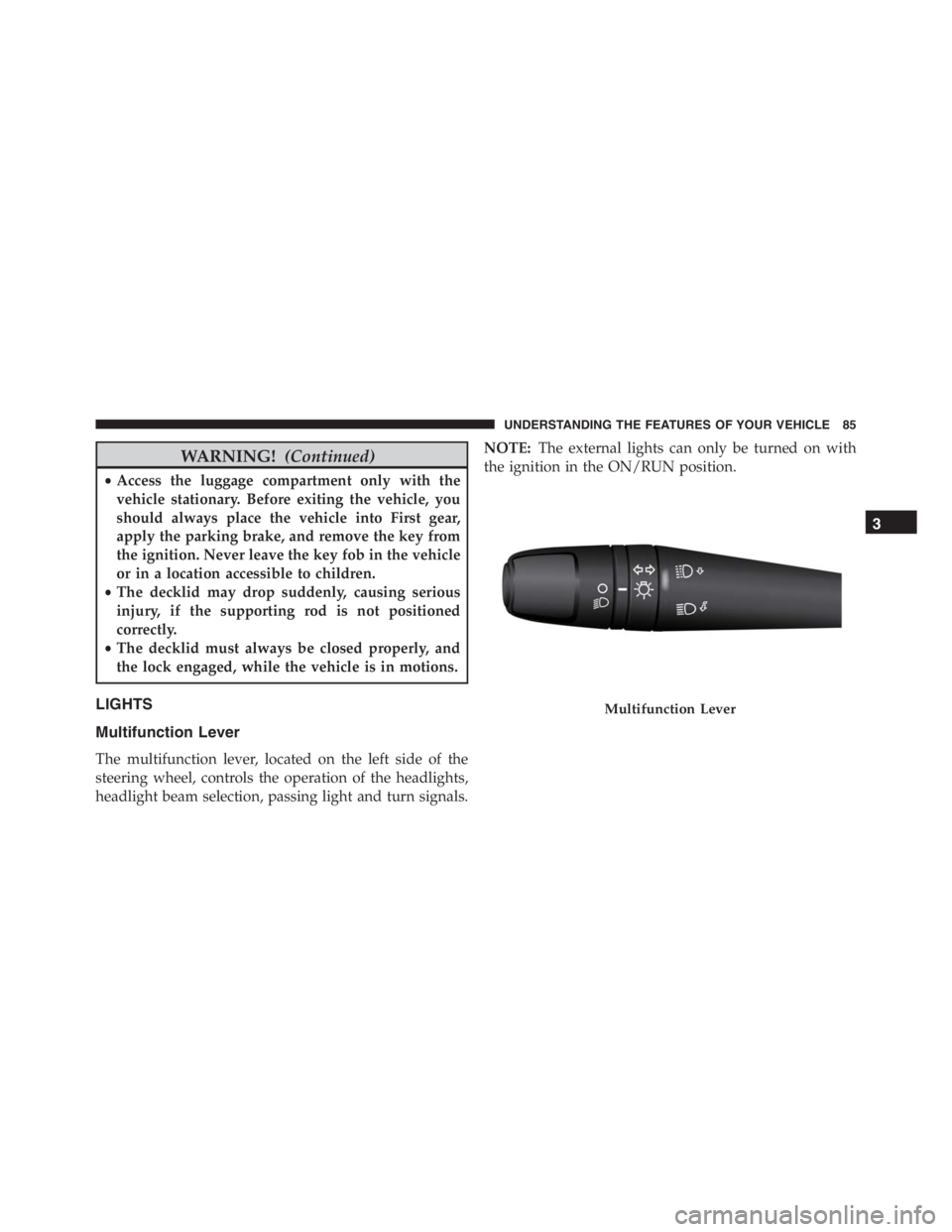
The multifunction lever, located on the left side of the
steering wheel, controls the operation of the headlights,
headlight beam selection, passing light and turn signals.NOTE:The external lights can only be turned on with
the ignition in the ON/RUN position.
Multifunction Lever
3
UNDERSTANDING THE FEATURES OF YOUR VEHICLE 85
Page 96 of 348
To Activate
Rotate the end of the multifunction lever to activate the
Electronic Speed Control. The Cruise Indicator Light in
the Electronic Vehicle Information Center (EVIC) will
illuminate. To turn the system off, rotate the end of the
multifunction lever to the “O” position. The Cruise
Indicator Light will turn off. The system should be
turned off when not in use.
WARNING!
Leaving the Electronic Speed Control system on
when not in use is dangerous. You could accidentally
set the system or cause it to go faster than you want.
You could lose control and have an accident. Always
leave the system OFF when you are not using it.
To Set A Desired Speed
Turn the Electronic Speed Control ON. When the vehicle
has reached the desired speed, move the electronic speed
control lever upward SET(+) and release. Release the
accelerator and the vehicle will operate at the selected
speed.
NOTE:The vehicle should be traveling at a steady speed
and on level ground before moving the electronic speed
control lever upward SET(+).
To Deactivate
A soft tap on the brake pedal, pushing the RESUME/
CANCEL button, or normal brake pressure while slow-
ing the vehicle will deactivate Electronic Speed Control
without erasing the set speed memory. Rotating the end
of the multifunction lever to the “O” position or turning
the ignition switch OFF erases the set speed memory.
94 UNDERSTANDING THE FEATURES OF YOUR VEHICLE
Page 101 of 348

The car is close to the obstacle when the display shows a
single constant arc and emits a continuous sound.
If there are several obstacles, the closest one is indicated.
Fault Indication
Parking sensor failures, if any, will be indicated when
reverse is engaged by the switching on of the
warn-
ing light on the instrument panel together with the
message on the display.
General Warnings
When parking, take the utmost care over obstacles that
may be above or under the sensor.
Under certain circumstances, objects close to the vehicle
are not detected by the system and could therefore cause
damage to the car or be damaged themselves.Some conditions may influence the performance of the
parking sensors:
•The presence of ice, snow, mud or multiple layers of
paint on the sensor surface may cause reduced sensi-
tivity of the sensor itself and therefore reduce the
system performance.
•Mechanical interference (e.g washing the car, rain,
strong wind, hail) may cause the sensor to detect a
non-existent obstacle (“echo interference”).
•The presence of ultrasonic systems (e.g. pneumatic
brake systems of trucks or pneumatic drills) near the
car could alter the signals sent by the sensor.
•The variation in sensor position, caused by variation in
ride (due to suspension component wear), changing
tires, overloaded car, or tuning that lowers the car, for
example, may affect parking sensor system perfor-
mance.
3
UNDERSTANDING THE FEATURES OF YOUR VEHICLE 99
Page 104 of 348
WARNING!
To avoid serious injury or death:
•Only devices designed for use in this type of outlet
should be inserted into any 12 Volt outlet.
•Do not touch with wet hands.
•Close the lid when not in use and while driving the
vehicle.
•If this outlet is mishandled, it may cause an electric
shock and failure.
CAUTION!
•Many accessories that can be plugged in draw
power from the vehicle’s battery, even when not in
use (i.e., cellular phones, etc.). Eventually, if
plugged in long enough, the vehicle’s battery will
discharge sufficiently to degrade battery life and/or
prevent the engine from starting.
•Accessories that draw higher power (i.e., coolers,
vacuum cleaners, lights, etc.) will degrade the bat-
tery even more quickly. Only use these intermit-
tently and with greater caution.
•After the use of high power draw accessories, or
long periods of the vehicle not being started (with
accessories still plugged in), the vehicle must be
driven a sufficient length of time to allow the
generator to recharge the vehicle’s battery.
102 UNDERSTANDING THE FEATURES OF YOUR VEHICLE
Page 109 of 348
WARNING!
Do not allow children to have access to rear storage
compartment. Always close the hood when your
vehicle is unattended. Once in the rear storage com-
partment, young children may not be able to escape.
If trapped in the rear compartment, children can die
from suffocation or heat stroke.
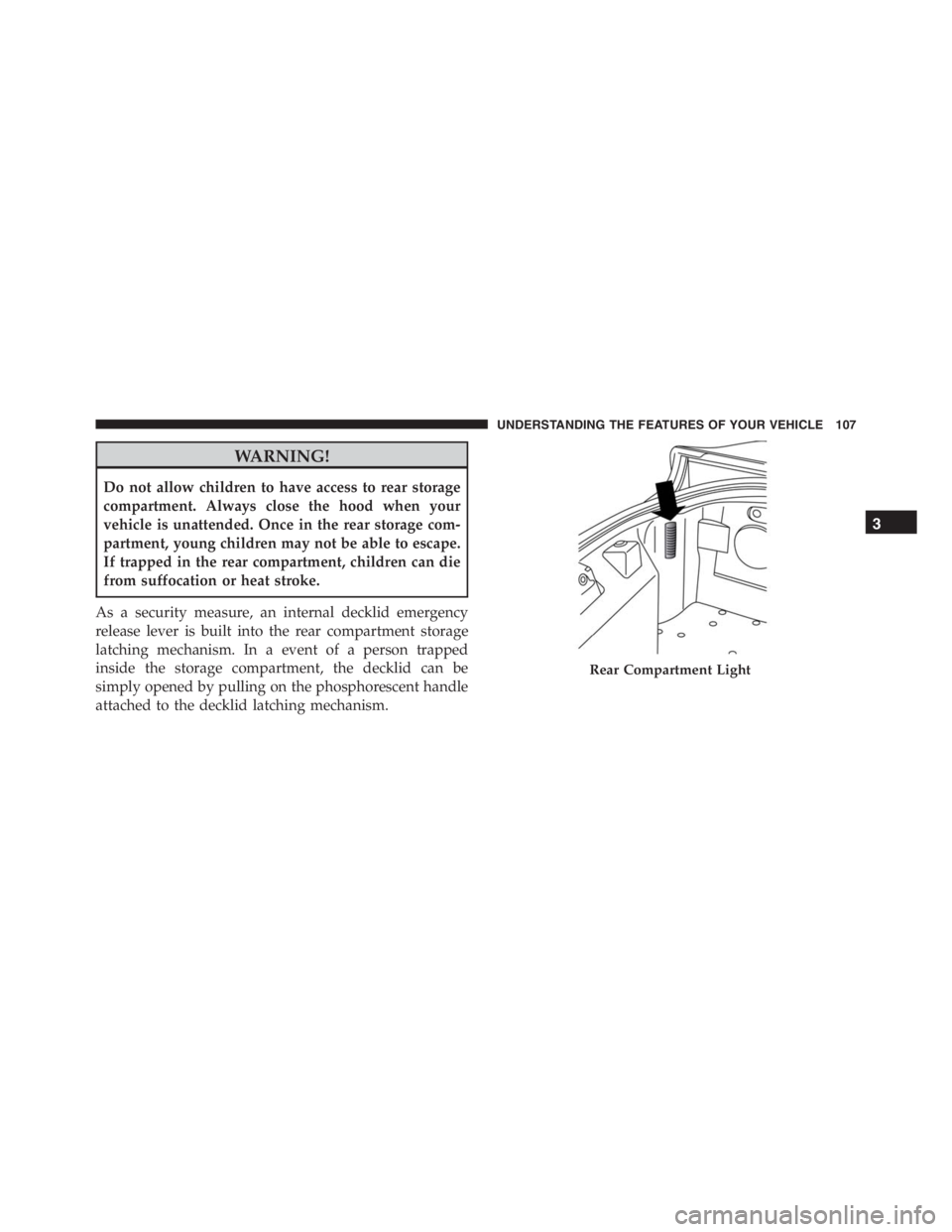
As a security measure, an internal decklid emergency
release lever is built into the rear compartment storage
latching mechanism. In a event of a person trapped
inside the storage compartment, the decklid can be
simply opened by pulling on the phosphorescent handle
attached to the decklid latching mechanism.
Rear Compartment Light
3
UNDERSTANDING THE FEATURES OF YOUR VEHICLE 107
Page 115 of 348

as intended. TPMS malfunctions may occur for a variety
of reasons, including the installation of replacement or
alternate tires or wheels on the vehicle that prevent the
TPMS from functioning properly. Always check the
TPMS malfunction telltale after replacing one or more
tires or wheels on your vehicle, to ensure that the
replacement or alternate tires and wheels allow the TPMS
to continue to function properly.
WARNING!
The TPMS has been optimized for the original
equipment tires and wheels. TPMS pressures and
warning have been established for the tire size
equipped on your vehicle. Undesirable system opera-
tion or sensor damage may result when using re-
placement equipment that is not of the same size,
type, and/or style. Aftermarket wheels can cause
(Continued)
WARNING!(Continued)
sensor damage. Do not use tire sealant from a can or
balance beads if your vehicle is equipped with a
TPMS, as damage to the sensors may result.
2. Turn Signal Indicators
The arrows will flash in unison with the exte-
rior turn signal, when using the turn signal
lever.
3. Electronic Stability Control (ESC) OFF Indicator
Light
This light indicates the Electronic Stability Con-
trol (ESC) is off.
4
UNDERSTANDING YOUR INSTRUMENT PANEL 113
Page 116 of 348

4. Electronic Speed Control Set Indicator Light — If
Equipped
This light will turn on when the electronic
speed control is set.
5. Temperature Gauge
The temperature gauge shows engine coolant tempera-
ture. Any reading within the normal range indicates that
the engine cooling system is operating satisfactorily.
The digital gauge will likely indicate a higher tempera-
ture when driving in hot weather, or up mountain
grades. It should not be allowed to exceed the upper
limits of the normal operating range.NOTE:Driving with a hot engine cooling system could
damage your vehicle. The digital warning light may
switch on (together with a message on the display) to
indicate that the coolant temperature is too high; in this
case, stop the engine and contact a dedicated authorized
dealership.
WARNING!
A hot engine cooling system is dangerous. You or
others could be badly burned by steam or boiling
coolant. You may want to call an authorized dealer
for service if your vehicle overheats. If you decide to
look under the hood yourself, see “Maintaining Your
Vehicle.” Follow the warnings under the Cooling
System Pressure Cap paragraph.
6. Time Display
This area of the cluster displays the time.
114 UNDERSTANDING YOUR INSTRUMENT PANEL