Page 148 of 416
146
308_en_Chap04_conduite_ed01-2015
Active cruise control
this systems allows the vehicle's speed to be
maintained at a value set by the driver.
In addition it allows (when circumstances
permit) an inter-vehicle time that you have
selected to be maintained between your vehicle
and the one in front.Principles of operation
using a radar with a range of about 100 metres,
located at the front of the vehicle, this system
detects a vehicle running in front of your
vehicle.
It automatically adapts the speed of your
vehicle to that of the vehicle in front.
If the vehicle in front is running more slowly,
the system progressively reduces the speed of
your vehicle using just engine braking (as if the
driver had pressed the "-" b ut to n).
If your vehicle is too close to, or approaching
too quickly the vehicle in front, the cruise
control is automatically deactivated.
t
h
e
driver is then alerted by an audible signal,
accompanied by a message.
If the vehicle in front accelerates or changes
lane, the active cruise control progressively
accelerates your vehicle to return to the
programmed speed.
If the driver operates a direction indicator to
overtake a slower vehicle, the active cruise
control allows your vehicle to temporarily
approach the vehicle in front to assist the
overtaking manoeuvre, though never exceeding
the programmed speed.
Switching between the
types of cruise control
the choice between the "active" and "standard"
cruise control is made in the " Driving
assistance " menu.
th
e cruise control selection thumb wheel must
be in the "CR
uI
S
e" p
osition, other wise the
choice will not be taken into account.
Refer to the corresponding section
for information on the operation of the
standard cruise control.
th
e state of the system is memorised on
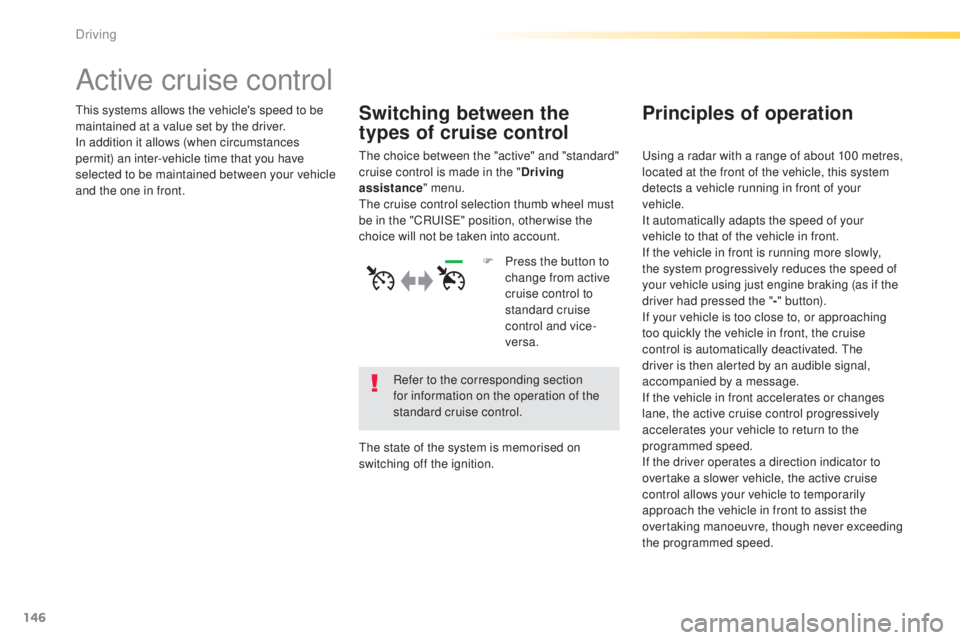
switching off the ignition. F
P
ress the button to
change from active
cruise control to
standard cruise
control and vice-
versa.
Driving
Page 153 of 416
151
308_en_Chap04_conduite_ed01-2015
When the active cruise control is automatically paused, it can only be reactivated when safe conditions are restored. the message "Activation
not possible, conditions unsuitable" is displayed while reactivation is not possible.
When the conditions allow, it is recommended that the function be reactivated by pressing button 2 (S
e
t
+
) or 3 (S
e
t
-
), which will make the
current speed of your vehicle the new cruise speed setting, rather than by pressing button 4 (on/pause) which reactivates the cruise control
using the old cruise speed setting, which may be very different from the current speed of your vehicle.
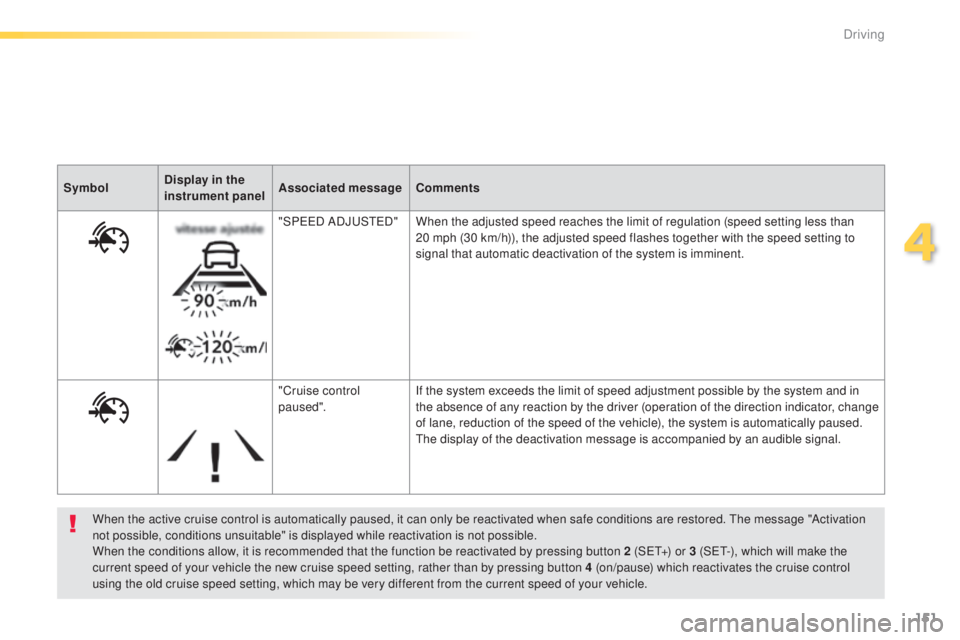
Symbol
Display in the
instrument panel Associated message
Comments
"SP ee
D
ADJ
uSt
e
D
"
When the adjusted speed reaches the limit of regulation (speed setting less than
20 mph (30 km/h)), the adjusted speed flashes together with the speed setting to
signal that automatic deactivation of the system is imminent.
"Cruise control
paused". If the system exceeds the limit of speed adjustment possible by the system and in
the absence of any reaction by the driver (operation of the direction indicator, change
of lane, reduction of the speed of the vehicle), the system is automatically paused.
th
e display of the deactivation message is accompanied by an audible signal.
4
Driving
Page 155 of 416
153
308_en_Chap04_conduite_ed01-2015
In the event of a fault with the active cruise
control, you are alerted by an audible signal
and display of the message message "Driving
aid functions fault".
Have the system checked by a P
e
uge
Ot
dealer or a qualified workshop. When the cruise control is working, take
care if making a maintained press on
one of the cruise control programmed
speed modification buttons: this can
lead to a very quick change in the
speed of your vehicle.
Do not use the active cruise control on
slippery sur faces or in heavy traffic.
When descending a steep hill, the
cruise control may not be able to
prevent the vehicle from exceeding the
programmed speed.
When ascending a steep hill or when
towing, it might not be possible to attain
or maintain the programmed speed.
Operating fault
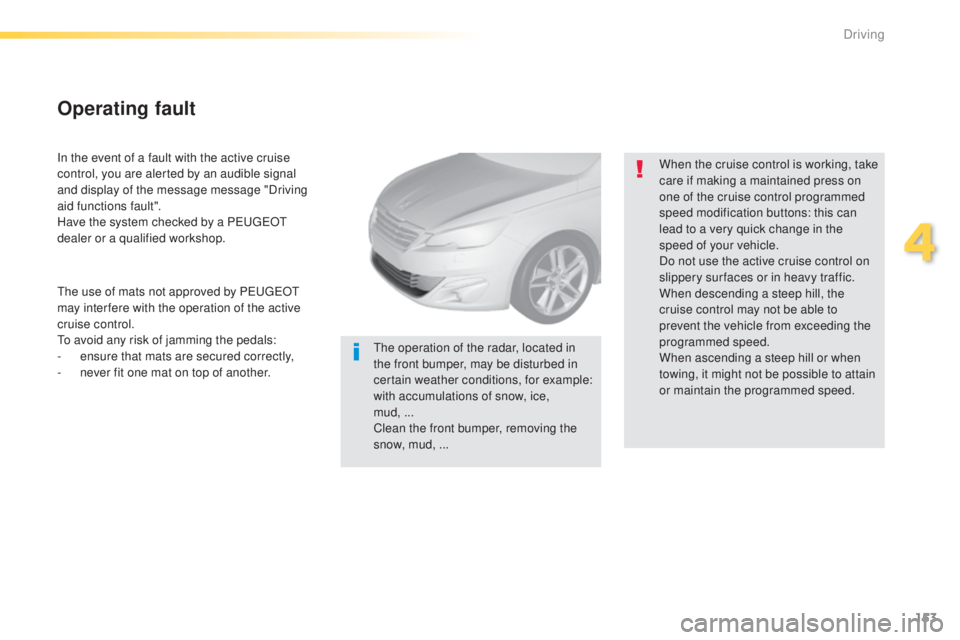
the operation of the radar, located in
the front bumper, may be disturbed in
certain weather conditions, for example:
with accumulations of snow, ice,
mud,
...
Clean the front bumper, removing the
snow, mud, ...
th
e use of mats not approved by P
e
uge
Ot
may inter fere with the operation of the active
cruise control.to a
void any risk of jamming the pedals:
-
e
nsure that mats are secured correctly,
-
n
ever fit one mat on top of another.
4
Driving
Page 161 of 416
159
308_en_Chap04_conduite_ed01-2015
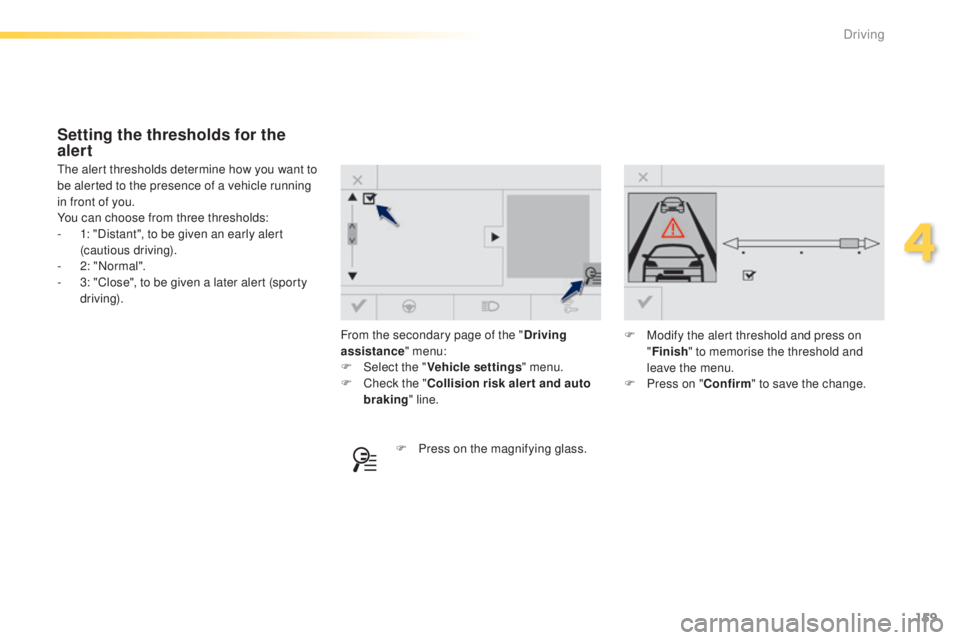
From the secondary page of the "Driving
assistance " menu:
F
Sel
ect the " Vehicle settings " menu.
F
C
heck the " Collision risk alert and auto
braking " line.
th
e alert thresholds determine how you want to
be alerted to the presence of a vehicle running
in front of you.
You can choose from three thresholds:
-
1
: "Distant", to be given an early alert
(cautious driving).
-
2
: "Normal".
-
3
: "Close", to be given a later alert (sporty
driving).
Setting the thresholds for the
alert
F Press on the magnifying glass. F
M
odify the alert threshold and press on
" Finish " to memorise the threshold and
leave the menu.
F
P
ress on "
Confirm" to save the change.
4
Driving
Page 162 of 416
160
308_en_Chap04_conduite_ed01-2015
the change from one level of alert
to the next takes place if the driving
conditions do not change (speed
unchanged, no change of lane...).If the speed of your vehicle is too high
when approaching another vehicle, the
first level of alert may not be displayed:
the level 2 alert may be displayed
di r e c t l y.
On the other hand, the level 1 alert
is never displayed with the "close"
triggering threshold 3.
Severe weather conditions (very heavy
rain, accumulations of snow in front
of the radar) may inter fere with the
operation of the system, resulting in
the display of this message "
SYSTEM
INACTIVE: Reduced visibility ".
t
h
e
system will remain unavailable until the
message disappears.
the
emergency collision alert system
does not replace the need for vigilance
on the part of the driver.
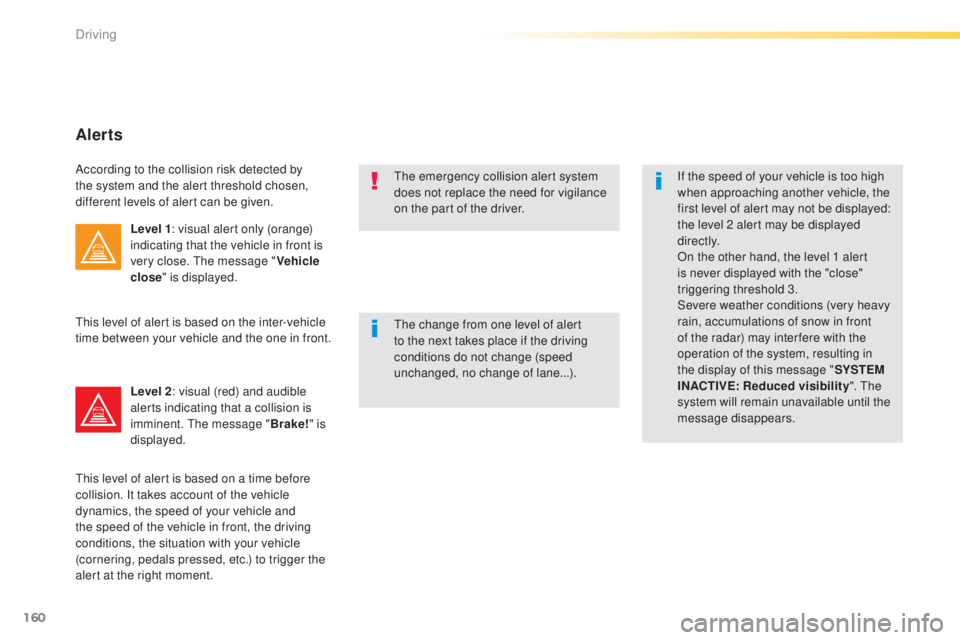
Alerts
According to the collision risk detected by
the system and the alert threshold chosen,
different levels of alert can be given.
Level 1: visual alert only (orange)
indicating that the vehicle in front is
very close.
t
h
e message "Vehicle
close " is displayed.
Level 2 : visual (red) and audible
alerts indicating that a collision is
imminent.
t
h
e message "Brake!" is
displayed.
th
is level of alert is based on the inter-vehicle
time between your vehicle and the one in front.
th
is level of alert is based on a time before
collision. It takes account of the vehicle
dynamics, the speed of your vehicle and
the speed of the vehicle in front, the driving
conditions, the situation with your vehicle
(cornering, pedals pressed, etc.) to trigger the
alert at the right moment.
Driving
Page 163 of 416
161
308_en_Chap04_conduite_ed01-2015
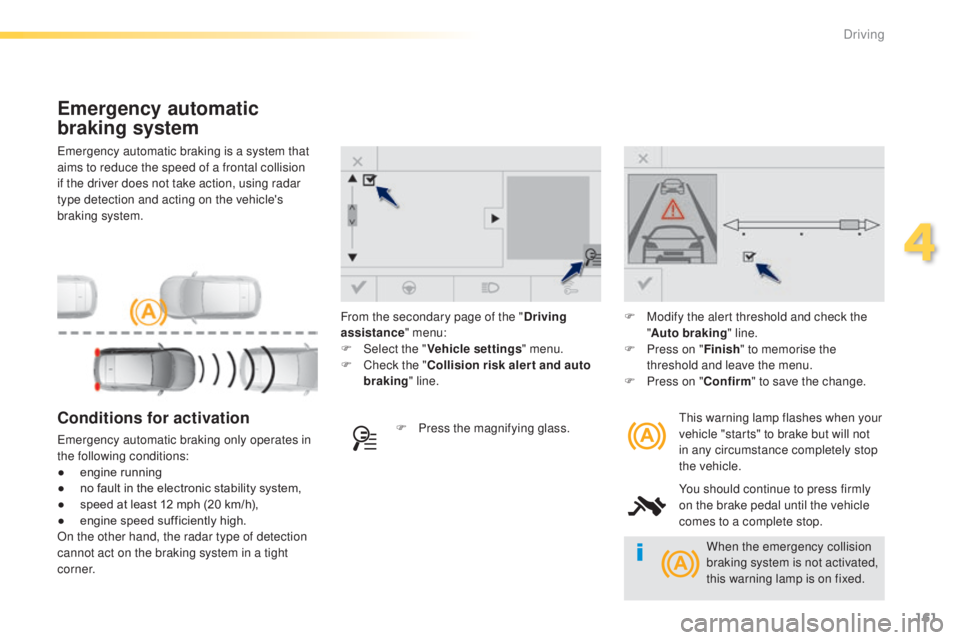
emergency automatic braking is a system that
aims to reduce the speed of a frontal collision
if the driver does not take action, using radar
type detection and acting on the vehicle's
braking system.
Emergency automatic
braking system
this warning lamp flashes when your
vehicle "starts" to brake but will not
in any circumstance completely stop
the vehicle.
You should continue to press firmly
on the brake pedal until the vehicle
comes to a complete stop.Conditions for activation
emergency automatic braking only operates in
the following conditions:
●
e
ngine running
●
n
o fault in the electronic stability system,
●
s
peed at least 12 mph (20 km/h),
●
e
ngine speed sufficiently high.
On the other hand, the radar type of detection
cannot act on the braking system in a tight
c o r n e r. F
P ress the magnifying glass.F
M
odify the alert threshold and check the
" Auto braking " line.
F
P
ress on "
Finish" to memorise the
threshold and leave the menu.
F
P
ress on "
Confirm" to save the change.
From the secondary page of the "
Driving
assistance " menu:
F
Sel
ect the "
Vehicle settings " menu.
F
C
heck the "
Collision risk alert and auto
braking " line.
When the emergency collision
braking system is not activated,
this warning lamp is on fixed.
4
Driving
Page 165 of 416

163
308_en_Chap04_conduite_ed01-2015
Blind spot sensors
Operation
A warning lamp appears in the door mirror on
the side in question:
-
i
mmediately, when being overtaken,
-
a
fter a delay of about one second, when
overtaking a vehicle slowly.th
is driving assistance system warns the driver
of the presence of another vehicle in the blind
spot angle of their vehicle (areas masked from
the driver's field of vision), as soon as this
presents a potential danger.
th
is indicator lamp comes on in the instrument
panel.
Sensors fitted in the front and rear bumpers
monitor the blind spots.
th
is system is designed to improve safety when driving and is in no circumstances a
substitute for the use of the interior rear view mirror and door mirrors. It is the driver's
responsibility to constantly check the traffic, to asses the distances and relative speeds of
other vehicles and to predict their movements before deciding whether to change lane.
th
e blind spot sensor system does not replace the need for vigilance on the part of the
driver. Activation of the system is done in
the "
Driving assistance " menu of
the touch screen.
F
Press this button (depending on
version) to activate the function; the
associated indicator lamp comes on.
4
Driving
Page 167 of 416

165
308_en_Chap04_conduite_ed01-2015
F to deactivate the system, press this button again; its indicator lamp
goes off as well as the associated
indicator in the instrument panel
(depending on version). -
t
his warning lamp
flashes for a few
seconds then goes off,
Operating fault
the system is automatically deactivated
when towing with a towbar approved by
P
e
u g e
Ot
.
High pressure jet wash
When washing your vehicle, direct the
lance at least 30 cm away from the
sensors.
th
e state of the system remains in memory on
switching off the ignition. -
t
his symbol changes to alert
mode, its warning lamp flashes
for a few moments, then goes off.
Have it checked by a P
e
uge
Ot
dealer or a
qualified workshop.
th
e system may suffer temporary
interference in certain weather
conditions (rain, hail...).
In particular, driving on a wet sur face
or moving from a dry area to a wet area
can cause false alerts (for example, the
presence of a fog of water droplets in
the blind spot angle is interpreted as a
vehicle).
In bad or wintry weather, ensure that
the sensors are not covered by mud,
ice or snow.
ta
ke care not to cover the warning zone
in the door mirrors or the detection
zones on the front and rear bumpers
with adhesive labels or other objects;
they may hamper the correct operation
of the system.
Depending on version:
4
Driving