2015 MITSUBISHI OUTLANDER SPORT warning
[x] Cancel search: warningPage 153 of 384
Multi-information display 5-90 Features and controls
5
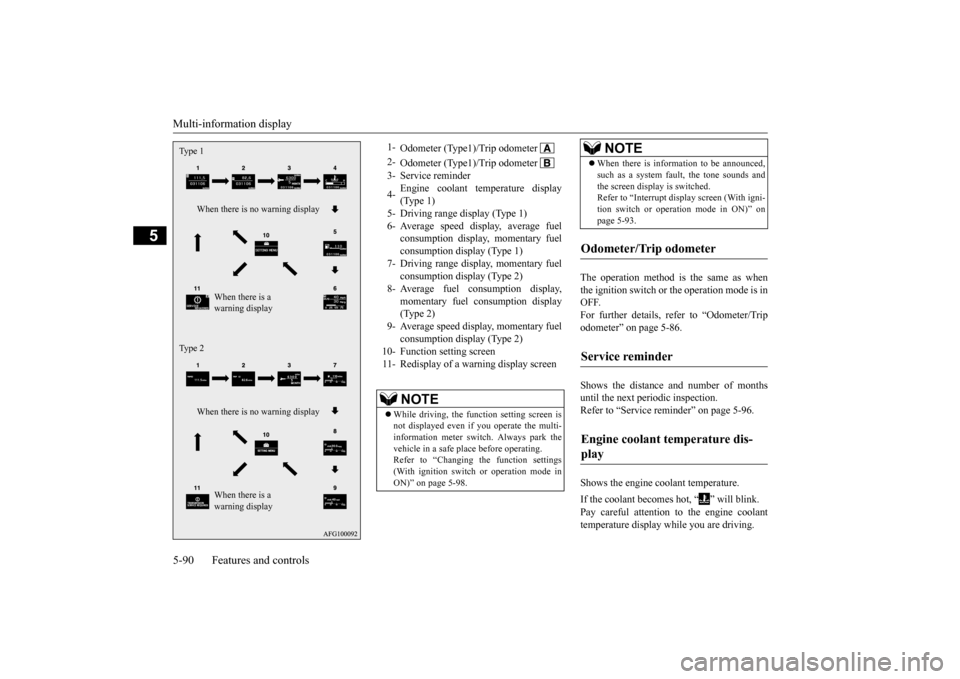
The operation method is the same as when the ignition switch or the operation mode is in OFF.For further details, refer to “Odometer/Trip odometer” on page 5-86. Shows the distance and number of months until the next periodic inspection. Refer to “Service reminder” on page 5-96. Shows the engine coolant temperature. If the coolant becomes hot, “ ” will blink. Pay careful attention to the engine coolant temperature display while you are driving.
Type 1
When there is no warning display
When there is a warning display
Type 2
When there is no warning display
When there is a warning display
1-
Odometer (Type1)/Trip odometer
2-
Odometer (Type1)/Trip odometer
3- Service reminder 4-
Engine coolant temperature display (Type 1)
5- Driving range display (Type 1)6- Average speed display, average fuel
consumption display, momentary fuel consumption display (Type 1)
7- Driving range display, momentary fuel
consumption display (Type 2)
8- Average fuel consumption display,
momentary fuel consumption display(Type 2)
9- Average speed display, momentary fuel
consumption display (Type 2)
10- Function setting screen 11- Redisplay of a warning display screen
NOTE
While driving, the function setting screen is not displayed even if you operate the multi- information meter switch. Always park the vehicle in a safe place before operating. Refer to “Changing the function settings(With ignition switch or operation mode in ON)” on page 5-98.
When there is information to be announced, such as a system fault, the tone sounds and the screen display is switched. Refer to “Interrupt display screen (With igni- tion switch or operation mode in ON)” onpage 5-93.
Odometer/Trip odometer Service reminder Engine coolant temperature dis- play
NOTE
BK0206700US.bo
ok 90 ページ 2014年3月25日 火曜日 午後4時42分
Page 156 of 384
Multi-information display
Features and controls 5-93
5
When the engine switch or the operation mode is in the following conditions, the average fuel consumption display will automatically reset. [Except for vehicles equipped with the F.A.S.T.-key] The ignition switch has been set to the “ACC” or “OFF” position for about 4hours or more. [For vehicles equipped with the F.A.S.T.- key] The operation mode has been set to ACC or OFF for about 4 hours or more.
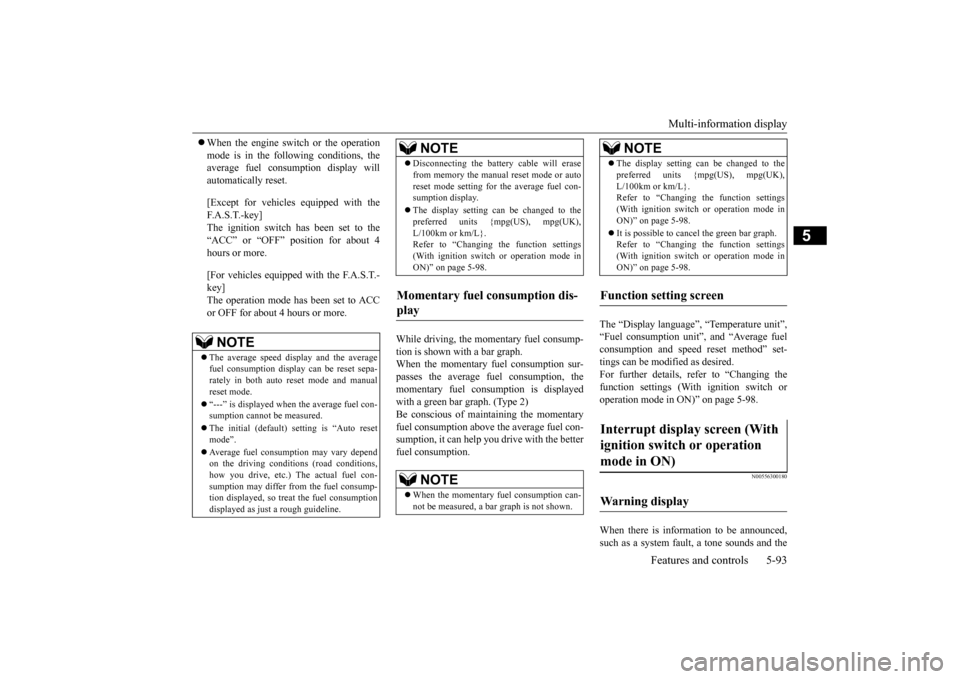
While driving, the momentary fuel consump- tion is shown with a bar graph. When the momentary fuel consumption sur-passes the average fuel consumption, the momentary fuel consumption is displayed with a green bar graph. (Type 2)Be conscious of maintaining the momentary fuel consumption above the average fuel con- sumption, it can help you drive with the betterfuel consumption.
The “Display language”, “Temperature unit”, “Fuel consumption unit”, and “Average fuelconsumption and speed reset method” set- tings can be modified as desired. For further details, refer to “Changing thefunction settings (With ignition switch or operation mode in ON)” on page 5-98.
N00556300180
When there is information to be announced, such as a system fault, a tone sounds and the
NOTE
The average speed display and the average fuel consumption display can be reset sepa- rately in both auto reset mode and manualreset mode. “---” is displayed when the average fuel con- sumption cannot be measured. The initial (default) setting is “Auto reset mode”. Average fuel consumption may vary depend on the driving conditions (road conditions, how you drive, etc.) The actual fuel con-sumption may differ from the fuel consump- tion displayed, so treat the fuel consumption displayed as just a rough guideline.
Disconnecting the battery cable will erase from memory the manual reset mode or auto reset mode setting for the average fuel con- sumption display. The display setting can be changed to the preferred units {mpg(US), mpg(UK), L/100km or km/L}.Refer to “Changing the function settings (With ignition switch or operation mode in ON)” on page 5-98.
Momentary fuel consumption dis- play
NOTE
When the momentary fuel consumption can- not be measured, a ba
r graph is not shown.
NOTE
The display setting can be changed to the preferred units {mpg(US), mpg(UK), L/100km or km/L}. Refer to “Changing the function settings (With ignition switch or operation mode inON)” on page 5-98. It is possible to cancel the green bar graph. Refer to “Changing the function settings (With ignition switch or operation mode in ON)” on page 5-98.
Function setting screen Interrupt display screen (With ignition switch or operation mode in ON) Warning display
NOTE
BK0206700US.bo
ok 93 ページ 2014年3月25日 火曜日 午後4時42分
Page 157 of 384
Multi-information display 5-94 Features and controls
5
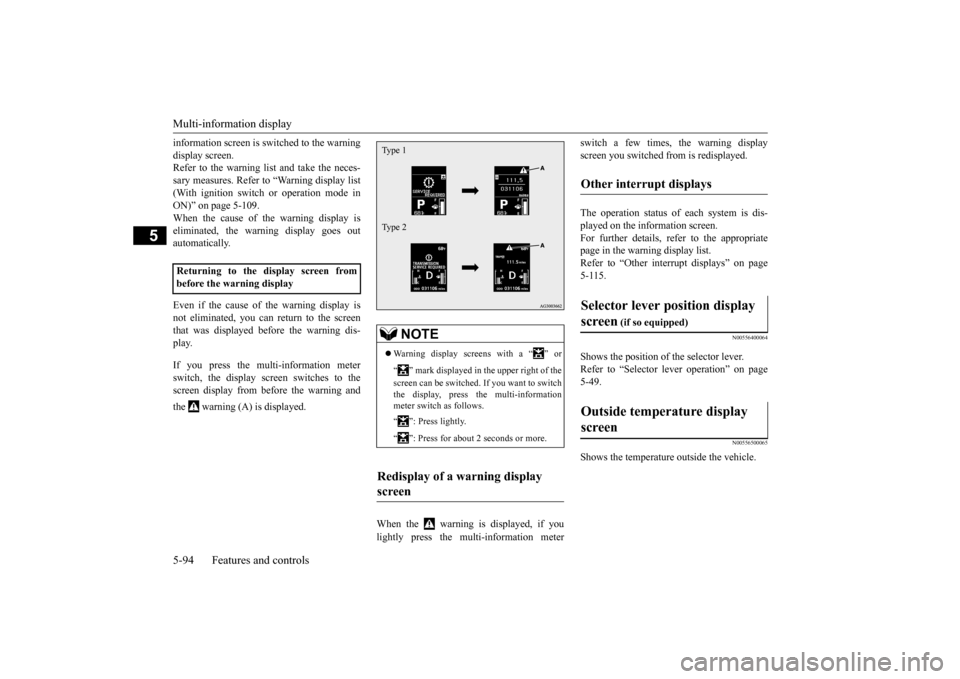
information screen is switched to the warning display screen. Refer to the warning list and take the neces- sary measures. Refer to “Warning display list(With ignition switch or operation mode in ON)” on page 5-109. When the cause of the warning display iseliminated, the warning display goes out automatically. Even if the cause of the warning display is not eliminated, you can return to the screenthat was displayed before the warning dis- play. If you press the multi-information meter switch, the display screen switches to thescreen display from before the warning and the warning (A) is displayed.
When the warning is displayed, if you lightly press the multi-information meter
switch a few times, the warning display screen you switched from is redisplayed. The operation status of each system is dis- played on the information screen. For further details, refer to the appropriate page in the warning display list.Refer to “Other interrupt displays” on page5-115.
N00556400064
Shows the position of the selector lever.Refer to “Selector lever operation” on page5-49.
N00556500065
Shows the temperature outside the vehicle.
Returning to the display screen from before the warning display
NOTE
Warning display screens with a “ ” or “ ” mark displayed in the upper right of the screen can be switched. If you want to switch the display, press the multi-information meter switch as follows. “ ”: Press lightly. “ ”: Press for about 2 seconds or more.
Redisplay of a warning display screen Type 1 Type 2
Other interrupt displays Selector lever position display screen
(if so equipped)
Outside temperature display screen
BK0206700US.bo
ok 94 ページ 2014年3月25日 火曜日 午後4時42分
Page 158 of 384
Multi-information display
Features and controls 5-95
5
N00568700019
This indicator will be displayed when fuel- efficient driving is achieved.
N00556600170
Shows the amount of fuel remaining.
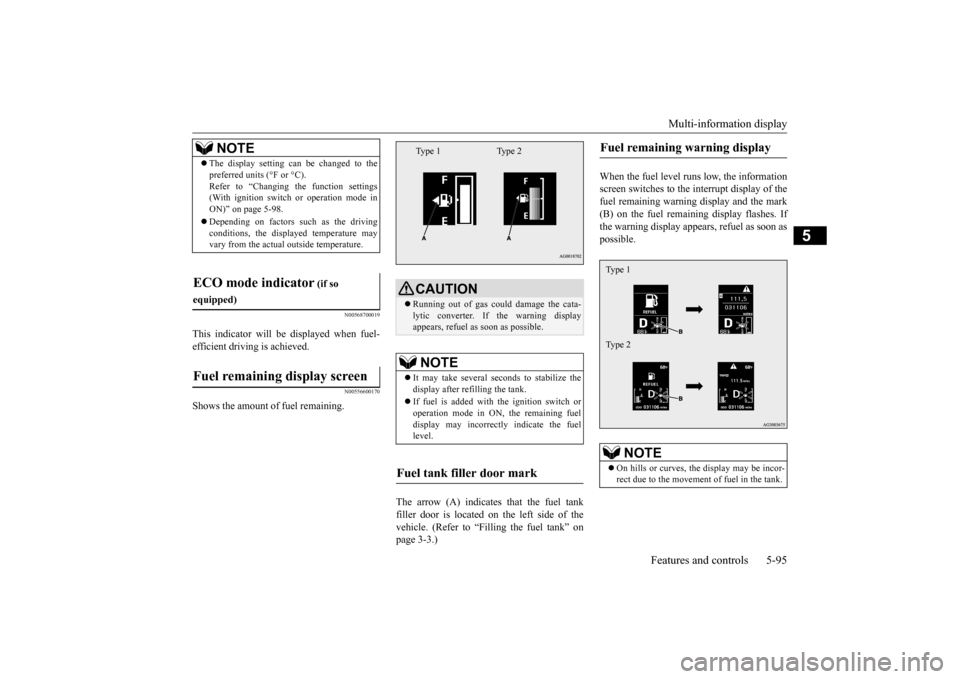
The arrow (A) indicates that the fuel tank filler door is located on the left side of thevehicle. (Refer to “Filling the fuel tank” on page 3-3.)
When the fuel level runs low, the information screen switches to the interrupt display of thefuel remaining warning display and the mark (B) on the fuel remaining display flashes. If the warning display appears, refuel as soon aspossible.
NOTE
The display setting can be changed to the preferred units (°F or °C). Refer to “Changing the function settings (With ignition switch or operation mode in ON)” on page 5-98. Depending on factors such as the driving conditions, the displayed temperature mayvary from the actual outside temperature.
ECO mode indicator
(if so
equipped)Fuel remaining display screen
CAUTION Running out of gas could damage the cata- lytic converter. If the warning display appears, refuel as soon as possible.NOTE
It may take several seconds to stabilize the display after refilling the tank. If fuel is added with the ignition switch or operation mode in ON, the remaining fuel display may incorrectly indicate the fuellevel.
Fuel tank filler door mark
Type 1 Type 2
Fuel remaining warning display
NOTE
On hills or curves, the display may be incor- rect due to the movement of fuel in the tank.Type 1 Type 2
BK0206700US.bo
ok 95 ページ 2014年3月25日 火曜日 午後4時42分
Page 159 of 384
Multi-information display 5-96 Features and controls
5
N00556700214
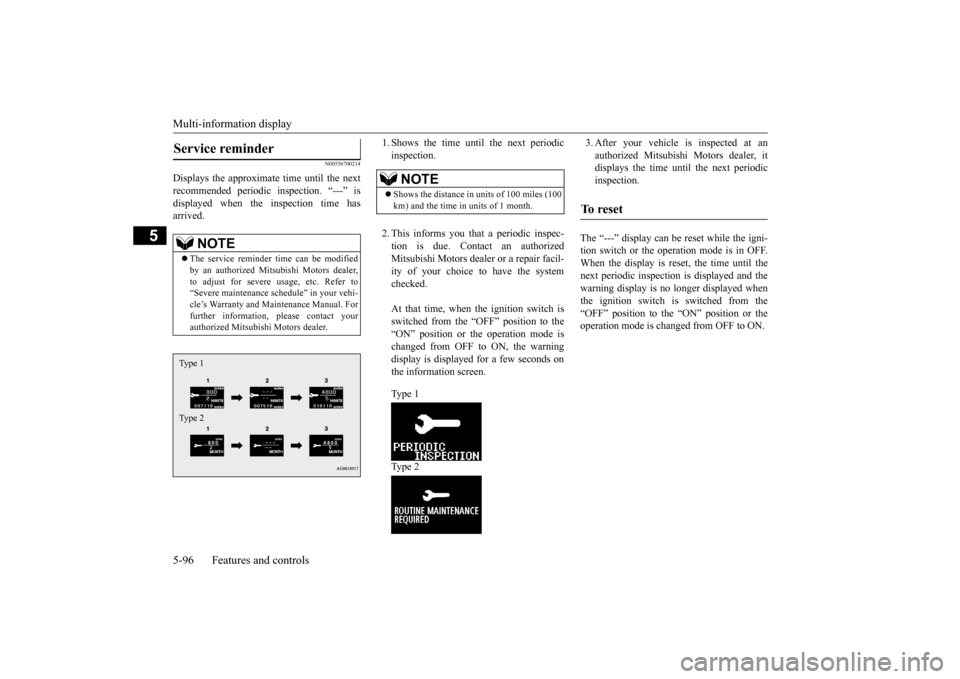
Displays the approximate time until the next recommended periodic inspection. “---” isdisplayed when the inspection time has arrived.
1. Shows the time until the next periodic inspection. 2. This informs you that a periodic inspec- tion is due. Contact an authorized Mitsubishi Motors dealer or a repair facil- ity of your choice to have the systemchecked. At that time, when the ignition switch is switched from the “OFF” position to the“ON” position or the operation mode is changed from OFF to ON, the warning display is displayed for a few seconds onthe information screen. Type 1 Type 2
3. After your vehicle is inspected at an authorized Mitsubishi Motors dealer, it displays the time until the next periodic inspection.
The “---” display can be reset while the igni- tion switch or the operation mode is in OFF.When the display is reset, the time until thenext periodic inspection is displayed and the warning display is no longer displayed when the ignition switch is switched from the“OFF” position to the “ON” position or the operation mode is changed from OFF to ON.
Service reminder
NOTE
The service reminder time can be modified by an authorized Mitsubishi Motors dealer, to adjust for severe usage, etc. Refer to “Severe maintenance schedule” in your vehi-cle’s Warranty and Maintenance Manual. For further information, please contact your authorized Mitsubishi Motors dealer.Type 1 Type 2
NOTE
Shows the distance in uni
ts of 100 miles (100
km) and the time in units of 1 month.
To r e s e t
BK0206700US.bo
ok 96 ページ 2014年3月25日 火曜日 午後4時42分
Page 160 of 384
Multi-information display
Features and controls 5-97
5
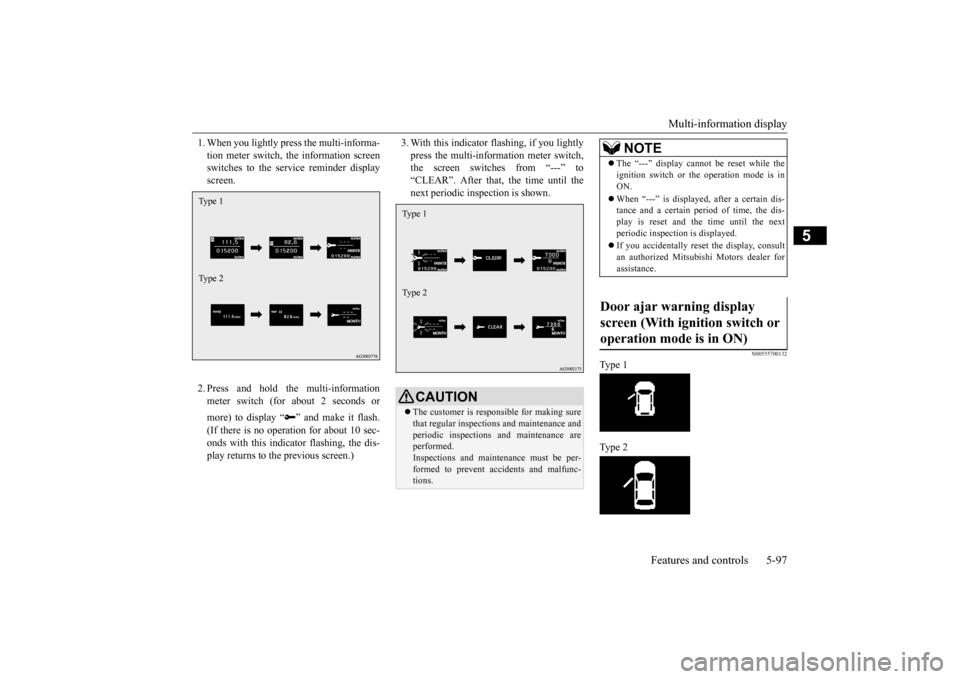
1. When you lightly press the multi-informa- tion meter switch, the information screen switches to the service reminder display screen. 2. Press and hold the multi-information meter switch (for about 2 seconds or more) to display “ ” and make it flash. (If there is no operation for about 10 sec- onds with this indicator flashing, the dis- play returns to the previous screen.)
3. With this indicator flashing, if you lightly press the multi-information meter switch, the screen switches from “---” to “CLEAR”. After that, the time until thenext periodic inspection is shown.
N00555700132
Type 1 Type 2
Type 1 Type 2
CAUTION The customer is responsible for making sure that regular inspections and maintenance and periodic inspections and maintenance are performed. Inspections and maintenance must be per-formed to prevent accidents and malfunc- tions.Type 1 Type 2
NOTE
The “---” display cannot be reset while the ignition switch or the operation mode is in ON. When “---” is displayed, after a certain dis- tance and a certain period of time, the dis- play is reset and the time until the next periodic inspection is displayed. If you accidentally reset the display, consult an authorized Mitsubishi Motors dealer forassistance.
Door ajar warning display screen (With ignition switch or operation mode is in ON)
BK0206700US.bo
ok 97 ページ 2014年3月25日 火曜日 午後4時42分
Page 161 of 384
Multi-information display 5-98 Features and controls
5
If any of the doors or the liftgate is not com- pletely closed, this displays the open door or liftgate. If the speed increases to about 5 mph (8km/h) or higher with
a door ajar, a tone will
sound 4 times to inform you that a door is ajar.
N00556801212
1. Park your vehicle in a safe place.Fully apply the parking brake and movethe gearshift lever into the “N” (Neutral) position (Manual transaxle) or the selector lever into the “P” (PARK) position(CVT).
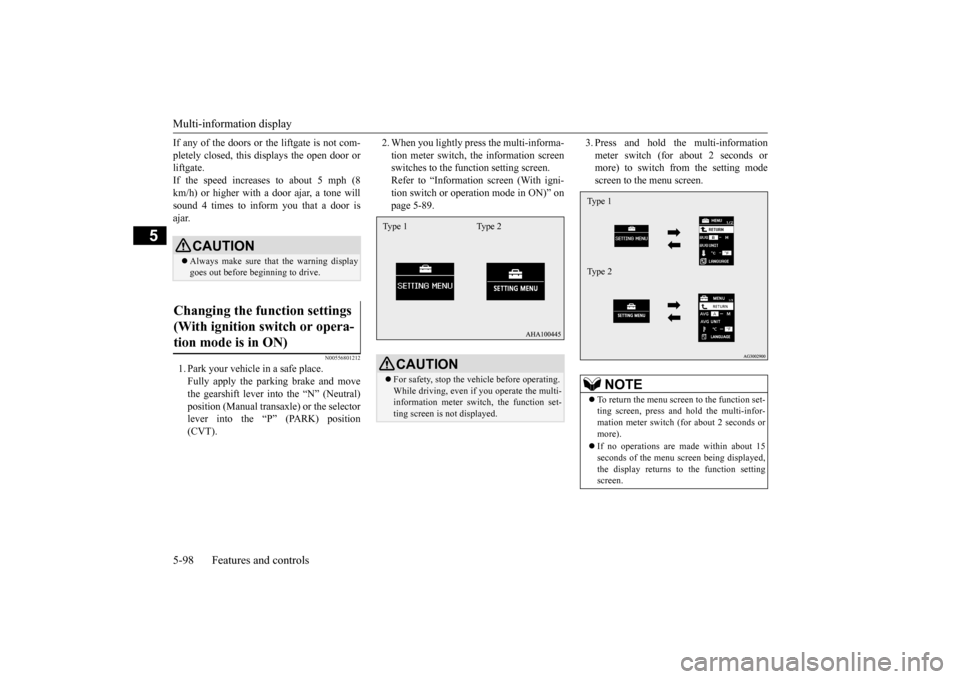
2. When you lightly press the multi-informa- tion meter switch, the information screen switches to the function setting screen. Refer to “Information screen (With igni-tion switch or operation mode in ON)” on page 5-89.
3. Press and hold the multi-information meter switch (for about 2 seconds or more) to switch from the setting mode screen to the menu screen.
CAUTION Always make sure that the warning display goes out before beginning to drive.
Changing the function settings (With ignition switch or opera- tion mode is in ON)
CAUTION For safety, stop the vehicle before operating. While driving, even if you operate the multi- information meter switch, the function set-ting screen is not displayed.Type 1 Type 2
NOTE
To return the menu screen to the function set- ting screen, press and hold the multi-infor- mation meter switch (for about 2 seconds or more). If no operations are made within about 15 seconds of the menu screen being displayed,the display returns to the function setting screen.Type 1 Type 2
BK0206700US.bo
ok 98 ページ 2014年3月25日 火曜日 午後4時42分
Page 165 of 384
Multi-information display 5-102 Features and controls
5
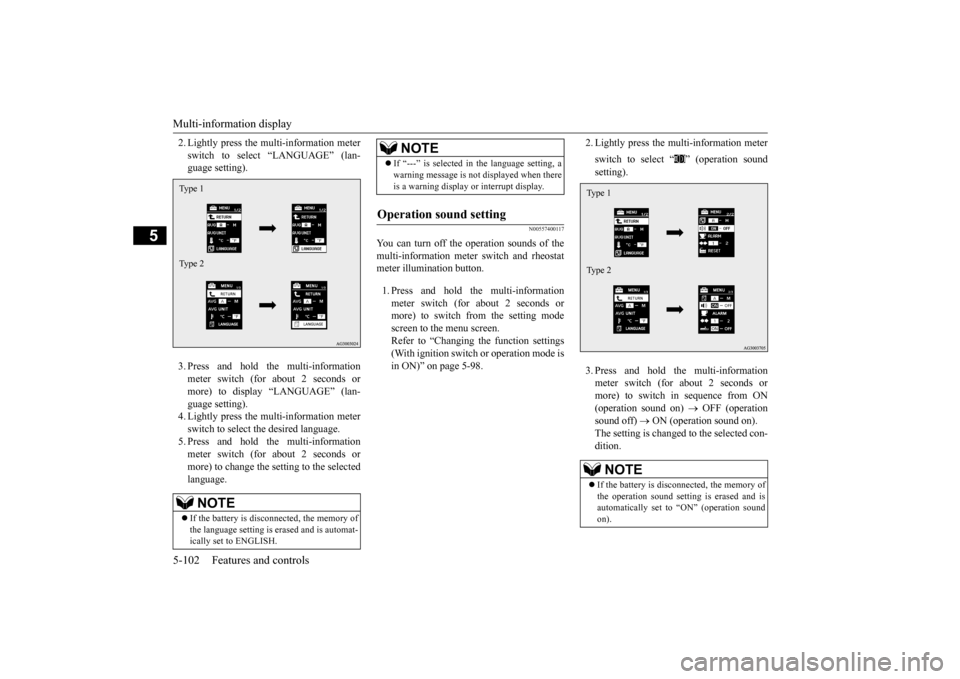
2. Lightly press the multi-information meter switch to select “LANGUAGE” (lan- guage setting). 3. Press and hold the multi-information meter switch (for about 2 seconds or more) to display “LANGUAGE” (lan-guage setting). 4. Lightly press the multi-information meter switch to select the desired language.5. Press and hold the multi-information meter switch (for about 2 seconds or more) to change the setting to the selectedlanguage.
N00557400117
You can turn off the operation sounds of themulti-information meter switch and rheostatmeter illumination button. 1. Press and hold the multi-information meter switch (for about 2 seconds or more) to switch from the setting mode screen to the menu screen.Refer to “Changing the function settings (With ignition switch or operation mode is in ON)” on page 5-98.
2. Lightly press the multi-information meter switch to select “ ” (operation sound setting). 3. Press and hold the multi-information meter switch (for about 2 seconds or more) to switch in sequence from ON(operation sound on)
OFF (operation
sound off)
ON (operation sound on).
The setting is changed to the selected con- dition.
NOTE
If the battery is disconnected, the memory of the language setting is erased and is automat-ically set to ENGLISH.Type 1 Type 2
If “---” is selected in the language setting, a warning message is not displayed when there is a warning display or interrupt display.
Operation sound setting
NOTE
NOTE
If the battery is disconnected, the memory of the operation sound setting is erased and isautomatically set to “ON” (operation sound on).Type 1 Type 2
BK0206700US.book
102 ページ 2014年3月25日 火曜日 午後4時42分