2015 MITSUBISHI OUTLANDER SPORT warning
[x] Cancel search: warningPage 104 of 384
Steering wheel height and reach adjustment
Features and controls 5-41
5
N00511500228
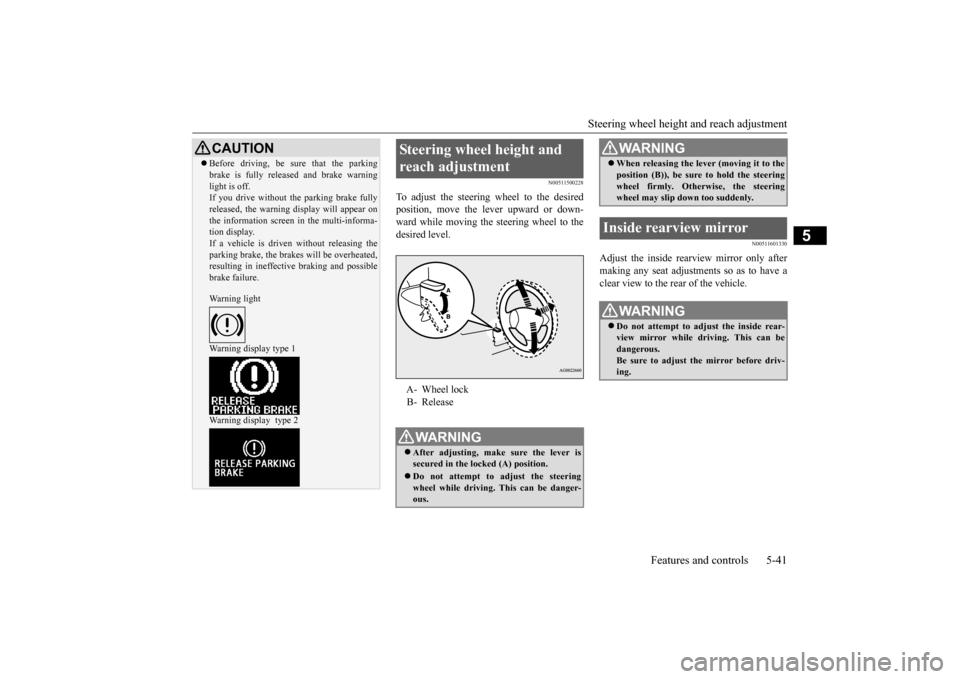
To adjust the steering wheel to the desired position, move the lever upward or down-ward while moving the steering wheel to the desired level.
N00511601330
Adjust the inside rearview mirror only after making any seat adjustments so as to have a clear view to the rear of the vehicle.
CAUTION Before driving, be sure that the parking brake is fully released and brake warning light is off. If you drive without the parking brake fully released, the warning display will appear onthe information screen in the multi-informa- tion display. If a vehicle is driven without releasing theparking brake, the brakes will be overheated, resulting in ineffective braking and possible brake failure. Warning light Warning display type 1 Warning display type 2
Steering wheel height and reach adjustment A- Wheel lock B- ReleaseWA R N I N G After adjusting, make sure the lever is secured in the locked (A) position. Do not attempt to adjust the steering wheel while driving. This can be danger-ous.
When releasing the lever (moving it to the position (B)), be sure to hold the steering wheel firmly. Otherwise, the steering wheel may slip down too suddenly.
Inside rearview mirror
WA R N I N G Do not attempt to adjust the inside rear- view mirror while driving. This can bedangerous. Be sure to adjust the mirror before driv- ing.WA R N I N G
BK0206700US.bo
ok 41 ページ 2014年3月25日 火曜日 午後4時42分
Page 109 of 384
Starting the engine 5-46 Features and controls
5
Do not operate the starter motor continu- ously for longer than
15 seconds as this
could run the battery down or damage thestarter motor. If the engine does not start, turn the ignition switch back to the “OFF” position, wait a few seconds, and then tryagain. Trying repeatedly with the engine or starter motor still turning will damage the starter mechanism. If the engine will not start because the bat- tery is weak or discharged, refer to “Jump-starting the engine” (on page 8-2) for instructions. A longer warm up period will only con- sume extra fuel. The
engine is warmed up
enough for driving when the bar graph ofengine coolant temperature display starts to move. Refer to “Interrupt display screen (With ignition switch or operationmode in ON)” on page 5-93.
This model is equipped with an electronically controlled fuel injection system. This is a sys-tem that automatically controls fuel injection. There is usually no need to depress the accel- erator pedal when starting the engine.The starter should not be run for more than 15 seconds at a time. To prevent battery drain, wait a few secondsbetween attempts to restart the engine. 1. Make sure all occupants are properly seated with seat belts fastened. 2. Insert the ignition key.3. Make sure the parking brake is applied. 4. Press and hold the brake pedal down with your right foot.5. Press and hold the clutch pedal all the way down (manual transaxle).
6. On vehicles equipped with manual trans- axle, place the gearshift lever in the “N” (Neutral) position. On vehicles equipped with continuouslyvariable transmission (CVT), make sure the selector lever is in the “P” (PARK) position. 7. Turn the ignition switch to the “ON” posi- tion and make certain that all warning lights are functioning properly beforestarting the engine. 8. Turn the ignition switch to the “START” position without pressing the acceleratorpedal. Release the key when the engine starts.
Tips for starting
WA R N I N G Never run the engine in a closed or poorly ventilated area any longer than is needed to move your vehicle out of the area. Car-bon monoxide gas, which is odorless and extremely poisonous, could build up and cause serious injury or death.
CAUTION Do not push-start the vehicle.Do not run the engine
at high rpms or drive
at high speeds until the engine has had a chance to warm up. Release the ignition switch as soon as the engine starts. Otherwise, the starter motorwill be damaged.
Starting the engine
NOTE
On vehicles equipped with CVT, the starter will not operate unless the selector lever is in the “P” (PARK) or “N” (NEUTRAL) posi- tion.For safety reasons, start the engine in the “P” (PARK) position so that the wheels are locked.NOTE
Minor noises may be heard on engine start- up. These will disappear as the engine warms up.
BK0206700US.bo
ok 46 ページ 2014年3月25日 火曜日 午後4時42分
Page 115 of 384
Continuously variable transmis
sion (CVT) (if so equipped)
5-52 Features and controls
5
gaging until the warm up is completed even if the selector lever is placed in the “D” or “R” position. When the selector lever position display is blinking, perform the following procedure: 1. Depress the brake pedal with your right foot and place the selector lever in the “N” (NEUTRAL) position for several seconds.2. Keep depressing the
brake pedal and then
place the selector lever in the “D” (DRIVE) or “R” (REVERSE) position. If the selector lever position display stopsblinking, the warm up is completed and the transmission will function normally. 3. If the display is still blinking, repeat steps1 and 2 above.
N00560501063
Ty p e 1
or
Ty p e 2
or
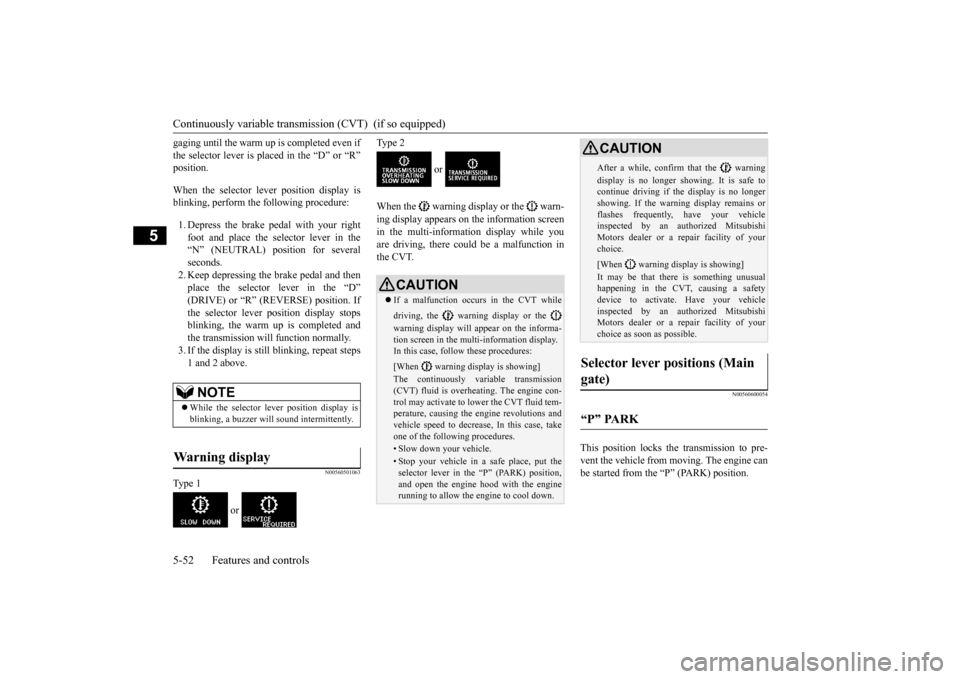
When the warning display or the warn- ing display appears on the information screen in the multi-information display while youare driving, there could be a malfunction in the CVT.
N00560600054
This position locks the transmission to pre- vent the vehicle from moving. The engine can be started from the “P” (PARK) position.
NOTE
While the selector lever position display is blinking, a buzzer will sound intermittently.
Warning display
CAUTION If a malfunction occurs in the CVT while driving, the warning display or the warning display will appear on the informa- tion screen in the multi-information display. In this case, follow these procedures: [When warning display is showing] The continuously variable transmission (CVT) fluid is overheating. The engine con-trol may activate to lower the CVT fluid tem- perature, causing the engine revolutions and vehicle speed to decrease, In this case, takeone of the following procedures.• Slow down your vehicle.• Stop your vehicle in a safe place, put theselector lever in the “P” (PARK) position,and open the engine hood with the engine running to allow the engine to cool down.
After a while, confirm that the warning display is no longer showing. It is safe to continue driving if the display is no longer showing. If the warning display remains orflashes frequently, have your vehicle inspected by an authorized Mitsubishi Motors dealer or a repair facility of yourchoice. [When warning display is showing] It may be that there is something unusual happening in the CVT, causing a safety device to activate. Have your vehicleinspected by an authorized Mitsubishi Motors dealer or a repair facility of your choice as soon as possible.
Selector lever positions (Main gate)
“P” PARK
CAUTION
BK0206700US.bo
ok 52 ページ 2014年3月25日 火曜日 午後4時42分
Page 119 of 384
Electronically controlled 4WD system (if so equipped) 5-56 Features and controls
5
To park the vehicle, first bring it to a com- plete stop, fully engage the parking brake,and then move the selector lever to the “P” (PARK) position. If the CVT does not shift while driving, or your vehicle does not pick up enough speedwhen starting on an uphill slope, it may be that there is something unusual happening in the transmission, causing a safety device toactivate. Have your vehicle checked at an authorized Mitsubishi Motors dealer or a repair facility of your choice as soon as possi-ble.
N00517201178
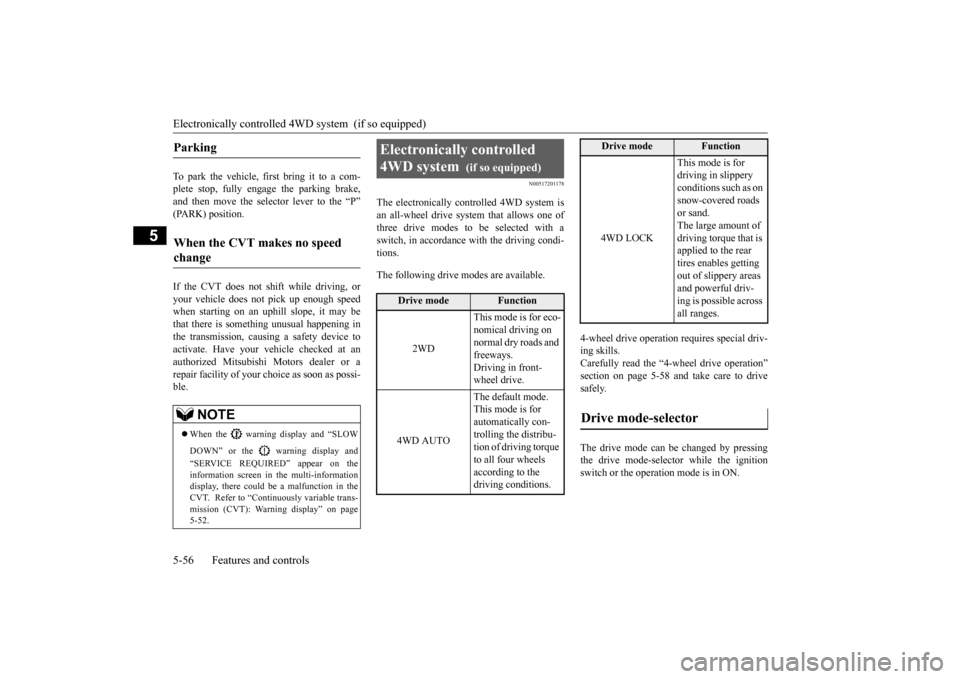
The electronically controlled 4WD system isan all-wheel drive system that allows one of three drive modes to be selected with a switch, in accordance with the driving condi-tions. The following drive modes are available.
4-wheel drive operation requires special driv- ing skills. Carefully read the “4-wheel drive operation”section on page 5-58
and take care to drive
safely. The drive mode can be changed by pressing the drive mode-selector while the ignition switch or the operation mode is in ON.
Parking
When the CVT makes no speed change
NOTE
When the warning display and “SLOW DOWN” or the warning display and “SERVICE REQUIRED” appear on the information screen in the multi-informationdisplay, there could be a malfunction in the CVT. Refer to “Continuously variable trans- mission (CVT): Warning display” on page5-52.
Electronically controlled 4WD system
(if so equipped)
Drive mode
Function
2WD
This mode is for eco- nomical driving on normal dry roads and freeways. Driving in front-wheel drive.
4WD AUTO
The default mode. This mode is for automatically con-trolling the distribu- tion of driving torque to all four wheels according to the driving conditions.
4WD LOCK
This mode is for driving in slippery conditions such as on snow-covered roads or sand. The large amount of driving torque that is applied to the rear tires enables getting out of slippery areas and powerful driv- ing is possible across all ranges.
Drive mode-selector
Drive mode
Function
BK0206700US.bo
ok 56 ページ 2014年3月25日 火曜日 午後4時42分
Page 121 of 384
4-wheel drive operation 5-58 Features and controls
5
N00530600156
Your vehicle has been designed primarily for use on pavement.But its unique 4 -wheel drive system allows you to occasionally travel on unpaved roads, to campgrounds, picnic sites, and similarlocations. Not only does this ensure better handling on dry, paved roads but also permits better trac-tion when driving on slippery, wet or snow-covered roads and when moving out of mud. But it is not suitable for heavy off road use or towing in rough conditions.It is particularly important to note that 4- wheel drive may not give sufficient hill climbing ability and engine braking on steepslopes. You should try to avoid driving on steep slopes. Also, you must exercise caution when drivingon sand and mud and when driving through water because sufficient traction may not be available in certain circumstances.Please avoid driving the vehicle through areas where the tires may get stuck in deep sand or mud.
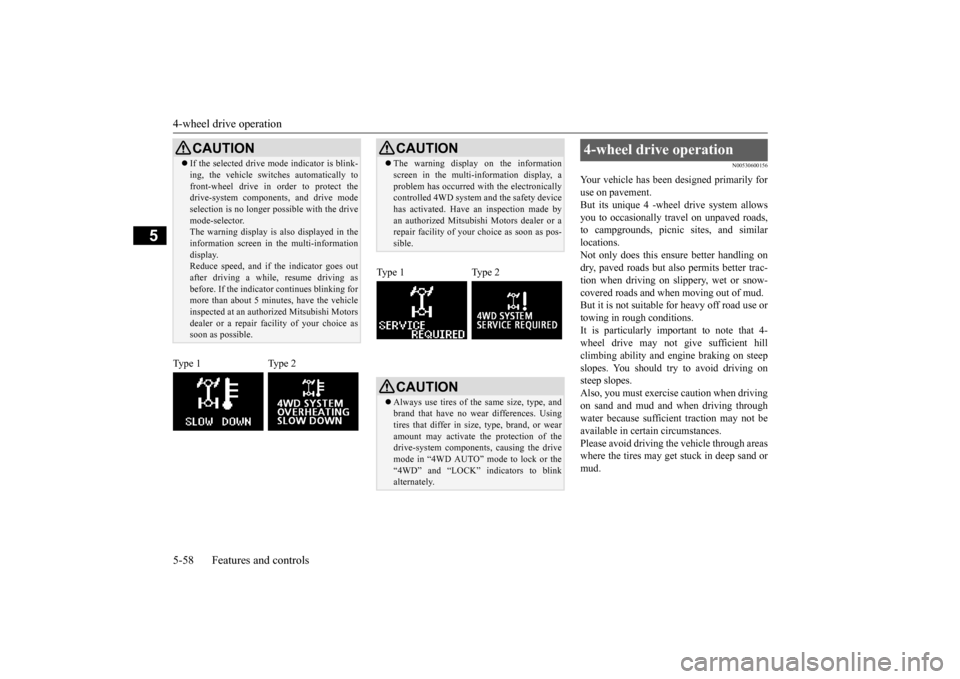
CAUTION If the selected drive mode indicator is blink- ing, the vehicle switches automatically to front-wheel drive in order to protect the drive-system components, and drive mode selection is no longer possible with the drivemode-selector. The warning display is also displayed in the information screen in the multi-informationdisplay. Reduce speed, and if the indicator goes out after driving a while, resume driving asbefore. If the indicator continues blinking for more than about 5 minutes, have the vehicle inspected at an authorized Mitsubishi Motorsdealer or a repair fa
cility of your choice as
soon as possible.
Type 1 Type 2
CAUTION The warning display on the information screen in the multi-information display, a problem has occurred with the electronically controlled 4WD system and the safety device has activated. Have an inspection made byan authorized Mitsubishi Motors dealer or a repair facility of your choice as soon as pos- sible.
Type 1 Type 2
CAUTION Always use tires of the same size, type, and brand that have no wear differences. Using tires that differ in size, type, brand, or wearamount may activate the protection of the drive-system components, causing the drive mode in “4WD AUTO” mode to lock or the“4WD” and “LOCK” indicators to blink alternately.
4-wheel drive operation
BK0206700US.bo
ok 58 ページ 2014年3月25日 火曜日 午後4時42分
Page 123 of 384
4-wheel drive operation 5-60 Features and controls
5
Set the drive mode-selector to “4WD LOCK” or “LOCK” and then gradually depress the accelerator pedal for a smooth start. Keep the pressure on the accelerator pedal as constantas possible, and drive at low speed.
Your vehicle may not provide sufficient hill climbing ability and engine braking on steepslope. Avoid driving on steep slopes even
though the vehicle is an 4-wheel drive vehi- cle.
N00537800098
If the electrical circuits become wet, furtheroperation of the vehicle will be impossible; therefore, avoid driving through water unless absolutely necessary. If driving through wateris unavoidable, use the following procedure: Check the depth of the water and the terrain before attempting to drive through it. Drive slowly to avoid creating excessive water splashing.
Driving on sandy or muddy roads
CAUTION Do not force the vehicle or drive recklessly on sandy surfaces. In comparison with nor- mal road surfaces, the engine and otherdrive-system components are put under excessive strain when driving on such a sur- face. This could lead to accidents. If any of the following conditions occur while the vehicle is being driven, immedi-ately park your vehicle in a safe place and follow these procedures:• If the engine coolant temperature display
flashes on the information screen in the multi-information display or the engine power drops suddenly. Refer to “Engine overheating” on page 8-4.• If the “ ” warning display and “SLOW DOWN” or the “ ” warning display and “SERVICE REQUIRED” appear on the information screen in the multi-information display.Refer to “Warning display” on page 5-52.
WA R N I N G When attempting to rock your vehicle out of a stuck position, be sure that the area around the vehicle is clear of people and physical objects. The rocking motion may cause the vehicle to
suddenly launch for-
ward/backward, causing injury or dam- age to nearby people or objects.NOTE
Avoid sudden braking, sudden acceleration and sharp turning; such operations could result in the vehicle becoming stuck. If the vehicle becomes stuck in sandy or muddy roads, it can often be moved with a rocking motion. Move the gearshift leveralternately between the 1st and “R” (Reverse) positions (M/T), the “D” (DRIVE) and “R” (REVERSE) positions (CVT), whilepressing lightly on the accelerator pedal. Driving on rough road can cause rust on the vehicle; wash the vehicle thoroughly as soon as possible after such use.
Climbing/descending sharp grades
Driving through water
CAUTION Never drive through water that is deep enough to cover wheel hubs, axles or exhaust pipe. Do not change the gearshift lever posi-tion (M/T) or the selector lever position (CVT) while driving through water. Frequent driving through water canadversely affect the life span of the vehicle; consult an authorized Mitsubishi Motors dealer or a repair facility of your choice and take the necessary measures to prepare, inspect, and repair the vehicle.
BK0206700US.bo
ok 60 ページ 2014年3月25日 火曜日 午後4時42分
Page 125 of 384
Service brake 5-62 Features and controls
5
N00517500275
Overuse of the brake can cause weakening, resulting in poor brake response and prema- ture wear of the brake pads.When driving down a long or steep hill, use engine braking by downshifting.
N00517600436
Your vehicle is equipped with power brakes for more braking force with less brake pedaleffort. Your brakes are designed to operate at full capacity, even if the power
assist is not being
used. If the power assist is not being used, the effort needed to press the brake pedal is greater.If you should lose the power assist for some reason, the brakes will still work. If the power brake unit or either of the twobrake hydraulic systems stops working prop- erly, the rest of the br
ake system will still
work, but the vehicle will not slow down asquickly. You will know this has happened if you find you need to press the brake down farther, orharder when slowing down or stopping, or if the brake warning light and the warning dis- play in the multi-information display comeon. Have the brake system repaired at an
To w i n g
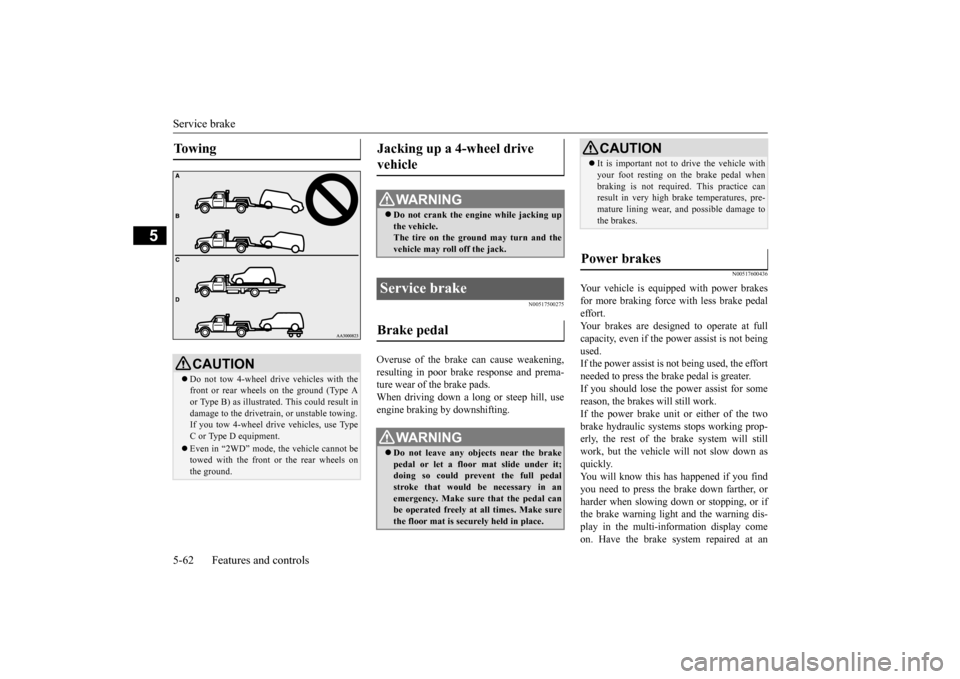
CAUTION Do not tow 4-wheel drive vehicles with the front or rear wheels on the ground (Type Aor Type B) as illustrated. This could result in damage to the drivetrain, or unstable towing. If you tow 4-wheel drive vehicles, use Type C or Type D equipment. Even in “2WD” mode, the vehicle cannot be towed with the front or the rear wheels on the ground.
Jacking up a 4-wheel drive vehicle
WA R N I N G Do not crank the engine while jacking up the vehicle.The tire on the ground may turn and the vehicle may roll off the jack.
Service brake Brake pedal
WA R N I N G Do not leave any objects near the brake pedal or let a floor mat slide under it; doing so could prevent the full pedal stroke that would be necessary in anemergency. Make sure that the pedal can be operated freely at all times. Make sure the floor mat is securely held in place.
CAUTION It is important not to drive the vehicle with your foot resting on the brake pedal when braking is not required. This practice can result in very high brake temperatures, pre- mature lining wear, and possible damage tothe brakes.
Power brakes
BK0206700US.bo
ok 62 ページ 2014年3月25日 火曜日 午後4時42分
Page 127 of 384
Brake assist system 5-64 Features and controls
5
4. Depress the accelerator pedal and the hill start assist gradually will decrease the braking force as the vehicle starts moving.
N00562800050
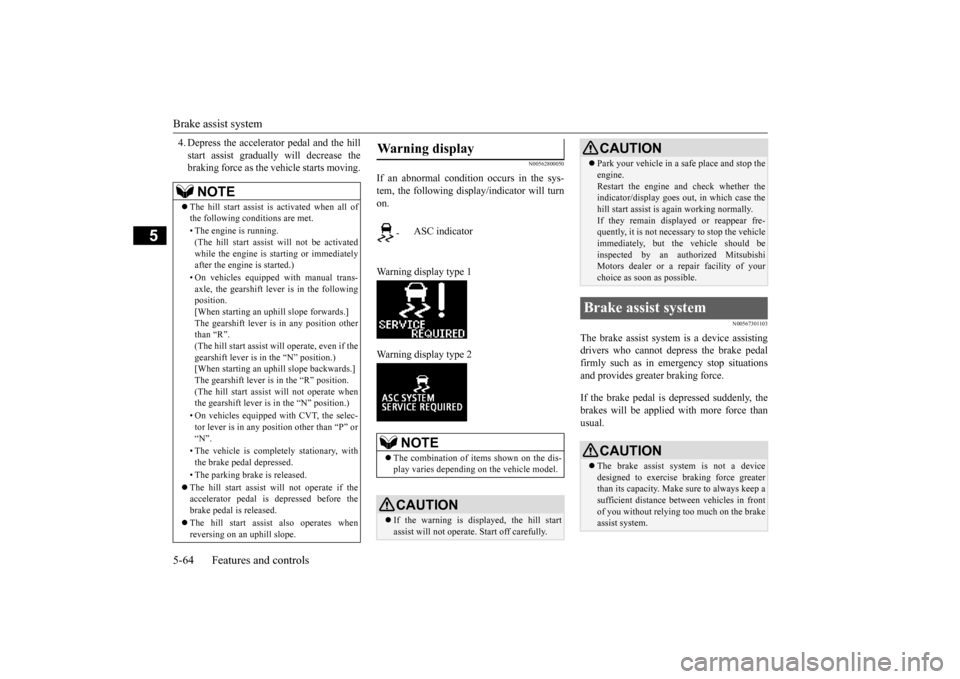
If an abnormal condition occurs in the sys- tem, the following display/indicator will turnon. Warning display type 1 Warning display type 2
N00567301103
The brake assist system
is a device assisting
drivers who cannot depress the brake pedalfirmly such as in emergency stop situations and provides greater braking force. If the brake pedal is depressed suddenly, the brakes will be applied with more force thanusual.
NOTE
The hill start assist is activated when all of the following conditions are met. • The engine is running. (The hill start assist will not be activated while the engine is starting or immediatelyafter the engine is started.) • On vehicles equipped with manual trans- axle, the gearshift lever is in the following position. [When starting an uphill slope forwards.]The gearshift lever is in any position other than “R”. (The hill start assist
will operate, even if the
gearshift lever is in the “N” position.) [When starting an uphill slope backwards.] The gearshift lever is in the “R” position.(The hill start assist will not operate when the gearshift lever is in the “N” position.) • On vehicles equipped with CVT, the selec- tor lever is in any position other than “P” or “N”. • The vehicle is completely stationary, with the brake pedal depressed. • The parking brake is released. The hill start assist will not operate if the accelerator pedal is depressed before thebrake pedal is released. The hill start assist also operates when reversing on an uphill slope.
Warning display
-
ASC indicator
NOTE
The combination of items shown on the dis- play varies depending on the vehicle model.CAUTION If the warning is displayed, the hill start assist will not operate. Start off carefully.
Park your vehicle in a safe place and stop the engine. Restart the engine and check whether the indicator/display goes out, in which case the hill start assist is again working normally. If they remain displayed or reappear fre- quently, it is not necessary to stop the vehicle immediately, but the vehicle should beinspected by an authorized Mitsubishi Motors dealer or a repair facility of your choice as soon as possible.
Brake assist system
CAUTION The brake assist system is not a device designed to exercise braking force greater than its capacity. Make sure to always keep asufficient distance between vehicles in front of you without relying too much on the brake assist system.CAUTION
BK0206700US.bo
ok 64 ページ 2014年3月25日 火曜日 午後4時42分