2015 MITSUBISHI OUTLANDER SPORT fuel type
[x] Cancel search: fuel typePage 154 of 384
Multi-information display
Features and controls 5-91
5
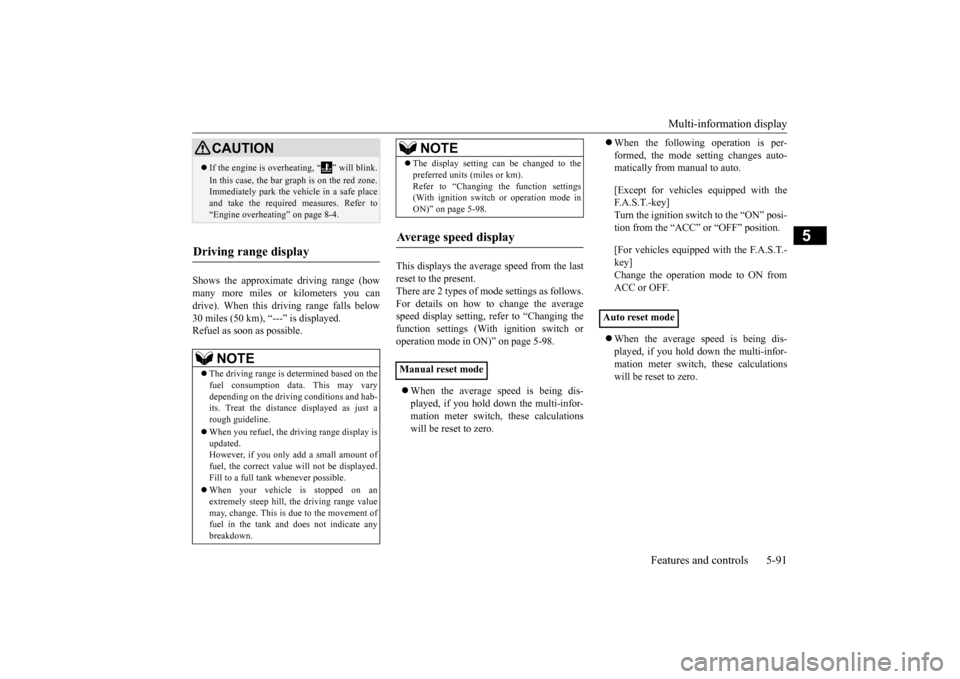
Shows the approximate driving range (how many more miles or kilometers you candrive). When this driving range falls below 30 miles (50 km), “---” is displayed. Refuel as soon as possible.
This displays the average speed from the last reset to the present.There are 2 types of mode settings as follows. For details on how to change the average speed display setting, refer to “Changing thefunction settings (With ignition switch or operation mode in ON)” on page 5-98. When the average speed is being dis- played, if you hold down the multi-infor-mation meter switch, these calculations will be reset to zero.
When the following operation is per- formed, the mode setting changes auto- matically from manual to auto. [Except for vehicles equipped with the F. A . S . T. - k e y ]Turn the ignition switch to the “ON” posi- tion from the “ACC” or “OFF” position. [For vehicles equipped with the F.A.S.T.- key]Change the operation mode to ON fromACC or OFF. When the average speed is being dis- played, if you hold down the multi-infor- mation meter switch, these calculationswill be reset to zero.
CAUTION If the engine is overheating, “ ” will blink. In this case, the bar graph is on the red zone. Immediately park the vehicle in a safe place and take the required measures. Refer to“Engine overheating” on page 8-4.
Driving range display
NOTE
The driving range is determined based on the fuel consumption data. This may vary depending on the driving conditions and hab-its. Treat the distance displayed as just a rough guideline. When you refuel, the driving range display is updated. However, if you only add a small amount of fuel, the correct value will not be displayed. Fill to a full tank whenever possible. When your vehicle is stopped on an extremely steep hill, the driving range valuemay, change. This is due to the movement of fuel in the tank and does not indicate any breakdown.
The display setting can be changed to the preferred units (miles or km). Refer to “Changing the function settings (With ignition switch or operation mode in ON)” on page 5-98.
Average speed display Manual reset mode
NOTE
Auto reset mode
BK0206700US.bo
ok 91 ページ 2014年3月25日 火曜日 午後4時42分
Page 155 of 384
Multi-information display 5-92 Features and controls
5
When the engine switch or the operation mode is in the following conditions, the average speed display will automatically reset. [Except for vehicles equipped with the F. A . S . T. - k e y ] The ignition switch has been set to the “ACC” or “OFF” position for about 4hours or more. [For vehicles equipped with the F.A.S.T.- key] The operation mode has been set to ACC or OFF for about 4 hours or more.
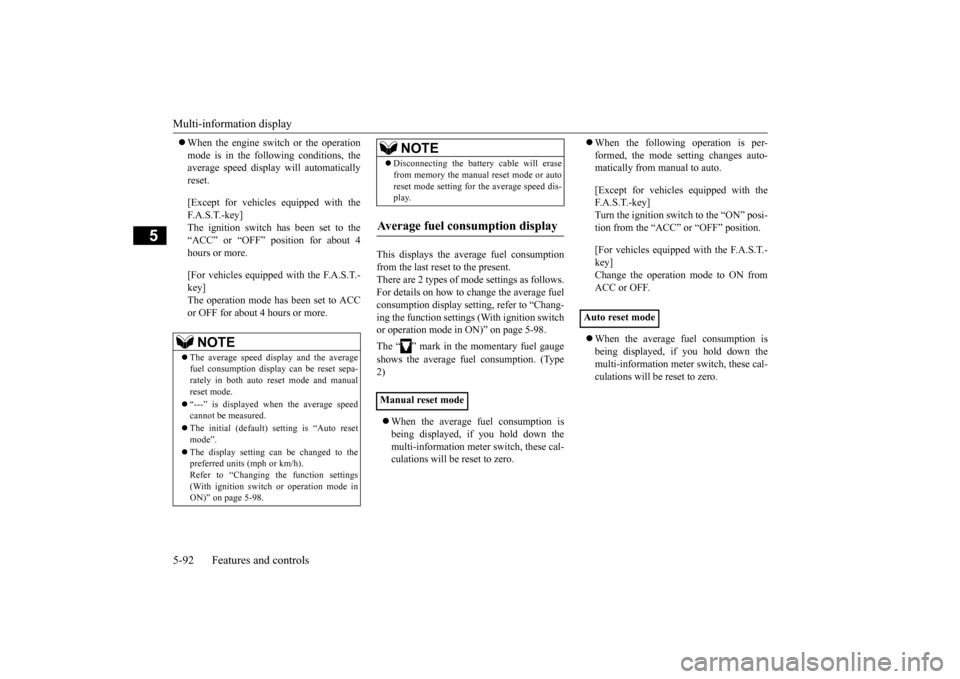
This displays the average fuel consumption from the last reset to the present. There are 2 types of mode settings as follows. For details on how to change the average fuelconsumption display setting, refer to “Chang- ing the function settings (With ignition switch or operation mode in ON)” on page 5-98. The “ ” mark in the momentary fuel gauge shows the average fuel consumption. (Type 2) When the average fuel consumption is being displayed, if you hold down themulti-information meter switch, these cal- culations will be reset to zero.
When the following operation is per- formed, the mode setting changes auto- matically from manual to auto. [Except for vehicles equipped with the F.A.S.T.-key] Turn the ignition switch to the “ON” posi- tion from the “ACC” or “OFF” position. [For vehicles equipped with the F.A.S.T.- key]Change the operation mode to ON fromACC or OFF. When the average fuel consumption is being displayed, if you hold down the multi-information meter switch, these cal-culations will be reset to zero.
NOTE
The average speed display and the average fuel consumption display can be reset sepa- rately in both auto reset mode and manualreset mode. “---” is displayed when the average speed cannot be measured. The initial (default) setting is “Auto reset mode”. The display setting can be changed to the preferred units (mph or km/h). Refer to “Changing the function settings(With ignition switch or operation mode in ON)” on page 5-98.
Disconnecting the battery cable will erase from memory the manual reset mode or auto reset mode setting for the average speed dis- play.
Average fuel consumption display Manual reset mode
NOTE
Auto reset mode
BK0206700US.bo
ok 92 ページ 2014年3月25日 火曜日 午後4時42分
Page 156 of 384
Multi-information display
Features and controls 5-93
5
When the engine switch or the operation mode is in the following conditions, the average fuel consumption display will automatically reset. [Except for vehicles equipped with the F.A.S.T.-key] The ignition switch has been set to the “ACC” or “OFF” position for about 4hours or more. [For vehicles equipped with the F.A.S.T.- key] The operation mode has been set to ACC or OFF for about 4 hours or more.
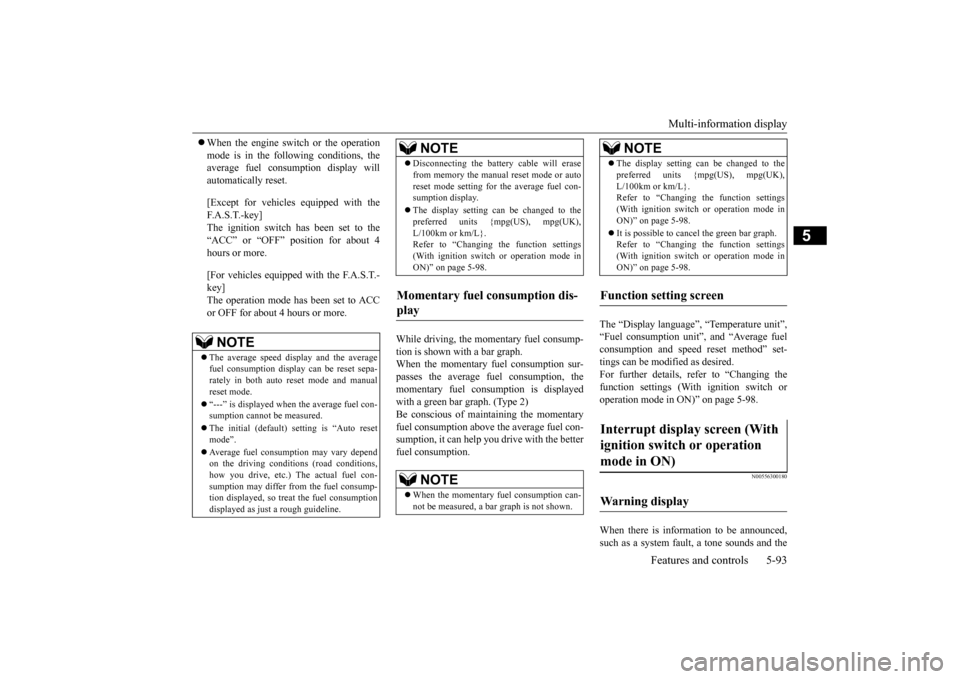
While driving, the momentary fuel consump- tion is shown with a bar graph. When the momentary fuel consumption sur-passes the average fuel consumption, the momentary fuel consumption is displayed with a green bar graph. (Type 2)Be conscious of maintaining the momentary fuel consumption above the average fuel con- sumption, it can help you drive with the betterfuel consumption.
The “Display language”, “Temperature unit”, “Fuel consumption unit”, and “Average fuelconsumption and speed reset method” set- tings can be modified as desired. For further details, refer to “Changing thefunction settings (With ignition switch or operation mode in ON)” on page 5-98.
N00556300180
When there is information to be announced, such as a system fault, a tone sounds and the
NOTE
The average speed display and the average fuel consumption display can be reset sepa- rately in both auto reset mode and manualreset mode. “---” is displayed when the average fuel con- sumption cannot be measured. The initial (default) setting is “Auto reset mode”. Average fuel consumption may vary depend on the driving conditions (road conditions, how you drive, etc.) The actual fuel con-sumption may differ from the fuel consump- tion displayed, so treat the fuel consumption displayed as just a rough guideline.
Disconnecting the battery cable will erase from memory the manual reset mode or auto reset mode setting for the average fuel con- sumption display. The display setting can be changed to the preferred units {mpg(US), mpg(UK), L/100km or km/L}.Refer to “Changing the function settings (With ignition switch or operation mode in ON)” on page 5-98.
Momentary fuel consumption dis- play
NOTE
When the momentary fuel consumption can- not be measured, a ba
r graph is not shown.
NOTE
The display setting can be changed to the preferred units {mpg(US), mpg(UK), L/100km or km/L}. Refer to “Changing the function settings (With ignition switch or operation mode inON)” on page 5-98. It is possible to cancel the green bar graph. Refer to “Changing the function settings (With ignition switch or operation mode in ON)” on page 5-98.
Function setting screen Interrupt display screen (With ignition switch or operation mode in ON) Warning display
NOTE
BK0206700US.bo
ok 93 ページ 2014年3月25日 火曜日 午後4時42分
Page 158 of 384
Multi-information display
Features and controls 5-95
5
N00568700019
This indicator will be displayed when fuel- efficient driving is achieved.
N00556600170
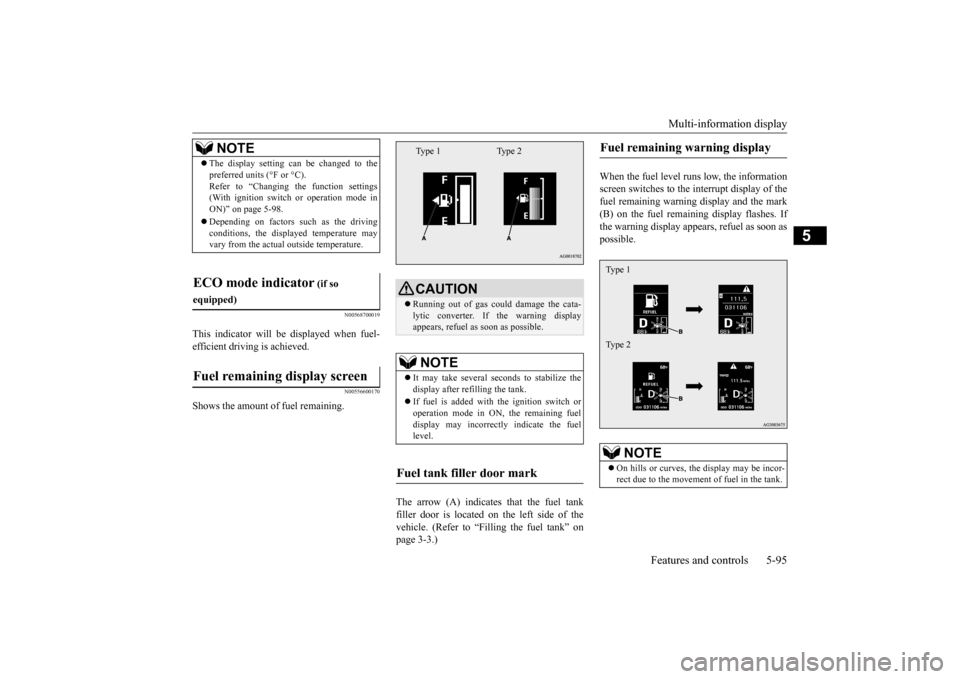
Shows the amount of fuel remaining.
The arrow (A) indicates that the fuel tank filler door is located on the left side of thevehicle. (Refer to “Filling the fuel tank” on page 3-3.)
When the fuel level runs low, the information screen switches to the interrupt display of thefuel remaining warning display and the mark (B) on the fuel remaining display flashes. If the warning display appears, refuel as soon aspossible.
NOTE
The display setting can be changed to the preferred units (°F or °C). Refer to “Changing the function settings (With ignition switch or operation mode in ON)” on page 5-98. Depending on factors such as the driving conditions, the displayed temperature mayvary from the actual outside temperature.
ECO mode indicator
(if so
equipped)Fuel remaining display screen
CAUTION Running out of gas could damage the cata- lytic converter. If the warning display appears, refuel as soon as possible.NOTE
It may take several seconds to stabilize the display after refilling the tank. If fuel is added with the ignition switch or operation mode in ON, the remaining fuel display may incorrectly indicate the fuellevel.
Fuel tank filler door mark
Type 1 Type 2
Fuel remaining warning display
NOTE
On hills or curves, the display may be incor- rect due to the movement of fuel in the tank.Type 1 Type 2
BK0206700US.bo
ok 95 ページ 2014年3月25日 火曜日 午後4時42分
Page 162 of 384
Multi-information display
Features and controls 5-99
5
4. Select the item to change on the menu screen and change to the desired setting. For further details on the operation meth- ods, refer to the following sections. Refer to “Changing the reset mode for average fuel consumption and averagespeed” on page 5-99. Refer to “Changing the fuel consumption display unit” on page 5-100.Refer to “Changing the temperature unit”on page 5-101. Refer to “Changing the display language” on page 5-101.Refer to “Operation sound setting” on page 5-102. Refer to “Changing the time until “RESTREMINDER” is displayed” on page 5-103. Refer to “Changing the turn signal sound”on page 5-103. Refer to “Changing the momentary fuel consumption display (Type 2)” on page5-104. Refer to “Returning to the factory set- tings” on page 5-104.
N00557000227
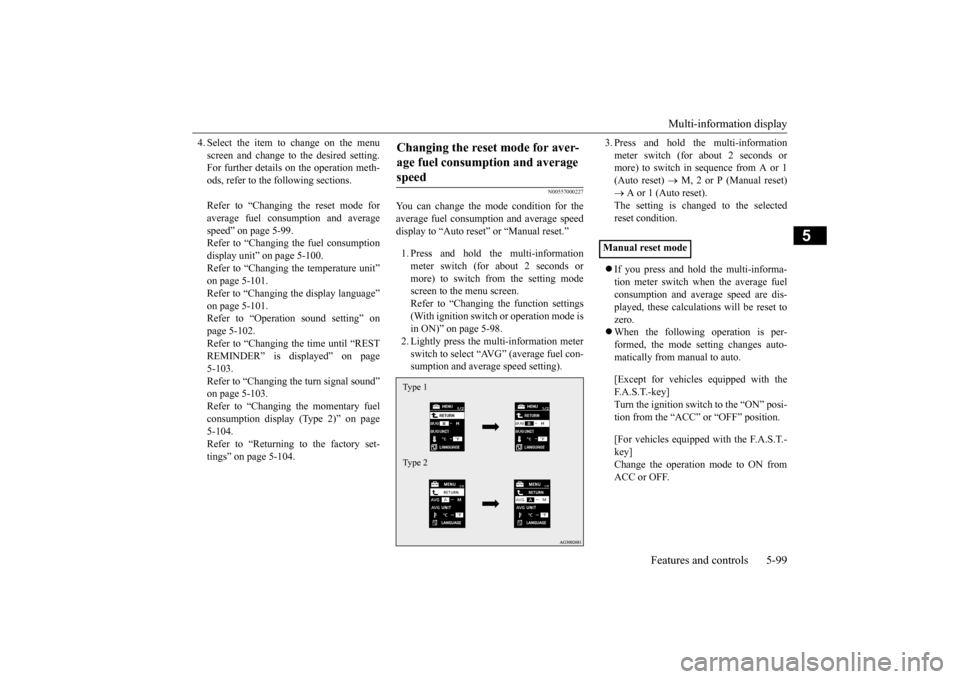
You can change the mode condition for theaverage fuel consumption and average speed display to “Auto reset” or “Manual reset.” 1. Press and hold the multi-information meter switch (for about 2 seconds ormore) to switch from the setting modescreen to the menu screen. Refer to “Changing the function settings (With ignition switch or operation mode isin ON)” on page 5-98. 2. Lightly press the multi-information meter switch to select “AVG” (average fuel con-sumption and average speed setting).
3. Press and hold the multi-information meter switch (for about 2 seconds or more) to switch in sequence from A or 1 (Auto reset)
M, 2 or P (Manual reset)
A or 1 (Auto reset). The setting is changed to the selected reset condition. If you press and hold the multi-informa- tion meter switch when the average fuelconsumption and average speed are dis- played, these calculations will be reset to zero. When the following operation is per- formed, the mode setting changes auto- matically from manual to auto. [Except for vehicles equipped with the F. A . S . T. - k e y ] Turn the ignition switch to the “ON” posi- tion from the “ACC” or “OFF” position. [For vehicles equipped with the F.A.S.T.- key] Change the operation mode to ON from ACC or OFF.
Changing the reset mode for aver- age fuel consumption and average speed Type 1 Type 2
Manual reset mode
BK0206700US.bo
ok 99 ページ 2014年3月25日 火曜日 午後4時42分
Page 163 of 384
Multi-information display 5-100 Features and controls
5
When the average fuel consumption and average speed are being displayed, if you hold down the multi-information meter switch, these calculations will be reset tozero. When the engine switch or the operation mode is in the following conditions, theaverage fuel consumption display and the average speed display will automatically reset. [Except for vehicles equipped with the F. A . S . T. - k e y ]The ignition switch has been set to the “ACC” or “OFF” position for about 4 hours or more. [For vehicles equipped with the F.A.S.T.- key] The operation mode has been in ACC or OFF for about 4 hours or more.
N00557100143
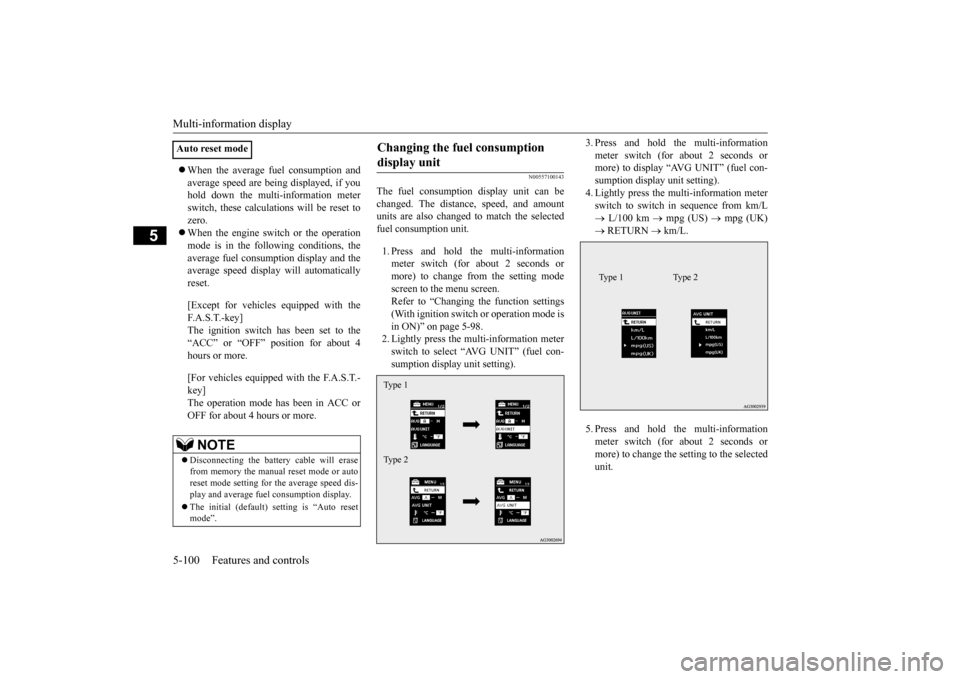
The fuel consumption display unit can be changed. The distance, speed, and amount units are also changed to match the selectedfuel consumption unit. 1. Press and hold the multi-information meter switch (for about 2 seconds or more) to change from the setting modescreen to the menu screen.Refer to “Changing the function settings (With ignition switch or operation mode is in ON)” on page 5-98.2. Lightly press the multi-information meter switch to select “AVG UNIT” (fuel con- sumption display unit setting).
3. Press and hold the multi-information meter switch (for about 2 seconds or more) to display “AVG UNIT” (fuel con- sumption display unit setting).4. Lightly press the multi-information meter switch to switch in sequence from km/L L/100 km
mpg (US)
mpg (UK)
RETURN
km/L.
5. Press and hold the multi-information meter switch (for about 2 seconds or more) to change the setting to the selected unit.
Auto reset mode
NOTE
Disconnecting the battery cable will erase from memory the manual reset mode or autoreset mode setting for the average speed dis- play and average fuel consumption display. The initial (default) setting is “Auto reset mode”.
Changing the fuel consumption display unit Type 1 Type 2
Type 1 Type 2
BK0206700US.book
100 ページ 2014年3月25日 火曜日 午後4時42分
Page 164 of 384
Multi-information display
Features and controls 5-101
5
The distance and speed units are also changed in the following combinations to match theselected fuel consumption unit.
N00557200115
The temperature display unit can be switched.
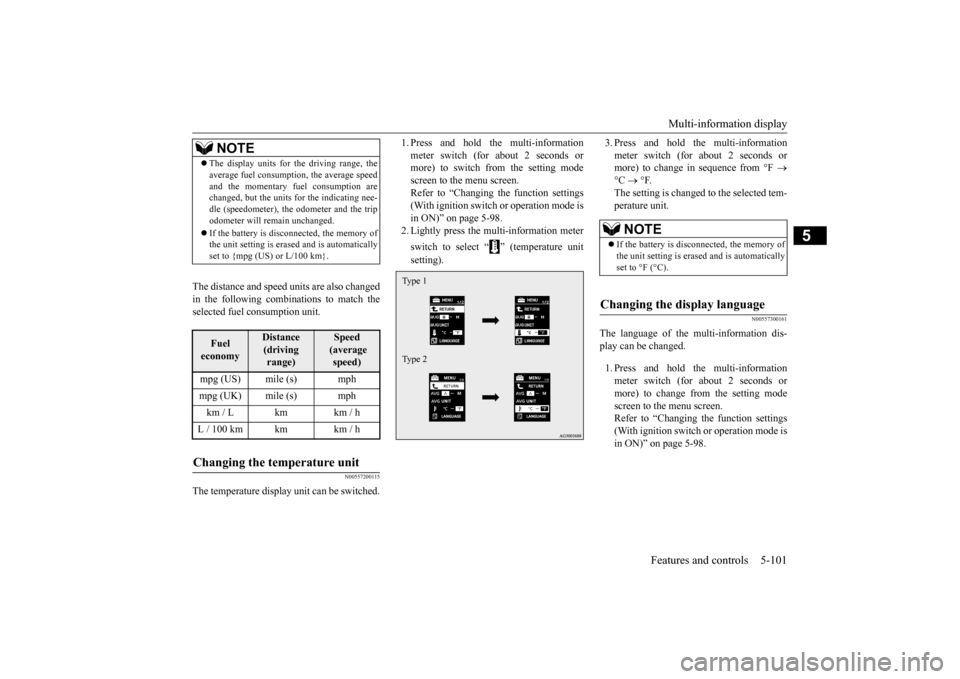
1. Press and hold the multi-information meter switch (for about 2 seconds or more) to switch from the setting mode screen to the menu screen.Refer to “Changing the function settings (With ignition switch or operation mode is in ON)” on page 5-98.2. Lightly press the multi-information meter switch to select “ ” (temperature unit setting).
3. Press and hold the multi-information meter switch (for about 2 seconds or more) to change in sequence from °F
°C
°F.
The setting is changed to the selected tem- perature unit.
N00557300161
The language of the multi-information dis- play can be changed. 1. Press and hold the multi-information meter switch (for about 2 seconds or more) to change from the setting modescreen to the menu screen. Refer to “Changing the function settings (With ignition switch or operation mode isin ON)” on page 5-98.
NOTE
The display units for the driving range, the average fuel consumption, the average speed and the momentary fuel consumption are changed, but the units for the indicating nee- dle (speedometer), the odometer and the tripodometer will remain unchanged. If the battery is disconnected, the memory of the unit setting is erased and is automatically set to {mpg (US) or L/100 km}.Fuel economy
Distance (driving range)
Speed (average speed)
mpg (US) mile (s) mphmpg (UK) mile (s) mphkm / L km km / hL / 100 km km km / hChanging the temperature unit
Type 1 Type 2
NOTE
If the battery is disconnected, the memory of the unit setting is erased and is automatically set to °F (°C).
Changing the display language
BK0206700US.book
101 ページ 2014年3月25日 火曜日 午後4時42分
Page 167 of 384
Multi-information display 5-104 Features and controls
5
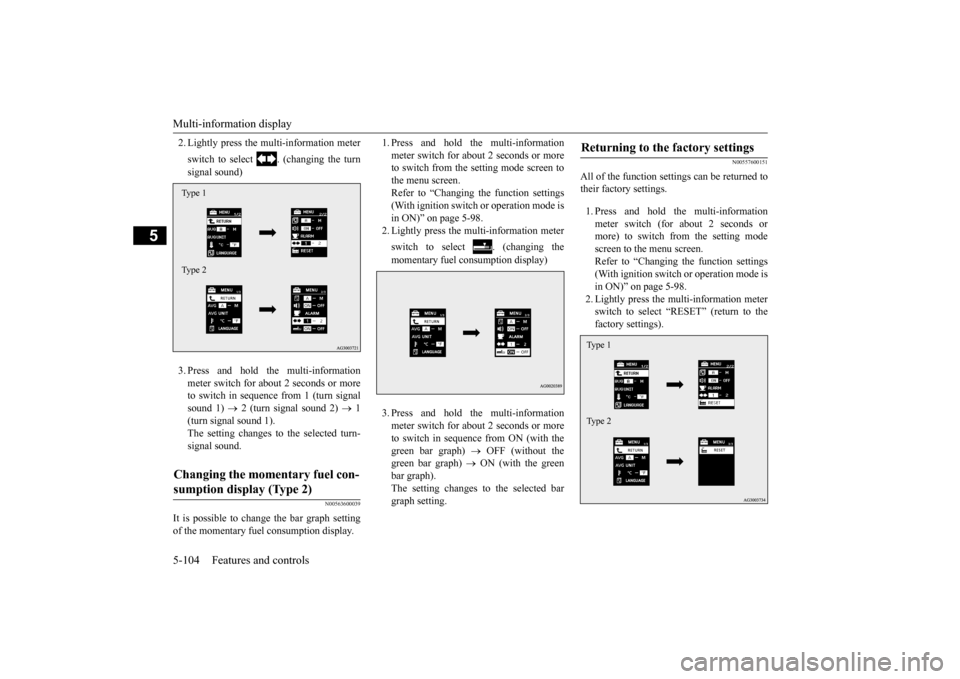
2. Lightly press the multi-information meter switch to select . (changing the turn signal sound) 3. Press and hold the multi-information meter switch for about 2 seconds or more to switch in sequence from 1 (turn signal sound 1)
2 (turn signal sound 2)
1
(turn signal sound 1). The setting changes to the selected turn- signal sound.
N00563600039
It is possible to change the bar graph setting of the momentary fuel consumption display.
1. Press and hold the multi-information meter switch for about 2 seconds or more to switch from the setting mode screen to the menu screen.Refer to “Changing the function settings (With ignition switch or operation mode is in ON)” on page 5-98.2. Lightly press the multi-information meter switch to select . (changing the momentary fuel consumption display) 3. Press and hold the multi-information meter switch for about 2 seconds or more to switch in sequence from ON (with thegreen bar graph)
OFF (without the
green bar graph)
ON (with the green
bar graph).The setting changes to the selected bargraph setting.
N00557600151
All of the function settings can be returned totheir factory settings. 1. Press and hold the multi-information meter switch (for about 2 seconds or more) to switch from the setting mode screen to the menu screen.Refer to “Changing the function settings (With ignition switch or operation mode is in ON)” on page 5-98.2. Lightly press the multi-information meterswitch to select “RESET” (return to the factory settings).
Changing the momentary fuel con- sumption display (Type 2) Type 1 Type 2
Returning to the factory settings Type 1 Type 2
BK0206700US.book
104 ページ 2014年3月25日 火曜日 午後4時42分