Page 230 of 386
You can accept a call even if you are not in the
Tel menu.
Rejecting or ending a call
XPress the ~ button on the steering
wheel.
You can end or reject a call even if you are not
in the
Tel menu.
Dialing an entry from the phone book
X Press the = or ; button on the steer-
ing wheel to select the
Tel menu.
X Press the 9, : or a button to
switch to the phone book.
X Authorize access to the phone book on the
phone.
X Press the 9 or : button to select the
desired name.
or
X To begin rapid scrolling: press and hold
the 9 or : button for longer than
one second.
Rapid scrolling stops when you release the
button or reach the end of the list.
X If only one telephone number is stored
for a name: press the 6 or a button
to start dialing.
or
X If there is more than one number for a
particular name: press the 6 or a
button to display the numbers.
X Press the 9 or : button to select the
number you want to dial.
X Press the 6 or a button to start dial-
ing.
or X To exit the telephone book: press the
~ or % button.
Redialing
The on-board computer saves the last names
or numbers dialed in the redial memory. X
Press the = or ; button on the steer-
ing wheel to select the
Tel menu.
X Press the 6 button to switch to the
redial memory.
X Press the 9 or : button to select the
desired name or number.
X Press the 6 or a button to start dial-
ing.
or X If you do not want to make a call: press
the ~ or % button.
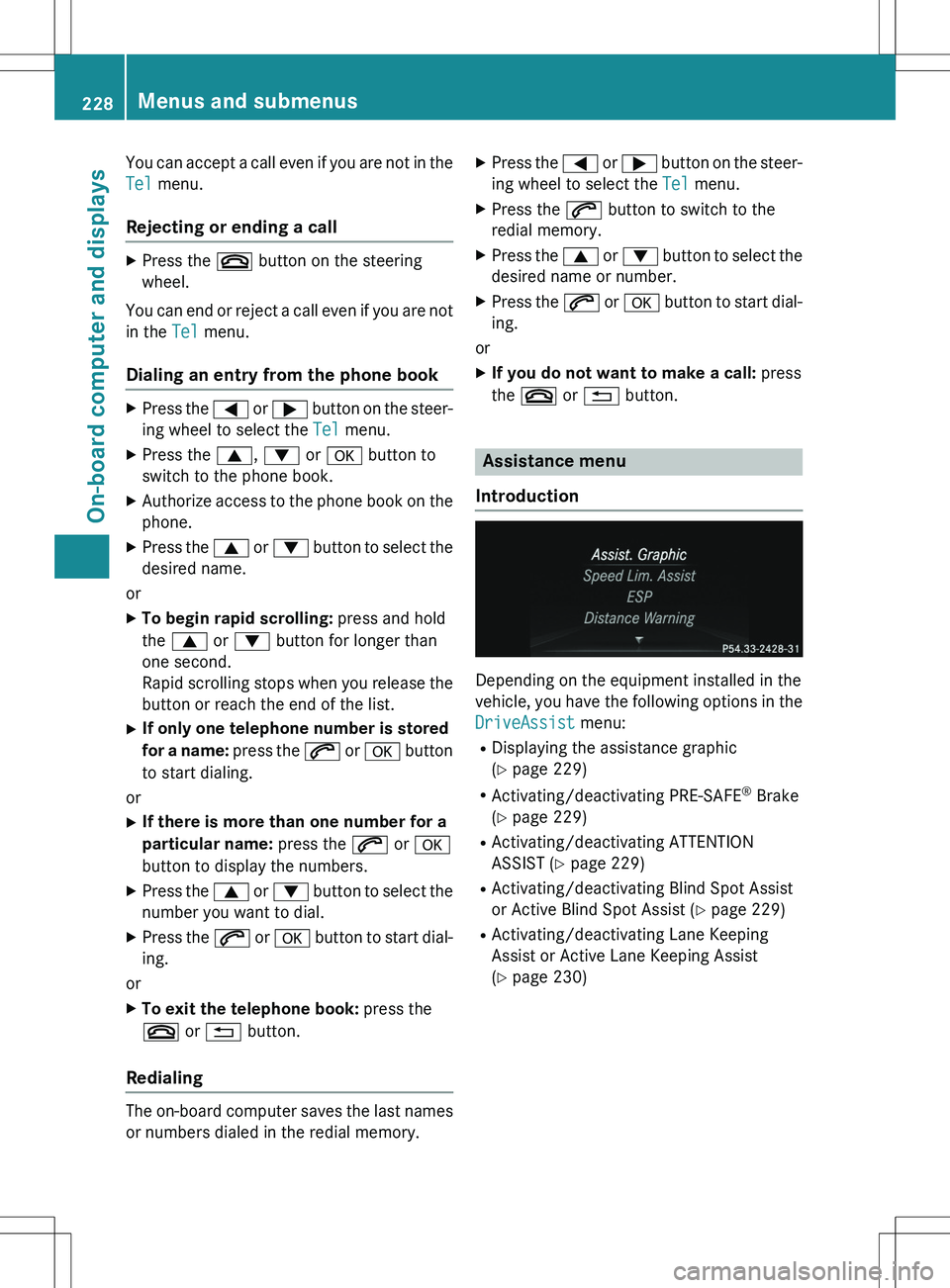
Assistance menu
Introduction
Depending on the equipment installed in the
vehicle, you have the following options in the
DriveAssist menu:
R Displaying the assistance graphic
(Y page 229)
R Activating/deactivating PRE-SAFE ®
Brake
( Y page 229)
R Activating/deactivating ATTENTION
ASSIST ( Y page 229)
R Activating/deactivating Blind Spot Assist
or Active Blind Spot Assist ( Y page 229)
R Activating/deactivating Lane Keeping
Assist or Active Lane Keeping Assist
(Y page 230)
228Menus and submenus
On-board computer and displays
Page 231 of 386
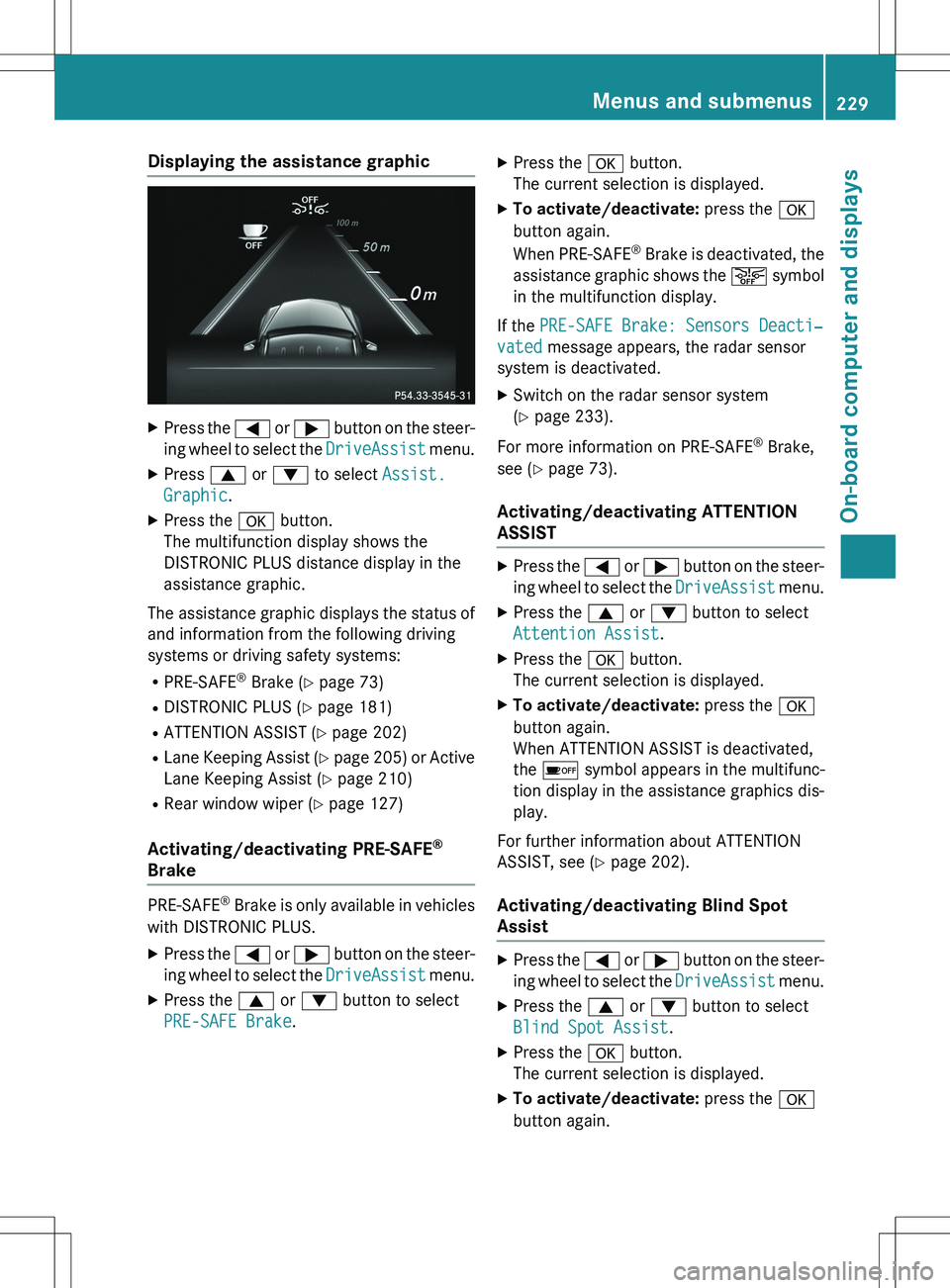
Displaying the assistance graphic
XPress the = or ; button on the steer-
ing wheel to select the
DriveAssist menu.
X Press 9 or : to select
Assist.
Graphic.
X Press the a button.
The multifunction display shows the
DISTRONIC PLUS distance display in the
assistance graphic.
The assistance graphic displays the status of
and information from the following driving
systems or driving safety systems:
R PRE-SAFE ®
Brake ( Y page 73)
R DISTRONIC PLUS ( Y page 181)
R ATTENTION ASSIST ( Y page 202)
R Lane Keeping Assist ( Y page 205) or Active
Lane Keeping Assist ( Y page 210)
R Rear window wiper ( Y page 127)
Activating/deactivating PRE-SAFE®
Brake
PRE �
Page 235 of 386

XPress a to confirm.
X Press the : or 9 button to select the
Acoustic Lock function.
If the
Acoustic Lock function is activated,
the & symbol in the multifunction dis-
play lights up orange.
X Press the a button to save the setting.
Activating/deactivating the radar sensor
system
X Press the = or ; button on the steer-
ing wheel to select the
Sett. menu.
X Press the : or 9 button to select the
Vehicle submenu.
X Press a to confirm.
X Press the 9 or : button to select
Radar Sensor (See Oper. Manual):.
You will see the selected setting:
Enabled
or Disabled.
X Press the a button to save the setting.
The following systems are switched off when
the radar sensor system is deactivated:
R DISTRONIC PLUS ( Y page 176)
R BAS PLUS ( Y page 69)
R PRE-SAFE ®
Brake ( Y page 73)
R Blind Spot Assist ( Y page 203)
R Active Blind Spot Assist ( Y page 207)
Convenience
Activating/deactivating the EASY-
ENTRY/EXIT feature
GWARNING
When the EASY-ENTRY/EXIT feature adjusts
the steering wheel, you and other vehicle
occupants – particularly children – could
become trapped. There is a risk of injury.
While the EASY-ENTRY/EXIT feature is mak-
ing adjustments, make sure that no one has
any body parts in the sweep of the steering
wheel.
If somebody becomes trapped:
R press one of the memory function position
buttons, or
R move the switch for steering wheel adjust-
ment in the opposite direction to that in
which the steering wheel is moving.
The adjustment process is stopped.
X Press the = or ; button on the steer-
ing wheel to select the
Sett. menu.
X Press the : or 9 button to select the
Convenience submenu.
X Press a to confirm.
X Press the : or 9 button to select the
Easy Entry/Exit function.
If the
Easy Entry/Exit function is activa-
ted, the vehicle steering wheel is displayed in orange in the multifunction display.
X Press the a button to save the setting.
Further information on the EASY-ENTRY/EXIT
feature ( Y page 108).
Switching the belt adjustment on/off X Press the = or ; button on the steer-
ing wheel to select the
Sett. menu.
X Press the : or 9 button to select the
Convenience submenu.
X Press a to confirm.
X Press the : or 9 button to select the
Belt Adjustment function.
When the
Belt Adjustment function is
activated, the vehicle seat belt is displayed in orange in the multifunction display.
X Press the a button to save the setting.
For further information on belt adjustment,
see ( Y page 59).
Switching the fold-in mirrors when lock-
ing feature on/off
This function is only available in Canada.
This function is only available when the vehi-
cle is equipped with the electrical fold-in func-
tion.
When you switch on the
Auto. Mirror
Folding function, the exterior mirrors are
Menus and submenus233
On-board computer and displays
Z
Page 238 of 386
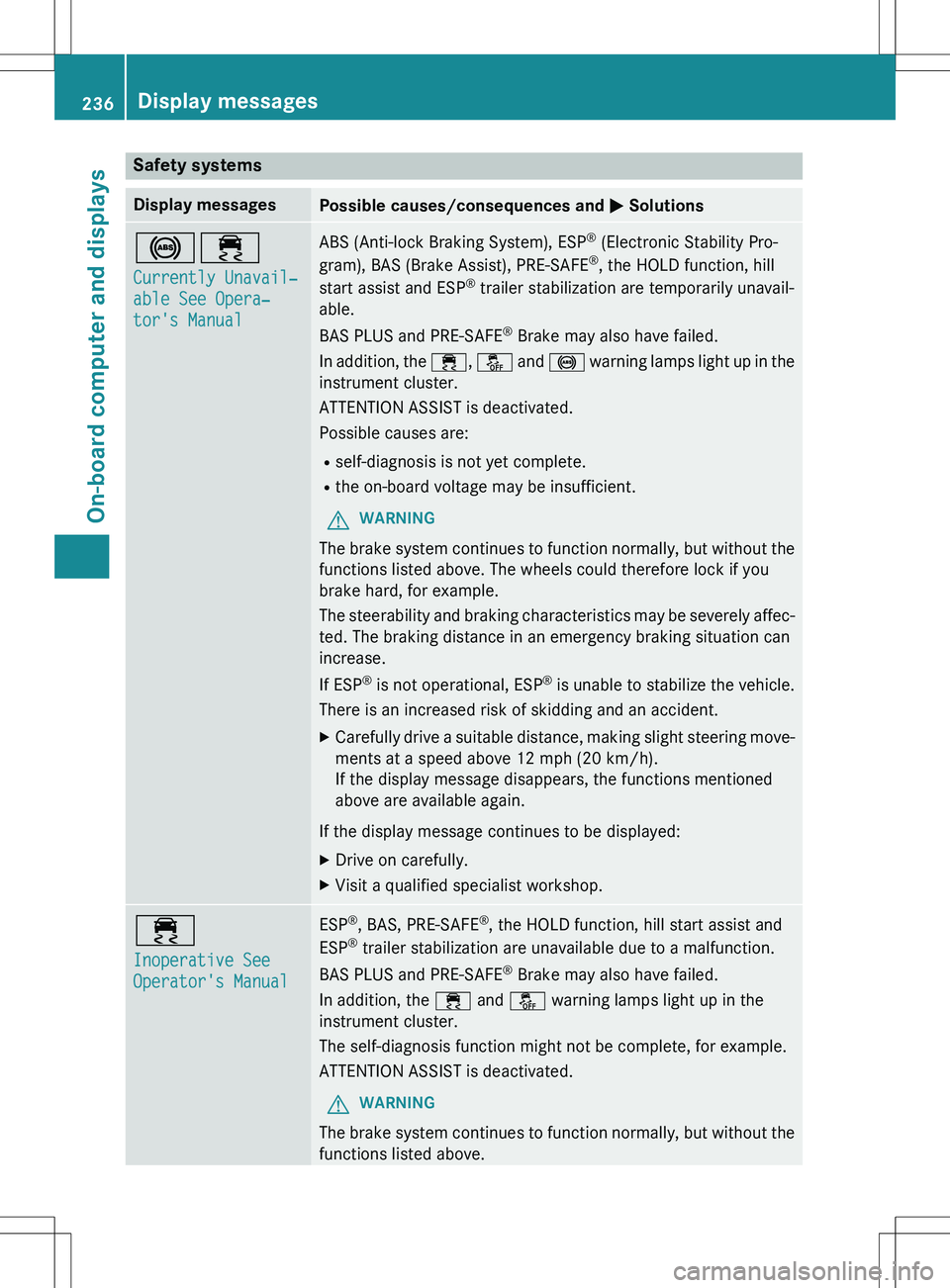
Safety systems
Display messagesPossible causes/consequences and M Solutions
!÷
Currently Unavail�Z
able See Opera�Z
tor's Manual
ABS (Anti-lock Braking System), ESP®
(Electronic Stability Pro-
gram), BAS (Brake Assist), PRE-SAFE ®
, the HOLD function, hill
start assist and ESP ®
trailer stabilization are temporarily unavail-
able.
BAS PLUS and PRE �
Page 239 of 386
Display messagesPossible causes/consequences and M Solutions
The braking distance in an emergency braking situation can thus
increase.
If ESP®
is not operational, ESP ®
is unable to stabilize the vehicle.
There is an increased risk of skidding and an accident.
X Carefully drive a suitable distance, making slight steer ing move-
ments at a speed above 12 mph (20 km/h).
If the display message disappears, the functions mentioned
above are available again.
If the display message continues to be displayed:
X Drive on carefully.
X Visit a qualified specialist workshop.
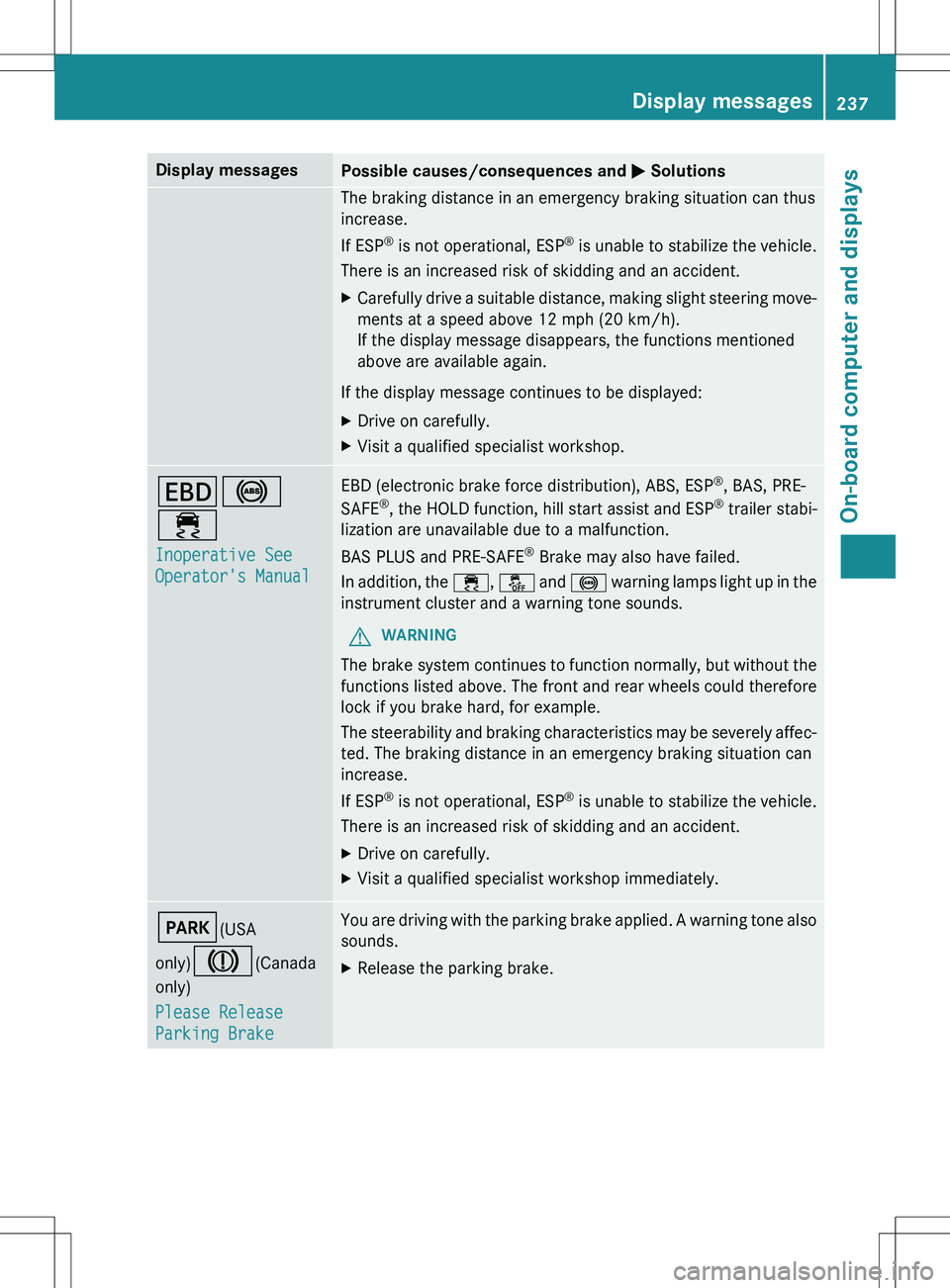
T !
÷
Inoperative See
Operator's Manual
EBD (electronic brake force distribution), ABS, ESP ®
, BAS, PRE-
SAFE ®
, the HOLD function, hill start assist and ESP ®
trailer stabi-
lization are unavailable due to a malfunction.
BAS PLUS and PRE �
Page 240 of 386
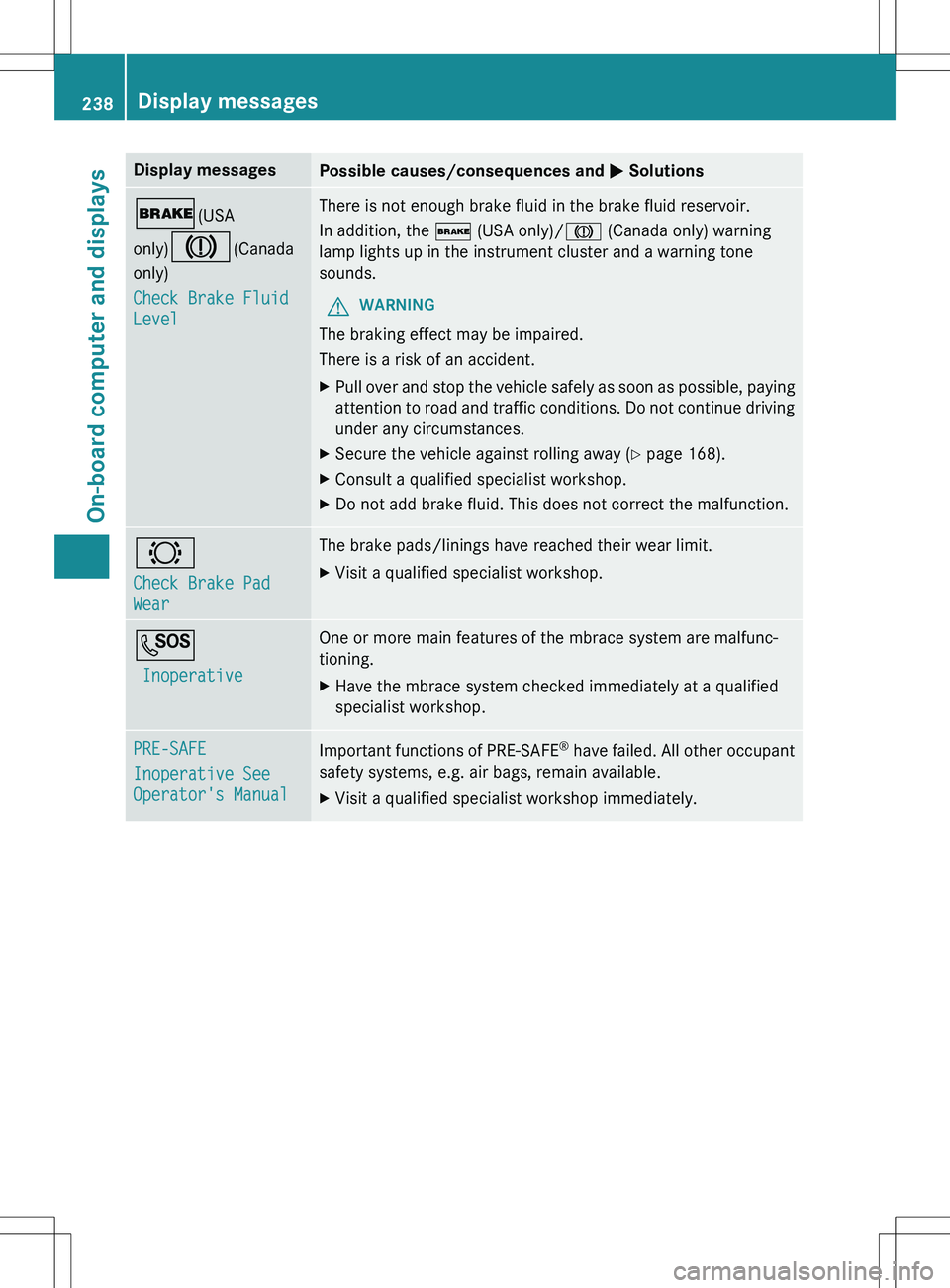
Display messagesPossible causes/consequences and M Solutions
$(USA
only)
J(Canada
only)
Check Brake Fluid
Level
There is not enough brake fluid in the brake fluid reservoir.
In addition, the $ (USA only)/ J (Canada only) warning
lamp lights up in the instrument cluster and a warning tone
sounds.
GWARNING
The braking effect may be impaired.
There is a risk of an accident.
X Pull over and stop the vehicle safely as soon as possible, p aying
attention to road and traffic conditions. Do not con tinue driving
under any circumstances.
X Secure the vehicle against rolling away ( Y page 168).
X Consult a qualified specialist workshop.
X Do not add brake fluid. This does not correct the malfunction.
#
Check Brake Pad
Wear
The brake pads/linings have reached their wear limit.
X Visit a qualified specialist workshop.
G
Inoperative
One or more main features of the mbrace system are malfunc-
tioning.
X Have the mbrace system checked immediately at a qualified
specialist workshop.
PRE-SAFE
Inoperative See
Operator's Manual
Important functions of PRE-SAFE ®
have failed. All other occupant
safety systems, e.g. air bags, remain available.
X Visit a qualified specialist workshop immediately.
238Display messages
On-board computer and displays
Page 241 of 386
Display messagesPossible causes/consequences and M Solutions
PRE-SAFE
Functions Cur�Z
rently Limited See
Operator's Manual
PRE-SAFE®
Brake is temporarily inoperative. Possible causes are:
R function is impaired due to heavy rain or snow.
R the sensors in the radiator trim and the bumper are dirty.
R the radar sensor system is temporarily inoperative, e.g. due to
electromagnetic radiation emitted by nearby TV or radio sta-
tions or other sources of electromagnetic radiation.
R the system is outside the operating temperature range.
R the on-board voltage is too low.
When the causes stated above no longer apply, the display mes-
sage disappears.
PRE �
Page 252 of 386

Display messagesPossible causes/consequences and M Solutions
¯
Eng. Start Not Pos�Z
sible In ..km
The DEF system is malfunctioning. A warning tone also sounds.
X Visit a qualified specialist workshop immediately.
¯
Eng. Start Not Pos�Z
sible
The DEF system is malfunctioning. A warning tone also sounds.
You can no longer start the engine.
X Consult a qualified specialist workshop immediately.
Driving systems
Display messagesPossible causes/consequences and M Solutions
À
Attention Assist:
Take a Break!
Based on certain criteria, ATTENTION ASSIST has detecte d fatigue
or a lack of concentration on the part of the driver. A warning tone
also sounds.
X If necessary, take a break.
During long journeys, take regular breaks in good tim e so you get
enough rest.
À
Attention Assist
Inoperative
ATTENTION ASSIST is inoperative.
X Visit a qualified specialist workshop.
ë
Off
The HOLD function is deactivated. The vehicle is skidding.
A warning tone also sounds.
X Reactivate the HOLD function later ( Y page 184).
The HOLD function is deactivated. When the brake pedal i s firmly
depressed, an activation condition is not fulfilled.
A warning tone also sounds.
X Check the activation conditions for the HOLD function
(Y page 184).
Radar Sensors Deac�Z
tivated See Opera�Z
tor's Manual
The radar sensor system is deactivated.
X Switch on the radar sensor system ( Y page 233).
250Display messages
On-board computer and displays