Page 431 of 886
4313-3. Using the Lexus Display Audio system
3
Interior features Changing the audio source
Press the “MODE” switch when the audio system is turned on. The audio
source changes as follows each time the “MODE” switch is pressed. If no
discs are inserted in the player, or if the external device is not connected,
that mode will be skipped. FM SAT CD player iPod or USB memory
Bluetooth ®
audio AUX AM FM
Adjusting the volume
Press “+” to increase the volume and “-” to decrease the volume. Hold the button in that position to continue increasing or decreasing the vol-
ume.
Silencing a sound
Press and hold the “MODE” switch. To cancel, press and hold
the “MODE” switch .
Selecting a radio station
Press the “MODE” switch to select the radio mode.
Press “ ” or “ ” on to select a radio station.
To seek stations, press and hold “ ” or “ ” on
until you hear a
beep.STEP 1
STEP 2
Page 472 of 886
4723-3. Using the Lexus Display Audio system
Bluetooth ®
settingsYou can set the Bluetooth
system to your desired settings.
Registered devices settings
Connecting telephone
Connecting audio player
Detailed Bluetooth
settings
To display the screen shown above, follow the steps below.
Press the “MENU” button on the Lexus Display Audio control-
ler.
Select “Setup” on the “Menu” screen.
Select “Bluetooth
* ” on the “Setup” screen.
* : Bluetooth is a registered trademark of Bluetooth SIG. Inc. STEP 1
STEP 2
STEP 3
Page 473 of 886
4733-3. Using the Lexus Display Audio system
3
Interior features Registered devices settings
■ Registering a Bluetooth
device
Bluetooth
devices compatible with pho nes (HFP) and portable audio
players (AVP) can be registered simu ltaneously. You can register up to 5
Bluetooth
devices.
Display the “Bluetooth
* Settings” screen. ( P. 4 7 2 )
Select “Registered Devices” on the “Bluetooth
* Settings” screen.
Select “Add New”.
* : Bluetooth is a registered tr ademark of Bluetooth SIG. Inc.STEP 1
STEP 2
STEP 3
Page 476 of 886
4763-3. Using the Lexus Display Audio system
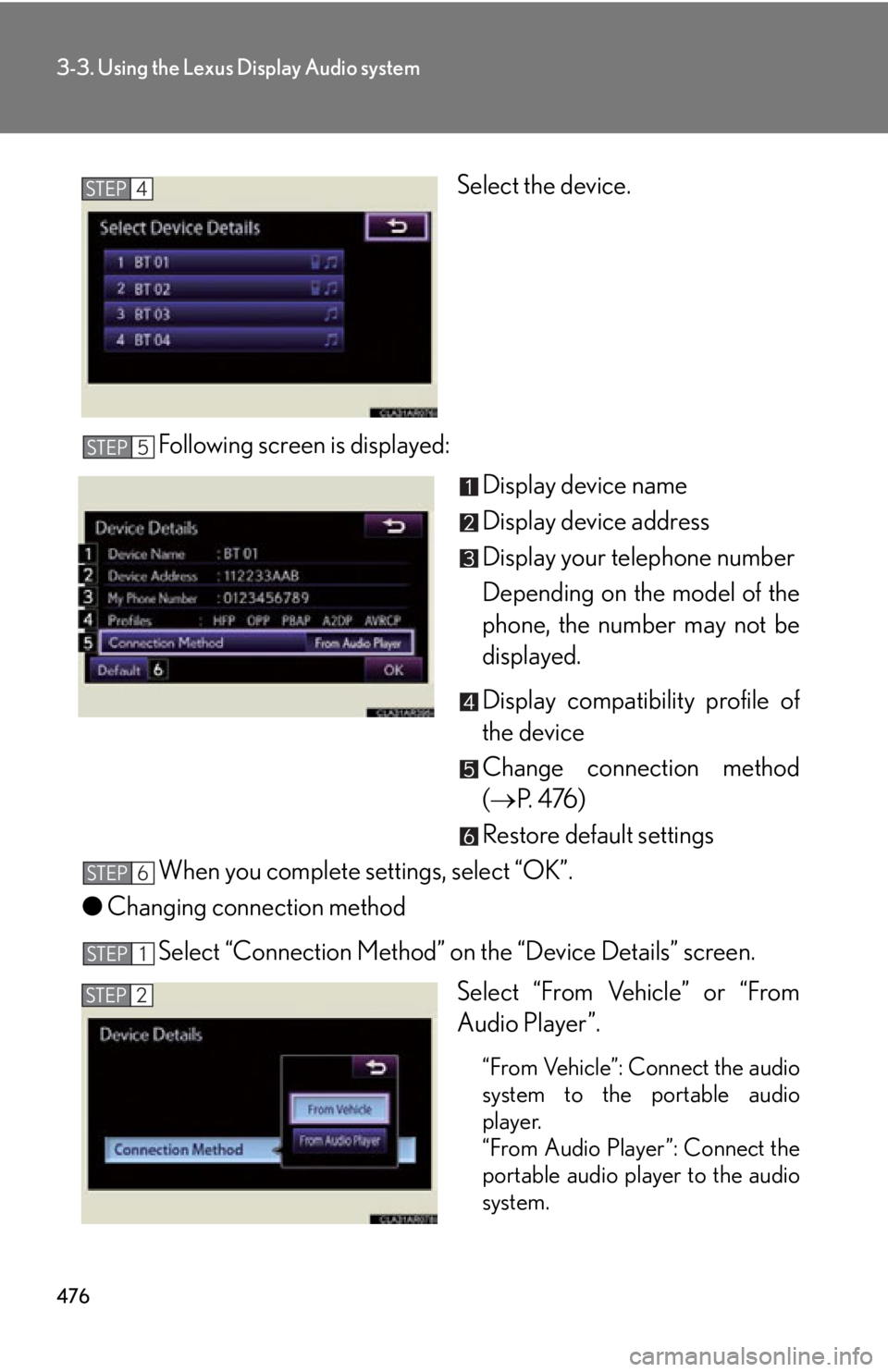
Select the device.
Following screen is displayed:
Display device name
Display device address
Display your telephone number
Depending on the model of the
phone, the number may not be
displayed.
Display compatibility profile of
the device
Change connection method
( P. 4 76 )
Restore default settings
When you complete settings, select “OK”.
● Changing connection method
Select “Connection Method” on the “Device Details” screen.
Select “From Vehicle” or “From
Audio Player”.
“From Vehicle”: Connect the audio
system to the portable audio
player.
“From Audio Player”: Connect the
portable audio player to the audio
system.STEP 4
STEP 5
STEP 6
STEP 1
STEP 2
Page 477 of 886

4773-3. Using the Lexus Display Audio system
3
Interior features Selecting the Bluetooth
phone
If multiple Bluetooth
devices are registered, follow the procedure
below to select the Bluetooth
device to be used. You may only use one
device at a time.
Display the “Bluetooth
* Settings” screen. ( P. 4 7 2 )
Select “Connect Phone” on the “Bluetooth
* Settings” screen.
Select the device to connect. “Add New”: Registering a
Bluetooth
device. ( P. 4 7 3 )
The selection indicator is displayed
on left side of the selected device
name.
The Bluetooth
mark is displayed
when you connected the device.
Selecting the audio player
If multiple Bluetooth
devices are registered, follow the procedure
below to select the Bluetooth
device to be used. You may only use one
device at a time.
Display the “Bluetooth
* Settings” screen. ( P. 4 7 2 )
Select “Connect Audio Player” on the “Bluetooth
* Settings”
screen.
Select the device to connect.
“Add New”: Registering a
Bluetooth
device. ( P. 4 7 3 )
The selection indicator is displayed
on left side of the selected device
name.
The Bluetooth
mark is displayed
when you connected the device.
* : Bluetooth is a registered tr ademark of Bluetooth SIG. Inc.STEP 1
STEP 2
STEP 3
STEP 1
STEP 2
STEP 3
Page 478 of 886
4783-3. Using the Lexus Display Audio system
Detailed Bluetooth
settings
You can confirm and change the detailed Bluetooth
settings.
Display the “Bluetooth
* Settings” screen. ( P. 4 7 2 )
Select “Detailed Bluetooth
* Settings” on the “Bluetooth
*Settings” screen.
Following screen is displayed:
Change Bluetooth
power on/
off You can change Bluetooth
func-
tion to “On” or “Off”
Display device name
Change passcode ( P. 4 7 9 )
Display device address
Restore default settings
Display compatibility profile of
the system
Change displaying telephone
status on/off You can set the system to show the
status confirmation display when
connecting telephone
Change displaying audio player
status on/off
You can set the system to show the
status confirmation display when
connecting audio player
When you complete settings, select “Save”.
* : Bluetooth is a registered tr ademark of Bluetooth SIG. Inc.STEP 1
STEP 2
STEP 3
STEP 4
Page 480 of 886
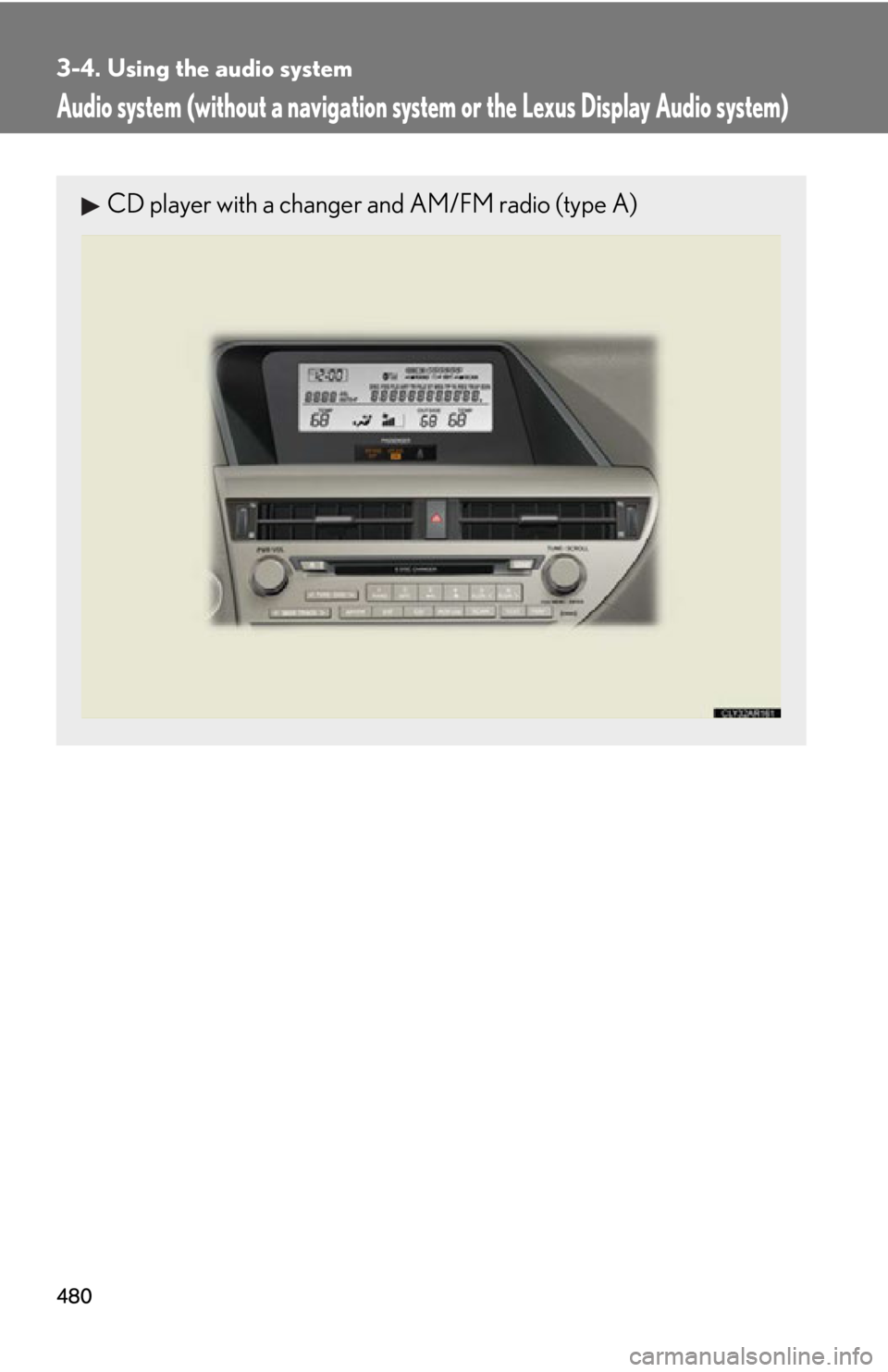
4803-4. Using the audio system
Audio system (without a navigation syst em or the Lexus Display Audio system)CD player with a changer and AM/FM radio (type A)
Page 481 of 886
4813-4. Using the audio system
3
Interior features CD player with a changer and AM/FM radio (type B)
Ti t l e Pa g e
Using the radio P. 4 8 3
Using the CD player P. 4 9 2
Playing MP3 and WMA discs P. 5 0 1
Operating an iPod P. 5 1 0
Operating a USB memory P. 5 2 0
Bluetooth ®
audio system P. 5 3 0
Optimal use of the audio system P. 5 5 2
Using the AUX port P. 5 5 4
Using the steering wheel audio switches P. 5 5 6
Hands-free system for mobile phones P. 5 6 0