Page 14 of 886
14Pictorial index Instrument panelHeadlight switch
Turn signal lever
Fog light switch P. 211
P. 187
P. 215
Windshield wipers and washer switch
Rear window wiper and washer switch P. 217
P. 224Power back door main
switch P. 58
Tilt and telescopic steering control switch P. 90Engine (ignition) switch P. 165
Hood lock release
lever P. 667 Gauges and meters
Multi-information display P. 191
P. 200
Glove box P. 599
Horn P. 190
Parking brake pedal P. 189
Page 15 of 886
15A Without a navigation system or the Lexus Display Audio system
Security indicator P. 110, 112
Audio system
P. 480
Emergency
flasher switch P. 734 ● Display light control
● Outside temperature
display
● Clock
● Air conditioning
display
● Audio display P. 615
P. 613
P. 611
P. 353
P. 480Multi display
Air conditioning
system P. 353
Rear window and outside rear view
mirror defogger switch P. 361
Page 20 of 886
20 : If equipped
* : For vehicles with a navigation system, refe r to the “Navigation System Owner’s Manual”.E
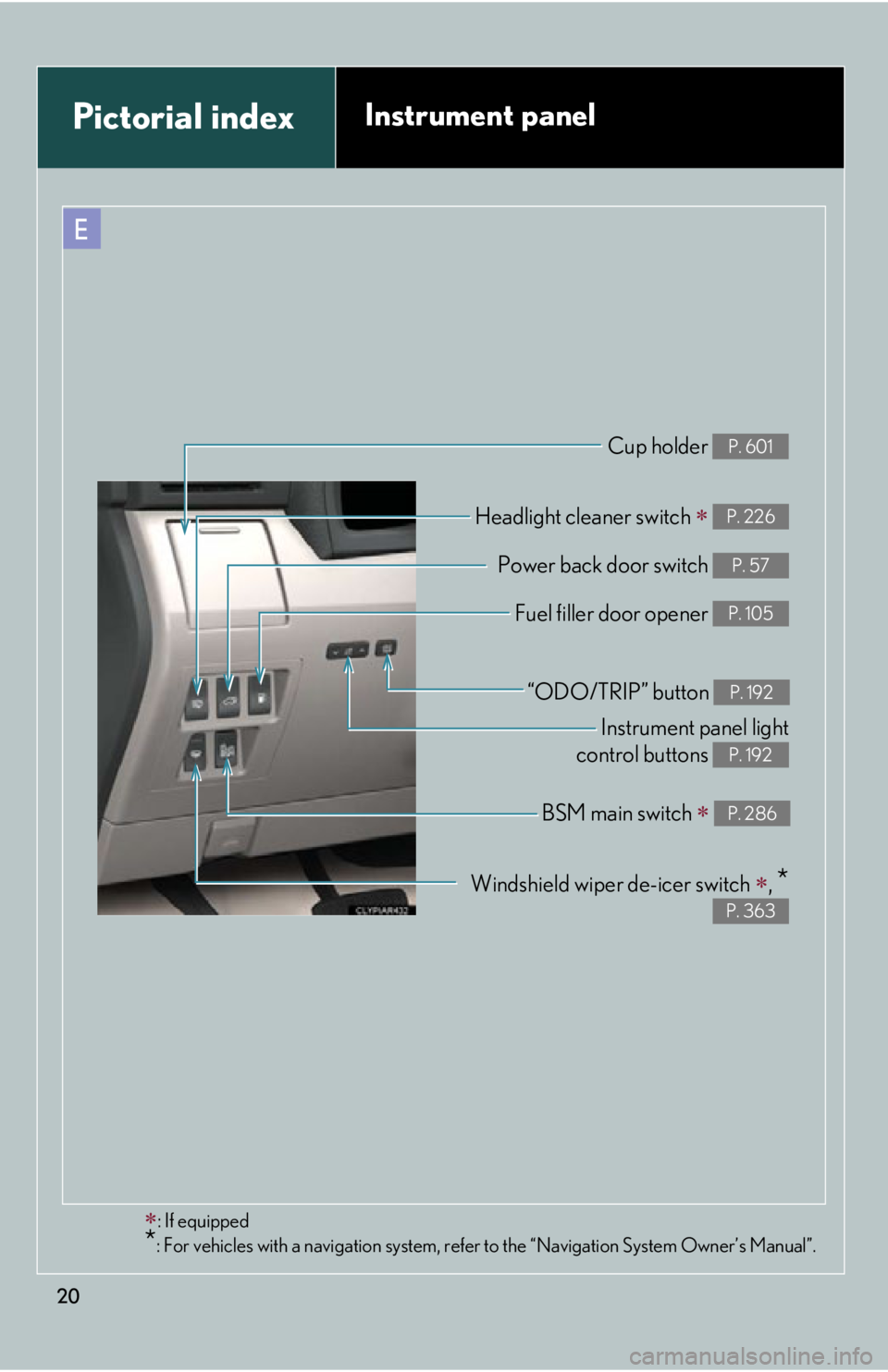
Cup holder P. 601
Headlight cleaner switch
P. 226
Power back door switch P. 57
Fuel filler door opener P. 105
Instrument panel light
control buttons P. 192
“ODO/TRIP” button P. 192
Windshield wiper de-icer switch
,
* P. 363
BSM main switch
P. 286Pictorial index Instrument panel
Page 22 of 886
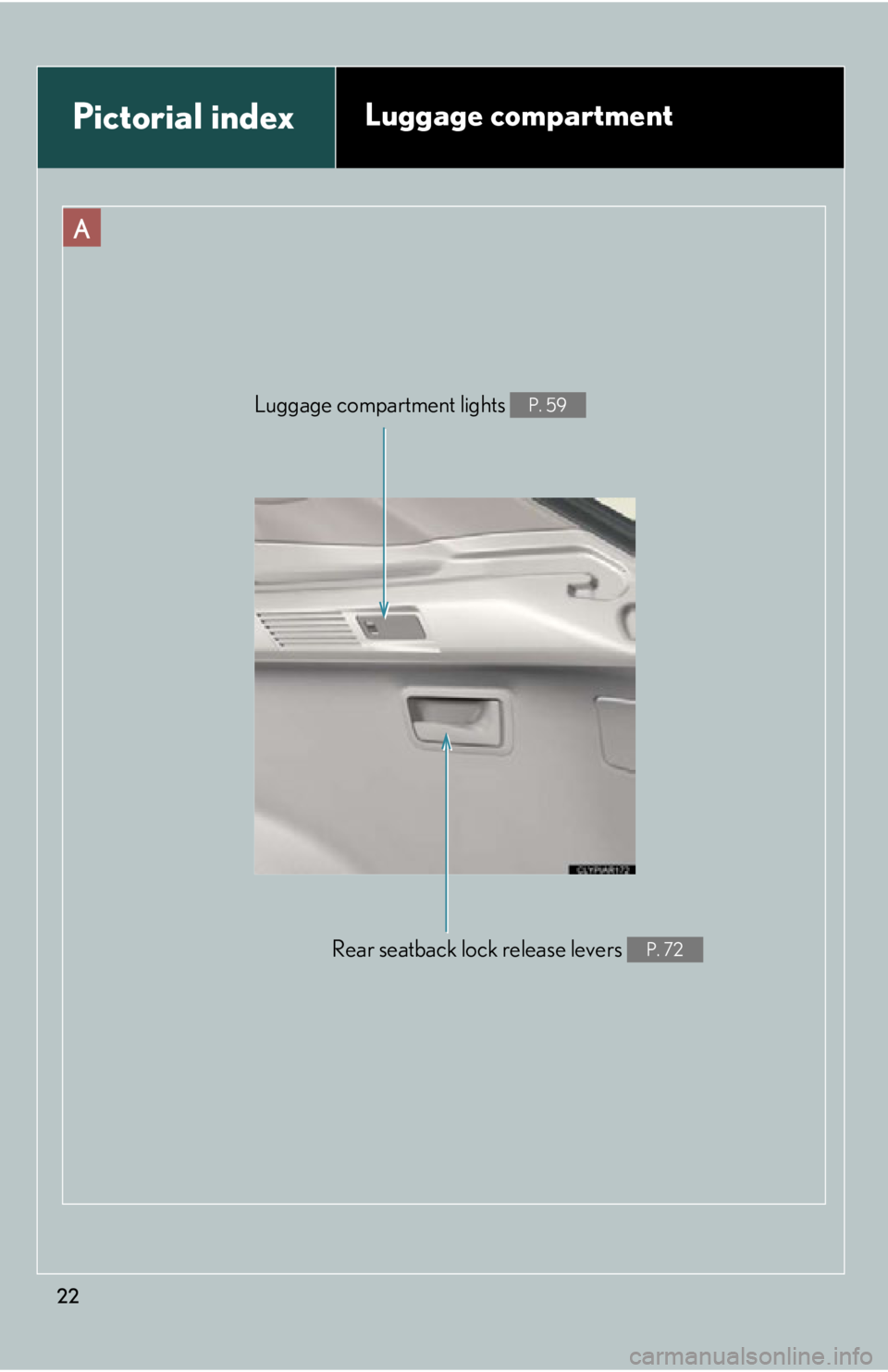
22A
Rear seatback lock release levers P. 72Luggage compartment lights P. 59
Pictorial index Luggage compartment
Page 34 of 886

341-1. Key information
NOTICE■
Precautions for handling the card key ●
Do not apply excess force when inserting the mechanical key into the card key.
Doing so may damage the card key.●
If the battery or card key terminals get wet, the battery may corrode and the card
key may stop working.
If the key is dropped into water, or if drinking water etc. is spilled on the key,
immediately remove the battery cover and wipe the battery and terminals. (To
remove the battery cover, lightly grasp and pull it.) If the battery is corroded, have
your Lexus dealer replace the battery.●
Do not crush the battery cover or use a screwdriver to remove the battery cover.
Forcibly removing the battery co ver may bend or damage the key.●
If the battery cover is frequently removed, the battery cover may become loose.●
When installing the battery, make sure to check the direct ion of the battery.
Installing the battery in the wrong direction may cause the battery to deplete rap-
idly.●
The surface of the card key may be damage d, or its coating may peel off in the
following situations:
• The card key is carried together with hard objects, such as coins and keys.
• The card key is scraped with a sharp object, such as the tip of a mechanical
pencil.
• The surface of the card key is wiped with thinner or benzene.
Page 44 of 886

441-2. Opening, closing and locking the doors
■
Notes for locking the doors ●
Touching the door lock sensor while we aring gloves may delay or prevent lock
operation. Remove the gloves and touch the lock sensor again.●
When the lock operation is performed using the lock sensor, recognition signals
will be shown up to two consecutive times. After this, no recognition signals will
be given. ●
If the door handle becomes wet while the electronic key is within the effective
range, the door may lock and unlock repeatedly. Place the key in a position 6 ft.
(2 m) or more separate from the vehicle while the vehicle is being washed. (Take
care to ensure that the key is not stolen.)●
If the electronic key is inside the vehicle and a door handle becomes wet during
a car wash, a message may be shown on the multi-information display and a
buzzer will sound outside the vehicle. To turn off the alarm, lock all the doors.●
The lock sensor may not work properly if it comes into contact with ice, snow,
mud, etc. Clean the lock sensor and atte mpt to operate it again, or use the lock
sensor on the lower part of the door handle.●
Fingernails may scrape against the door during operation of the door handle.
Be careful not to injure fingernails or damage the surface of the door. ■
Notes for the unlocking function ●
Gripping the door handle when wearing a glove may not unlock the door.●
A sudden approach to the effective range or door handle may prevent the
doors from being unlocked. In this case, return the door handle to the original
position and check that the doors unlock before pulling the door handle again.●
If there is another electronic key in the detection area, it may take slightly longer
to unlock the doors after the door handle is gripped. ■
When the vehicle is not driven for extended periods ●
To prevent theft of the vehicle, do not le ave the electronic key within 6 ft. (2 m)
of the vehicle.
●
The smart access system with push-butto n start can be deactivated in advance.
( P. 8 3 4 )
Page 50 of 886
501-2. Opening, closing and locking the doors
■
Operation signals
Doors:
A buzzer sounds and the emergency flashers flash to indicate that the doors have
been locked/unlocked. (Locked: Once; Unlocked: Twice)
Back door:
A buzzer sounds and the emergency flasher s flash twice to indicate that the back
door is opening/closing.
Windows and moon roof:
A buzzer sounds to indicate that the windows and moon roof are opening.■
Door lock buzzer
If an attempt to lock the doors is made when a door is not fully closed, a buzzer
sounds continuously. Fully close the door to stop the buzzer, and lock the vehicle
once more.■
Security feature
P. 4 1■
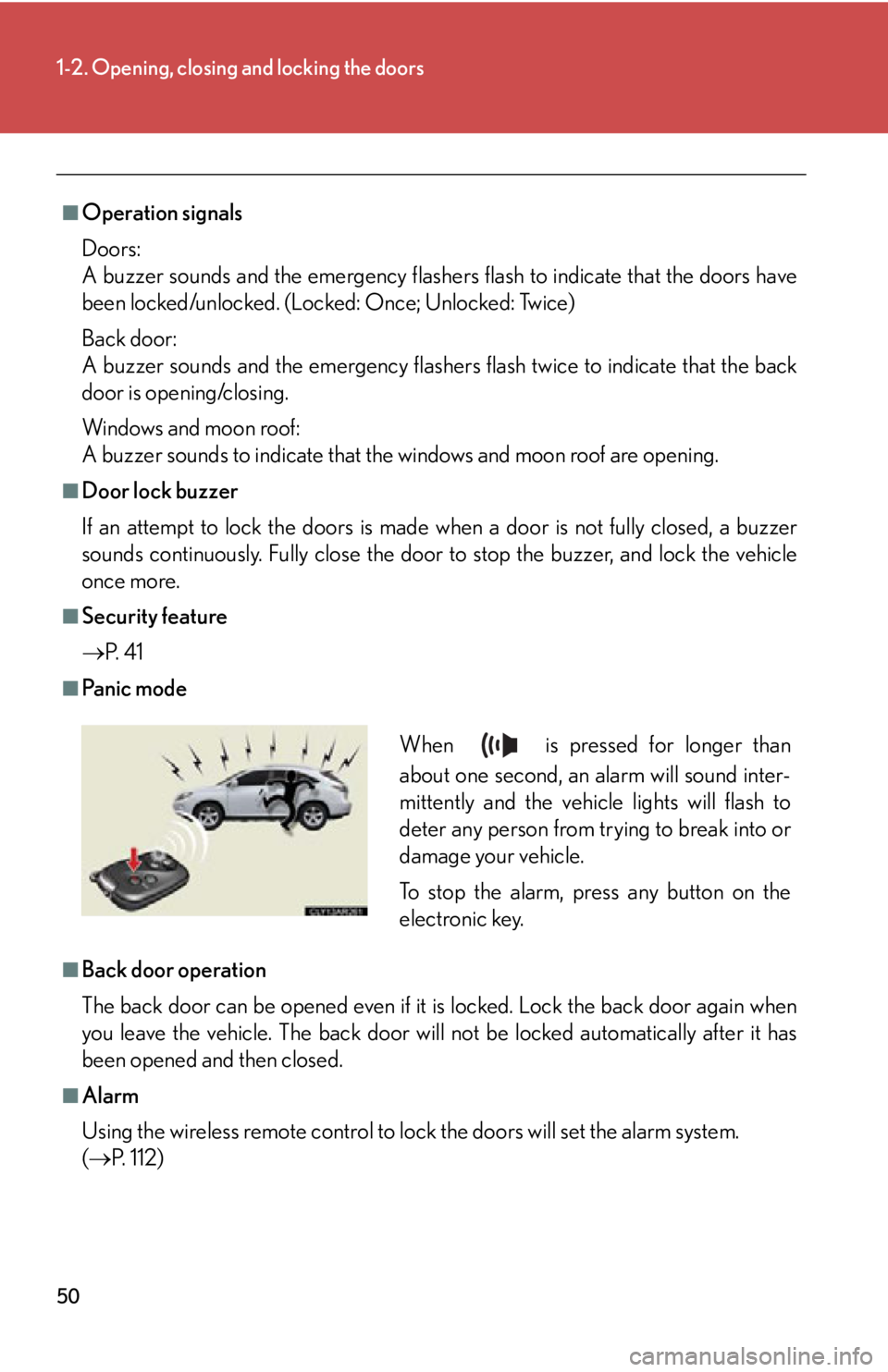
Pa n i c m o d e
■
Back door operation
The back door can be opened even if it is locked. Lock the back door again when
you leave the vehicle. The back door will not be locked automatically after it has
been opened and then closed.
■
Alarm
Using the wireless remote control to lock the doors will set the alarm system.
( P. 112) When is pressed for longer than
about one second, an alarm will sound inter-
mittently and the vehicle lights will flash to
deter any person from trying to break into or
damage your vehicle.
To stop the alarm, press any button on the
electronic key.
Page 59 of 886
591-2. Opening, closing and locking the doors
1
Before driving ■
The power back door can be operated when ●
The back door is unlocked. (Except for using the back door opener button or
wireless remote control, when the power back door can be operated even if it is
locked.)●
The power back door main switch is on.●
To open the power back door when the “ENGINE START STOP” switch is in
IGNITION ON mode, the power back door main switch must be on, the vehi-
cle speed must be lower than 1 mph (3 km /h) and the shift lever must be in P.
(When using the back door opener button only)●
The “ENGINE START STOP” switch is turned off. (When using the wireless
remote control only)■
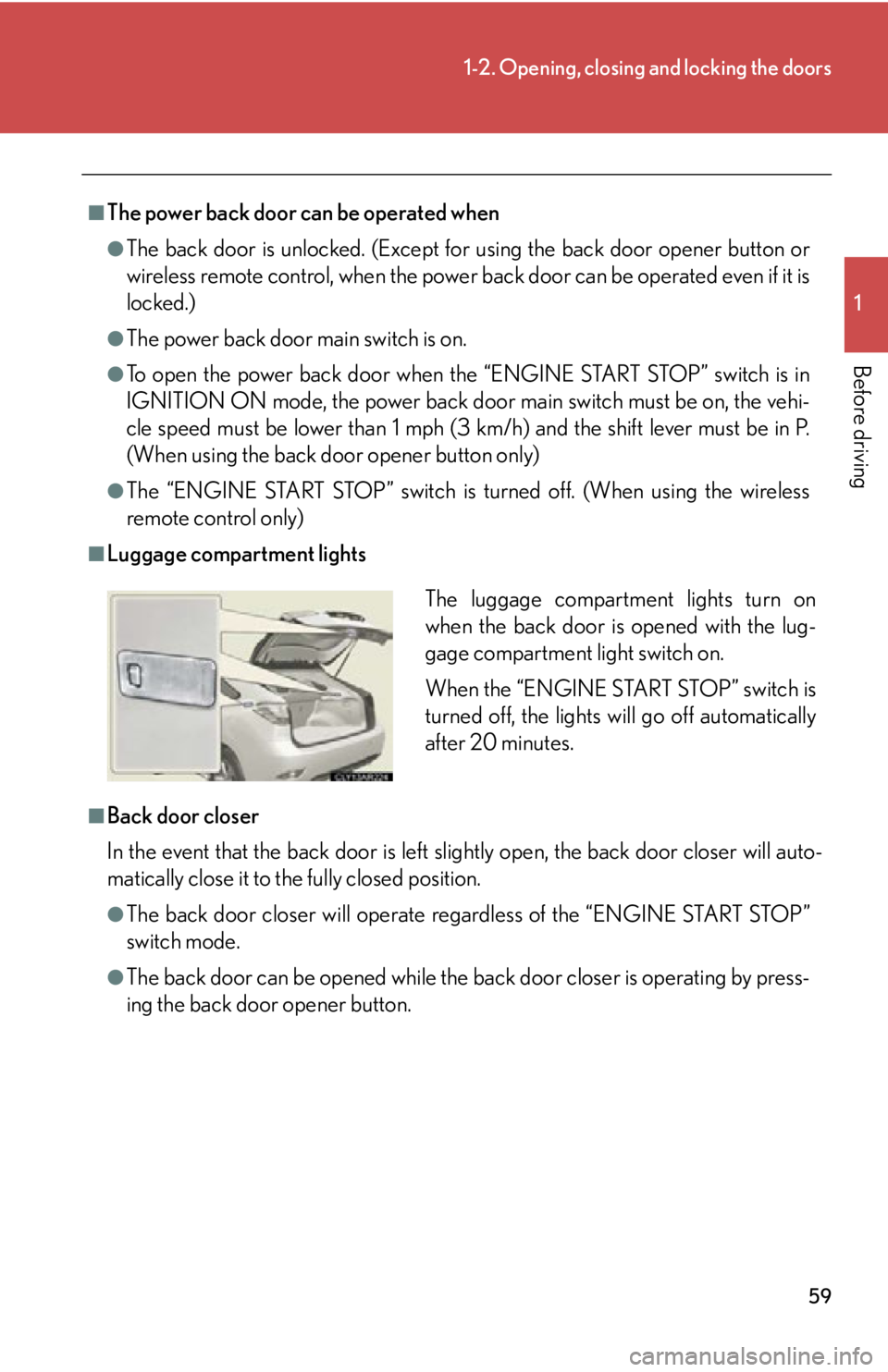
Luggage compartment lights
■
Back door closer
In the event that the back door is left sl ightly open, the back door closer will auto-
matically close it to the fully closed position. ●
The back door closer wi ll operate regardless of the “ENGINE START STOP”
switch mode.●
The back door can be opened while the ba ck door closer is operating by press-
ing the back door opener button. The luggage compartment lights turn on
when the back door is opened with the lug-
gage compartment light switch on.
When the “ENGINE START STOP” switch is
turned off, the lights will go off automatically
after 20 minutes.