Page 633 of 886
6333-7. Other interior features
3
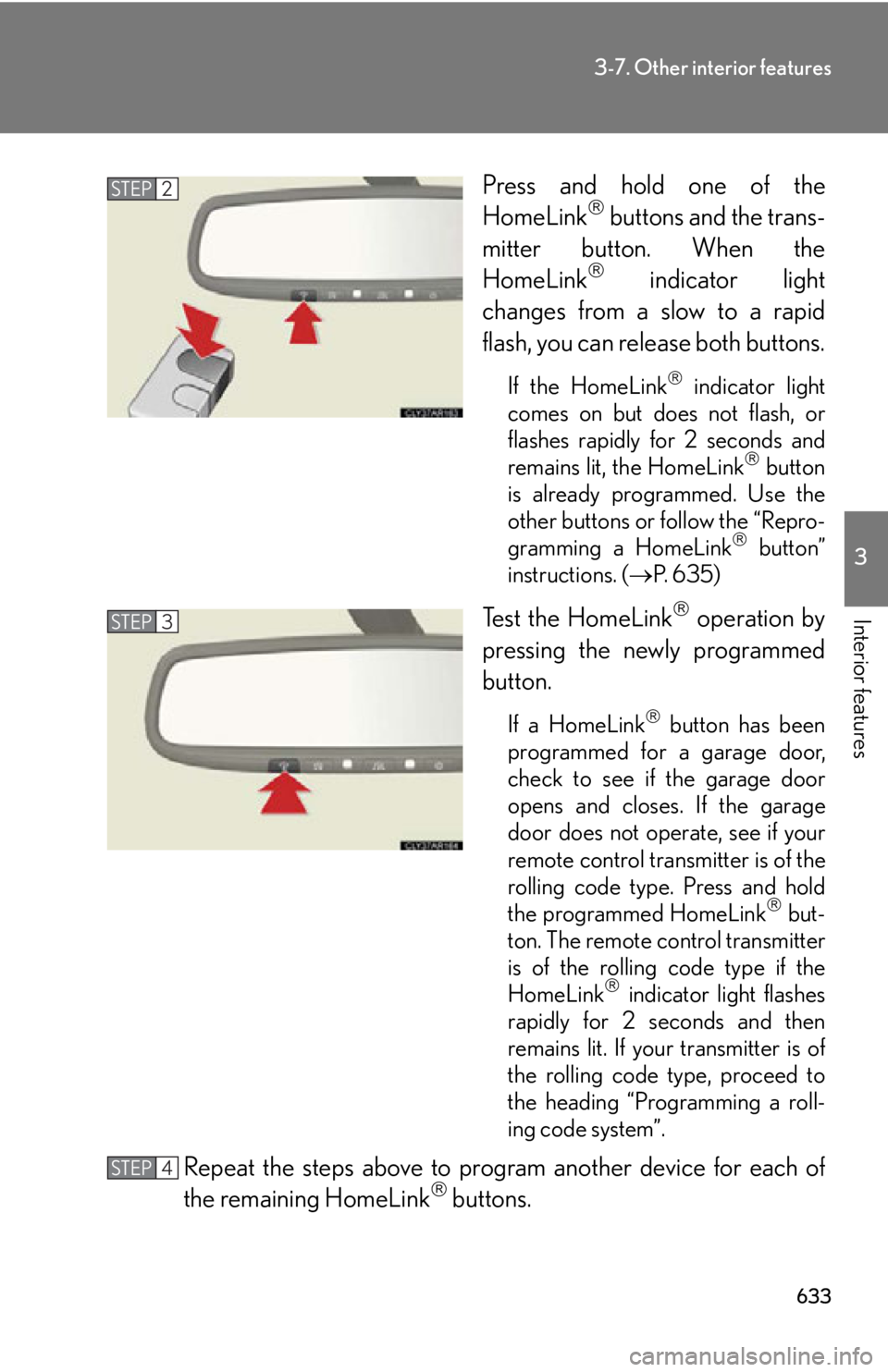
Interior features Press and hold one of the
HomeLink
buttons and the trans-
mitter button. When the
HomeLink
indicator light
changes from a slow to a rapid
flash, you can release both buttons. If the HomeLink
indicator light
comes on but does not flash, or
flashes rapidly for 2 seconds and
remains lit, the HomeLink
button
is already programmed. Use the
other buttons or follow the “Repro-
gramming a HomeLink
button”
instructions. ( P. 6 3 5 )
Test the HomeLink
operation by
pressing the newly programmed
button. If a HomeLink
button has been
programmed for a garage door,
check to see if the garage door
opens and closes. If the garage
door does not operate, see if your
remote control transmitter is of the
rolling code type. Press and hold
the programmed HomeLink
but-
ton. The remote control transmitter
is of the rolling code type if the
HomeLink
indicator light flashes
rapidly for 2 seconds and then
remains lit. If your transmitter is of
the rolling code type, proceed to
the heading “Programming a roll-
ing code system”.
Repeat the steps above to program another device for each of
the remaining HomeLink
buttons.STEP 2
STEP 3
STEP 4
Page 634 of 886
6343-7. Other interior features
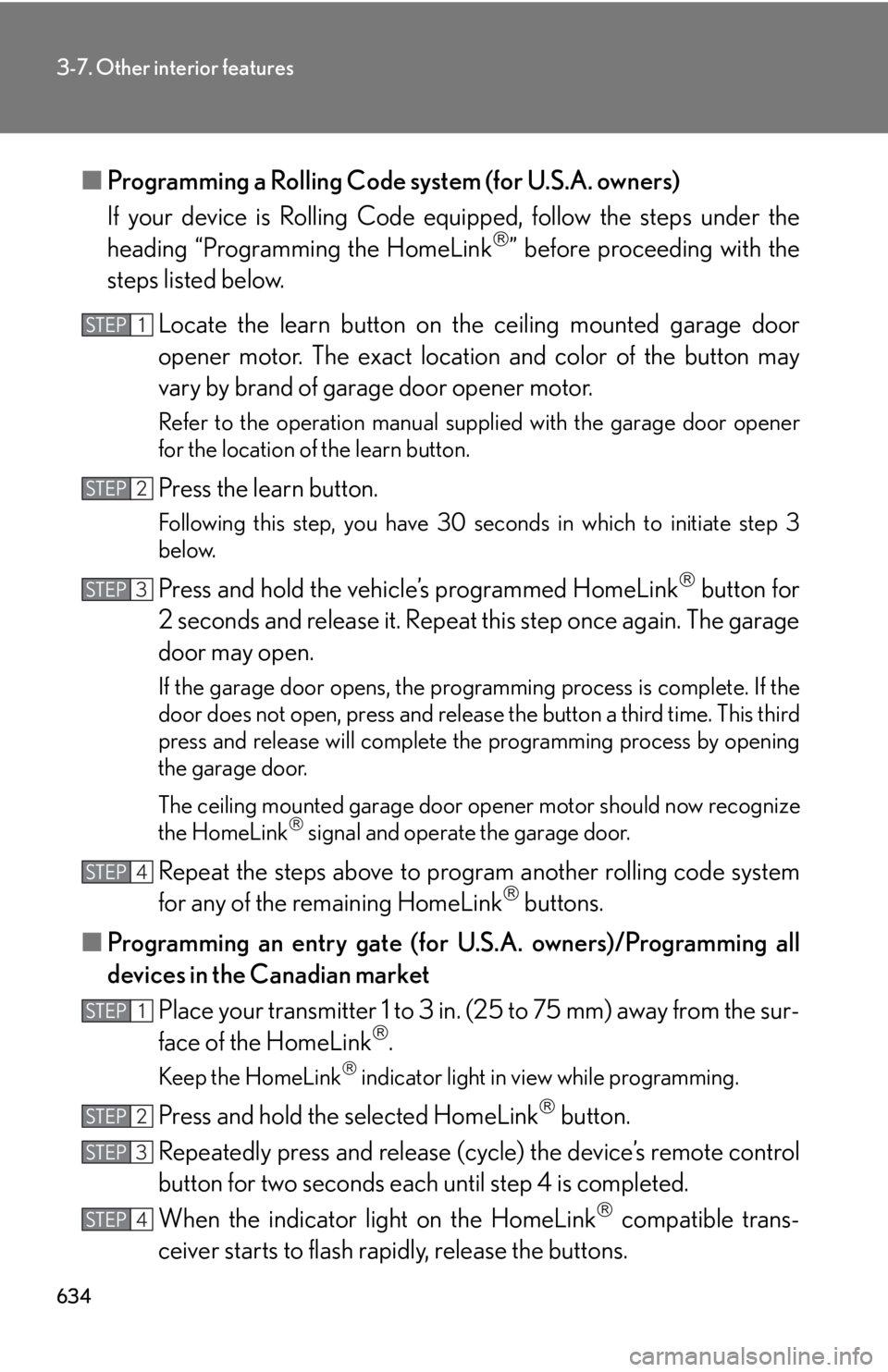
■ Programming a Rolling Code system (for U.S.A. owners)
If your device is Rolling Code eq uipped, follow the steps under the
heading “Programming the HomeLink
” before proceeding with the
steps listed below.
Locate the learn button on th e ceiling mounted garage door
opener motor. The exact location and color of the button may
vary by brand of garage door opener motor. Refer to the operation manual supplied with the garage door opener
for the location of the learn button.
Press the learn button. Following this step, you have 30 se conds in which to initiate step 3
below.
Press and hold the vehi cle’s programmed HomeLink
button for
2 seconds and release it. Repeat this step once again. The garage
door may open. If the garage door opens, the programming process is complete. If the
door does not open, press and release the button a third time. This third
press and release will complete the programming process by opening
the garage door.
The ceiling mounted garage door op ener motor should now recognize
the HomeLink
signal and operate the garage door.
Repeat the steps above to prog ram another rolling code system
for any of the remaining HomeLink
buttons.
■ Programming an entry gate (for U .S.A. owners)/Programming all
devices in the Canadian market
Place your transmitter 1 to 3 in. (25 to 75 mm) away from the sur-
face of the HomeLink
.
Keep the HomeLink
indicator light in view while programming.
Press and hold the selected HomeLink
button.
Repeatedly press and release (cyc le) the device’s remote control
button for two seconds each until step 4 is completed.
When the indicator light on the HomeLink
compatible trans-
ceiver starts to flash rapidly, release the buttons.STEP 1
STEP 2
STEP 3
STEP 4
STEP 1
STEP 2
STEP 3
STEP 4
Page 635 of 886

6353-7. Other interior features
3
Interior features Test the operation of the HomeLink
by pressing the newly pro-
grammed button. Check to see if the gate/device operates cor-
rectly.
Repeat the steps above to program another device for each of
the remaining HomeLink
buttons.
■ Programming other devices
To program other devices such as home security systems, home door
locks or lighting, contact your auth orized Lexus dealer for assistance.
■ Reprogramming a button
The individual HomeLink
buttons cannot be erased but can be
reprogrammed. To reprogram a button, follow the “Reprogramming a
HomeLink
button” instructions.
Operating HomeLink
Press the appropriate HomeLink
button. The HomeLink
indicator
light should turn on. The HomeLink
compatible transceiver in your vehicle continues to send a
signal for up to 20 seconds as long as the button is pressed.
Reprogramming a HomeLink
button
Press and hold the desired HomeLink
button. After 20 seconds, the
HomeLink
indicator light will st art flashing slowly. Next, while still press-
ing and holding the HomeLink
button, press and hold the button on the
transmitter until the HomeLink
indicator light chan ges from a slow to a
rapid flash. STEP 5
STEP 6
Page 636 of 886
6363-7. Other interior features
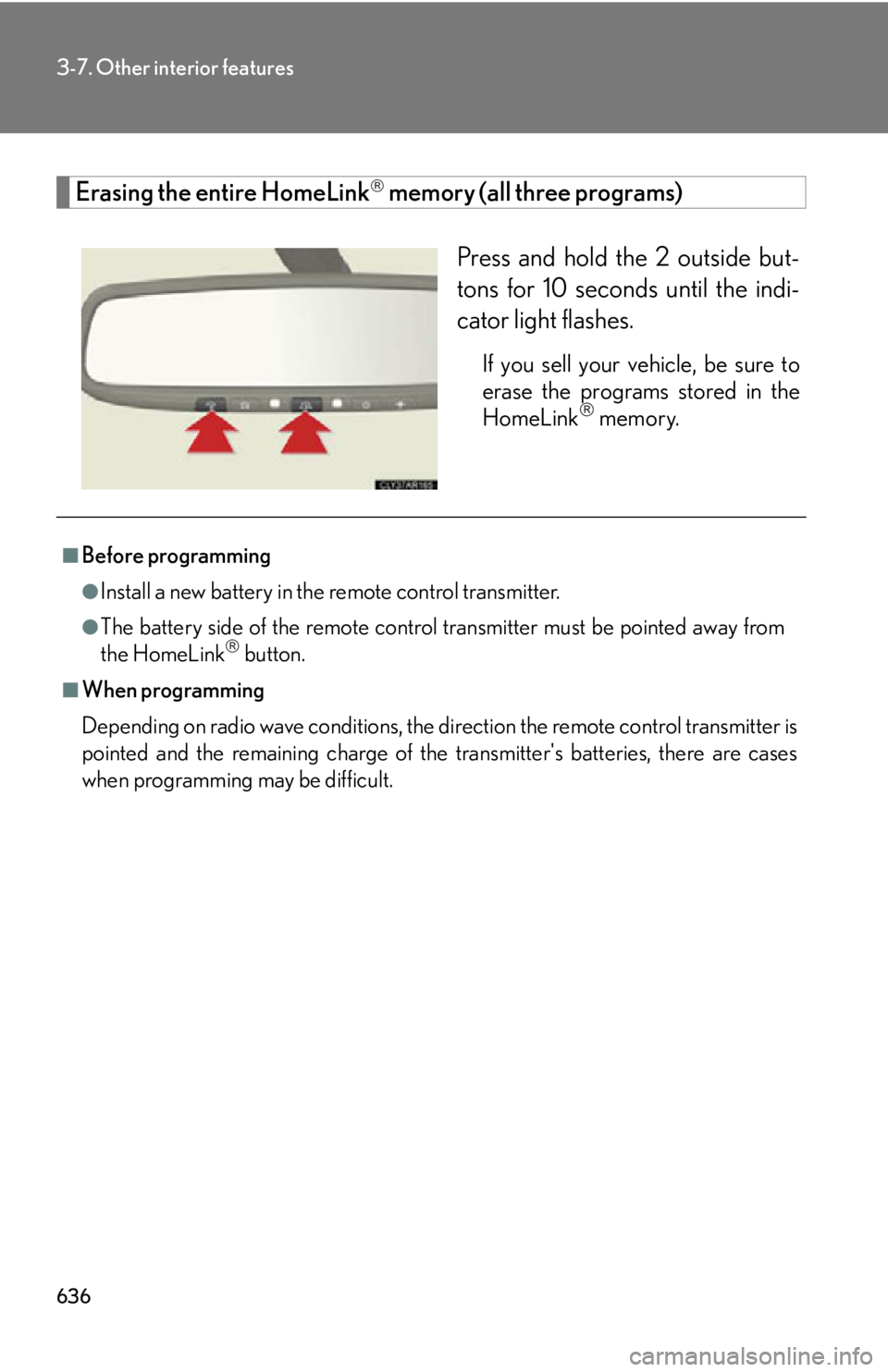
Erasing the entire HomeLink
memory (all three programs)
Press and hold the 2 outside but-
tons for 10 seconds until the indi-
cator light flashes. If you sell your vehicle, be sure to
erase the programs stored in the
HomeLink
memory.
■
Before programming ●
Install a new battery in the remote control transmitter.●
The battery side of the remote control transmitter must be pointed away from
the HomeLink
button.■
When programming
Depending on radio wave conditions, the di rection the remote control transmitter is
pointed and the remaining charge of the transmitter's batteries, there are cases
when programming may be difficult.
Page 642 of 886
6423-7. Other interior features
Safety Connect
: If equippedSafety Connect is a subscription-based telematics service that uses Global
Positioning System (GPS) data and emb edded cellular technology to pro-
vide safety and security features to subscribers. Safety Connect is sup-
ported by Lexus’ designated response center, which operates 24 hours per
day, 7 days per week.
Safety Connect service is available by subscription on select, telematics
hardware-equipped vehicles.
By using the Safety Connect service, you are agreeing to be bound by the
Telematics Subscription Service Agreement and its Terms and Conditions,
as in effect and amended from time to time, a current copy of which is avail-
able at Lexus.com. All use of the Safety Connect service is subject to such
then-applicable Terms and Conditions.
■ System components
Microphone
LED light indicators
“SOS” button
Page 645 of 886

6453-7. Other interior features
3
Interior features Safety Connect LED light Indicators
● When the “ENGINE START STOP” switch is turned to IGNITION
ON mode, the red indicator light co mes on for 2 seco nds then turns
off. Afterward, the green indicator light comes on, indicating that the
service is active.
● The following indicator light patterns indica te specific system usage
conditions:
• Green indicator light on = Active service
• Green indicator light flashing = Safety Connect call in process
• Red indicator light (except at vehicle start-up) = System malfunction
(contact your Lexus dealer)
• No indicator light (off) = Saf ety Connect service not active
Safety Connect services
■ Automatic Collision Notification
In case of either airbag deployment or severe rear-end collision, the
system is designed to automatically call the response center. The
responding agent receives the vehicl e’s location and attempts to speak
with the vehicle occupants to asse ss the level of emergency. If the
occupants are unable to communicate, the agent automatically treats
the call as an emergency, contacts the nearest emergency services
provider to describe the situation, and requests that assistance be sent
to the location.
Page 649 of 886

Maintenance and care
4
6494-1. Maintenance and care
Cleaning and protecting
the vehicle exterior............. 650
Cleaning and protecting
the vehicle interior .............. 653
4-2. Maintenance
Maintenance
requirements ........................ 656
General maintenance .......... 659
Emission inspection and
maintenance (I/M)
programs................................ 663 4-3. Do-it-yourself
maintenance
Do-it-yourself service
precautions ........................... 664
Hood ........................................... 667
Positioning a floor jack ......... 668
Engine compartment ............ 670
Tires............................................ 684
Tire inflation pressure........... 693
Wheels ....................................... 697
Air conditioning filter ........... 699
Electronic key battery........... 701
Checking and replacing
fuses ........................................ 703
Headlight aim ........................... 716
Light bulbs ................................. 719
Page 652 of 886
6524-1. Maintenance and care
NOTICE■
To prevent paint deterioration and corros ion on the body and components (alu-
minum wheels etc.) ●
Wash the vehicle immediately in the following cases:
• After driving near the sea coast
• After driving on salted roads
• If you see coal tar or tree sap on the paint surface
• If you see dead in sects, insect droppings or bird droppings on the paint
• After driving in an area contaminated with soot, oily smoke, mine dust, iron
powder or chemical substances
• If the vehicle becomes heavily soiled in dust or mud
• If liquids such as benzene and gasoline are spilled on the paint surface●
If the paint is chipped or scratched, have it repaired immediately.●
To prevent the wheels from corroding, remove any dirt and store in a place with
low humidity when storing the wheels.■
Cleaning the exterior lights ●
Wash carefully. Do not use organic substances or scrub with a hard brush.
This may damage the surfaces of the lights.●
Do not apply wax to the surfaces of the lights.
Wax may cause damage to the lenses.■
To prevent damage to the windshield wiper arms
When lifting the wiper arms away from th e windshield, pull the driver side wiper
arm upward first, and repeat for the passenger side. When returning the wipers to
their original position, do so from the passenger side first.■
When using an automatic car wash (vehicle s with rain-sensing windshield wipers)
Set the wiper switch to the off position.
If the wiper switch is in , the wipers may operate and the wiper blades may
be damaged.