Page 596 of 886
5963-5. Using the interior lights
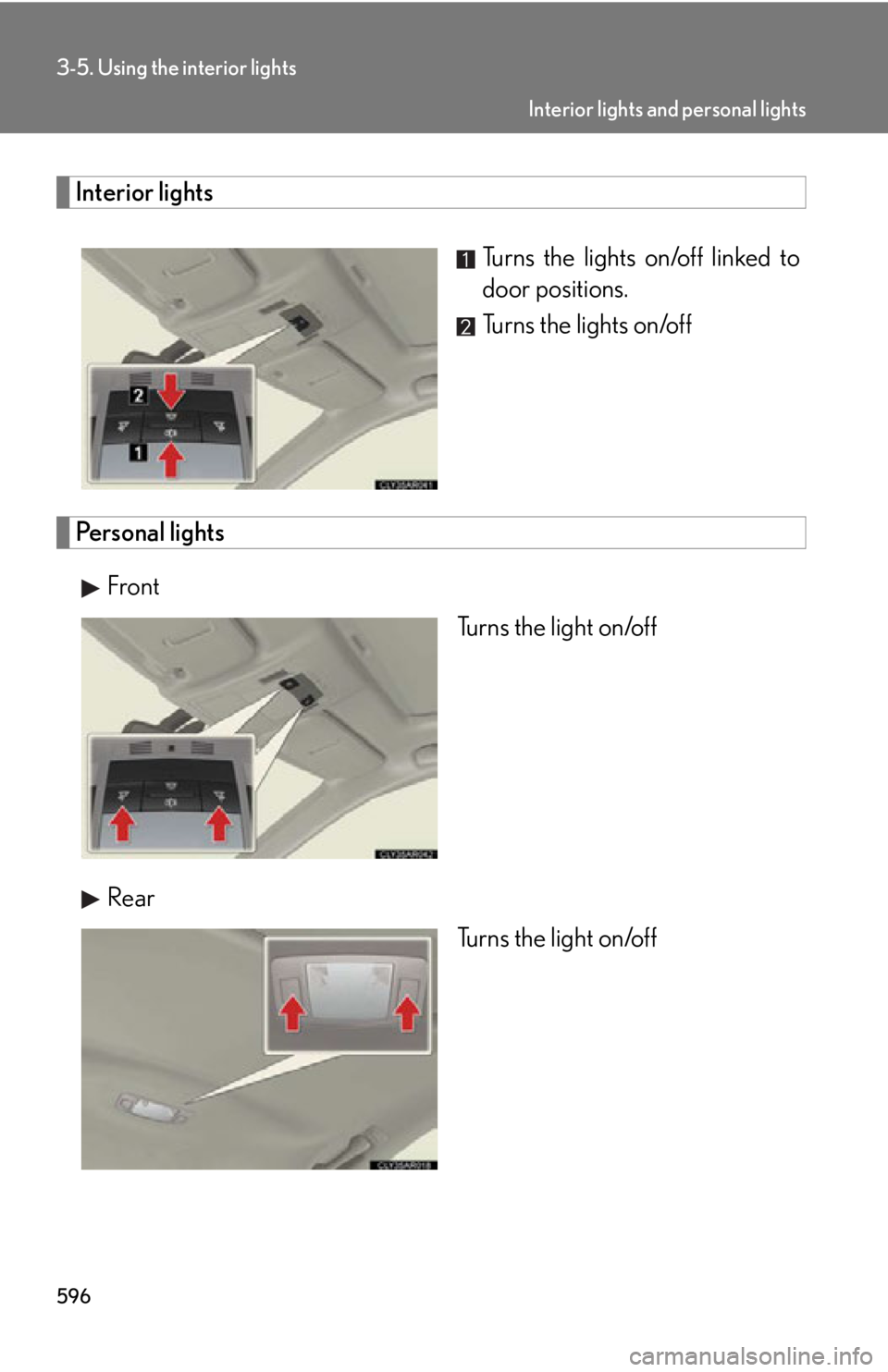
Interior lights
Turns the lights on/off linked to
door positions.
Turns the lights on/off
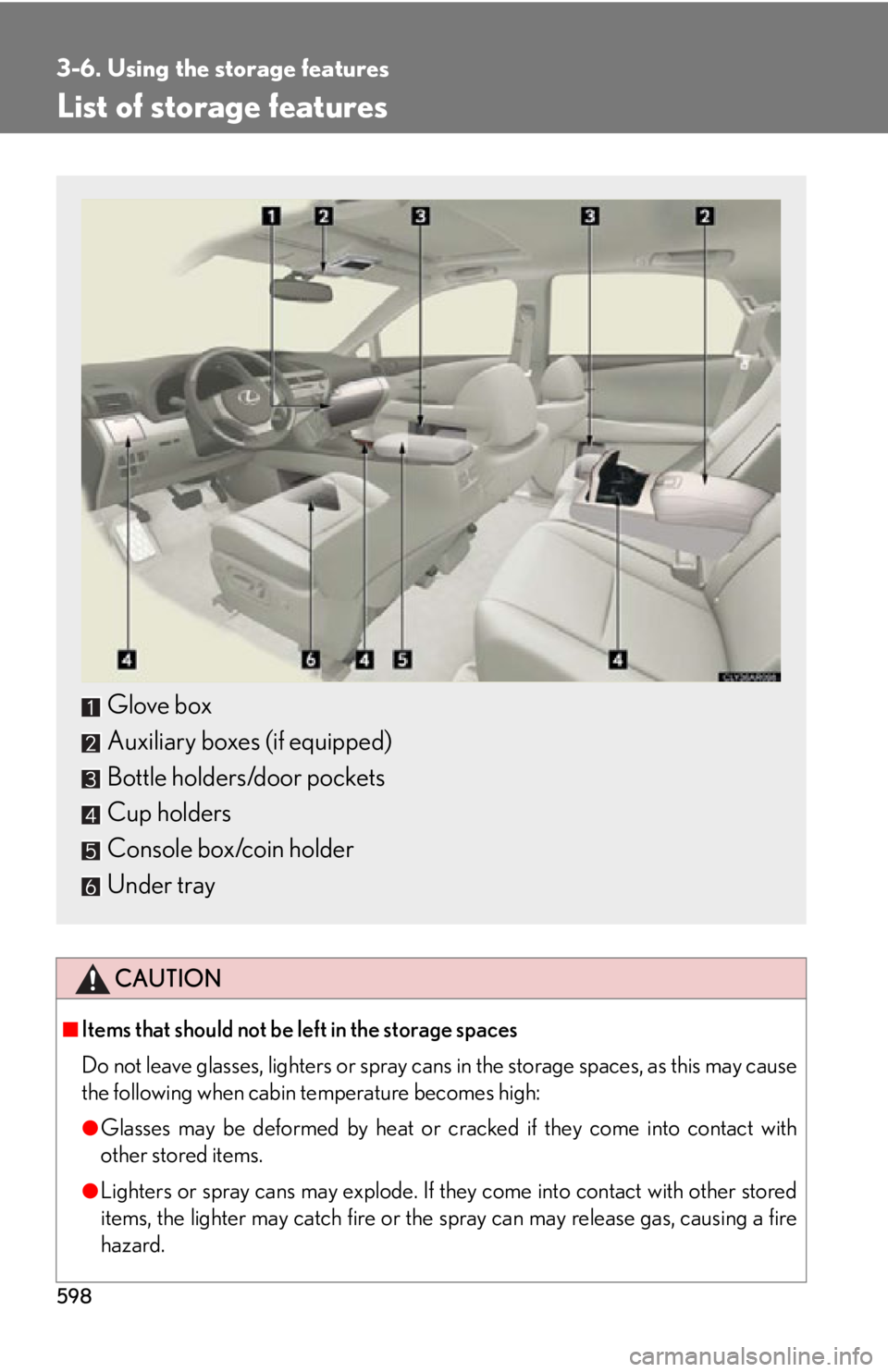
Personal lights
Front
Turns the light on/off
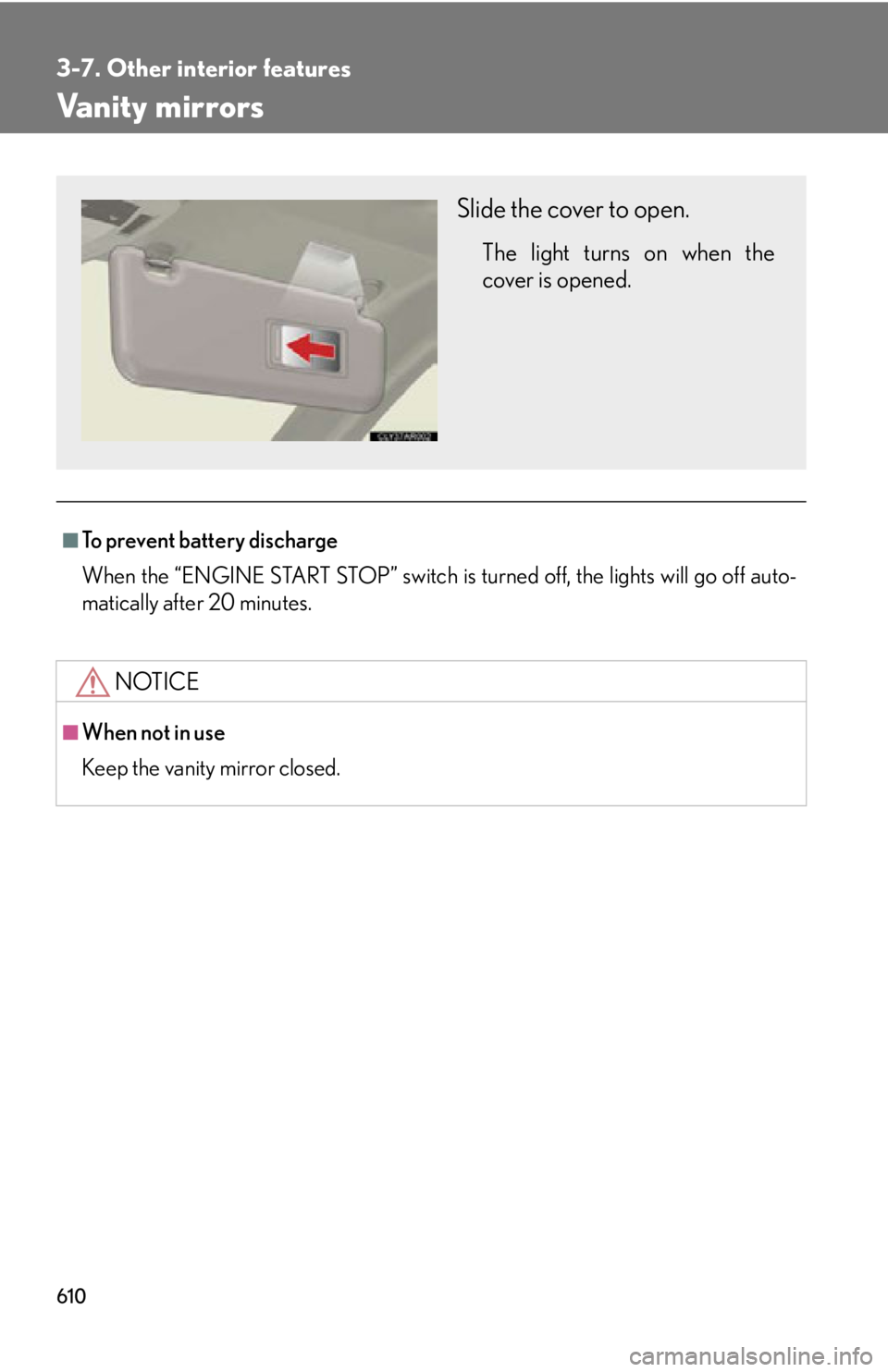
Rear
Turns the light on/off Interior lights and personal lights
Page 597 of 886
5973-5. Using the interior lights
3
Interior features ■
Illuminated entry system
The lights automatically turn on/off according to “ENGINE START STOP” switch
mode, the presence of the electronic key, whether the doors are locked/unlocked,
and whether the doors are open/closed.■
To prevent battery discharge
When the “ENGINE START STOP” switch is turned off, the lights will go off auto-
matically after 20 minutes. ●
Personal lights●
Interior lights●
Door courtesy lights●
Scuff lights (if equipped)●
Footwell lights■
Customization
Settings (e.g. the time elapsed before the lights turn off) can be changed.
(Customizable features P. 8 3 4 ) Interior lights and personal lights
Page 598 of 886
5983-6. Using the storage features
List of storage features
CAUTION■
Items that should not be left in the storage spaces
Do not leave glasses, lighters or spray cans in the storage spaces, as this may cause
the following when cabin temperature becomes high:
●
Glasses may be deformed by heat or cracked if they come into contact with
other stored items.
●
Lighters or spray cans may explode. If they come into contact with other stored
items, the lighter may catch fire or the spray can may release gas, causing a fire
hazard.Glove box
Auxiliary boxes (if equipped)
Bottle holders/door pockets
Cup holders
Console box/coin holder
Under tray
Page 610 of 886
6103-7. Other interior features
Vanity mirrors ■
To prevent battery discharge
When the “ENGINE START STOP” switch is turned off, the lights will go off auto-
matically after 20 minutes.
NOTICE■
When not in use
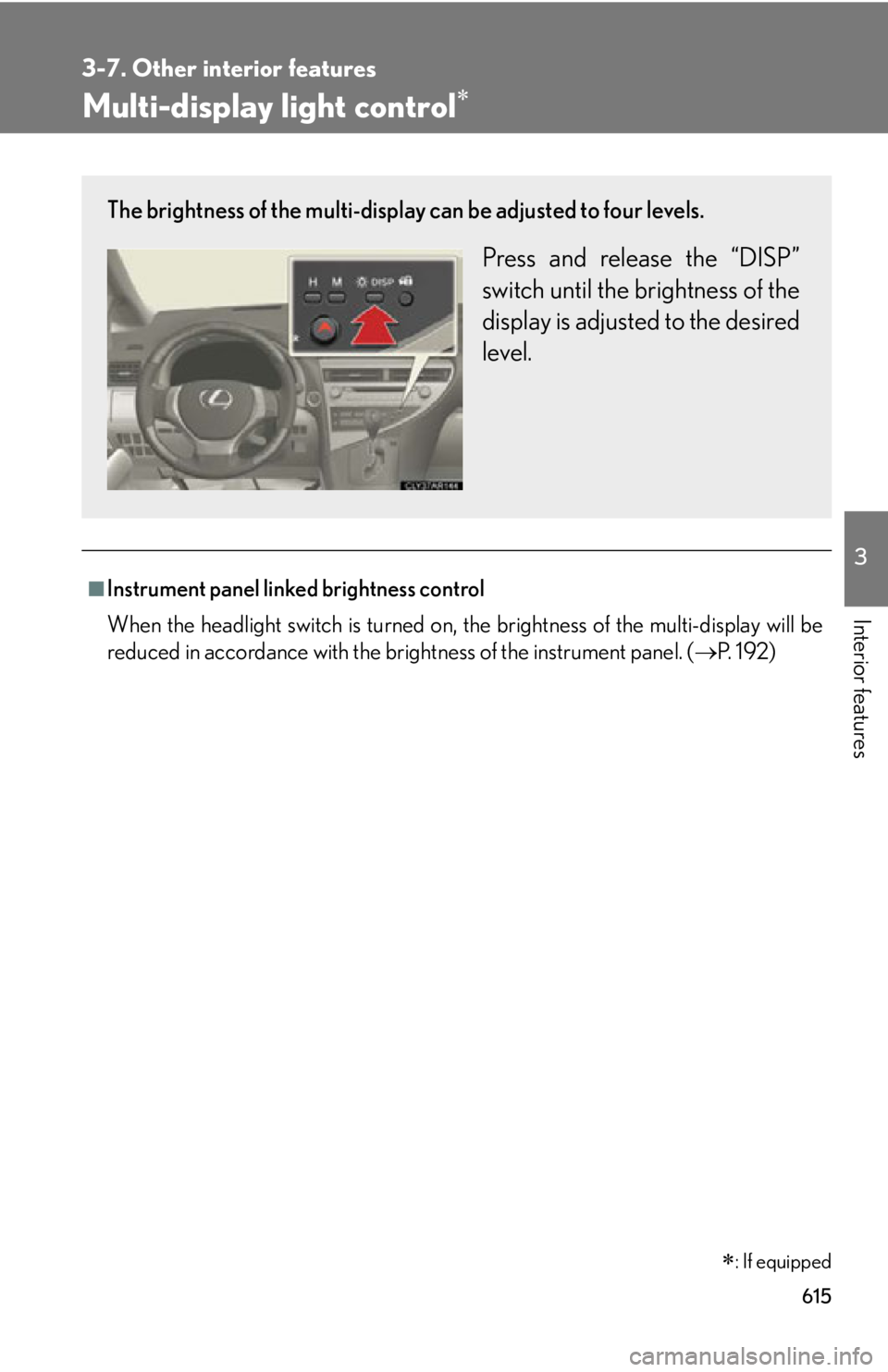
Keep the vanity mirror closed. Slide the cover to open. The light turns on when the
cover is opened.
Page 615 of 886
6153-7. Other interior features
3
Interior features Multi-display light control
■
Instrument panel linked brightness control
When the headlight switch is turned on, the brightness of the multi-display will be
reduced in accordance with the brig htness of the instrument panel. ( P. 1 9 2 )
: If equippedThe brightness of the multi-display can be adjusted to four levels.
Press and release the “DISP”
switch until the brightness of the
display is adjusted to the desired
level.
Page 619 of 886
6193-7. Other interior features
3
Interior features Heated steering wheel
■
The heated steering wheel can be used when
The “ENGINE START STOP” switch is in IGNITION ON mode.■
To prevent battery discharge
The heated steering wheel will automatically turn off after about 30 minutes.■
If the indicator light does not come on
If the indicator light does not come on wh en the switch is pressed, a malfunction
may have occurred in the system. Have the vehicle inspected by your Lexus dealer.
CAUTION■
Burns
Care should be taken to prevent injury if anyone in the following categories comes
in contact with the steering wheel wh en the heated steering wheel is on:
●
Babies, small children, the elderly, the sick and the physically challenged
●
Persons with sensitive skin
●
Persons who are fatigued
●
Persons who have taken alcohol or drugs that induce sleep (sleeping drugs, cold
remedies, etc.)
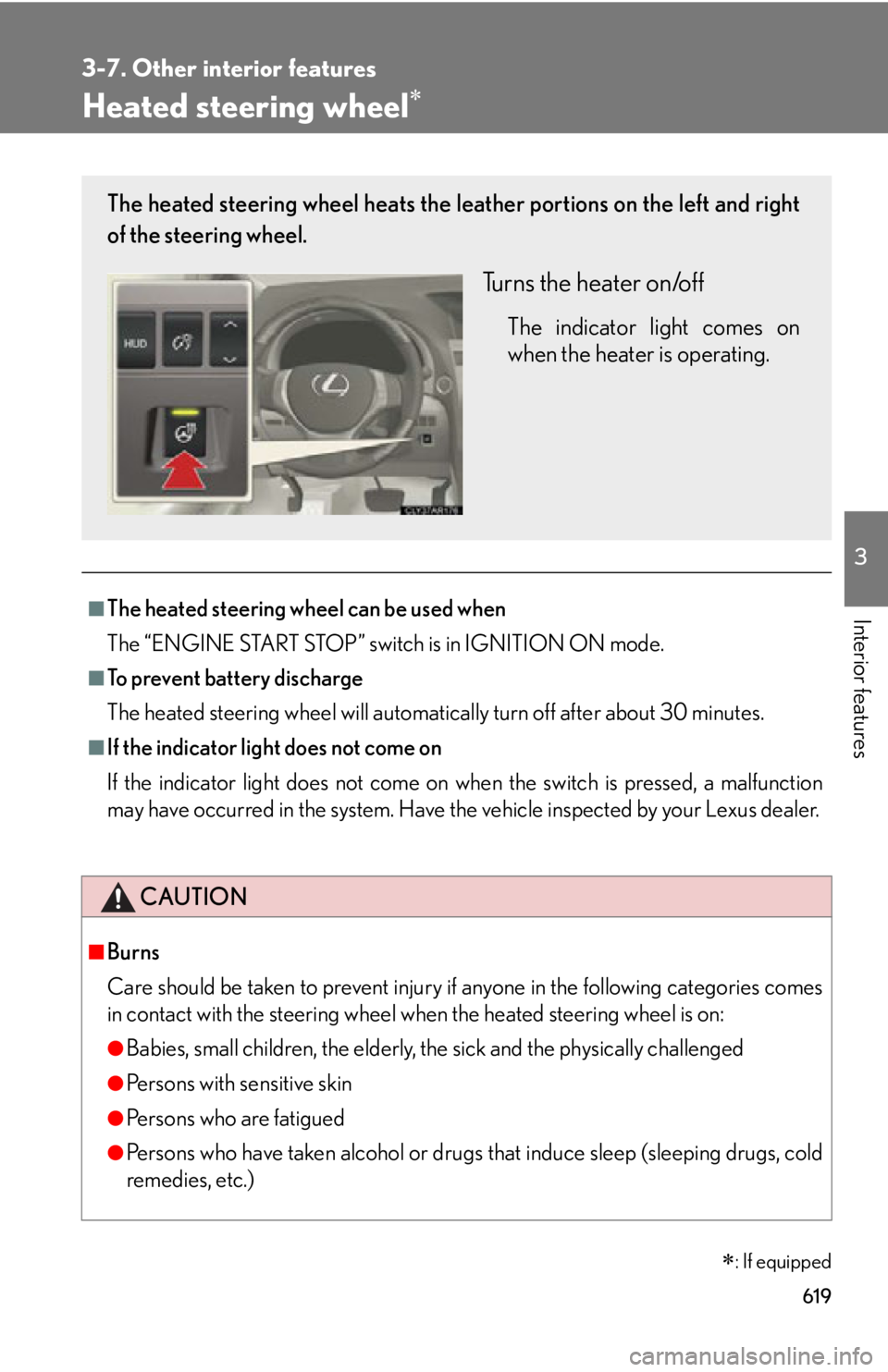
: If equippedThe heated steering wheel heats the le ather portions on the left and right
of the steering wheel.
Turns the heater on/off The indicator light comes on
when the heater is operating.
Page 620 of 886
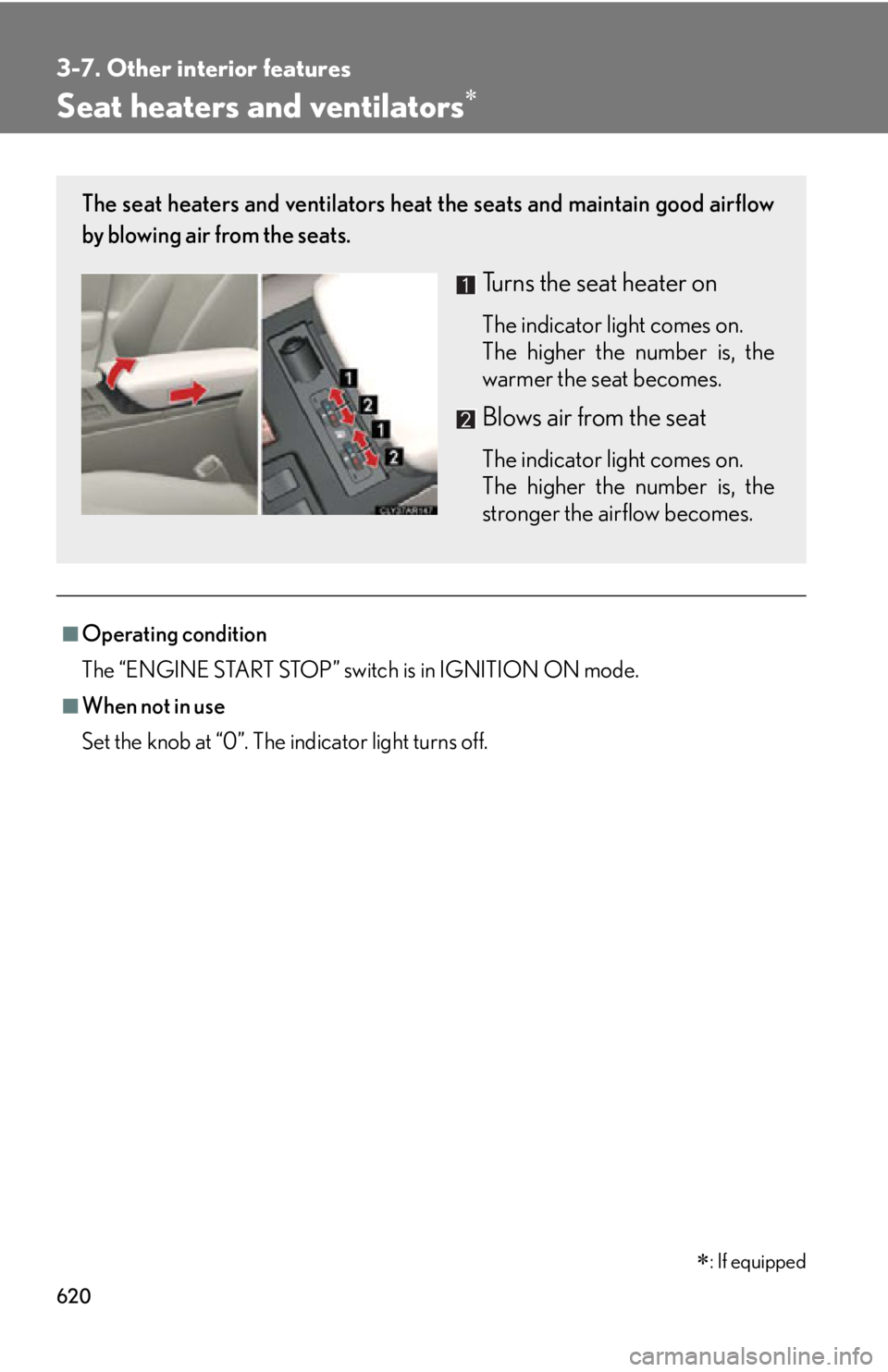
6203-7. Other interior features
Seat heaters and ventilators
■
Operating condition
The “ENGINE START STOP” switch is in IGNITION ON mode.■
When not in use
Set the knob at “0”. The indicator light turns off.
: If equippedThe seat heaters and ventilators heat the seats and maintain good airflow
by blowing air from the seats.
Turns the seat heater on The indicator light comes on.
The higher the number is, the
warmer the seat becomes.
Blows air from the seat The indicator light comes on.
The higher the number is, the
stronger the airflow becomes.
Page 632 of 886
6323-7. Other interior features
Garage door opener The garage door opener (HomeLink
Universal Transceiver) is manufactured
under license from HomeLink
.
Programming the HomeLink
(for U.S.A. owners)
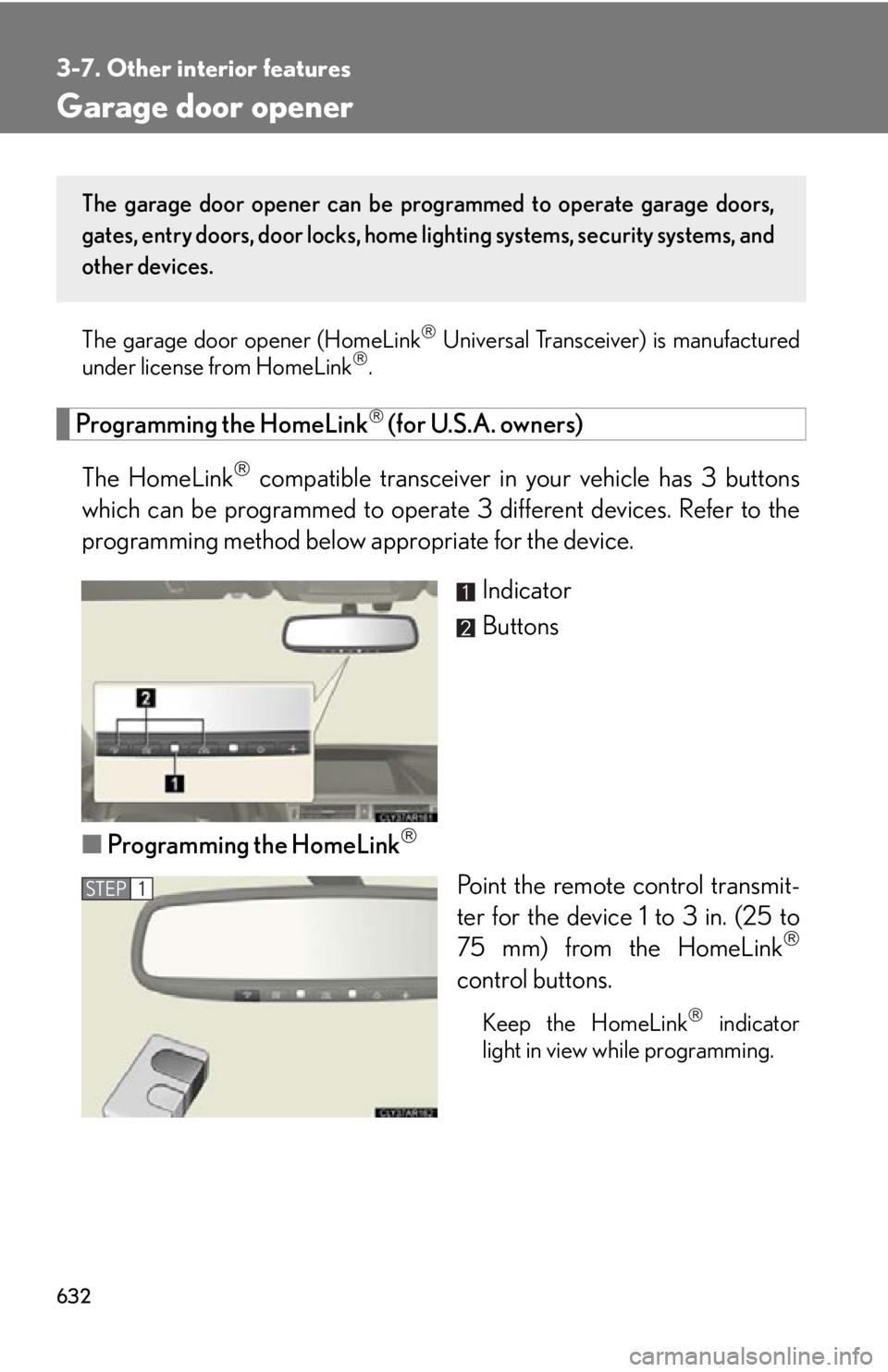
The HomeLink
compatible transceiver in your vehicle has 3 buttons
which can be programmed to operate 3 different devices. Refer to the
programming method below appropriate for the device.
Indicator
Buttons
■ Programming the HomeLink
Point the remote control transmit-
ter for the device 1 to 3 in. (25 to
75 mm) from the HomeLink
control buttons.
Keep the HomeLink
indicator
light in view while programming.The garage door opener can be pr ogrammed to operate garage doors,
gates, entry doors, door locks, home lighting systems, security systems, and
other devices.
STEP 1