Page 57 of 678

WARNING!
•For personal security and safety in the event of a
collision, lock the vehicle doors before you drive as
well as when you park and leave the vehicle.
•When leaving the vehicle, always remove the Key
Fob from the vehicle and lock your vehicle. Unsu-
pervised use of vehicle equipment may cause se-
vere personal injuries or death.
•Never leave children alone in a vehicle, or with
access to an unlocked vehicle. Allowing children to
be in a vehicle unattended is dangerous for a
number of reasons. A child or others could be
seriously or fatally injured. Children should be
warned not to touch the parking brake, brake pedal
or the shift lever.
(Continued)
WARNING!(Continued)
•Do not leave the Key Fob in or near the vehicle, or
in a location accessible to children, and do not
leave the ignition of a vehicle equipped with
Keyless Enter-N-Go™ in the RUN mode. A child
could operate power windows, other controls, or
move the vehicle.
Power Door Locks
A power door lock switch is located on each of the front
door trim panels. This switch is used to lock or unlock the
doors and liftgate.
Locking/Unlocking From The Inside
Press the button on the driver or passenger door trim
panel to lock the doors.
With the doors locked, press the button to unlock the
doors.
4
GETTING TO KNOW YOUR VEHICLE 55
Page 58 of 678

The doors can also be locked and unlocked with the
Keyless Enter-N-Go™ (Passive Entry) system if
equipped. For further information, refer to “Keyless
Enter-N-Go™” in “Getting To Know Your Vehicle.”
If you push the power door lock switch while the ignition
is in the MAR/RUN position, and any front door is open,
the power locks will not operate. This prevents you from
accidentally locking the key in the vehicle. Placing the
ignition in the STOP/OFF position or closing the door
will allow the locks to operate. If a door is open, and the
ignition is in the MAR/RUN position, a chime will sound
as a reminder to remove the key.
NOTE:If all of the doors are closed properly, the door
locks will lock automatically when the vehicle’s speed
exceeds 12 mph (20 km/h). For further information, refer
to “Uconnect® SETTINGS” in “Multimedia.”
Keyless Enter-N-Go™
The Passive Entry system is an enhancement to the
vehicle’s Remote Keyless Entry (RKE) system and a
feature of Keyless Enter-N-Go™. This feature allows you
to lock and unlock the vehicle’s door(s) without having to
push the RKE transmitter LOCK or UNLOCK buttons.
Power Door Lock Switch
56 GETTING TO KNOW YOUR VEHICLE
Page 61 of 678
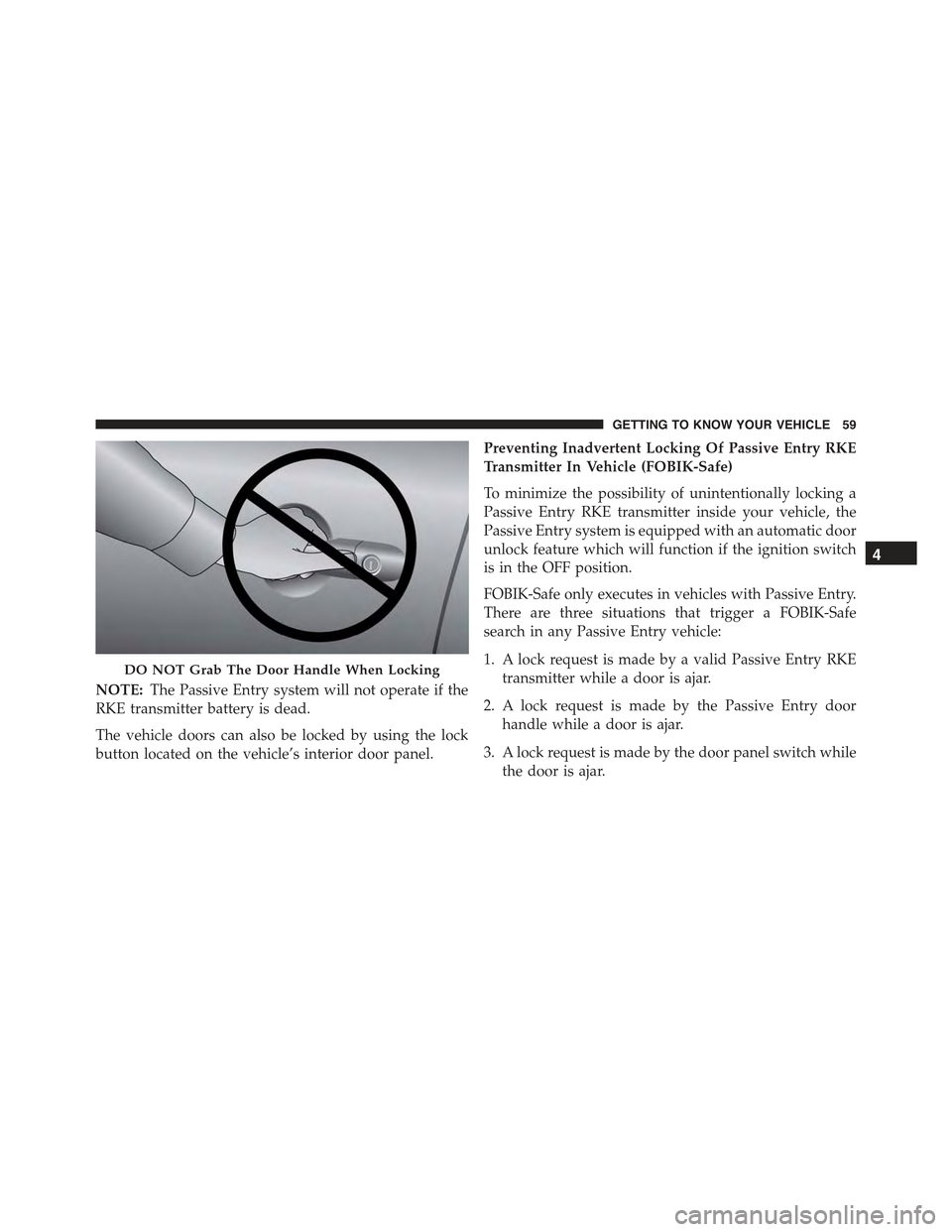
NOTE:The Passive Entry system will not operate if the
RKE transmitter battery is dead.
The vehicle doors can also be locked by using the lock
button located on the vehicle’s interior door panel.
Preventing Inadvertent Locking Of Passive Entry RKE
Transmitter In Vehicle (FOBIK-Safe)
To minimize the possibility of unintentionally locking a
Passive Entry RKE transmitter inside your vehicle, the
Passive Entry system is equipped with an automatic door
unlock feature which will function if the ignition switch
is in the OFF position.
FOBIK-Safe only executes in vehicles with Passive Entry.
There are three situations that trigger a FOBIK-Safe
search in any Passive Entry vehicle:
1. A lock request is made by a valid Passive Entry RKE
transmitter while a door is ajar.
2. A lock request is made by the Passive Entry door
handle while a door is ajar.
3. A lock request is made by the door panel switch while
the door is ajar.
DO NOT Grab The Door Handle When Locking
4
GETTING TO KNOW YOUR VEHICLE 59
Page 66 of 678
Child Locks
To provide a safer environment for small children riding
in the rear seats, the rear doors are equipped with a
Child-Protection Door Lock system.
To use the system, open each rear door, use a flat blade
screwdriver (or ignition key) and rotate the dial to the
LOCK or UNLOCK position. When the system on a door
is engaged, that door can only be opened by using the
outside door handle even if the inside door lock is in the
unlocked position.
Child-Protection Door Lock Location
64 GETTING TO KNOW YOUR VEHICLE
Page 85 of 678
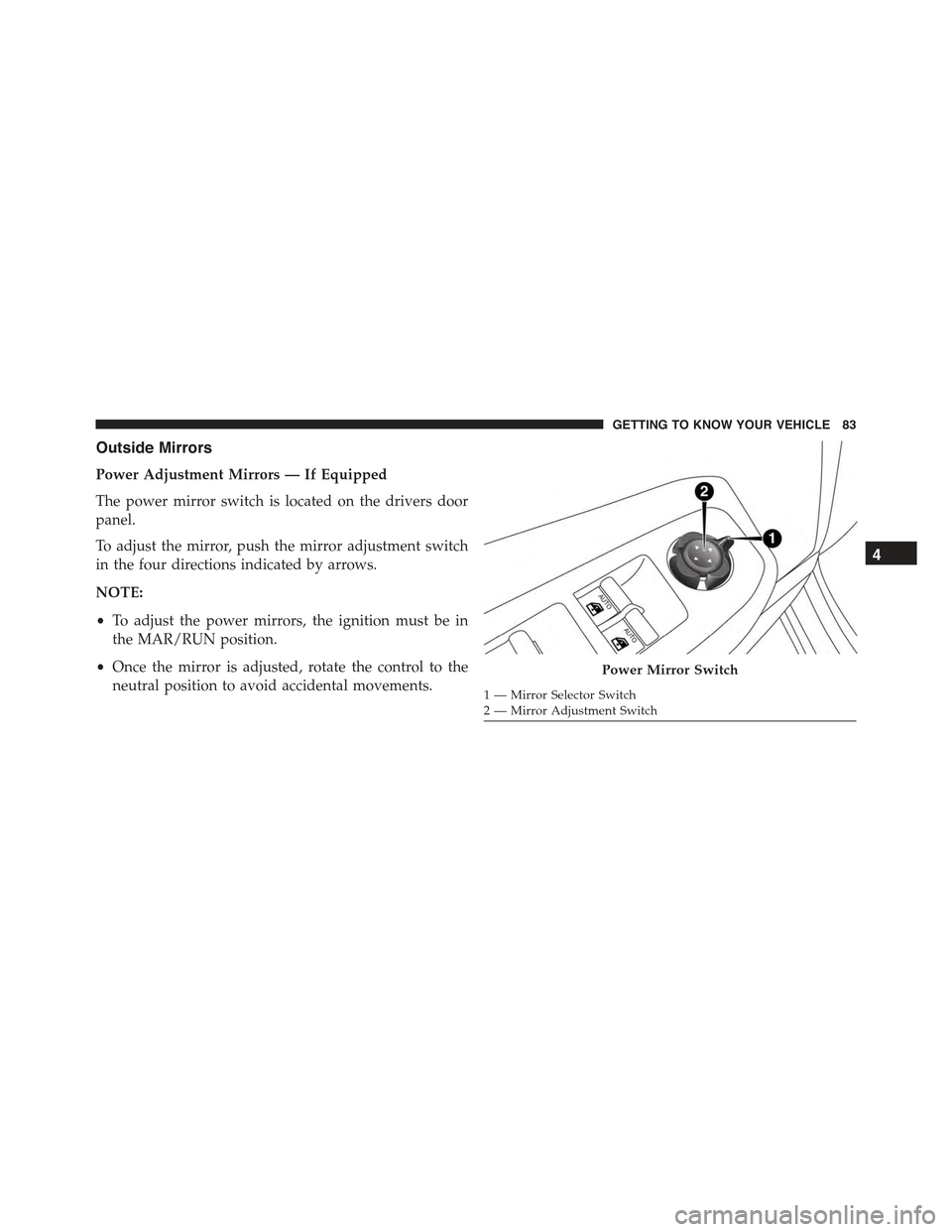
Outside Mirrors
Power Adjustment Mirrors — If Equipped
The power mirror switch is located on the drivers door
panel.
To adjust the mirror, push the mirror adjustment switch
in the four directions indicated by arrows.
NOTE:
•To adjust the power mirrors, the ignition must be in
the MAR/RUN position.
•Once the mirror is adjusted, rotate the control to the
neutral position to avoid accidental movements.
Power Mirror Switch
1 — Mirror Selector Switch2 — Mirror Adjustment Switch
4
GETTING TO KNOW YOUR VEHICLE 83
Page 98 of 678
Turning on the headlights will illuminate the instrument
cluster and the controls located on the instrument panel.
Automatic Lighting — If Equipped
Light Sensor
The light sensor is equipped with an infrared LED,
located on the windshield. It detects changes in light
intensity outside the vehicle, based on the sensitivity of
light set by using the Menu on the display or on the
Uconnect® system.
The higher the sensitivity, the lesser the amount of
external light required for controlling the lighting.
Automatic Headlights
Turn the headlight switch to the AUTO position.
When the automatic headlights are enabled, the head-
light time delay is active. After the ignition switch is
placed in the STOP/OFF position, the headlights will
automatically turn off after approximately 90 seconds
depending on the settings of the feature.
Headlight Switch
96 GETTING TO KNOW YOUR VEHICLE
Page 100 of 678

Parking Lights
Rotate the headlight switch to the first position to turn on
the parking lights. The parking light indicator in the
cluster will illuminate.
Headlight Time Delay
This feature provides the safety of headlight illumination
for up to 90 seconds when leaving your vehicle in an
unlit area.
The time delay of the headlights is programmable be-
tween 0, 30, 60 and 90 seconds. Refer to “Uconnect®
Settings” in “Multimedia” for further information.
Headlight Delay Activation
To activate the delay feature, place the ignition in the
STOP/OFF position while the headlights are still on.
Then, turn off the headlights within two minutes. The
delay interval begins when the headlight switch is turned
off.
Headlight Delay Disable
The feature is disabled by turning on the headlights, the
parking lights or by placing the ignition in the MAR/
RUN position.
If you shut off the lights before the ignition is turned on,
they will turn off in the normal manner.
NOTE:The lights must be turned off within two minutes
of placing the ignition in the STOP/OFF position to
activate this feature.
High Beam Headlights
To turn on the high beam headlights, push the turn signal
lever forward (toward the front of the vehicle) and an
indicator will illuminate in the cluster. To turn off the
high beams, pull the turn signal lever rearward (toward
the rear of the vehicle).
98 GETTING TO KNOW YOUR VEHICLE
Page 103 of 678
NOTE:
•Before exiting the vehicle, make sure that the interior
lights are turned off. This will prevent the battery from
discharging once the doors are closed.
•If a light is left on it will automatically be turned off
after approximately 15 minutes after the ignition is in
the STOP/OFF position.
Dome Light Timing
The Dome Light will automatically illuminate when the
doors are unlocked, the doors are opened or after the
doors are closed.
Timing Entering The Vehicle
The dome lights illuminate in the following ways:
•When the doors are unlocked, the dome light will
illuminate for approximately 10 seconds.
•When one of the doors is opened, the dome light will
illuminate for approximately three minutes.
•When the doors are closed, the dome light will auto-
matically shut off after approximately 10 seconds.
The timing stops once the ignition is placed in the
MAR/RUN or AVV/ON position.
The dome light will turn off under any of the following
conditions:
•The dome light is disabled when the ignition is placed
in the MAR/RUN or AVV/ON position.
•The dome lights will turn off automatically when the
doors are locked.
•The dome lights will automatically turn off after
approximately fifteen minutes of inactivity to preserve
the battery.
4
GETTING TO KNOW YOUR VEHICLE 101