Page 104 of 678
Timing Exiting The Vehicle
The dome light will illuminate under the following
conditions when the ignition is turned to the STOP/OFF
position and the key is removed:
•The dome light will illuminate for 10 seconds after the
key is removed from the ignition.
•The opening of one of the doors (approximately three
minutes).
•After closing a door (approximately 10 seconds).
The dome light timing is disabled when the doors are
locked.
Illuminated Vanity Mirrors — If Equipped
An illuminated vanity mirror is located on each sun visor.
To use the mirror, rotate the sun visor down and swing
the mirror cover upward. The lights will turn on auto-
matically. Closing the mirror cover will turn the light off.
Vanity Mirror
1—MirrorLight2—MirrorCover
102 GETTING TO KNOW YOUR VEHICLE
Page 106 of 678
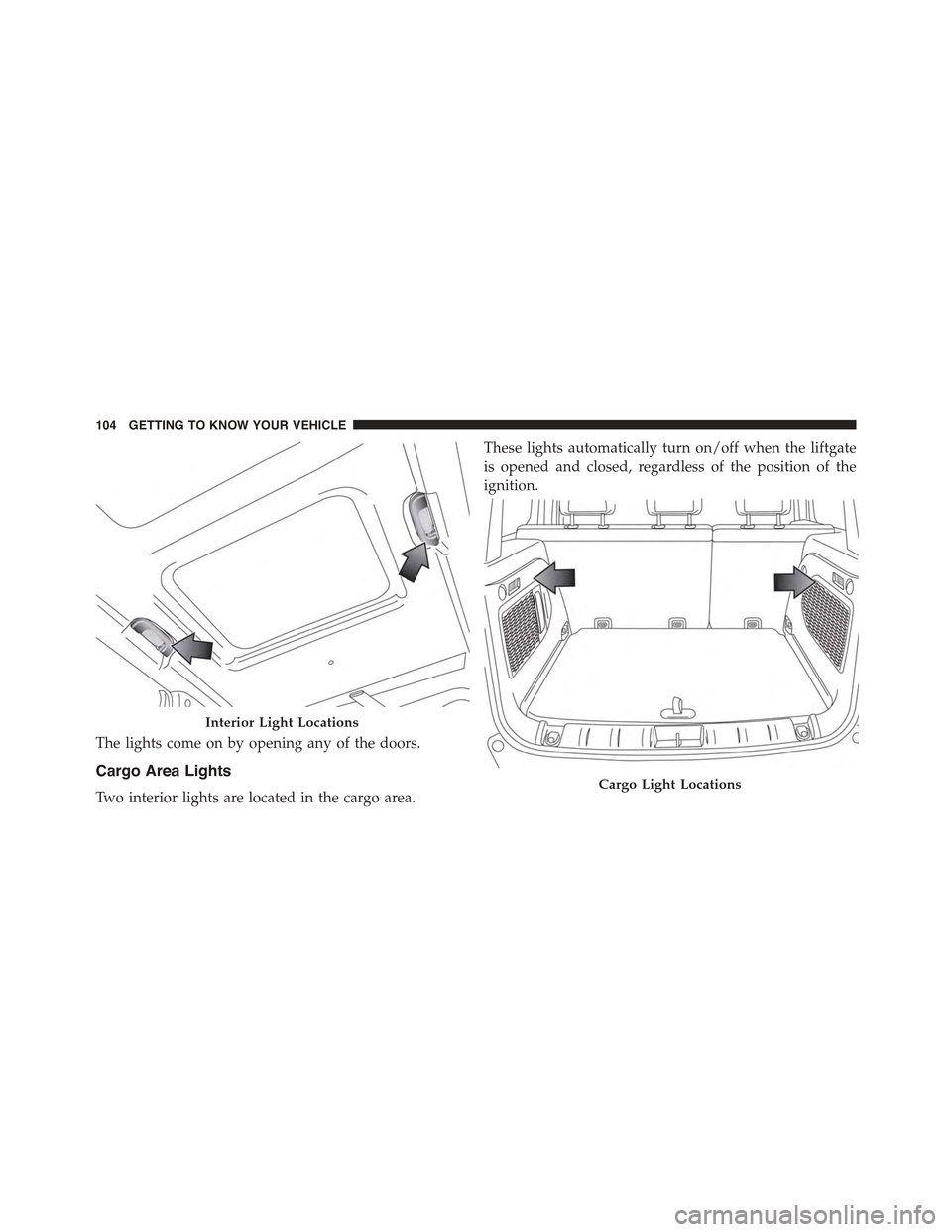
The lights come on by opening any of the doors.
Cargo Area Lights
Two interior lights are located in the cargo area.
These lights automatically turn on/off when the liftgate
is opened and closed, regardless of the position of the
ignition.
Interior Light Locations
Cargo Light Locations
104 GETTING TO KNOW YOUR VEHICLE
Page 110 of 678
Rotate the center portion of the lever upward to
the first detent for intermittent operation and to
the second detent for continuous rear wiper operation.
To use the washer, push the lever forward and
hold while spray is desired. If the lever is
pushed while in the intermittent setting, the
wiper will turn on and operate for several wipe
cycles after the end of the lever is released, and then
resume the intermittent interval previously selected.
If the lever is pushed while the wiper is in the off
position, the wiper will operate for several wipe cycles,
then turn off.
NOTE:As a protective measure, the pump will stop if
the switch is held for more than 30 seconds. Once the
lever is released, the pump will resume normal opera-
tion.
If the rear wiper is operating when the ignition is turned
to the STOP/OFF position, the wiper will automatically
return to the “park” position.
Rear Window Defroster
The rear window defroster button is located with
the Climate Controls on the instrument panel.
Push this button to turn on the rear window defroster. An
indicator in the button will illuminate when the rear
window defroster is on. The rear window defroster
automatically turns off after approximately 20 minutes.
To manually shut the defroster off, push the button a
second time.
108 GETTING TO KNOW YOUR VEHICLE
Page 113 of 678

The window controls will operate only when the ignition
is in the MAR/RUN or AVV/START position.
NOTE:For vehicles equipped with Uconnect®, the
power window switches will remain active for up to
three minutes after the ignition is cycled to the STOP/
OFF position. Opening either front door will cancel this
feature. Refer to “Uconnect® Settings” in “Multimedia”
for further information.
WARNING!
Never leave children unattended in a vehicle, and do
not let children play with power windows. Do not
leave the Key Fob in or near the vehicle, or in a
location accessible to children, and do not leave the
ignition of a vehicle equipped with Keyless Enter-N-
Go™ in the RUN mode. Occupants, particularly
unattended children, can become entrapped by the
(Continued)
WARNING!(Continued)
windows while operating the power window
switches. Such entrapment may result in serious
injury or death.
AUTO-Down Feature — If Equipped
The driver and passenger power window switches have
an AUTO-down feature. Push the switch for half a
second and release it, the window will go down auto-
matically.
To partially open the window, push the window switch
and release it when you want the window to stop.
To stop the window from going all the way down during
the AUTO-down operation, pull up on the switch briefly
when the when the window has reached the desired
position.
4
GETTING TO KNOW YOUR VEHICLE 111
Page 160 of 678
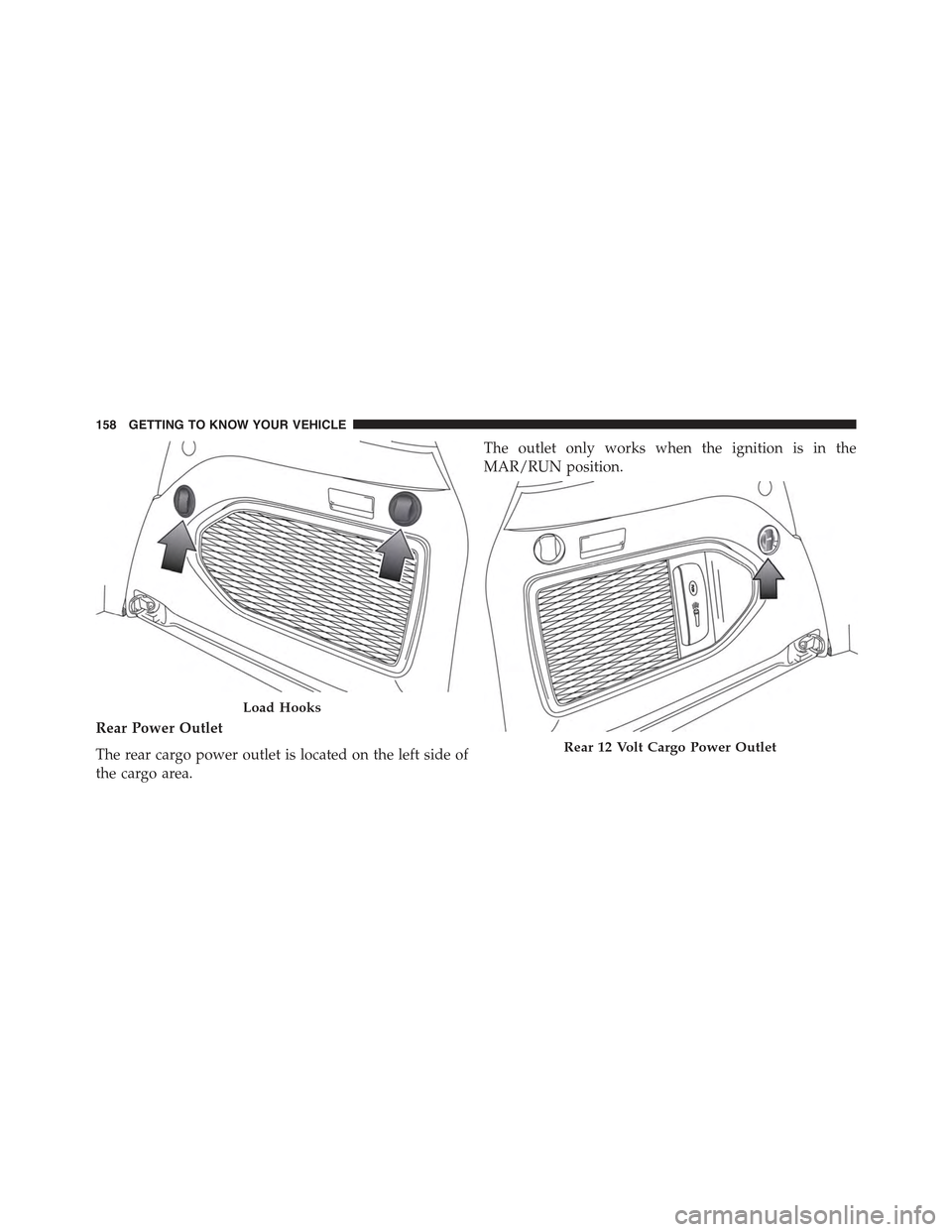
Rear Power Outlet
The rear cargo power outlet is located on the left side of
the cargo area.
The outlet only works when the ignition is in the
MAR/RUN position.
Load Hooks
Rear 12 Volt Cargo Power Outlet
158 GETTING TO KNOW YOUR VEHICLE
Page 166 of 678
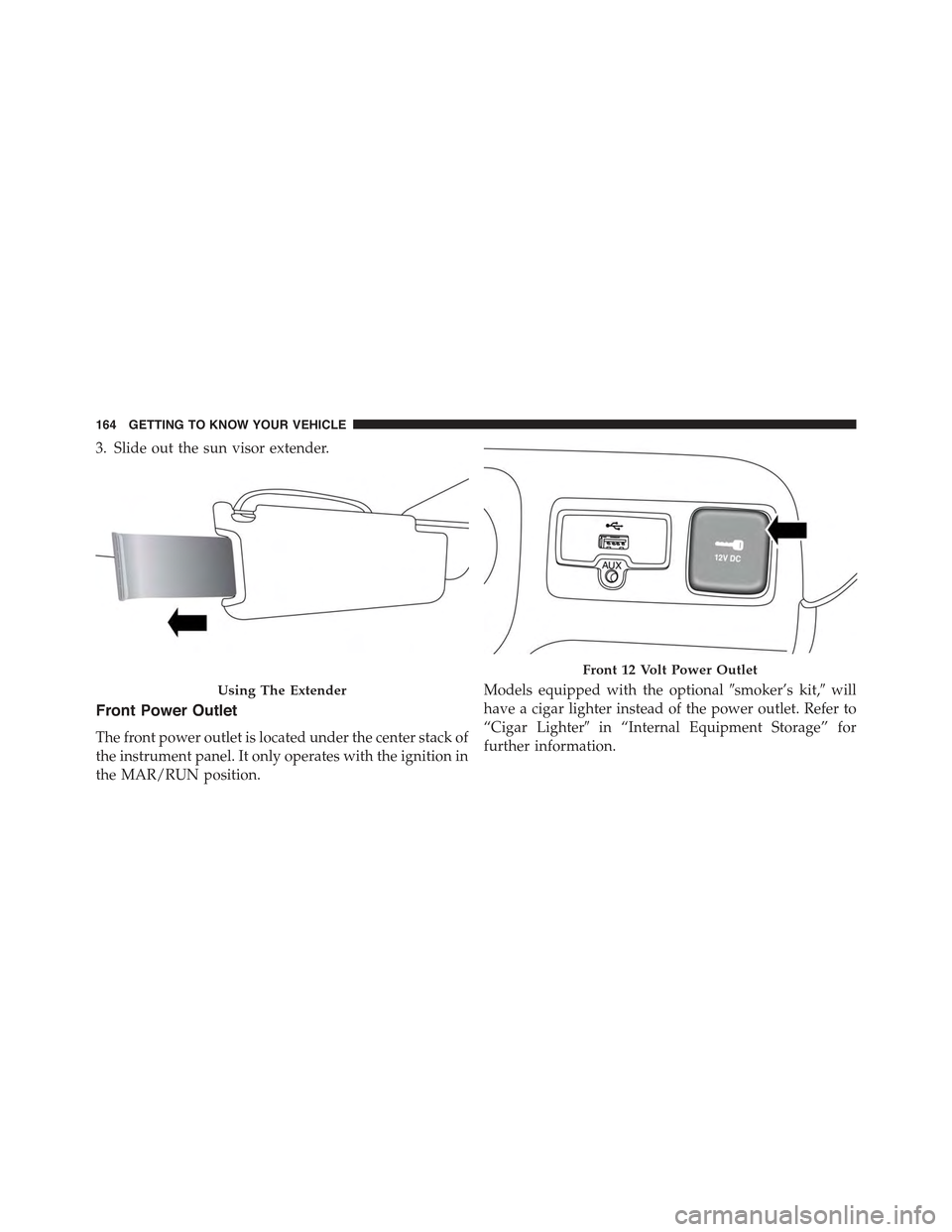
3. Slide out the sun visor extender.
Front Power Outlet
The front power outlet is located under the center stack of
the instrument panel. It only operates with the ignition in
the MAR/RUN position.
Models equipped with the optional#smoker’s kit,#will
have a cigar lighter instead of the power outlet. Refer to
“Cigar Lighter#in “Internal Equipment Storage” for
further information.
Using The Extender
Front 12 Volt Power Outlet
164 GETTING TO KNOW YOUR VEHICLE
Page 185 of 678

WARNING!
A hot engine cooling system is dangerous. You or
others could be badly burned by steam or boiling
coolant. You may want to call an authorized dealer
for service if your vehicle overheats. If you decide to
look under the hood yourself, see “Maintaining And
Caring For Your Vehicle.” Follow the warnings under
the “Cooling System Pressure Cap” paragraph.
WARNING LIGHTS AND MESSAGES
The EVIC/DID display consists of three sections:
1. The reconfigurable top line where compass, direction,
and outside temperature are displayed.
•Right side default to Ignition Status for those with
push button ignition.
2. The main display area where the menus and pop up
messages are displayed.
3. The reconfigurable telltales section.
The main display area will normally display the main
menu or the screens of a selected feature of the main
menu. The main display area also displays#pop up#
messages that consist of approximately 60 possible warn-
ing or information messages. These pop up messages fall
into several categories:
•Five Second Stored Messages
When the appropriate conditions occur, this type of
message takes control of the main display area for five
seconds and then returns to the previous screen. Most of
the messages of this type are then stored (as long as the
condition that activated it remains active) and can be
reviewed from the#Messages#main menu item. As long
as there is a stored message, an#i#will be displayed in the
EVIC’s compass/outside temp line. Examples of this
message type are#Right Front Turn Signal Lamp Out#
and#Low Tire Pressure.#
5
GETTING TO KNOW YOUR INSTRUMENT PANEL 183
Page 186 of 678

•Unstored Messages
This message type is displayed indefinitely or until the
condition that activated the message is cleared. Examples
of this message type are#Turn Signal On#(if a turn signal
is left on) and#Lights On#(if driver leaves the vehicle).
•Unstored Messages Until RUN
These messages deal primarily with the Remote Start
feature. This message type is displayed until the ignition
is in the MAR/RUN state. Examples of this message type
are#Remote Start Aborted - Door Ajar#and#Press Brake
Pedal and Push Button to Start.#
•Five Second Unstored Messages
When the appropriate conditions occur, this type of
message takes control of the main display area for five
seconds and then returns to the previous screen. Ex-
amples of this message type are#Memory System Un-
available - Not in Park#and#Automatic High Beams On.#
Telltales On The EVIC/DID Instrument Cluster
Low Brake Fluid
•What Does It Mean
The light comes on when the brake fluid
level in the reservoir drops below the mini-
mum level, due to a possible loss of liquid
from the circuit.
•What To Do
Restore the brake fluid level, and then
check that the indicator light goes off.
If the light remains on, see an authorized dealer.
184 GETTING TO KNOW YOUR INSTRUMENT PANEL