2015 Hyundai Sonata change time
[x] Cancel search: change timePage 141 of 504
3-57
Convenient features of your vehicle
3
Information
• The fuel tank capacity is given in
chapter 8.
• The fuel gauge is supplemented by a
low fuel warning light, which will
illuminate when the fuel tank is
nearly empty.
• On inclines or curves, the fuel gauge
pointer may fluctuate or the low fuel
warning light may come on earlier
than usual due to the movement of
fuel in the tank.
Avoid driving with an extremely
low fuel level. Running out of fuel
could cause the engine to misfire
damaging the catalytic converter.
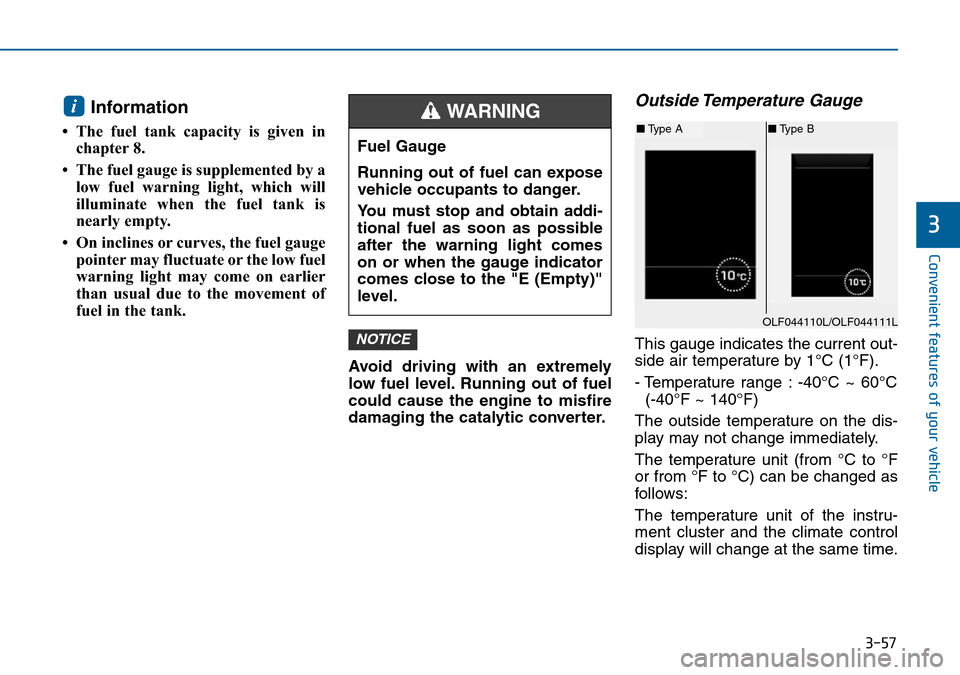
Outside Temperature Gauge
This gauge indicates the current out-
side air temperature by 1°C (1°F).
- Temperature range : -40°C ~ 60°C
(-40°F ~ 140°F)
The outside temperature on the dis-
play may not change immediately.
The temperature unit (from °C to °F
or from °F to °C) can be changed as
follows:
The temperature unit of the instru-
ment cluster and the climate control
display will change at the same time.NOTICE
i
Fuel Gauge
Running out of fuel can expose
vehicle occupants to danger.
You must stop and obtain addi-
tional fuel as soon as possible
after the warning light comes
on or when the gauge indicator
comes close to the "E (Empty)"
level.
WARNING
OLF044110L/OLF044111L
■Type A■Type B
Page 150 of 504
3-66
Convenient features of your vehicle
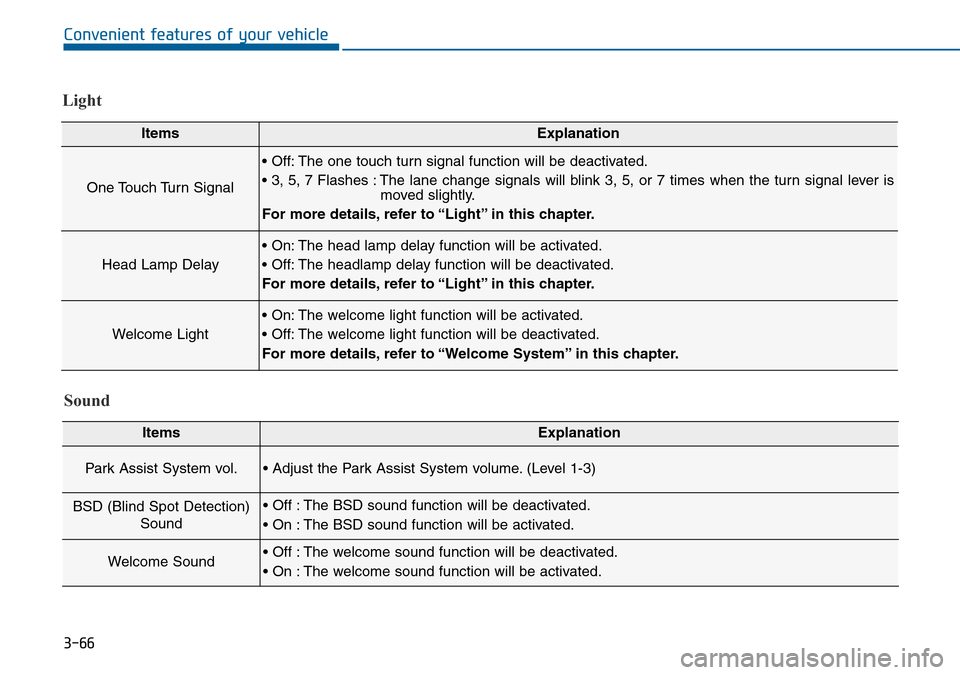
Light
ItemsExplanation
One Touch Turn Signal
• Off: The one touch turn signal function will be deactivated.
• 3, 5, 7 Flashes : The lane change signals will blink 3, 5, or 7 times when the turn signal lever is
moved slightly.
For more details, refer to “Light” in this chapter.
Head Lamp Delay
• On: The head lamp delay function will be activated.
• Off: The headlamp delay function will be deactivated.
For more details, refer to “Light” in this chapter.
Welcome Light
• On: The welcome light function will be activated.
• Off: The welcome light function will be deactivated.
For more details, refer to “Welcome System” in this chapter.
Sound
ItemsExplanation
Park Assist System vol.• Adjust the Park Assist System volume. (Level 1-3)
BSD (Blind Spot Detection)
Sound• Off : The BSD sound function will be deactivated.
• On : The BSD sound function will be activated.
Welcome Sound• Off : The welcome sound function will be deactivated.
• On : The welcome sound function will be activated.
Page 153 of 504
3-69
Convenient features of your vehicle
3
Warning messages (if equipped)
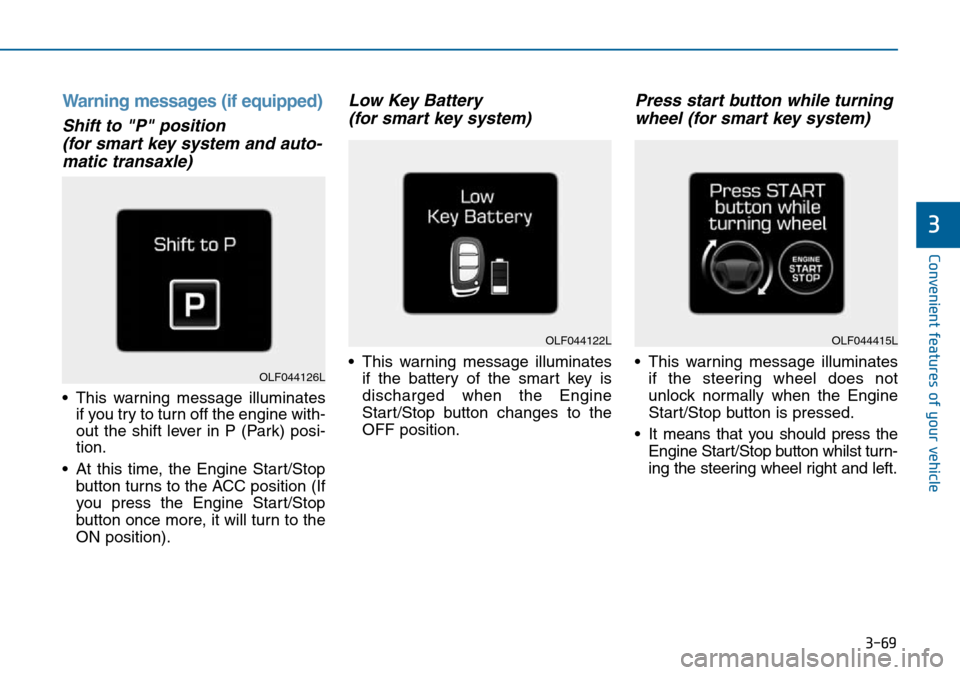
Shift to "P" position
(for smart key system and auto-
matic transaxle)
• This warning message illuminates
if you try to turn off the engine with-
out the shift lever in P (Park) posi-
tion.
• At this time, the Engine Start/Stop
button turns to the ACC position (If
you press the Engine Start/Stop
button once more, it will turn to the
ON position).
Low Key Battery
(for smart key system)
• This warning message illuminates
if the battery of the smart key is
discharged when the Engine
Start/Stop button changes to the
OFF position.
Press start button while turning
wheel (for smart key system)
• This warning message illuminates
if the steering wheel does not
unlock normally when the Engine
Start/Stop button is pressed.
• It means that you should press the
Engine Start/Stop button whilst turn-
ing the steering wheel right and left.
OLF044122L
OLF044126L
OLF044415L
Page 161 of 504
3-77
Convenient features of your vehicle
3
Overview
Description
The Trip Computer is a microcomput-
er-controlled driver information sys-
tem that displays information related
to driving.
Information
Some driving information stored in
the Trip Computer (for example
Average Vehicle Speed) resets if the
battery is disconnected.
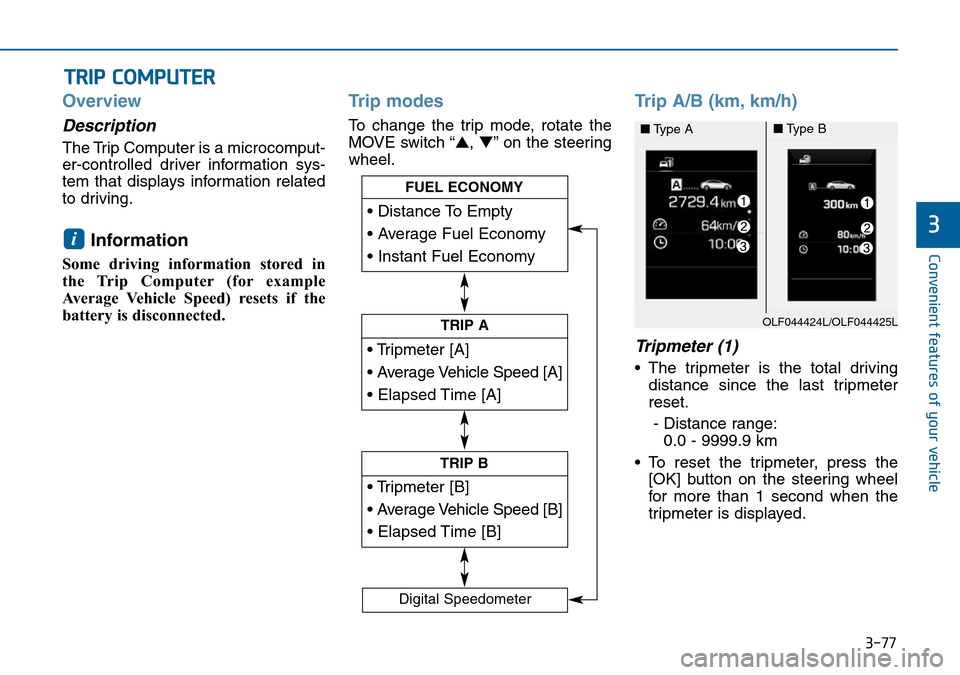
Trip modes
To change the trip mode, rotate the
MOVE switch “▲,▼” on the steering
wheel.
Trip A/B (km, km/h)
Tripmeter (1)
• The tripmeter is the total driving
distance since the last tripmeter
reset.
- Distance range:
0.0 - 9999.9 km
• To reset the tripmeter, press the
[OK] button on the steering wheel
for more than 1 second when the
tripmeter is displayed.
i
TRIP COMPUTER
• Tripmeter [A]
• Average Vehicle Speed [A]
• Elapsed Time [A]
TRIP A
• Tripmeter [B]
• Average Vehicle Speed [B]
• Elapsed Time [B]
TRIP B
• Distance To Empty
• Average Fuel Economy
• Instant Fuel Economy
FUEL ECONOMY
Digital Speedometer
OLF044424L/OLF044425L
■Type A■Type B
Page 179 of 504
3-95
Convenient features of your vehicle
3
One-touch turn signal function
(if equipped)
To activate a one-touch turn signal
function, move the turn signal lever
slightly and then release it. The lane
change signals will blink 3, 5 or 7
times.
You can activate/deactivate the One
Touch Turn Signal function or choose
the number of blinks (3, 5, or 7) from
the User Settings Mode on the LCD
display.For more details, refer to
"LCD Display" in this chapter.
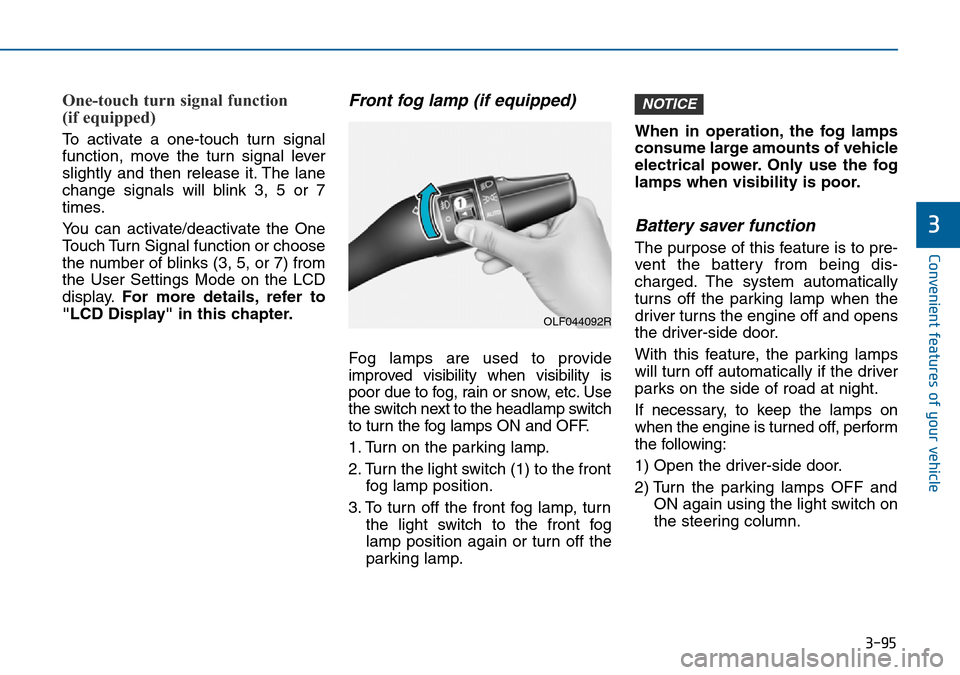
Front fog lamp (if equipped)
Fog lamps are used to provide
improved visibility when visibility is
poor due to fog, rain or snow, etc. Use
the switch next to the headlamp switch
to turn the fog lamps ON and OFF.
1. Turn on the parking lamp.
2. Turn the light switch (1) to the front
fog lamp position.
3. To turn off the front fog lamp, turn
the light switch to the front fog
lamp position again or turn off the
parking lamp.When in operation, the fog lamps
consume large amounts of vehicle
electrical power. Only use the fog
lamps when visibility is poor.
Battery saver function
The purpose of this feature is to pre-
vent the battery from being dis-
charged. The system automatically
turns off the parking lamp when the
driver turns the engine off and opens
the driver-side door.
With this feature, the parking lamps
will turn off automatically if the driver
parks on the side of road at night.
If necessary, to keep the lamps on
when the engine is turned off, perform
the following:
1) Open the driver-side door.
2) Turn the parking lamps OFF and
ON again using the light switch on
the steering column.
NOTICE
OLF044092R
Page 208 of 504
3-124
Convenient features of your vehicle
Air conditioning
HYUNDAI Air Conditioning Systems
are filled with R-134a refrigerant.
1. Start the engine. Push the air con-
ditioning button.
2. Set the mode to the position.
3. Set the air intake control to the out-
side air or recirculated air position.
4. Adjust the fan speed control and
temperature control to maintain
maximum comfort.Information
• When using the air conditioning sys-
tem, monitor the temperature gauge
closely whilst driving up hills or in
heavy traffic when outside tempera-
tures are high. Air conditioning sys-
tem operation may cause engine
overheating. Continue to use the
blower fan but turn the air condi-
tioning system off if the temperature
gauge indicates engine overheating.
• When opening the windows in
humid weather, air conditioning
may create water droplets inside the
vehicle. Since excessive water
droplets may cause damage to elec-
trical equipment, air conditioning
should only be used with the win-
dows closed.
Air conditioning system operation
tips
• If the vehicle has been parked in
direct sunlight during hot weather,
open the windows for a short time
to let the hot air inside the vehicle
escape.
• To help reduce moisture on the
inside of the windows on rainy or
humid days, decrease the humidity
inside the vehicle by operating the
air conditioning system.
• During air conditioning system
operation, you may occasionally
notice a slight change in engine
speed as the air conditioning com-
pressor cycles. This is a normal
system operation characteristic.
• Turn on the air conditioning every
month for a few minutes to ensure
maximum system performance.
• When using the air conditioning
system, you may notice clear water
dripping (or even puddling) on the
ground under the vehicle. This is a
normal system operation charac-
teristic.
i
Page 209 of 504
3-125
Convenient features of your vehicle
3
• Operating the air conditioning sys-
tem in the recirculated air position
provides maximum cooling, how-
ever, continual operation in this
mode may cause the air inside the
vehicle to become stale.
• During cooling operation, you may
occasionally notice a misty air flow
because of rapid cooling and
humid air intake. This is a normal
system operation characteristics.System maintenance
Climate control air filter
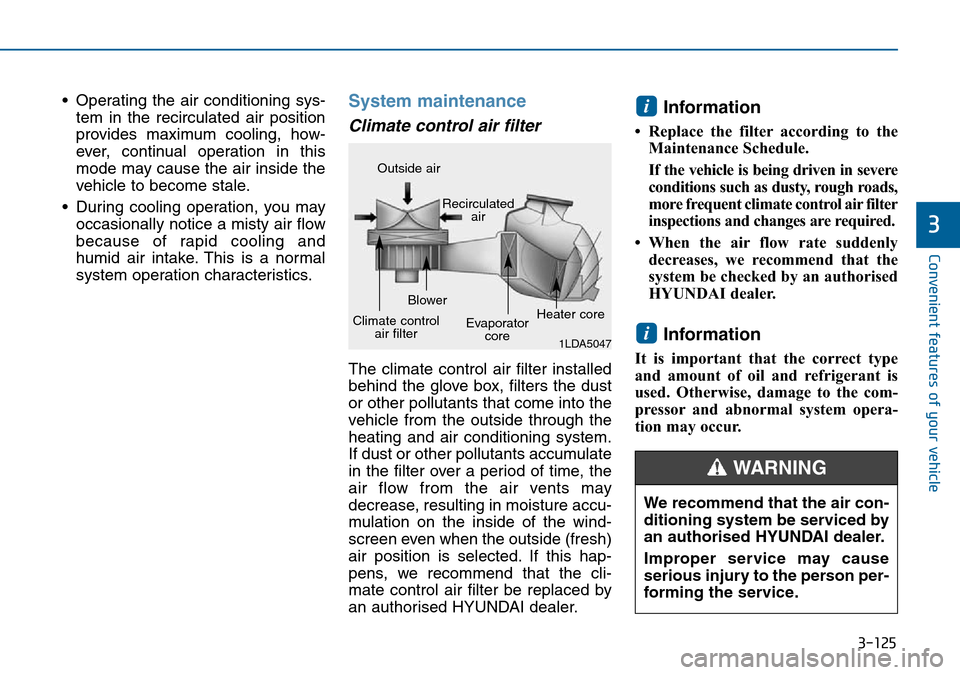
The climate control air filter installed
behind the glove box, filters the dust
or other pollutants that come into the
vehicle from the outside through the
heating and air conditioning system.
If dust or other pollutants accumulate
in the filter over a period of time, the
air flow from the air vents may
decrease, resulting in moisture accu-
mulation on the inside of the wind-
screen even when the outside (fresh)
air position is selected. If this hap-
pens, we recommend that the cli-
mate control air filter be replaced by
an authorised HYUNDAI dealer.
Information
• Replace the filter according to the
Maintenance Schedule.
If the vehicle is being driven in severe
conditions such as dusty, rough roads,
more frequent climate control air filter
inspections and changes are required.
• When the air flow rate suddenly
decreases, we recommend that the
system be checked by an authorised
HYUNDAI dealer.
Information
It is important that the correct type
and amount of oil and refrigerant is
used. Otherwise, damage to the com-
pressor and abnormal system opera-
tion may occur.
i
i
1LDA5047
Outside air
Recirculated
air
Climate control
air filterBlower
Evaporator
coreHeater core
We recommend that the air con-
ditioning system be serviced by
an authorised HYUNDAI dealer.
Improper service may cause
serious injury to the person per-
forming the service.
WARNING
Page 221 of 504
3-137
Convenient features of your vehicle
3
Information
• When using the air conditioning sys-
tem, monitor the temperature gauge
closely whilst driving up hills or in
heavy traffic when outside tempera-
tures are high. Air conditioning sys-
tem operation may cause engine
overheating. Continue to use the
blower fan but turn the air condi-
tioning system off if the temperature
gauge indicates engine overheating.
• When opening the windows in
humid weather, air conditioning
may create water droplets inside the
vehicle. Since excessive water
droplets may cause damage to elec-
trical equipment, air conditioning
should only be used with the win-
dows closed.
Air conditioning system operation
tips
• If the vehicle has been parked in
direct sunlight during hot weather,
open the windows for a short time
to let the hot air inside the vehicle
escape.
• Use air conditioning to reduce
humidity and moisture inside the
vehicle on rainy or humid days.
• During air conditioning system
operation, you may occasionally
notice a slight change in engine
speed as the air conditioning com-
pressor cycles. This is a normal
system operation characteristic.
• Turn on the air conditioning system
every month only for a few minutes
to ensure maximum system per-
formance.
• When using the air conditioning
system, you may notice clear water
dripping (or even puddling) on the
ground under the vehicle. This is a
normal system operation charac-
teristic.• Operating the air conditioning sys-
tem in the recirculated air position
provides maximum cooling, how-
ever, continual operation in this
mode may cause the air inside the
vehicle to become stale.
• During cooling operation, you may
occasionally notice a misty air flow
because of rapid cooling and
humid air intake. This is a normal
system operation characteristic.
i