2015 FORD FOCUS ELECTRIC remote control
[x] Cancel search: remote controlPage 78 of 369
4.
The lighting control is in the autolamps
position.
5. The headlamps are off.
The other lighting control switch positions
do not activate the daytime running lamps,
and you can use them to temporarily
override autolamp control.
When switched off in the information
display, the daytime running lamps are off
in all lighting control switch positions.
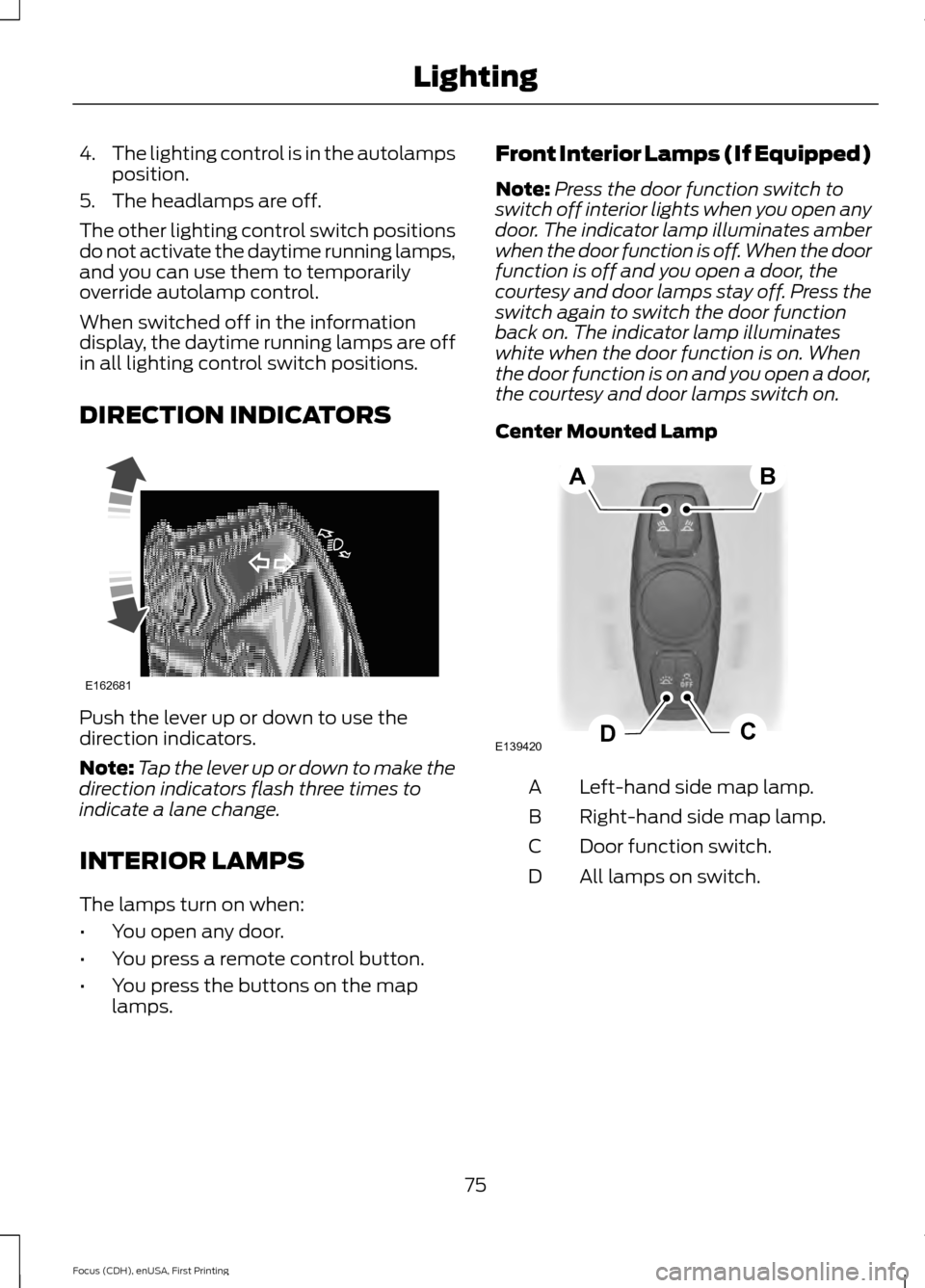
DIRECTION INDICATORS Push the lever up or down to use the
direction indicators.
Note:
Tap the lever up or down to make the
direction indicators flash three times to
indicate a lane change.
INTERIOR LAMPS
The lamps turn on when:
• You open any door.
• You press a remote control button.
• You press the buttons on the map
lamps. Front Interior Lamps (If Equipped)
Note:
Press the door function switch to
switch off interior lights when you open any
door. The indicator lamp illuminates amber
when the door function is off. When the door
function is off and you open a door, the
courtesy and door lamps stay off. Press the
switch again to switch the door function
back on. The indicator lamp illuminates
white when the door function is on. When
the door function is on and you open a door,
the courtesy and door lamps switch on.
Center Mounted Lamp Left-hand side map lamp.
A
Right-hand side map lamp.
B
Door function switch.
C
All lamps on switch.
D
75
Focus (CDH), enUSA, First Printing LightingE162681 E139420C
D
AB
Page 94 of 369
Information
Displays the associated driver alert graphic.
Driver Alert
Displays the number of warnings that need immediate attention in
red. You can only view the warnings from the System Check menu.
View them immediately by pressing OK and then OK again to enter
system check. Use the up and down arrows to scroll through the
warnings.
XX Warnings
All active warnings will display first if applicable. The system check
menu may appear different based upon equipment options and
current vehicle status. Use the up/down arrow buttons to scroll
through the list.
System Check
Settings In this mode, you can configure
different driver setting choices.
Note: Some items are optional and may not appear.
Note: Some MyKey items will only appear if a MyKey is set. Settings
On or Off
Traction Ctrl
Driver Assist
On or Off
Home Range
warn
On or Off
Rear Park Aid
On or Off
Auto Light
Rain
Lighting
Vehicle
Manual or select time interval
Home Light
Auto or Last
Settings
Heater - A/C
Climate
Control
Remote Start
Auto or Off
Front Defrost
Auto or Off
Rear Defrost
5, 10 or 15 minutes
Duration
On or Off
Quiet Start
Enable or Disable
System
91
Focus (CDH), enUSA, First Printing Information DisplaysE100023
Page 106 of 369
Press the button to clear the
heated rear window of thin ice
and fog. The heated rear
window will automatically turn off after a
short period of time. Start the vehicle
before you switch the heated rear window
on.
Do not use razor blades or other sharp
objects to clean or remove decals from
the inside of the heated rear window.
The vehicle warranty does not cover
damage caused to the heated rear
window grid lines.
Heated Exterior Mirrors When you switch the heated
rear window on, the heated
exterior mirrors will
automatically turn on.
Note: Do not remove ice from the mirrors
with a scraper or adjust the mirror glass
when it is frozen in place.
Note: Do not clean the mirror housing or
glass with harsh abrasives, fuel or other
petroleum-based cleaning products.
CABIN AIR FILTER
Your vehicle is equipped with a cabin air
filter, which gives you and your passengers
the following benefits:
• It improves your driving comfort by
reducing particle concentration.
• It improves the interior compartment
cleanliness.
• It protects the climate control
components from particle deposits.
Note: Make sure you have a cabin air filter
installed at all times. This prevents foreign
objects from entering the system. Running
the system without a filter in place could
result in degradation or damage to the
system. Replace the filter at regular intervals. See
Scheduled Maintenance (page 347).
For additional cabin air filter information,
or to replace the filter, see an authorized
dealer.
REMOTE START
You can switch this feature on or off and
adjust the settings using the information
display.
The system adjusts the interior
temperature depending on your chosen
settings during remote start.
You cannot adjust the climate control
setting during remote start operation.
When you switch the ignition on the
climate control system returns to the
previous settings.
When you switch the ignition on, you may
have to switch the following features back
on:
• Heated seats.
• Heated rear window.
• Heated exterior mirrors.
Note: You can control the system through
SYNC using an applicable phone app. See
your phones user manual or visit
www.SYNCMyRide.com.
103
Focus (CDH), enUSA, First Printing Climate ControlE72507 E72507
Page 115 of 369
STARTING THE ELECTRIC
MOTOR
Keyless Starting
Note:
The system may not function if the
passive key is close to metal objects or
electronic devices, for example keys or a cell
phone.
Note: A valid passive key must be located
inside your vehicle to switch the ignition on
and start your vehicle.
Note: Passive keys left inside your vehicle
when locked are disabled. A message may
appear in the information display indicating
that there is no key detected when you try
to start your vehicle. Press the unlock
button on the remote control to enable it,
and then start your vehicle.
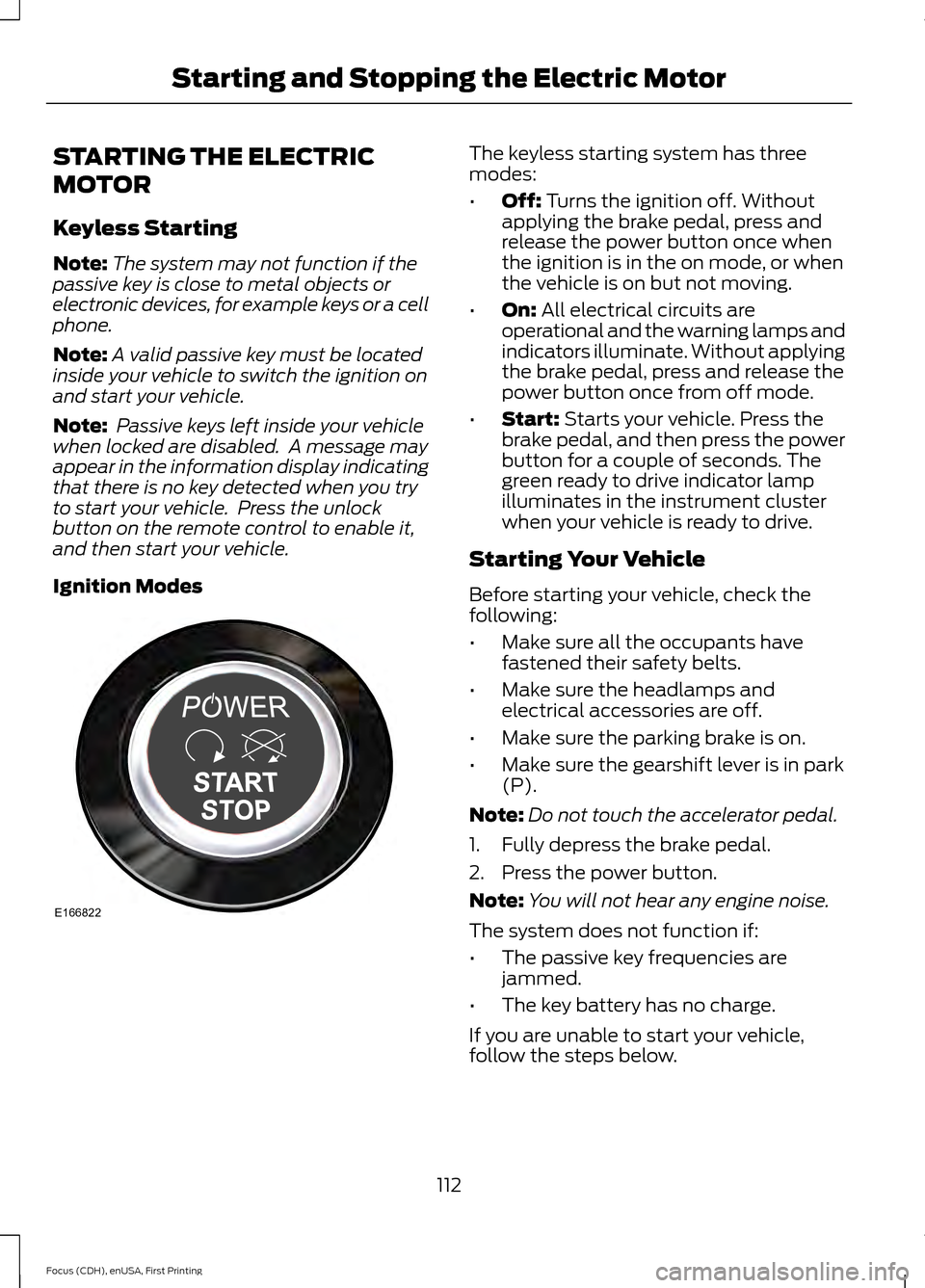
Ignition Modes The keyless starting system has three
modes:
•
Off: Turns the ignition off. Without
applying the brake pedal, press and
release the power button once when
the ignition is in the on mode, or when
the vehicle is on but not moving.
• On:
All electrical circuits are
operational and the warning lamps and
indicators illuminate. Without applying
the brake pedal, press and release the
power button once from off mode.
• Start:
Starts your vehicle. Press the
brake pedal, and then press the power
button for a couple of seconds. The
green ready to drive indicator lamp
illuminates in the instrument cluster
when your vehicle is ready to drive.
Starting Your Vehicle
Before starting your vehicle, check the
following:
• Make sure all the occupants have
fastened their safety belts.
• Make sure the headlamps and
electrical accessories are off.
• Make sure the parking brake is on.
• Make sure the gearshift lever is in park
(P).
Note: Do not touch the accelerator pedal.
1. Fully depress the brake pedal.
2. Press the power button.
Note: You will not hear any engine noise.
The system does not function if:
• The passive key frequencies are
jammed.
• The key battery has no charge.
If you are unable to start your vehicle,
follow the steps below.
112
Focus (CDH), enUSA, First Printing Starting and Stopping the Electric MotorE166822
Page 151 of 369
Canadian roadside coverage and benefits
may differ from the U.S. coverage. If you
require more information, please refer to
the coverage section of your warranty
guide, call us in Canada at
1-800-665-2006, or visit our website at
www.ford.ca.
Sykes Assistance Services Corporation
administers the Roadside Assistance
program. You must receive covered
services in Canada or the continental
United States. Coverage extends to
vehicles that use public, non-seasonal,
annually traveled roadways. Roadside
Assistance coverage does not extend to
vehicles involved in cross-country driving,
logging, autocross and any other form of
off-road use. Well maintained roads and
surfaces help ensure safe travel for the
supplier, and allow their representatives
to perform service as per the standard
operating procedures.
In Remote Locations
If our supplier cannot take your vehicle by
road to the nearest authorized dealership,
transportation by rail or water may be
necessary. The program covers a tow to
the dock or rail terminal and also to the
dealership at the end of the trip.
For rail or water transportation, however,
contact your authorized dealer to confirm
if you are eligible for additional coverage
before you authorize or pay for the service.
Call the Ford Roadside Assistance at
1-800-665-2006 for additional
information.
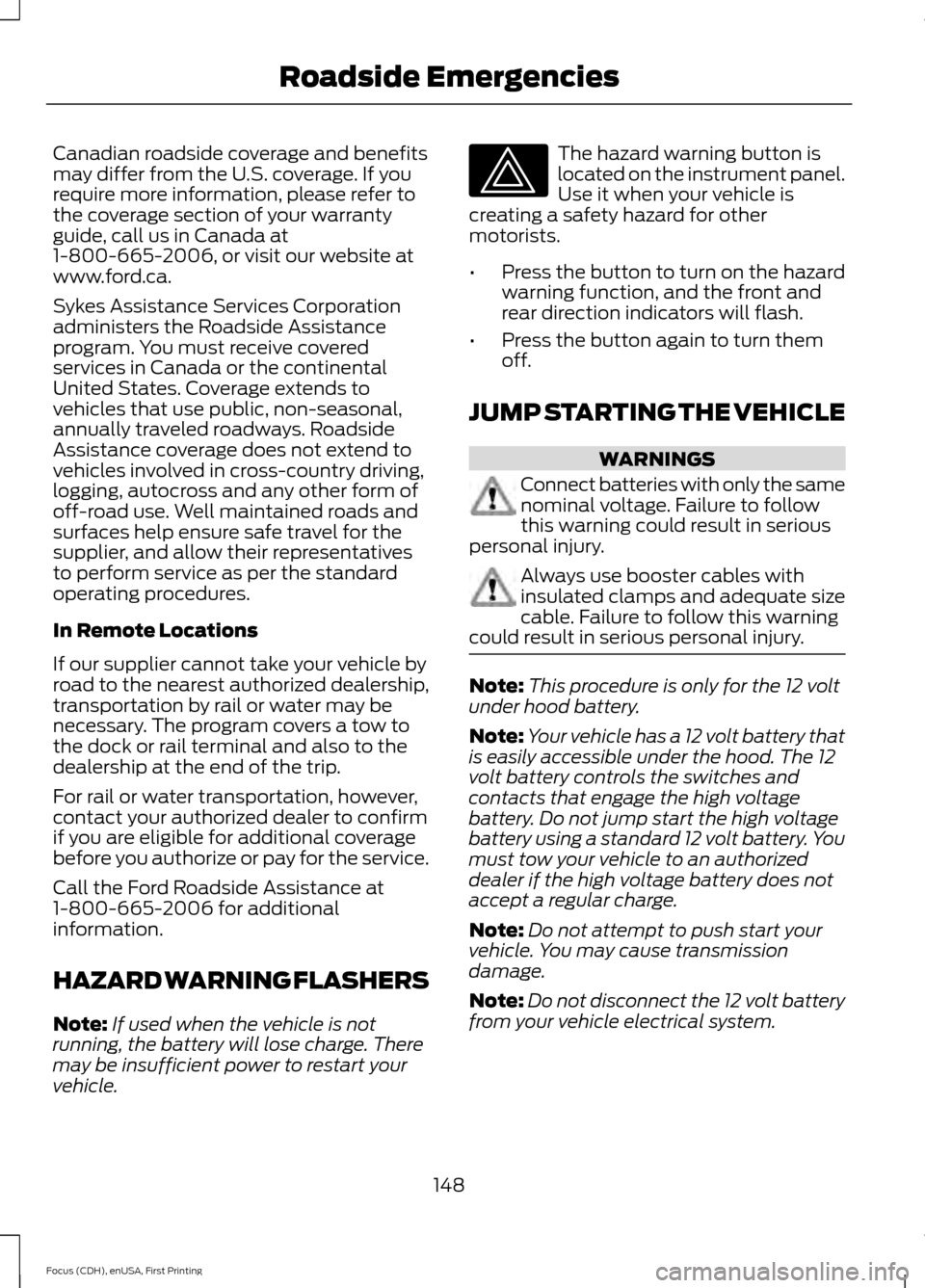
HAZARD WARNING FLASHERS
Note:
If used when the vehicle is not
running, the battery will lose charge. There
may be insufficient power to restart your
vehicle. The hazard warning button is
located on the instrument panel.
Use it when your vehicle is
creating a safety hazard for other
motorists.
• Press the button to turn on the hazard
warning function, and the front and
rear direction indicators will flash.
• Press the button again to turn them
off.
JUMP STARTING THE VEHICLE WARNINGS
Connect batteries with only the same
nominal voltage. Failure to follow
this warning could result in serious
personal injury. Always use booster cables with
insulated clamps and adequate size
cable. Failure to follow this warning
could result in serious personal injury. Note:
This procedure is only for the 12 volt
under hood battery.
Note: Your vehicle has a 12 volt battery that
is easily accessible under the hood. The 12
volt battery controls the switches and
contacts that engage the high voltage
battery. Do not jump start the high voltage
battery using a standard 12 volt battery. You
must tow your vehicle to an authorized
dealer if the high voltage battery does not
accept a regular charge.
Note: Do not attempt to push start your
vehicle. You may cause transmission
damage.
Note: Do not disconnect the 12 volt battery
from your vehicle electrical system.
148
Focus (CDH), enUSA, First Printing Roadside Emergencies
Page 154 of 369
•
As with any vehicle fire, do not inhale
smoke, vapors or gas from the vehicle,
as they may be hazardous.
• Remain a safe distance from the
vehicle and try to stay clear of the
smoke.
• Stay out of the roadway and stay out
of the way of any oncoming traffic
while awaiting the arrival of emergency
responders.
Post-Incident
• Do not store a severely damaged
vehicle with a lithium-ion battery inside
a structure or within 50 feet (15
meters) of any structure or vehicle.
• Make sure that passenger and cargo
compartments remain ventilated (i.e.
open window, door or trunk).
• For vehicles in the United States, notify
Ford Motor Company 1-800-392-3673
(then follow the prompts on the voice
response menu), an authorized Ford
dealer or service center as soon as
possible as there may be other steps
to secure and discharge the
high-voltage battery.
• For vehicles in Canada, notify Ford
Motor Company 1-800-565-3673
(then follow the prompts on the voice
response menu), an authorized Ford
dealer or service center as soon as
possible as there may be other steps
to secure and discharge the
high-voltage battery.
• Call 911 if you observe leaking fluids,
sparks, smoke or flames, or hear
gurgling or bubbling from the
high-voltage battery. POST-CRASH ALERT SYSTEM
The system flashes the direction indicators
and sounds the horn (intermittently) in the
event of a serious impact that deploys an
airbag (front, side, side curtain or Safety
Canopy) or the safety belt pretensioners.
The horn and indicators will turn off when:
•
You press the hazard control button.
• You press the panic button on the
remote entry transmitter (if equipped).
• Your vehicle runs out of power.
151
Focus (CDH), enUSA, First Printing Roadside Emergencies
Page 216 of 369
WARNINGS
may be found on either the Safety
Compliance Certification Label
(affixed to either the door hinge
pillar, door-latch post, or the door
edge that meets the door-latch
post, next to the driver's seating
position), or the Tire Label which
is located on the B-Pillar or edge
of the driver ’s door. If this
information is not found on these
labels, then you should contact
your authorized dealer as soon as
possible. Use of any tire or wheel
not recommended by Ford can
affect the safety and performance
of your vehicle, which could result
in an increased risk of loss of
vehicle control, vehicle rollover,
personal injury and death.
Additionally the use of
non-recommended tires and
wheels could cause steering,
suspension, axle, transfer case or
power transfer unit failure. If you
have questions regarding tire
replacement, contact your
authorized dealer as soon as
possible. When mounting replacement
tires and wheels, you should
not exceed the maximum pressure
indicated on the sidewall of the
tire to set the beads without
additional precautions listed
below. If the beads do not seat at
the maximum pressure indicated,
re-lubricate and try again. WARNINGS
When inflating the tire for
mounting pressures up to 20 psi
(1.38 bar) greater than the
maximum pressure on the tire
sidewall, the following
precautions must be taken to
protect the person mounting the
tire:
1. Make sure that you have the
correct tire and wheel size.
2. Lubricate the tire bead and
wheel bead seat area again.
3. Stand at a minimum of
12 ft
(3.66 m) away from the wheel
and tire assembly.
4. Use both eye and ear
protection.
For a mounting pressure more
than 20 psi (1.38 bar) greater than
the maximum pressure, a Ford
dealer or other tire service
professional should do the
mounting.
Always inflate steel carcass tires
with a remote air fill with the
person inflating standing at a
minimum of 12 ft (3.66 m) away
from the wheel and tire assembly. Important: Remember to replace
the wheel valve stems when the
road tires are replaced on your
vehicle.
213
Focus (CDH), enUSA, First Printing Wheels and Tires
Page 365 of 369
I
In California (U.S. Only)..............................153
Information Display Control......................68
Multimedia Controls........................................... 69
Information Displays
....................................86
General Information........................................... 86
Information....................................................292 911 Assist............................................................... 298
Alerts....................................................................... 297
Calendar............................................................... 298
Sirius Travel Link................................................ 296
SYNC Services (If Equipped, United States Only).................................................................. 292
Vehicle Health Report..................................... 300
Information Messages
..................................92
AdvanceTrac®....................................................... 93
Alarm........................................................................\
93
Battery and Charging System (High Voltage).............................................................. 93
Doors........................................................................\
95
Hill Start Assist..................................................... 95
Keys and Intelligent Access.............................. 95
Lighting.................................................................... 96
Maintenance.......................................................... 96
MyKey....................................................................... 96
Park Aid.................................................................... 97
Park Brake............................................................... 97
Power Steering..................................................... 98
Remote Start......................................................... 98
Tire Pressure Monitoring System................... 98
Transmission......................................................... 99
Installing Child Seats
.....................................18
Child Seats............................................................... 18
Using Lap and Shoulder Belts.......................... 19
Using Lower Anchors and Tethers for Children (LATCH)............................................. 21
Using Tether Straps............................................. 23
Instrument Cluster
.........................................81
Instrument Lighting Dimmer......................74
Instrument Panel Overview.........................15
Interior Lamps..................................................75
Front Interior Lamps (If Equipped)................75
Interior Mirror
....................................................79
Introduction........................................................5 J
Jump Starting the Vehicle
.........................148
To Connect the Booster Cables.................... 149
To Start Your Vehicle......................................... 149
K
Keyless Entry....................................................62 SECURICODE™ KEYLESS ENTRY
KEYPAD............................................................... 62
Keys and Remote Controls........................46
L
Lighting Control
...............................................72
Headlamp Flasher................................................ 73
High Beams............................................................. 72
Lighting...............................................................72 General Information............................................ 72
Load Carrying
.................................................135
Load Limit........................................................135
Vehicle Loading - with and without a
Trailer.................................................................. 135
Locking and Unlocking
.................................57
Activating Intelligent Access........................... 58
Autolock Feature.................................................. 59
Autounlock Feature............................................ 60
Battery Saver.......................................................... 61
Disabled Intelligent Access Keys.................... 59
Enabling or Disabling Autolock and Autounlock........................................................ 60
Illuminated Entry................................................. 60
Illuminated Exit..................................................... 60
Opening the Liftgate............................................ 61
Power Door Locks................................................. 57
Remote Control..................................................... 57
Smart Unlocks for Intelligent Access Keys...................................................................... 59
Locks...................................................................57
Lug Nuts See: Changing a Road Wheel....................... 220
Lug Nuts
...........................................................221
M
Maintenance..................................................169 General Information.......................................... 169
362
Focus (CDH), enUSA, First Printing Index